filter Citroen BERLINGO 2016 2.G User Guide
[x] Cancel search | Manufacturer: CITROEN, Model Year: 2016, Model line: BERLINGO, Model: Citroen BERLINGO 2016 2.GPages: 264, PDF Size: 8.42 MB
Page 183 of 264
181
Berlingo-2-VU_en_Chap10a_SMEGplus_ed01-2016
Level 1Level 2 Level 3 Comments
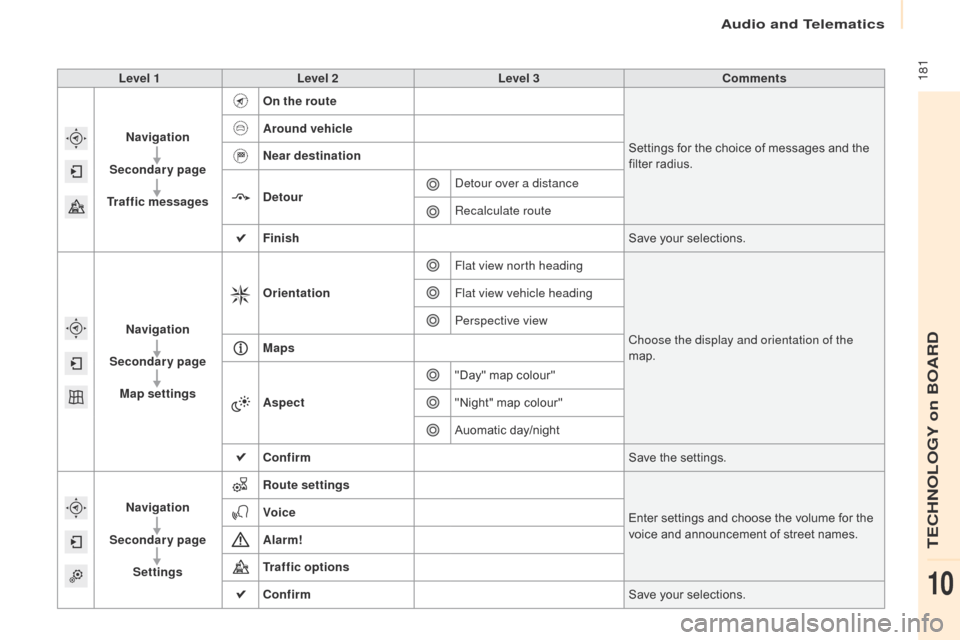
Navigation
Secondary page
Traffic messages On the route
Settings for the choice of messages and the
filter radius.
Around vehicle
Near destination
Detour
de
tour over a distance
Recalculate route
Finish Save your selections.
Navigation
Secondary page Map settings Orientation
Flat view north heading
Choose the display and orientation of the
map.
Flat view vehicle heading
Perspective view
Maps
Aspect "Day" map colour"
"Night" map colour"
Auomatic day/night
Confirm Save the settings.
Navigation
Secondary page Settings Route settings
Enter settings and choose the volume for the
voice and announcement of street names.
Voice
Alarm!
Traffic options
Confirm
Save your selections.
audio and Telematics
TECHnoLoGY on BoaRd
10
Page 188 of 264
186
Berlingo-2-VU_en_Chap10a_SMEGplus_ed01-2016
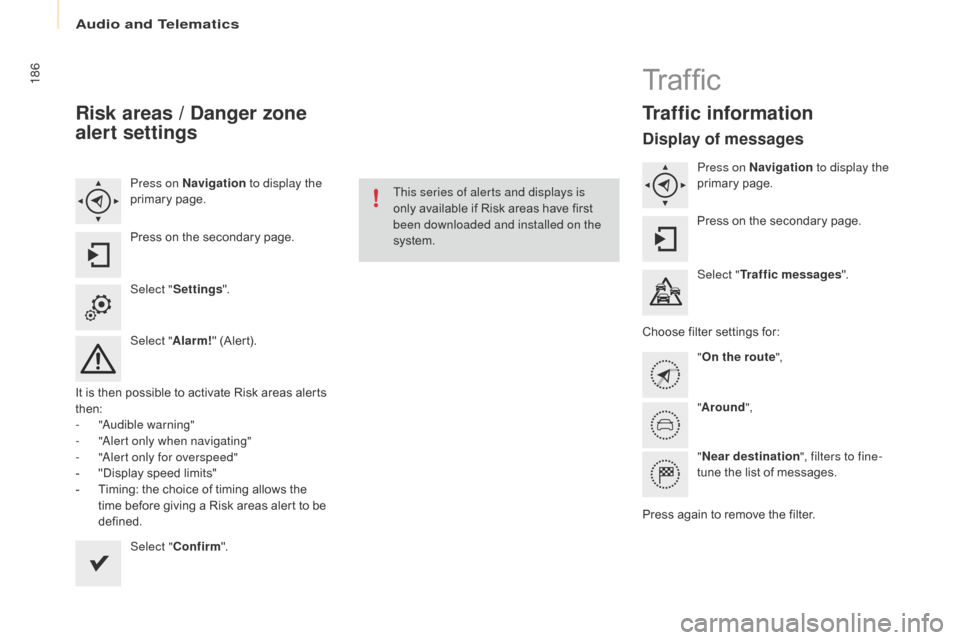
Risk areas / Danger zone
alert settings
Press on Navigation to display the
primary page.
Press on the secondary page.
Select " Settings ".
Select " Alarm!" (Alert).
It is then possible to activate Risk areas alerts
then:
-
"au
dible warning"
-
"al
ert only when navigating"
-
"al
ert only for overspeed"
-
"
Display speed limits"
-
T
iming: the choice of timing allows the
time before giving a Risk areas alert to be
defined.
Select " Confirm ". This series of alerts and displays is
only available if Risk areas have first
been downloaded and installed on the
system.
Tr a f fi c
Traffic information
Display of messages
Press on Navigation
to display the
primary page.
Press on the secondary page.
Select " Traffic messages ".
Choose filter settings for: "On the route ",
" Around ",
" Near destination ", filters to fine-
tune the list of messages.
Press again to remove the filter.
audio and Telematics
Page 189 of 264
187
Berlingo-2-VU_en_Chap10a_SMEGplus_ed01-2016
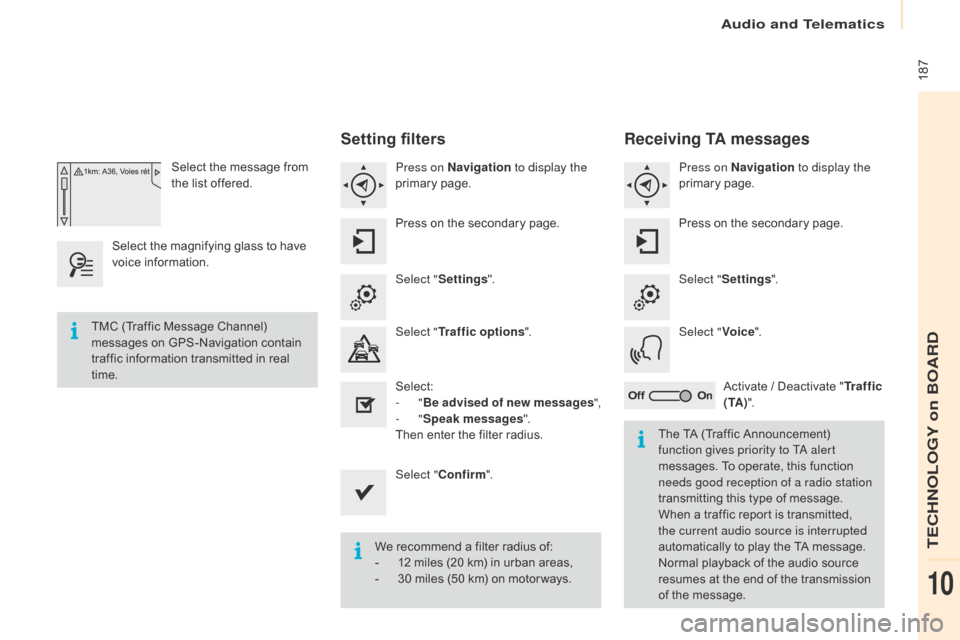
Select the message from
the list offered.
Select the magnifying glass to have
voice information.
Setting filters
Press on Navigation to display the
primary page.
Press on the secondary page.
Select " Settings ".
Select " Traffic options ".
Select:
-
"Be advised of new messages ",
-
"Speak messages ".
Then enter the filter radius.
Select " Confirm ".
We recommend a filter radius of:
-
1
2 miles (20 km) in urban areas,
-
3
0 miles (50 km) on motor ways.
TMC (Traffic Message Channel)
messages on GPS-Navigation contain
traffic information transmitted in real
time.
The TA (Traffic Announcement)
function gives priority to T
a
alert
messages. To operate, this function
needs good reception of a radio station
transmitting this type of message.
When a traffic report is transmitted,
the current audio source is interrupted
automatically to play the TA message.
Normal playback of the audio source
resumes at the end of the transmission
of the message.
Receiving TA messages
Press on Navigation to display the
primary page.
Press on the secondary page.
Select " Settings ".
Select " Voice".
Activate / Deactivate " Tr a f f i c
( TA ) ".
audio and Telematics
TECHnoLoGY on BoaRd
10
Page 233 of 264
231
Berlingo-2-VU_en_Chap10a_SMEGplus_ed01-2016
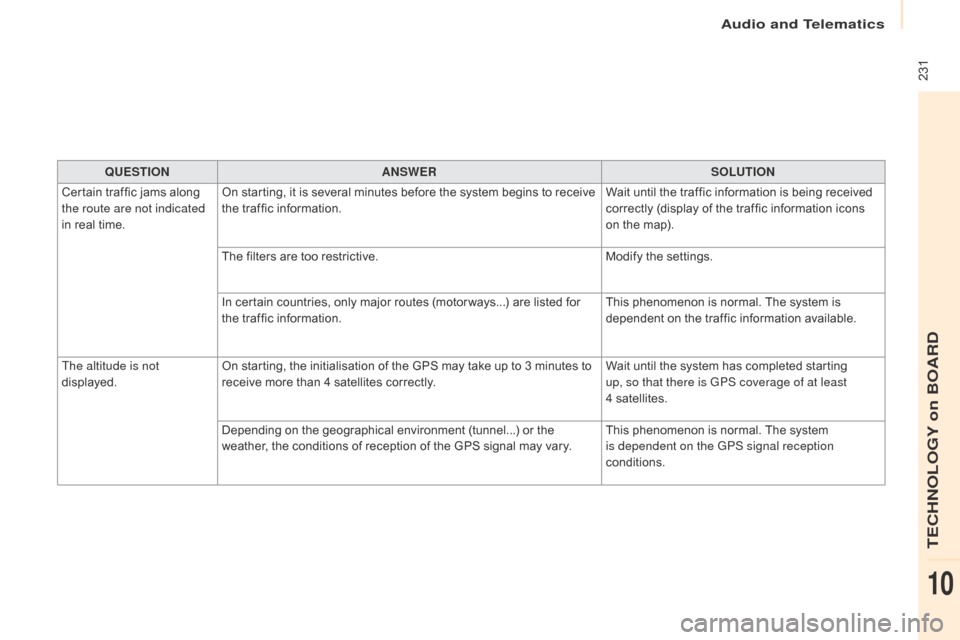
QUESTIONANSWER SOLUTION
Certain traffic jams along
the route are not indicated
in real time. On starting, it is several minutes before the system begins to receive
the traffic information.
Wait until the traffic information is being received
correctly (display of the traffic information icons
on the map).
The filters are too restrictive. Modify the settings.
In certain countries, only major routes (motor ways...) are listed for
the traffic information. This phenomenon is normal. The system is
dependent on the traffic information available.
The altitude is not
displayed. On starting, the initialisation of the GPS may take up to 3 minutes to
receive more than 4 satellites correctly. Wait until the system has completed starting
up, so that there is GPS coverage of at least
4
s
atellites.
Depending on the geographical environment (tunnel...) or the
weather, the conditions of reception of the GPS signal may vary. This phenomenon is normal. The system
is dependent on the GPS signal reception
conditions.
audio and Telematics
TECHnoLoGY on BoaRd
10