battery CITROEN C CROSSER 2010 User Guide
[x] Cancel search | Manufacturer: CITROEN, Model Year: 2010, Model line: C CROSSER, Model: CITROEN C CROSSER 2010Pages: 217, PDF Size: 6.48 MB
Page 72 of 217

III
79
"Tailgate open" warning
This warning lamp comes on
on the instrument panel screen
when the tailgate is not closed
correctly. LOWER TAILGATE
Opening
Push the handle C to the right and
tilt the tailgate D gently.
Closing
Raise the tailgate D , push it to close
it, then check that it is secured
correctly. Before opening the tailgate, ensure
that no one is within the radius of
opening.
For reasons of safety and correct op-
eration, do not drive with the tailgate
open.
If the battery is disconnected, the
tailgate cannot be opened.
Do not climb onto the lower tailgate
and do not subject it to heavy knocks,
it may be damaged.
Always close the lower tailgate and
check that it is secured correctly be-
fore closing the main tailgate.
When closing the lower tailgate, en-
sure that no person or object is in the
proximity of the moving parts to avoid
any risk of injury or damage.
Do not open the lower tailgate when
a towbar is fi tted.
Maximum authorised weight on the
lower tailgate when open:
200 kg .
Tailgate release
This enables the tailgate to be unlocked
in the event of a central locking fault.
- Fold back the rear seats to gain
access to the tailgate release from
inside the boot.
- Remove the plastic cap from the opening A in the tailgate interior
pillar.
- Move the control B to the right to
unlock and open the tailgate.
Page 119 of 217

VIII
124
PETROL ENGINE
1. Screenwash and headlamp wash reservoir.
2. Coolant reservoir.
3. Power steering fl uid reservoir.
4. Brake fl uid reservoir.
5. Fusebox.
6. Battery.
7. CVT gearbox dipstick.
8. Radiator cap.
9. Engine oil dipstick.
10. Engine oil fi ller cap.
11. Air fi lter.
Access for checking the levels of the various fl uids and the repla
cement of certain components.
Page 120 of 217

VIII
125
DIESEL ENGINE
Access for checking the levels of the various fl uids and the replacement of certain components.
1. Coolant reservoir.
2. Power steering fl uid reservoir.
3. Screenwash and headlamp wash reservoir.
4. Brake fl uid reservoir.
5. Fusebox.
6. Battery.
7. Engine oil dipstick.
8. Engine oil fi ller cap.
9. Air fi lter.
Page 122 of 217

VIII
!
C H E C K S
127
Diesel additive level (Diesel with particle emission filter)
The minimum level of this additive is indicated
by lighting of the service warning lamp, ac-
companied by an audible signal and a mes-
sage on the multifunction screen.
Topping up
This additive must be topped up by a
CITROËN dealer without delay.
Used products
CHECKS
Battery
Check the electrolyte level
regularly. If necessary, top up
the level with distilled water.
Check that the terminals are
clean and correctly tightened,
particularly in summer and
winter.
When carrying out work on the battery,
refer to the "Practical information" sec-
tion for details of the precautions to be
taken before disconnecting the battery
and following its reconnection.
Air filter and passenger compartment filter
Refer to the servicing booklet
for details of the replacement
intervals for these compo-
nents.
Depending on the environ-
ment (dusty atmosphere...) and the use
of the vehicle (city driving...), replace
them twice as often if necessary (refer
to the "Engines" paragraph).
A clogged passenger compartment fi l-
ter may have an adverse effect on the
performance of the air conditioning sys-
tem and generate undesirable odours.
Oil filter
Replace the oil fi lter each time
the engine oil is changed.
Refer to the servicing booklet
for details of the replacement
interval for this component.
Particle emission filter (Diesel)
Maintenance of the particle emission fi lter
must be carried out by a CITROËN dealer.
Following prolonged operation of
the vehicle at very low speed or at
idle, you may, exceptionally, notice
the emission of water vapour at the
exhaust on acceleration. This does
not have any adverse effect on the
performance of the vehicle or on the
environment.
Avoid any prolonged contact of
used oil or fl uids with the skin.
Most of these fl uids are harmful to
health or indeed very corrosive.
Do not discard used oil or fl uids
into sewers or onto the ground.
Empty used oil into the contain-
ers provided for this purpose in the
CITROËN network (France) or take
them to an authorised waste dispos-
al site.
Do not discard the oil fi lter through
public channels, deposit it in the con-
tainers dedicated to this use in the
CITROËN network (France) or take them
to an authorised waste disposal site.
Unless otherwise indicated, check
these components in accordance with
the servicing booklet and in relation to
your engine.
Otherwise, have them checked by a
CITROËN dealer.
Page 123 of 217

VIII
!
C H E C K S
127
Diesel additive level (Diesel with particle emission filter)
The minimum level of this additive is indicated
by lighting of the service warning lamp, ac-
companied by an audible signal and a mes-
sage on the multifunction screen.
Topping up
This additive must be topped up by a
CITROËN dealer without delay.
Used products
CHECKS
Battery
Check the electrolyte level
regularly. If necessary, top up
the level with distilled water.
Check that the terminals are
clean and correctly tightened,
particularly in summer and
winter.
When carrying out work on the battery,
refer to the "Practical information" sec-
tion for details of the precautions to be
taken before disconnecting the battery
and following its reconnection.
Air filter and passenger compartment filter
Refer to the servicing booklet
for details of the replacement
intervals for these compo-
nents.
Depending on the environ-
ment (dusty atmosphere...) and the use
of the vehicle (city driving...), replace
them twice as often if necessary (refer
to the "Engines" paragraph).
A clogged passenger compartment fi l-
ter may have an adverse effect on the
performance of the air conditioning sys-
tem and generate undesirable odours.
Oil filter
Replace the oil fi lter each time
the engine oil is changed.
Refer to the servicing booklet
for details of the replacement
interval for this component.
Particle emission filter (Diesel)
Maintenance of the particle emission fi lter
must be carried out by a CITROËN dealer.
Following prolonged operation of
the vehicle at very low speed or at
idle, you may, exceptionally, notice
the emission of water vapour at the
exhaust on acceleration. This does
not have any adverse effect on the
performance of the vehicle or on the
environment.
Avoid any prolonged contact of
used oil or fl uids with the skin.
Most of these fl uids are harmful to
health or indeed very corrosive.
Do not discard used oil or fl uids
into sewers or onto the ground.
Empty used oil into the contain-
ers provided for this purpose in the
CITROËN network (France) or take
them to an authorised waste dispos-
al site.
Do not discard the oil fi lter through
public channels, deposit it in the con-
tainers dedicated to this use in the
CITROËN network (France) or take them
to an authorised waste disposal site.
Unless otherwise indicated, check
these components in accordance with
the servicing booklet and in relation to
your engine.
Otherwise, have them checked by a
CITROËN dealer.
Page 144 of 217

IX
P R A C T I C A L I N F O R M A T I O N
148
The battery A is located under the bonnet
on the left.
To gain access to it:
open the bonnet using the interior
release lever, then the exterior safe-
ty catch,
secure the bonnet stay.
BATTERY
Access to the battery
Connect the red cable to the posi-
tive terminal (+) of the fl at battery A ,
then to the positive terminal (+) of
the slave battery B .
Connect one end of the green or black
cable to the negative terminal (-) of the
slave battery B .
Connect the other end of the green or
black cable to an earth point C on the
broken down vehicle, as far as pos-
sible from the battery (for example,
right-hand engine mounting).
Start the engine of the assisting
vehicle.
Operate the starter, let the engine run.
Wait until the engine returns to idle
and disconnect the cables.
Raise the front of the cover 1 to re-
lease the three clips 2 .
Then pull the cover 1 towards you
to release the clip 3 and remove the
cover.
Check the electrolyte level regularly.
If necessary, top up the level with dis-
tilled water.
Starting using another battery
Looking for an earth point at the right-hand engine mounting
Page 145 of 217
IX
!
!
P R A C T I C A L I N F O R M A T I O N
149
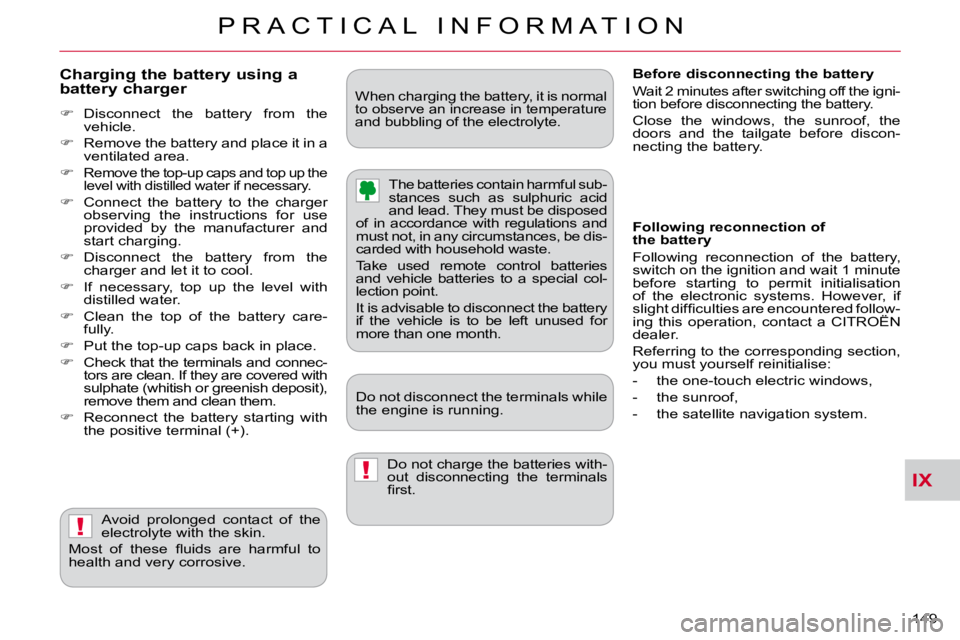
Charging the battery using a battery charger
Disconnect the battery from the
vehicle.
Remove the battery and place it in a
ventilated area.
Remove the top-up caps and top up the
level with distilled water if necessary.
Connect the battery to the charger
observing the instructions for use
provided by the manufacturer and
start charging.
Disconnect the battery from the
charger and let it to cool.
If necessary, top up the level with
distilled water.
Clean the top of the battery care-
fully.
Put the top-up caps back in place.
Check that the terminals and connec-
tors are clean. If they are covered with
sulphate (whitish or greenish deposit),
remove them and clean them.
Reconnect the battery starting with
the positive terminal (+).
Do not charge the batteries with-
out disconnecting the terminals
fi rst.
Avoid prolonged contact of the
electrolyte with the skin.
Most of these fl uids are harmful to
health and very corrosive. Do not disconnect the terminals while
the engine is running. The batteries contain harmful sub-
stances such as sulphuric acid
and lead. They must be disposed
of in accordance with regulations and
must not, in any circumstances, be dis-
carded with household waste.
Take used remote control batteries
and vehicle batteries to a special col-
lection point.
It is advisable to disconnect the battery
if the vehicle is to be left unused for
more than one month.
When charging the battery, it is nor
mal
to observe an increase in temperature
and bubbling of the electrolyte.
Following reconnection of
the battery
Following reconnection of the battery,
switch on the ignition and wait 1 minute
before starting to permit initialisation
of the electronic systems. However, if
slight diffi culties are encountered follow-
ing this operation, contact a CITROËN
dealer.
Referring to the corresponding section,
you must yourself reinitialise:
- the one-touch electric windows,
- the sunroof,
- the satellite navigation system.
Before disconnecting the battery
Wait 2 minutes after switching off the igni-
tion before disconnecting the battery.
Close the windows, the sunroof, the
doors and the tailgate before discon-
necting the battery.
Page 160 of 217

XI
165
A U D I O a n d T E L E M A T I C S
RADIO
Selecting radio mode
Press the "PWR" button
or the "AM/FM" button to
switch on the radio. Disconnecting the battery terminals
clears the stored radio stations.
Selecting the waveband
Press the "AM/FM" button
several times in succession
to select the waveband; it
changes in the following
order: FM1/FM2/FM3/MW/
LW/FM1...
Automatic station search
Press the "SEEK " or
"SEEK " button to search
the lower frequencies or the
higher frequencies respec-
tively.
Manual station search
Turn the "TUNE" dial re-
spectively to the left to
search the lower frequen-
cies or to the right to search
the higher frequencies.
Manual station storing
Press one of the six buttons "1" to "6"
until an audible signal is heard.
The sound cuts out then becomes au-
dible again when the station has been
stored.
The number of the button and the as-
sociated radio frequency appear on the
screen.
Automatic station storing
Press the "AM/FM" button
for more than two seconds.
Recalling stored stations
Press one of the six buttons "1" to "6".
The station corresponding to the wave-
band selected appears on the screen.
The search begins automatically and
stops at the fi rst station found. The six stations offering the best recep-
tion are stored and classifi ed from the
weakest to the strongest on the six cor-
responding buttons.
You can store up to six stations on each
waveband.
Storing a new station replaces the pre-
vious station. Stations can only be stored automati-
cally on wavebands FM3, MW and LW.
Storing new stations replaces the pre-
vious stations.
This storing can be activated automatically
irrespective of the waveband selected.
To recall the pre-set stored setting,
press the button and release it within
two seconds.