Set time CITROEN C CROSSER 2010 Owner's Manual
[x] Cancel search | Manufacturer: CITROEN, Model Year: 2010, Model line: C CROSSER, Model: CITROEN C CROSSER 2010Pages: 217, PDF Size: 6.48 MB
Page 172 of 217
XI
176
A U D I O a n d T E L E M A T I C S
NAVIGATION-GUIDANCE
What is the navigation system and
the GPS?
The satellite navigation system guides
the driver to the destination that he has
set in accordance with a chosen route.
Initially, it searches for the destination
required by the user, then it calculates
the route and fi nally it provides the vi-
sual and audible guidance instructions. What precautions should be
observed in order to make best use
of the system?
Do not place anything on or near the
GPS aerial.
Do not use any digital communication
equipment (personal computers, etc.)
near the GPS aerial.
Do not affi x any refl ective fi lms or fi lms
containing carbon to the windows.
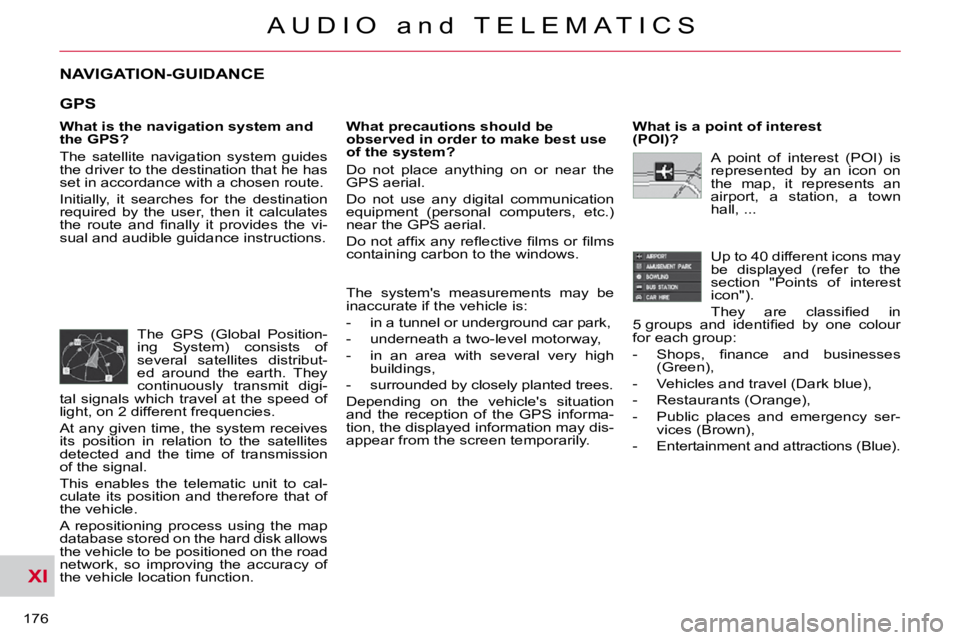
The GPS (Global Position-
ing System) consists of
several satellites distribut-
ed around the earth. They
continuously transmit digi-
tal signals which travel at the speed of
light, on 2 different frequencies.
At any given time, the system receives
its position in relation to the satellites
detected and the time of transmission
of the signal.
This enables the telematic unit to cal-
culate its position and therefore that of
the vehicle.
A repositioning process using the map
database stored on the hard disk allows
the vehicle to be positioned on the road
network, so improving the accuracy of
the vehicle location function. What is a point of interest
(POI)?
Up to 40 different icons may
be displayed (refer to the
section "Points of interest
icon").
They are classifi ed in
5 groups and identifi ed by one colour
for each group:
- Shops, fi nance and businesses (Green),
- Vehicles and travel (Dark blue),
- Restaurants (Orange),
- Public places and emergency ser- vices (Brown),
- Entertainment and attractions (Blue).
GPS
The system's measurements may be
inaccurate if the vehicle is:
- in a tunnel or underground car park,
- underneath a two-level motorway,
- in an area with several very high buildings,
- surrounded by closely planted trees.
Depending on the vehicle's situation
and the reception of the GPS informa-
tion, the displayed information may dis-
appear from the screen temporarily. A point of interest (POI) is
represented by an icon on
the map, it represents an
airport, a station, a town
hall, ...
Page 176 of 217
XI
180
A U D I O a n d T E L E M A T I C S
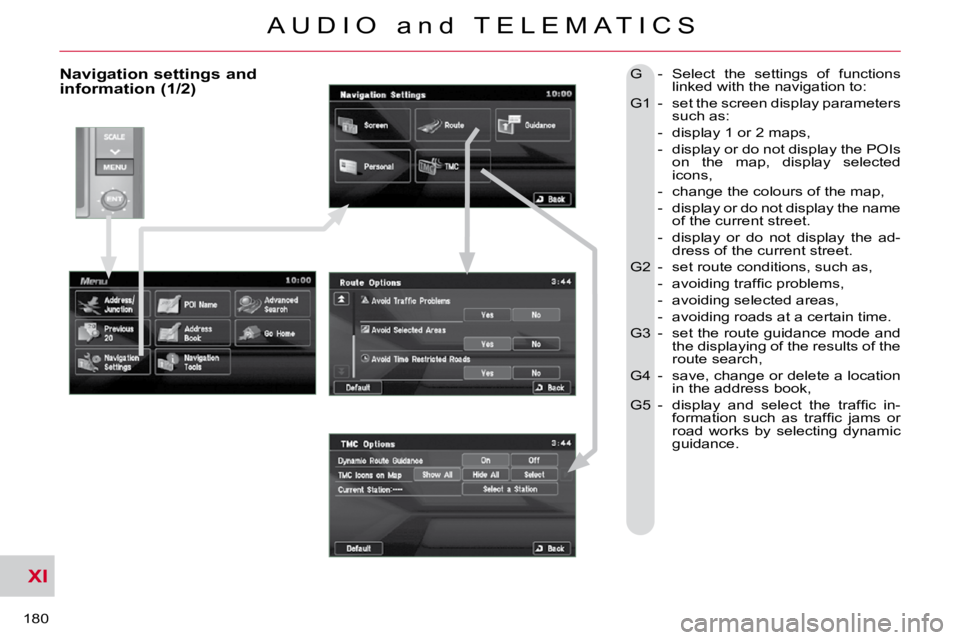
Navigation settings and information (1/2) G - Select the settings of functions linked with the navigation to:
G1 - set the screen display parameters such as:
- display 1 or 2 maps,
- display or do not display the POIs on the map, display selected
icons,
- change the colours of the map,
- display or do not display the name of the current street.
- display or do not display the ad- dress of the current street.
G2 - set route conditions, such as,
- avoiding traffi c problems,
- avoiding selected areas,
- avoiding roads at a certain time.
G3 - set the route guidance mode and the displaying of the results of the
route search,
G4 - save, change or delete a location in the address book,
G5 - display and select the traffi c in- formation such as traffi c jams or
road works by selecting dynamic
guidance.
Page 203 of 217
XI
207
A U D I O a n d T E L E M A T I C S
Time and date, language, unit, picture size
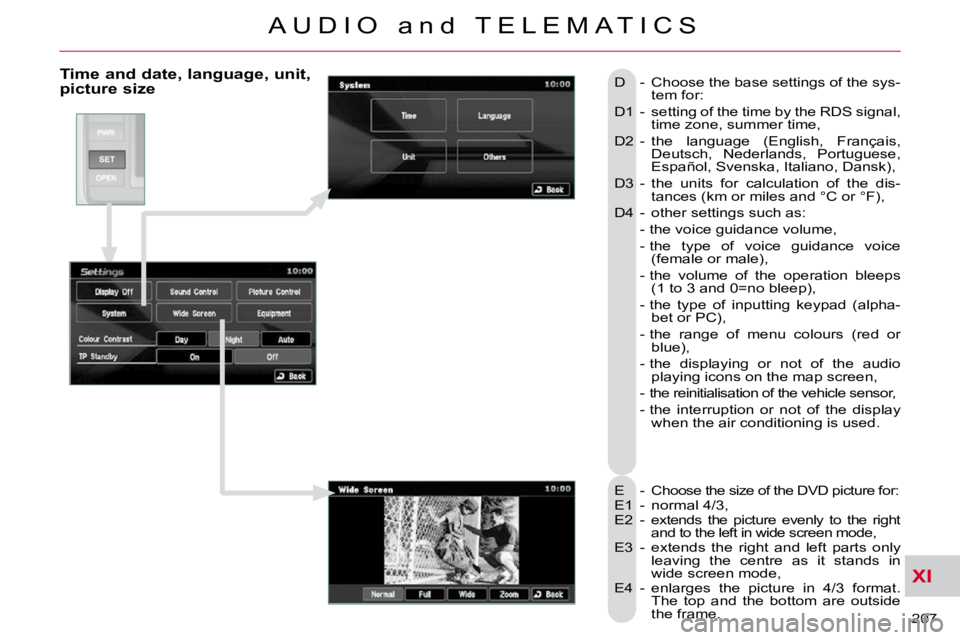
E - Choose the size of the DVD picture for:
E1 - normal 4/3,
E2 - extends the picture evenly to the right and to the left in wide screen mode,
E3 - extends the right and left parts only leaving the centre as it stands in
wide screen mode,
E4 - enlarges the picture in 4/3 format. The top and the bottom are outside
the frame.
D - Choose the base settings of the sys-
tem for:
D1 - setting of the time by the RDS signal, time zone, summer time,
D2 - the language (English, Français, Deutsch, Nederlands, Portuguese,
Español, Svenska, Italiano, Dansk),
D3 - the units for calculation of the dis- tances (km or miles and °C or °F),
D4 - other settings such as:
- the voice guidance volume,
- the type of voice guidance voice (female or male),
- the volume of the operation bleeps (1 to 3 and 0=no bleep),
- the type of inputting keypad (alpha- bet or PC),
- the range of menu colours (red or blue),
- the displaying or not of the audio playing icons on the map screen,
- the reinitialisation of the vehicle sensor,
- the interruption or not of the display when the air conditioning is used.
Page 206 of 217
XI
210
A U D I O a n d T E L E M A T I C S
Calendar, trip
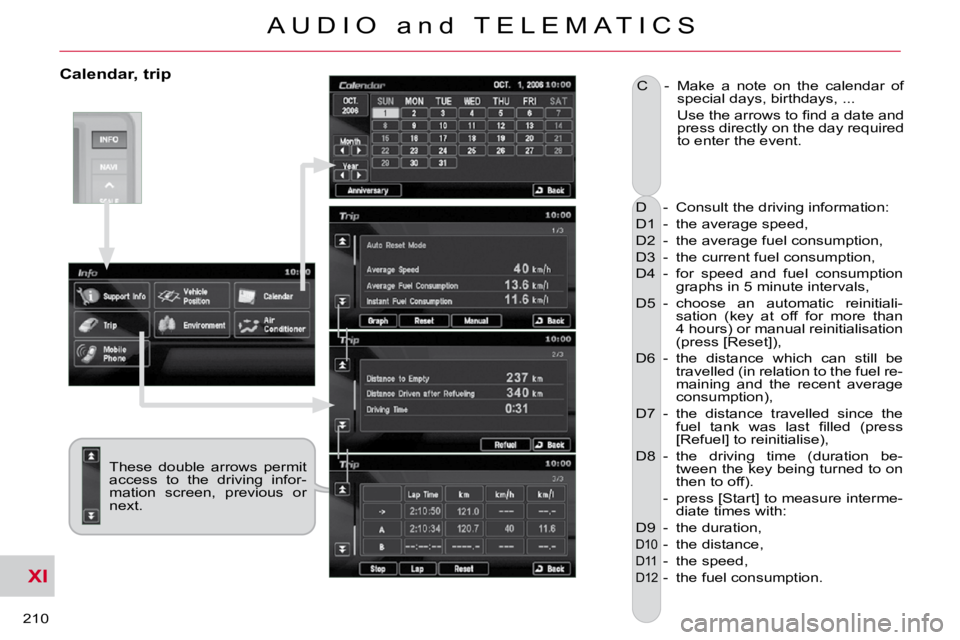
D - Consult the driving information:
D1 - the average speed,
D2 - the average fuel consumption,
D3 - the current fuel consumption,
D4 - for speed and fuel consumption graphs in 5 minute intervals,
D5 - choose an automatic reinitiali- sation (key at off for more than
4 hours) or manual reinitialisation
(press [Reset]),
D6 - the distance which can still be travelled (in relation to the fuel re-
maining and the recent average
consumption),
D7 - the distance travelled since the fuel tank was last fi lled (press
[Refuel] to reinitialise),
D8 - the driving time (duration be- tween the key being turned to on
then to off).
- press [Start] to measure interme- diate times with:
D9 - the duration,
D10 - the distance,
D11 - the speed,
D12 - the fuel consumption.
C - Make a note on the calendar of
special days, birthdays, ...
Use the arrows to fi nd a date and press directly on the day required
to enter the event.
These double arrows permit
access to the driving infor-
mation screen, previous or
next.