audio Citroen C ZERO RHD 2015 1.G User Guide
[x] Cancel search | Manufacturer: CITROEN, Model Year: 2015, Model line: C ZERO RHD, Model: Citroen C ZERO RHD 2015 1.GPages: 176, PDF Size: 5.22 MB
Page 142 of 176
03
140
Audio CD
Insert 12 cm diameter circular compact discs only.
Some anti-pirating systems, on original discs or CDs copied using a
personal recorder, may cause faults which are no reflection on the
quality of the original player.
Without pressing the EJECT button, insert a Cd in the player, play
begins automatically.
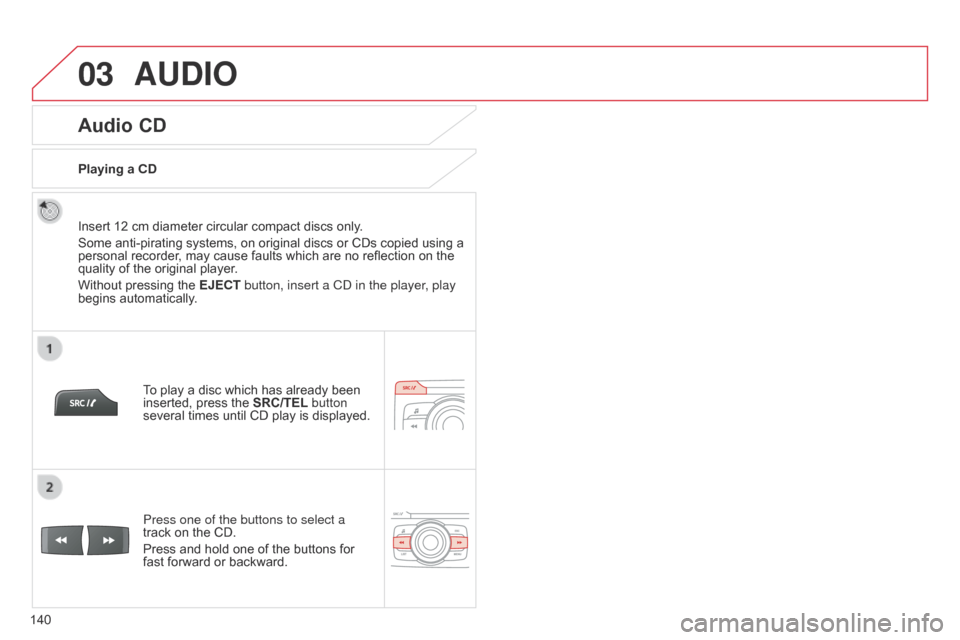
To play a disc which has already been
inserted, press the SRC/TEL button
several times until CD play is displayed.
Press one of the buttons to select a
track on the CD.
Press and hold one of the buttons for
fast forward or backward.
Playing a CD
AUDIO
Page 143 of 176
03
141
CD, USB
Information and adviceOn a single disc, the CD player can read up to 255 MP3 files spread
over 8 folder levels with a maximum of 192 folders. However, it is
recommended that this be kept to 2 levels so as to limit the time taken
to access and play the CD.
During play, the folder structure is not observed.
In order to be able to play a recorded CDR or CDRW, when recording
it is preferable to select standards ISO 9660 level 1.2 or Joliet.
If the disc is recorded in another format, it may not be played correctly.
It is recommended that the same recording standard is always used
for an individual disc, with as low a speed as possible (4x maximum)
for optimum sound quality.
In the particular case of a multi-session CD, the Joliet standard is
recommended.
Do not connect a hard disk or USB device other than audio players to
the USB port. This may cause damage to your installation.
The audio system will only play files with ".mp3", ".wma" and ".wav"
on
a CD and can play files with ".ogg" extension only on USB.
A high compression rate can adversely affect sound quality.
The playlists accepted on CD, MP3, iPod and USB connection are
types ".m3u" and ".wpl".
The number of files recognised is limited to 5 000 in 500 folders on a
maximum of 8 levels.
AUDIO
Page 144 of 176
03
142
CD, USB
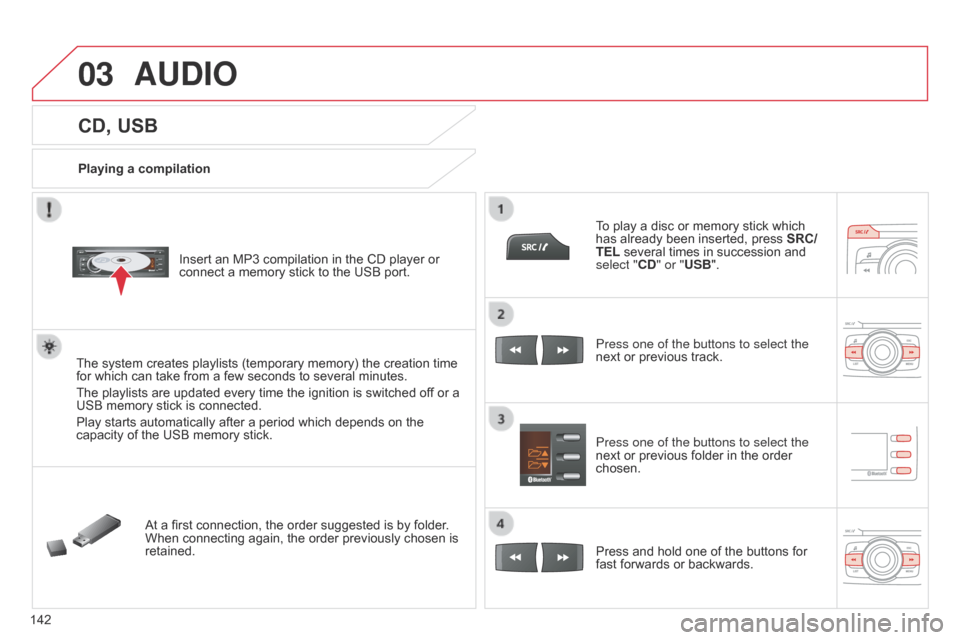
Playing a compilationInsert an MP3 compilation in the CD player or
connect a memory stick to the USB port.
The system creates playlists (temporary memory) the creation time
for which can take from a few seconds to several minutes.
The playlists are updated every time the ignition is switched of f or a
USB memory stick is connected.
Play starts automatically after a period which depends on the
capacity of the USB memory stick.
At a first connection, the order suggested is by folder.
When connecting again, the order previously chosen is
retained. To play a disc or memory stick which
has already been inserted, press
SRC/
TEL several times in succession and
select "CD" or "USB".
Press one of the buttons to select the
next or previous track.
Press one of the buttons to select the
next or previous folder in the order
chosen.
Press and hold one of the buttons for
fast forwards or backwards.
AUDIO
Page 145 of 176

03
143
Select a line in the list.
Jump a page.
Press MENU, select "Media" then
select or deselect
"TA" to activate
or deactivate reception of traffic
messages.
Up a level in the menu.
AUDIO
Return to the top level of the folder structure to select the type of
tracks.
-
By
Folders (CD or USB): all folders containing audio files
recognised on the peripheral device, in alphabetical order
without
following the folder structure.
-
By
Artist (USB only): all of the artist names defined in the
ID3
T
ags, in alphabetical order.
-
By
Genre (USB only): all of the genres defined in the ID3 Tags.
-
By
Playlist (CD or USB): if playlists have been saved.
Press LIST
to display the structure of
the folders in the compilation.
Select the play mode: "Normal",
"Random", "Random all" or
"Repeat" .
Page 146 of 176
03
144
AUDIO
Management of the device is via the audio system controls; refer to
the "CD, USB" section.The audio files on a Mass Storage portable player* can
be heard through the vehicle's speakers by connecting
it to the USB port (cable not supplied).
The a pple
® player must be updated regularly for the best connection. The playlists are those defined in the Apple
® player.
The
a
pple
® player must be generation 3 or later.
* Check your player's manual.
APPLE® player or portable player
Page 147 of 176
03
145
Streaming - Playing audio files via Bluetooth
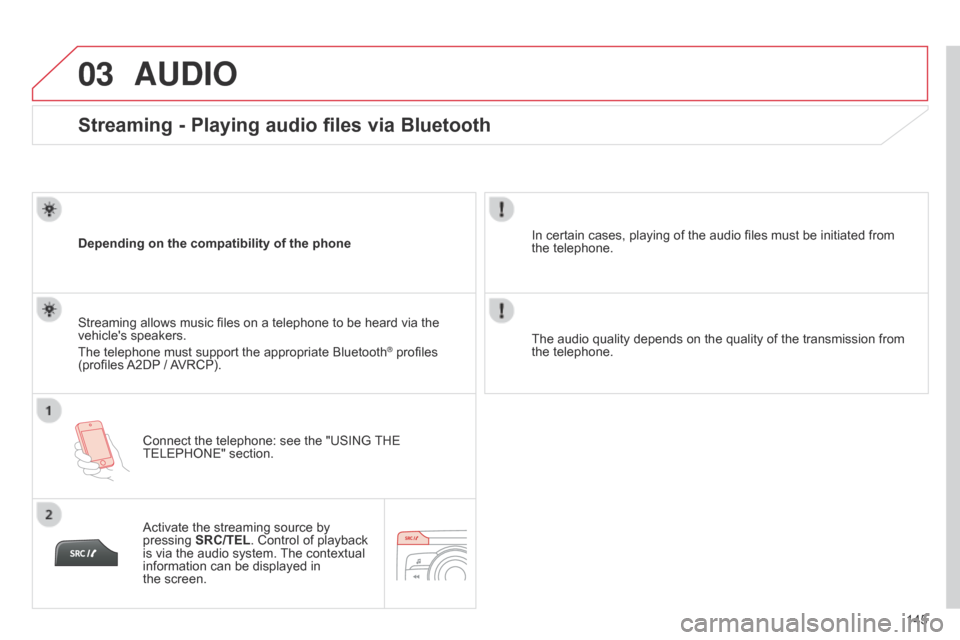
Depending on the compatibility of the phoneConnect the telephone: see the "USING THE
TELEPHONE" section.
Streaming allows music files on a telephone to be heard via the
vehicle's speakers.
The telephone must support the appropriate Bluetooth
® profiles
(profiles A2DP / AVRCP).
Activate the streaming source by
pressing SRC/TEL. Control of playback
is via the audio system. The contextual
information can be displayed in
the
screen. In certain cases, playing of the audio files must be initiated from
the
telephone.
The audio quality depends on the quality of the transmission from
the telephone.
AUDIO
Page 148 of 176
04
146
USING THE TELEPHONE
Pairing a Bluetooth telephone / First connection
The services offered depend on the network, the SIM card and the compatibility of the Bluetooth telephone used.
Consult your telephone's manual and your operator to find out which services are available to you.
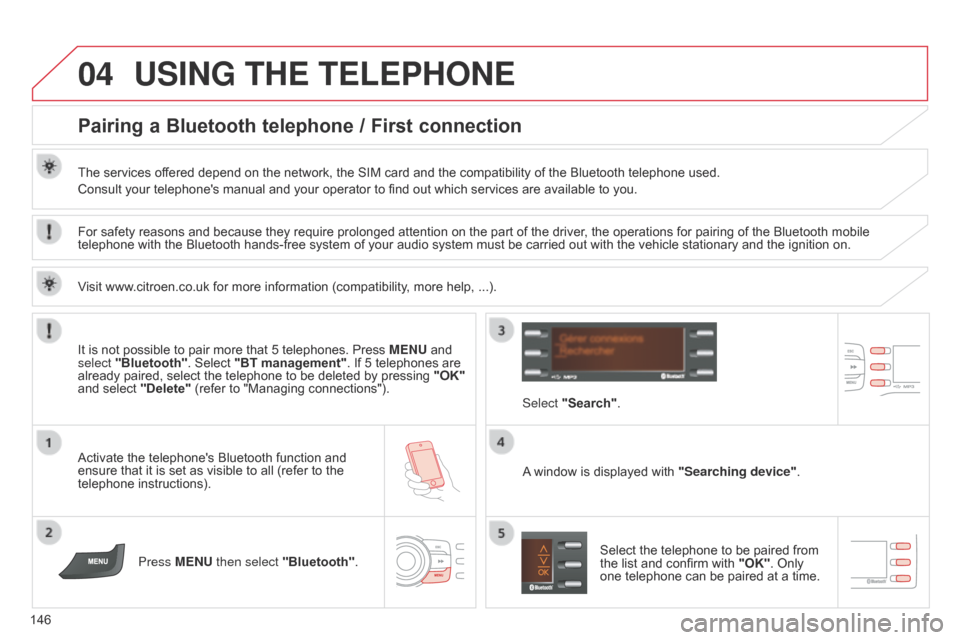
Activate the telephone's Bluetooth function and
ensure that it is set as visible to all (refer to the
telephone instructions).Press MENU then select "Bluetooth". A window is displayed with
"Searching device".
Select the telephone to be paired from
the list and confirm with "OK". Only
one telephone can be paired at a time.
Select "Search"
.
For safety reasons and because they require prolonged attention on the part of the driver
, the operations for pairing of the Bluetooth mobile
telephone with the Bluetooth hands-free system of your audio system must be carried out with the vehicle stationary and the ignition on.
It is not possible to pair more that 5 telephones. Press MENU and
select "Bluetooth". Select "BT management". If 5 telephones are
already paired, select the telephone to be deleted by pressing "OK"
and select "Delete" (refer to "Managing connections").
Visit www.citroen.co.uk for more information (compatibility, more help, ...).
Page 150 of 176
04
148
USING THE TELEPHONE
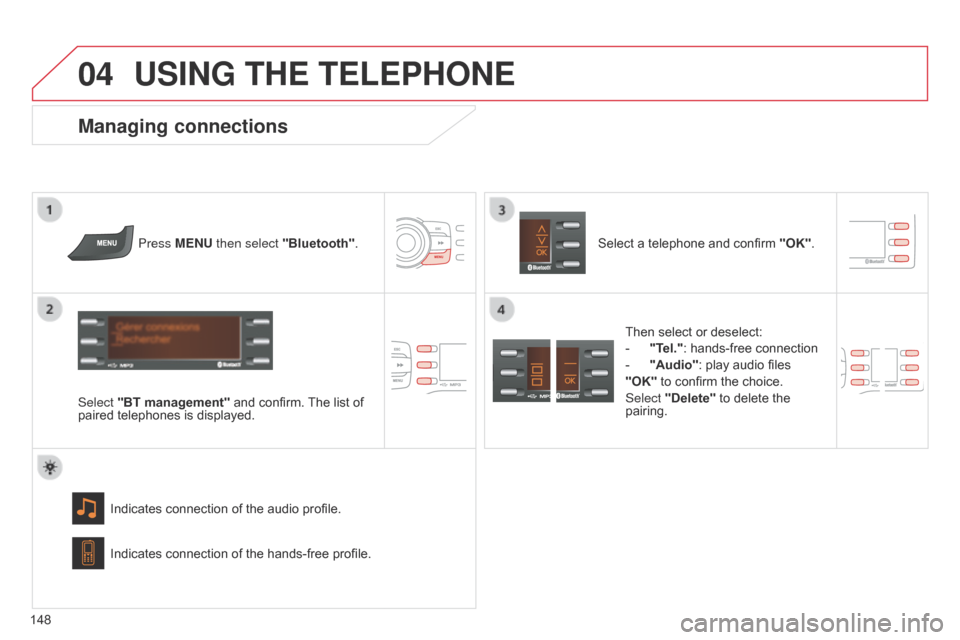
Press MENU then select "Bluetooth".
Select "BT management" and confirm. The list of
paired telephones is displayed.
Indicates connection of the audio profile.
Managing connections
Select a telephone and confirm "OK".
Indicates connection of the hands-free profile. Then select or deselect:
-
"
Tel.": hands-free connection
-
"Audio"
: play audio files
"OK" to confirm the choice.
Select "Delete" to delete the
pairing.
Page 154 of 176

05
152Press ¯ to display the audio settings
menu.
Press ¯ to go to the next setting.
The settings available are:
-
AMBIANCE: BASS,
TREBLE and LOUDNESS.
-
BALANCE (left/right balance), F
ADER (front/rear balance).
-
SOUND DIST
. (driver or passenger).
-
AUT
O VOLUME.
The distribution, or spatialisation of sound, is an audio process
which allows the sound quality to be improved according to the
setting chosen, corresponding to the position of the listeners in
the vehicle.
The AMBIANCE, TREBLE and BASS audio settings are different
and independent for each sound source.
AUDIO SETTINGS
Page 157 of 176
155
FREqUENTLY ASKED q UESTIONS
qUESTION ANSWER SOLUTION
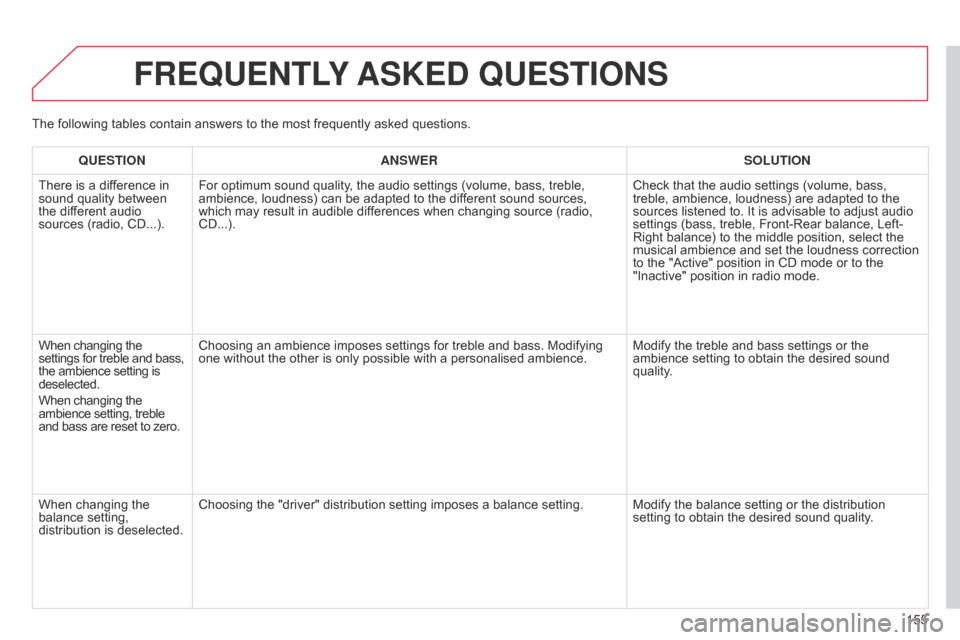
There is a dif ference in
sound quality between
the different audio
sources (radio, CD...). For optimum sound quality, the audio settings (volume, bass, treble,
ambience, loudness) can be adapted to the different sound sources,
which may result in audible differences when changing source (radio,
CD...). Check that the audio settings (volume, bass,
treble, ambience, loudness) are adapted to the
sources listened to. It is advisable to adjust audio
settings (bass, treble, Front-Rear balance, Left-
Right balance) to the middle position, select the
musical ambience and set the loudness correction
to the "Active" position in CD mode or to the
"Inactive" position in radio mode.
When changing the
settings for treble and bass,
the ambience setting is
deselected.
When changing the
ambience setting, treble
and bass are reset to zero. Choosing an ambience imposes settings for treble and bass. Modifying
one without the other is only possible with a personalised ambience.
Modify the treble and bass settings or the
ambience setting to obtain the desired sound
quality.
When changing the
balance setting,
distribution is deselected. Choosing the "driver" distribution setting imposes a balance setting.
Modify the balance setting or the distribution
setting to obtain the desired sound quality.
The following tables contain answers to the most frequently asked questions.