Button Citroen C1 2012 1.G Owner's Guide
[x] Cancel search | Manufacturer: CITROEN, Model Year: 2012, Model line: C1, Model: Citroen C1 2012 1.GPages: 140, PDF Size: 4.24 MB
Page 124 of 140
02
122
This enables you to listen to stations which broadcast a type of programme which has a theme (NEWS, SPORTS, TALK, POP,CLASSICS). SEARCH BY TYPE OF PROGRAMME
(PTY)
Wh
en FM is selected, press this button:
-"no pty"is displayed,
- then press the button brie
fl y to select a programme.
A
fter a few seconds without any action, your selection is stored.
RADIO
RDS SYSTEM
The RDS (Radio Data System)enables you to continue listening
to the same station irrespective of the frequency that it uses in your current location. The radio continuously searches for the transmitter
which provides the best reception. USING THE AF
(ALTERNATIVE FREQUENCIES)FUNCTION ON THE FM WAVEBAND
Some stations, or
ganised in a network, broadcast regionalprogrammes in the various regions which they serve. The regional mode enables you to continue listening to the same programme.
REGIONAL MODE
(REG)
Press this button successively to activate or deactivate the function.
The screen will indicate:
-"AF"if the function is activated,
-
"AF REG"
if the function is activated at regional level,
-
"AF"fl ashing if the function is not available.
Page 125 of 140
02
123
Press this button successively to activate or deactivate the function.
On FM, the multifunction display will indicate:
-
"TP"or "TP EON": the radio transmits a
programme while awaiting the broadcasting of
traffi c information.
-"TA"or "TA EON": the programme transmitted by the radio is put on standby while awaitingthe broadcasting of traffi c information.
TRAFFIC INFORMATION PROGRAMME
(TA)
RADIO
If you wish to interrupt the transmission of a message, press this button again. EON SYSTEM
The volume o
f the traffi c information is independent of the volume of normal radio listening.
You can adjust it using the volume button, when the
TA
programmeis being transmitted.
The settin
g will be stored and will be used during subsequent message transmissions.
This s
ystem links stations which belong to the same network. Itpermits the transmission of traffi c information broadcast by a station
which belongs to the same network as the station to which you arelistening.
In order to benefi t from this, select the traffi c information
programme TA.
Page 127 of 140
03
125
AUDIO
Press this button to select the next track.
CD AND CD CHANGER (depending on equipment)
SELECTION OF A TRACK ON A CD
Pr
ess and hold one of these buttons for fast forwards or backwards play respectively.
The
fast play stops when the button is released. FAST PLAY
Pr
ess this button to return to the start of the current
track or to select the previous track. Pr
ess this button to listen to the start of each trackon the current CD. INTROSCAN
(SCAN)
Page 128 of 140
03
126
When a CD is inserted, printed face uppermost,play begins automatically.
I
f there is a CD in the player already, press this button. SELECTION OF THE CD SOURCE
The tracks on the CD will be played in a random order. Press thebutton again to return to normal play.
The random pla
y mode is deactivated when the audio system isswitched off.When the CD pla
yer is selected, press this button. RANDOM PLAY OF THE CD
(RAND)
CD
Press this button to eject the CD from the player. CD EJECT
The use of copied CDs ma
y cause faults.
Insert circular
CDs only. If
you wish to listen to the current track again, press
this button. To cancel the repetition, press the button again. REPEAT OF A TRACK ON THE CD
(RPT)
AUDIO
Page 129 of 140
03
127
AUDIO
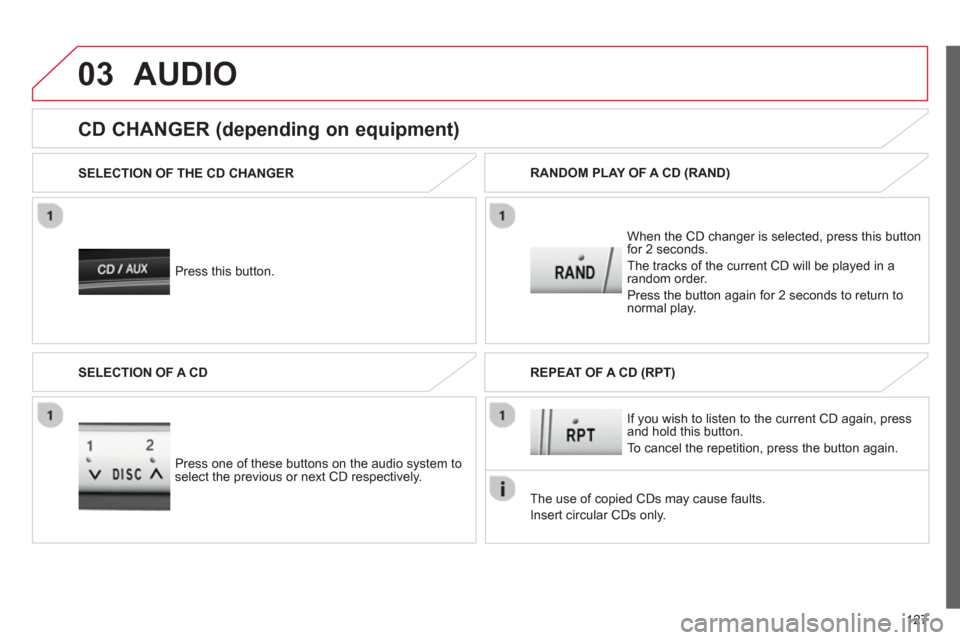
Press this button. SELECTION OF THE CD CHANGER
When the
CD changer is selected, press this buttonfor 2 seconds.
The tracks o
f the current CD will be played in a random order.
Press the button a
gain for 2 seconds to return to
normal play. RANDOM PLAY OF A CD
(RAND)
CD CHANGER (depending on equipment)
Press one of these buttons on the audio system toselect the previous or next CD respectively. SELECTION OF A CD
The use of copied CDs ma
y cause faults.
Insert circular
CDs only. If
you wish to listen to the current CD again, press and hold this button.
To cancel the repetition, press the button a
gain. REPEAT OF A CD
(RPT)