key Citroen C1 2014 1.G User Guide
[x] Cancel search | Manufacturer: CITROEN, Model Year: 2014, Model line: C1, Model: Citroen C1 2014 1.GPages: 256, PDF Size: 5.63 MB
Page 37 of 256

35
Emergency procedure
Unlocking
F Insert the integral key into the driver's door lock barrel and turn it towards the front of
the vehicle to unlock the vehicle.
Locking
F Insert the integral key into the driver's door lock barrel and turn it towards the rear of
the vehicle to lock the vehicle.
The integral key is used to lock and unlock the
vehicle when the electronic key cannot operate
and in the event of a fault with the Keyless
Entry and Starting system:
-
c
ell battery discharged, vehicle battery
discharged or disconnected, ...
-
v
ehicle located in an area with strong
electromagnetic signals.
F
P
ress and hold the latch 1 to extract the
integral key 2 .
2
Access
Page 38 of 256
36
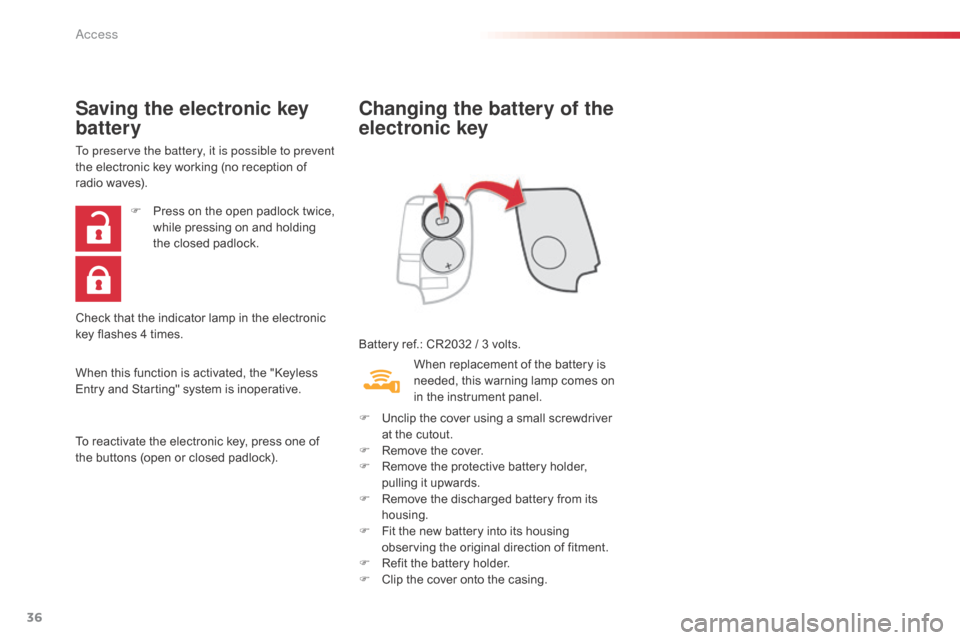
Changing the battery of the
electronic key
Battery ref.: CR2032 / 3 volts.
Saving the electronic key
battery
To preserve the battery, it is possible to prevent
the electronic key working (no reception of
radio waves).
When this function is activated, the "Keyless
Entry and Starting" system is inoperative.
To reactivate the electronic key, press one of
the buttons (open or closed padlock).F
P
ress on the open padlock twice,
while pressing on and holding
the closed padlock.
Check that the indicator lamp in the electronic
key flashes 4 times. When replacement of the battery is
needed, this warning lamp comes on
in the instrument panel.
F
U
nclip the cover using a small screwdriver
at the cutout.
F
R
emove the cover.
F
R
emove the protective battery holder,
pulling it upwards.
F
R
emove the discharged battery from its
housing.
F
F
it the new battery into its housing
observing the original direction of fitment.
F
R
efit the battery holder.
F
C
lip the cover onto the casing.
Access
Page 39 of 256
37
Lost keys
Go to a CITROËN dealer with the vehicle's registration document, your personal
identification documents and if possible the key code label.
The CITROËN dealer will be able to look up the key code and the transponder code
required to order a new key.
Remote control / Electronic key
These high frequency devices are sensitive systems; do not handle them while in your
pocket as there is a risk of unlocking the vehicle, without you being aware of it.
Do not repeatedly press the buttons of your remote control or electronic key out of range
and out of sight of your vehicle. You run the risk of stopping it from working and the remote
control would have to be reinitialised.
Locking the vehicle
As a safety precaution, never leave children alone in the vehicle, except for a very short
period.
In all cases, it is essential to remove the key from the ignition switch, or take the electronic
key with you when leaving the vehicle.
When purchasing a second-hand vehicle
Have the pairing of all of the keys in your possession checked by a CITROËN dealer, to
ensure that only your keys can be used to open and start the vehicle.
2
Access
Page 41 of 256
39
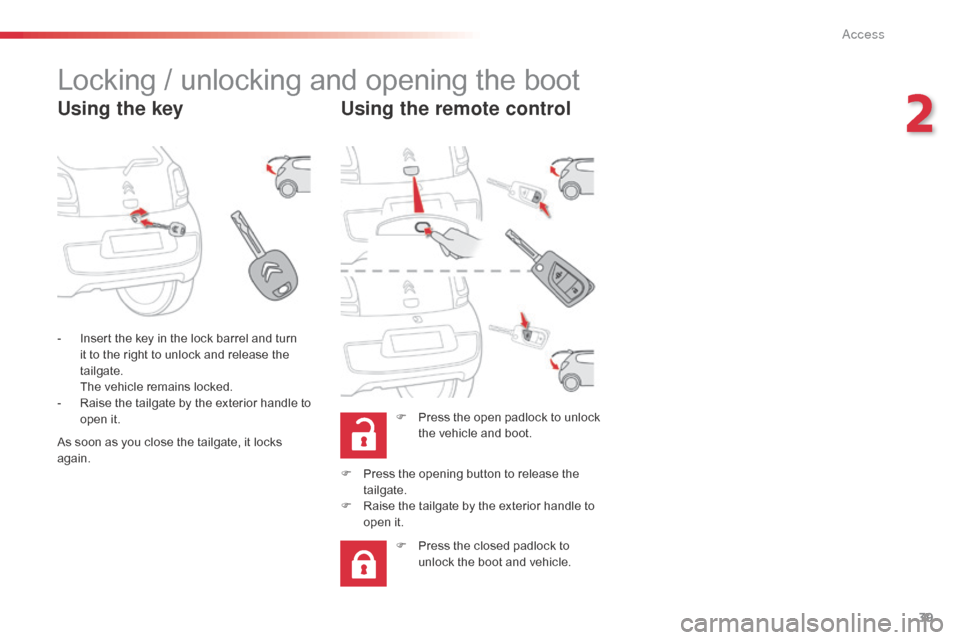
Locking / unlocking and opening the boot
Using the keyUsing the remote control
F Press the open padlock to unlock
the vehicle and boot.
-
I
nsert the key in the lock barrel and turn
it to the right to unlock and release the
tailgate.
T
he vehicle remains locked.
-
R
aise the tailgate by the exterior handle to
open it.
F
P
ress the opening button to release the
tailgate.
F
R
aise the tailgate by the exterior handle to
open it.
F
P
ress the closed padlock to
unlock the boot and vehicle.
As soon as you close the tailgate, it locks
again.
2
Access
Page 42 of 256
40
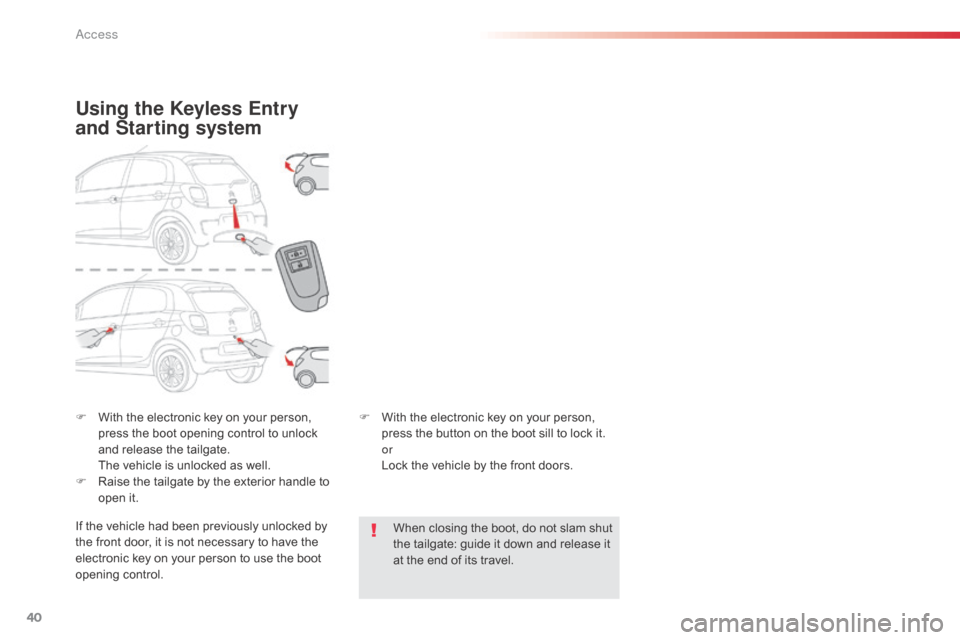
F With the electronic key on your person, press the boot opening control to unlock
and release the tailgate.
T
he vehicle is unlocked as well.
F
R
aise the tailgate by the exterior handle to
open it.
Using the Keyless Entry
and Starting system
If the vehicle had been previously unlocked by
the front door, it is not necessary to have the
electronic key on your person to use the boot
opening control. F
W
ith the electronic key on your person,
press the button on the boot sill to lock it.
or
L
ock the vehicle by the front doors.
When closing the boot, do not slam shut
the tailgate: guide it down and release it
at the end of its travel.
Access
Page 47 of 256
45
Precautions for use
Never place objects on the roof,
whether open or closed.
Never sit on or place objects on the
transverse roof support when the roof
is open.In the event of prolonged storage of the
vehicle outside, it is recommended that
the roof be protected with a cover.
To avoid damaging the roof, do
not open it under snowy or frosty
conditions.
Never use sharp tools to remove ice or
accumulations of snow on the roof.
To limit the creation of folds in the roof
fabric, it is recommended that the roof
not be left open for long periods.
The vehicle's air conditioning system
should not be operated while the roof
is open. It is recommended that the roof be
closed when the vehicle is left parked.
Even if the roof is closed, it is prudent
not to leave any valuable objects inside
the vehicle.
When you leave the vehicle, switch off
the ignition and remove the key (take
the electronic key with you) to avoid any
unwanted operation of the roof.
2
Access
Page 73 of 256
71
Starting - stopping the engine with the key
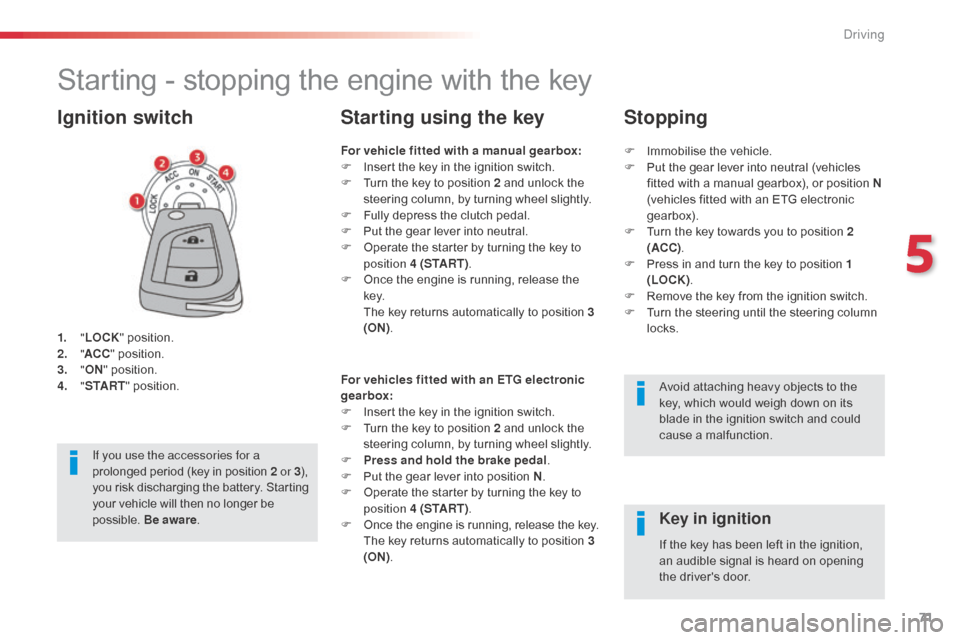
1. "LOCK " position.
2. " AC
C" position.
3.
"ON " position.
4.
" S
TA R T" position.
Ignition switch
Avoid attaching heavy objects to the
key, which would weigh down on its
blade in the ignition switch and could
cause a malfunction.
Key in ignition
For vehicle fitted with a manual gearbox:
F
I nsert the key in the ignition switch.
F
T
urn the key to position 2 and unlock the
steering column, by turning wheel slightly.
F
F
ully depress the clutch pedal.
F
P
ut the gear lever into neutral.
F
O
perate the starter by turning the key to
position 4 (S TA R T ) .
F
O
nce the engine is running, release the
key.
T
he key returns automatically to position 3
(ON) .
Starting using the key
If the key has been left in the ignition,
an audible signal is heard on opening
the driver's door.
For vehicles fitted with an ETG electronic
gearbox:
F
I
nsert the key in the ignition switch.
F
T
urn the key to position 2 and unlock the
steering column, by turning wheel slightly.
F
P
ress and hold the brake pedal
.
F
P
ut the gear lever into position N
.
F
O
perate the starter by turning the key to
position 4 (S TA R T ) .
F
O
nce the engine is running, release the key. T
he key returns automatically to position 3
(ON) .
If you use the accessories for a
prolonged period (key in position 2
or
3
),
you risk discharging the battery. Starting
your vehicle will then no longer be
possible. Be aware . F
I
mmobilise the vehicle.
F
P
ut the gear lever into neutral (vehicles
fitted with a manual gearbox), or position N
(vehicles fitted with an ETG electronic
gearbox).
F
T
urn the key towards you to position 2
(ACC) .
F
P
ress in and turn the key to position 1
(LOCK) .
F
R
emove the key from the ignition switch.
F
T
urn the steering until the steering column
locks.
Stopping
5
Driving
Page 74 of 256

72
If you use the accessories for a
prolonged period, the vehicle will
automatically switch to "OFF" mode
after about 20 minutes.
Be aware in order to avoid discharging
the battery.
Starting - stopping the engine with the Keyless Entry and
Starting system
Changing the mode of the
vehicle
With the electronic key inside the
vehicle; each press on the " S TA R T/
STOP " button, with no action on the
pedals, changes the vehicle's mode:
F
F
irst press (" ACC" mode).
T
he accessories (radio, 12V socket...) can
be used.
F
S
econd press (" ON" mode).
I
gnition on.
F
T
hird press (" OFF" mode).
driving
Page 75 of 256
73
Starting using the
electronic key
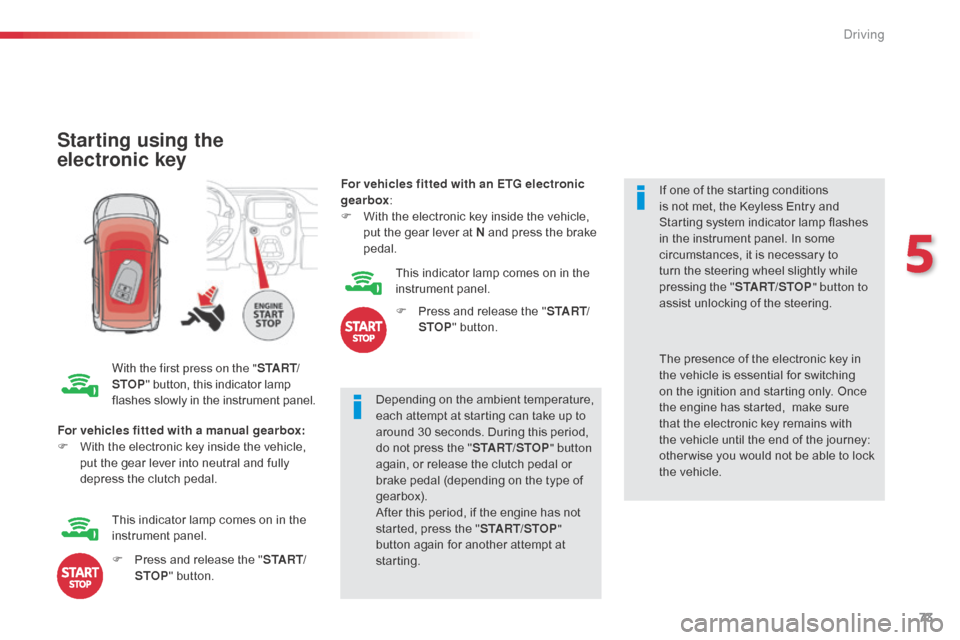
With the first press on the "S TA R T/
STOP " button, this indicator lamp
flashes slowly in the instrument panel. Depending on the ambient temperature,
each attempt at starting can take up to
around 30 seconds. During this period,
do not press the "
START/STOP" button
again, or release the clutch pedal or
brake pedal (depending on the type of
gearbox).
After this period, if the engine has not
started, press the " START/STOP"
button again for another attempt at
starting. If one of the starting conditions
is not met, the Keyless Entry and
Starting system indicator lamp flashes
in the instrument panel. In some
circumstances, it is necessary to
turn the steering wheel slightly while
pressing the "
START/STOP " button to
assist unlocking of the steering.
For vehicles fitted with a manual gearbox:
F
W
ith the electronic key inside the vehicle,
put the gear lever into neutral and fully
depress the clutch pedal. The presence of the electronic key in
the vehicle is essential for switching
on the ignition and starting only. Once
the engine has started,
make sure
that the electronic key remains with
the vehicle until the end of the journey:
other wise you would not be able to lock
the vehicle.
F
P
ress and release the " S TA R T/
STOP " button.
This indicator lamp comes on in the
instrument panel. For vehicles fitted with an ETG electronic
gearbox
:
F
W
ith the electronic key inside the vehicle,
put the gear lever at N and press the brake
pedal.
This indicator lamp comes on in the
instrument panel.
F
P
ress and release the "
S TA R T/
STOP " button.
5
Driving
Page 76 of 256

74
There is an audible signal when the driver's
door is opened and the vehicle is not in
"OFF "
mode.
If the vehicle is not immobilised, the
engine will not stop.
Switching off using the
electronic key
F Immobilise the vehicle.
F P lace the gear lever in neutral for vehicles
fitted with a manual gearbox, or at N for
vehicles fitted with an ETG electronic
gearbox.
F
W
ith the electronic key inside
the vehicle, press the " S TA R T/
STOP " button.
The engine stops.
The steering locks when a door is opened or on
locking the vehicle. F
P
ress the "START/STOP " button
again to change to " OFF" mode.
Emergency starting
When the electronic key is in the
recognition zone and your vehicle
does not start after pressing the
"START/STOP " button, this warning
lamp flashes in the instrument panel.
F
P
lace the gear lever at N for vehicles with
an ETG electronic gearbox or neutral for
vehicles with a manual gearbox.
F
P
ut the corner of the electronic key, where
the indicator lamp is located, in contact
with the " START/STOP " button.
T
here is an audible signal when the
electronic key is recognised; the vehicle
changes to " ON" mode.
F
P
ress the brake pedal on vehicles with an
ETG electronic gearbox, or fully declutch
with a manual gearbox.
F
C
heck that the "Keyless Entry and
Starting" indicator lamp comes on in green
in the instrument panel.
F
P
ress the " START/STOP " button.
T
he engine starts.
If the engine does not start, contact a
CITROËN dealer or a qualified workshop.
driving