AUX Citroen C1 2015 1.G User Guide
[x] Cancel search | Manufacturer: CITROEN, Model Year: 2015, Model line: C1, Model: Citroen C1 2015 1.GPages: 271, PDF Size: 7.18 MB
Page 229 of 271

227
C1_en_Chap12b_Autoradio_Toyota-2_ed01-2015
First steps
On/Off.
Volume (each source is
independent).
Accept an incoming call.AM radio buttons 1 to 6: select a
preset radio station.
FM buttons 1 to 5: select a preset
radio station.
FM list: display the radio stations
received.
Press and hold: preset a radio
station.
Back: abandon current operation, up
on level in the menu.Display menu and set options.
Rotate: scroll through a list or change
radio station.
Press: confirm the option displayed in
the screen.
Reject an incoming call.
End call. Select AM, FM and DAB*
wavebands.
Select the BTA (Bluetooth Audio) and
AUX (auxiliary) source.
Select:
-
t
he next radio frequency up
automatically.
-
t
he next line in a list or a menu.
- t he next media folder.
Select:
-
t
he next radio frequency down
automatically.
-
t
he previous line in a list or a
menu.
-
t
he previous media folder.
* Depending on equipment.
Audio system with Bluetooth®
.
Audio and Telematics
Page 230 of 271

228
C1_en_Chap12b_Autoradio_Toyota-2_ed01-2015
On/Off.
Volume (each source is
independent).
Select:
-
t
he next radio frequency up/down
automatically.
-
t
he previous/next line in a list or a
menu. AM radio buttons 1 to 6: select a
preset radio station.
FM radio buttons 1 to 5: select a
preset radio station.
FM
list: display the radio stations
received.
Press and hold: preset a radio
station.
Back: abandon the current operation,
go up one level in a menu. Display menu and set options.
Rotate: scroll through a list or change
radio station.
Press: confirm the option displayed in
the screen.
Select AM and FM
wavebands.
Select the BTA (Bluetooth Audio) and
AUX (Auxiliary) source.
Select previous/next media folder.
Audio system
Audio and Telematics
Page 231 of 271

229
C1_en_Chap12b_Autoradio_Toyota-2_ed01-2015
Steering mounted controls
Select AM and FM wavebands
and BTA (Bluetooth Audio) and
AUX (Auxiliary) sources.
Press and hold: Mute / restore
sound from the radio or pause media
sources. Increase volume.
Decrease volume.
Reject the incoming call.
End the call in progress.
Radio: change to preset radio
stations in ascending order.
Media: next track.
Radio: change to preset radio
stations in descending order.
Media: previous track.
Accept an incoming call.
.
Audio and Telematics
Page 235 of 271
233
C1_en_Chap12b_Autoradio_Toyota-2_ed01-2015
Media
USB player
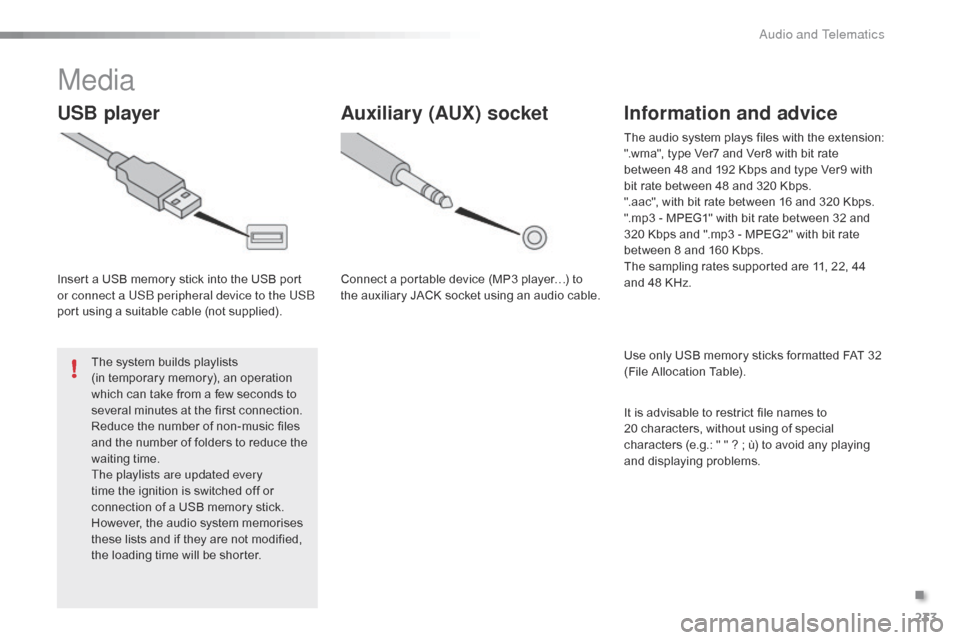
Insert a USB memory stick into the USB port
or connect a USB peripheral device to the USB
port using a suitable cable (not supplied).The system builds playlists
(in temporary memory), an operation
which can take from a few seconds to
several minutes at the first connection.
Reduce the number of non-music files
and the number of folders to reduce the
waiting time.
The playlists are updated every
time the ignition is switched off or
connection of a USB memory stick.
However, the audio system memorises
these lists and if they are not modified,
the loading time will be shorter.
Auxiliary (AUX) socket
Connect a portable device (MP3 player…) to
the auxiliary JACK socket using an audio cable.
Information and advice
Use only USB memory sticks formatted FAT 32
(File Allocation Table). The audio system plays files with the extension:
".wma", type Ver7 and Ver8 with bit rate
between 48 and 192 Kbps and type Ver9 with
bit rate between 48 and 320 Kbps.
".aac", with bit rate between 16 and 320 Kbps.
".mp3 - MPEG1" with bit rate between 32 and
320 Kbps and ".mp3 - MPEG2" with bit rate
between 8 and 160 Kbps.
The sampling rates supported are 11, 22, 44
and 48 KHz.
It is advisable to restrict file names to
20
characters, without using of special
characters (e.g.: " " ? ; ù) to avoid any playing
and displaying problems.
.
Audio and Telematics
Page 236 of 271

234
C1_en_Chap12b_Autoradio_Toyota-2_ed01-2015
Audio streamingConnecting Apple® players
Streaming allows audio files on your telephone
to be played via the vehicle's speakers.
You can also view, activate or deactivate
system settings related to the Bluetooth
function.Select "Bluetooth", then "
Pairing".
Press on " MENU" to display the list.
Turn the knob to select "Bluetooth",
press to display the list.
Once connected for streaming, the
telephone is considered as a media
source.
If play does not start automatically, it
may be necessary to start audio play
from the telephone. Connect the Apple
® player to the USB port
using a suitable cable (not supplied).
Play starts automatically.
Control is via the audio system.
The classifications available are those of the
portable device connected (artists / albums
/
genres / tracks / playlists / audio books
/
podcasts).
The default classification used is by artist. To
modify the classification used, return to the
first level of the menu then select the desired
classification (playlists for example) and
confirm to go down through the menu to the
desired track.
The version of software in the audio system
may not be compatible with the generation of
your Apple
® player.
Connect the telephone : see the "
Telephone"
section.
The system accepts USB mass storage
devices or Apple
® players via the USB ports.
The adaptor cable is not supplied.
Control of the peripheral device is with the
audio system controls.
Other peripherals, not recognised on
connection, must be connected to the auxiliary
socket using a Jack cable (not supplied).
The system can alternatively read files via the
Bluetooth
® system and the USB port.
It is recommended that the USB cable
for the portable device is used.
Audio and Telematics
Page 246 of 271
244
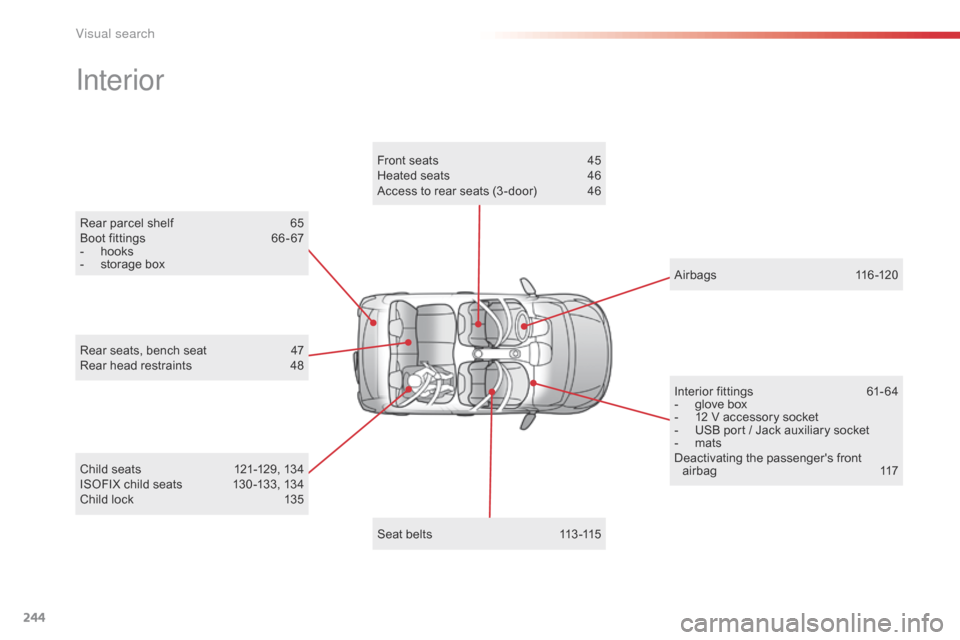
Rear parcel shelf 65
Boot fittings 6 6 - 67
-
h
ooks
-
s
torage box
Interior
Child seats 1 21-129, 134
ISOFIX child seats 1 30 -133, 134
Child lock
1
35
Rear seats, bench seat
4
7
Rear head restraints
4
8
Interior fittings
6
1- 64
-
g
love box
-
1
2 V accessory socket
-
U
SB port / Jack auxiliary socket
-
m
ats
Deactivating the passenger's front airbag 1 17
Airbags
1
16-120
Seat belts
1
13 -115
Front seats
4
5
Heated seats
4
6
Access to rear seats (3 -door)
4
6
Visual search
Page 247 of 271
245
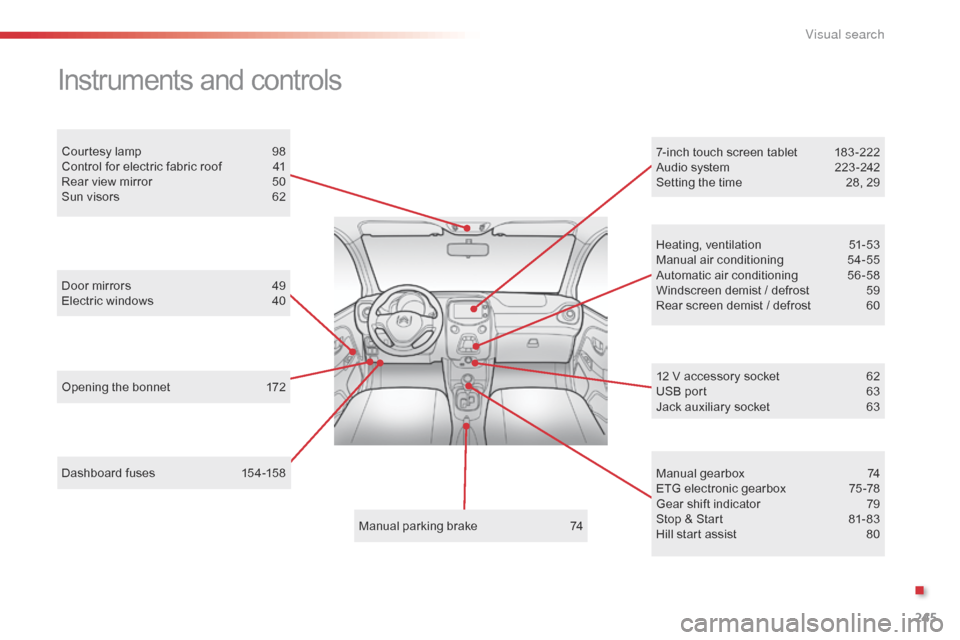
Dashboard fuses 154-158
Instruments and controls
Opening the bonnet 1 72
Door mirrors
4
9
Electric windows
4
0
Courtesy lamp
9
8
Control for electric fabric roof
4
1
Rear view mirror
5
0
Sun visors
6
2
Manual parking brake
7
4Heating, ventilation
5
1-53
Manual air conditioning
5
4-55
Automatic air conditioning
5
6 -58
Windscreen demist / defrost
5
9
Rear screen demist / defrost
6
0
7-inch touch screen tablet
1
83 -222
Audio system
2
23 -242
Setting the time
2
8, 29
Manual gearbox
7
4
ETG electronic gearbox
7
5 -78
Gear shift indicator
7
9
Stop & Start
8
1- 83
Hill start assist
8
0
12 V accessory socket
6 2
USB port 6 3
Jack auxiliary socket
6
3
.
V
Page 250 of 271
248
ABS .......................................................105, 10 6
Accessories .............................. ....................169
Accessory socket, 12V
............................. 6
1, 62
Access to rear seats (3 -door)
.........................46
A
ctive City Brake
.................................... 1
0 8 -112
Adjusting headlamps
...................................... 98
A
djusting the steering wheel
..........................50
A
dvice on driving
..............................
..............68
Airbags
...............
......................................17, 116
Airbags, curtain
..................................... 1
19, 120
Airbags, front..........................................117, 120
Airbags, lateral
...................................... 1
18, 120
Air conditioning
...............................
......8, 55, 58
Air conditioning, automatic
.............................56
A
ir conditioning, manual
................................. 54
A
ir distribution adjustment
................. 5
3, 54, 57
Air filter
...............
........................................... 17 7
Air flow adjustment
............................ 5
3, 54, 57
Air intake
...............
.................................... 55-57
Air recirculation
.........................................5
5, 57
Air vents
..............................
............................51
Anti-lock braking system (ABS)
............10
5, 10 6
Audible warning
............................................ 10
1
Audio cable
...........................................1
96, 233
Audio streaming (Bluetooth)
.................1
99, 234
Audio system
...............................
..................223
Automatic illumination of headlamps
........9
4, 96
Auxiliary
......................................... 6
3, 196, 233Capacity, fuel tank
..............................
..........13 6
Central locking
.......................................... 3
1, 34
Changing a bulb
.................................... 1
49, 153
Changing a fuse
..................................... 1
5 4 -16 2
Changing a wheel
...............................
...143 -147
Changing a wiper blade
................................16
6
Changing the electronic key battery
....................................................36
C
hanging the remote
control battery ............................................... 32
Changing the time
.....................................2
8, 29
Checking levels
......................................17
4 -176
Checking tyre pressures (using the kit)
..............................
................141
Checks
...............
....................................173 -178
Child lock
...............................
........................13 5
Children
...............................
.... 115, 117, 121-135
Child seats
.....................1
21-123, 127, 131, 134
Child seats, conventional
.............................. 12
7
Child seats, ISOFIX
...............................13
1-13 3
Closing the boot
...............................
...............38
Closing the doors
...............................
.............34
A
C
Clutch ............................................................ 17 7
Colour screen ............................... .................183
Connectors, audio
.......................... 6
3, 196, 233
Coolant level
..............................
...................176
Cup holder
...............................
........................61
Battery, remote control
...................................
32
B
luetooth (hands-free)
..........................2
02, 235
Bluetooth (telephone)
............................2
02, 235
Bonnet
...............
............................................ 172
Boot
........
......................................................... 38
Boot lamp
........................................................ 98
B
rake discs
.................................................... 17
8
Brake lamps
...............................
................... 152
Brake pads
...............................
..................... 178
Battery
...............................
............. 163 -165, 177
Battery, charging
...............................
............ 165
Battery for electronic key
................................ 36
B
DAB (Digital Audio
Broadcasting) ..................................... 1 94, 231
Daytime running lamps
..............................
......................94, 149
Deactivating the passenger
airbag
.......................................................... 11
7
Demisting/defrosting, front
............................. 59
D
emisting, defrosting, rear
............................. 60
D
igital Audio Broadcasting
(DA B)
...............
................................... 194, 231
Dimensions
..............................
.....................181
Dipped beam
...............................
............93, 150
Dipstick
................
.......................................... 174
Direction indicators
....................... 1
01, 150, 152
Display screen
..............................
...... 12, 13, 25
Doors
..............................................................
.37
Door pockets
................................................... 61
D
riving economically ......................................... 8
Driving mode
...............................
....................75
Dynamic stability control (DSC)
...................................... 1
6, 23, 105 -107
D
Alphabetical index