audio Citroen C1 RHD 2014 1.G User Guide
[x] Cancel search | Manufacturer: CITROEN, Model Year: 2014, Model line: C1 RHD, Model: Citroen C1 RHD 2014 1.GPages: 256, PDF Size: 5.59 MB
Page 186 of 256
02
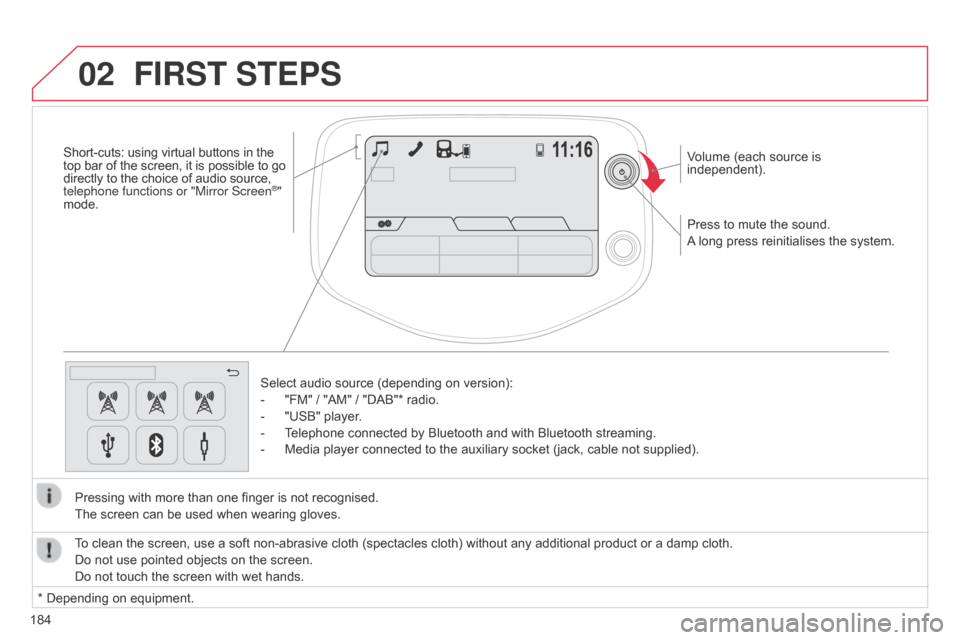
184Press to mute the sound.
A long press reinitialises the system. Volume (each source is
independent).
Select audio source (depending on version):
-
"FM" / "AM" / "DAB"* radio.
-
"USB" player
.
-
T
elephone connected by Bluetooth and with Bluetooth streaming.
-
Media player connected to the auxiliary socket (jack, cable not supplied).
Pressing with more than one finger is not recognised.
The screen can be used when wearing gloves.
FIRST STEPS
* Depending on equipment. To clean the screen, use a soft non-abrasive cloth (spectacles cloth) without any additional product or a damp cloth.
Do not use pointed objects on the screen.
Do not touch the screen with wet hands.
Short-cuts: using virtual buttons in the
top bar of the screen, it is possible to go
directly to the choice of audio source,
telephone functions or "Mirror Screen
®"
mode.
Page 188 of 256
04
186
MEDIA
Level 1Level 2 Level 3
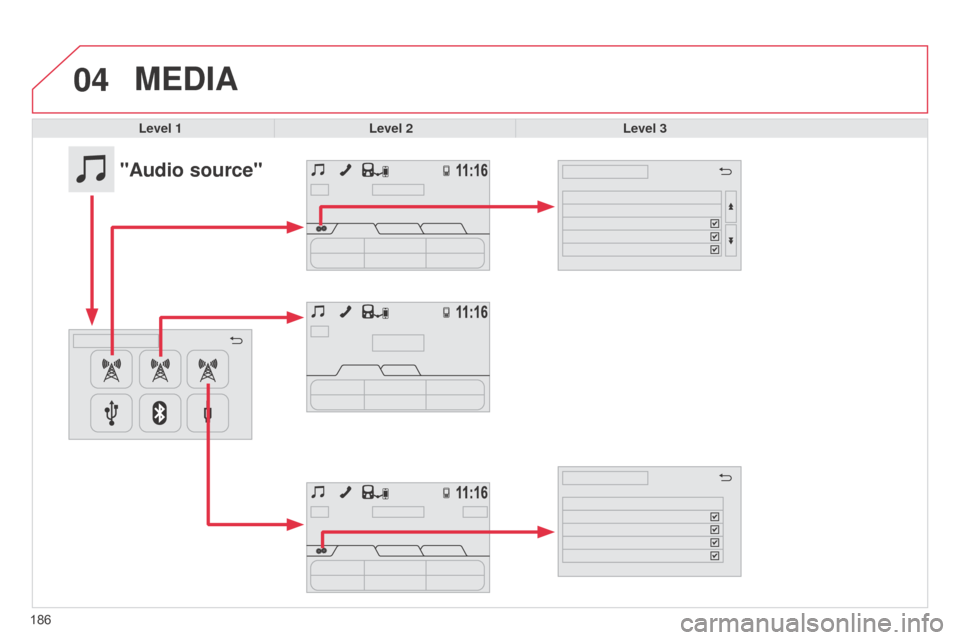
"Audio source"
Page 189 of 256
187
Level 1
Level 2 Level 3 Comment
Audio source FM FM radio configuration Update the list of stations
Update the list to take account of reception.
List of stationsChoose to list by "Broadcaster" or "Alphabetic".
FM traffic announcements
Activate or deactivate options.FM alternative frequencies
Change regional code
FM radiotext
Presets
List of preset stations.
StationsList of radio stations received.
ManualSearch for stations step by step or automatically.
Audio source
AM PresetsList of preset stations.
ManualSearch for stations step by step or automatically.
Audio source
DAB DAB radio configuration
Update the list of stations
Update the list to take account of reception.
L-Band
Activate or deactivate options.DAB traffic announcements
dab
alternative frequencies
DAB radiotext
Presets
List of preset stations.
StationsList of radio stations received.
ManualSearch for stations step by step or automatically.
Page 190 of 256
04
188
MEDIA
Level 1Level 2 Level 3
188
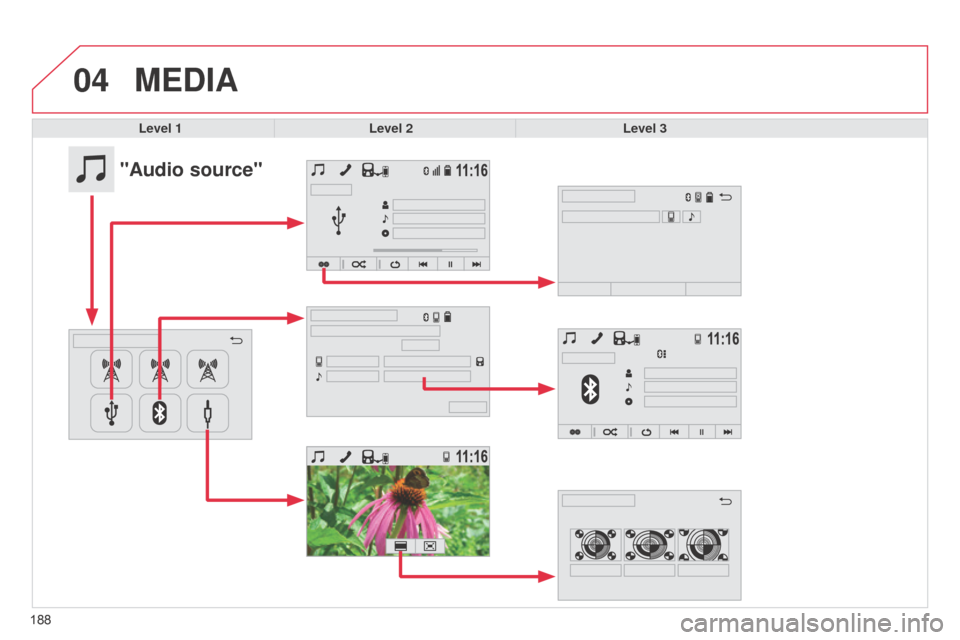
"Audio source"
Page 191 of 256
189
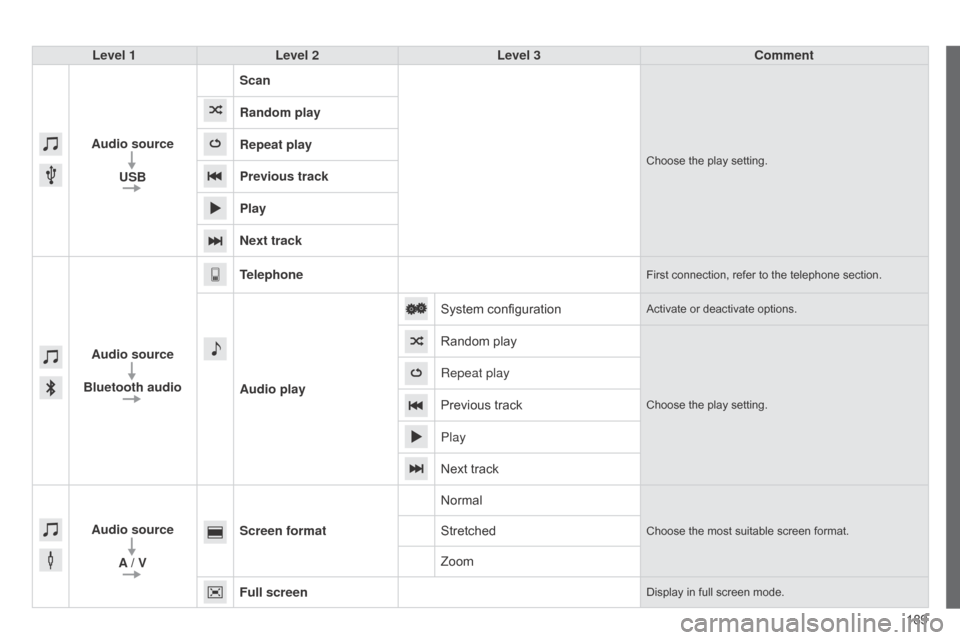
Level 1
Level 2 Level 3 Comment
Audio source USB Scan
Choose the play setting.
Random play
Repeat play
Previous track
Play
Next track
Audio source
Bluetooth audio Telephone
First connection, refer to the telephone section.
Audio play
System configuration
Activate or deactivate options.
Random play
Choose the play setting.
Repeat play
Previous track
Play
Next track
Audio source A / V Screen format
Normal
Choose the most suitable screen format.Stretched
Zoom
Full screen
Display in full screen mode.
Page 192 of 256
04
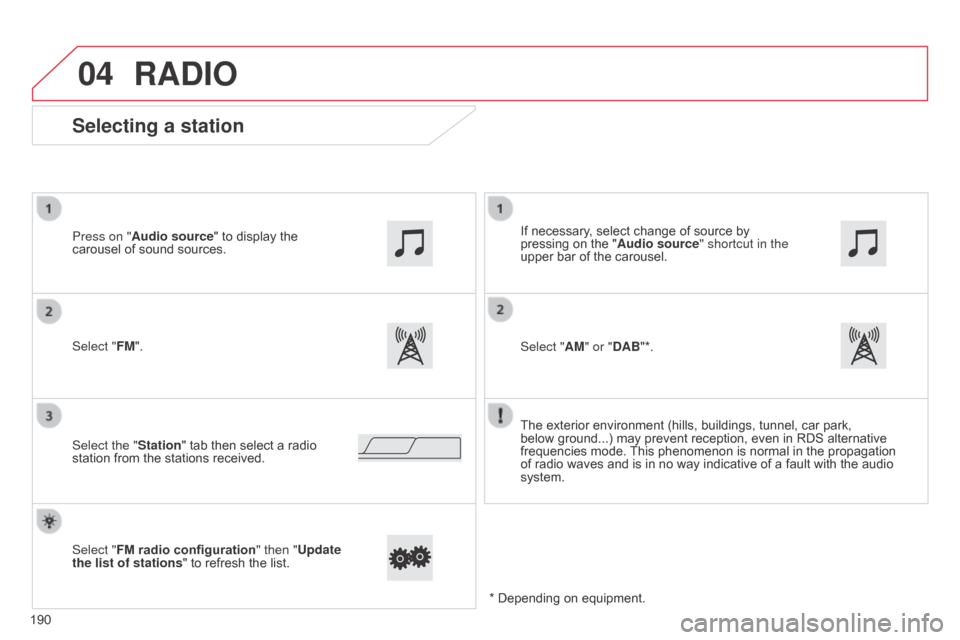
Selecting a station
The exterior environment (hills, buildings, tunnel, car park,
below ground...) may prevent reception, even in RDS alternative
frequencies mode. This phenomenon is normal in the propagation
of radio waves and is in no way indicative of a fault with the audio
system.
Select "FM". Press on "Audio source" to display the
carousel of sound sources.
Select the "Station" tab then select a radio
station from the stations received. If necessary, select change of source by
pressing on the "
Audio source" shortcut in the
upper bar of the carousel.
Select "AM" or "DAB"*.
Select "FM radio configuration " then "Update
the list of stations " to refresh the list.
RADIO
190 * Depending on equipment.
Page 193 of 256
04
191
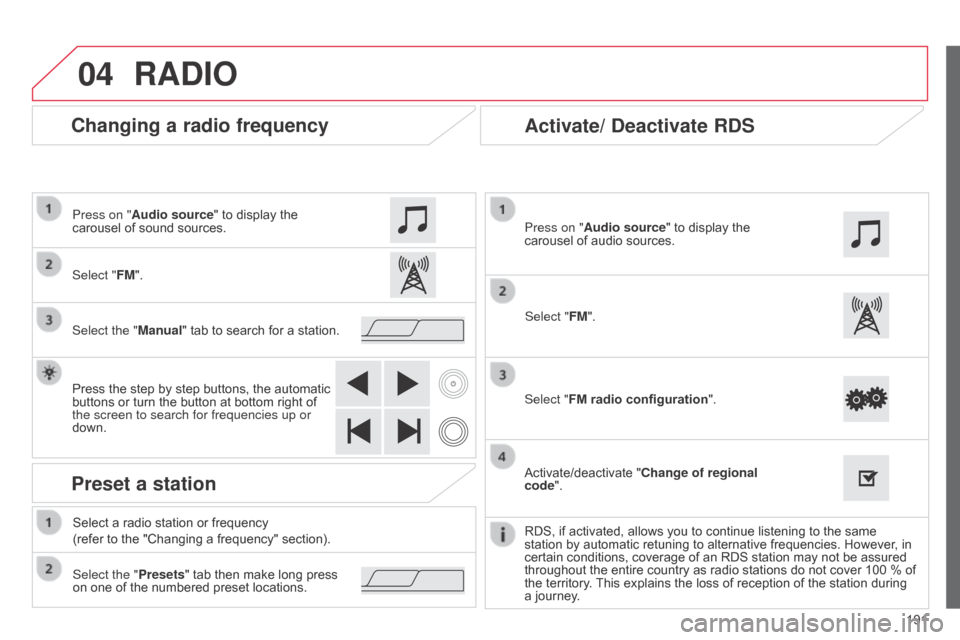
Changing a radio frequency
RADIO
Select "FM". Press on "Audio source" to display the
carousel of sound sources.
Select the "Manual" tab to search for a station.
Press the step by step buttons, the automatic
buttons or turn the button at bottom right of
the screen to search for frequencies up or
down.
Preset a station
Select the "Presets" tab then make long press
on one of the numbered preset locations. Select a radio station or frequency
(refer to the "Changing a frequency" section).
Activate/ Deactivate RDS
Select "FM radio configuration ".
Press on "Audio source" to display the
carousel of audio sources.
Activate/deactivate "Change of regional
code".
RDS, if activated, allows you to continue listening to the same
station by automatic retuning to alternative frequencies. However
, in
certain conditions, coverage of an RDS station may not be assured
throughout the entire country as radio stations do not cover 100 % of
the territory. This explains the loss of reception of the station during
a journey. Select "FM".
Page 194 of 256
04
192
RADIO
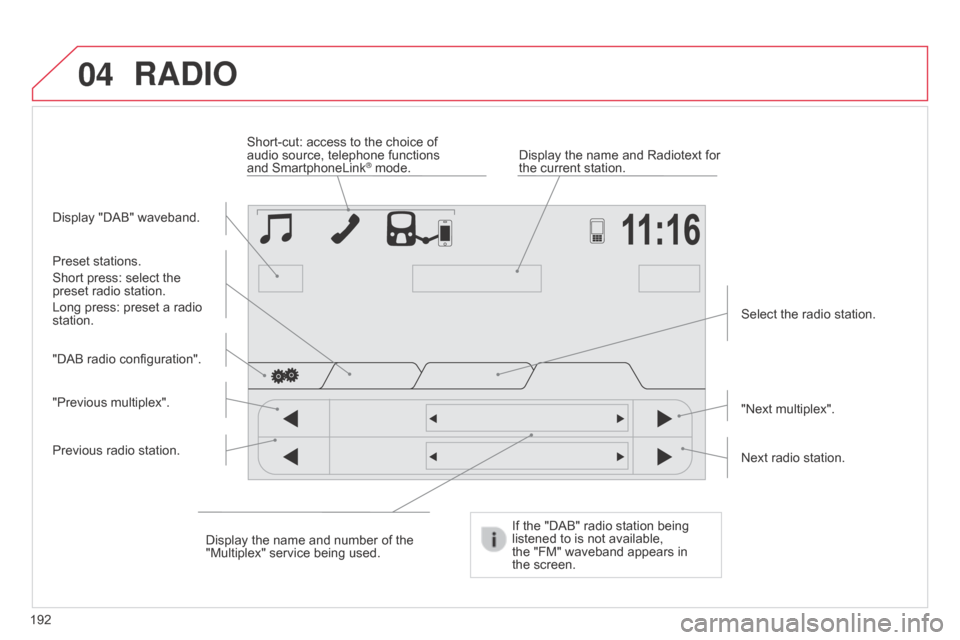
Display "DAB" waveband.Display the name and Radiotext for
the current station.
Short-cut: access to the choice of
audio source, telephone functions
and SmartphoneLink
® mode.
Select the radio station.
If the "DAB" radio station being
listened to is not available,
the
"FM" waveband appears in
the
screen.
Preset stations.
Short press: select the
preset radio station.
Long press: preset a radio
station.
"Next multiplex".
Next radio station.
Display the name and number of the
"Multiplex" service being used.
"Previous multiplex". "DAB radio configuration".
Previous radio station.
Page 195 of 256
04
193
RADIO
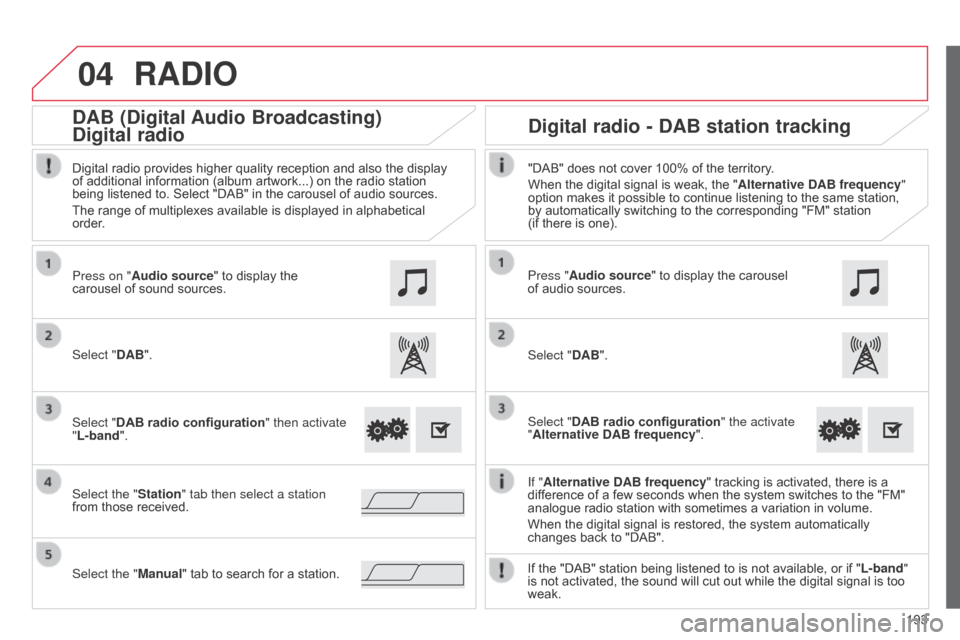
If "Alternative DAB frequency " tracking is activated, there is a
difference of a few seconds when the system switches to the "FM"
analogue radio station with sometimes a variation in volume.
When the digital signal is restored, the system automatically
changes back to "DAB".
Select "DAB". Press on "Audio source" to display the
carousel of sound sources.
Select the "Station" tab then select a station
from those received. Select "DAB radio configuration" then activate
"L-band".
Select the "Manual" tab to search for a station. Digital radio provides higher quality reception and also the display
of additional information (album artwork...) on the radio station
being listened to. Select "DAB" in the carousel of audio sources.
The range of multiplexes available is displayed in alphabetical
order.
Press "Audio source" to display the carousel
of audio sources.
Select "DAB".
Select "DAB radio configuration" the activate
"Alternative DAB frequency ".
"DAB" does not cover 100% of the territory.
When the digital signal is weak, the "
Alternative DAB frequency"
option makes it possible to continue listening to the same station,
by automatically switching to the corresponding "FM" station
(if there is one).
If the "DAB" station being listened to is not available, or if " L-band"
is not activated, the sound will cut out while the digital signal is too
weak.
Digital radio - DAB station tracking
DAB (Digital Audio Broadcasting)
Digital radio
Page 196 of 256
04
194
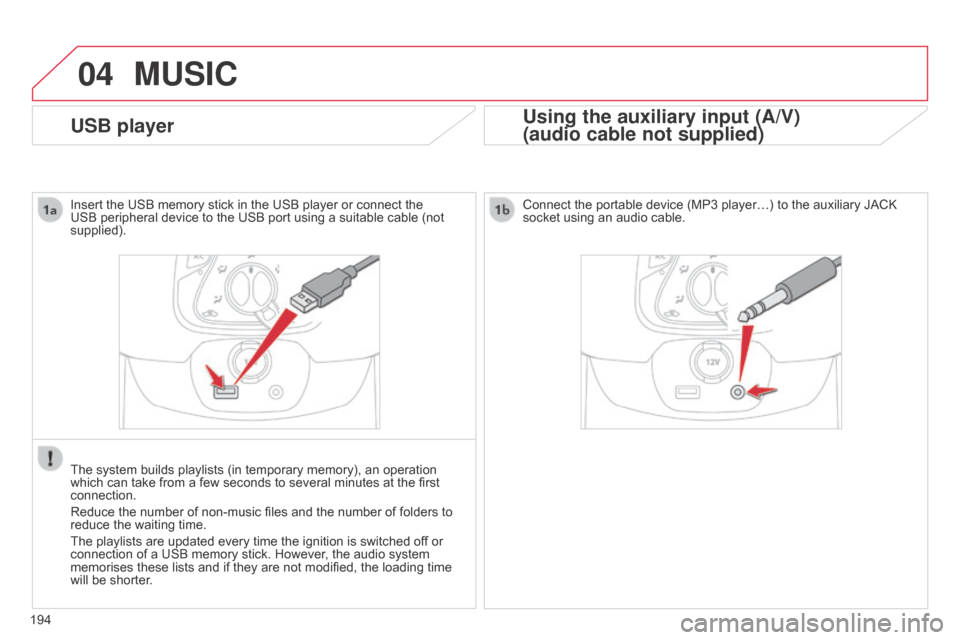
USB player
MUSIC
Using the auxiliary input (A/V)
(audio cable not supplied)
Insert the USB memory stick in the USB player or connect the
USB peripheral device to the USB port using a suitable cable (not
supplied).
The system builds playlists (in temporary memory), an operation
which can take from a few seconds to several minutes at the first
connection.
Reduce the number of non-music files and the number of folders to
reduce the waiting time.
The playlists are updated every time the ignition is switched off or
connection of a USB memory stick. However, the audio system
memorises these lists and if they are not modified, the loading time
will be shorter. Connect the portable device (MP3 player…) to the auxiliary JACK
socket using an audio cable.