phone Citroen C1 RHD 2014 1.G User Guide
[x] Cancel search | Manufacturer: CITROEN, Model Year: 2014, Model line: C1 RHD, Model: Citroen C1 RHD 2014 1.GPages: 256, PDF Size: 5.59 MB
Page 203 of 256
05
201
The services available depend on the network, the SIM card and the
compatibility of the Bluetooth telephone used. Check the telephone
manual and with your network provider for details of the services
available to you.
The profiles compatible with the system are: HFP, OPP, PBAP,
A2DP, AVRCP, MAP.
BLUETOOTH
Automatic reconnection
When the ignition is switched on, the last telephone connected
when the ignition was switched off reconnects automatically, if this
connection made had been activated during the pairing procedure
(see previous pages).
Connection is confirmed by the display of a message and the name
of the telephone.
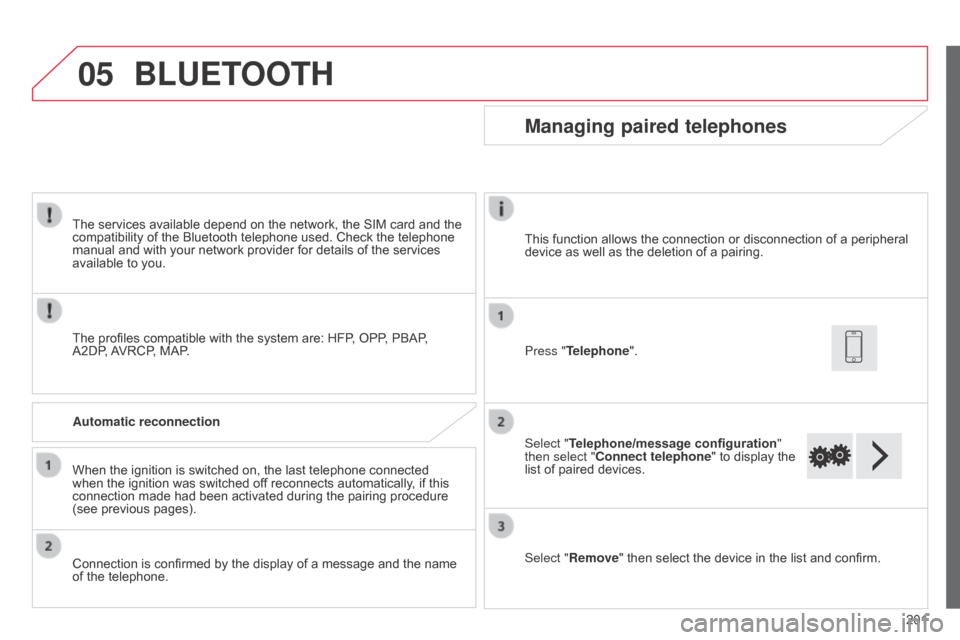
Managing paired telephones
Press "Telephone".
Select "Telephone/message configuration
"
then select "Connect telephone" to display the
list of paired devices.
Select "Remove " then select the device in the list and confirm.
This function allows the connection or disconnection of a peripheral
device as well as the deletion of a pairing.
Page 204 of 256
05
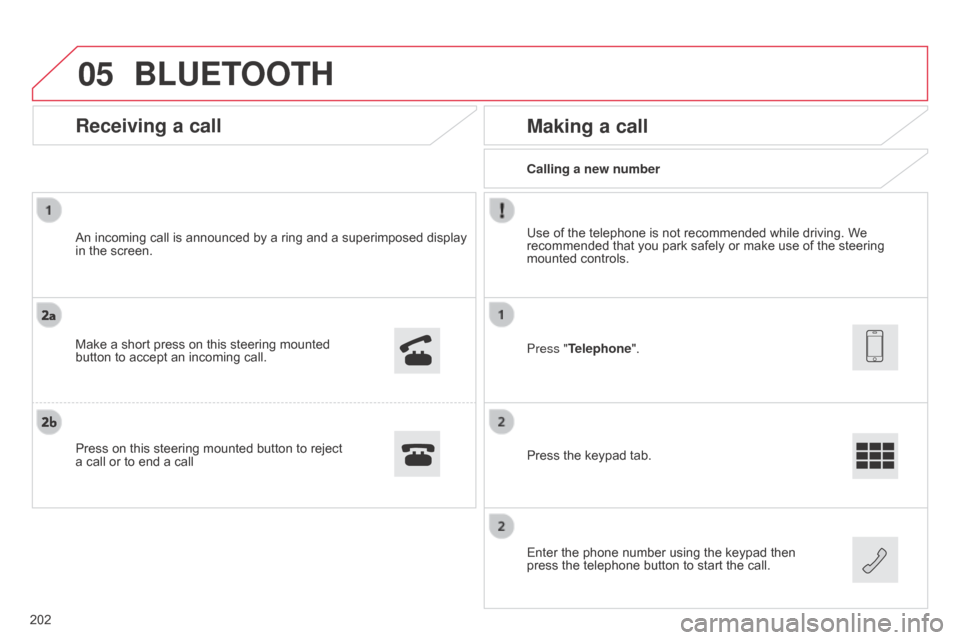
Calling a new number
Making a call
Use of the telephone is not recommended while driving. We
recommended that you park safely or make use of the steering
mounted controls.
Press the keypad tab.
Enter the phone number using the keypad then
press the telephone button to start the call. Press "Telephone".
Receiving a call
An incoming call is announced by a ring and a superimposed display
in the screen.
Make a short press on this steering mounted
button to accept an incoming call.
Press on this steering mounted button to reject
a call or to end a call
BLUETOOTH
202
Page 205 of 256
05
203
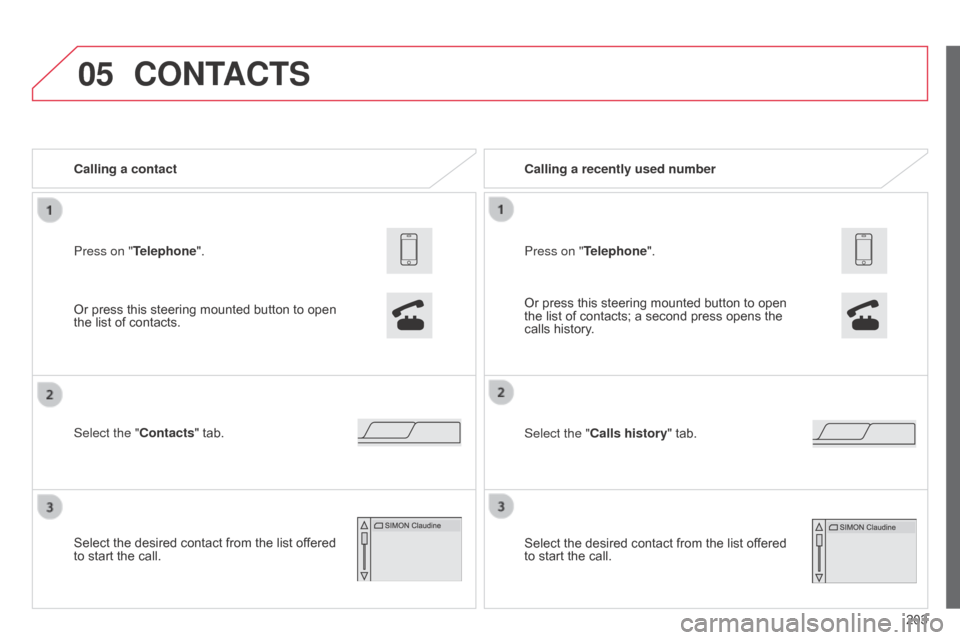
Press on "Telephone". Calling a contact
Select the "Contacts" tab.
Select the desired contact from the list offered
to start the call.
CONTACTS
Or press this steering mounted button to open
the list of contacts.
Or press this steering mounted button to open
the list of contacts; a second press opens the
calls history. Calling a recently used number
Select the "Calls history" tab. Press on "Telephone".
Select the desired contact from the list offered
to start the call.
Page 206 of 256
05
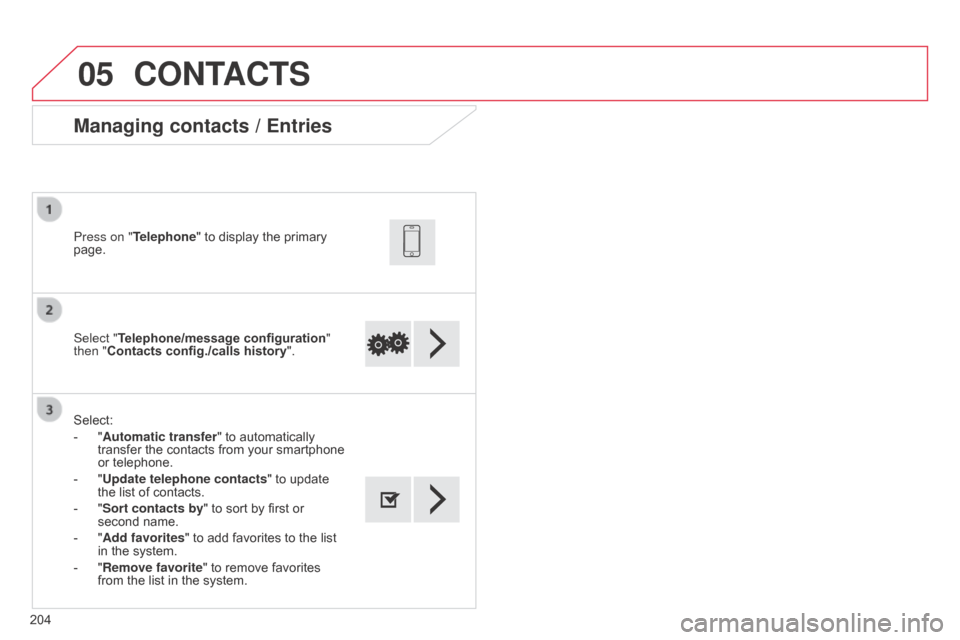
204Select "Telephone/message configuration
"
then "Contacts config./calls history ".
Press on "Telephone" to display the primary
page.
Select:
-
"
Automatic transfer
" to automatically
transfer the contacts from your smartphone
or telephone.
-
"
Update telephone contacts" to update
the list of contacts.
-
"
Sort contacts by" to sort by first or
second name.
-
"
Add favorites" to add favorites to the list
in the system.
-
"
Remove favorite
" to remove favorites
from the list in the system.
Managing contacts / Entries
CONTACTS
Page 207 of 256
05
205
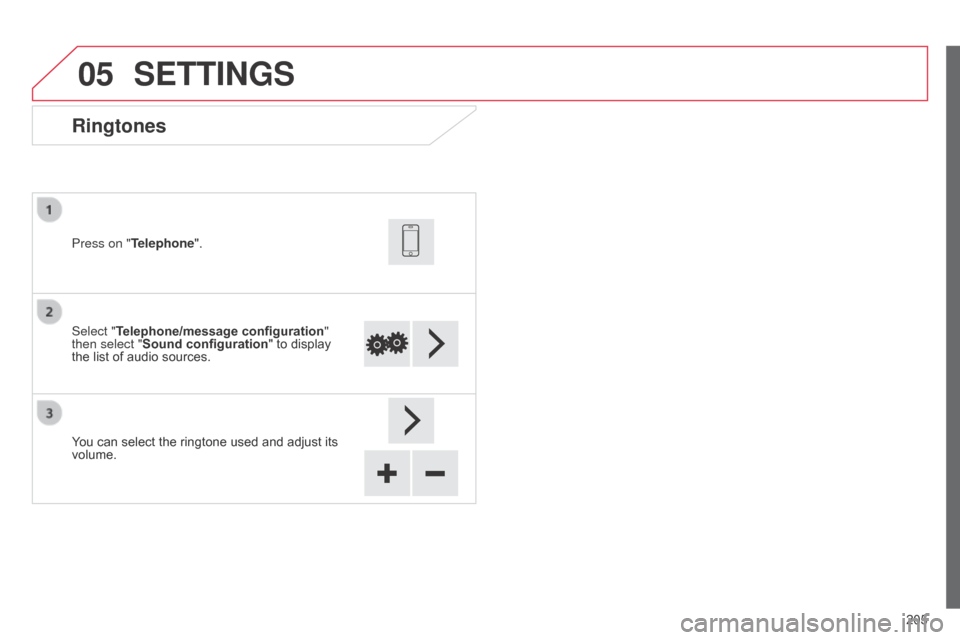
Ringtones
Select "Telephone/message configuration"
then select "Sound configuration " to display
the list of audio sources. Press on "Telephone".
You can select the ringtone used and adjust its
volume.
SETTINGS
Page 208 of 256
06
206
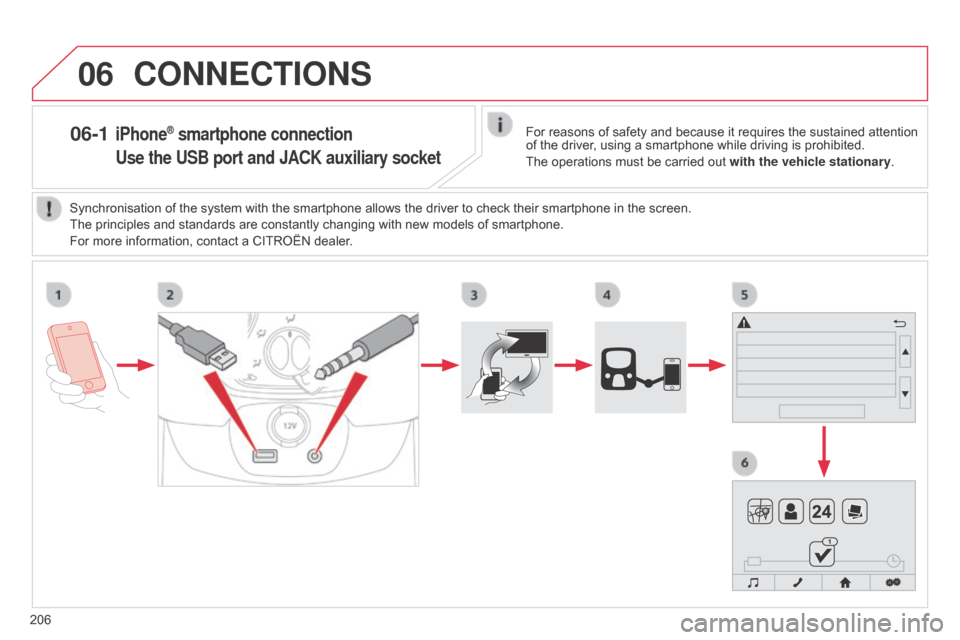
06-1 iPhone® smartphone connection
Use the USB port and JACK auxiliary socket
CONNECTIONS
For reasons of safety and because it requires the sustained attention
of the driver, using a smartphone while driving is prohibited.
The operations must be carried out with the vehicle stationary.
Synchronisation of the system with the smartphone allows the driver to check their smartphone in the screen.
The principles and standards are constantly changing with new models of smartphone.
For more information, contact a CITROËN dealer.
Page 209 of 256
06
207
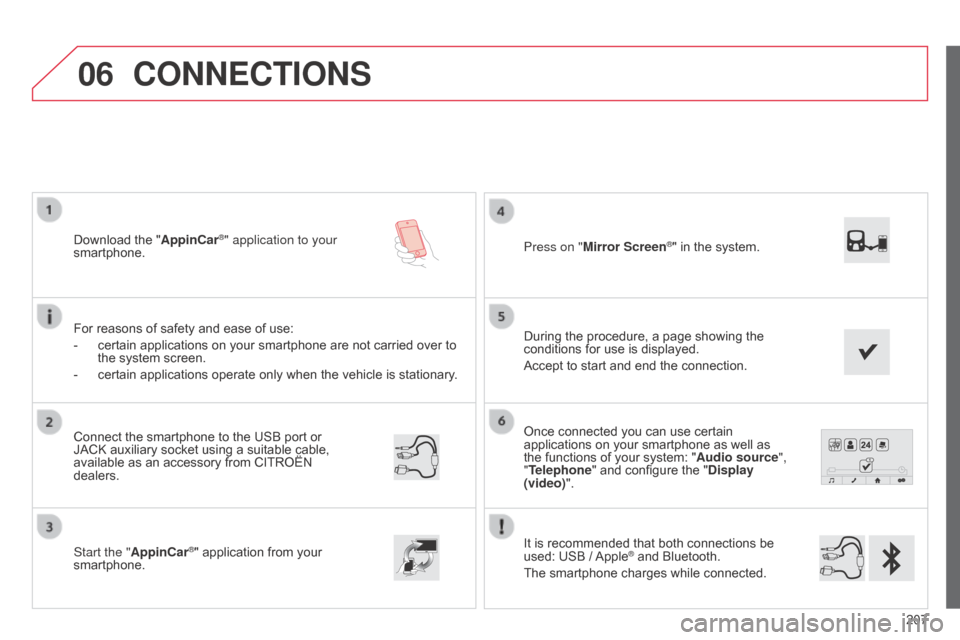
Once connected you can use certain
applications on your smartphone as well as
the functions of your system: "Audio source",
"Telephone" and configure the "Display
(video)".
It is recommended that both connections be
used: USB / Apple
® and Bluetooth.
The smartphone charges while connected.
Connect the smartphone to the USB
port or
JACK auxiliary socket using a suitable cable,
available as an accessory from CITROËN
dealers.
Start the "AppinCar®" application from your
smartphone. During the procedure, a page showing the
conditions for use is displayed.
Accept to start and end the connection. Press on "Mirror Screen
®" in the system.
Download the "
AppinCar®" application to your
smartphone.
For reasons of safety and ease of use:
-
certain applications on your smartphone are not carried over to
the system screen.
-
certain applications operate only when the vehicle is stationary .
CONNECTIONS
Page 211 of 256
209
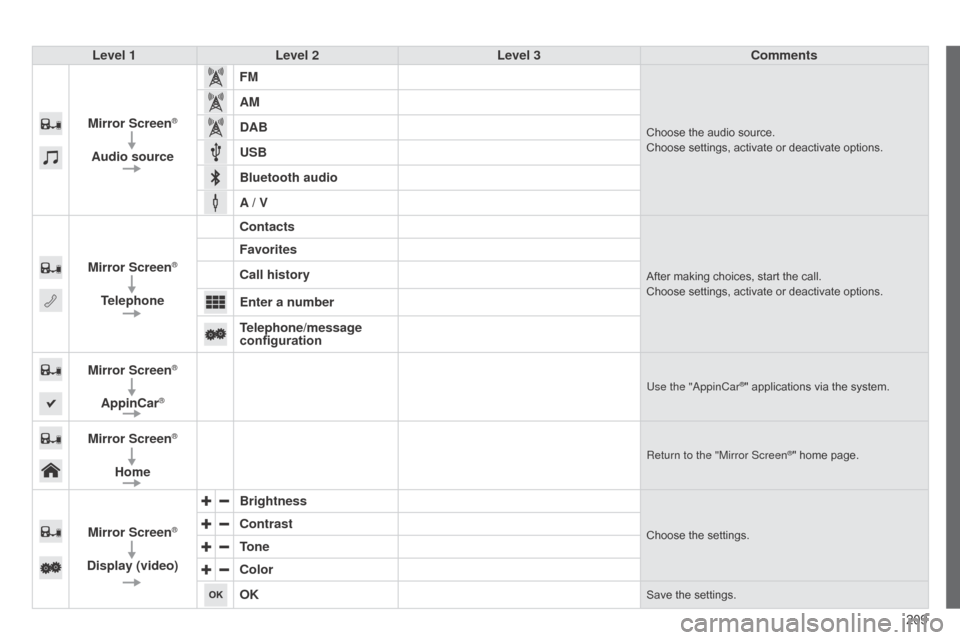
Level 1
Level 2 Level 3 Comments
Mirror Screen
®
Audio source FM
Choose the audio source.
Choose settings, activate or deactivate options.
AM
DAB
USB
Bluetooth audio
A / V
Mirror Screen
®
Telephone Contacts
After making choices, start the call.
Choose settings, activate or deactivate options.
Favorites
Call history
Enter a number
Telephone/message
configuration
Mirror Screen
®
AppinCar®Use the "appinCar®" applications via the system.
Mirror Screen®
Home
Return to the "Mirror Screen®" home page.
Mirror Screen®
Display (video) Brightness
Choose the settings.Contrast
Tone
Color
OK
Save the settings.
Page 212 of 256
06
210
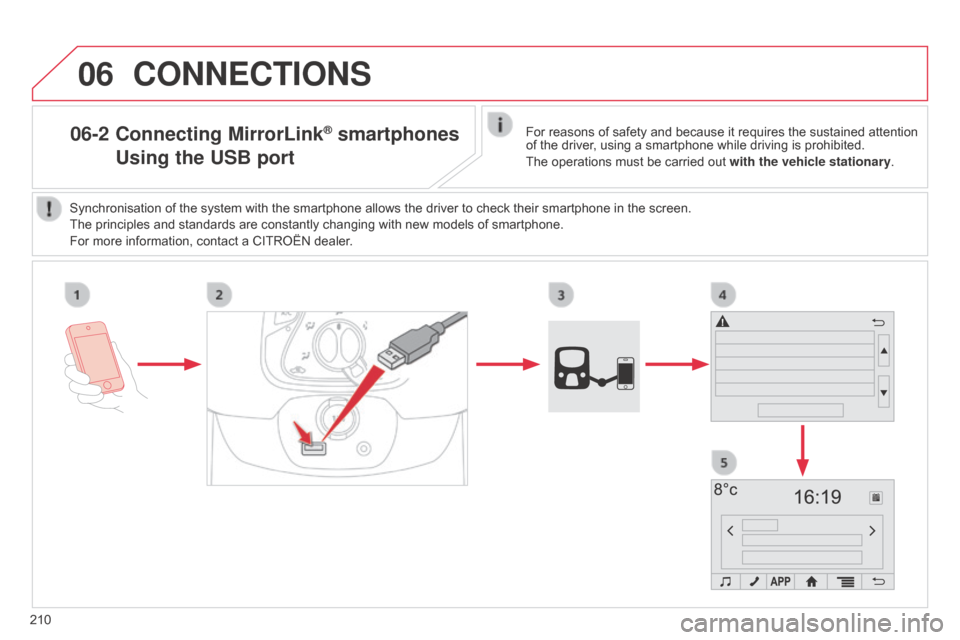
06-2 Connecting MirrorLink® smartphones
Using
the USB portFor reasons of safety and because it requires the sustained attention
of the driver, using a smartphone while driving is prohibited.
The operations must be carried out with the vehicle stationary.
Synchronisation of the system with the smartphone allows the driver to check their smartphone in the screen.
The principles and standards are constantly changing with new models of smartphone.
For more information, contact a CITROËN dealer.
CONNECTIONS
Page 213 of 256
06
2 11
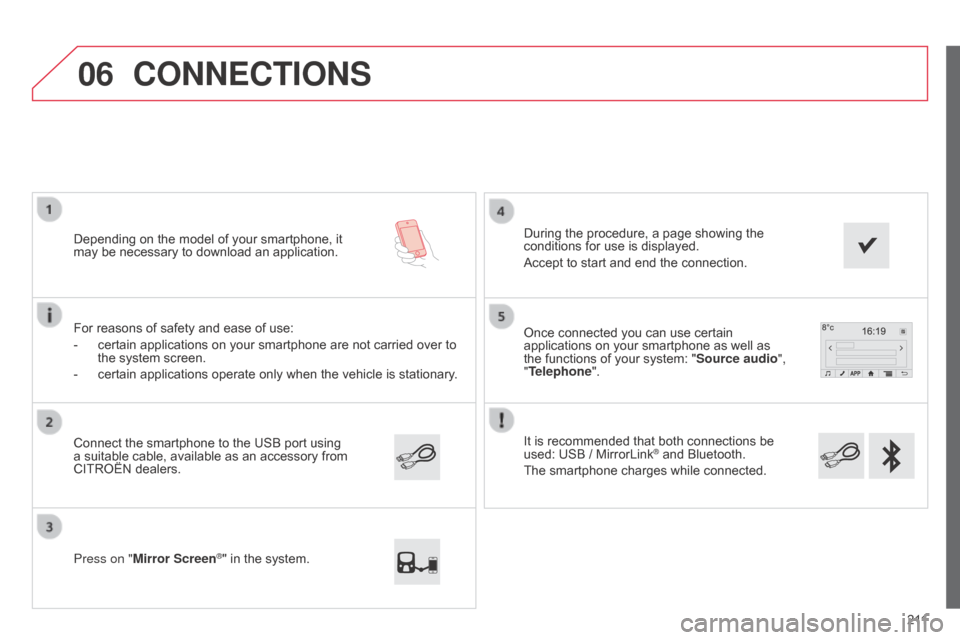
It is recommended that both connections be
used: USB / MirrorLink
® and Bluetooth.
The smartphone charges while connected. Once connected you can use certain
applications on your smartphone as well as
the functions of your system: "Source audio ",
"Telephone".
Connect the smartphone to the USB port using
a suitable cable, available as an accessory from
CITROËN dealers. Depending on the model of your smartphone, it
may be necessary to download an application.
Press on "Mirror Screen
®" in the system. During the procedure, a page showing the
conditions for use is displayed.
Accept to start and end the connection.
For reasons of safety and ease of use:
-
certain applications on your smartphone are not carried over to
the system screen.
-
certain applications operate only when the vehicle is stationary
.
CONNECTIONS