Panel Citroen C1 RHD 2016 1.G User Guide
[x] Cancel search | Manufacturer: CITROEN, Model Year: 2016, Model line: C1 RHD, Model: Citroen C1 RHD 2016 1.GPages: 268, PDF Size: 7.09 MB
Page 63 of 268
61
Rear screen demist - defrost
Switching off
Switching on
F Press this button again to switch off the h
eated rear screen.
T
he indicator lamp associated with the
b
utton goes off.
The
heated
rear
screen
can
only
operate
when
t
he
engine
is
running.
Switch
off the demisting/defrosting
o
f the rear screen and door mirrors
(
depending on version) as soon
a
s appropriate, as lower current
consumption
results in reduced fuel
c
onsumption.
F
P
ress
this
button
to
demist /defrost
the
rear
s
creen
and,
depending
on
version,
the
d
oor
mirrors.
T
he
indicator
lamp
associated
with
the
b
utton
comes
on.
The
control
button
is
located
on
the
heating / ventilation or air conditioning system control panel.
3
Ease of use and comfort
Page 67 of 268
65
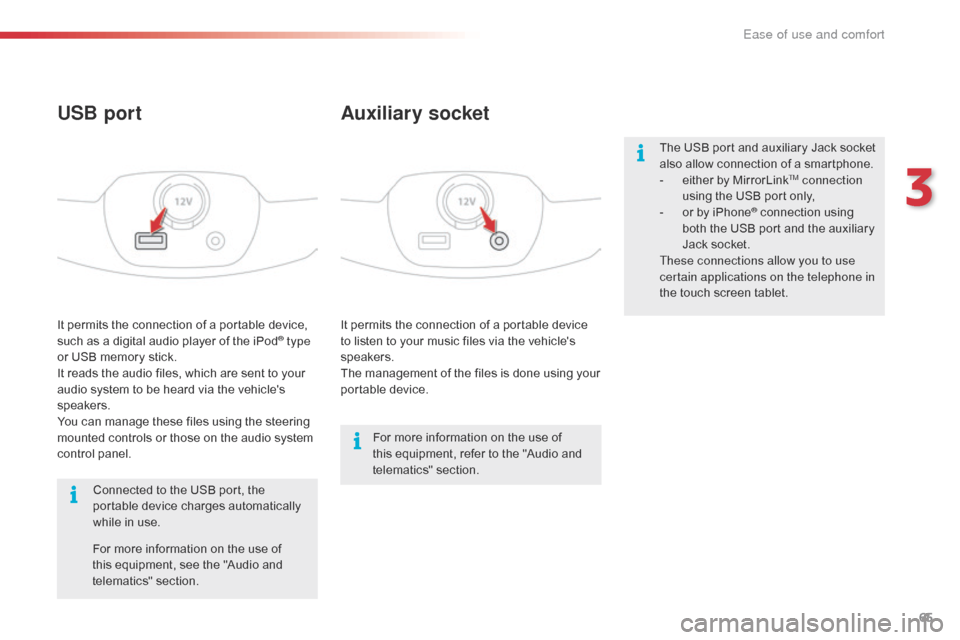
It permits the connection of a portable device to listen to your music files via the vehicle's
s
peakers.
The
management of the files is done using your
p
ortable
d
evice.
It
permits
the
connection
of
a
portable
device,
s
uch
as
a
digital
audio
player
of
the
iPod® type
or
USB
memory
stick.
It
reads
the
audio
files,
which
are
sent
to
your
a
udio
system
to
be
heard
via
the
vehicle's
s
peakers.
You
can
manage
these
files
using
the
steering
m
ounted
controls
or
those
on
the
audio
system
c
ontrol
panel.
Auxiliary socket
USB port
For more information on the use of t
his equipment, refer to the "Audio and
t
elematics"
se
ction.
For
more
information
on
the
use
of
t
his
equipment,
see
the
"Audio
and
t
elematics"
se
ction.
Connected
to
the
USB
port,
the
p
ortable
device
charges
automatically
w
hile
in
use. The
USB port and auxiliary Jack socket
a
lso allow connection of a smartphone.
-
e
ither by MirrorLink
TM connection
using
the
USB
port
only,
-
o
r
by
iPhone
® connection using b
oth
the
USB
port and the auxiliary
J
ack
socket.
These connections allow you to use
certain applications on the telephone in
the
touch
screen
tablet.
3
Ease of use and comfort
Page 75 of 268
73
Starting using the
electronic key
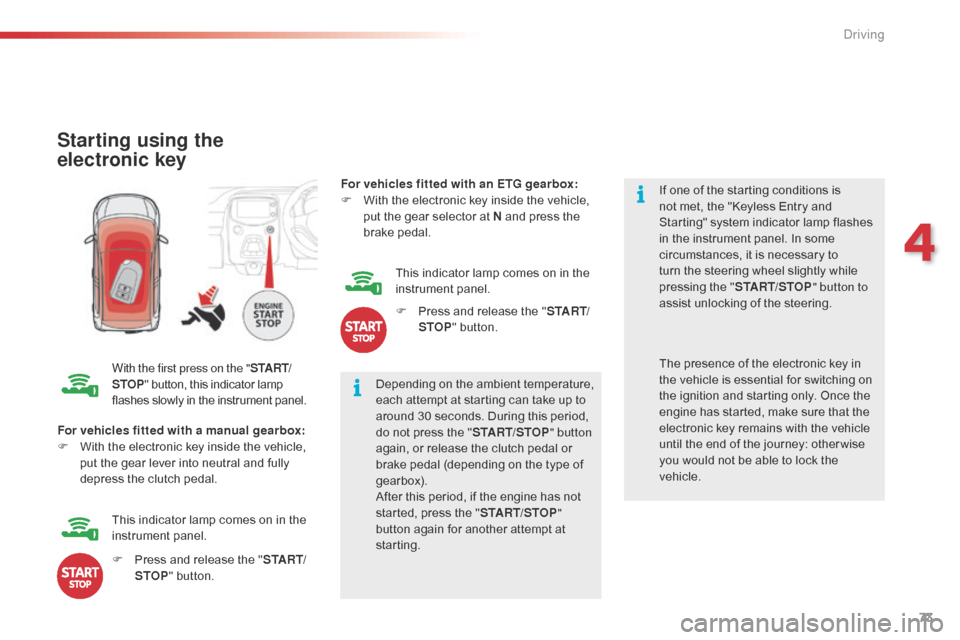
With the first press on the "S TA R T/
STOP "
button, this indicator lamp f
lashes slowly in the instrument panel.Depending
on the ambient temperature,
e
ach attempt at starting can take up to
a
round 30 seconds. During this period,
d
o not press the "START/STOP " button
again,
or release the clutch pedal or
b
rake pedal (depending on the type of
g
earbox).
After
this period, if the engine has not
s
tarted, press the "START/STOP "
button
again for another attempt at
s
tarting. If
one of the starting conditions is
n
ot met, the "Keyless Entry and
S
tarting" system indicator lamp flashes
i
n the instrument panel. In some
c
ircumstances, it is necessary to
t
urn the steering wheel slightly while
p
ressing the "
START/STOP " button to
assist unlocking of the steering.
For vehicles fitted with a manual gearbox:
F
W
ith
the electronic key inside the vehicle,
p
ut
the gear lever into neutral and fully
d
epress the clutch pedal. The
presence of the electronic key in t
he vehicle is essential for switching on
t
he ignition and starting only. Once the
e
ngine has started, make sure that the
e
lectronic key remains with the vehicle
u
ntil the end of the journey: other wise
y
ou would not be able to lock the
v
ehicle.
F
P
ress and release the "S TA R T/
STOP "
button.
This
indicator lamp comes on in the
in
strument
pan
el. For vehicles fitted with an ETG gearbox:
F
W
ith the electronic key inside the vehicle,
p
ut the gear selector at N and press the
b
rake
ped
al.
This indicator lamp comes on in the
in
strument
pan
el.
F
P
ress and release the "
S TA R T/
STOP " button.
4
Driving
Page 76 of 268
74
There is an audible signal when the driver's door is opened and the vehicle is in "ACC "
mode.
If
the vehicle is not immobilised, the
e
ngine will not stop.
Switching off using the
electronic key
F Immobilise
the vehicle.
F W ith a manual gearbox: put the gear lever
i
nto neutral.
F
W
ith an ETG gearbox: place the gear
s
elector at N .
F
W
ith the electronic key inside
t
he vehicle, press the " S TA R T/
STOP "
button.
The
engine stops.
The
steering locks when a door is opened or on
l
ocking the vehicle.
F
P
ress the "START/STOP " button
again
to change to "OFF "
mode.
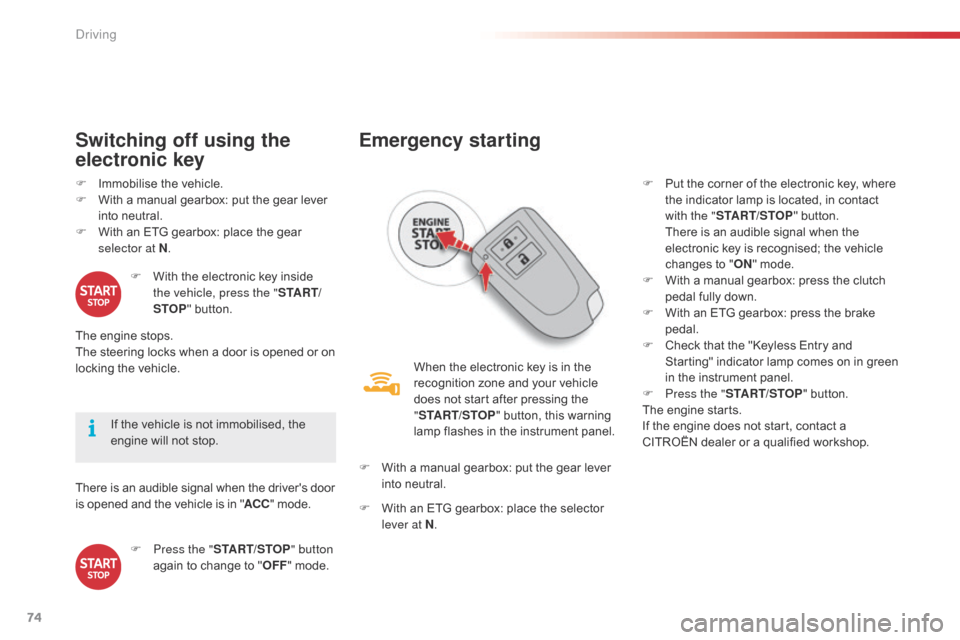
Emergency starting
When the electronic key is in the recognition zone and your vehicle
d
oes not start after pressing the
"ST
ART/STOP "
button, this warning
l
amp flashes in the instrument panel.
F
W
ith
a manual gearbox: put the gear lever
i
nto
neutral.
F
W
ith
an ETG gearbox: place the selector
l
ever at N . F
P
ut the corner of the electronic key, where
t
he indicator lamp is located, in contact
w
ith the "
START/STOP " button.
T
here is an audible signal when the
e
lectronic key is recognised; the vehicle
c
hanges to "
ON " mode.
F
W
ith a manual gearbox: press the clutch
p
edal fully down.
F
W
ith an ETG gearbox: press the brake
ped
al.
F
C
heck that the "Keyless Entry and S
tarting" indicator lamp comes on in green i
n the instrument panel.
F
P
ress the "START/STOP "
button.
The
engine starts.
If
the engine does not start, contact a
C
ITROËN dealer or a qualified workshop.
Driving
Page 79 of 268
77
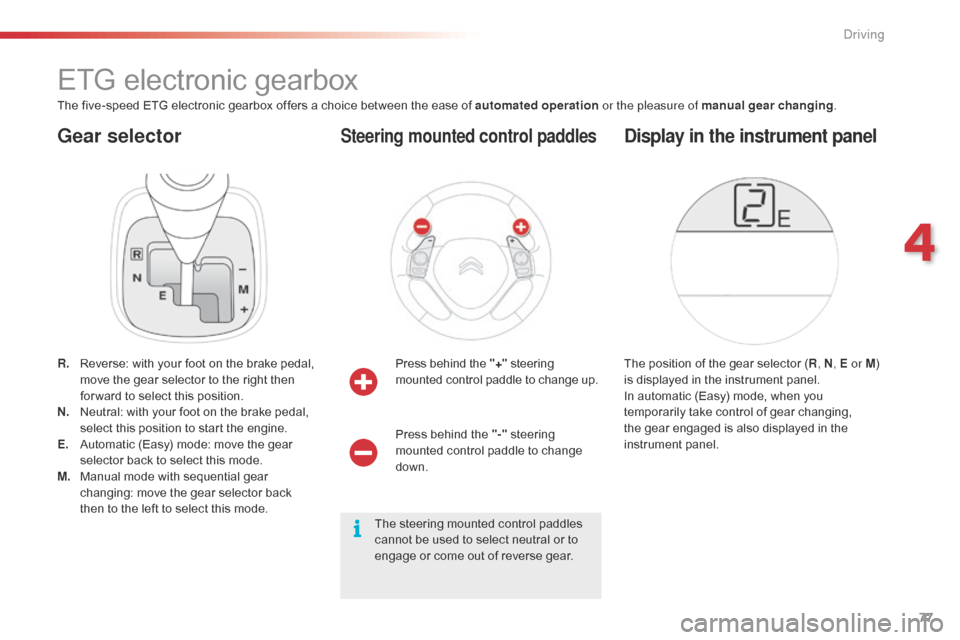
Gear selector
ETG electronic gearbox
The five-speed ETG electronic gearbox offers a choice between the ease of automated operation o r the pleasure of manual gear changing.
R.
R
everse: with your foot on the brake pedal,
m
ove the gear selector to the right then
f
or ward to select this position.
N.
N
eutral: with your foot on the brake pedal,
s
elect this position to start the engine.
E.
A
utomatic (Easy) mode: move the gear
s
elector back to select this mode.
M.
M
anual mode with sequential gear
c
hanging: move the gear selector back
t
hen to the left to select this mode.Press
behind the "+"
s
teering
m
ounted control paddle to change up.
Steering mounted control paddles
The position of the gear selector (R , N, E or M ) i
s displayed in the instrument panel.
In
automatic (Easy) mode, when you
t
emporarily take control of gear changing,
t
he gear engaged is also displayed in the
in
strument
pan
el.
Display in the instrument panel
Press behind the "-" steering m
ounted control paddle to change
d
own.
The
steering mounted control paddles
c
annot be used to select neutral or to
e
ngage or come out of reverse gear.
4
Driving
Page 82 of 268
80
The vehicle can be stopped whatever the position of the gear selector (N , E or R ).
However,
there is an audible signal on opening
t
he driver's door if the gear selector is not at
p
osition N .
Switching off
When the vehicle is stopped with the e
ngine running, always put the gear
s
elector to neutral N .
There
is a continuous audible signal
i
f you turn the ignition switch to "OFF "
with
the vehicle in 2
nd, 3rd, 4th or 5th ge a r.
In
this
case
return
the
ignition
switch
t
o " ON ",
move
the
gear
selector
to
p
osition
N , then to position E , M or R,
then
turn
the
ignition
switch
to
" OFF ".
On
a
slope,
use
the
brakes
to
i
mmobilise
the
vehicle
and
place
the
g
ear
selector
in
position
N , E or R . With
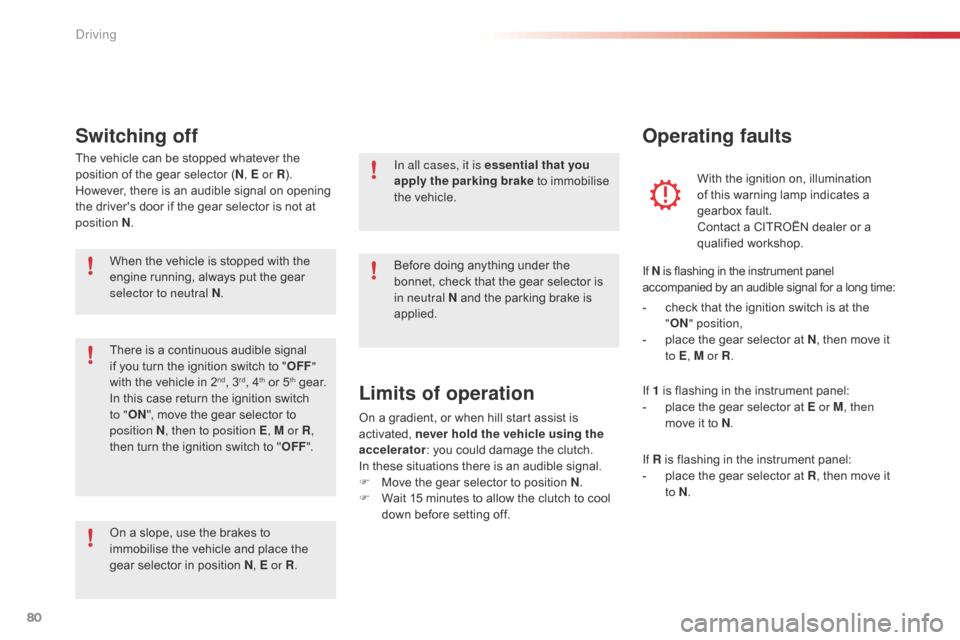
the ignition on, illumination
o
f this warning lamp indicates a
g
earbox fault.
Contact a CITROËN dealer or a
q
ualified
w
orkshop.
Operating faults
In all cases, it is essential
that you
apply the parking brake to immobilise
t
he vehicle.
Before
doing anything under the
b
onnet, check that the gear selector is
i
n neutral N and the parking brake is
a
pplied.
Limits of operation
On a gradient, or when hill start assist is activated, n ever hold the vehicle using the
accelerator :
you could damage the clutch.
In
these situations there is an audible signal.
F
M
ove the gear selector to position N.
F
W
ait 15 minutes to allow the clutch to cool
d
own before setting off. -
c
heck that the ignition switch is at the
"
O
N
"
position,
-
p
lace the gear selector at N
, then move it
t
o E
, M or R .
If 1 is flashing in the instrument panel:
- p lace the gear selector at E or M
, then
move it to N.
If R
is flashing in the instrument panel:
-
p
lace the gear selector at R,
then move it
t
o N.
If
N is flashing in the instrument panel
a
ccompanied by an audible signal for a long time:
Driving
Page 83 of 268
81
System which reduces fuel consumption by recommending the most appropriate gear.
Gear shift indicator
Operation
Example:
- Y ou are in third gear.
-
Y
ou press the accelerator pedal.
-
T
he system may suggest that you engage
a
higher gear.
Depending
on the driving situation and your
v
ehicle's equipment, the system may advise
y
ou to change gear.
The gear engagement recommendations must
n
ot be considered compulsory. In fact, the
c
onfiguration of the road, the amount of traffic
a
nd safety remain determining factors when
c
hoosing the best gear. Therefore, the driver
r
emains responsible for deciding whether or not
t
o follow the advice given by the system.
This function cannot be deactivated.
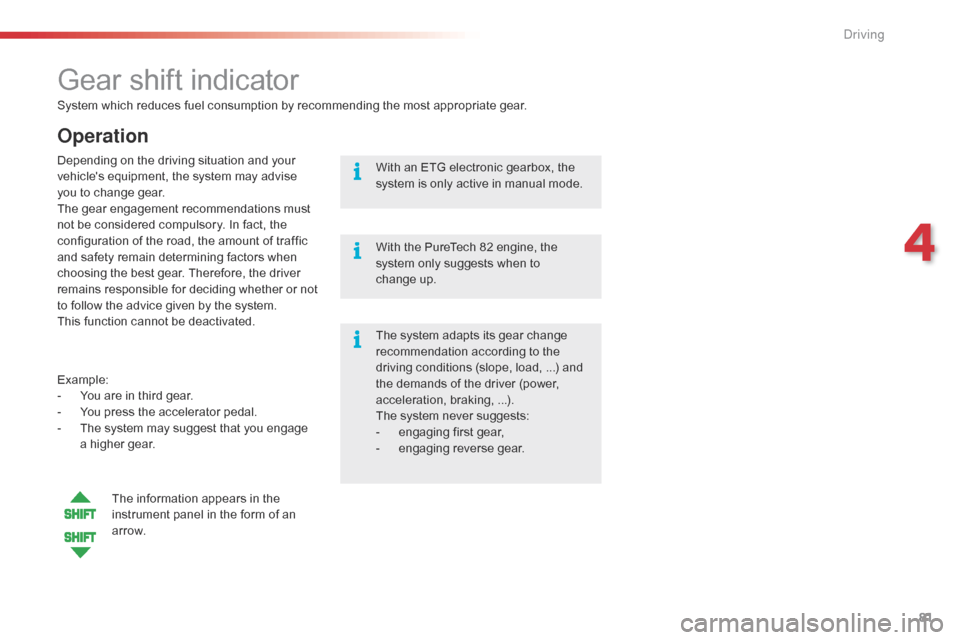
The information appears in the
i
nstrument panel in the form of an
a
r row. The
system adapts its gear change
r
ecommendation according to the d
riving conditions (slope, load, ...) and t
he demands of the driver (power,
a
cceleration, braking, ...).
The
system never suggests:
-
e
ngaging first gear,
-
enga
ging
r
everse
g
ear.
With
an ETG electronic gearbox, the
s
ystem is only active in manual mode.
With the PureTech 82 engine, the
s
ystem only suggests when to
c
hange up.
4
Driving
Page 85 of 268
83
Stop & Start (VTi 68 S&S engine)
Operation
Going into engine STOP
mode
This indicator lamp comes on in the instrument panel and the engine
g
oes into standby automatically:
-
w
hen
stationary, in neutral, and you
r
elease the clutch pedal.
Never
refuel with the engine in
S
TOP mode; you must switch off the
i
gnition with the button.
For
smoother operation, during p
arking manoeuvres STOP mode is n
ot available for a few seconds after
c
oming out of reverse gear.
The
Stop & Start does not affect the
v
ehicle's systems, such as for example,
b
raking, power steering...
The
Stop
&
Start system
puts
the
engine
t
emporarily
into
standby
-
STOP
mode
-
d
uring
stops
in
the
traffic
(red
lights,
traffic
j
ams,
or
other...).
The
engine
restarts
a
utomatically - START
mode
-
as
soon
as
y
ou
want
to
move
off.
The
restart
takes
place
i
nstantly,
quickly
and
silently.
Per fect
for
urban
use,
the
Stop
&
Start
system
r
educes
fuel
consumption
and
exhaust
e
missions
as
well
as
the
noise
level
when
s
tationary.
Stop & Start time counters
A partial time counter counts the periods in S TOP mode during a journey.
It
is displayed in the trip computer once the
S
top & Start is operating.
Press one of the " DISP" buttons to return to the
previous
d
isplay.
A
global time counter counts the periods in
S
TOP mode since the last reset.
When
it is displayed, press one of
t
he "DISP " buttons
to reset the counter.
4
Driving
Page 87 of 268
85
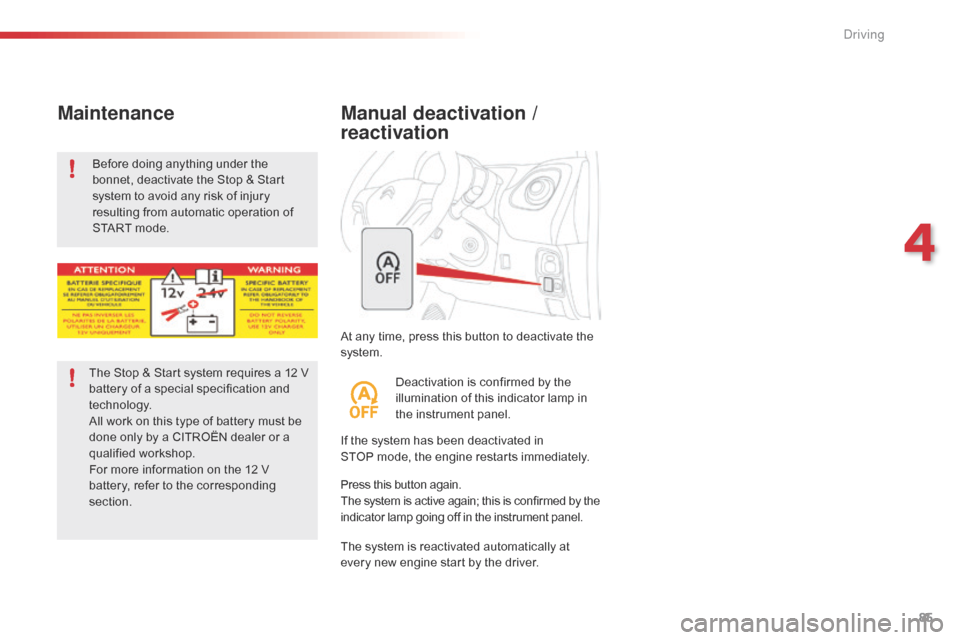
At any time, press this button to deactivate the system.
Manual deactivation /
reactivation
If the system has been deactivated in S TOP mode, the engine restarts immediately.
The
system is reactivated automatically at
e
very new engine start by the driver.
Press
this button again.
The
system is active again; this is confirmed by the
i
ndicator lamp going off in the instrument panel.
Deactivation
is confirmed by the
i
llumination of this indicator lamp in
t
he instrument panel.
Before
doing
anything
under
the
b
onnet,
deactivate
the
Stop
&
Start
s
ystem
to
avoid
any
risk
of
injury
r
esulting
from
automatic
operation
of
S
TART
mode.
Maintenance
The Stop & Start system requires a 12 V b
attery of a special specification and
t
echnology.
All
work on this type of battery must be
d
one only by a CITROËN dealer or a
q
ualified
w
orkshop.
For
more information on the 12 V
b
attery, refer to the corresponding
s
ection.
4
Driving
Page 88 of 268
86
The speed limiter cannot, in any circumstances, replace the need to o
bserve speed limits, nor can it replace the
n
eed for vigilance on the part of the driver.
Speed limiter (PureTech 82 engine)
The speed limiter is switched on manually: t
his can be done whatever the speed of the
v
ehicle. However, if you are driving at less than
2
0 mph (30 km/h), the programmed speed will
b
e fixed at 20 mph (30 km/h).
The
speed limiter is paused by operation of the
control.
The
programmed speed can be exceeded
t
emporarily by pressing the accelerator firmly
b
eyond the point of resistance.
To
return to the programmed speed, simply
r
elease the accelerator pedal until the vehicle
r
eturns to the programmed speed limit.
System
which prevents the vehicle from exceeding the speed programmed by the driver.Steering mounted controls
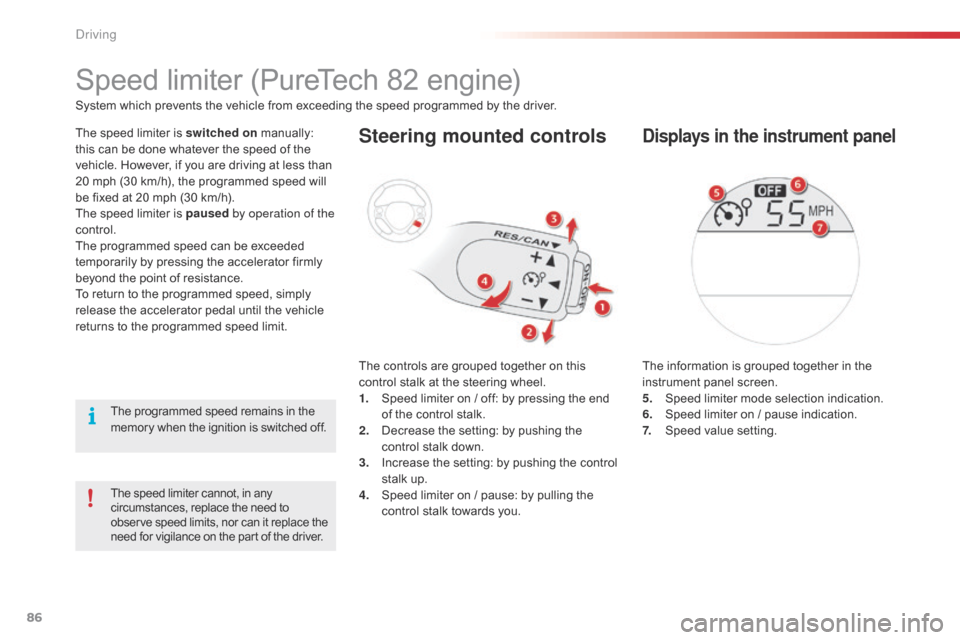
The controls are grouped together on this c
ontrol stalk at the steering wheel.
1.
S
peed limiter on / off: by pressing the end
o
f the control stalk.
2.
D
ecrease the setting: by pushing the
c
ontrol stalk down.
3.
I
ncrease the setting: by pushing the control
s
talk up.
4.
S
peed limiter on / pause: by pulling the
c
ontrol stalk towards you.
Displays in the instrument panel
The information is grouped together in the instrument panel screen.
5.
S
peed limiter mode selection indication.
6.
S
peed limiter on / pause indication.
7.
S
peed value setting.
The
programmed
speed
remains
in
the
m
emory
when
the
ignition
is
switched
off.
Driving