CD player Citroen C1 RHD 2016 1.G Owner's Manual
[x] Cancel search | Manufacturer: CITROEN, Model Year: 2016, Model line: C1 RHD, Model: Citroen C1 RHD 2016 1.GPages: 268, PDF Size: 7.09 MB
Page 67 of 268
65
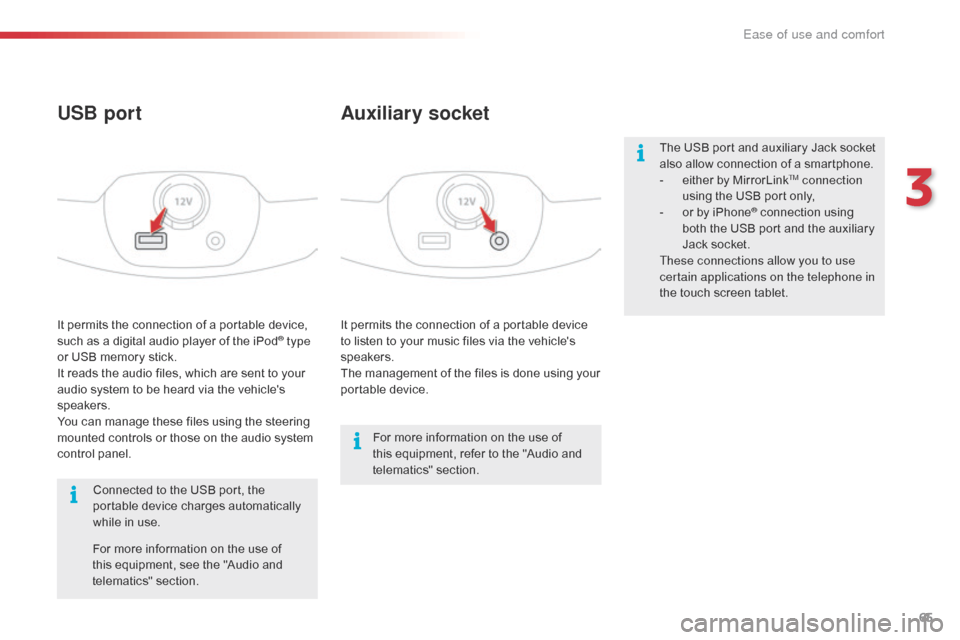
It permits the connection of a portable device to listen to your music files via the vehicle's
s
peakers.
The
management of the files is done using your
p
ortable
d
evice.
It
permits
the
connection
of
a
portable
device,
s
uch
as
a
digital
audio
player
of
the
iPod® type
or
USB
memory
stick.
It
reads
the
audio
files,
which
are
sent
to
your
a
udio
system
to
be
heard
via
the
vehicle's
s
peakers.
You
can
manage
these
files
using
the
steering
m
ounted
controls
or
those
on
the
audio
system
c
ontrol
panel.
Auxiliary socket
USB port
For more information on the use of t
his equipment, refer to the "Audio and
t
elematics"
se
ction.
For
more
information
on
the
use
of
t
his
equipment,
see
the
"Audio
and
t
elematics"
se
ction.
Connected
to
the
USB
port,
the
p
ortable
device
charges
automatically
w
hile
in
use. The
USB port and auxiliary Jack socket
a
lso allow connection of a smartphone.
-
e
ither by MirrorLink
TM connection
using
the
USB
port
only,
-
o
r
by
iPhone
® connection using b
oth
the
USB
port and the auxiliary
J
ack
socket.
These connections allow you to use
certain applications on the telephone in
the
touch
screen
tablet.
3
Ease of use and comfort
Page 144 of 268
142
Accessories
A wide range of accessories and genuine parts is available from the CITROËN dealer network.
T hese accessories and parts are all suitable for your vehicle and benefit from CITROËN's recommendation and warranty.
"Transport solutions":
boot carpet, boot liner,
transverse
roof bars, bicycle carrier, ski carrier,
r
oof boxes, boot dividers, ...
"Styling":
rear diffuser, aluminium gear knob,
a
lloy wheels, exterior expressive stickers,
c
hrome mirror shells, door sill finishers, ...
"Comfort":
door deflectors, insulated module,
s
un blinds, scented air freshener, portable
a
shtray, coat hanger fitted to head restraint,
r
eading lamp, front and rear parking sensors,
c
entre armrest, cigarette lighter, ..."Security and safety":
anti-theft alarm,
v
ehicle tracking system, snow chains, wheel
n
on-slip covers, wheel security bolts, child
s
eats, first aid kit, warning triangle, high
v
isibility vest, breathalyzer, fire extinguisher,
p
et seat belt, foglamp kit, seat belt cutter/glass
h
ammer,
...
"
Protection":
mats, mud flaps, vehicle cover,
s
eat covers, side protective mouldings, bumper
p
rotectors,
...
T
o prevent the mat from becoming caught
u
nder the pedals:
-
e
nsure that the mat is secured correctly,
-
n
ever fit one mat on top of another."Multimedia":
audio
system, speaker, semi-
integral
navigation systems, hands-free kit,
d
riving assistance systems, 230 V socket, rear
m
ulti-media support, DVD players, portable
s
atellite navigation system, smartphone
s
upport, digital radio, ...
Practical information
Page 189 of 268
187
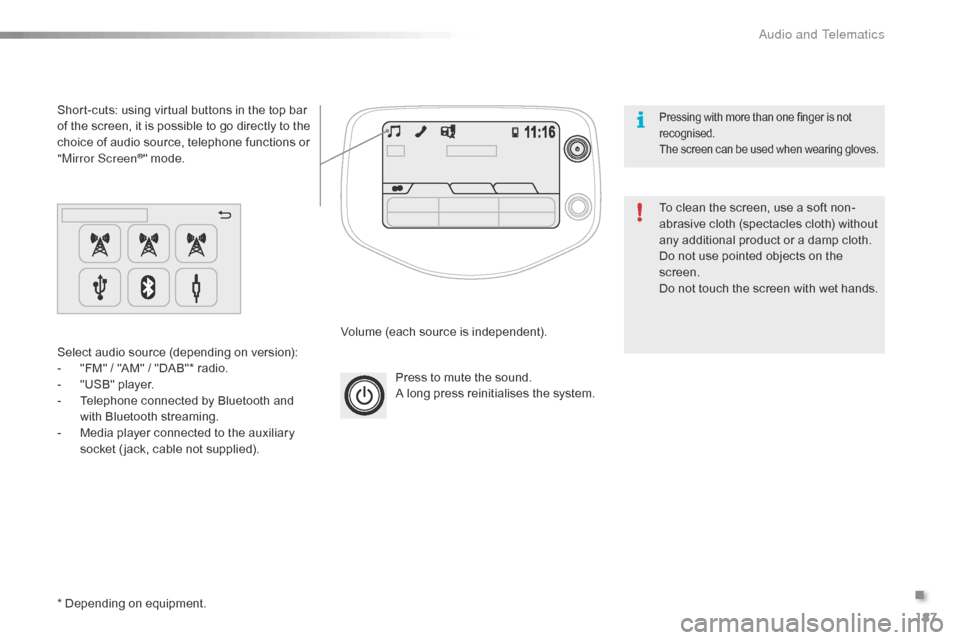
Press to mute the sound.
A long press reinitialises the system.
Volume
(each source is independent).
Select
audio
source
(depending
on
version):
-
"
FM"
/
"AM"
/
"DAB"*
radio.
-
"
USB"
player.
-
T
elephone
connected
by
Bluetooth
and
w
ith
Bluetooth
streaming.
-
M
edia
player
connected
to
the
auxiliary
s
ocket
( jack,
cable
not
supplied).
Short-cuts:
using
virtual
buttons
in
the
top
bar
o
f
the
screen,
it
is
possible
to
go
directly
to
the
c
hoice
of
audio
source,
telephone
functions
or
"
Mirror Screen
®" mode.
*
Depending
on
equipment. To
clean the screen, use a soft non-
abrasive
cloth (spectacles cloth) without
a
ny additional product or a damp cloth.
Do
not use pointed objects on the
sc
reen.
Do
not touch the screen with wet hands.
Pressing with more than one finger is not recognised.
The
s
creen
c
an
b
e
u
sed
w
hen
w
earing
g
loves.
.
Audio and Telematics
Page 200 of 268
198
Media
USB player
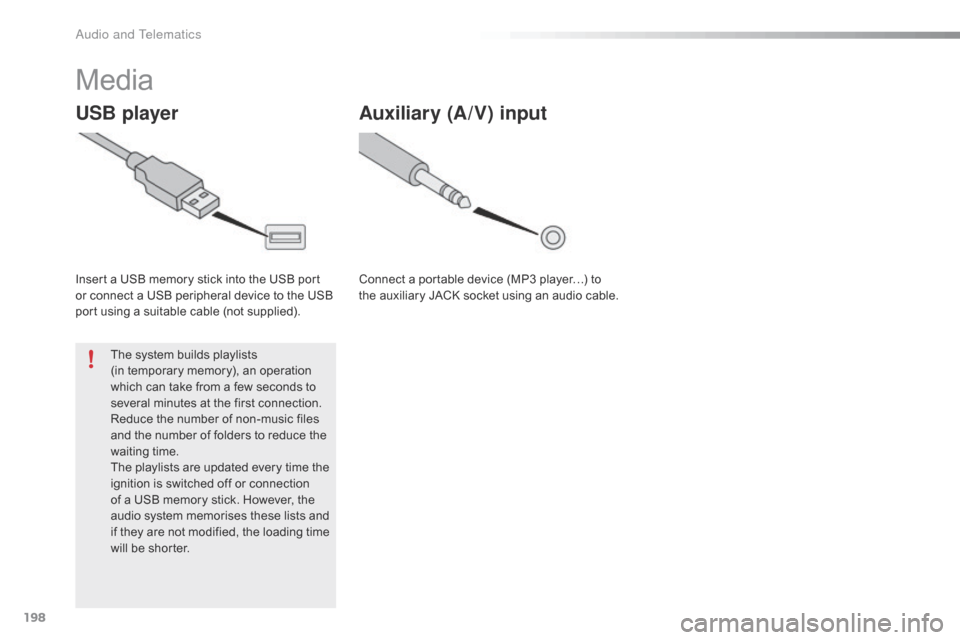
Insert a USB memory stick into the USB port or connect a USB peripheral device to the USB
p
ort using a suitable cable (not supplied).
The
system builds playlists
(in
temporary memory), an operation
w
hich can take from a few seconds to
s
everal minutes at the first connection.
Reduce
the number of non-music files
a
nd the number of folders to reduce the
w
aiting
t
ime.
The
playlists are updated every time the
i
gnition is switched off or connection
o
f a USB memory stick. However, the
a
udio system memorises these lists and
i
f they are not modified, the loading time
w
ill be shorter.
Auxiliary (A/V) input
Connect a portable device (MP3 player…) to the auxiliary JACK socket using an audio cable.
Audio and Telematics
Page 202 of 268
200
Information and advice
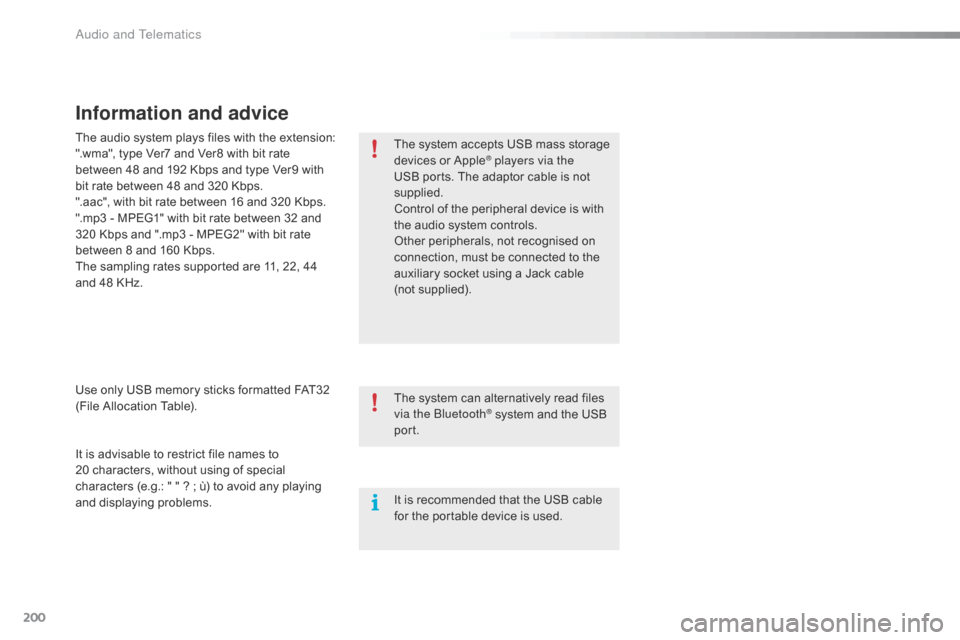
The system accepts USB mass storage devices o r A pple® players via the
USB
ports.
The
adaptor cable is not
sup
plied.
Control
of
the
peripheral device is with
t
he
audio
system
controls.
Other
peripherals, not recognised on
c
onnection,
must
be connected to the
a
uxiliary
socket
using a Jack cable
(
not supplied).
It
is
advisable
to
restrict
file
names
to
2
0 characters,
without
using
of
special
c
haracters
(e.g.:
"
"
?
;
ù)
to
avoid
any
playing
a
nd
d
isplaying
pro
blems.
Use
only
USB
memory
sticks
formatted
FAT32
(
File
Allocation
Table).
The
audio
system
plays
files
with
the
extension:
".wma",
type
Ver7
and
Ver8
with
bit
rate
b
etween
48
and
192
Kbps
and
type
Ver9
with
b
it
rate
between
48
and
320
Kbps.
".aac",
with
bit
rate
between
16
and
320
Kbps.
".mp3
-
MPEG1"
with
bit
rate
between
32
and
3
20
Kbps
and
".mp3
-
MPEG2"
with
bit
rate
b
etween
8
and
160
Kbps.
The
sampling
rates
supported
are
11,
22,
44
a
nd
48
KHz. The
system
can
alternatively read files
v
ia the Bluetooth
® system and the USB po
rt.
It
is
recommended that the USB cable
f
or
the
portable
device is used.
Audio and Telematics
Page 203 of 268
201
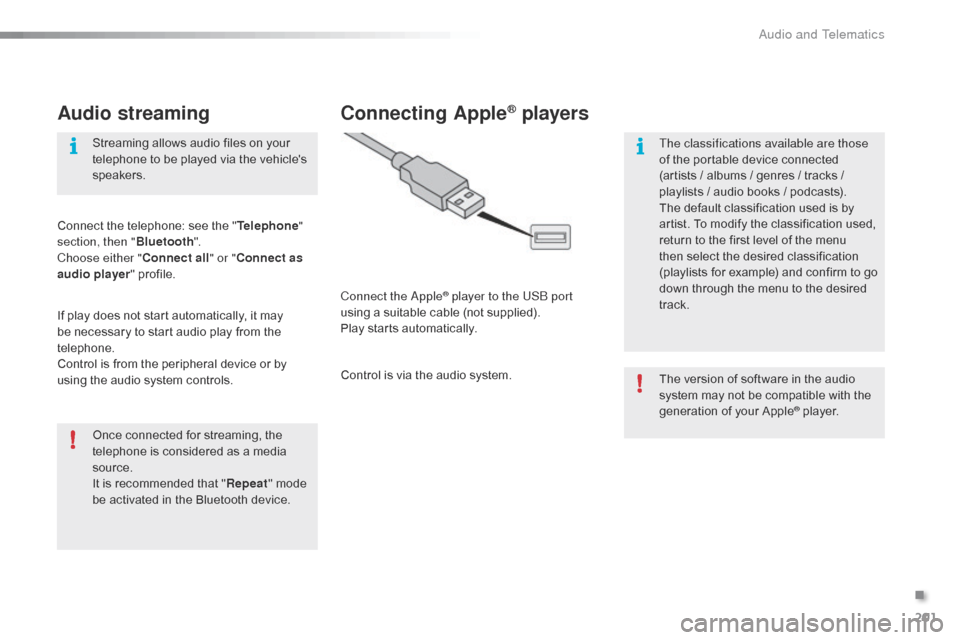
Audio streaming
Once connected for streaming, the telephone is considered as a media
s
ource.
It
is recommended that "Repeat "
mode
b
e activated in the Bluetooth device.
Streaming
allows audio files on your
t
elephone to be played via the vehicle's
s
peakers.
Connect the telephone: see the "
Telephone "
section, then " Bluetooth".
Choose either " Connect all" or " Connect as
audio player "
pro
file.
If
play
does not start automatically, it may
b
e
necessary to start audio play from the
t
elephone.
Control is from the peripheral device or by
u
sing
the audio system controls.
Connecting Apple® players
Connect the Apple® player to the USB port
using
a
suitable
cable (not supplied).
Play
starts
automatically.
Control
is
via
the
audio system. The
version of software in the audio
s
ystem may not be compatible with the
g
eneration of your Apple
® player.
T
he classifications available are those
of
the
portable
device
connected
(
artists
/
albums
/
genres
/ tracks /
p
laylists
/
a
udio
books /
podcasts).
The
default
classification
used is by
a
rtist.
To
modify
the
classification used,
r
eturn
to
the
first
level
of
the menu
t
hen
select
the
desired
classification
(
playlists
for
example)
and confirm to go
d
own
through
the
menu
to the desired
t
rack.
.
Audio and Telematics
Page 205 of 268
203
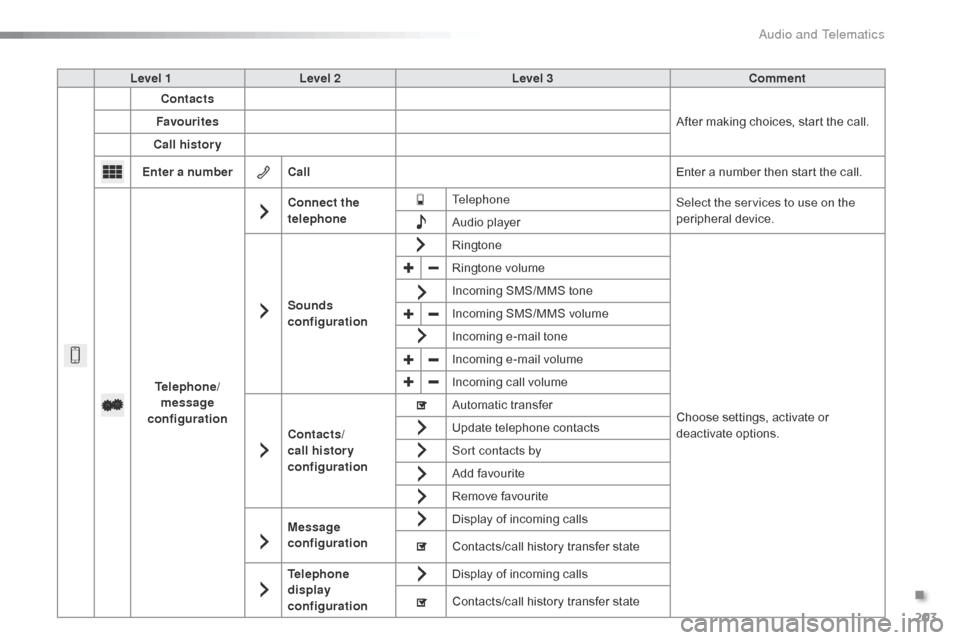
Level 1Level 2 Level 3 Comment
Contacts
After
making choices, start the call.
Favourites
Call history
Enter a number Call Enter
a number then start the call.
Telephone/ message
configuration Connect the
telephone
Telephone
Select the services to use on the
peripheral
d
evice.
Audio
player
Sounds
configuration Ringtone
Choose
settings, activate or
d
eactivate
o
ptions.
Ringtone
volume
Incoming
SMS/MMS tone
Incoming
SMS/MMS volume
Incoming
e-mail tone
Incoming
e-mail volume
Incoming
call volume
Contacts/
call histor y
configuration Automatic
transfer
Update
telephone contacts
Sort contacts by
Add
favourite
Remove
favourite
Message
configuration Display
of incoming calls
Contacts/call
history transfer state
Telephone
display
configuration Display
of incoming calls
Contacts/call
history transfer state
.
Audio and Telematics
Page 206 of 268
204
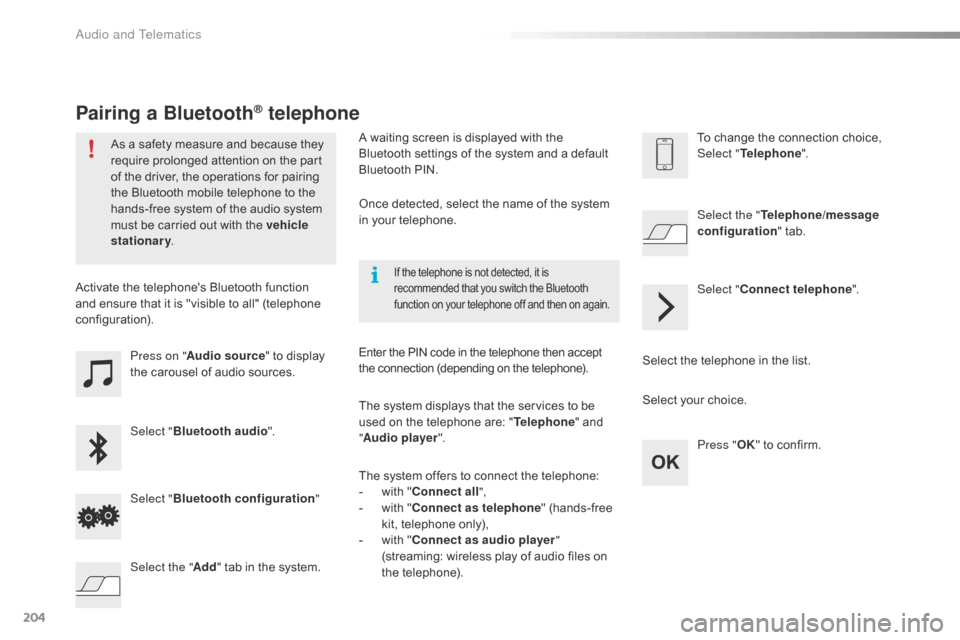
Press on "Audio source " to display t
he carousel of audio sources.
Select " Bluetooth audio ".
Select " Bluetooth configuration "
Activate
the telephone's Bluetooth function
a
nd
ensure that it is "visible to all" (telephone
c
onfiguration).
Select the telephone in the list.
Select "
Connect telephone ".
Select the "
Telephone/message
configuration " tab.
Select your choice.
Select the " Add"
tab in the system. Press "
OK"
to confirm.
If the telephone is not detected, it is recommended that you switch the Bluetooth f
unction on your telephone off and then on again.
As a safety measure and because they require prolonged attention on the part
o
f the driver, the operations for pairing
t
he Bluetooth mobile telephone to the
h
ands-free system of the audio system
m
ust be carried out with the vehicle
stationary .
Pairing a Bluetooth® telephone
A waiting screen is displayed with the B
luetooth settings of the system and a default
B
luetooth PIN.
Once
detected, select the name of the system
i
n your telephone.
The
system displays that the services to be
u
sed on the telephone are: "Telephone "
and
"A
udio player ".
The
system offers to connect the telephone:
-
w
ith "Connect all",
-
w
ith "Connect as telephone "
(hands-free
k
it, telephone only),
-
w
ith "Connect as audio player "
(streaming:
wireless play of audio files on
t
he
t
elephone).
Enter
the PIN code in the telephone then accept
t
he connection (depending on the telephone).To
change the connection choice, Sel
ect "Telephone ".
Audio and Telematics
Page 213 of 268
211
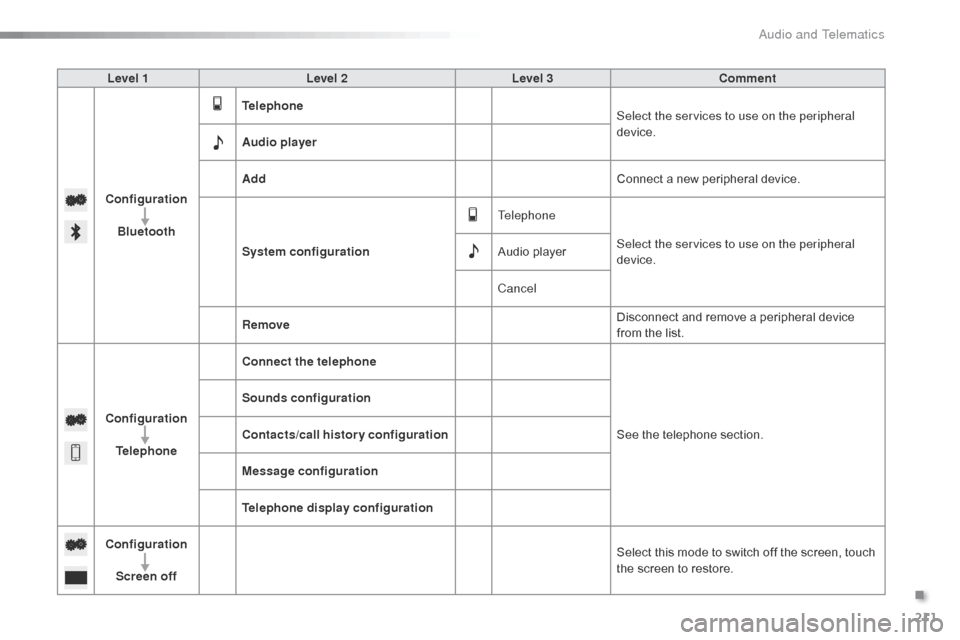
Level 1Level 2 Level 3 Comment
Configuration Bluetooth Telephone
Select the services to use on the peripheral
device.
Audio player
Add Connect
a new peripheral device.
System configuration Telephone
Select the services to use on the peripheral
device.
Audio
player
Cancel
Remove Disconnect
and remove a peripheral device
f
rom the list.
Configuration Telephone Connect the telephone
See
the telephone section.
Sounds configuration
Contacts/call history configuration
Message configuration
Telephone display configuration
Configuration Screen off Select
this mode to switch off the screen, touch
t
he screen to restore.
.
Audio and Telematics
Page 234 of 268
232
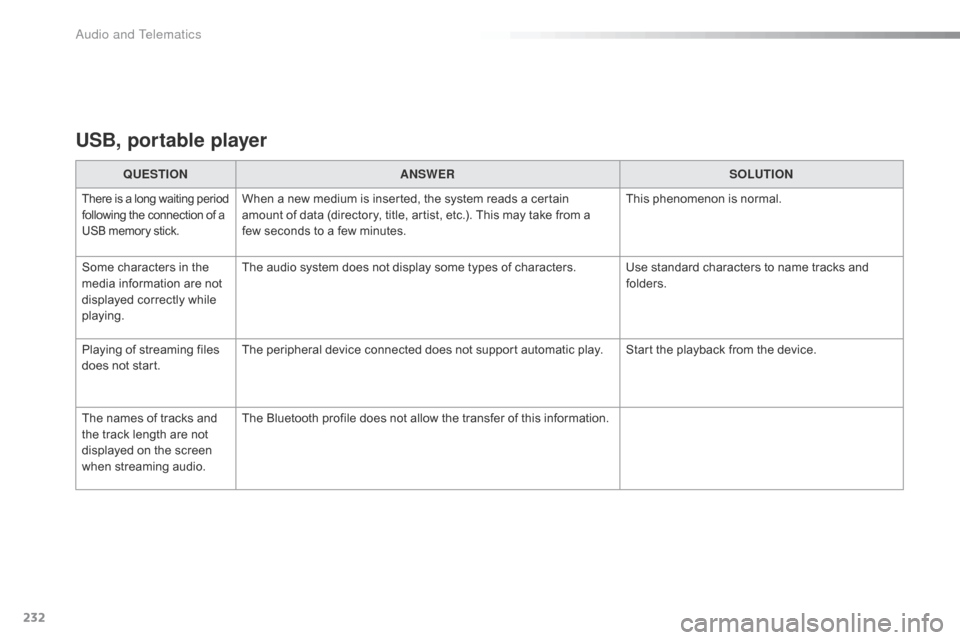
USB, portable player
QUESTIONANSWER SOLUTION
There is a long waiting p eriod f
ollowing the connection of a U
SB memory stick.When a new medium is inserted, the system reads a certain amount of data (directory, title, artist, etc.). This may take from a
f
ew seconds to a few minutes. This
phenomenon is normal.
Some
characters
in
the
m
edia
information
are
not
d
isplayed
correctly
while
p
laying. The
audio system does not display some types of characters. Use standard characters to name tracks and
f
olders.
Playing
of
streaming
files
d
oes
not
start. The
peripheral device connected does not support automatic play. Start the playback from the device.
The
names
of
tracks
and
t
he
track
length
are
not
d
isplayed
on
the
screen
w
hen
s
treaming
a
udio. The
Bluetooth profile does not allow the transfer of this information.
Audio and Telematics