Level Citroen C3 2007.5 1.G Owner's Guide
[x] Cancel search | Manufacturer: CITROEN, Model Year: 2007.5, Model line: C3, Model: Citroen C3 2007.5 1.GPages: 201, PDF Size: 6.64 MB
Page 172 of 201
16L I S T A N D S T R U C T U R E O F V O I C E
C O M M A N D S
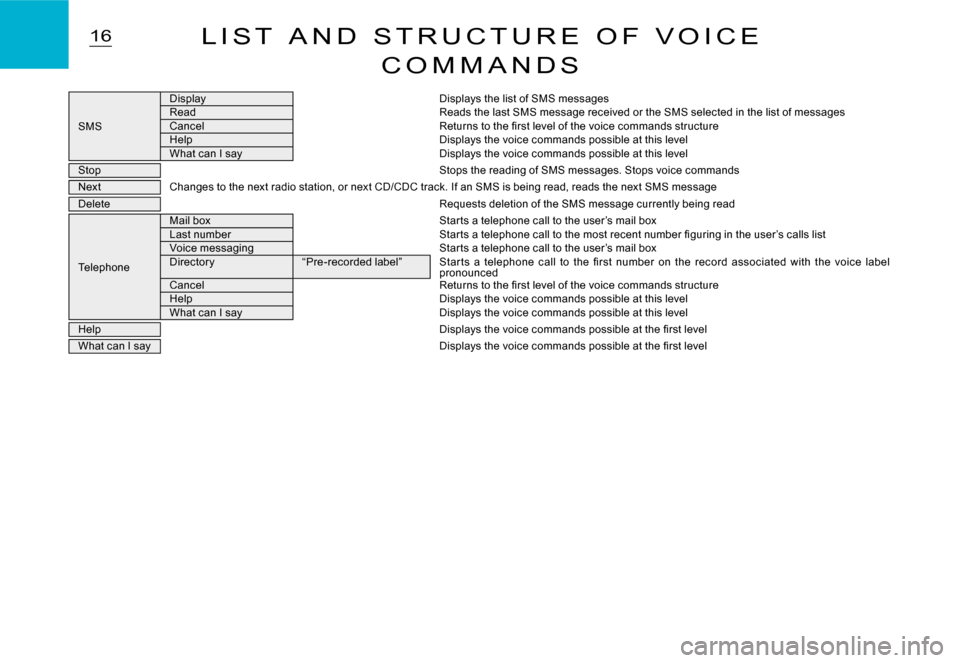
SMS
DisplayDisplays the list of SMS messagesReadReads the last SMS message received or the SMS selected in the list of messagesCancelReturns to the fi rst level of the voice commands structureHelpDisplays the voice commands possible at this levelWhat can I sayDisplays the voice commands possible at this level
StopStops the reading of SMS messages. Stops voice command s
NextChanges to the next radio station, or next CD/CDC track. If an SMS is being read, reads the next SMS message
DeleteRequests deletion of the SMS message currently being r ead
Telephone
Mail boxStar ts a telephone call to the user’s mail boxLast numberStar ts a telephone call to the most recent number fi guring in the user’s calls listVoice messagingStar ts a telephone call to the user’s mail boxDirector y“Pre-recorded label”Star ts a telephone call to the fi rst number on the record associated with the voice label pronouncedCancelReturns to the fi rst level of the voice commands structureHelpDisplays the voice commands possible at this levelWhat can I sayDisplays the voice commands possible at this level
HelpDisplays the voice commands possible at the fi rst lev el
What can I sayDisplays the voice commands possible at the fi rst level
Page 182 of 201
26R A D I O S O U R C E
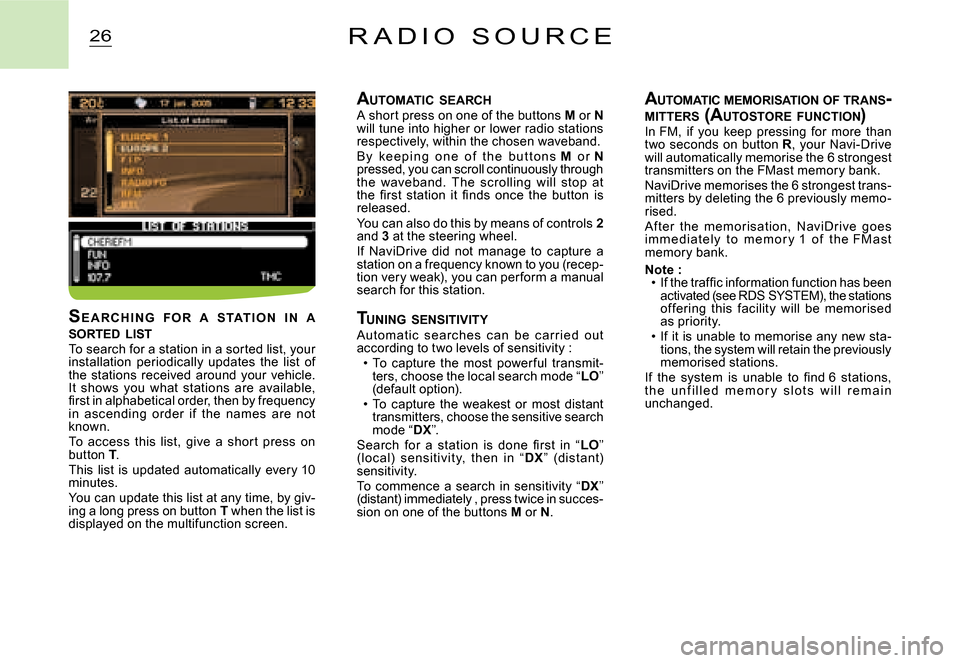
AUTOMATIC SEARCHA short press on one of the buttons M or Nwill tune into higher or lower radio stations respectively, within the chosen waveband.B y ke e p i n g o n e o f t h e b u t t o n s M o r Npressed, you can scroll continuously through the waveband. The scrolling will stop at the fi rst station it fi nds once the button is released.You can also do this by means of controls 2and 3 at the steering wheel.If NaviDrive did not manage to capture a station on a frequency known to you (recep-tion very weak), you can per form a manual search for this station.
T UNING SENSITIVITYAutomat ic searc hes c an be c ar r ied out according to two levels of sensitivity :To capture the most power ful transmit-ters, choose the local search mode “LO” (default option).To capture the weakest or most distant transmitters, choose the sensitive search mode “DX”.Search for a station is done fi rst in “LO” (loc al) sensitivit y, then in “DX” (dist ant) sensitivity.To commence a search in sensitivity “DX” (distant) immediately , press twice in succes-sion on one of the buttons M or N.
Page 189 of 201
ODB 2ODBODB 1
33T R I P C O M P U T E R
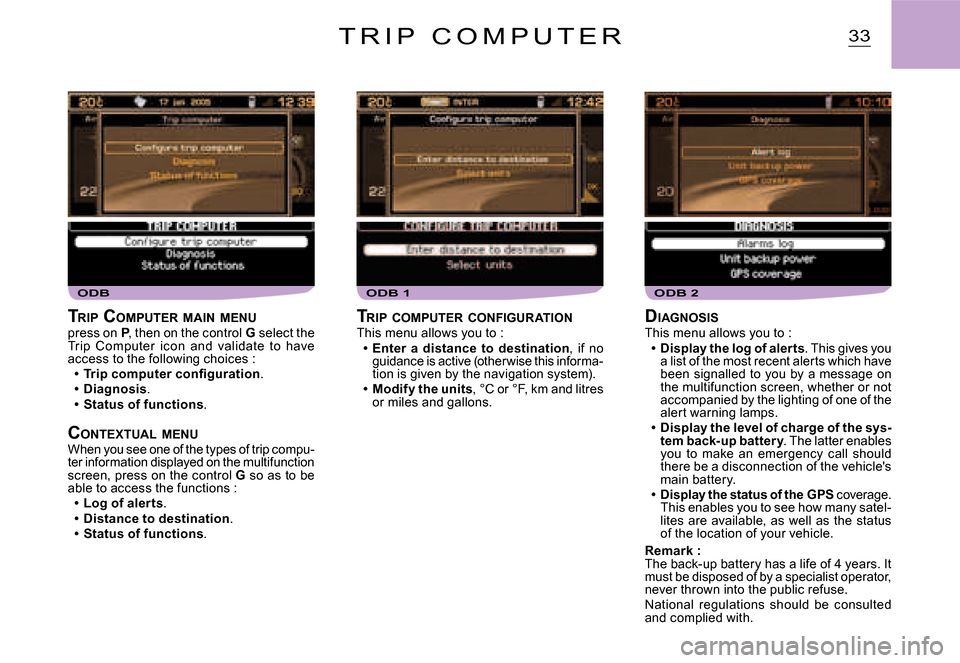
DIAGNOSISThis menu allows you to :Display the log of alerts. This gives you a list of the most recent alerts which have been signalled to you by a message on the multifunction screen, whether or not accompanied by the lighting of one of the alert warning lamps.Display the level of charge of the sys-tem back-up battery. The latter enables you to make an emergency call should there be a disconnection of the vehicle's main battery.Display the status of the GPS coverage. This enables you to see how many satel-lites are available, as well as the status of the location of your vehicle.
Remark :The back-up battery has a life of 4 years. It must be disposed of by a specialist operator, never thrown into the public refuse.National regulations should be consulted and complied with.