distance Citroen C3 2010 2.G User Guide
[x] Cancel search | Manufacturer: CITROEN, Model Year: 2010, Model line: C3, Model: Citroen C3 2010 2.GPages: 205, PDF Size: 7.63 MB
Page 24 of 205
2
MULTIFUNCTION SCREENS
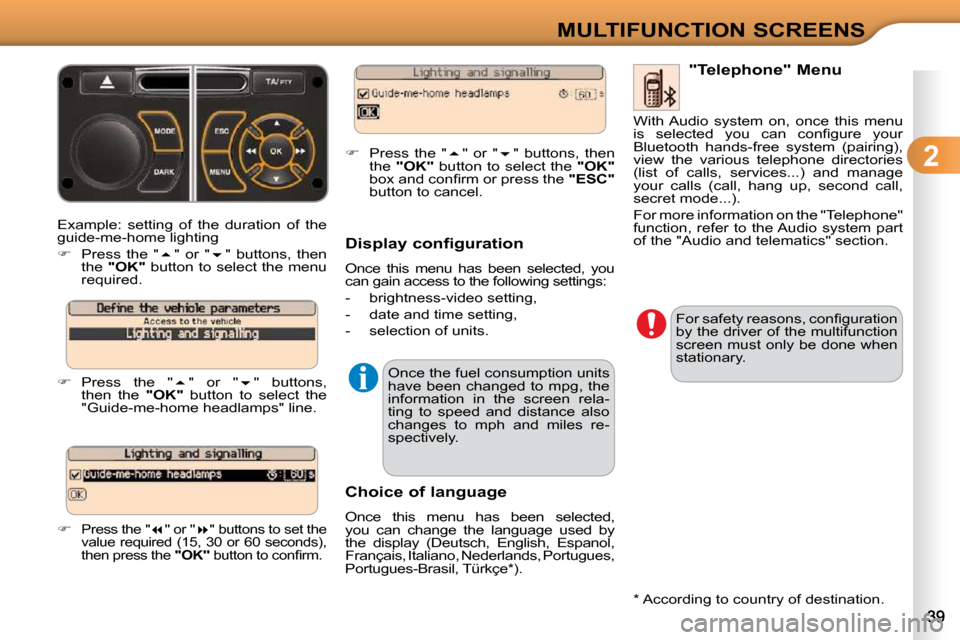
Example: setting of the duration of the
guide-me-home lighting
Press the " " or " " buttons, then
the "OK" button to select the menu
required.
Press the " " or " " buttons,
then the "OK" button to select the
"Guide-me-home headlamps" line.
Press the " " or " " buttons to set the
value required (15, 30 or 60 seconds),
then press the "OK" button to confi rm.
Press the " " or " " buttons, then
the "OK" button to select the "OK"
box and confi rm or press the "ESC"
button to cancel.
Choice of language
Once this menu has been selected,
you can change the language used by
the display (Deutsch, English, Espanol,
Français, Italiano, Nederlands, Portugues,
Portugues-Brasil, Türkçe * ). "Telephone" Menu
For safety reasons, confi guration
by the driver of the multifunction
screen must only be done when
stationary.
Display configuration
Once this menu has been selected, you
can gain access to the following settings:
- brightness-video setting,
- date and time setting,
- selection of units.
Once the fuel consumption units
have been changed to mpg, the
information in the screen rela-
ting to speed and distance also
changes to mph and miles re-
spectively. With Audio system on, once this menu
is selected you can confi gure your
Bluetooth hands-free system (pairing),
view the various telephone directories
(list of calls, services...) and manage
your calls (call, hang up, second call,
secret mode...).
For more information on the "Telephone"
function, refer to the Audio system part
of the "Audio and telematics" section.
* According to country of destination.
Page 42 of 205
4
ACCESS
REMOTE CONTROL KEY
System which permits central unlock-
ing or locking of the vehicle using the
lock or from a distance. It is also used to
locate and start the vehicle, as well as
providing protection against theft.
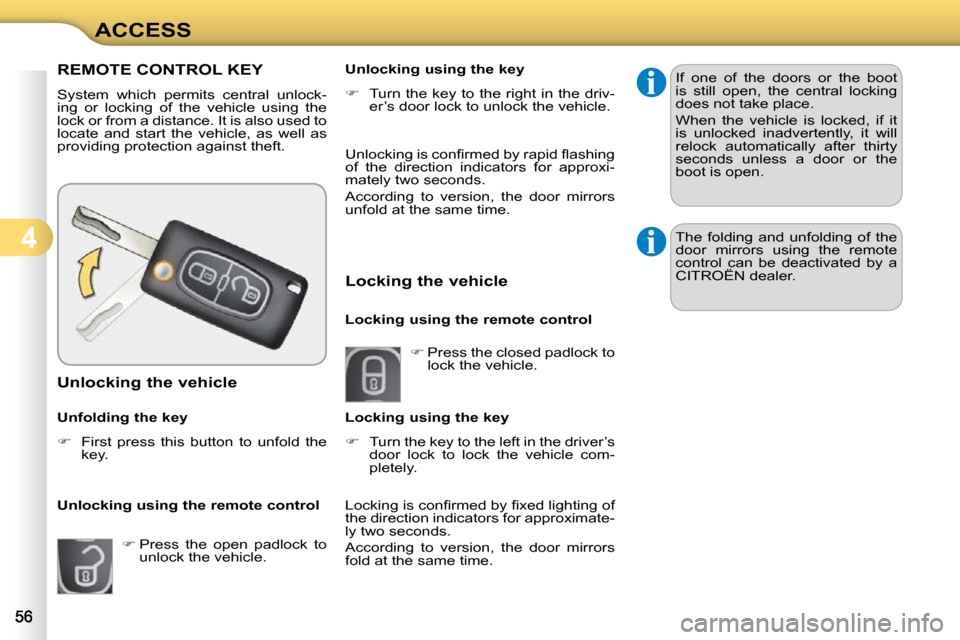
Unlocking the vehicle
Unfolding the key
First press this button to unfold the
key.
Unlocking using the remote control
Press the open padlock to
unlock the vehicle. Unlocking using the key
Turn the key to the right in the driv-
er’s door lock to unlock the vehicle.
Locking the vehicle
Locking using the remote control
Press the closed padlock to
lock the vehicle.
Locking using the key
Turn the key to the left in the driver’s
door lock to lock the vehicle com-
pletely. If one of the doors or the boot
is still open, the central locking
does not take place.
When the vehicle is locked, if it
is unlocked inadvertently, it will
relock automatically after thirty
seconds unless a door or the
boot is open.
The folding and unfolding of the
door mirrors using the remote
control can be deactivated by a
CITROËN dealer.
Locking is confi rmed by fi xed lighting of
the direction indicators for approximate-
ly two seconds.
According to version, the door mirrors
fold at the same time.
Unlocking is confi rmed by rapid fl ashing
of the direction indicators for approxi-
mately two seconds.
According to version, the door mirrors
unfold at the same time.
Page 91 of 205
8
SAFETY
BRAKING ASSISTANCE
SYSTEMS
Group of supplementary systems which
help you to obtain optimum braking in
complete safety in emergency situa-
tions:
- anti-lock braking system (ABS),
- electronic brake force distribution (EBFD),
- emergency braking assistance (EBA).
Anti-lock braking system
and electronic brake force
distribution
Linked systems which improve the stability
and manoeuvrability of your vehicle when
braking, in particular on poor or slippery
surfaces.
Activation
The anti-lock braking system comes
into operation automatically when there
is a risk of wheel lock.
Normal operation of the ABS may make
itself felt by slight vibration of the brake
pedal.
When braking in an emergency,
press very fi rmly without releasing
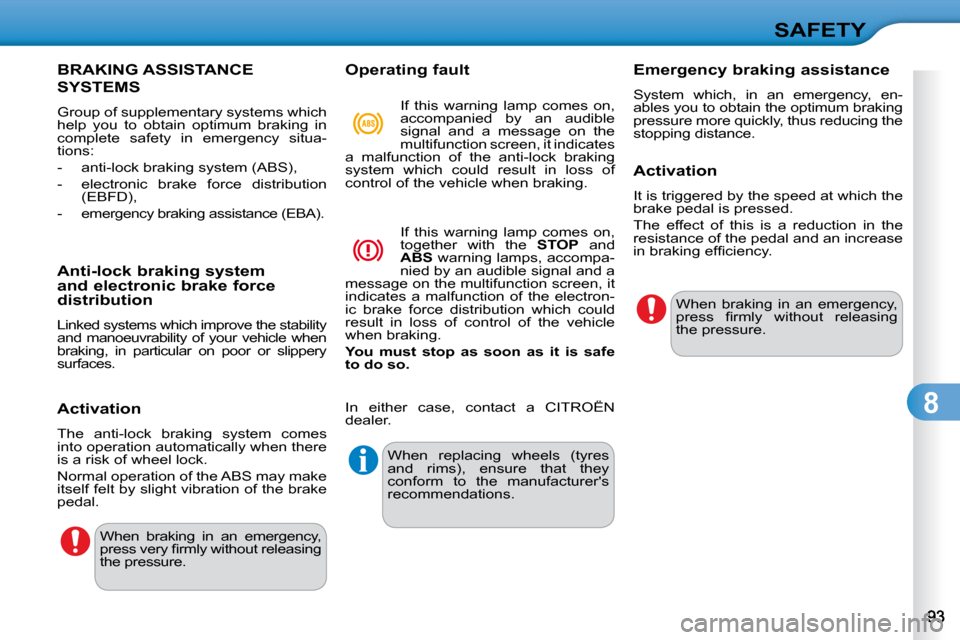
the pressure. Operating fault
In either case, contact a CITROËN
dealer.
If this warning lamp comes on,
accompanied by an audible
signal and a message on the
multifunction screen, it indicates
a malfunction of the anti-lock braking
system which could result in loss of
control of the vehicle when braking.
If this warning lamp comes on,
together with the STOP and
ABS warning lamps, accompa-
nied by an audible signal and a
message on the multifunction screen, it
indicates a malfunction of the electron-
ic brake force distribution which could
result in loss of control of the vehicle
when braking.
You
must
stop as soon as it is safe
to do so.
When replacing wheels (tyres
and rims), ensure that they
conform to the manufacturer's
recommendations. Emergency braking assistance
System which, in an emergency, en-
ables you to obtain the optimum braking
pressure more quickly, thus reducing the
stopping distance.
Activation
It is triggered by the speed at which the
brake pedal is pressed.
The effect of this is a reduction in the
resistance of the pedal and an increase
in braking effi ciency.
When braking in an emergency,
press fi rmly without releasing
the pressure.
Page 106 of 205
9
DRIVING
On a steep descent or in the
event of sharp acceleration, the
speed limiter will not be able to
prevent the vehicle from excee-
ding the programmed speed.
To avoid any risk of jamming of
the pedals:
- ensure that the mat is posi-tioned correctly,
- do not fi t one mat on top of another.
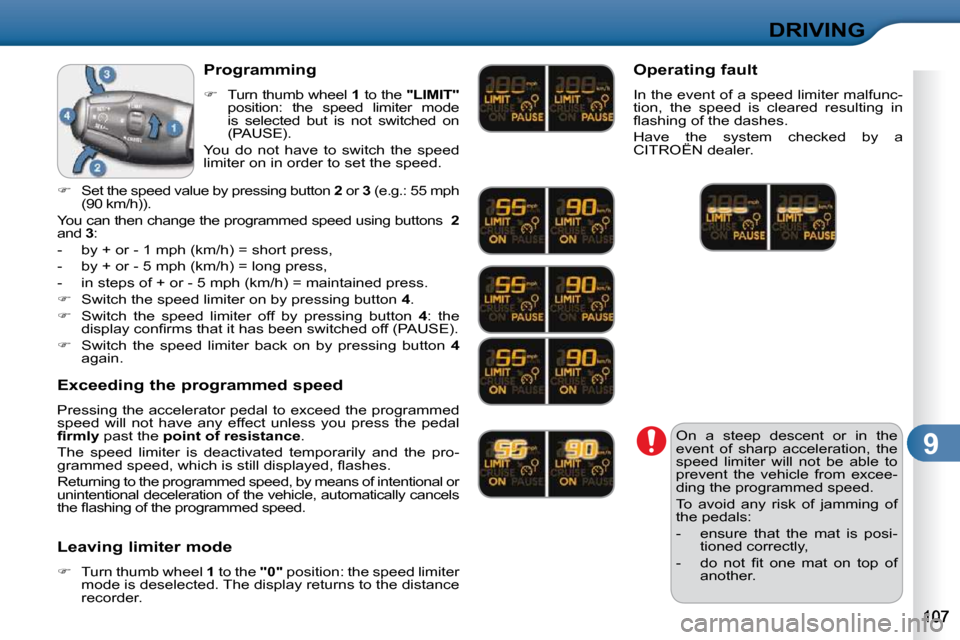
Programming
Turn thumb wheel 1 to the "LIMIT"
position: the speed limiter mode
is selected but is not switched on
(PAUSE).
You do not have to switch the speed
limiter on in order to set the speed.
Set the speed value by pressing button 2 or 3 (e.g.: 55 mph
(90 km/h)).
You can then change the programmed speed using but tons 2
and 3 :
- by + or - 1 mph (km/h) = short press,
- by + or - 5 mph (km/h) = long press,
- in steps of + or - 5 mph (km/h) = maintained press.
Switch the speed limiter on by pressing button 4 .
Switch the speed limiter off by pressing button 4 : the
display confi rms that it has been switched off (PAUSE).
Switch the speed limiter back on by pressing button 4
again.
Exceeding the programmed speed
Pressing the accelerator pedal to exceed the programmed
speed will not have any effect unless you press the pedal
fi rmly past the point of resistance .
The speed limiter is deactivated temporarily and the pro-
grammed speed, which is still displayed, fl ashes.
Returning to the programmed speed, by means of int entional or
unintentional deceleration of the vehicle, automati cally cancels
the fl ashing of the programmed speed.
Leaving limiter mode
Turn thumb wheel 1 to the "0" position: the speed limiter
mode is deselected. The display returns to the distance
recorder. Operating fault
In the event of a speed limiter malfunc-
tion, the speed is cleared resulting in
fl ashing of the dashes.
Have the system checked by a
CITROËN dealer.
Page 108 of 205
9
DRIVING
When the cruise control is
switched on, be careful if you
maintain the pressure on one of
the programmed speed chan-
ging buttons: this may result in
a very rapid change in the speed
of your vehicle.
Do not use the cruise control on
slippery roads or in heavy traffi c.
On a steep descent, the cruise
control will not be able to prevent
the vehicle from exceeding the
programmed speed.
To avoid any risk of jamming of
the pedals:
- ensure that the mat is posi-tioned correctly,
- never fi t one mat on top of another.
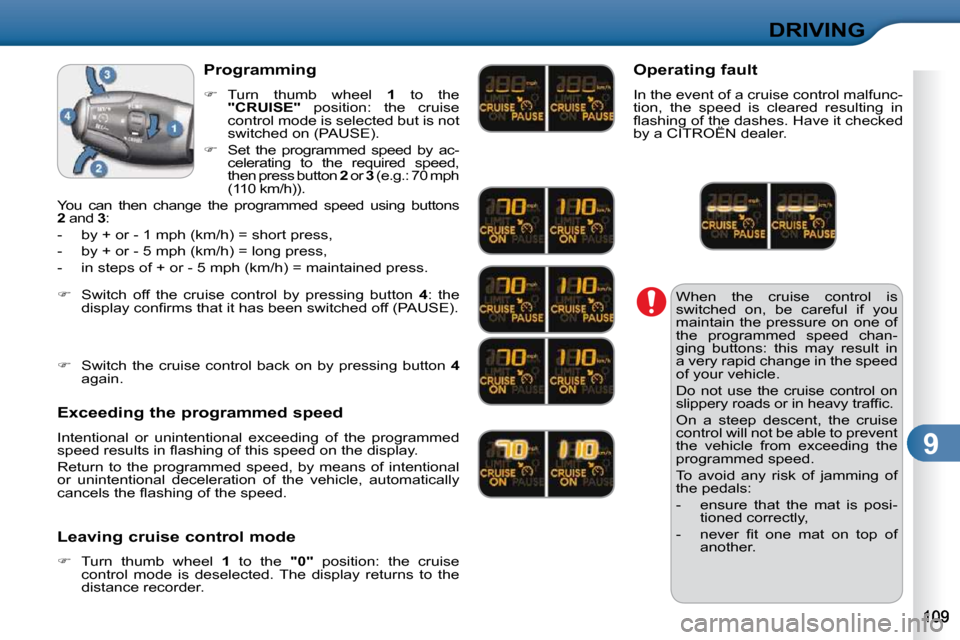
Programming
Turn thumb wheel 1 to the
"CRUISE" position: the cruise
control mode is selected but is not
switched on (PAUSE).
Set the programmed speed by ac-
celerating to the required speed,
then press button 2 or 3 (e.g.: 70 mph
(110 km/h)).
You can then change the programmed speed using but tons
2 and 3 :
- by + or - 1 mph (km/h) = short press,
- by + or - 5 mph (km/h) = long press,
- in steps of + or - 5 mph (km/h) = maintained press.
Exceeding the programmed speed
Intentional or unintentional exceeding of the programmed
speed results in fl ashing of this speed on the display.
Return to the programmed speed, by means of intentional
or unintentional deceleration of the vehicle, automaticall y
cancels the fl ashing of the speed.
Leaving cruise control mode
Turn thumb wheel 1 to the "0" position: the cruise
control mode is deselected. The display returns to the
distance recorder.
Switch off the cruise control by pressing button 4 : the
display confi rms that it has been switched off (PAUSE).
Switch the cruise control back on by pressing button 4
again. Operating fault
In the event of a cruise control malfunc-
tion, the speed is cleared resulting in
fl ashing of the dashes. Have it checked
by a CITROËN dealer.
Page 109 of 205
9
DRIVING
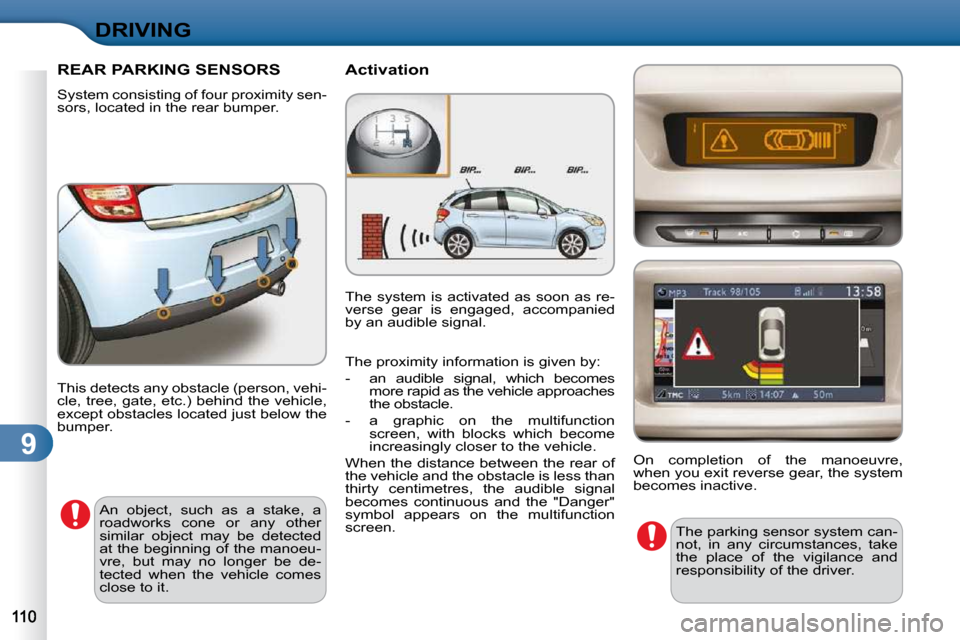
REAR PARKING SENSORS
System consisting of four proximity sen-
sors, located in the rear bumper. Activation
This detects any obstacle (person, vehi-
cle, tree, gate, etc.) behind the vehicle,
except obstacles located just below the
bumper. An object, such as a stake, a
roadworks cone or any other
similar object may be detected
at the beginning of the manoeu-
vre, but may no longer be de-
tected when the vehicle comes
close to it. The parking sensor system can-
not, in any circumstances, take
the place of the vigilance and
responsibility of the driver.
The system is activated as soon as re-
verse gear is engaged, accompanied
by an audible signal.
On completion of the manoeuvre,
when you exit reverse gear, the system
becomes inactive.
The proximity information is given by:
- an audible signal, which becomes
more rapid as the vehicle approaches
the obstacle.
- a graphic on the multifunction screen, with blocks which become
increasingly closer to the vehicle.
When the distance between the rear of
the vehicle and the obstacle is less than
thirty centimetres, the audible signal
becomes continuous and the "Danger"
symbol appears on the multifunction
screen.
Page 117 of 205
1 0
CHECKS
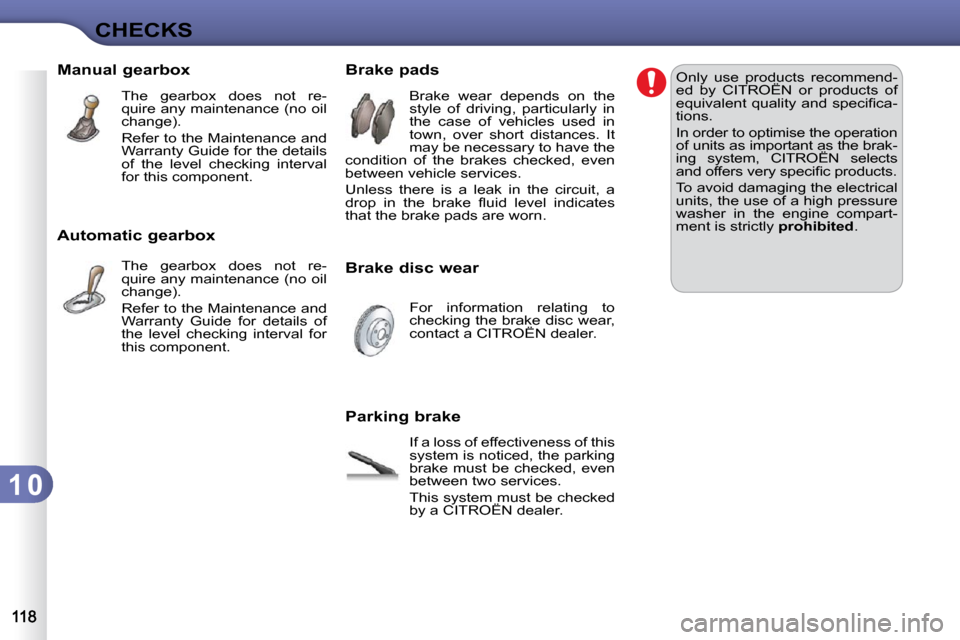
Manual gearbox The gearbox does not re-
quire any maintenance (no oil
change).
Refer to the Maintenance and
Warranty Guide for the details
of the level checking interval
for this component.
Automatic gearbox The gearbox does not re-
quire any maintenance (no oil
change).
Refer to the Maintenance and
Warranty Guide for details of
the level checking interval for
this component. Brake pads
Brake wear depends on the
style of driving, particularly in
the case of vehicles used in
town, over short distances. It
may be necessary to have the
condition of the brakes checked, even
between vehicle services.
Unless there is a leak in the circuit, a
drop in the brake fl uid level indicates
that the brake pads are worn.
Brake disc wear
For information relating to
checking the brake disc wear,
contact a CITROËN dealer.
Parking brake If a loss of effectiveness of this
system is noticed, the parking
brake must be checked, even
between two services.
This system must be checked
by a CITROËN dealer. Only use products recommend-
ed by CITROËN or products of
equivalent quality and specifi ca-
tions.
In order to optimise the operation
of units as important as the brak-
ing system, CITROËN selects
and offers very specifi c products.
To avoid damaging the electrical
units, the use of a high pressure
washer in the engine compart-
ment is strictly
prohibited .
Page 176 of 205
176
10
1
TRIP COMPUTER/VEHICLE PARAMETERS
TRIP COMPUTER
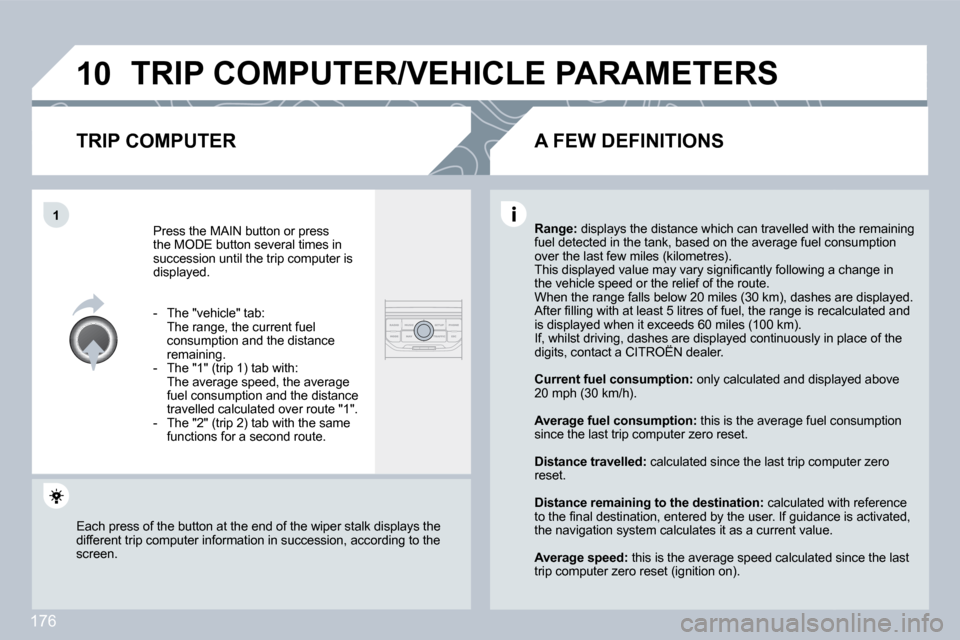
Press the MAIN button or press the MODE button several times in succession until the trip computer is displayed.
- The "vehicle" tab: The range, the current fuel consumption and the distance remaining. - The "1" (trip 1) tab with: The average speed, the average fuel consumption and the distance travelled calculated over route "1". - The "2" (trip 2) tab with the same functions for a second route.
Range: displays the distance which can travelled with the remaining displays the distance which can travelled with the remaining fuel detected in the tank, based on the average fue l consumption fuel detected in the tank, based on the average fuel consumption over the last few miles (kilometres). This displayed value may vary signifi cantly following a change in This displayed value may vary signifi cantly following a change inthe vehicle speed or the relief of the route. When the range falls below 20 miles (30 km), dashe s are displayed. When the range falls below 20 miles (30 km), dashes are displayed. After fi lling with at least 5 litres of fuel, the range is recalculated and After fi lling with at least 5 litres of fuel, the range is recalculated and is displayed when it exceeds 60 miles (100 km). If, whilst driving, dashes are displayed continuou sly in place of the If, whilst driving, dashes are displayed continuously in place of the digits, contact a CITROËN dealer. If, whilst driving, dashes are displayed continuously in place of the If, whilst driving, dashes are displayed continuously in place of the
Current fuel consumption: only calculated and displaydisplayed above 20 mph (30 km/h).
Average fuel consumption: this is the average fuel consumption this is the average fuel consumption since the last trip computer zero reset.
Distance travelled: calculated since the last trip computer zero calculated since the last trip computer zero reset.
Distance remaining to the destination: calculated wited with reference to the fi nal destination, entered by the user. If guidance is activated, to the fi nal destination, entered by the user. If guidance is activated, the navigation system calculates it as a current va lue.
Average speed: this is the average speed calculated since the last this is the average speed calculated since the last trip computer zero reset (ignition on).
Each press of the button at the end of the wiper stalk displays the Each press of the button at the end of the wiper stalk displays the different trip computer information in succession, according to the different trip computer information in succession, according to the screen.
A FEW DEFINITIONS
Page 187 of 205

188
03 MAIN MENU
AUDIO FUNCTIONS : radio, CD, USB, options.
TRIP COMPUTER : entering of distances, alerts, status of functions.
TELEPHONE : Bluetooth hands-free, pairing, management of a call.
PERSONALISATION-CONFIGURATION : vehicle parameters, display, languages.
> MONOCHROME SCREEN C
> MONOCHROME SCREEN A For a detailed global view of the menus available, refer to the "Screen menu map" section of this chapter.