Stop Citroen C3 2012 2.G Owner's Guide
[x] Cancel search | Manufacturer: CITROEN, Model Year: 2012, Model line: C3, Model: Citroen C3 2012 2.GPages: 252, PDF Size: 8.11 MB
Page 67 of 252
4
65
ACCESS
Anti-theft protection
Electronic engine immobiliser
The key contains an electronic chip
which has a special code. When the
ignition is switched on, this code must
be recognised in order for starting to be
possible.
This electronic engine immobiliser locks
the engine management system a few
minutes after the ignition is switched off
and prevents starting of the engine by
anyone who does not have the key.
In the event of a fault, you
are informed by illumina-
tion of this warning lamp,
an audible signal and a message in the
screen.
In this case, your vehicle will not start;
contact a CITROËN dealer as soon as
possible.
Keep safely the label attached to the
keys given to you on acquisition of the
vehicle.
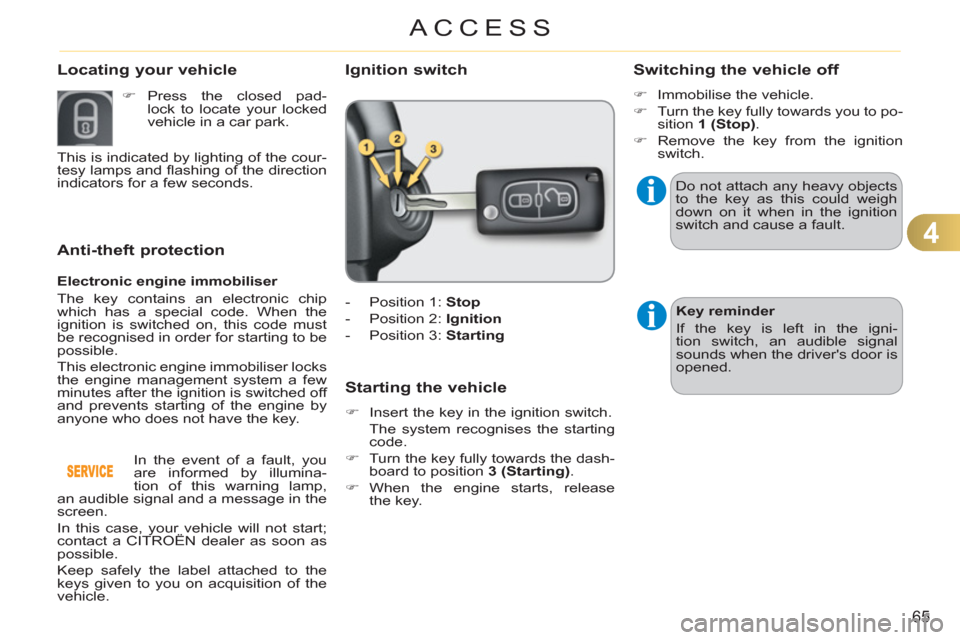
Ignition switch
- Position 1: Stop
- Position 2: Ignition
- Position 3: Starting
Starting the vehicle
)
Insert the key in the ignition switch.
The system recognises the starting
code.
)
Turn the key fully towards the dash-
board to position 3 (Starting)
.
)
When the engine starts, release
the key.
Switching the vehicle off
)
Immobilise the vehicle.
)
Turn the key fully towards you to po-
sition 1 (Stop)
.
)
Remove the key from the ignition
switch.
Do not attach any heavy objects
to the key as this could weigh
down on it when in the ignition
switch and cause a fault.
Key reminder
If the key is left in the igni-
tion switch, an audible signal
sounds when the driver's door is
opened.
Locating your vehicle
)
Press the closed pad-
lock to locate your locked
vehicle in a car park.
This is indicated by lighting of the cour-
tesy lamps and fl ashing of the direction
indicators for a few seconds.
Page 69 of 252
4
67
ACCESS
Lost keys
Visit a CITROËN dealer with the vehicle's registration document, your per-
sonal identifi cation documents and if possible the key code label.
The CITROËN dealer will be able to fi nd the key code and the transponder
code required to order a new key.
Do not throw the remote con-
trol batteries away, they contain
metals which are harmful to the
environment.
Take them to an approved col-
lection point.
Remote control
The high frequency remote control is a sensitive system; do not operate it
while it is in your pocket as there is a possibility that it may unlock the ve-
hicle, without you being aware of it.
Do not repeatedly press the buttons of your remote control out of range and
out of sight of your vehicle. You run the risk of stopping it from working and
the remote control would have to be reinitialised.
The remote control does not operate when the key is in the ignition switch,
even when the ignition is switched off, except for reinitialisation.
Locking the vehicle
Driving with the doors locked may make access to the passenger compart-
ment by the emergency services more diffi cult in an emergency.
As a safety precaution (with children on board), remove the key from the
ignition switch when you leave the vehicle, even for a short time.
Anti-theft protection
Do not make any modifi cations to the electronic engine immobiliser system;
this could cause malfunctions.
When purchasing a second-hand vehicle
Have the pairing of all of the keys in your possession checked by a
CITROËN dealer, to ensure that only your keys can be used to open and
start the vehicle.
Page 70 of 252

4
ACCESS
WINDOW CONTROLS
System which opens or closes a window
manually or automatically. It is fi tted with
a system which provides protection if an
obstacle is detected on the one-touch
models and a deactivation system to pre-
vent misuse of the rear switches on all
models.
1.
Driver's electric window switch.
2.
Passenger's electric window switch.
3.
Rear right electric window switch.
4.
Rear left electric window switch.
5.
Deactivating the rear electric win-
dow and door switches.
Electric windows
)
Press or pull the switch.
The window stops as soon
as the switch is released.
The electric window switches
remain operational for approxi-
mately 45 seconds after the igni-
tion is switched off or until a front
door is opened.
During this period of 45 sec-
onds, if you open a door while
opening a window, the window
stops. The ignition must then be
switched on again to operate the
windows.
One-touch electric windows
There are two methods
of operation:
- manual mode
)
Press or pull the switch gently.
The window stops as soon as the
switch is released.
- automatic mode
)
Press or pull the switch fully. The
window opens or closes completely
when the switch is released.
)
Pressing the switch again stops
the movement of the window.
Safety anti-pinch
The one-touch front electric windows
are fi tted with a safety anti-pinch func-
tion.
When the window rises and meets an
obstacle, it stops and partially lowers
again.
In the event of unwanted open-
ing of the window on closing
(for example in the presence of
frost):
)
press the switch beyond the
point of resistance and then
release it: the window opens
completely,
)
then pull it immediately with-
out passing the point of resis-
tance until the window closes
completely,
)
continue to hold the switch for
approximately one second af-
ter the window has closed.
The safety anti-pinch func-
tion is not active during these
operations.
Page 74 of 252
4
72
ACCESS
Emergency control
System allowing the doors to be locked
and unlocked manually in the event of a
fault with the central locking system or
a battery failure.
Locking the driver's door
)
Insert the key in the lock, then turn it
to the right.
Unlocking the driver's door
)
Insert the key in the lock, then turn it
to the left.
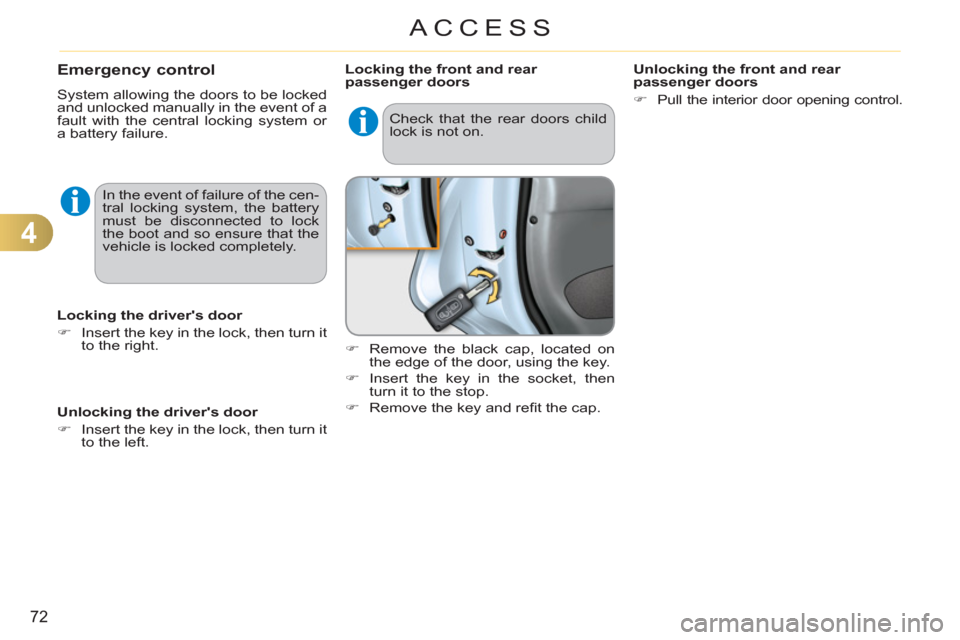
Locking the front and rear
passenger doors
)
Remove the black cap, located on
the edge of the door, using the key.
)
Insert the key in the socket, then
turn it to the stop.
)
Remove the key and refi t the cap.
Unlocking the front and rear
passenger doors
)
Pull the interior door opening control.
In the event of failure of the cen-
tral locking system, the battery
must be disconnected to lock
the boot and so ensure that the
vehicle is locked completely. Check that the rear doors child
lock is not on.
Page 76 of 252
4
ACCESS
The key cannot be removed from
the lock until the cap is refi tted.
Opening the fi ller cap may cre-
ate a noise caused by an inrush
of air. This vacuum is entirely
normal, resulting from the seal-
ing of the fuel system.
FUEL TANK
Fuel tank capacity: approximately
50 litres (petrol) or 46 litres (Diesel);
(Depending on version: approxi-
mately 30 litres (petrol or Diesel)
)
.
Low fuel level
When the fuel tank minimum
level is reached this warning
lamp comes on on the instru-
ment panel. When it fi rst comes
on there remains approximately 5 litres
of fuel in the tank.
You must refuel as soon as possible to
avoid running out of fuel.
If you run out of fuel (Diesel), refer also
to the "Checks" section.
Filling
A label affi xed to the inside of the fl ap
reminds you of the type of fuel to be
used depending on your engine.
Additions of fuel must be of at least 5 litres,
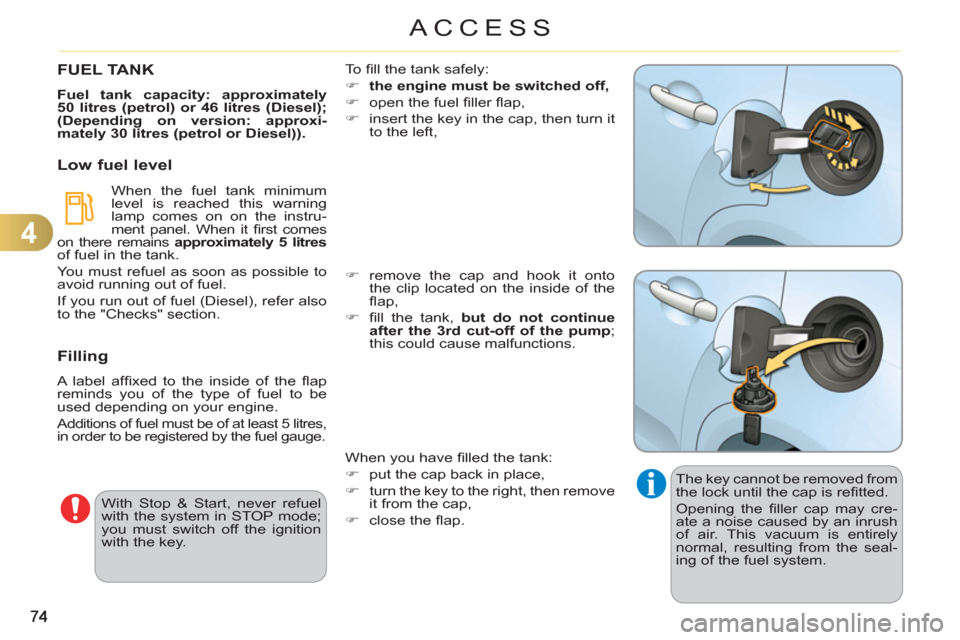
in order to be registered by the fuel gauge. To fi ll the tank safely:
)
the engine must be switched off,
)
open the fuel fi ller fl ap,
)
insert the key in the cap, then turn it
to the left,
)
remove the cap and hook it onto
the clip located on the inside of the
fl ap,
)
fi ll the tank, but do not continue
after the 3rd cut-off of the pump
;
this could cause malfunctions.
When you have fi lled the tank:
)
put the cap back in place,
)
turn the key to the right, then remove
it from the cap,
)
close the fl ap.
With Stop & Start, never refuel
with the system in STOP mode;
you must switch off the ignition
with the key.
Page 104 of 252
8
102
SAFETY
BRAKING ASSISTANCE SYSTEMS
Group of supplementary systems which
help you to obtain optimum braking in
complete safety in emergency situations:
- anti-lock braking system (ABS),
- electronic brake force distribution
(EBFD),
- emergency braking assistance (EBA).
Anti-lock braking system and electronic brake force distribution
Linked systems which improve the sta-
bility and manoeuvrability of your vehicle
when braking, in particular on poor or
slippery surfaces.
Activation
The anti-lock braking system comes
into operation automatically when there
is a risk of wheel lock.
Normal operation of the ABS may make
itself felt by slight vibration of the brake
pedal.
When braking in an emergency,
press very fi rmly without releas-
ing the pressure.
Operating fault In either case, contact a CITROËN
dealer or a qualifi ed workshop.
If this warning lamp comes on,
accompanied by an audible
signal and a message in the
screen, it indicates a malfunction of the
anti-lock braking system which could
result in loss of control of the vehicle
when braking. If this warning lamp comes on,
together with the STOP
and
ABS
warning lamps, accompa-
nied by an audible signal and a message
in the screen, it indicates a malfunction
of the electronic brake force distribution
which could result in loss of control of the
vehicle when braking.
You must stop as soon as it is safe
to do so.
When replacing wheels (tyres
and rims), ensure that they
conform to the manufacturer's
recommendations.
Emergency braking assistance
System which, in an emergency, en-
ables you to obtain the optimum braking
pressure more quickly, thus reducing the
stopping distance.
Activation
It is triggered by the speed at which the
brake pedal is pressed.
The effect of this is a reduction in the
resistance of the pedal and an increase
in braking effi ciency.
When braking in an emergency,
press fi rmly without releasing
the pressure.
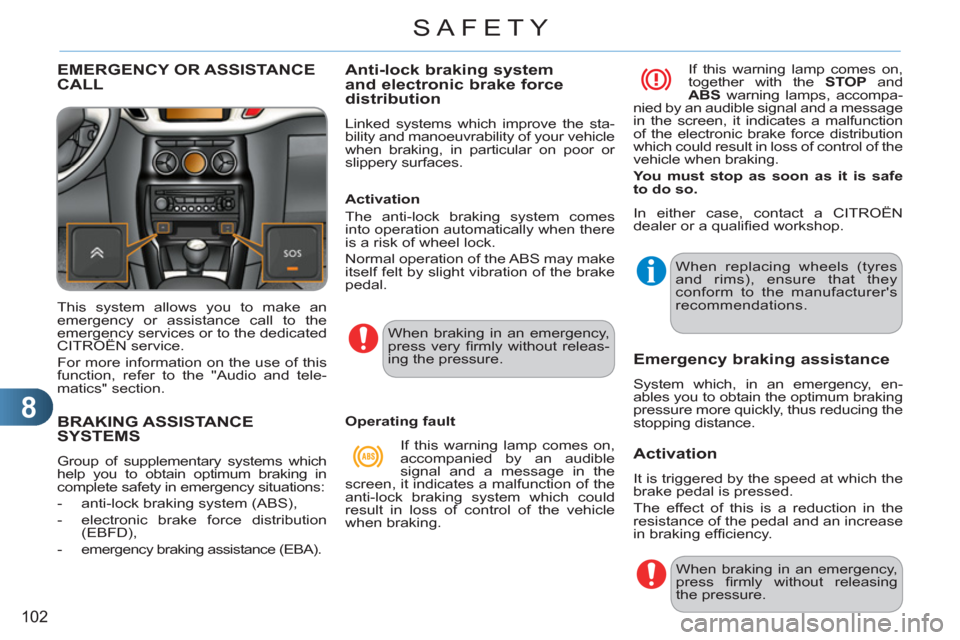
EMERGENCY OR ASSISTANCECALL
This system allows you to make an
emergency or assistance call to the
emergency services or to the dedicated
CITROËN service.
For more information on the use of this
function, refer to the "Audio and tele-
matics" section.
Page 112 of 252

9
110
DRIVING
PARKING BRAKE
When parking on a slope, direct
your wheels against the pave-
ment, apply the parking brake
and engage a gear.
Applying
)
Pull the parking brake lever fully up
to immobilise your vehicle.
Releasing
)
Pull the parking brake lever gently,
press the release button then lower
the lever fully.
When the vehicle is being driven, if this
warning lamp and the STOP
warning
lamp come on, accompanied by an
audible signal and a message on the
multifunction screen, this indicates that the parking
brake is still on or has not been properly released.
6-SPEED MANUAL GEARBOX
En
gaging 5th or 6th gear
)
Move the lever fully to the right to
engage 5th or 6th gear.
As a safety precaution and to fa-
cilitate starting of the engine:
- always select neutral,
- press the clutch pedal.
Only engage reverse gear when
the vehicle is stationary with the
engine at idle.
)
Raise the ring under the knob and
move the gear lever to the left then
forwards.
Engaging reverse gear
Page 117 of 252
9
115
DRIVING
Reverse
To engage reverse, the vehicle must
be immobilised with your foot on the
brake.
)
Select position R
.
Stopping the vehicle
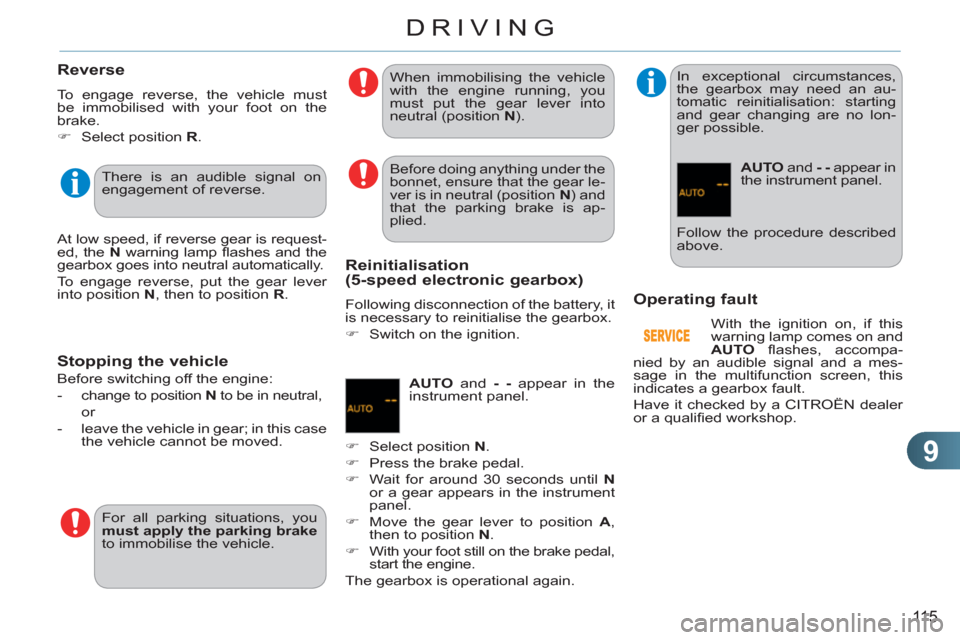
Operatin
g fault
With the ignition on, if this
warning lamp comes on and
AUTO
fl ashes, accompa-
nied by an audible signal and a mes-
sage in the multifunction screen, this
indicates a gearbox fault.
Have it checked by a CITROËN dealer
or a qualifi ed workshop. There is an audible signal on
engagement of reverse.
At low speed, if reverse gear is request-
ed, the N
warning lamp fl ashes and the
gearbox goes into neutral automatically.
To engage reverse, put the gear lever
into position N
, then to position R
. Before doing anything under the
bonnet, ensure that the gear le-
ver is in neutral (position N
) and
that the parking brake is ap-
plied.
For all parking situations, you
must apply the parking brake
to immobilise the vehicle. When immobilising the vehicle
with the engine running, you
must put the gear lever into
neutral (position N
).
Before switching off the engine:
- change to position N
to be in neutral,
or
- leave the vehicle in gear; in this case
the vehicle cannot be moved.
Reinitialisation(5-speed electronic gearbox)
Following disconnection of the battery, it
is necessary to reinitialise the gearbox.
)
Switch on the ignition.
AUTO
and - -
appear in the
instrument panel.
)
Select position N
.
)
Press the brake pedal.
)
Wait for around 30 seconds until N
or a gear appears in the instrument
panel.
)
Move the gear lever to position A
,
then to position N
.
)
With your foot still on the brake pedal,
start the engine.
The gearbox is operational again.
In exceptional circumstances,
the gearbox may need an au-
tomatic reinitialisation: starting
and gear changing are no lon-
ger possible.
AUTO
and - -
appear in
the instrument panel.
Follow the procedure described
above.
Page 120 of 252
9
118
DRIVING
Manual operation
)
Select position M
for sequential
changing of the four gears.
)
Push the lever towards the +
sign to
change up a gear.
)
Pull the lever towards the -
sign to
change down a gear.
It is only possible to change from one
gear to another if the vehicle speed and
engine speed permit; otherwise, the
gearbox will operate temporarily in au-
tomatic mode.
D
disappears and the gears
engaged appear in succes-
sion on the instrument panel.
If the engine speed is too low
or too high, the gear selected
fl ashes for a few seconds, then the ac-
tual gear engaged is displayed.
It is possible to change from position D
(automatic) to position M
(manual) at
any time.
When the vehicle is stationary or moving
very slowly, the gearbox selects gear M1
automatically.
The sport and snow programmes do not
operate in manual mode.
Invalid value during manual
operation
This symbol is displayed if a
gear is not engaged correctly
(selector between two posi-
tions).
Stopping the vehicle
Before switching off the engine, you
can engage position P
or N
to place the
gearbox in neutral.
In both cases, apply the parking brake
to immobilise the vehicle.
If the lever is not in position P
,
when the driver's door is opened
or approximately 45 seconds af-
ter the ignition is switched off, a
message appears in the multi-
function screen.
)
Return the lever to position P
;
the message disappears.
There is a risk of damage to the
gearbox:
- if you press the accelera-
tor and brake pedals at the
same time,
- if you force the movement
of the gear lever from the
P
position to another position
when the battery is fl at.
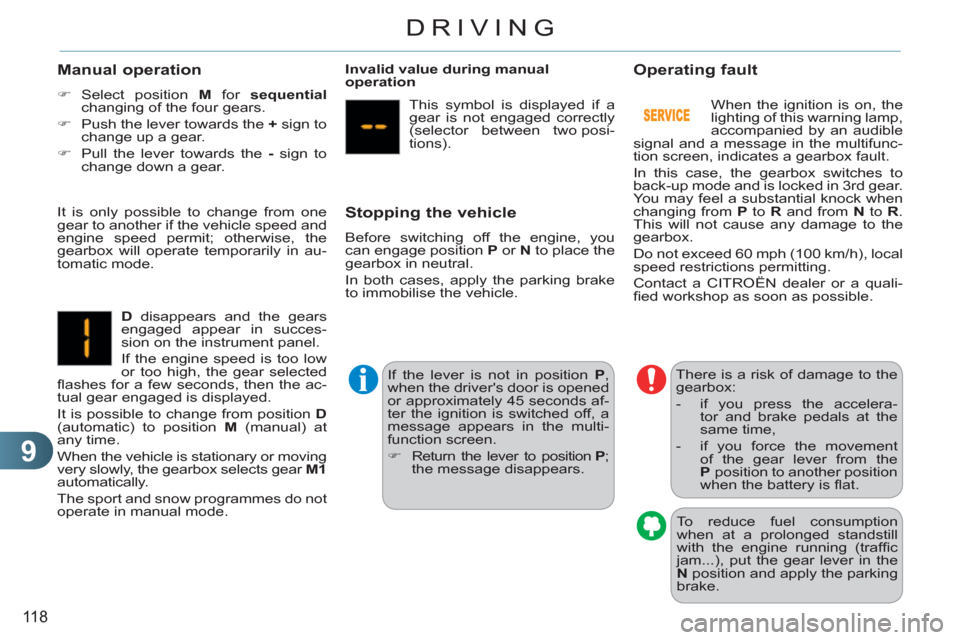
Operating fault
When the ignition is on, the
lighting of this warning lamp,
accompanied by an audible
signal and a message in the multifunc-
tion screen, indicates a gearbox fault.
In this case, the gearbox switches to
back-up mode and is locked in 3rd gear.
You may feel a substantial knock when
changing from P
to R
and from N
to R
.
This will not cause any damage to the
gearbox.
Do not exceed 60 mph (100 km/h), local
speed restrictions permitting.
Contact a CITROËN dealer or a quali-
fi ed workshop as soon as possible.
To reduce fuel consumption
when at a prolonged standstill
with the engine running (traffi c
jam...), put the gear lever in the
N
position and apply the parking
brake.
Page 121 of 252
9
119
DRIVING
The Stop & Start system puts the engine
temporarily into standby - STOP mode -
during stops in the traffi c (red lights,
traffi c jams, or other...). The engine
restarts automatically - START mode -
as soon as you want to move off. The
restart takes place instantly, quickly and
silently.
Perfect for urban use, the Stop & Start
system reduces fuel consumption and
exhaust emissions as well as the noise
level when stationary.
Operation
- with a manual gearbox
, at speeds
below 12 mph (20 km/h), when you
put the gear lever into neutral, and
you release the clutch pedal.
- with a 5 or 6-speed electronic
gearbox
, at speeds below 5 mph
(8 km/h), when you press the brake
pedal or put the gear lever in posi-
tion
N
.
Going into engine STOP mode
The "ECO"
warning lamp comes
on in the instrument panel and
the engine goes into standby:
For your comfort, during parking
manoeuvres, STOP mode is not
available for a few seconds after
coming out of reverse gear.
STOP mode does not affect the
functionality of the vehicle, such
as for example, braking, power
steering...
Never refuel with the engine in
STOP mode; you must switch
off the ignition with the key.
A time counter calculates the sum of the periods in STOP
mode during a journey. It
rests itself to zero every
time the ignition is switched
on with the key.
Special cases: STOP mode not
available
STOP mode is not invoked when:
- the driver's door is open,
- the driver's seat belt is not fastened,
- the vehicle has not exceeded 6 mph
(10 km/h) since the last engine start
using the key,
- the engine is needed to maintain a
comfortable temperature in the pas-
senger compartment,
- demisting is active,
- some special conditions (battery
charge, engine temperature, braking
assistance, ambient temperature...)
where the engine is needed to as-
sure control of a system.
The "ECO"
warning lamp fl ashes
for a few seconds then goes off.
This operation is perfectly normal.
STOP & START