battery Citroen C3 2013 2.G Owner's Guide
[x] Cancel search | Manufacturer: CITROEN, Model Year: 2013, Model line: C3, Model: Citroen C3 2013 2.GPages: 284, PDF Size: 9.23 MB
Page 198 of 284
196
EMERGENCY OR ASSISTANCE CALL
CITROËN LOCALISED EMERGENCY CALL
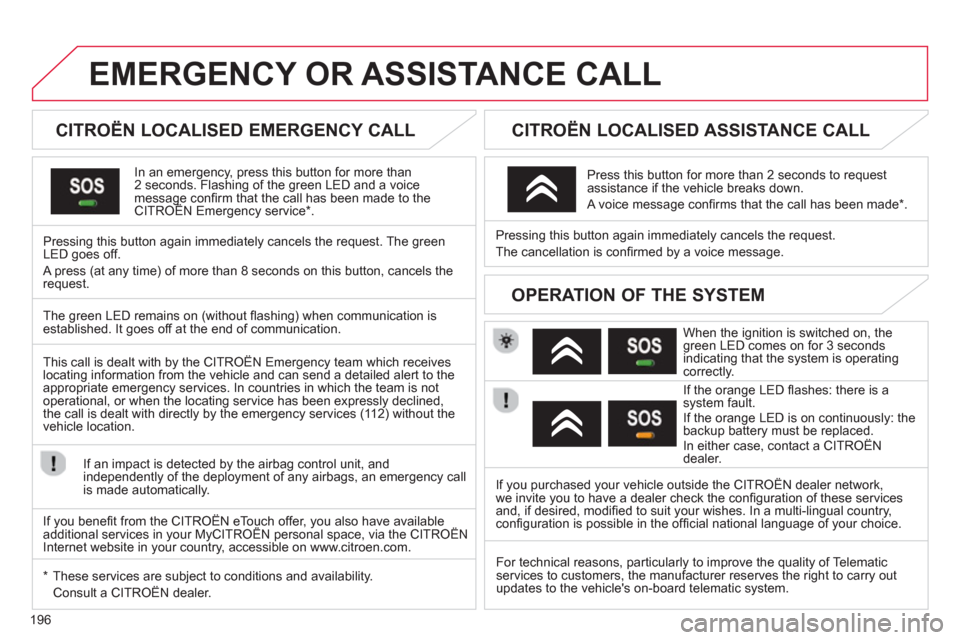
In an emergency, press this button for more than2 seconds. Flashing of the green LED and a voice message confi rm that the call has been made to the CITROËN Emergency service * . gg
Pressing this button again immediately cancels the request. The green LED goes off.
A press
(at any time) of more than 8 seconds on this button, cancels the
request.
CITROËN LOCALISED ASSISTANCE CALL
When the ignition is switched on, thegreen LED comes on for 3 seconds
indicating that the system is operating correctly.
If the oran
ge LED fl ashes: there is asystem fault.
If the orange LED is on continuously: the
backup battery must be replaced.
In either case, contact a CITROËN
dealer. Pressin
g this button again immediately cancels the request.
The cancellation is confi rmed b
y a voice message.
Press this button for more than 2 seconds to request
assistance if the vehicle breaks down.
A voice message confi rms that the call has been made *
.
OPERATION OF THE SYSTEM
The green LED remains on (without fl ashing) when communication is established. It goes off at the end of communication.
This call is dealt with b
y the CITROËN Emergency team which receiveslocating information from the vehicle and can send a detailed alert to theappropriate emergency services. In countries in which the team is not
operational, or when the locating service has been expressly declined,
the call is dealt with directl
y by the emergency services (11 2) without the
vehicle location.
If an impact is detected b
y the airbag control unit, and
independently of the deployment of any airbags, an emergency callis made automatically.
*
These services are sub
ject to conditions and availability.
Consult a CITROËN dealer. If you purchased your vehicle outside the CITROËN dealer network,
we invite
you to have a dealer check the confi guration of these servicesand, if desired, modifi ed to suit your wishes. In a multi-lingual country, confi guration is possible in the offi cial national language of your choice.
For technical reasons, particularl
y to improve the quality of Telematic services to customers, the manufacturer reserves the right to carry out
updates to the vehicle's on-board telematic system.
If you benefi t from the CITROËN eTouch offer, you also have availableadditional services in your MyCITROËN personal space, via the CITROËN y,y
Internet website in your country, accessible on www.citroen.com.
Page 199 of 284
197
The system is protected in such a way that it will onlyoperate in your vehicle.
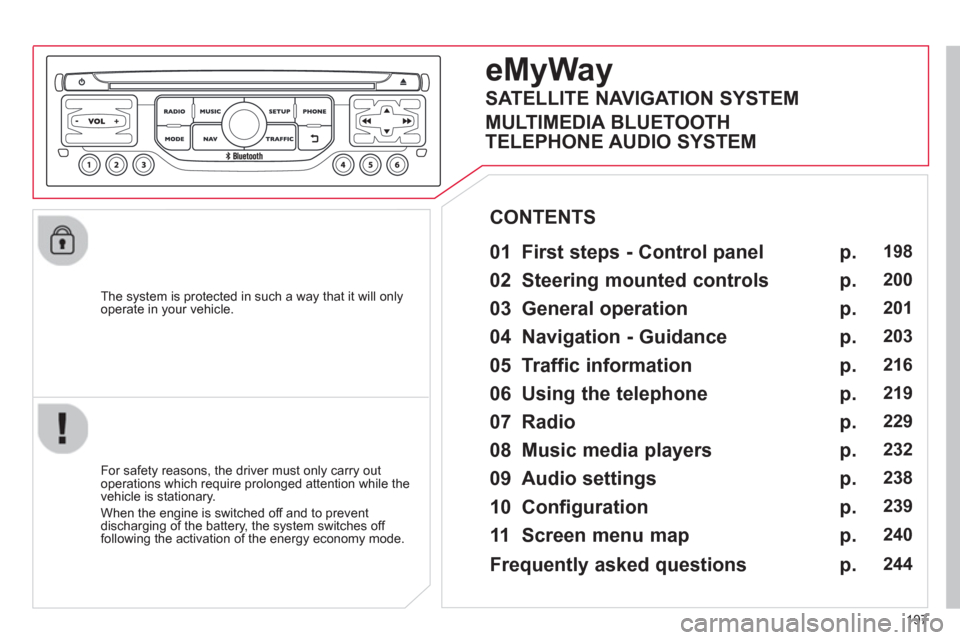
eMyWay
01 First steps - Control panel
For safety reasons, the driver must only carry out
operations which require prolonged attention while the
vehicle is stationary.
When the en
gine is switched off and to prevent
discharging of the battery, the system switches off following the activation of the energy economy mode.
CONTENTS
02 Steerin
g mounted controls
03 General o
peration
04 Navi
gation - Guidance
05 Traffic information
06 Usin
g the telephone
07 Radio
08 Music media pla
yers
09 Audio settin
gs
10 Confi
guration
11 Screen menu ma
p
p.
p.
p.
p.
p.
p.
p.
p.
p.
p.
p.
198
200
20
1
203
216
219
229
232
238
239
240
SATELLITE NAVIGATION SYSTEM
MULTIMEDIA BLUETOOTH
TELEPHONE AUDIO SYSTEM
Frequentl
y asked questions p. 244
Page 251 of 284
249
FREQUENTLY ASKED QUESTIONS
QUESTIONANSWER SOLUTION
With the engine off, the system switches off after a few minutes of use.When the en
gine is switched off, the system's operating time depends on
the battery charge.
The switch-off is normal: the s
ystem switches to economy mode and
switches off to prevent discharging of the vehicle's battery.
Start the vehicle's engine to increase the batterycharge.
Playback o
f my USB memory stick starts only
after a very long wait (around 2 to 3 minutes).
Some fi les supplied with the memory stick may greatly slow down access
to reading the memory stick (multiplication by 10 of the catalogue time). Delete the fi les supplied with the memory stickand limit the number of sub-folders in the fi le structure on the memory stick.
When I connect myiPhone as telephone and
to the USB port at thesame time, I am unable
to play the music fi les. When the iPhone connects automaticall
y as a telephone, it forces the
streaming function. The streaming function takes the place of the USBfunction which is then not useable, there is a period without sound of the
track being played with Apple® players.®
Disconnect and reconnect to the USB port (the USB function takes priority over streaming).
Page 253 of 284
251
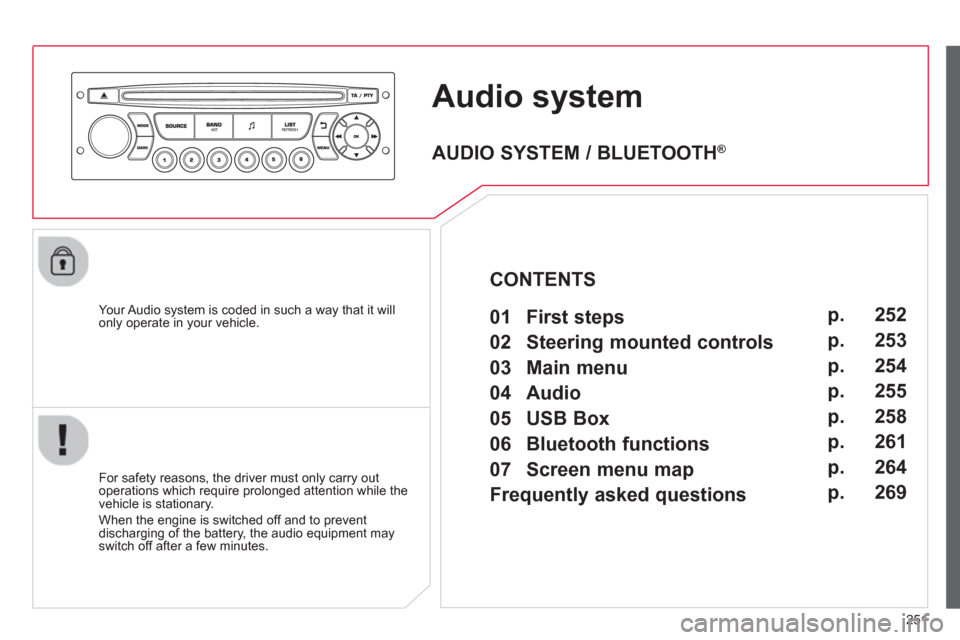
Audio system
Your Audio system is coded in such a way that it willonly operate in your vehicle.
For safet
y reasons, the driver must only carry out
operations which require prolonged attention while the
vehicle is stationary.
When the en
gine is switched off and to prevent
discharging of the battery, the audio equipment mayswitch off after a few minutes.
AUDIO SYSTEM / BLUETOOTH ®
01 First steps
02 Steering mounted controls
03 Main menu
04 Audio
05 USB Box
06 Bluetooth functions
07 Screen menu map
Frequently asked questions p.
p.
p.
p.
p.
p.
p.
p. 252
253
254
255
258
261
264
269
CONTENTS
Page 271 of 284
269
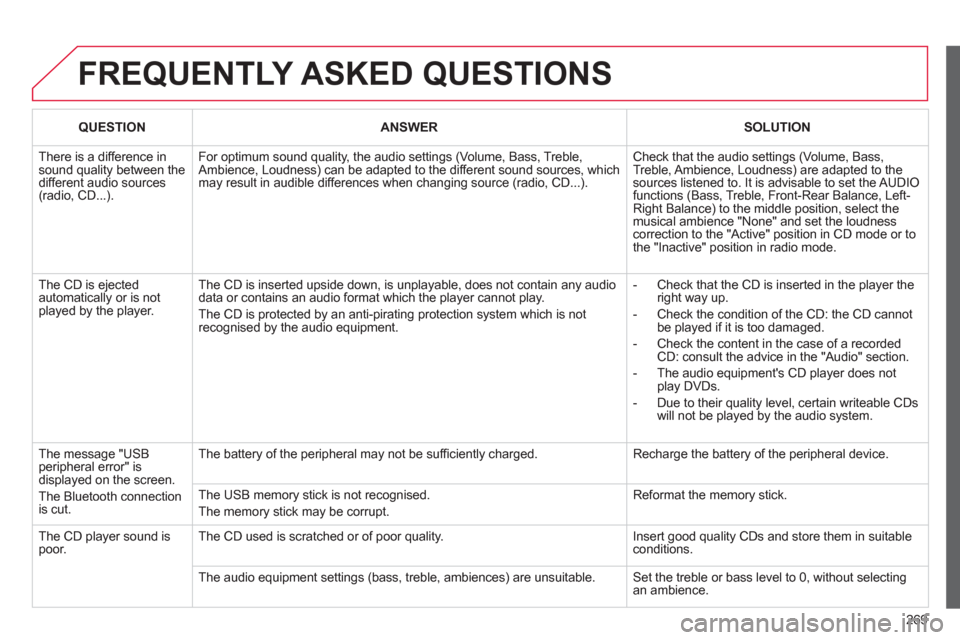
FREQUENTLY ASKED QUESTIONS
QUESTIONANSWERSOLUTION
There is a difference insound quality between thedifferent audio sources (radio, CD...).
For optimum sound quality, the audio settings (Volume, Bass, Treble,Ambience, Loudness) can be adapted to the different sound sources, whichmay result in audible differences when changing source (radio, CD...).
Check that the audio settings (Volume, Bass, Treble, Ambience, Loudness) are adapted to the sources listened to. It is advisable to set the AUDIOfunctions (Bass, Treble, Front-Rear Balance, Left-Right Balance) to the middle position, select themusical ambience "None" and set the loudness correction to the "Active" position in CD mode or tothe "Inactive" position in radio mode.
The CD is ejected automatically or is not played by the player.
The CD is inserted upside down, is unplayable, does not contain any audio data or contains an audio format which the player cannot play.
The CD is protected by an anti-pirating protection system which is not recognised by the audio equipment.
- Check that the CD is inserted in the player the right way up.
- Check the condition of the CD: the CD cannot be played if it is too damaged.
- Check the content in the case of a recordedCD: consult the advice in the "Audio" section.
- The audio equipment's CD player does not play DVDs.
- Due to their quality level, certain writeable CDswill not be played by the audio system.
The message "USBperipheral error" is displayed on the screen.
The Bluetooth connection is cut.
The battery of the peripheral may not be suffi ciently charged.
Recharge the battery of the peripheral device.
The USB memory stick is not recognised.
The memory stick may be corrupt.
Reformat the memory stick.
The CD player sound is poor. The CD used is scratched or of poor quality.
Insert good quality CDs and store them in suitableconditions.
The audio equipment settings (bass, treble, ambiences) are unsuitable. Set the treble or bass level to 0, without selectingan ambience.
Page 272 of 284
270
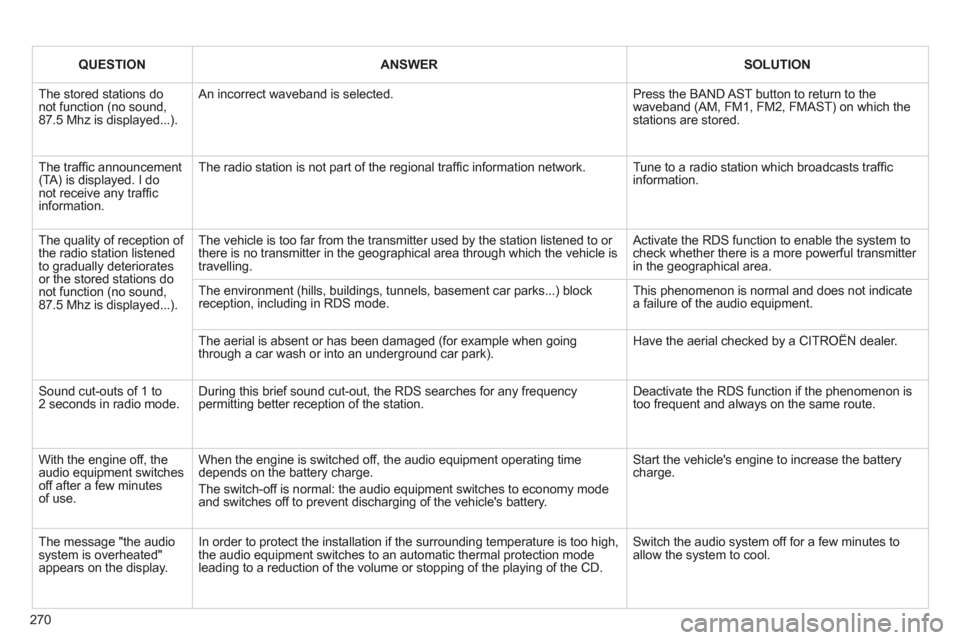
QUESTIONANSWERSOLUTION
The stored stations do not function (no sound,87.5 Mhz is displayed...).
An incorrect waveband is selected.
Press the BAND AST button to return to thewaveband (AM, FM1, FM2, FMAST) on which the stations are stored.
The traffi c announcement(TA) is displayed. I do not receive any traffi c information.
The radio station is not part of the regional traffi c information network.
Tune to a radio station which broadcasts traffi c information.
The quality of reception of the radio station listened to gradually deterioratesor the stored stations donot function (no sound,87.5 Mhz is displayed...).
The vehicle is too far from the transmitter used by the station listened to or there is no transmitter in the geographical area through which the vehicle is travelling.
Activate the RDS function to enable the system tocheck whether there is a more powerful transmitter in the geographical area.
The environment (hills, buildings, tunnels, basement car parks...) block reception, including in RDS mode. This phenomenon is normal and does not indicate a failure of the audio equipment.
The aerial is absent or has been damaged (for example when goingthrough a car wash or into an underground car park).
Have the aerial checked by a CITROËN dealer.
Sound cut-outs of 1 to 2 seconds in radio mode. During this brief sound cut-out, the RDS searches for any frequencypermitting better reception of the station.
Deactivate the RDS function if the phenomenon istoo frequent and always on the same route.
With the engine off, theaudio equipment switches off after a few minutesof use.
When the engine is switched off, the audio equipment operating time depends on the battery charge.
The switch-off is normal: the audio equipment switches to economy modeand switches off to prevent discharging of the vehicle's battery.
Start the vehicle's engine to increase the battery charge.
The message "the audio system is overheated" appears on the display.
In order to protect the installation if the surrounding temperature is too high,the audio equipment switches to an automatic thermal protection mode leading to a reduction of the volume or stopping of the playing of the CD.
Switch the audio system off for a few minutes to allow the system to cool.
Page 273 of 284
.
Visual search
271
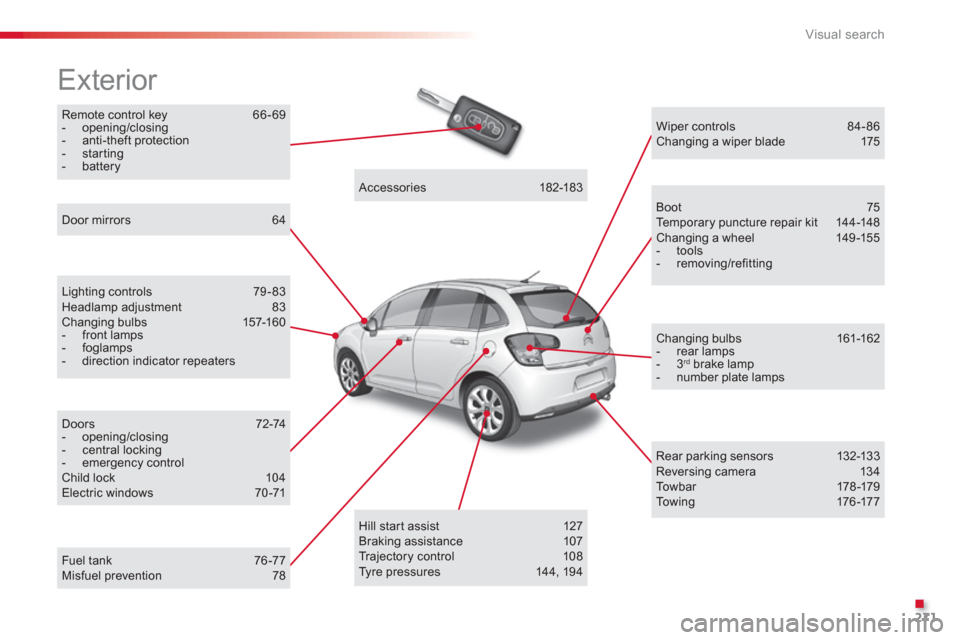
Remote control key 66-69 - opening/closing - anti-theft protection - starting - battery
Exterior
Lighting controls 79-83 Headlamp adjustment 83Changing bulbs 157-160- front lamps - foglamps- direction indicator repeaters
Door mirrors 64
Doors 72-74 - opening/closing - central locking - emergency controlChild lock 104 Electric windows 70-71
Accessories 182-183
Wiper controls 84-86 Changing a wiper blade 175
Boot 75 Te m p o r a ry puncture repair kit 144-148 Changing a wheel 149 -155 - tools- removing/refitting
Changing bulbs 161-162 - rear lamps - 3 rd
brake lamp - number plate lamps
Rear parking sensors 132-133 Reversing camera 134 To w b a r 178-179 To w i ng 176 -17 7
Hill start assist 127
Braking assistance 107
Tr ajectory control 108
Tyre pressures 144, 194Fuel tank 76 -77Misfuel prevention 78
Page 276 of 284
Visual search
274
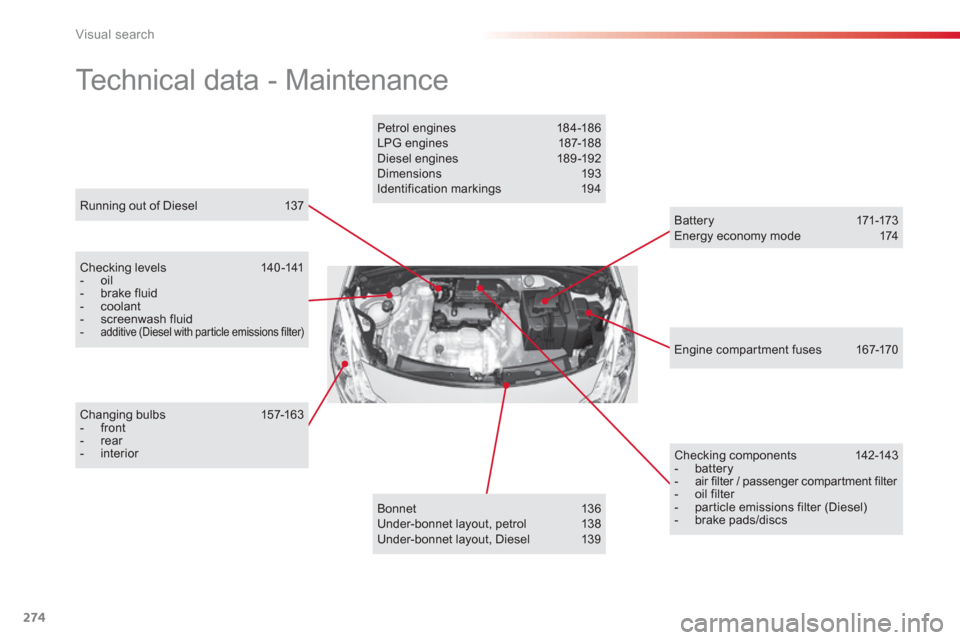
Running out of Diesel 137
Technical data - Maintenance
Checking levels 140 -141 - oil - brake fluid - coolant - screenwash fluid-additive (Diesel with particle emissions filter)
Changing bulbs 157-163 - front - rear - interior
Checking c omponents 142-143 - battery- air filter / passenger compartment filter - oil filter - particle emissions filter (Diesel) - brake pads/discs
Engine compar tment fuses 167-170
Battery 171-173 Energy economy mode 174
Bonnet 136
Under-bonnet layout, petrol 138
Under-bonnet layout, Diesel 139
Petrol engines 18 4 -18 6
LPG engines 187-18 8
Diesel engines 189-192
Dimensions 193
Identification markings 194
Page 277 of 284
.
Alphabetical index
275
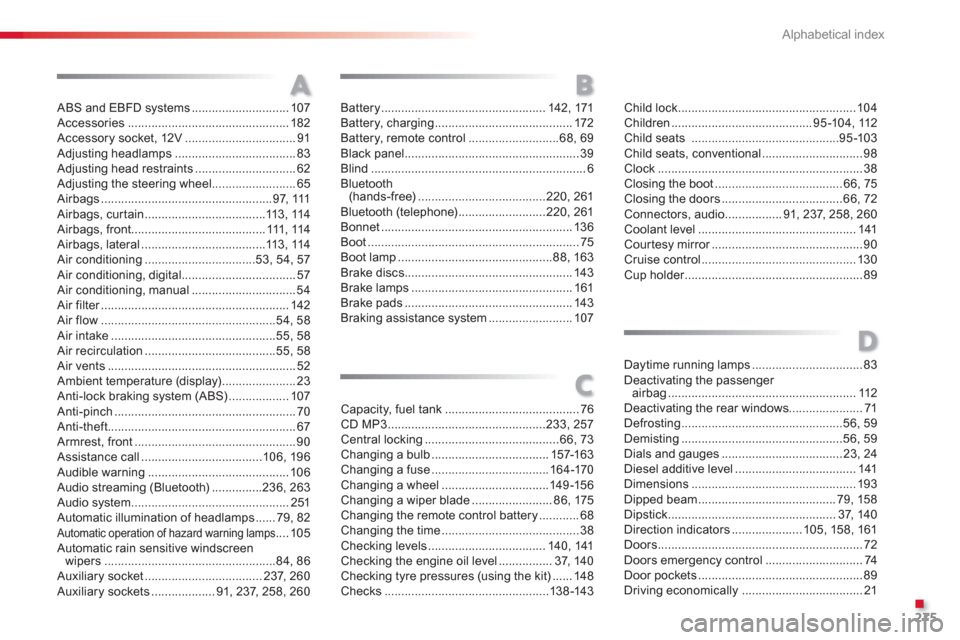
ABS and EBFD systems.............................107Accessories ................................................182Accessory socket, 12V.................................91Adjusting headlamps....................................83Adjusting head restraints ..............................62Adjusting the steering wheel.........................65Airbags ...................................................97, 111Airbags, curtain ....................................113,114Airbags, front........................................111,114Airbags, lateral.....................................113,114Air conditioning.................................53, 54, 57Air conditioning, digital..................................57Air conditioning, manual ...............................54Air filter........................................................r142Air flow....................................................54, 58Air intake.................................................55, 58Air recirculation.......................................55, 58Air vents ........................................................52Ambient temperature (display) ......................23Anti-lock braking system (ABS)..................107Anti-pinch ......................................................70Anti-theft........................................................67Armrest, front................................................90Assistance call ....................................106,196Audible warning..........................................106Audio streaming (Bluetooth)...............236, 263Audio system...............................................251Automatic illumination of headlamps......79, 82Automatic operation of hazard warning lamps .... 105Automatic rain sensitive windscreen
wipers...................................................84, 86Auxiliary socket...................................237,260Auxiliary sockets ...................91, 237, 258, 260
Child lock.....................................................104Children ..........................................95-104,112Child seats ............................................95-103Child seats, conventional..............................98Clock .............................................................38Closing the boot......................................66, 75Closing the doors ....................................66,72Connectors, audio .................91, 237,258, 260Coolant level...............................................141Courtesy mirror.............................................r90Cruise control..............................................130Cup holder.....................................................r89
AB
C
Capacity, fuel tank........................................76CD MP3...............................................233,257Central locking........................................66, 73Changing a bulb ................................... 157-163Changing a fuse ...................................164-170Changing a wheel................................149-156Changing a wiper blade ........................86,175Changing the remote control battery ............68Changing the time.........................................38Checking levels ...................................140,141Checking the engine oil level................37, 140Checking tyre pressures (using the kit) ......148Checks .................................................138-143
Battery.................................................142, 171Battery, charging .........................................172Battery, remote control...........................68,69Black panel....................................................39Blind ................................................................6Bluetooth (hands-free)......................................220,261Bluetooth (telephone)..........................220, 261Bonnet .........................................................136Boot...............................................................75Boot lamp..............................................88,163Brake discs ..................................................143Brake lamps................................................161Brake pads .................................................. 143Braking assistance system .........................107
Daytime running lamps.................................83Deactivating the passenger airbag........................................................112Deactivating the rear windows......................71Defrosting ................................................56,59Demisting................................................56,59Dials and gauges .................................... 23, 24Diesel additive level....................................141Dimensions.................................................193Dipped beam .........................................79,158Dipstick..................................................37,140Direction indicators.....................105, 15 8, 161Doors.............................................................72Doors emergency control.............................74Door pockets .................................................89Driving economically ....................................21
D
Page 280 of 284
Alphabetical index
278
RS
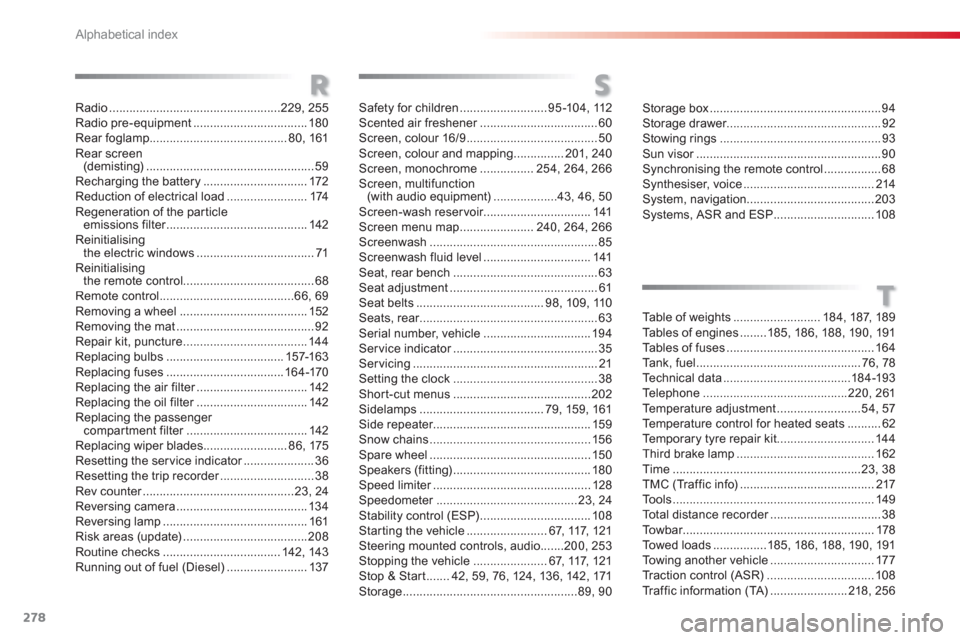
Radio...................................................229, 255Radio pre-equipment ..................................180Rear foglamp.........................................80, 161Rear screen(demisting)..................................................59Recharging the battery...............................172Reduction of electrical load........................174Regeneration of the par ticleemissions filter..........................................r142Reinitialisingthe electric windows...................................71Reinitialisingthe remote control.......................................68Remote control........................................66, 69Removing a wheel...................................... 152Removing the mat.........................................92Repair kit, puncture.....................................144Replacing bulbs ...................................157-163Replacing fuses...................................164-170Replacing the air filter.................................r142Replacing the oil filter.................................r142Replacing the passengercompartment filter....................................r142Replacing wiper blades.........................86,175Resetting the service indicator.....................r36Resetting the trip recorder............................r38Rev counter.............................................r23, 24Reversing camera .......................................134Reversing lamp...........................................161Risk areas (update)..................................... 208Routine checks ...................................142,143Running out of fuel (Diesel)........................137
T
Safety for children..........................95 -104, 112Scented air freshener...................................r60Screen, colour 16/9.......................................50Screen, colour and mapping...............201,240Screen, monochrome ................254,264,266Screen, multifunction(with audio equipment)...................43, 46, 50Screen-wash reservoir................................141Screen menu map......................240,264,266Screenwash..................................................85Screenwash fluid level................................141Seat, rear bench...........................................63Seat adjustment............................................61Seat belts ......................................98, 109,110Seats, rear.....................................................r63Serial number, vehicle................................194Ser vice indicator...........................................r35Servicing.......................................................21Setting the clock...........................................38Short-cut menus.........................................202Sidelamps.....................................79, 159,161Side repeater...............................................159Snow chains................................................156Spare wheel................................................150Speakers (fitting).........................................180Speed limiter...............................................r128Speedometer..........................................r23,24Stability control (ESP) .................................108Starting the vehicle........................67, 117, 121Steering mounted controls, audio .......200, 253Stopping the vehicle ......................67, 117, 121Stop & Start.......42, 59,76, 124, 136, 142, 171Storage ....................................................89,90
Storage box ...................................................94Storage drawer..............................................92Stowing rings................................................93Sun visor.......................................................r90Synchronising the remote control.................68Synthesiser, voice.......................................214System, navigation ......................................203Systems, ASR and ESP..............................108
Table of weights ..........................184,187, 189Ta b l e s of engines........185, 18 6, 188, 19 0, 191Tables of fuses ............................................164Ta n k, fuel.................................................76, 78Te c hnical data......................................184-193Te l e p h o ne...........................................220, 261Temperature adjustment.........................54,57Te mperature control for heated seats .......... 62Te m p o r a ry tyre repair kit .............................144Third brake lamp.........................................162Time........................................................23, 38TMC (Tr a f f i c i n f o)........................................217To o l s............................................................149Total distance recorder.................................r38To w b a r.........................................................r178Towed loads ................185, 186, 188, 190, 191To w i ng another vehicle ...............................177Tr a c t i o n c o n t r o l (ASR)................................108Tr affic information (TA).......................218,256