warning Citroen C3 2014 2.G Owner's Guide
[x] Cancel search | Manufacturer: CITROEN, Model Year: 2014, Model line: C3, Model: Citroen C3 2014 2.GPages: 284, PDF Size: 9.01 MB
Page 36 of 284

34
C3_en_Chap02_Ecrans-multifonction_ed01-2014
"Trip computer" menu
once this menu has been selected, you can
consult information concerning the status of the
vehicle (warnings log, status of functions, etc.)
Alert log
This summarises the active warning messages,
displaying them in succession in the
multifunction screen.F
I n the "Trip computer " menu, select one
of the following applications:
F
P
ress the "MENU"
button to gain access
to the general menu.
F
P
ress the arrows, then the "OK"
button to
select the " Trip computer " menu.
Status of functions
This summarises the status (active or inactive)
of the vehicle's functions.
Enter distance to destination
This allows you to enter an approximate
distance until your final destination.
Multifunction screens
Page 45 of 284
43
C3_en_Chap03_Confort_ed01-2014
With the heating /
ventilation system
F Put the temperature and air flow controls to the dedicated marked position.
F
P
ut the air intake control to the "Exterior air
intake" position
(
manual control to the right or electric
control with indicator lamp off).
F
P
ut the air distribution control to the
"Windscreen" position.
Front demist - defrost
These markings on the control panel indicate the control positions for rapid demisting or
defrosting of the windscreen and side windows.
With the manual air
conditioning system
F Put the temperature and air flow controls to the dedicated marked position.
F
P
ut the air intake control to the "Exterior air
intake" position
(
manual control to the right or electric
control with indicator lamp off).
F
P
ut the air distribution control to the
"Windscreen" position.
F
S
witch on the air conditioning by pressing
the "A /C " button; the associated green
warning lamp comes on.
With Stop & Start, when the demisting,
air conditioning and air flow functions
are activated, ST
oP m
ode is not
available.
3
Comfort
Page 56 of 284
54
C3_en_Chap04_ouvertures_ed01-2014
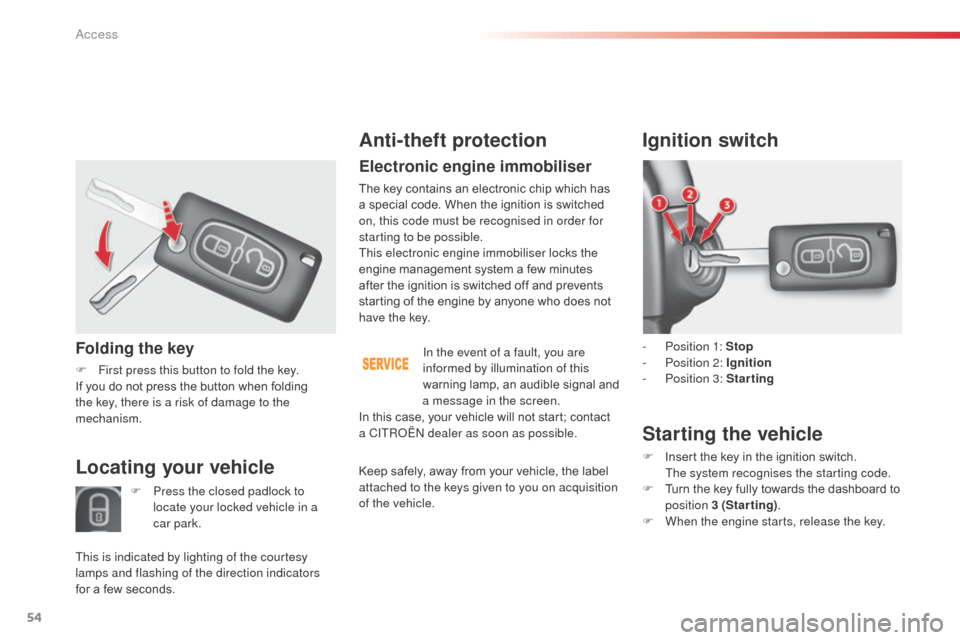
Folding the key
F First press this button to fold the key.
If you do not press the button when folding
the key, there is a risk of damage to the
mechanism.
Anti-theft protection
Electronic engine immobiliser
The key contains an electronic chip which has
a special code. When the ignition is switched
on, this code must be recognised in order for
starting to be possible.
This electronic engine immobiliser locks the
engine management system a few minutes
after the ignition is switched off and prevents
starting of the engine by anyone who does not
have the key.
In the event of a fault, you are
informed by illumination of this
warning lamp, an audible signal and
a message in the screen.
Ignition switch
- Position 1: Stop
- P osition 2: Ignition
-
P
osition 3: Starting
Starting the vehicle
F Insert the key in the ignition switch. The system recognises the starting code.
F
T
urn the key fully towards the dashboard to
position 3 (Starting) .
F
W
hen the engine starts, release the key.Locating your vehicle
F Press the closed padlock to locate your locked vehicle in a
car park.
This is indicated by lighting of the courtesy
lamps and flashing of the direction indicators
for a few seconds. In this case, your vehicle will not start; contact
a CITR
oËn
dealer as soon as possible.
Keep safely, away from your vehicle, the label
attached to the keys given to you on acquisition
of the vehicle.
access
Page 57 of 284
55
C3_en_Chap04_ouvertures_ed01-2014
Remote control problem
Reinitialisation
F Switch off the ignition.
F
T urn the key to position 2 (Ignition on) .
F
P
ress the closed padlock immediately for a
few seconds.
F
S
witch off the ignition and remove the key
from the ignition switch.
The remote control is fully operational again.
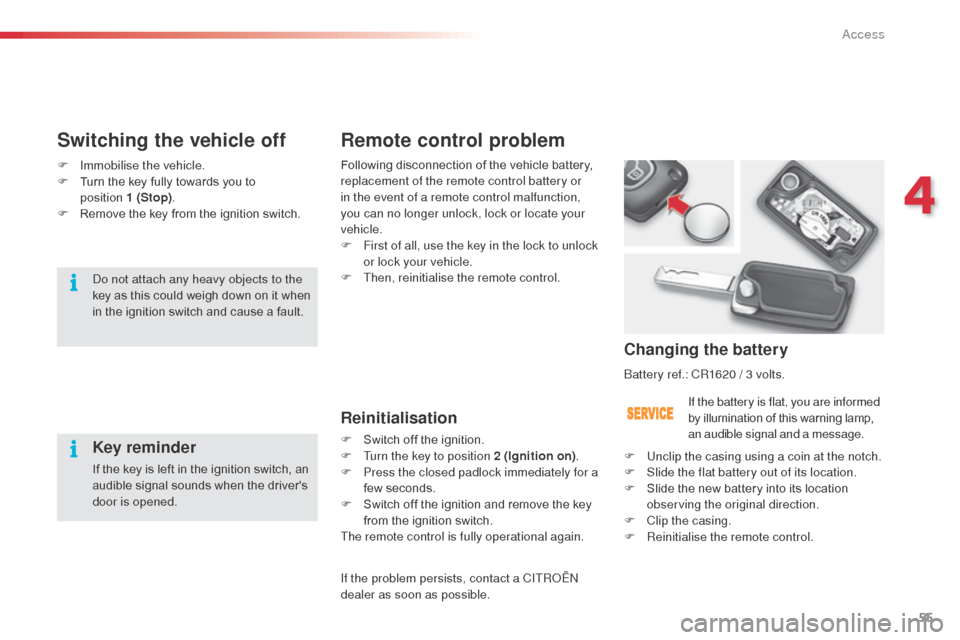
Changing the battery
battery ref.: CR1620 / 3 volts.
If the battery is flat, you are informed
by illumination of this warning lamp,
an audible signal and a message.
F
U
nclip the casing using a coin at the notch.
F
S
lide the flat battery out of its location.
F
S
lide the new battery into its location
observing the original direction.
F
C
lip the casing.
F
R
einitialise the remote control.
Switching the vehicle off
Key reminder
If the key is left in the ignition switch, an
audible signal sounds when the driver's
door is opened.
do n
ot attach any heavy objects to the
key as this could weigh down on it when
in the ignition switch and cause a fault. Following disconnection of the vehicle battery,
replacement of the remote control battery or
in the event of a remote control malfunction,
you can no longer unlock, lock or locate your
vehicle.
F
F
irst of all, use the key in the lock to unlock
or lock your vehicle.
F
T
hen, reinitialise the remote control.
F
Imm
obilise the vehicle.
F
T
urn the key fully towards you to
position 1 (Stop) .
F
R
emove the key from the ignition switch.
If the problem persists, contact a CITR
oËn
dealer as soon as possible.
4
access
Page 61 of 284
59
C3_en_Chap04_ouvertures_ed01-2014
doors
Opening
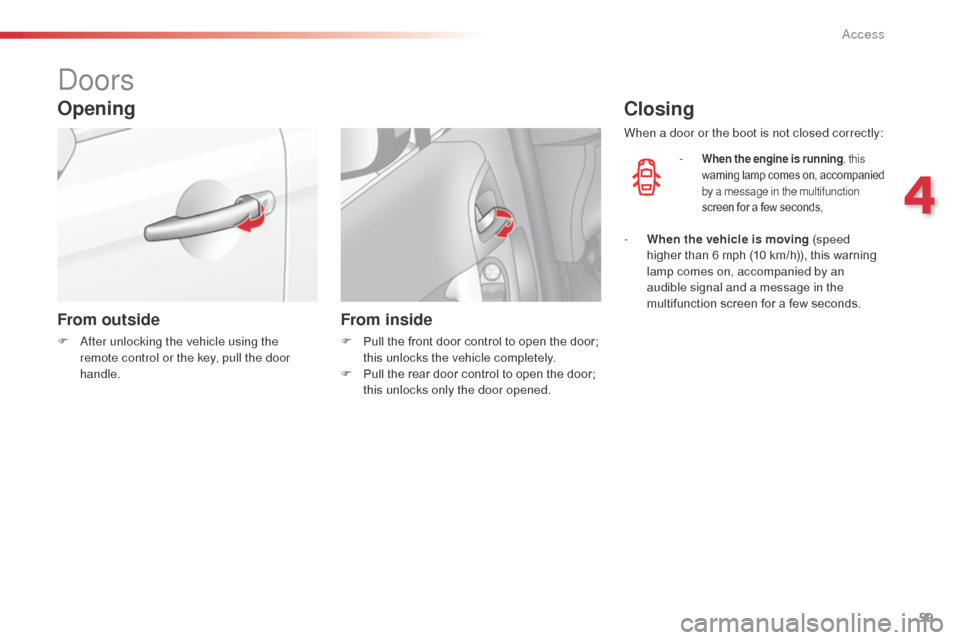
From outside
F after unlocking the vehicle using the
remote control or the key, pull the door
handle.
From inside
F Pull the front door control to open the door; this unlocks the vehicle completely.
F
P
ull the rear door control to open the door;
this unlocks only the door opened.
Closing
- When the engine is running , this
warning lamp comes on, accompanied
by a message in the multifunction
screen for a few seconds,
When a door or the boot is not closed correctly:
-
W
hen the vehicle is moving (speed
higher than 6 mph (10 km/h)), this warning
lamp comes on, accompanied by an
audible signal and a message in the
multifunction screen for a few seconds.
4
access
Page 64 of 284
62
C3_en_Chap04_ouvertures_ed01-2014
boot
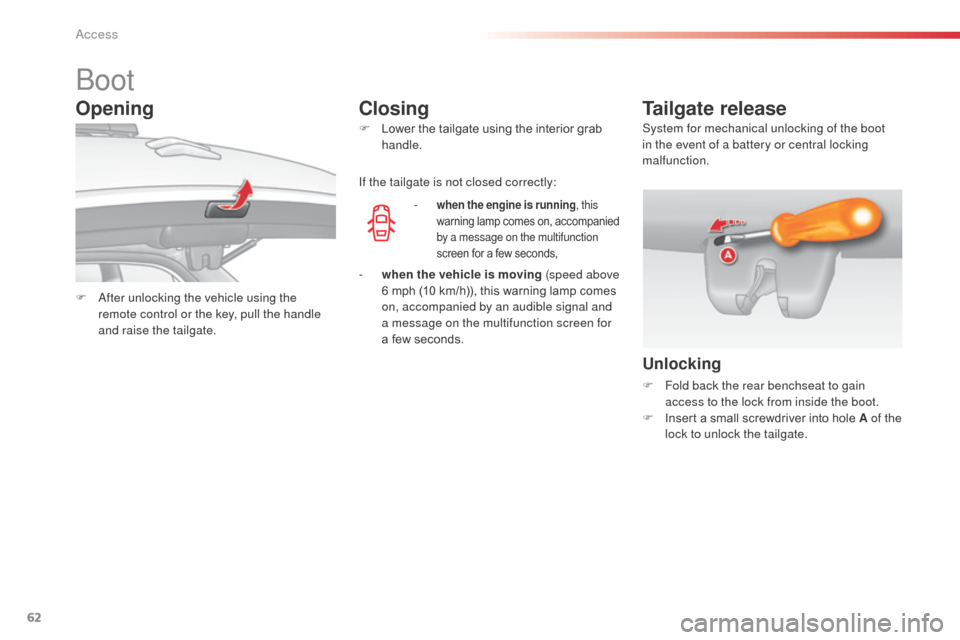
F after unlocking the vehicle using the
remote control or the key, pull the handle
and raise the tailgate. F
L
ower the tailgate using the interior grab
handle.
-
when the engine is running
, this
warning lamp comes on, accompanied
by a message on the multifunction
screen for a few seconds,
Tailgate release
Unlocking
F Fold back the rear benchseat to gain access to the lock from inside the boot.
F
I
nsert a small screwdriver into hole A of the
lock to unlock the tailgate.
If the tailgate is not closed correctly:
Opening
Closing
- when the vehicle is moving (speed above
6 mph (10 km/h)), this warning lamp comes
on, accompanied by an audible signal and
a message on the multifunction screen for
a few seconds. System for mechanical unlocking of the boot
in the event of a battery or central locking
malfunction.
access
Page 65 of 284
63
C3_en_Chap04_ouvertures_ed01-2014
Fuel tank
Low fuel level
When the fuel tank minimum level is
reached this warning lamp comes on
on the instrument panel. When it first
comes on there remains approximately
5 litres of fuel in the tank.
Filling
a label affixed to the inside of the flap reminds
y ou of the type of fuel to be used depending on
your engine.
ad
ditions of fuel must be of at least 7 litres, in
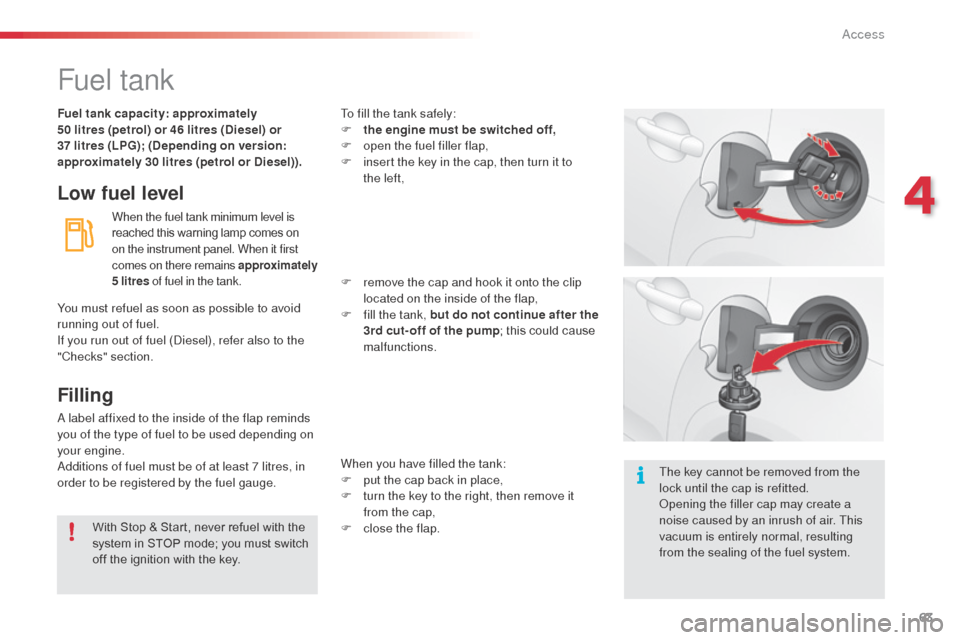
order to be registered by the fuel gauge. To fill the tank safely:
F
t
he engine must be switched off,
F
o
pen the fuel filler flap,
F
i
nsert the key in the cap, then turn it to
the left,
F
r
emove the cap and hook it onto the clip
located on the inside of the flap,
F
f
ill the tank, but do not continue after the
3rd cut- off of the pump ; this could cause
malfunctions.
When you have filled the tank:
F
p
ut the cap back in place,
F
t
urn the key to the right, then remove it
from the cap,
F
c
lose the flap.
You must refuel as soon as possible to avoid
running out of fuel.
If you run out of fuel (
di
esel), refer also to the
"Checks" section. Fuel tank capacity: approximately
50 litres (petrol) or 46 litres (Diesel) or
37
litres (LPG); (Depending on version:
approximately 30 litres (petrol or Diesel)).
With Stop & Start, never refuel with the
system in STOP mode; you must switch
off the ignition with the key. The key cannot be removed from the
lock until the cap is refitted.
op
ening the filler cap may create a
noise caused by an inrush of air. This
vacuum is entirely normal, resulting
from the sealing of the fuel system.
4
access
Page 70 of 284
68
C3_en_Chap05_Visibilite_ed01-2014
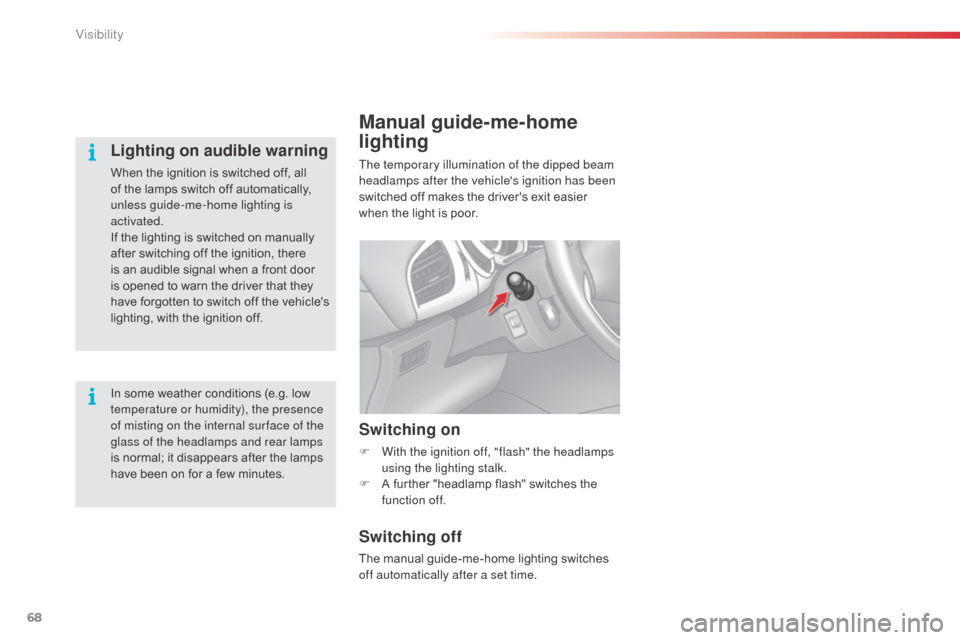
Manual guide-me-home
lighting
The temporary illumination of the dipped beam
headlamps after the vehicle's ignition has been
switched off makes the driver's exit easier
when the light is poor.
Switching on
F With the ignition off, "flash" the headlamps using the lighting stalk.
F
A f
urther "headlamp flash" switches the
function off.
Switching off
The manual guide-me-home lighting switches
off automatically after a set time.
In some weather conditions (e.g. low
temperature or humidity), the presence
of misting on the internal sur face of the
glass of the headlamps and rear lamps
is normal; it disappears after the lamps
have been on for a few minutes.
Lighting on audible warning
When the ignition is switched off, all
of the lamps switch off automatically,
unless guide-me-home lighting is
activated.
If the lighting is switched on manually
after switching off the ignition, there
is an audible signal when a front door
is opened to warn the driver that they
have forgotten to switch off the vehicle's
lighting, with the ignition off.
Visibility
Page 71 of 284
69
C3_en_Chap05_Visibilite_ed01-2014
Association with the automatic
"Guide-me-home" lighting
Association with the automatic illumination of
headlamps provides "guide-me-home" lighting
with the following additional options:
-
s
election of the lighting duration to 15, 30 or
60 seconds in the functions that can be set
in the vehicle configuration menu (except in
the case of the monochrome screen
a
, f
or
which the duration is set: 60 seconds),
-
a
utomatic activation of "guide-me-home"
lighting when automatic illumination of
headlamps is in operation.
Operating fault
In the event of a fault with the
sunshine sensor, the lighting
come on, this warning lamp is displayed in the
instrument panel and/or a message appears in
the screen, accompanied by an audible signal.
Contact a CITR
oËn
dealer or a qualified
workshop.
In fog or snow, the sunshine sensor
may detect sufficient light. Therefore,
the lighting will not come on
automatically.
do n
ot cover the sunshine sensor,
coupled with the rain sensor and
located in the centre of the windscreen
behind the rear view mirror; the
associated functions would no longer
be controlled.
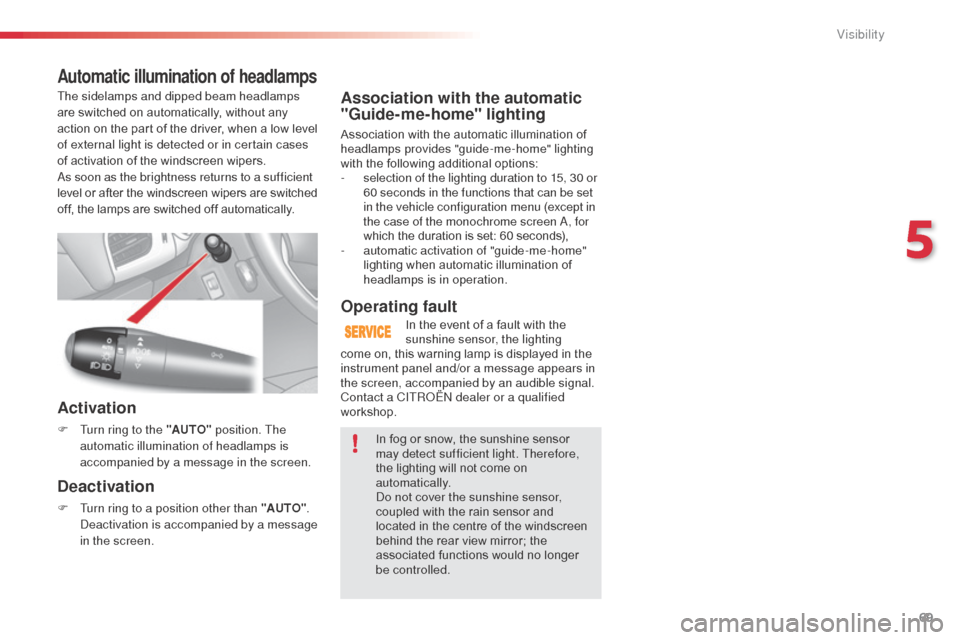
Automatic illumination of headlamps
Activation
F Turn ring to the "AUTO" position. The
automatic illumination of headlamps is
accompanied by a message in the screen.
Deactivation
F Turn ring to a position other than "AUTO" . de
activation is accompanied by a message
in the screen.
The sidelamps and dipped beam headlamps
are switched on automatically, without any
action on the part of the driver, when a low level
of external light is detected or in certain cases
of activation of the windscreen wipers.
as s
oon as the brightness returns to a sufficient
level or after the windscreen wipers are switched
off, the lamps are switched off automatically.
5
Visibility
Page 84 of 284

82
C3_en_Chap06_amenagement_ed01-2014
Rear parcel shelf
To remove the shelf:
F
u nhook the two cords,
F
r
aise the shelf slightly, then unclip it on
each side.
Hooks
The hooks can be used to hold shopping bags.
Storage box
F Raise the boot carpet by pulling the strap upwards to gain access to the storage box.
This has areas for storing a temporary puncture
repair kit, a box of spare bulbs, a first aid kit,
two warning triangles, ...
F
r
efit the boot floor carpet by folding it
slightly in the middle.
Fittings