audio Citroen C3 2015 2.G User Guide
[x] Cancel search | Manufacturer: CITROEN, Model Year: 2015, Model line: C3, Model: Citroen C3 2015 2.GPages: 401, PDF Size: 13.04 MB
Page 64 of 401
62
"Multimedia": b
luetooth® hands-free kit, support for b
luetooth® hands-free kit, audio systems with
steering controls inter face, portable satellite
navigation system, semi-integral portable
navigation system carrier, mapping updates
for integral navigation system,
d
Vd
player,
auxiliary cable for connecting a portable MP3
player, USB Box, Hi-Fi module, speakers, Wi-Fi
on board, rear multimedia support, telephone/
smartphone support, 230 V socket, telephone
charge compatible with iPhone...
Installation of radio
communication
transmitters
before installing any after-market radio
communication transmitter, you can
contact a CITR
oËn
dealer for the
specification of transmitters which can
be fitted (frequency, maximum power,
aerial position, specific installation
requirements), in line with the Vehicle
Electromagnetic Compatibility
Directive
(2004/104/EC).
de
pending on the legislation in force in
the country, certain safety equipment
may be compulsory: high visibility
safety vests, warning triangles,
breathalyzers, spare bulbs, spare fuses,
fire extinguisher, first aid kit, mud flaps
at the rear of the vehicle.
by g
oing to a CITR
oËn
dealer, you can also
obtain cleaning and maintenance products
(interior and exterior) - including ecological
products in the "TECH
n
a
T
URE" range -
products for topping up (screenwash fluid...),
touch up pens and paint aerosols for the exact
colour of your vehicle, recharges (cartridge for
the temporary puncture repair kit...), ... The fitting of electrical equipment or
accessories which are not recommended
by CITR
oËn
may result in a failure of
your vehicle's electronic system and
excessive electrical consumption.
Contact a CITR
oËn
dealer
for information on the range of
recommended equipment and
accessories.
Comfort
Page 87 of 401
85
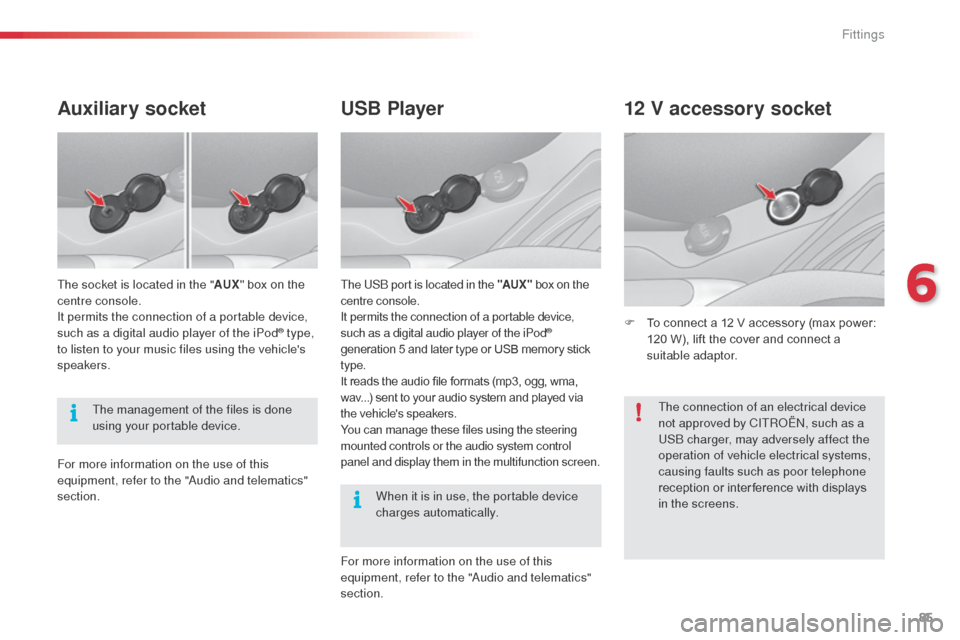
USB Player
The USb port is located in the "AUX " box on the
centre console.
It permits the connection of a portable device,
such as a digital audio player of the iPod
®
generation 5 and later type or USB memory stick
type.
It reads the audio file formats (mp3, ogg, wma,
wav...) sent to your audio system and played via
the vehicle's speakers.
You can manage these files using the steering
mounted controls or the audio system control
panel and display them in the multifunction screen.
12 V accessory socket
F To connect a 12 V accessory (max power: 120 W), lift the cover and connect a
suitable adaptor.
Auxiliary socket
The socket is located in the " AUX" box on the
centre console.
It permits the connection of a portable device,
such as a digital audio player of the iPod
® type,
to listen to your music files using the vehicle's
speakers.
The management of the files is done
using your portable device.
When it is in use, the portable device
charges automatically.
For more information on the use of this
equipment, refer to the "
au
dio and telematics"
section.
For more information on the use of this
equipment, refer to the "
au
dio and telematics"
section. The connection of an electrical device
not approved by CITR
oËn, s
uch as a
US
b
charger, may adversely affect the
operation of vehicle electrical systems,
causing faults such as poor telephone
reception or inter ference with displays
in the screens.
6
Fittings
Page 122 of 401
120
Switching the engine off
F Immobilise the vehicle.
F W ith the engine at idle, turn the key fully
towards you to position 1 (Stop) .
F
R
emove the key from the ignition switch.
F
T
o lock the steering column, turn the
steering wheel until it locks.
Never switch the ignition off until the
vehicle has come to a complete stop
and the parking brake has been applied.
With the engine stopped, the braking and
steering assistance systems are also cut
off: risk of loss of control of the vehicle. To facilitate unlocking of the steering
column, put the front wheels in the
straight ahead position before switching
the ignition off.
When you leave the vehicle, take the
key with you and lock the vehicle.Key reminder
If the key is left in the ignition switch, an
audible signal sounds when the driver's
door is opened.
For more information, refer to the
"Energy economy mode" section.
F
E
nsure that the parking brake is applied
correctly, particularly when on a slope.
Energy economy mode
After switching off the engine (position 1 - Stop ),
you can still use functions such as the audio
and telematic system, the wipers, dipped beam,
courtesy lamps, etc., for maximum cumulative
period of 30 minutes.
Driving
Page 159 of 401

157
Range indicators
once the adbl ue® tank is on reserve or after
detection of a fault with the SCR emissions
control system, when the ignition is switched
on, an indicator displays an estimate of the
distance that can be covered, the range, before
engine starting is prevented.
In the event of simultaneous system fault and
low AdBlue
® level, the shortest range figure is
the one displayed.
In the event of the risk of non-
starting related to a lack of
AdBlue
®
The engine start prevention system
required by regulations is activated
automatically once the
a d
blu
e
® tank is
e m pt y. Range greater than 1 500 miles (2 400 km)
When the ignition is switched on, no
information on range is displayed automatically
in the instrument panel.
dep
ending on your vehicle's equipment, the
range indicator will appear either:
-
i
n the instrument panel screen (versions
without audio system), or
-
i
n the multifunction screen.
11
Practical information
Page 189 of 401
187
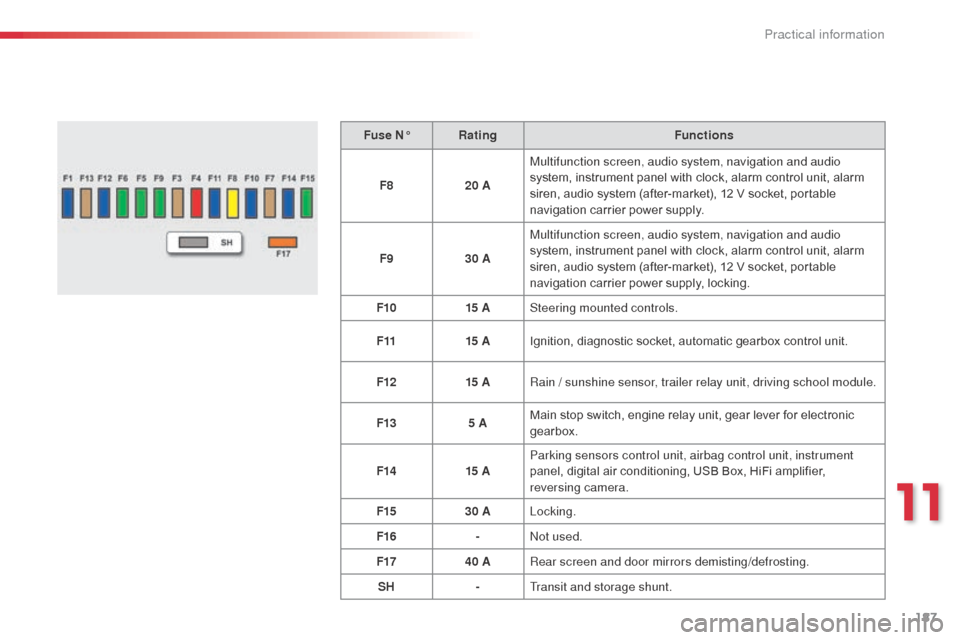
Fuse N°Rating Functions
F8 20 AMultifunction screen, audio system, navigation and audio
system, instrument panel with clock, alarm control unit, alarm
siren, audio system (after-market), 12 V socket, portable
navigation carrier power supply.
F9 30 AMultifunction screen, audio system, navigation and audio
system, instrument panel with clock, alarm control unit, alarm
siren, audio system (after-market), 12 V socket, portable
navigation carrier power supply, locking.
F10 15 ASteering mounted controls.
F11 15 AIgnition, diagnostic socket, automatic gearbox control unit.
F12 15 ARain / sunshine sensor, trailer relay unit, driving school module.
F13 5 AMain stop switch, engine relay unit, gear lever for electronic
gearbox.
F14 15 AParking sensors control unit, airbag control unit, instrument
panel, digital air conditioning, USB Box, HiFi amplifier,
reversing camera.
F15 30 ALocking.
F16 -
no
t used.
F17 40 ARear screen and door mirrors demisting/defrosting.
SH -Transit and storage shunt.
11
Practical information
Page 198 of 401
196
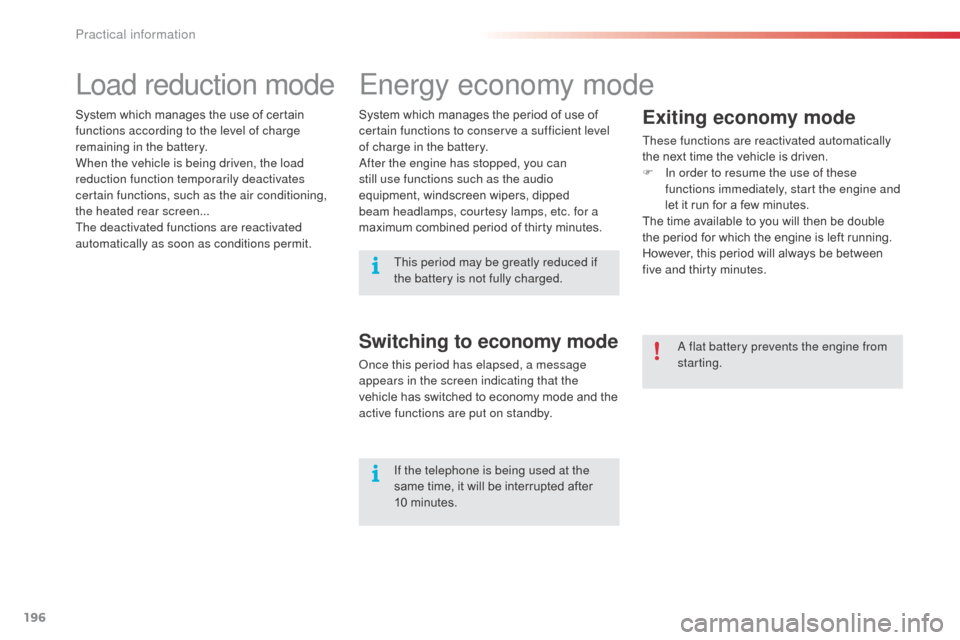
Energy economy mode
Exiting economy mode
These functions are reactivated automatically
the next time the vehicle is driven.
F
I
n order to resume the use of these
functions immediately, start the engine and
let it run for a few minutes.
The time available to you will then be double
the period for which the engine is left running.
However, this period will always be between
five and thirty minutes.
Switching to economy mode
once this period has elapsed, a message
appears in the screen indicating that the
vehicle has switched to economy mode and the
active functions are put on standby.
a
flat battery prevents the engine from
starting.
If the telephone is being used at the
same time, it will be interrupted after
10 minutes.
System which manages the period of use of
certain functions to conserve a sufficient level
of charge in the battery.
af
ter the engine has stopped, you can
still use functions such as the audio
equipment, windscreen wipers, dipped
beam headlamps, courtesy lamps, etc. for a
maximum combined period of thirty minutes.
System which manages the use of certain
functions according to the level of charge
remaining in the battery.
When the vehicle is being driven, the load
reduction function temporarily deactivates
certain functions, such as the air conditioning,
the heated rear screen...
The deactivated functions are reactivated
automatically as soon as conditions permit.
Load reduction mode
This period may be greatly reduced if
the battery is not fully charged.
Practical information
Page 217 of 401

215
Emergency or assistance call
If an impact is detected by the airbag
control unit, and independently of
the deployment of any airbags, an
emergency call is made automatically.
Localised Emergency Call
In an emergency, press this
button for more than 2 seconds.
Flashing of the green LE
d
and
a voice message confirm that
the call has been made to the
"Localised Emergency Call"*
centre.
Pressing this button again immediately cancels
the call.
The green LE
d
goes off.
Pressing this button (at any time) for more than
8 seconds cancels the call.
The green LED remains on (without flashing)
when communication is established.
It goes off at the end of the call.
This call is dealt with by the "Localised
Emergency Call", which receives locating
information from the vehicle and can send a
detailed alert to the appropriate emergency
services.
In countries in which a centre is not
operational, or when the locating service
has been expressly declined, the call is dealt
with directly by the emergency services (112)
without the vehicle location. *
T
hese services are subject to conditions and
availability.
C
onsult a CITR
oËn d
ealer.
If you benefit from the CITR
oËn
Connect Box offer with the SOS and
assistance pack included, there are
additional services available to you in
your MyCITR
oËn
personal space, via
the CITROËN Internet website in your
country, accessible on
www.citroen.com.
.
audio and Telematics
Page 218 of 401

216
Localised Assistance Call
If you purchased your vehicle outside
the CITROËN dealer network, we
invite you to have a dealer check the
configuration of these services and, if
desired, modified to suit your wishes.
In a multi-lingual country, configuration
is possible in the official national
language of your choice.
For technical reasons, particularly
to improve the quality of Telematic
services to customers, the
manufacturer reserves the right to
carry out updates to the vehicle's
on-board telematic system.
Press this button for more than
2 seconds to request assistance
if the vehicle breaks down.a
voice message confirms that
the call has been started*.
Pressing this button again immediately cancels
the request.
The cancellation is confirmed by a voice
message.
Operation of the system
When the ignition is switched
on, the green LEd comes on for
3 seconds indicating that the
system is operating correctly.
If the orange LE
d
is on continuously: the
backup battery must be replaced.
In either case, contact a CITR
oËn
dealer.
If the orange LE
d
flashes: there
is a system fault.
*
T
hese services are subject to conditions and
availability.
C
onsult a CITR
oËn d
ealer.
Audio and Telematics
Page 219 of 401
217
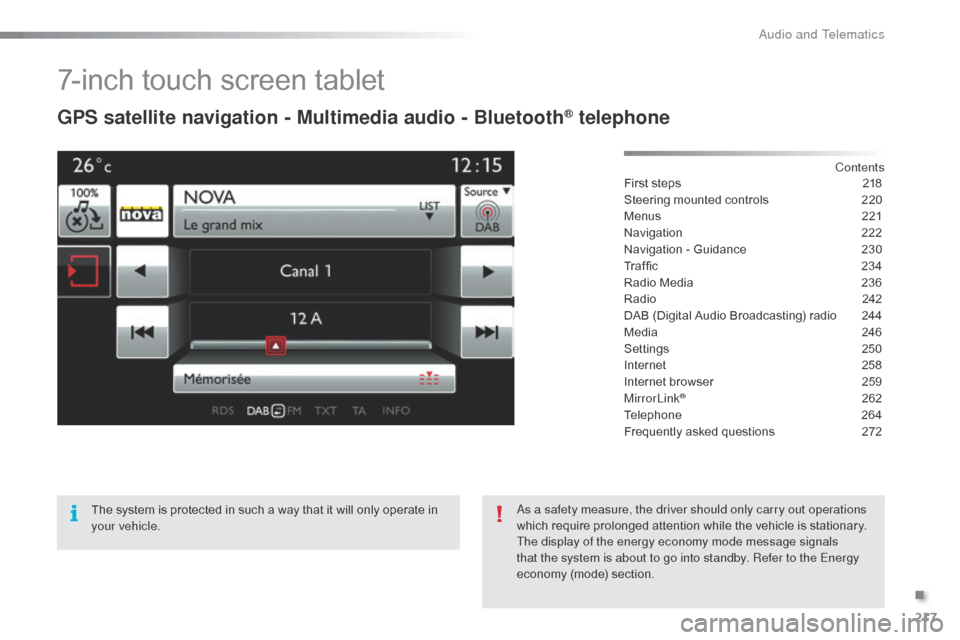
7-inch touch screen tablet
GPS satellite navigation - Multimedia audio - Bluetooth® telephone
Contents
First steps
2 18
Steering mounted controls
2
20
Menus
2
21
Navigation
2
22
Navigation - Guidance
2
30
Traffic
23
4
Radio Media
2
36
Radio
2
42
DAB (Digital Audio Broadcasting) radio
2
44
Media
2
46
Settings
2
50
Internet
2
58
Internet browser
2
59
MirrorLink
® 262
Telephone
2
64
Frequently asked questions
2
72
The system is protected in such a way that it will only operate in
your vehicle.
as a s
afety measure, the driver should only carry out operations
which require prolonged attention while the vehicle is stationary.
The display of the energy economy mode message signals
that the system is about to go into standby. Refer to the Energy
economy (mode) section.
.
Audio and Telematics
Page 220 of 401

218
First steps
Use the buttons arranged below the touch
screen tablet for access to the menu carousel,
then press the virtual buttons in the touch
screen tablet.
Each menu is displayed in one or two pages
(primary page and secondary page).Secondary page
Primary page In very hot conditions, the system may
go into stand-by (screen and sound
completely off) for a minimum period of
5 minutes.
audio and Telematics