light CITROEN C3 2022 User Guide
[x] Cancel search | Manufacturer: CITROEN, Model Year: 2022, Model line: C3, Model: CITROEN C3 2022Pages: 450, PDF Size: 10.11 MB
Page 42 of 450
40
If your vehicle is not fitted with an audio system or a touch screen, you can still configure certain
equipment using the Text LCD instrument panel.
Configuration of the equipment on vehicles without a screen
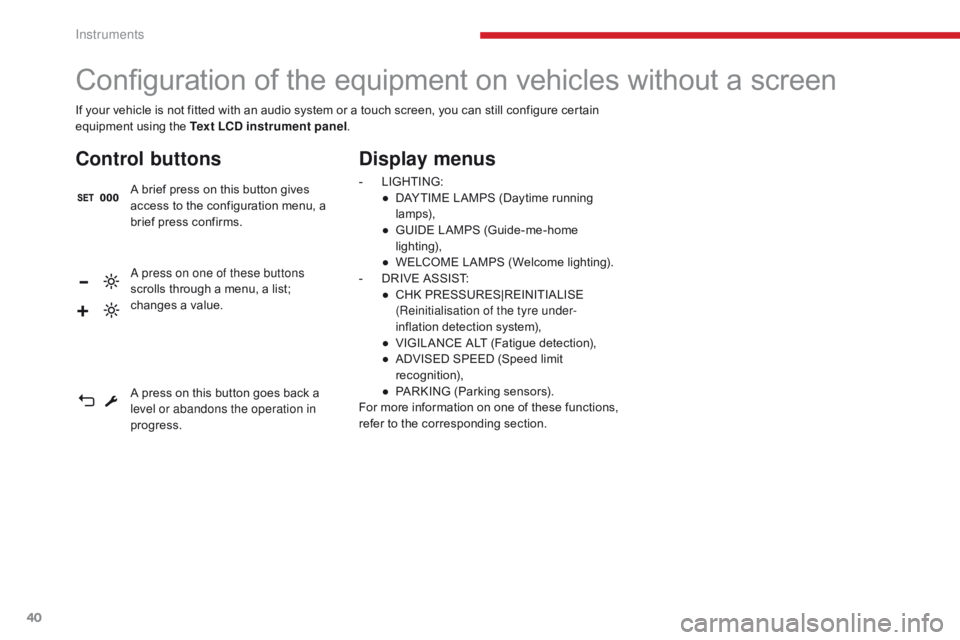
Control buttons
A brief press on this button gives
access to the configuration menu, a
brief press confirms.
Display menus
- LIGHTING:
● D AYTIME LAMPS (Daytime running
lamps),
●
G
UIDE LAMPS (Guide-me-home
lighting),
●
W
ELCOME LAMPS (Welcome lighting).
-
D
RIVE ASSIST:
●
C
HK PRESSURES|REINITIALISE
(Reinitialisation of the tyre under-
inflation detection system),
●
V
IGILANCE ALT (Fatigue detection),
●
A
DVISED SPEED (Speed limit
recognition),
●
P
ARKING (Parking sensors).
For more information on one of these functions,
refer to the corresponding section.
A press on one of these buttons
scrolls through a menu, a list;
changes a value.
A press on this button goes back a
level or abandons the operation in
progress.
Instruments
Page 45 of 450
43
B618_en_Chap01_Instruments-de-bord_ed01-2016
As a safety measure, the driver must
only per form operations requiring
sustained attention when stationary.
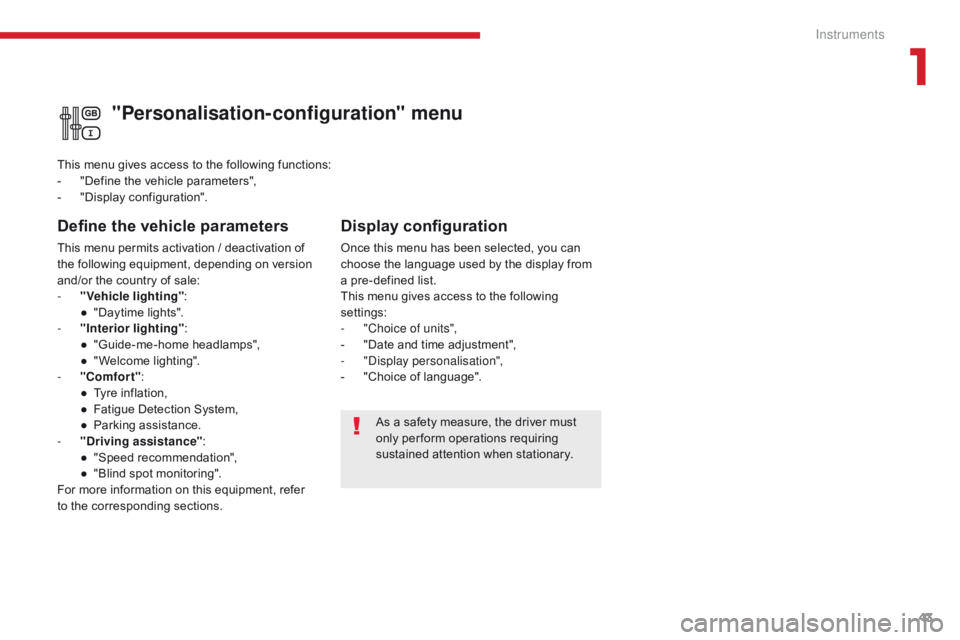
"Personalisation-configuration" menu
Define the vehicle parameters
This menu permits activation / deactivation of
the following equipment, depending on version
and/or the country of sale:
-
"
Vehicle lighting" :
●
"
Daytime lights".
-
"
Interior lighting" :
●
"
Guide-me-home headlamps",
●
"
Welcome lighting".
-
"
Comfort" :
●
T
yre inflation,
●
F
atigue Detection System,
●
P
arking assistance.
-
"
Driving assistance" :
●
"
Speed recommendation",
●
"
Blind spot monitoring".
For more information on this equipment, refer
to the corresponding sections. This menu gives access to the following functions:
-
"
Define the vehicle parameters",
-
"
Display configuration".
Display configuration
Once this menu has been selected, you can
choose the language used by the display from
a pre-defined list.
This menu gives access to the following
settings:
-
"
Choice of units",
-
"
Date and time adjustment",
-
"
Display personalisation",
-
"
Choice of language".
1
Instruments
Page 46 of 450

44
Touch screen
The touch screen gives access to:
- t he heating/air conditioning controls,
-
m
enus for adjusting settings for vehicle
functions and systems,
-
a
udio system and telephone controls and
the display of associated information,
For safety reasons, the driver
should only carr y out operations
that require close attention with the
vehicle stationary.
Some functions are not accessible
when driving.General operation
Recommendations
Use is possible in all temperatures.
Do not use pointed objects on the touch
screen.
Do not touch the touch screen with wet hands.
Uses a soft clean cloth to clean the touch
screen.
Use this button to confirm.
Use this button to return to the
previous page.
Principles
Use the buttons on either side of the touch
screen for access to the menus, then press the
virtual buttons in the touch screen.
Certain functions may be displayed over 1 or
2 pages.
To deactivate/activate a function, press OFF/
ON.
To modify a setting (lighting duration, etc.) or
access additional information, press the symbol
for the function.After a few moments with no action on
the secondary page, the primary page
is displayed automatically.
and, depending on equipment, allows:
-
t
he display of alert messages and the
visual parking sensors information,
-
t
he permanent display of the time and the
exterior temperature (a blue warning lamp
appears when there is a risk of ice),
-
a
ccess to the controls for the navigation
system and Internet services, and the
display of associated information.
Instruments
Page 48 of 450
46
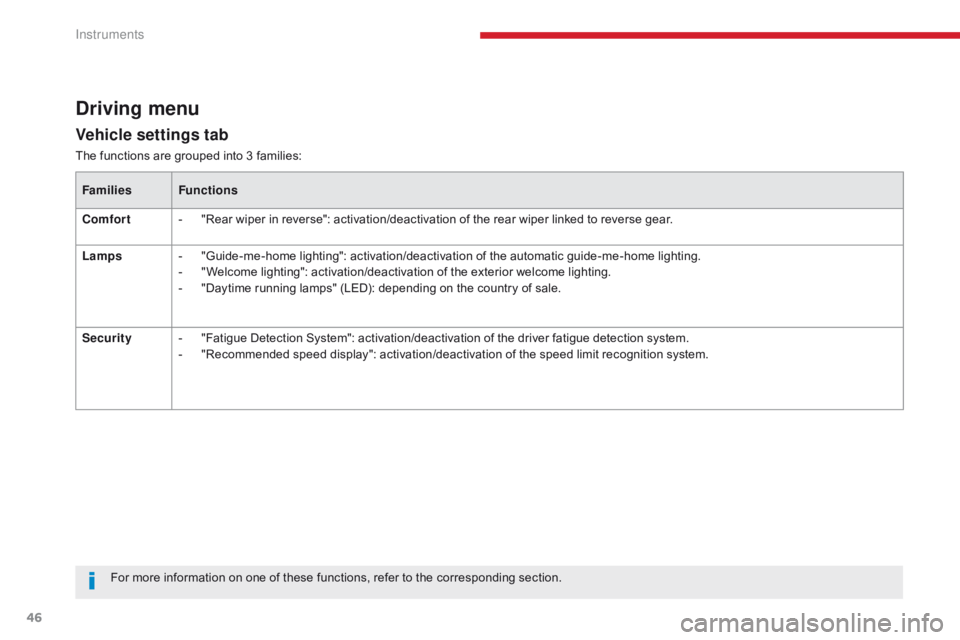
Vehicle settings tab
Driving menu
The functions are grouped into 3 families:Families Functions
Comfort -
"
Rear wiper in reverse": activation/deactivation of the rear wiper linked to reverse gear.
Lamps -
"
Guide-me-home lighting": activation/deactivation of the automatic guide-me-home lighting.
-
"
Welcome lighting": activation/deactivation of the exterior welcome lighting.
-
"
Daytime running lamps" (LED): depending on the country of sale.
Security -
"
Fatigue Detection System": activation/deactivation of the driver fatigue detection system.
-
"
Recommended speed display": activation/deactivation of the speed limit recognition system.
For more information on one of these functions, refer to the corresponding section.
Instruments
Page 55 of 450
53
B618_en_Chap01_Instruments-de-bord_ed01-2016
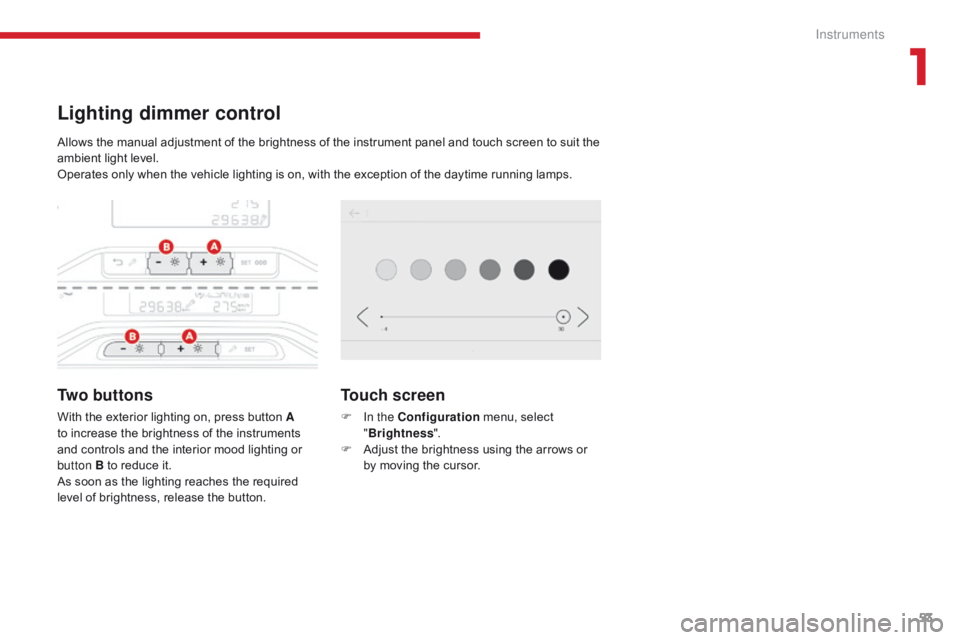
Lighting dimmer control
Tw o b u t t o n s
With the exterior lighting on, press button A
to increase the brightness of the instruments
and controls and the interior mood lighting or
button B to reduce it.
As soon as the lighting reaches the required
level of brightness, release the button.
Touch screen
F In the Configuration menu, select
" Brightness ".
F
A
djust the brightness using the arrows or
by moving the cursor.
Allows the manual adjustment of the brightness of the instrument panel and touch screen to suit the
ambient light level.
Operates only when the vehicle lighting is on, with the exception of the daytime running lamps.
1
Instruments
Page 58 of 450
56
B618_en_Chap02_ouvertures_ed01-2016
General points
Remote control
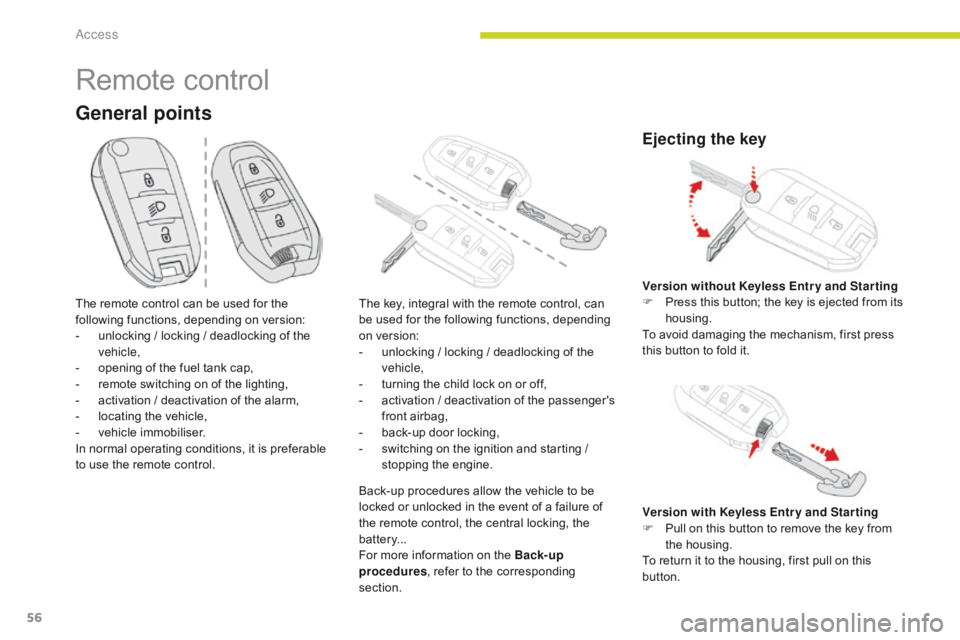
The remote control can be used for the
following functions, depending on version:
-
u
nlocking / locking / deadlocking of the
vehicle,
-
o
pening of the fuel tank cap,
-
r
emote switching on of the lighting,
-
a
ctivation / deactivation of the alarm,
-
l
ocating the vehicle,
-
v
ehicle immobiliser.
In normal operating conditions, it is preferable
to use the remote control. The key, integral with the remote control, can
be used for the following functions, depending
on version:
-
u
nlocking / locking / deadlocking of the
vehicle,
-
t
urning the child lock on or off,
-
a
ctivation / deactivation of the passenger's
front airbag,
-
b
ack-up door locking,
-
s
witching on the ignition and starting /
stopping the engine.
Back-up procedures allow the vehicle to be
locked or unlocked in the event of a failure of
the remote control, the central locking, the
batter y...
For more information on the Back-up
procedures , refer to the corresponding
section.
Ejecting the key
Version with Keyless Entr y and Star ting
F P ull on this button to remove the key from
the housing.
To return it to the housing, first pull on this
button. Version without Keyless Entr y and Star ting
F
P
ress this button; the key is ejected from its
housing.
To avoid damaging the mechanism, first press
this button to fold it.
Access
Page 60 of 450
58
B618_en_Chap02_ouvertures_ed01-2016
Locating your vehicle
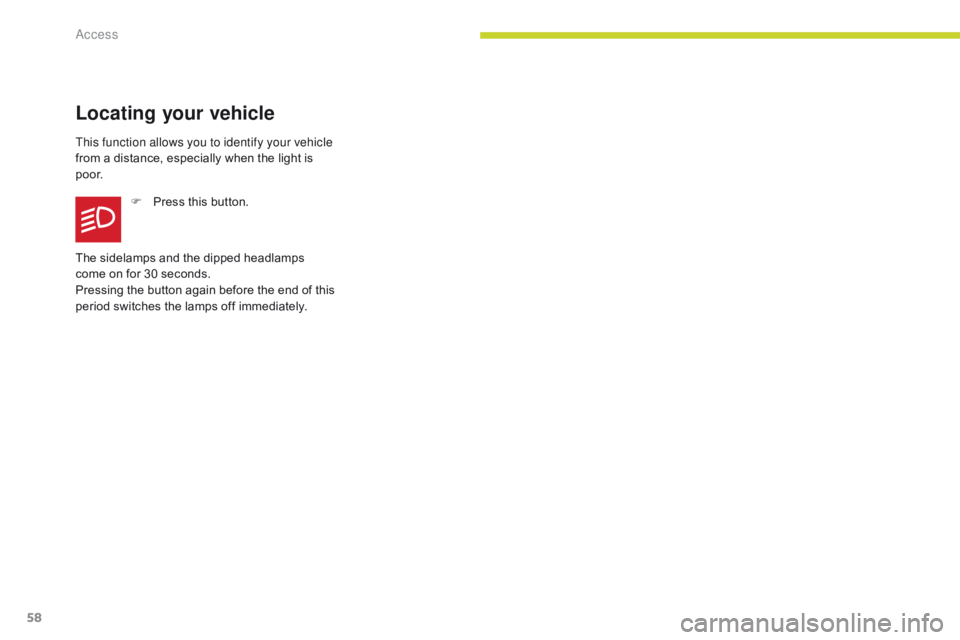
This function allows you to identify your vehicle
from a distance, especially when the light is
p o o r.F
P
ress this button.
The sidelamps and the dipped headlamps
come on for 30 seconds.
Pressing the button again before the end of this
period switches the lamps off immediately.
Access
Page 63 of 450
61
B618_en_Chap02_ouvertures_ed01-2016
Locking the vehicle
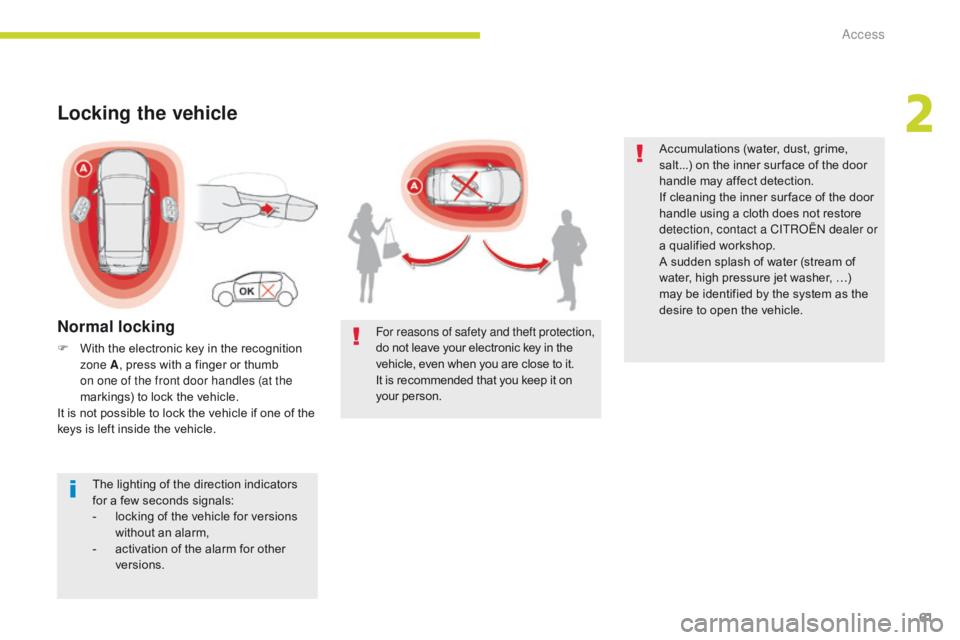
Normal locking
F With the electronic key in the recognition zone A , press with a finger or thumb
on one of the front door handles (at the
markings) to lock the vehicle.
It is not possible to lock the vehicle if one of the
keys is left inside the vehicle.
The lighting of the direction indicators
for a few seconds signals:
-
l
ocking of the vehicle for versions
without an alarm,
-
a
ctivation of the alarm for other
versions. For reasons of safety and theft protection,
do not leave your electronic key in the
vehicle, even when you are close to it.
It is recommended that you keep it on
your person. Accumulations (water, dust, grime,
salt...) on the inner sur face of the door
handle may affect detection.
If cleaning the inner sur face of the door
handle using a cloth does not restore
detection, contact a CITROËN dealer or
a qualified workshop.
A sudden splash of water (stream of
water, high pressure jet washer, …)
may be identified by the system as the
desire to open the vehicle.
2
Access
Page 81 of 450

79
B618_en_Chap03_Ergonomie-et-confort_ed01-2016
Rear seats
Bench seat with fixed cushions and split folding backrests (2/3 -1/3) to adapt the boot load space.
They have two positions:
- a high position , for when the seat is in
use:
F
p
ull the head restraint fully up.
-
a low position , for stowing, when the seat
is not in use:
F
p
ress the lug A to release the head
restraint and push it fully down. Never drive with passengers seated at
the rear when the head restraints are
removed; they must be in place and in
the high position.
The head restraint for the centre seat
and those for the outer seats are not
interchangeable.
To remove a head restraint :
F
r
elease the backrest using the control 1,
F
t
ilt the backrest slightly for wards,
F
p
ull the head restraint as far up as it will go,
F
p
ress the lug A to release the head
restraint and remove it completely,
F
s
tow the head restraint.
Rear head restraints
The rear head restraints can be removed.
To refit a head restraint:
F
i
ntroduce the rods of the head restraint into
the guides of the corresponding seat backrest,
F
push the head restraint down as far as it will go,F press the lug A to free the head restraint and push it fully down.
3
Ease of use and comfort
Page 96 of 450
94
B618_en_Chap03_Ergonomie-et-confort_ed01-2016
Courtesy lamp
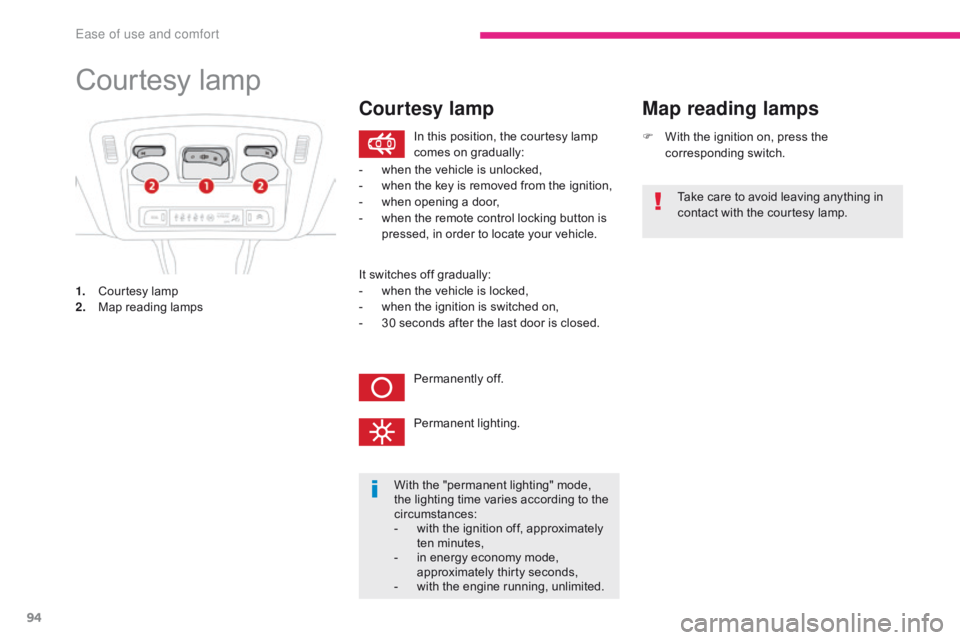
1. Courtesy lamp
2. Map reading lamps F
W
ith the ignition on, press the
corresponding switch.
Map reading lamps
With the "permanent lighting" mode,
the lighting time varies according to the
circumstances:
-
w
ith the ignition off, approximately
ten minutes,
-
i
n energy economy mode,
approximately thirty seconds,
-
w
ith the engine running, unlimited.
In this position, the courtesy lamp
comes on gradually:
Permanently off.
Permanent lighting.
-
w
hen the vehicle is unlocked,
-
w
hen the key is removed from the ignition,
-
w
hen opening a door,
-
w
hen the remote control locking button is
pressed, in order to locate your vehicle. Take care to avoid leaving anything in
contact with the courtesy lamp.
Courtesy lamp
It switches off gradually:
-
w hen the vehicle is locked,
-
w
hen the ignition is switched on,
-
3
0 seconds after the last door is closed.
Ease of use and comfort