steering CITROEN C3 2023 User Guide
[x] Cancel search | Manufacturer: CITROEN, Model Year: 2023, Model line: C3, Model: CITROEN C3 2023Pages: 104, PDF Size: 2.38 MB
Page 29 of 104
27
Safety
5Non-inflation conditions
1. Low speed front collisionsThe airbags may not deploy if the collision is
not severe and below the design threshold
intensity. The force of impact is less in this
case and much of the protection during low
speed crash is provided by seat belts, if
properly worn.
2. Rear collisions Frontal airbags are not designed to deploy
when there is a rear crash, since the
occupants tend to move backwards. In this
case, the airbags will not provide any benefit
to cushion the force of impact.
3. Side collisions Frontal airbags may not deploy during side
crash, since the occupant moves sideways.
4. Angled collisions Airbags may not deploy if the angle of
collision is beyond 30 degrees with the
head-on vehicle or the rigid wall or curb or
pole.
5. Roll over collisions Frontal airbags may not deploy in roll over
conditions, as the occupant moves sideways
or rolls. Important to wear seat belts in this
case, to avoid floating inside the vehicle and
risk serious injuries.
6. Speed breakers & pot holes Airbags may not deploy when crossing speed
breakers even at high speed or when vehicle
drops into pot hole or ditch drop.7. Curb hitsThe airbag may not deploy when the vehicle
hits the curbs.
8. Pedestrian impact Airbags will not inflate when the vehicle hits
the pedestrian.
Malfunction
If this warning lamp comes on in the
instrument panel, you must contact a
CITROËN dealer to have the system checked.
The airbags may not be deployed in the event of
a serious impact.
Advice
For the airbags to be fully effective,
observe the safety recommendations
below.
Adopt a normal upright sitting position.
Fasten the seat belt ensuring it is correctly
positioned and adjusted.
Do not leave anything between the occupants
and the airbags (a child, pet, object, etc.), nor
fix or attach anything close to or in the way of
the airbag release trajectory; this could cause
injuries during their deployment.
Never modify the original definition of your
vehicle, particularly in the area directly around
the airbags.
After an accident or if the vehicle has been
stolen, have the airbag systems checked.
All work on the airbag systems must only be
performed by a CITROËN dealer.
Even if all of the precautions mentioned
are observed, a risk of injury or of minor
burns to the head, chest or arms cannot be
ruled out when an airbag is deployed. The
airbag inflates almost instantly (within a few
milliseconds) then deflates within the same
time discharging the hot gas via openings
provided for this purpose.
Do not drive holding the steering wheel
by its spokes or resting your hands on
the centre part of the wheel.
Passengers must not place their feet on the
dashboard.
Do not smoke as deployment of the airbags
can cause burns or the risk of injury from a
cigarette or pipe.
Never remove or pierce the steering wheel or
hit it violently.
Do not fix or attach anything to the steering
wheel or dashboard, as this could cause
injuries when the airbags are deployed.
Page 33 of 104
31
Driving
6Driving recommendations
► Observe the driving regulations and remain
vigilant whatever the traffic conditions.
►
Monitor your environment and keep your
hands on the wheel to be able to react to
anything that may happen any time.
►
Drive smoothly
, anticipate the need for
braking and maintain a longer safety distance,
especially in bad weather.
►
Stop the vehicle to carry out operations that
require close attention (such as adjustments).
►
During long trips, take a break every two
hours.
Important!
Never leave the engine running in a
closed space without sufficient
ventilation. Internal combustion engines emit
toxic exhaust gases such as carbon
monoxide. Danger of poisoning and death!
In severe wintry conditions, let the engine
run for 4 minutes before moving off, to
ensure the correct operation and durability of
the mechanical components of your vehicle
(engine and gearbox).
Never drive with the parking brake
applied . Risk of overheating and
damage to the braking system!
Do not park the vehicle or leave the
engine running on a flammable
surface (dry grass, dead leaves, etc.). The
exhaust system of your vehicle is very hot,
even several minutes after the engine stops.
Risk of fire!
Never leave a vehicle unattended with
the engine running. If you have to leave
your vehicle with the engine running, apply
the parking brake and put the gearbox into
neutral.
Never leave children inside the vehicle
unsupervised.
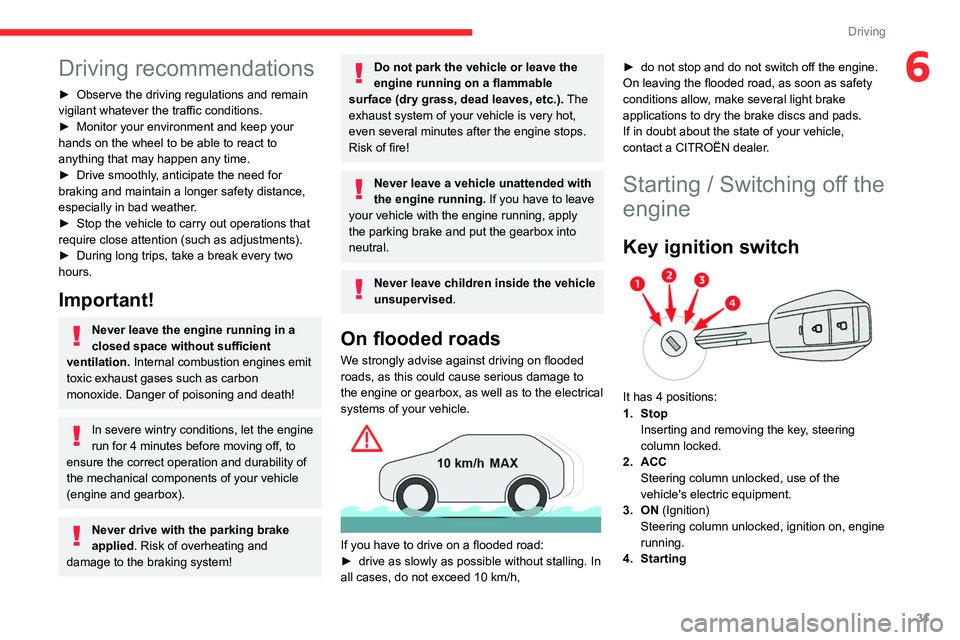
On flooded roads
We strongly advise against driving on flooded
roads, as this could cause serious damage to
the engine or gearbox, as well as to the electrical
systems of your vehicle.
If you have to drive on a flooded road:
► drive as slowly as possible without stalling. In
all cases, do not exceed 10
km/h,►
do not stop and do not switch off the engine.
On leaving the flooded road, as soon as safety
conditions allow
, make several light brake
applications to dry the brake discs and pads.
If in doubt about the state of your vehicle,
contact a CITROËN dealer.
Starting / Switching off the
engine
Key ignition switch
It has 4 positions:
1. Stop Inserting and removing the key, steering
column locked.
2. ACC Steering column unlocked, use of the
vehicle's electric equipment.
3. ON (Ignition) Steering column unlocked, ignition on, engine
running.
4. Starting
Page 34 of 104

32
Driving
Avoid attaching heavy objects to the key or the remote control. It would weigh
down on its shaft in the ignition switch and
could cause a malfunction.
Ignition on position
It allows the use of the vehicle's electric
equipment or portable devices to be charged.
Starting the engine
With the parking brake applied:
► Place the gear lever in neutral then fully
depress the clutch pedal.
►
Insert the key into the ignition switch; the
system recognises the code.
►
Unlock
the steering column by simultaneously
turning the steering wheel and the key.
In certain cases, you may have to apply
significant force to move the steering
wheel (wheels on full lock, for example).
►
Operate the starter motor by turning the key
to position
3 without pressing the accelerator
pedal, until the engine starts. Once the engine
starts, release the key.
After a cold start, preheating the catalytic converter can cause noticeable engine
vibrations for anything up to 2 minutes while
stationary with the engine running
(accelerated idle speed).
If the engine does not start straight away,
switch off the ignition. Wait a few
seconds before operating the starter motor
again. If the engine does not start after a few
attempts, do not keep trying - risk of
damaging the starter motor, the battery and
the engine.
Contact a CITROËN dealer.
In mild conditions, do not leave the
engine at idle to warm up but move off
straight away and drive at moderate speed.
5-speed manual gearbox
Engaging reverse gear
► Fully depress the clutch pedal.
► Push the gear lever fully to the right, then
backwards.
Only engage reverse gear when the
vehicle is stationary with the engine at
idle.
As a safety precaution and to facilitate starting the engine:
–
Always select neutral.
–
Depress the clutch pedal.
6-speed manual gearbox
Engaging 5th or 6th gear
► Move the gear selector fully to the right to
engage 5th or 6th gear.
Failure to follow this instruction could
cause permanent damage to the gearbox
(inadvertent engagement of 3
rd or 4th gear).
Engaging reverse gear
► Raise the ring under the knob and move the
gear selector to the left, then forwards.
Page 54 of 104

52
In the event of a breakdown
Fuse No.ColourRating (A) Functions
FF07 Yellow 20ECM Power Supply
FF08 Ta n 5Radiator Fan Relay Coil Supply
FS01 Yellow 60Cabin Fuse Bow Loads (CFB-1)
FS02 Yellow 60Electric Power Steering (EPS) Motor
FS03 Green 40ABS Motor
FS04 Green 40Radiator fan
FS05 Green 40Accessory load (HVAC Blower/Wiper/Washer)
FF Green 30Service
FF Blue 15Service
FF Red 10Service
Relay ColourRating (A) Functions
MICRO Brown 20HVAC Compressor
MICRO Brown 20Horn
MICRO Brown 20Starter Solenoid
MICRO Grey 35ECM Main
Version 2
Engine fuse cum relay box
Fuse No. ColourRating (A) Functions
FF01 Green 30ABS ECU
FF02 Red 10HVAC Compressor
Page 55 of 104

53
In the event of a breakdown
8Fuse No.ColourRating (A) Functions
FF03 Red 10Horn
FF04 Green 30ECM Loads (Ignition Coil
/ Injectors / Fuel Pump)
FF05 Blue 15ECM Loads (Canister Valve
/ O2 Sensors)
FF06 Ta n 5ECM Loads (VVT Valve)
FF07 Yellow 20ECM Power Supply
FF08 Ta n 5Radiator Fan Relay Coil Supply
FS01 Black 80Cabin Fuse Box Loads (CFB-1)
FS02 Yellow 60Electric Power Steering (EPS) Motor
FS03 Green 40ABS Motor
FS04 Green 40Radiator Fan
FS05 Green 40Accessory Load (HVAC Blower/Washer)
FF Green 30Service
FF Blue 15Service
FF Red 10Service
Relay ColourRating (A) Functions
MICRO Brown 20HVAC Compressor
MICRO Brown 20Horn
MICRO Brown 20Starter Solenoid
MICRO Grey 35ECM Main
Page 56 of 104

54
In the event of a breakdown
Engine fuse cum relay box turbo
Fuse No.ColourRating (A) Functions
FF01 Green 30ABS ECU
FF02 Red 10HVAC Compressor
FF03 Red 10Horn
FF04 Green 30ECM Loads (Ignition Coil
/ Fuel Pump)
FF05 Blue 15ECM Loads (Canister Valve
/ O2 Sensors)
FF06 Blue 15ECM Loads (VVT
/ Thermostat / Oil Pump Valve)
FF07 Yellow 20ECM Power Supply & Injectors
FF08 Ta n 5Radiator Fan Relay Coil Supply
FS01 Black 80Cabin Fuse Box Loads (CFB-1)
FS02 Yellow 60Electric Power Steering (EPS) Motor
FS03 Green 40ABS Motor
FS04 Yellow 60Radiator Fan
FS05 Green 40Accessory Load (HVAC Blower/Washer)
FF Green 30Service
FF Blue 15Service
FF Red 10Service
Relay ColourRating (A) Functions
MICRO Brown 20HVAC Compressor
MICRO Brown 20Horn
MICRO Brown 20Starter Solenoid
MICRO Grey 35ECM Main
Page 61 of 104
59
In the event of a breakdown
8When towing a vehicle with all four wheels on
the ground, always use an approved towing
arm; rope and straps are prohibited.
The towing vehicle must move off gently.
When the vehicle is towed with its engine
off, there is no longer braking and steering
assistance.
A professional towing service must be
called if:
–
Broken down on a motorway or main road.
–
Not possible to put
the gearbox into neutral,
unlock the steering, or release the parking
brake.
–
T
owing with only two wheels on the ground.
–
No approved towbar available.
Access to the tools
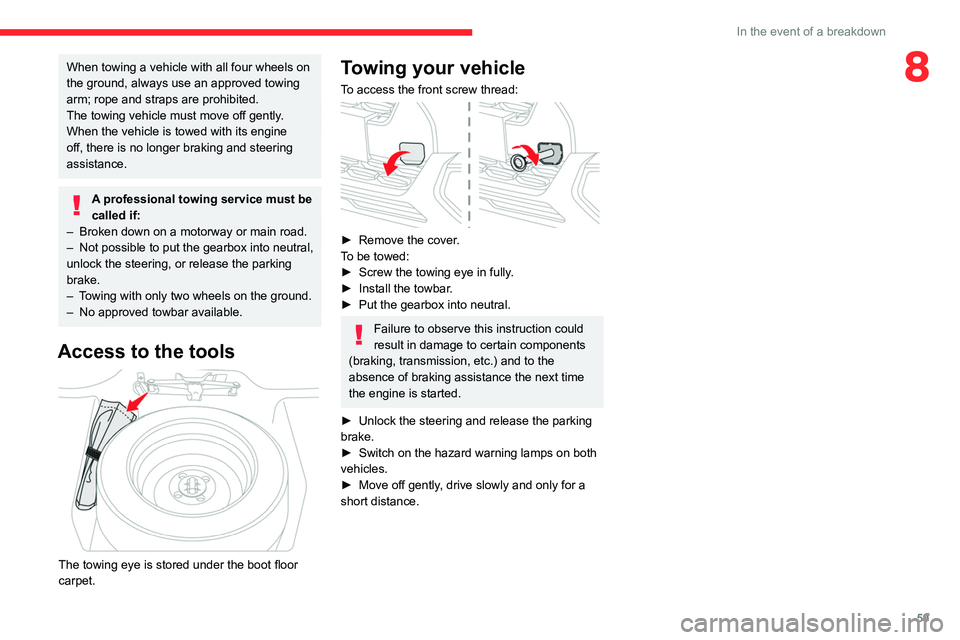
The towing eye is stored under the boot floor
carpet.
Towing your vehicle
To access the front screw thread:
► Remove the cover .
To be towed:
►
Screw the towing eye in fully
.
►
Install the towbar
.
►
Put the gearbox into neutral.
Failure to observe this instruction could
result in damage to certain components
(braking, transmission, etc.) and to the
absence of braking assistance the next time
the engine is started.
►
Unlock the steering and release the parking
brake.
►
Switch on the hazard warning lamps on both
vehicles.
►
Move off gently
, drive slowly and only for a
short distance.
Page 65 of 104
63
10" Touch Screen
107.Global shortcuts
The touch screen allows quick access to all of
your comfort, navigation, communication and
entertainment options. Using the status and
feature bar, you can quickly select the feature
you want to use.
Cleaning the touch screen
Remove dirt and fingerprints with a dry, clean,
soft cloth.
If dirt or fingerprints are still on the screen, apply
a small amount of cleaning alcohol to the cloth
and try to clean it again.
Do not use detergent or any type of
solvent to clean the touch screen.
Do not pour or spray alcohol onto the touch
screen.
Do not use sharp objects on the screen.
Do not touch the screen with wet hands.
Steering mounted controls
Depending on your vehicle and option package,
you can use different controls on your steering
wheel to interact with the touch screen system in
different ways.
Change multimedia source
Voice command
Activates voice recognition while
connected to a smartphone via Bluetooth
® (with
Internet on), Android Auto or Apple CarPlay®
and the system provides feedback through
audible tones, prompts, questions and spoken
confirmations depending on the situation and the
chosen level of interaction (voice settings of the
phone).
Seek up or next song
While in radio mode, press to seek
between memory presets. Press and hold to
increment quickly, until you find a station you
want to listen.
While in USB or Bluetooth
® audio, press to seek
between songs or press and hold to fast seek.
During an incoming call: accept call
Seek down or previous song
While in radio mode, press to seek
between memory presets. Press and hold to
decrement quickly, until you find a station you
want to listen.
While in USB or Bluetooth
® audio press to seek
between songs or press and hold to fast seek.
During an incoming call: reject call
During an ongoing call : end call
Increase volume
Decrease volume (short press)
Mute sound (long press)
Menus
Radio
Select a radio station.
Phone
Access the phone contacts, dialpad and call log.
Android Auto
Run certain applications on a smartphone
connected via Android Auto.
Apple CarPlay®
Run certain applications on a smartphone
connected via Apple CarPlay®.
Media
Access and navigate media files of a USB device or an iPod.
BT Audio
Access and control the audio files of a device connected via Bluetooth.
Device List
Access and manage the devices connected to the system.
Page 67 of 104
65
10" Touch Screen
10Automatic reconnection
On returning to the vehicle, if the last phone
connected is present again (Bluetooth®
activated), it is automatically reconnected after
key on.
Managing paired phones
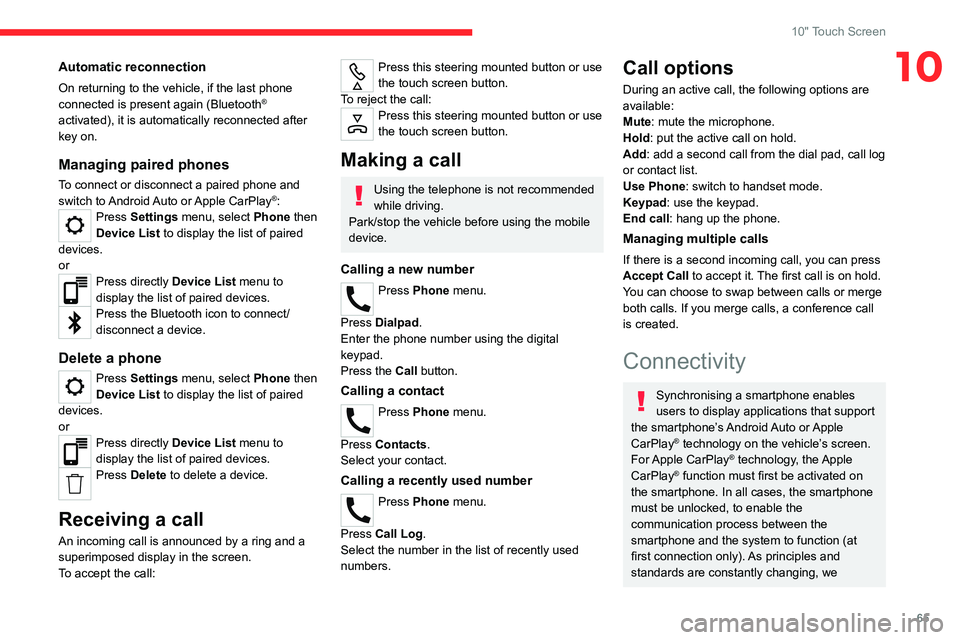
To connect or disconnect a paired phone and
switch to Android Auto or Apple CarPlay®: Press Settings menu, select Phone then
Device List to display the list of paired
devices.
or
Press directly Device List menu to
display the list of paired devices.
Press the Bluetooth icon to connect/
disconnect a device.
Delete a phone
Press Settings menu, select Phone then
Device List to display the list of paired
devices.
or
Press directly Device List menu to
display the list of paired devices.
Press Delete to delete a device.
Receiving a call
An incoming call is announced by a ring and a
superimposed display in the screen.
To accept the call:
Press this steering mounted button or use
the touch screen button.
To reject the call:
Press this steering mounted button or use
the touch screen button.
Making a call
Using the telephone is not recommended
while driving.
Park/stop the vehicle before using the mobile
device.
Calling a new number
Press Phone menu.
Press Dialpad.
Enter the phone number using the digital
keypad.
Press the Call button.
Calling a contact
Press Phone menu.
Press Contacts.
Select your contact.
Calling a recently used number
Press Phone menu.
Press Call Log .
Select the number in the list of recently used
numbers.
Call options
During an active call, the following options are
available:
Mute: mute the microphone.
Hold: put the active call on hold.
Add: add a second call from the dial pad, call log
or contact list.
Use Phone: switch to handset mode.
Keypad: use the keypad.
End call : hang up the phone.
Managing multiple calls
If there is a second incoming call, you can press
Accept Call to accept it. The first call is on hold.
You can choose to swap between calls or merge
both calls. If you merge calls, a conference call
is created.
Connectivity
Synchronising a smartphone enables
users to display applications that support
the smartphone’s Android Auto or Apple
CarPlay
® technology on the vehicle’s screen.
For Apple CarPlay® technology, the Apple
CarPlay® function must first be activated on
the smartphone. In all cases, the smartphone
must be unlocked, to enable the
communication process between the
smartphone and the system to function (at
first connection only). As principles and
standards are constantly changing, we
Page 72 of 104
70
Alphabetical index
A
ABS 23
Adjusting headlamps
20
Adjusting seat
14
Adjusting the air distribution
17
Adjusting the air flow
17
Adjusting the headlamp beam height
20
Adjusting the height and reach of
the steering wheel
15
Adjusting the temperature
17
Advice on care and maintenance
41
Advice on driving
4, 31
Airbags
26–27
Airbags, front
26–27
Air conditioning
16–17
Air conditioning, manual
17
Air intake
18
Air vents
16
Anti-lock braking system (ABS)
23
Antitheft / Immobiliser
10
B
Battery, 12 V 39, 56, 58
Battery, remote control
10
Bodywork
41
Bonnet
35–36
Boot
11
Brake discs
40
Brake lamps
47
Brakes 40
Bulbs
45
Bulbs (changing)
45–47
C
Capacity, fuel tank 35
Cap, fuel filler
35
Care of the bodywork
41
Central locking
9–10
Changing a bulb
45–47
Changing a fuse
48, 51
Changing a wheel
42
Changing the remote control battery
10
Checking the levels
37–38
Checks
37, 39–41
Checks, routine
39–40
Child lock
30
Children
25
Children (safety)
30
Child seats
25, 28–29
Child seats, conventional
29
Cleaning (advice)
41
Closing the boot
11
Control, emergency boot release
11
Control, emergency door
10
Control stalk, lighting
20
Control stalk, wipers
21
Courtesy lamp
47
Courtesy lamps
19
D
Dimensions 60
Dipstick
37
Direction indicators (turn signals)
20, 46–47
Doors
11
Driving
31
Driving economically
4
E
EBFD 23
Eco-driving (advice)
4
Electric windows
12
Electronic brake force distribution (EBFD)
23
Emergency warning lamps
23
Engine
35–36, 41
Engine compartment
37
Engine, petrol
60
Engines
60
Environment
10
F
Filling the fuel tank 35
Filter, air
40
Filter, oil
40
Filter, passenger compartment
16, 40
Fitting a wheel
43–44
Fittings, boot
19