service CITROEN C3 AIRCROSS 2017 User Guide
[x] Cancel search | Manufacturer: CITROEN, Model Year: 2017, Model line: C3 AIRCROSS, Model: CITROEN C3 AIRCROSS 2017Pages: 308, PDF Size: 9.13 MB
Page 52 of 308
50
Unlocking
When locking/deadlocking from the
outside
When the vehicle is locked or deadlocked
from the outside, the red indicator lamp
flashes and the button is inactive.
F
A
fter normal locking, pull one of the
interior door controls to unlock the
vehicle.
F
A
fter deadlocking, it is necessary to
use the remote control,
K
eyless Entry
and Starting or the integral key to
unlock the vehicle.
Automatic mode
This is the automatic central locking of the
vehicle when driving, also called anti-intrusion
s e c u r i t y.
For more information on Anti-intrusion
security , refer to the corresponding section.
Anti-intrusion security
This system allows automatic simultaneous
locking of the doors and boot as soon as the
speed of the vehicle exceeds 6
mph (10 km/h).
Operation
This is signalled by the sound of
the locks rebounding, accompanied
by illumination of this symbol in the
instrument panel, an audible signal
and the display of an alert message.
If any of the doors or the boot is open, the
automatic central locking does not take place.
Carrying long or voluminous objects
If you want to drive with the boot open, you
should press the central locking button
to lock the doors. Other wise, every time
the speed of the vehicle exceeds 6
mph
(10
km/h), the locks will rebound and the
alerts mentioned above will appear.
Pressing the central locking button
unlocks the vehicle.
Above 6
mph (10 km/h), this unlocking is
te m p o r a r y.
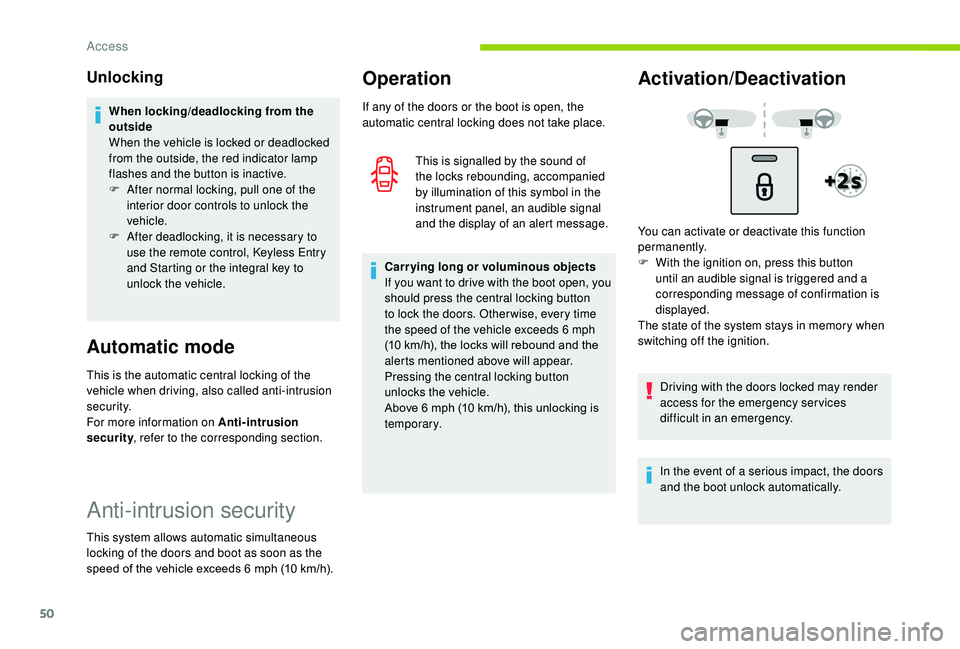
Activation/Deactivation
You can activate or deactivate this function
permanently.
F
W
ith the ignition on, press this button
until an audible signal is triggered and a
corresponding message of confirmation is
displayed.
The state of the system stays in memory when
switching off the ignition.
Driving with the doors locked may render
access for the emergency services
difficult in an emergency.
In the event of a serious impact, the doors
and the boot unlock automatically.
Access
Page 93 of 308
91
Hazard warning lamps
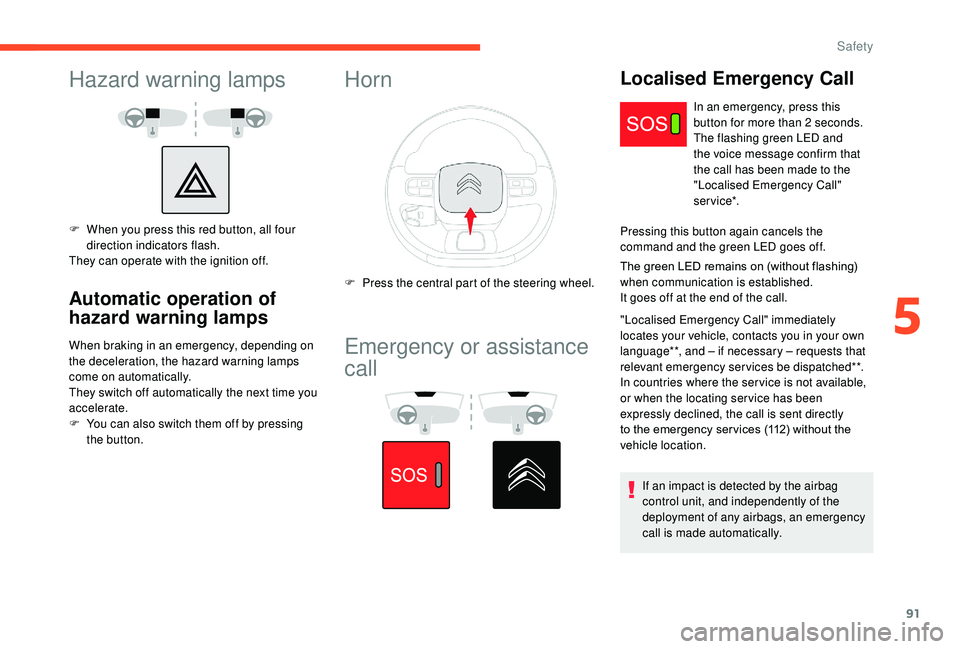
F When you press this red button, all four direction indicators flash.
They can operate with the ignition off.
Automatic operation of
hazard warning lamps
When braking in an emergency, depending on
the deceleration, the hazard warning lamps
come on automatically.
They switch off automatically the next time you
accelerate.
F
Y
ou can also switch them off by pressing
the button.
Horn
F Press the central part of the steering wheel.
Emergency or assistance
call
Localised Emergency Call
In an emergency, press this
button for more than 2 seconds.
The flashing green LED and
the voice message confirm that
the call has been made to the
"Localised Emergency Call"
service*.
Pressing this button again cancels the
command and the green LED goes off.
The green LED remains on (without flashing)
when communication is established.
It goes off at the end of the call.
"Localised Emergency Call" immediately
locates your vehicle, contacts you in your own
language**, and – if necessary – requests that
relevant emergency services be dispatched**.
In countries where the ser vice is not available,
or when the locating ser vice has been
expressly declined, the call is sent directly
to the emergency ser vices (112) without the
vehicle location.
If an impact is detected by the airbag
control unit, and independently of the
deployment of any airbags, an emergency
call is made automatically.
5
Safety
Page 94 of 308
92
** As per the geographic coverage of "Localised Emergency Call", "Localised
Assistance Call" and the official national
language chosen by the owner of the vehicle.
The list of countries covered and of
Telematic services is available from dealers
or on the website for your country.
Operation of the system (type 1)
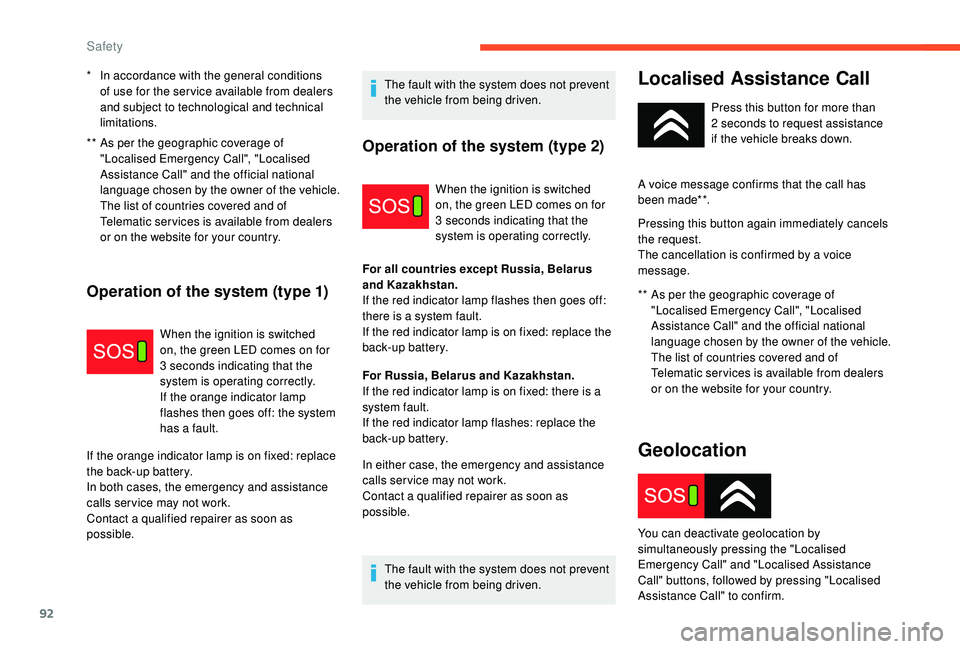
When the ignition is switched
on, the green LED comes on for
3
seconds indicating that the
system is operating correctly.
If the orange indicator lamp
flashes then goes off: the system
has a fault.
If the orange indicator lamp is on fixed: replace
the back-up battery.
In both cases, the emergency and assistance
calls ser vice may not work.
Contact a qualified repairer as soon as
possible. The fault with the system does not prevent
the vehicle from being driven.
*
I
n accordance with the general conditions
of use for the ser vice available from dealers
and subject to technological and technical
limitations.
Operation of the system (type 2)
When the ignition is switched
on, the green LED comes on for
3
seconds indicating that the
system is operating correctly.
For all countries except Russia, Belarus
and Kazakhstan.
If the red indicator lamp flashes then goes off:
there is a system fault.
If the red indicator lamp is on fixed: replace the
back-up battery.
For Russia, Belarus and Kazakhstan.
If the red indicator lamp is on fixed: there is a
system fault.
If the red indicator lamp flashes: replace the
back-up battery.
In either case, the emergency and assistance
calls ser vice may not work.
Contact a qualified repairer as soon as
possible.
The fault with the system does not prevent
the vehicle from being driven.
Localised Assistance Call
** As per the geographic coverage of "Localised Emergency Call", "Localised
Assistance Call" and the official national
language chosen by the owner of the vehicle.
The list of countries covered and of
Telematic services is available from dealers
or on the website for your country. Press this button for more than
2
seconds to request assistance
if the vehicle breaks down.
A voice message confirms that the call has
been made**.
Pressing this button again immediately cancels
the request.
The cancellation is confirmed by a voice
message.
Geolocation
You can deactivate geolocation by
simultaneously pressing the "Localised
Emergency Call" and "Localised Assistance
Call" buttons, followed by pressing "Localised
Assistance Call" to confirm.
Safety
Page 178 of 308
176
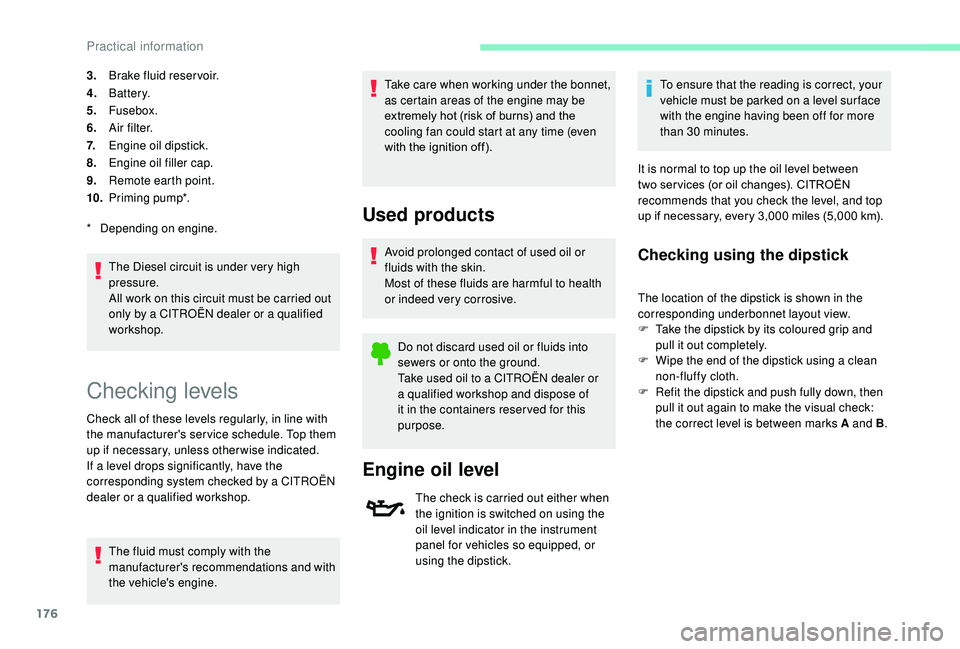
3.Brake fluid reser voir.
4. Battery.
5. Fusebox.
6. A i r f i l t e r.
7. Engine oil dipstick.
8. Engine oil filler cap.
9. Remote earth point.
10. Priming pump*.
The Diesel circuit is under very high
pressure.
All work on this circuit must be carried out
only by a CITROËN dealer or a qualified
workshop.
*
D
epending on engine.
Checking levels
Check all of these levels regularly, in line with
the manufacturer's service schedule. Top them
up if necessary, unless other wise indicated.
If a level drops significantly, have the
corresponding system checked by a CITROËN
dealer or a qualified workshop. The fluid must comply with the
manufacturer's recommendations and with
the vehicle's engine. Take care when working under the bonnet,
as certain areas of the engine may be
extremely hot (risk of burns) and the
cooling fan could start at any time (even
with the ignition off).
Used products
Avoid prolonged contact of used oil or
fluids with the skin.
Most of these fluids are harmful to health
or indeed very corrosive.
Do not discard used oil or fluids into
sewers or onto the ground.
Take used oil to a CITROËN dealer or
a qualified workshop and dispose of
it in the containers reser ved for this
purpose.
Engine oil level
The check is carried out either when
the ignition is switched on using the
oil level indicator in the instrument
panel for vehicles so equipped, or
using the dipstick. To ensure that the reading is correct, your
vehicle must be parked on a level sur face
with the engine having been off for more
than 30
minutes.
It is normal to top up the oil level between
two ser vices (or oil changes). CITROËN
recommends that you check the level, and top
up if necessary, every 3,000 miles (5,000 km).
Checking using the dipstick
The location of the dipstick is shown in the
corresponding underbonnet layout view.
F
T
ake the dipstick by its coloured grip and
pull it out completely.
F
W
ipe the end of the dipstick using a clean
non-fluffy cloth.
F
R
efit the dipstick and push fully down, then
pull it out again to make the visual check:
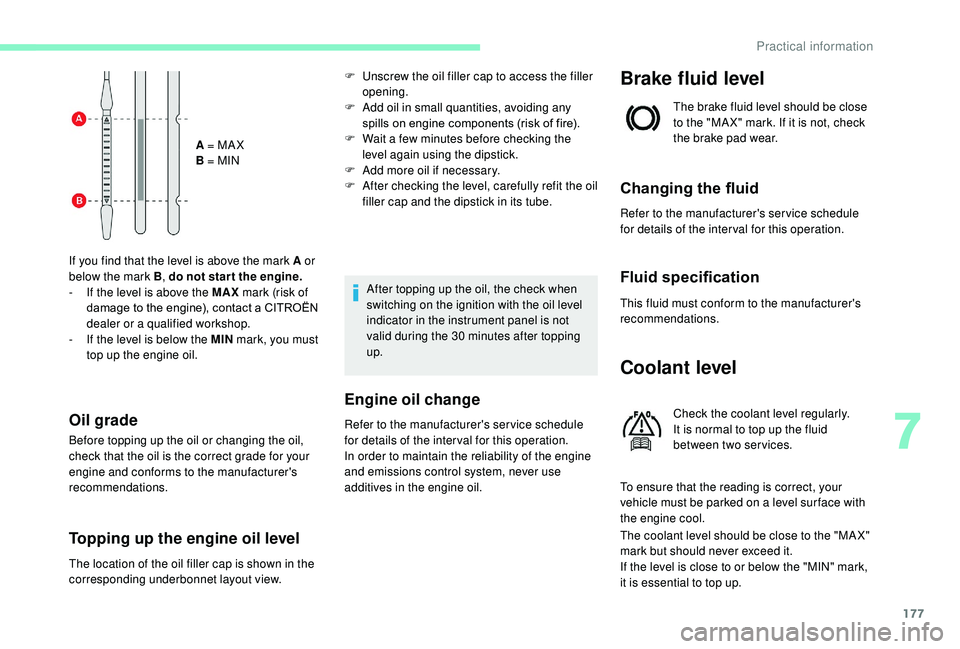
the correct level is between marks A and B .
Practical information
Page 179 of 308
177
A = MA X
B = MIN
If you find that the level is above the mark A or
below the mark B , do not star t the engine.
-
I
f the level is above the MAX mark (risk of
damage to the engine), contact a CITROËN
dealer or a qualified workshop.
-
I
f the level is below the MIN mark, you must
top up the engine oil.
Oil grade
Before topping up the oil or changing the oil,
check that the oil is the correct grade for your
engine and conforms to the manufacturer's
recommendations.
Topping up the engine oil level
F Unscrew the oil filler cap to access the filler opening.
F
A
dd oil in small quantities, avoiding any
spills on engine components (risk of fire).
F
W
ait a few minutes before checking the
level again using the dipstick.
F
A
dd more oil if necessary.
F
A
fter checking the level, carefully refit the oil
filler cap and the dipstick in its tube.
After topping up the oil, the check when
switching on the ignition with the oil level
indicator in the instrument panel is not
valid during the 30
minutes after topping
up.
Engine oil change
Refer to the manufacturer's service schedule
for details of the inter val for this operation.
In order to maintain the reliability of the engine
and emissions control system, never use
additives in the engine oil.
Brake fluid level
The brake fluid level should be close
to the "MA X" mark. If it is not, check
the brake pad wear.
Changing the fluid
Refer to the manufacturer's service schedule
for details of the inter val for this operation.
Fluid specification
This fluid must conform to the manufacturer's
recommendations.
Coolant level
Check the coolant level regularly.
It is normal to top up the fluid
between two services.
To ensure that the reading is correct, your
vehicle must be parked on a level sur face with
the engine cool.
The coolant level should be close to the "MA X"
mark but should never exceed it.
If the level is close to or below the "MIN" mark,
it is essential to top up.
The location of the oil filler cap is shown in the
corresponding underbonnet layout view.
7
Practical information
Page 180 of 308
178
When the engine is warm, the temperature of
the coolant is regulated by the fan.
In addition, as the cooling system is
pressurised, wait at least one hour after
switching off the engine before carrying out any
work.
To avoid the risk of scalding when you need to
top up in an emergency, place a cloth around
the cap and unscrew the cap by two turns to
allow the pressure to drop.
Once the pressure has dropped, remove the
cap and top up the coolant.The cooling fan may star t after
switching off the engine: take care
with articles and clothing that might be
caught by the fan blades.
Fluid specification
The fluid must conform to the manufacturer's
recommendations.
Screenwash fluid level
A low coolant level presents a risk of serious
damage to your engine.
Top up the fluid when necessary.Fluid specification
The screenwash fluid must be topped up with a
ready for use mix.
In winter (temperatures below zero), a fluid with
antifreeze must be used that is appropriate for
the prevailing conditions, in order to preser ve
the elements of the system (pump, tank, ducts,
e t c .) .
Filling with pure water is prohibited under all
circumstances (risk of freezing, limestone
deposits, etc.).
Diesel fuel additive level
(Diesel with particle filter)
The additive tank minimum level is
indicated by fixed illumination of this
warning lamp, accompanied by an
audible signal and a message that
the particle filter additive level is
too low.
To p p i n g u p
The reser voir must be topped up without delay
by a CITROËN dealer or a qualified workshop.
AdBlue level
An alert is triggered once the reser ve level is
reached.
To avoid the vehicle being immobilised as per
regulations, you must top up with AdBlue.
For more information on AdBlue
® and the SCR
system, and, in particular, topping it up, refer to
the corresponding section.
Checks
Unless otherwise indicated, check these
components in accordance with the
manufacturer's service schedule and according
to your engine.
Other wise, have them checked by a CITROËN
dealer or a qualified workshop.
12 V battery
The battery does not require any
maintenance.
However, check regularly that the
terminals are correctly tightened
(versions without quick release
terminals) and that the connections
are clean.
Practical information
Page 182 of 308
180
Automatic gearbox
The gearbox does not require any
maintenance (no oil change).
Brake pads
Brake wear depends on the style
of driving, particularly in the case
of vehicles used in town, over short
distances. It may be necessary to
have the condition of the brakes
checked, even between vehicle
services.
Unless there is a leak in the circuit, a drop in
the brake fluid level indicates that the brake
pads are worn.
Brake disc wear
For information on checking brake
disc wear, contact a CITROËN or a
qualified workshop.
Parking brake
If excessive travel or a loss of
effectiveness of this system is
noticed, the parking brake must
be checked, even between two
services.
Checking this system must be done by a
CITROËN dealer or a qualified workshop.
Only use products recommended by
CITROËN or products of equivalent quality
and specification.
In order to optimise the operation of
components as important as those in the
braking system, CITROËN selects and
offers very specific products.
After washing the vehicle, dampness, or
in wintry conditions, ice can form on the
brake discs and pads: braking efficiency
may be reduced. Make light brake
applications to dry and defrost the brakes.
AdBlue® (BlueHDi
engines)
SCR system
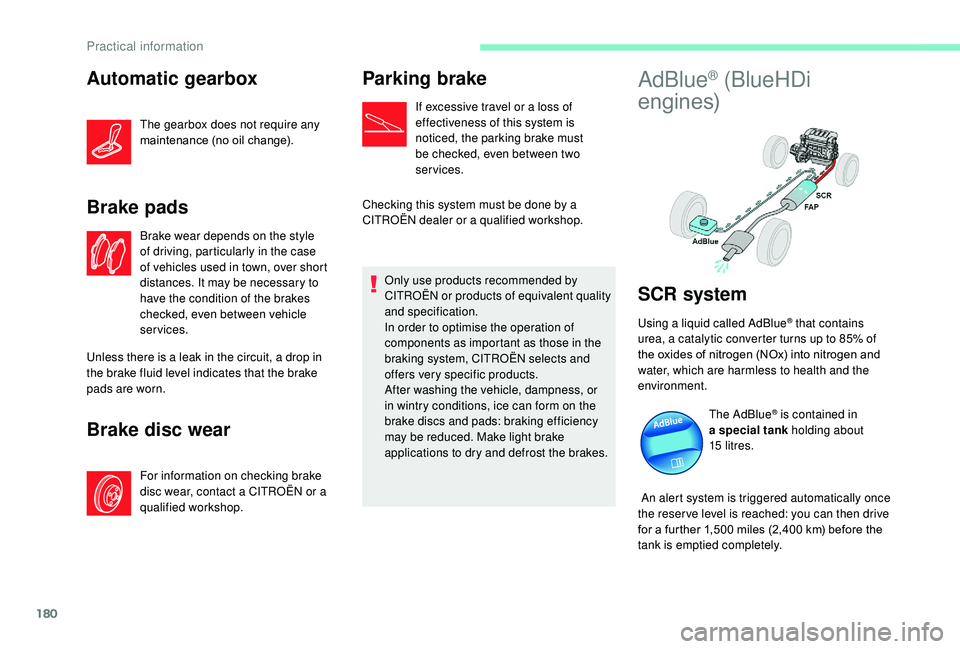
Using a liquid called AdBlue® that contains
urea, a catalytic converter turns up to 85% of
the oxides of nitrogen (NOx) into nitrogen and
water, which are harmless to health and the
environment.
The AdBlue
® is contained in
a special tank holding about
15
litres.
An alert system is triggered automatically once
the reser ve level is reached: you can then drive
for a further 1,500
miles (2,400 km) before the
tank is emptied completely.
Practical information
Page 216 of 308
2
12:13
18,5 21,5
23 °CFirst steps
With the engine running, a press
mutes the sound.
With the ignition off, a press turns
the system on.
Adjustment of the volume.
Use the buttons either side of or below the
touch screen for access to the menus, then
press the virtual buttons in the touch screen.
Depending on the model, use the "Source" or
"Menu" buttons either side of the touch screen
for access to the menus, then press the virtual
buttons in the touch screen.
You can display the menu at any time by
pressing the screen briefly with three fingers.
All of the touch areas of the screen are white.
Press the cross to go back a level.
Press "OK" to confirm. The touch screen is of the "capacitive"
type.
To clean the screen, use a soft, non-
abrasive cloth (e.g. spectacles cloth) with
no additional product.
Do not use sharp objects on the screen.
Do not touch the screen with wet hands.
*
D
epending on equipment
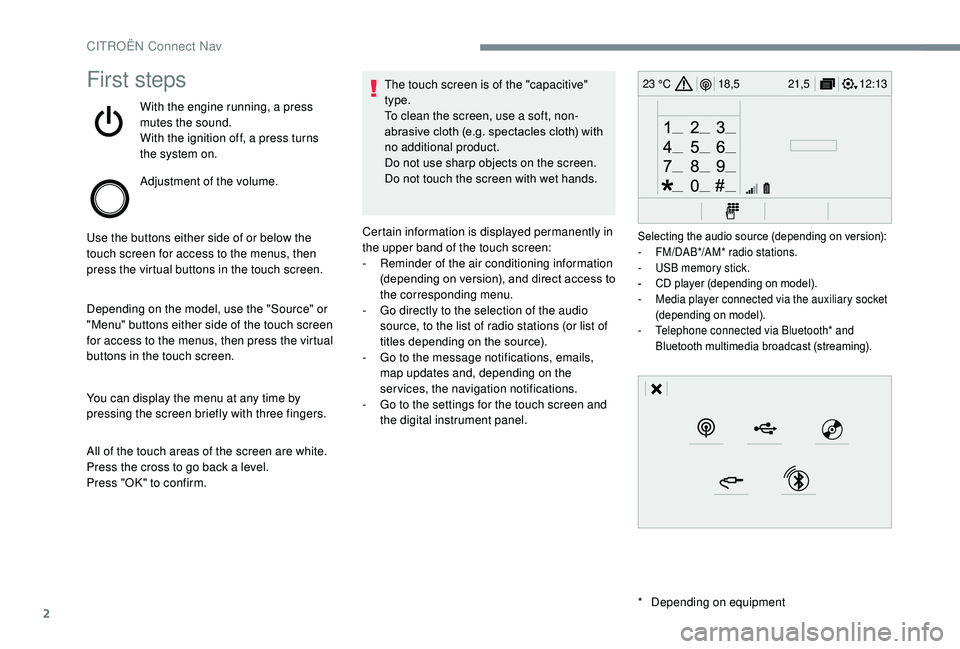
Certain information is displayed permanently in
the upper band of the touch screen:
-
R
eminder of the air conditioning information
(depending on version), and direct access to
the corresponding menu.
-
G
o directly to the selection of the audio
source, to the list of radio stations (or list of
titles depending on the source).
-
G
o to the message notifications, emails,
map updates and, depending on the
services, the navigation notifications.
-
G
o to the settings for the touch screen and
the digital instrument panel.
Selecting the audio source (depending on version):
- F M/DAB*/AM* radio stations.
-
U
SB memory stick.
-
C
D player (depending on model).
-
M
edia player connected via the auxiliary socket
(depending on model).
-
T
elephone connected via Bluetooth* and
Bluetooth multimedia broadcast (streaming).
CITROËN Connect Nav
Page 227 of 308
13
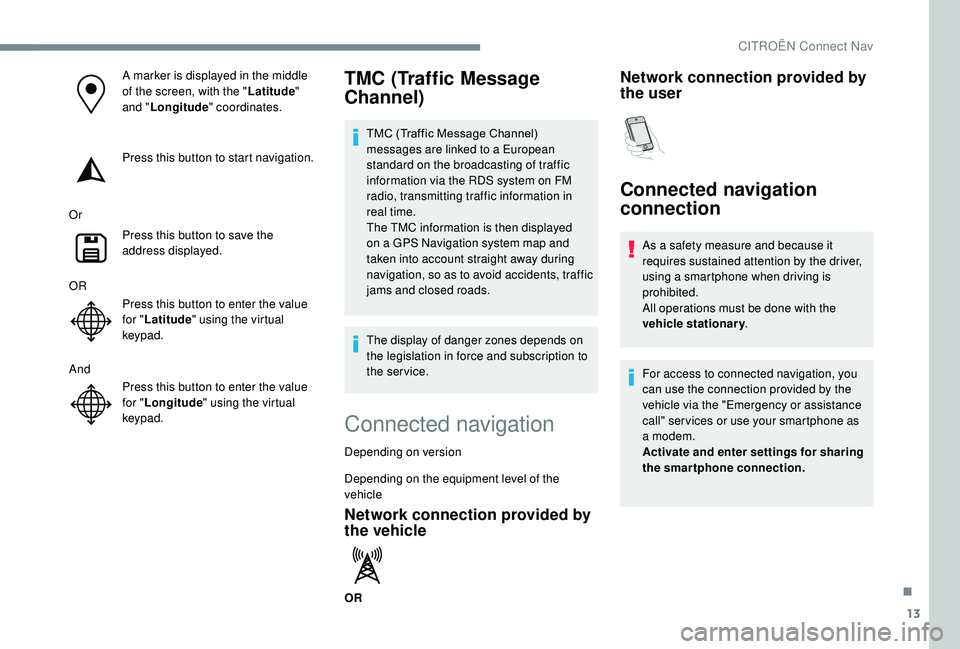
A marker is displayed in the middle
of the screen, with the "Latitude"
and " Longitude " coordinates.
Press this button to start navigation.
Or Press this button to save the
address displayed.
OR Press this button to enter the value
for "Latitude " using the virtual
keypad.
And Press this button to enter the value
for "Longitude " using the virtual
keypad.TMC (Traffic Message
Channel)
TMC (Traffic Message Channel)
messages are linked to a European
standard on the broadcasting of traffic
information via the RDS system on FM
radio, transmitting traffic information in
real time.
The TMC information is then displayed
on a GPS Navigation system map and
taken into account straight away during
navigation, so as to avoid accidents, traffic
jams and closed roads.
The display of danger zones depends on
the legislation in force and subscription to
the service.
Connected navigation
Depending on version
Depending on the equipment level of the
vehicle
Network connection provided by
the vehicle
OR
Network connection provided by
the user
Connected navigation
connection
As a safety measure and because it
requires sustained attention by the driver,
using a smartphone when driving is
prohibited.
All operations must be done with the
vehicle stationary .
For access to connected navigation, you
can use the connection provided by the
vehicle via the "Emergency or assistance
call" ser vices or use your smartphone as
a modem.
Activate and enter settings for sharing
the smartphone connection.
.
CITROËN Connect Nav
Page 228 of 308
14
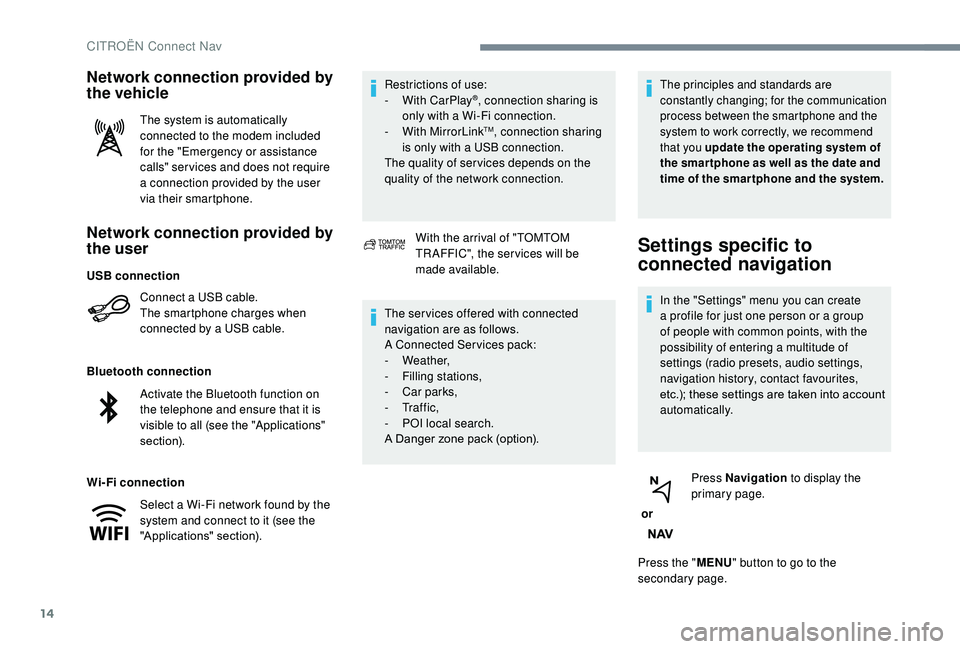
Network connection provided by
the user
Connect a USB cable.
The smartphone charges when
connected by a USB cable.
Bluetooth connection
Wi-Fi connection Restrictions of use:
-
W
ith CarPlay
®, connection sharing is
only with a Wi-Fi connection.
-
W
ith MirrorLink
TM, connection sharing
is only with a USB connection.
The quality of ser vices depends on the
quality of the network connection.
Network connection provided by
the vehicle
The system is automatically
connected to the modem included
for the "Emergency or assistance
calls" ser vices and does not require
a connection provided by the user
via their smartphone.
With the arrival of "TOMTOM
TR AFFIC", the ser vices will be
made available.
The ser vices offered with connected
navigation are as follows.
A Connected Services pack:
-
Weather,
-
F
illing stations,
-
C
ar parks,
-
Tr a f f i c ,
-
P
OI local search.
A Danger zone pack (option).
The principles and standards are
constantly changing; for the communication
process between the smartphone and the
system to work correctly, we recommend
that you update the operating system of
the smar tphone as well as the date and
time of the smar tphone and the system.
Settings specific to
connected navigation
In the "Settings" menu you can create
a profile for just one person or a group
of people with common points, with the
possibility of entering a multitude of
settings (radio presets, audio settings,
navigation history, contact favourites,
etc.); these settings are taken into account
automatically.
or Press Navigation
to display the
primary page.
Press the " MENU" button to go to the
secondary page.
USB connection
Activate the Bluetooth function on
the telephone and ensure that it is
visible to all (see the "Applications"
section).
Select a Wi-Fi network found by the
system and connect to it (see the
"Applications" section).
CITROËN Connect Nav