ignition CITROEN C3 AIRCROSS 2017 Repair Manual
[x] Cancel search | Manufacturer: CITROEN, Model Year: 2017, Model line: C3 AIRCROSS, Model: CITROEN C3 AIRCROSS 2017Pages: 308, PDF Size: 9.13 MB
Page 141 of 308
139
Temporarily exceeding the
speed setting
F Press firmly on the accelerator pedal,
going beyond the point of resistance, to
exceed the programmed speed limit.
The speed limiter is deactivated temporarily
and the displayed programmed speed flashes.
On a steep descent or in the event of
sharp acceleration, the speed limiter will
not be able to prevent the vehicle from
exceeding the programmed speed.
When the limit speed is exceeded but this is not
due to action by the driver, there is an audible
signal to complete the alert.
Once the speed of the vehicle returns to
the programmed setting, the speed limiter
functions again: the display of the programmed
speed setting becomes steady again.
Switching off
F Turn the thumbwheel 1 to the 0 position: the display of information about the speed
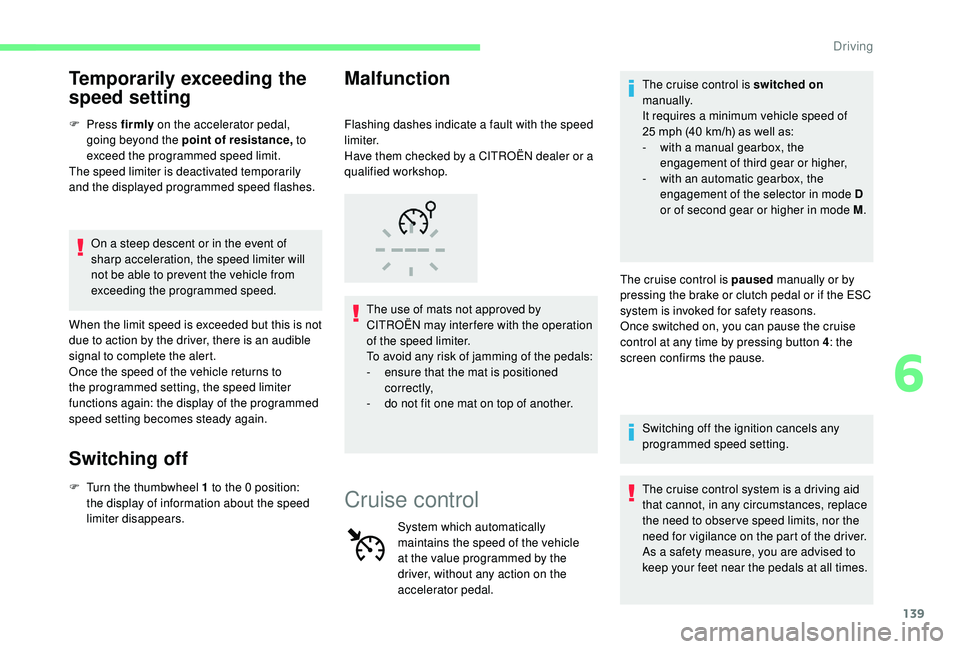
limiter disappears. Flashing dashes indicate a fault with the speed
limiter.
Have them checked by a CITROËN dealer or a
qualified workshop.
The use of mats not approved by
CITROËN may inter fere with the operation
of the speed limiter.
To avoid any risk of jamming of the pedals:
-
e
nsure that the mat is positioned
c o r r e c t l y,
-
d
o not fit one mat on top of another.
Malfunction
Cruise control
System which automatically
maintains the speed of the vehicle
at the value programmed by the
driver, without any action on the
accelerator pedal.The cruise control is switched on
manually.
It requires a minimum vehicle speed of
25 mph (40 km/h) as well as:
-
w
ith a manual gearbox, the
engagement of third gear or higher,
-
w
ith an automatic gearbox, the
engagement of the selector in mode D
or of second gear or higher in mode M .
The cruise control is paused manually or by
pressing the brake or clutch pedal or if the ESC
system is invoked for safety reasons.
Once switched on, you can pause the cruise
control at any time by pressing button 4 : the
screen confirms the pause.
Switching off the ignition cancels any
programmed speed setting.
The cruise control system is a driving aid
that cannot, in any circumstances, replace
the need to obser ve speed limits, nor the
need for vigilance on the part of the driver.
As a safety measure, you are advised to
keep your feet near the pedals at all times.
6
Driving
Page 146 of 308
144
Where the speed of your vehicle is too
high approaching another vehicle, the first
level of alert may not be displayed: the
level 2 alert may be displayed directly.
Important: the level 1 alert is never
displayed when the " Close" trigger
threshold has been selected.
Modifying the alert trigger
threshold
This threshold determines how you wish
to be alerted of the presence of a moving
or stationary vehicle in front of you, or a
pedestrian present in your traffic lane.
The current threshold can be modified via the
vehicle configuration menu.
You can select one of three predefined
thresholds:
-
"Distant ",
-
"Normal ",
-
"Close ".
The last threshold selected is kept in memory
when the ignition is switched off.
Without audio system
With audio systemIntelligent emergency
braking assistance
If the driver brakes, but not sufficiently to avoid
a collision, this system will supplement the
braking, within the limits of the laws of physics.
This assistance will only be provided if you
press the brake pedal.
Active Safety Brake
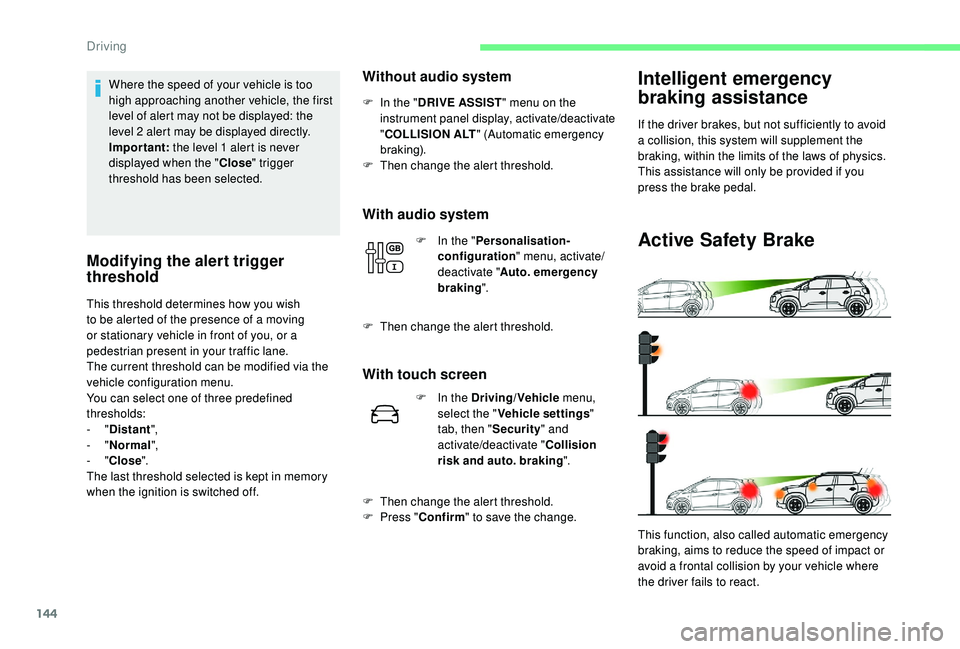
This function, also called automatic emergency
braking, aims to reduce the speed of impact or
avoid a frontal collision by your vehicle where
the driver fails to react.
F
I
n the "
DRIVE ASSIST " menu on the
instrument panel display, activate/deactivate
" COLLISION ALT " (Automatic emergency
b r ak ing).
F
T
hen change the alert threshold.
F
I
n the "
Personalisation-
configuration " menu, activate/
deactivate " Auto. emergency
braking ".
F
T
hen change the alert threshold.
With touch screen
F In the Driving/Vehicle
menu,
select the " Vehicle settings "
tab, then " Security" and
activate/deactivate " Collision
risk and auto. braking ".
F
T
hen change the alert threshold.
F
P
ress " Confirm " to save the change.
Driving
Page 149 of 308
147
If the driver does not follow this advice, the
alert is repeated hourly until the vehicle is
stopped.
The system resets itself if one of the following
conditions is met:
-
e
ngine running, the vehicle has been
stationary for more than 15
minutes,
-
t
he ignition has been switched off for a few
minutes,
-
t
he driver's seat belt is unfastened and their
door is open.
As soon as the speed of the vehicle drops
below 40
mph (65 km/h), the system goes
into standby.
The driving time is counted again once the
speed is above 40
mph (65 km/h).
Driver inattention alert
Depending on version, the "Driving time
warning" may be combined with the "Driver
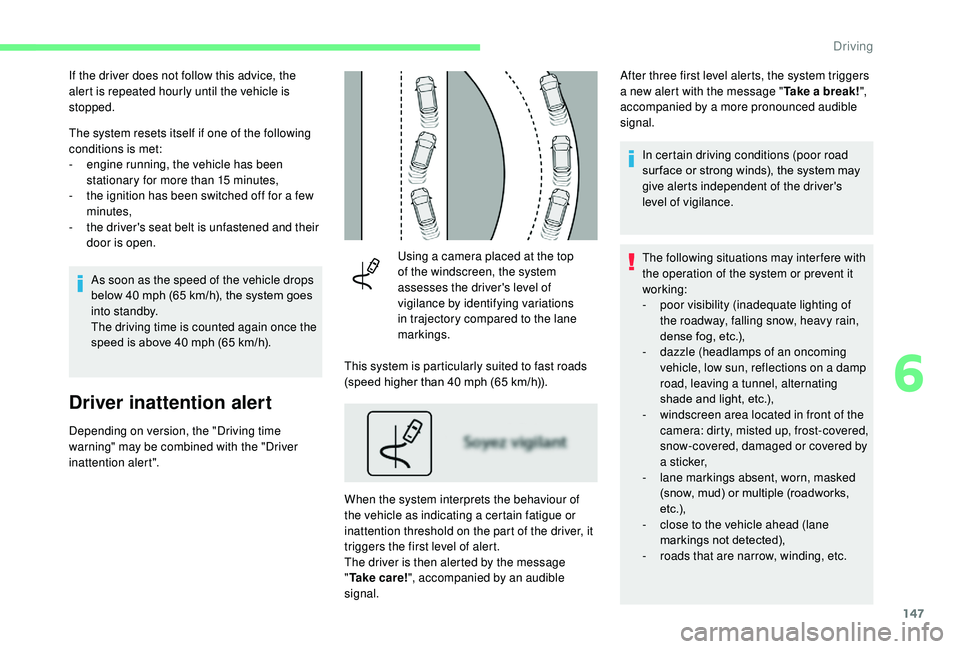
inattention alert". Using a camera placed at the top
of the windscreen, the system
assesses the driver's level of
vigilance by identifying variations
in trajectory compared to the lane
markings.
This system is particularly suited to fast roads
(speed higher than 40 mph (65 km/h)).
When the system interprets the behaviour of
the vehicle as indicating a certain fatigue or
inattention threshold on the part of the driver, it
triggers the first level of alert.
The driver is then alerted by the message
" Ta k e c a r e ! ", accompanied by an audible
signal. After three first level alerts, the system triggers
a new alert with the message "
Take a break!",
accompanied by a more pronounced audible
signal.
In certain driving conditions (poor road
sur face or strong winds), the system may
give alerts independent of the driver's
level of vigilance.
The following situations may interfere with
the operation of the system or prevent it
working:
-
p
oor visibility (inadequate lighting of
the roadway, falling snow, heavy rain,
dense fog, etc.),
-
d
azzle (headlamps of an oncoming
vehicle, low sun, reflections on a damp
road, leaving a tunnel, alternating
shade and light, etc.),
-
w
indscreen area located in front of the
camera: dirty, misted up, frost-covered,
snow-covered, damaged or covered by
a s t i c ke r,
-
l
ane markings absent, worn, masked
(snow, mud) or multiple (roadworks,
e t c .),
-
c
lose to the vehicle ahead (lane
markings not detected),
-
r
oads that are narrow, winding, etc.
6
Driving
Page 150 of 308
148
OFF
OFF
Lane Departure Warning
System
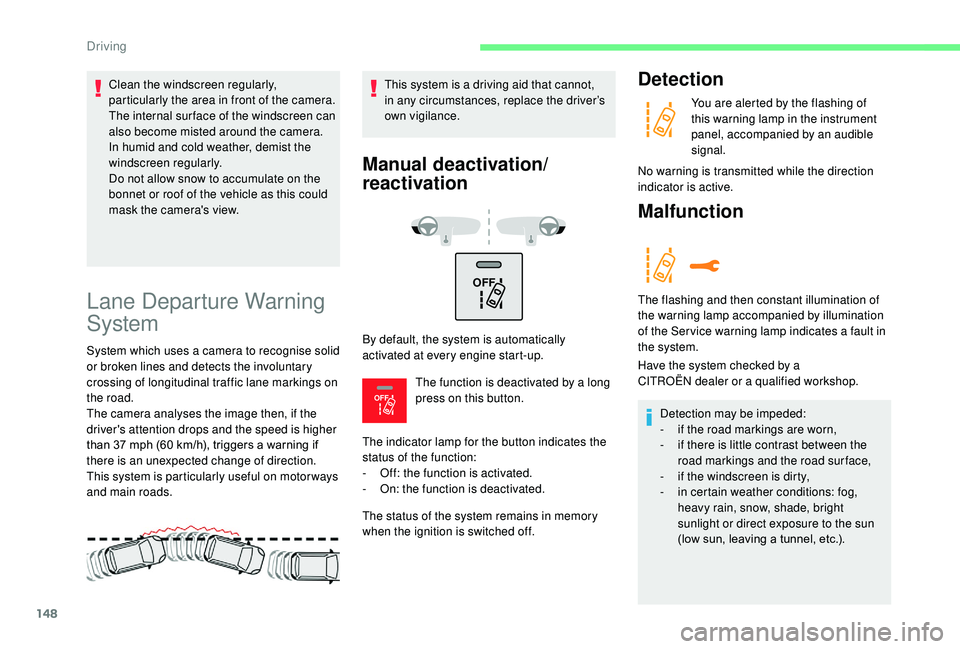
System which uses a camera to recognise solid
or broken lines and detects the involuntary
crossing of longitudinal traffic lane markings on
the road.
The camera analyses the image then, if the
driver's attention drops and the speed is higher
than 37 mph (60 km/h), triggers a warning if
there is an unexpected change of direction.
This system is particularly useful on motor ways
and main roads.This system is a driving aid that cannot,
in any circumstances, replace the driver’s
own vigilance.
Manual deactivation/
reactivation
By default, the system is automatically
activated at every engine start-up.
The function is deactivated by a long
press on this button.
The indicator lamp for the button indicates the
status of the function:
-
O
ff: the function is activated.
-
O
n: the function is deactivated.
The status of the system remains in memory
when the ignition is switched off.
Detection
You are alerted by the flashing of
this warning lamp in the instrument
panel, accompanied by an audible
signal.
No warning is transmitted while the direction
indicator is active.
Malfunction
The flashing and then constant illumination of
the warning lamp accompanied by illumination
of the Ser vice warning lamp indicates a fault in
the system.
Have the system checked by a
CITROËN
dealer or a qualified workshop.
Detection may be impeded:
-
i
f the road markings are worn,
-
i
f there is little contrast between the
road markings and the road surface,
-
i
f the windscreen is dirty,
-
i
n certain weather conditions: fog,
heavy rain, snow, shade, bright
sunlight or direct exposure to the sun
(low sun, leaving a tunnel, etc.).
Clean the windscreen regularly,
particularly the area in front of the camera.
The internal sur face of the windscreen can
also become misted around the camera.
In humid and cold weather, demist the
windscreen regularly.
Do not allow snow to accumulate on the
bonnet or roof of the vehicle as this could
mask the camera's view.
Driving
Page 151 of 308
149
Blind spot monitoring
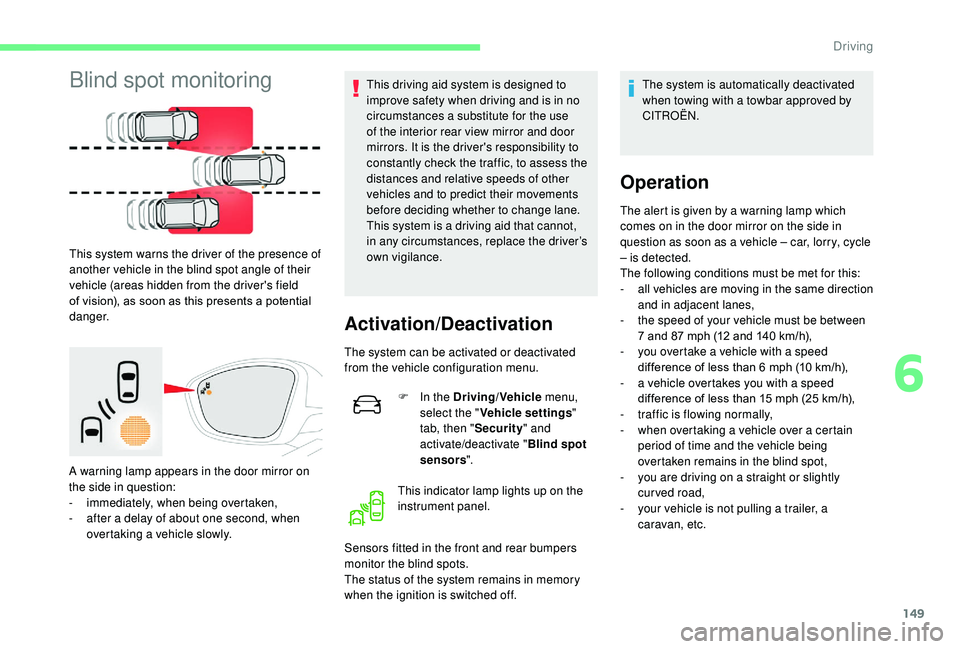
This system warns the driver of the presence of
another vehicle in the blind spot angle of their
vehicle (areas hidden from the driver's field
of vision), as soon as this presents a potential
danger.
A warning lamp appears in the door mirror on
the side in question:
-
i
mmediately, when being overtaken,
-
a
fter a delay of about one second, when
overtaking a vehicle slowly. This driving aid system is designed to
improve safety when driving and is in no
circumstances a substitute for the use
of the interior rear view mirror and door
mirrors. It is the driver's responsibility to
constantly check the traffic, to assess the
distances and relative speeds of other
vehicles and to predict their movements
before deciding whether to change lane.
This system is a driving aid that cannot,
in any circumstances, replace the driver’s
own vigilance.
Activation/Deactivation
The system can be activated or deactivated
from the vehicle configuration menu.
F
I
n the Driving/Vehicle menu,
select the " Vehicle settings "
tab, then " Security" and
activate/deactivate " Blind spot
sensors ".
This indicator lamp lights up on the
instrument panel.
Sensors fitted in the front and rear bumpers
monitor the blind spots.
The status of the system remains in memory
when the ignition is switched off. The system is automatically deactivated
when towing with a towbar approved by
CITROËN.
Operation
The alert is given by a warning lamp which
comes on in the door mirror on the side in
question as soon as a vehicle – car, lorry, cycle
– is detected.
The following conditions must be met for this:
-
a
ll vehicles are moving in the same direction
and in adjacent lanes,
-
t
he speed of your vehicle must be between
7 and 87
mph (12 and 140 km/h),
-
y
ou overtake a vehicle with a speed
difference of less than 6
mph (10 km/h),
-
a v
ehicle overtakes you with a speed
difference of less than 15
mph (25 km/h),
-
t
raffic is flowing normally,
-
w
hen overtaking a vehicle over a certain
period of time and the vehicle being
overtaken remains in the blind spot,
-
y
ou are driving on a straight or slightly
curved road,
-
y
our vehicle is not pulling a trailer, a
caravan, etc.
6
Driving
Page 162 of 308
160
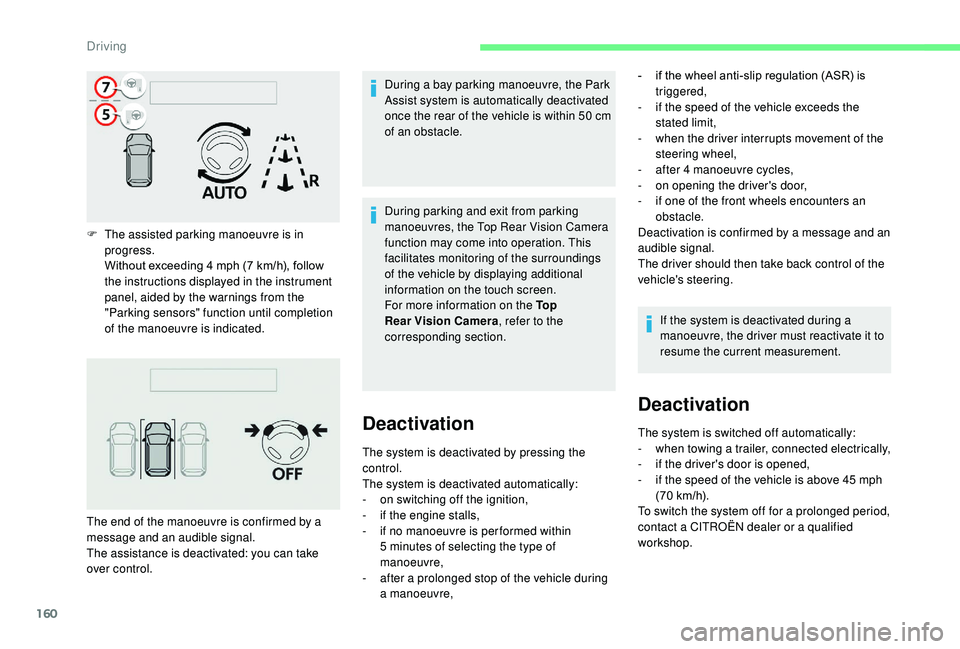
F The assisted parking manoeuvre is in progress.
Without exceeding 4
mph (7 km/h), follow
the instructions displayed in the instrument
panel, aided by the warnings from the
"Parking sensors" function until completion
of the manoeuvre is indicated. During a bay parking manoeuvre, the Park
Assist system is automatically deactivated
once the rear of the vehicle is within 50
cm
of an obstacle.
The end of the manoeuvre is confirmed by a
message and an audible signal.
The assistance is deactivated: you can take
over control. During parking and exit from parking
manoeuvres, the Top Rear Vision Camera
function may come into operation. This
facilitates monitoring of the surroundings
of the vehicle by displaying additional
information on the touch screen.
For more information on the To p
Rear Vision Camera
, refer to the
corresponding section.
Deactivation
The system is deactivated by pressing the
control.
The system is deactivated automatically:
-
o
n switching off the ignition,
-
i
f the engine stalls,
-
i
f no manoeuvre is per formed within
5
minutes of selecting the type of
manoeuvre,
-
a
fter a prolonged stop of the vehicle during
a manoeuvre, -
i
f the wheel anti-slip regulation (ASR) is
triggered,
-
i
f the speed of the vehicle exceeds the
stated limit,
-
w
hen the driver interrupts movement of the
steering wheel,
-
a
fter 4 manoeuvre cycles,
-
o
n opening the driver's door,
-
i
f one of the front wheels encounters an
obstacle.
Deactivation is confirmed by a message and an
audible signal.
The driver should then take back control of the
vehicle's steering.
If the system is deactivated during a
manoeuvre, the driver must reactivate it to
resume the current measurement.
Deactivation
The system is switched off automatically:
- w hen towing a trailer, connected electrically,
-
i
f the driver's door is opened,
-
i
f the speed of the vehicle is above 45 mph
(70
km/h).
To switch the system off for a prolonged period,
contact a CITROËN dealer or a qualified
workshop.
Driving
Page 164 of 308
162
Checking tyre pressures
This check should be done when the tyres
are "cold" (vehicle stopped for 1 hour or
after a journey of less than 6
miles (10 km)
at moderate speeds).
Other wise, add 0.3
bar to the pressures
shown on the label.
Snow chains
The system does not have to be
reinitialised after fitting or removing snow
chains.
Under-inflation alert
This warning is indicated by
continuous illumination of this
warning lamp, an audible signal
and, depending on equipment, a
message displayed on the screen.
F
R
educe speed immediately, avoid excessive
steering movements and sudden braking.
F
S
top the vehicle as soon as it is safe to do
so. The loss of pressure detected does not
always cause visible bulging of the tyre.
Do not satisfy yourself with just a visual
check.
F
I
f you have a compressor, such as the one
in the temporary puncture repair kit, check
the pressures of the four tyres when cold.
F
I
f it is not possible to make this check
immediately, drive carefully at reduced
speed.
or
F
I
n case of a puncture, use the temporary
tyre repair kit or the spare wheel (depending
on equipment).
The alert is kept active until the system is
reinitialised.
Reinitialisation
The system must be reinitialised after any
adjustment to the pressures of one or more
tyres, and after changing one or more wheels. Before reinitialising the system, ensure
that the pressures of the four tyres
are correct for the conditions of use
of the vehicle and conform to the
recommendations on the tyre pressure
label.
The under-inflation alert can only be relied
on if the reinitialisation of the system has
been done with the pressures in the four
tyres correctly adjusted.
The under-inflation detection system
does not give a warning if a pressure is
incorrect at the time of reinitialisation.
The system must be reinitialised with the
ignition on and the vehicle stationary:
-
i
n the vehicle configuration menu for
vehicles fitted with a touch screen.
-
v
ia the button on the dashboard for vehicles
without a touch screen.
With/Without audio system
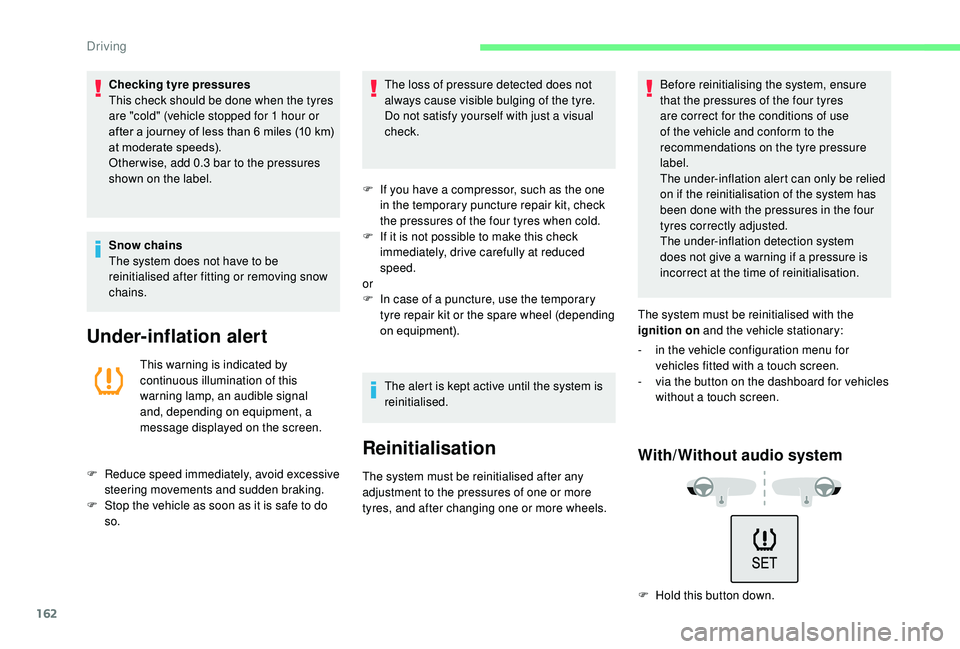
F Hold this button down.
Driving
Page 168 of 308
166
Fuel tank
Tank capacity: approximately 45 litres.
I f you have put the wrong fuel in your
vehicle, you must have the fuel tank
drained and filled with the correct fuel
before star ting the engine.
Low fuel level
When the low fuel level in the
tank is reached, this warning lamp
comes on in the instrument panel,
accompanied by an audible warning
and a message.
When it first comes on, about 5
litres of fuel
remain in the tank.
This warning lamp will come on every time
the ignition is switched on, accompanied
by a message and an audible signal, until
a sufficient addition of fuel is made. This
audible signal and message are repeated with
increasing frequency as the fuel level drops
and approaches " 0".
Refuel as soon as possible to avoid running
out.
For more information on Running out of
fuel (Diesel) , refer to the corresponding
section.
Refilling
A self-adhesive label on the inner face of the
filler flap reminds you of the type of fuel to use,
depending on your engine.
Additions of fuel must be of at least 5
litres, in
order to be registered by the fuel gauge.
Opening the filler cap may create a noise
caused by an inrush of air. This vacuum is
entirely normal, resulting from the sealing of the
fuel system.
To refuel in complete safety:
F
Y
ou must switch off the engine.
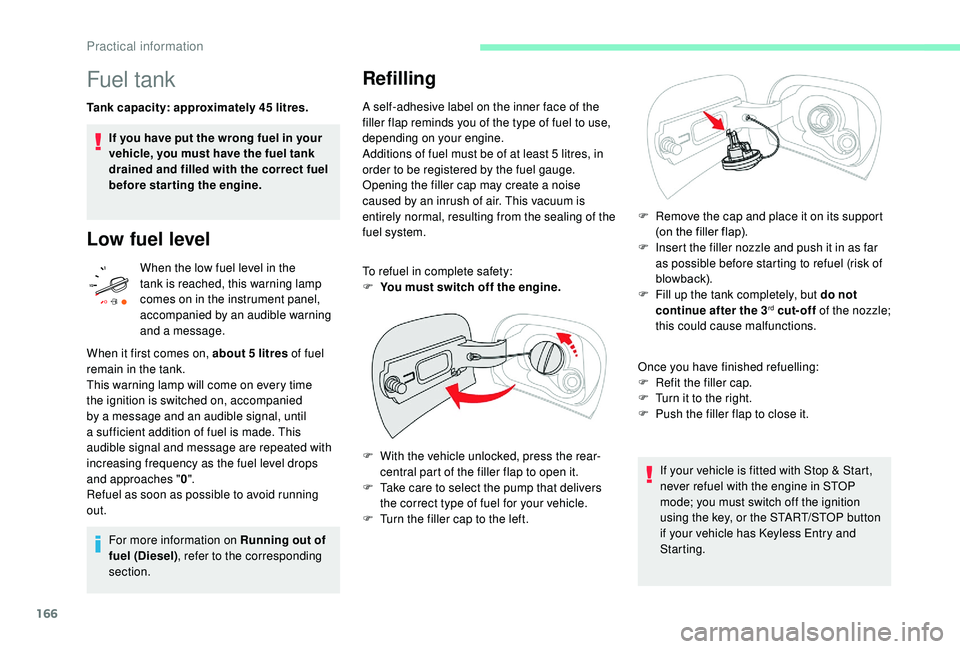
F
W
ith the vehicle unlocked, press the rear-
central part of the filler flap to open it.
F
T
ake care to select the pump that delivers
the correct type of fuel for your vehicle.
F
T
urn the filler cap to the left. F
R
emove the cap and place it on its support
(on the filler flap).
F
I
nsert the filler nozzle and push it in as far
as possible before starting to refuel (risk of
blowback).
F
F
ill up the tank completely, but do not
continue after the 3
rd cut-off of the nozzle;
this could cause malfunctions.
Once you have finished refuelling:
F
R
efit the filler cap.
F
T
urn it to the right.
F
P
ush the filler flap to close it.
If your vehicle is fitted with Stop & Start,
never refuel with the engine in STOP
mode; you must switch off the ignition
using the key, or the START/STOP button
if your vehicle has
K
eyless Entry and
Starting.
Practical information
Page 175 of 308
173
Changing a wiper blade
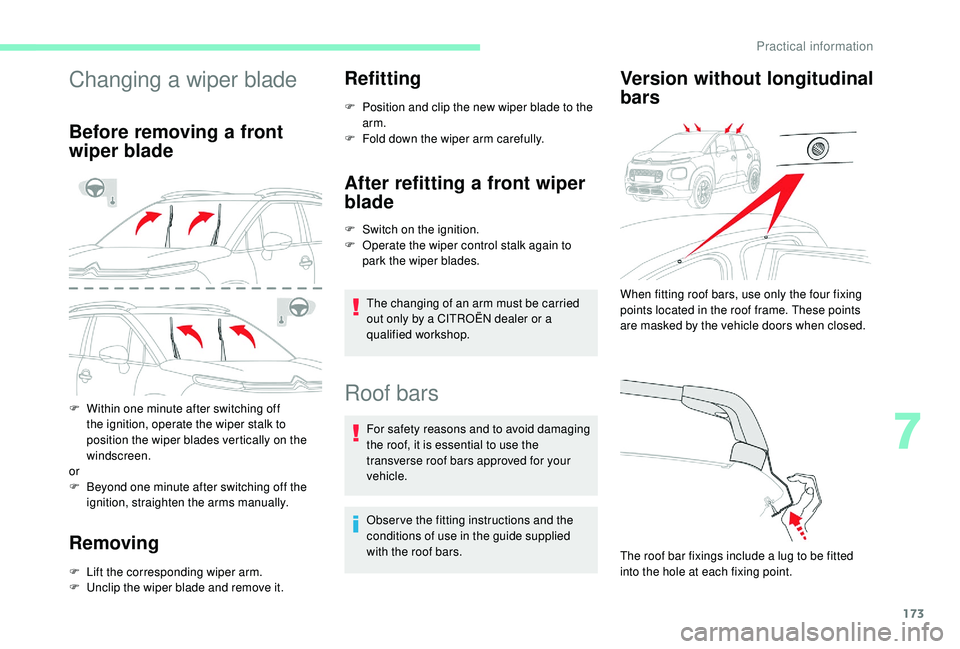
Before removing a front
wiper blade
F Within one minute after switching off the ignition, operate the wiper stalk to
position the wiper blades vertically on the
windscreen.
or
F
B
eyond one minute after switching off the
ignition, straighten the arms manually.
Removing
F Lift the corresponding wiper arm.
F U nclip the wiper blade and remove it.
Refitting
F Position and clip the new wiper blade to the arm.
F
F
old down the wiper arm carefully.
After refitting a front wiper
blade
F Switch on the ignition.
F O perate the wiper control stalk again to
park the wiper blades.
The changing of an arm must be carried
out only by a CITROËN dealer or a
qualified workshop.
Roof bars
For safety reasons and to avoid damaging
the roof, it is essential to use the
transverse roof bars approved for your
vehicle.
Obser ve the fitting instructions and the
conditions of use in the guide supplied
with the roof bars.
Version without longitudinal
bars
The roof bar fixings include a lug to be fitted
into the hole at each fixing point. When fitting roof bars, use only the four fixing
points located in the roof frame. These points
are masked by the vehicle doors when closed.
7
Practical information
Page 178 of 308
176
3.Brake fluid reser voir.
4. Battery.
5. Fusebox.
6. A i r f i l t e r.
7. Engine oil dipstick.
8. Engine oil filler cap.
9. Remote earth point.
10. Priming pump*.
The Diesel circuit is under very high
pressure.
All work on this circuit must be carried out
only by a CITROËN dealer or a qualified
workshop.
*
D
epending on engine.
Checking levels
Check all of these levels regularly, in line with
the manufacturer's service schedule. Top them
up if necessary, unless other wise indicated.
If a level drops significantly, have the
corresponding system checked by a CITROËN
dealer or a qualified workshop. The fluid must comply with the
manufacturer's recommendations and with
the vehicle's engine. Take care when working under the bonnet,
as certain areas of the engine may be
extremely hot (risk of burns) and the
cooling fan could start at any time (even
with the ignition off).
Used products
Avoid prolonged contact of used oil or
fluids with the skin.
Most of these fluids are harmful to health
or indeed very corrosive.
Do not discard used oil or fluids into
sewers or onto the ground.
Take used oil to a CITROËN dealer or
a qualified workshop and dispose of
it in the containers reser ved for this
purpose.
Engine oil level
The check is carried out either when
the ignition is switched on using the
oil level indicator in the instrument
panel for vehicles so equipped, or
using the dipstick. To ensure that the reading is correct, your
vehicle must be parked on a level sur face
with the engine having been off for more
than 30
minutes.
It is normal to top up the oil level between
two ser vices (or oil changes). CITROËN
recommends that you check the level, and top
up if necessary, every 3,000 miles (5,000 km).
Checking using the dipstick
The location of the dipstick is shown in the
corresponding underbonnet layout view.
F
T
ake the dipstick by its coloured grip and
pull it out completely.
F
W
ipe the end of the dipstick using a clean
non-fluffy cloth.
F
R
efit the dipstick and push fully down, then
pull it out again to make the visual check:
the correct level is between marks A and B .
Practical information