deactivate CITROEN C3 PICASSO 2011 Owner's Manual
[x] Cancel search | Manufacturer: CITROEN, Model Year: 2011, Model line: C3 PICASSO, Model: CITROEN C3 PICASSO 2011Pages: 244, PDF Size: 8.29 MB
Page 117 of 244
9
115
DRIVING
HILL START ASSIST (WITH THE 6-SPEED ELECTRONIC GEARBOX SYSTEM)
System which holds your vehicle tempo-
rarily (approximately 2 seconds) when
starting on a slope, the time it takes to
move your foot from the brake pedal to
the accelerator pedal.
This function is only active when:
- the vehicle is completely stationary,
with your foot on the brake pedal,
- certain conditions on a slope are
met,
- with the driver’s door closed.
The hill start assist function cannot be
deactivated.
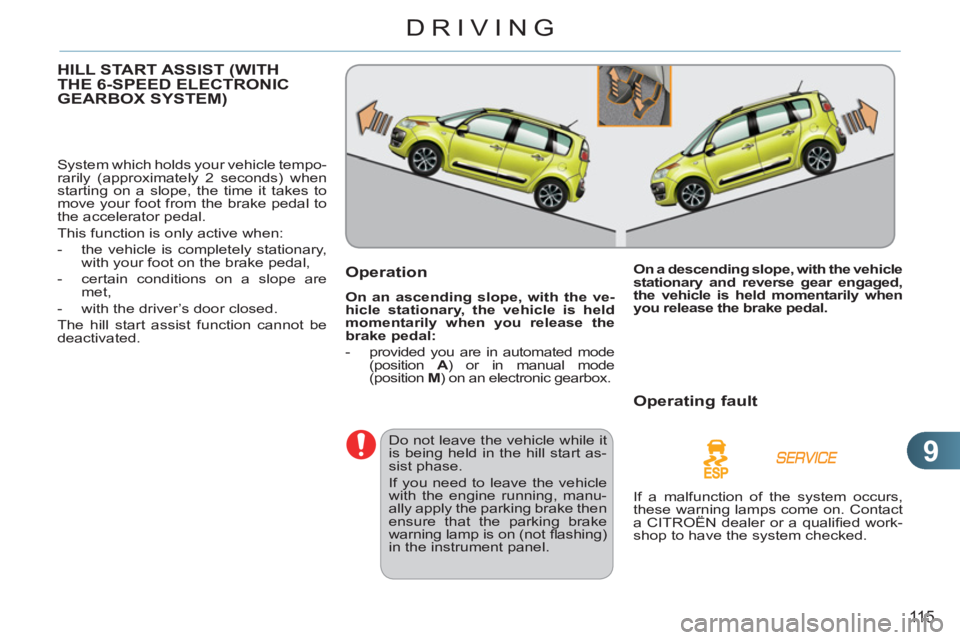
Operation
On an ascending slope, with the ve-
hicle stationary, the vehicle is held
momentarily when you release the
brake pedal:
- provided you are in automated mode
(position A
) or in manual mode
(position M
) on an electronic gearbox.
Do not leave the vehicle while it
is being held in the hill start as-
sist phase.
If you need to leave the vehicle
with the engine running, manu-
ally apply the parking brake then
ensure that the parking brake
warning lamp is on (not fl ashing)
in the instrument panel.
On a descending slope, with the vehicle
stationary and reverse gear engaged,
the vehicle is held momentarily when
you release the brake pedal.
Operating fault
If a malfunction of the system occurs,
these warning lamps come on. Contact
a CITROËN dealer or a qualifi ed work-
shop to have the system checked.
Page 119 of 244
9
DRIVING
Going into engine START mode
The "ECO"
warning lamp goes
off and the engine starts with the
electronic gearbox
system
:
- gear lever in position A
or M
, when
you release the brake pedal,
-
or gear lever in position N
and the
brake pedal released, when you move
the gear lever to position A
or M
,
- or when you engage reverse gear.
Special cases: START invoked
automatically
For reasons of safety and for your
comfort, START mode is invoked auto-
matically when:
- you open the driver's door,
- you unfasten the driver's seat belt,
- the speed of the vehicle exceeds
7 mph (11 km/h) with the electronic
gearbox system,
- some special conditions (battery
charge, engine temperature, braking
assistance, ambient temperature...)
where the engine is needed for
control of a system.
The "ECO"
warning lamp fl ashes
for a few seconds, then goes off.
This operation is perfectly normal.
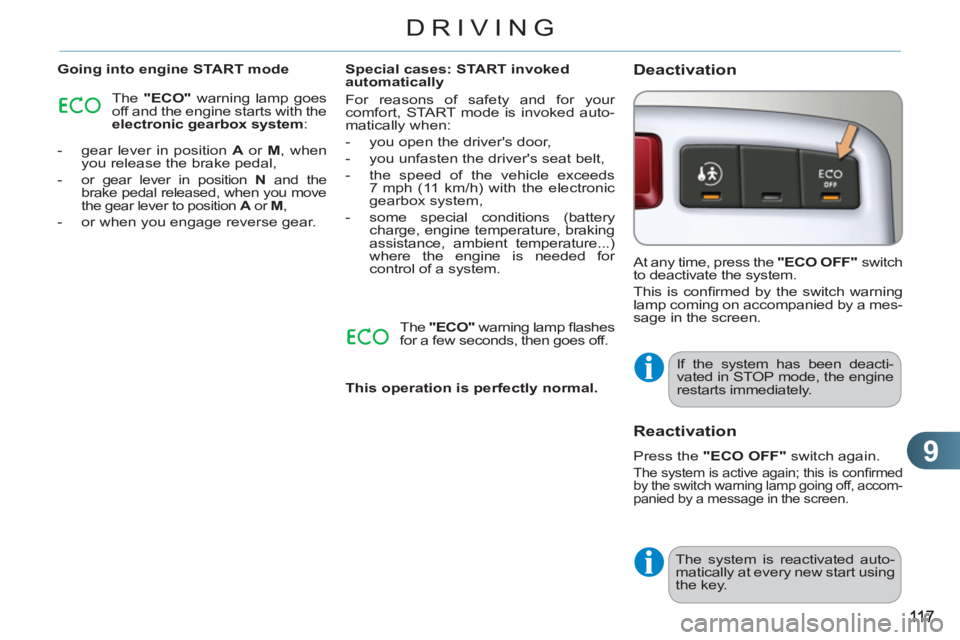
Deactivation
At any time, press the "ECO OFF"
switch
to deactivate the system.
This is confi rmed by the switch warning
lamp coming on accompanied by a mes-
sage in the screen.
If the system has been deacti-
vated in STOP mode, the engine
restarts immediately.
Reactivation
Press the "ECO OFF"
switch again.
The system is active again; this is confi rmed
by the switch warning lamp going off, accom-
panied by a message in the screen.
The system is reactivated auto-
matically at every new start using
the key.
Page 120 of 244
9
118
DRIVING
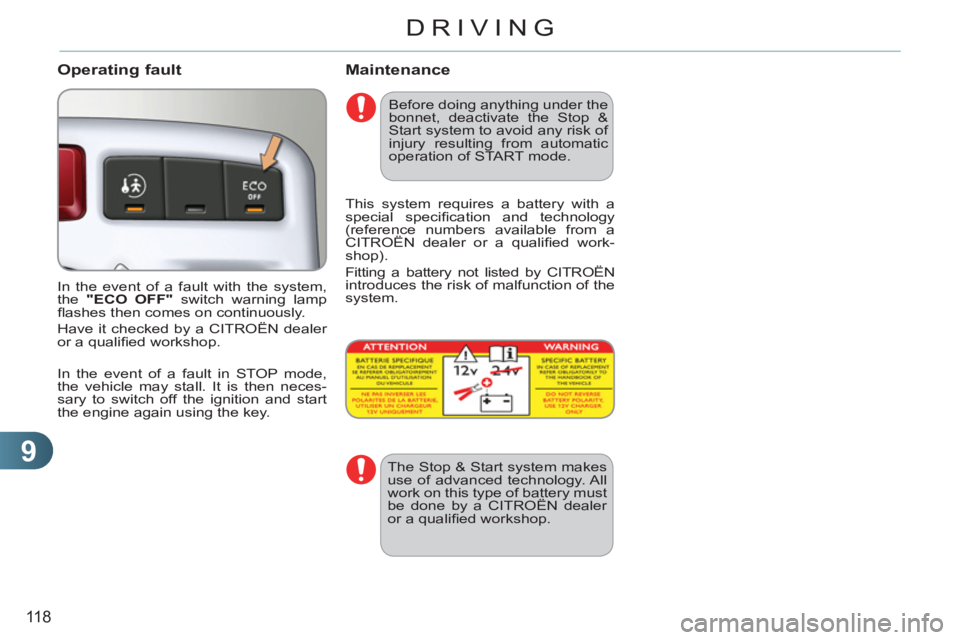
Operating fault
In the event of a fault with the system,
the "ECO OFF"
switch warning lamp
fl ashes then comes on continuously.
Have it checked by a CITROËN dealer
or a qualifi ed workshop.
In the event of a fault in STOP mode,
the vehicle may stall. It is then neces-
sary to switch off the ignition and start
the engine again using the key.
Before doing anything under the
bonnet, deactivate the Stop &
Start system to avoid any risk of
injury resulting from automatic
operation of START mode.
Maintenance
This system requires a battery with a
special specifi cation and technology
(reference numbers available from a
CITROËN dealer or a qualifi ed work-
shop).
Fitting a battery not listed by CITROËN
introduces the risk of malfunction of the
system.
The Stop & Start system makes
use of advanced technology. All
work on this type of battery must
be done by a CITROËN dealer
or a qualifi ed workshop.
Page 122 of 244
9
120
DRIVING
On a steep descent or in the event
of sharp acceleration, the speed
limiter will not be able to prevent
the vehicle from exceeding the
programmed speed.
To avoid any risk of jamming of
the pedals:
- ensure that the mat is posi-
tioned correctly,
- do not fi t one mat on top of
another.
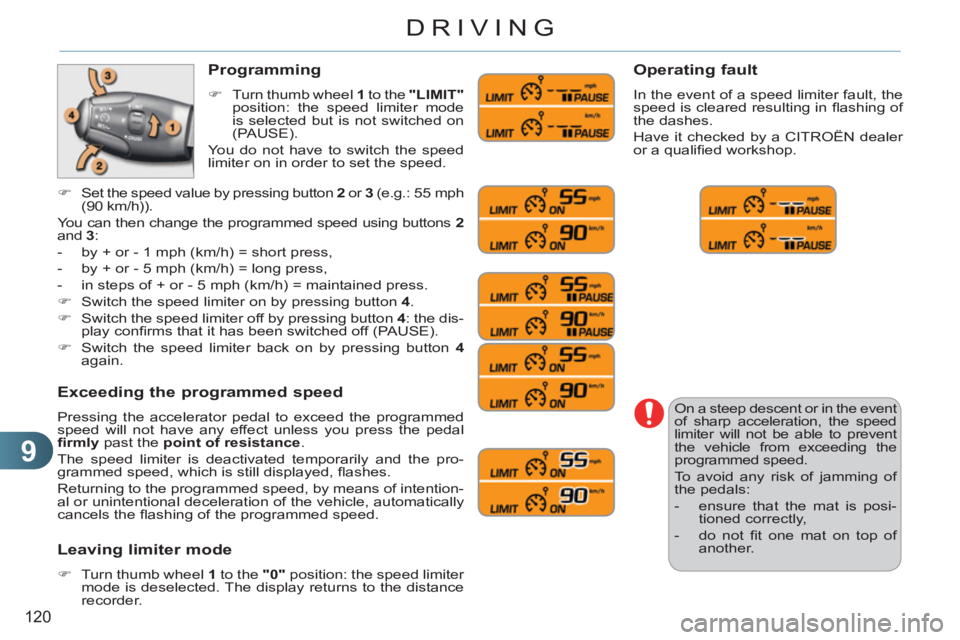
Programming
)
Turn thumb wheel 1
to the "LIMIT"
position: the speed limiter mode
is selected but is not switched on
(PAUSE).
You do not have to switch the speed
limiter on in order to set the speed.
Exceeding the programmed speed
Pressing the accelerator pedal to exceed the programmed
speed will not have any effect unless you press the pedal
fi rmly
past the point of resistance
.
The speed limiter is deactivated temporarily and the pro-
grammed speed, which is still displayed, fl ashes.
Returning to the programmed speed, by means of intention-
al or unintentional deceleration of the vehicle, automatically
cancels the fl ashing of the programmed speed.
Leaving limiter mode
)
Turn thumb wheel 1
to the "0"
position: the speed limiter
mode is deselected. The display returns to the distance
recorder.
Operating fault
In the event of a speed limiter fault, the
speed is cleared resulting in fl ashing of
the dashes.
Have it checked by a CITROËN dealer
or a qualifi ed workshop.
)
Set the speed value by pressing button 2
or 3
(e.g.: 55 mph
(90 km/h)).
You can then change the programmed speed using buttons 2
and 3
:
- by + or - 1 mph (km/h) = short press,
- by + or - 5 mph (km/h) = long press,
- in steps of + or - 5 mph (km/h) = maintained press.
)
Switch the speed limiter on by pressing button 4
.
)
Switch the speed limiter off by pressing button 4
: the dis-
play confi rms that it has been switched off (PAUSE).
)
Switch the speed limiter back on by pressing button 4
again.
Page 126 of 244
9
124
DRIVING
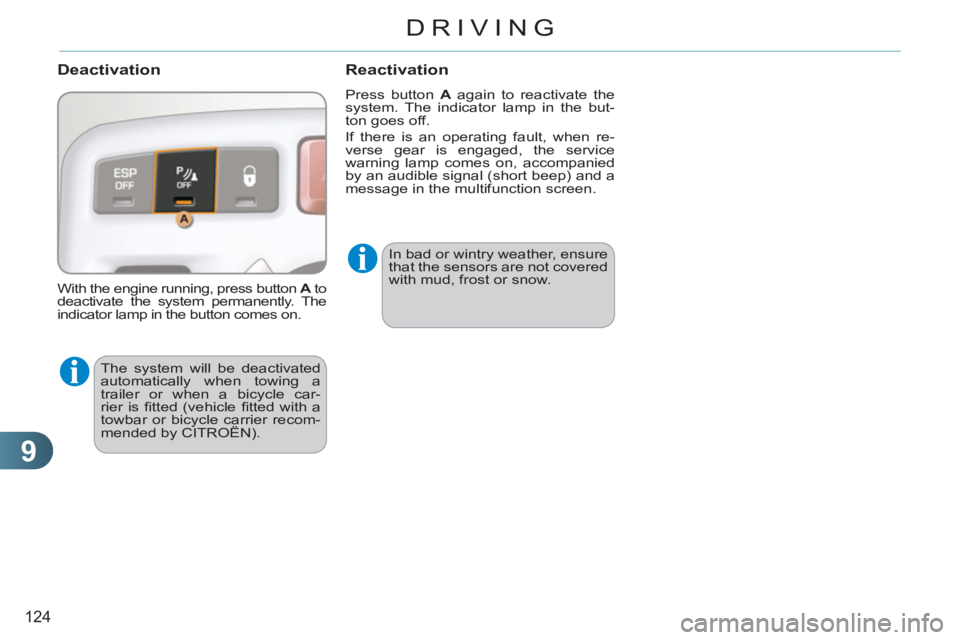
Deactivation
The system will be deactivated
automatically when towing a
trailer or when a bicycle car-
rier is fi tted (vehicle fi tted with a
towbar or bicycle carrier recom-
mended by CITROËN).
Reactivation
Press button A
again to reactivate the
system. The indicator lamp in the but-
ton goes off.
If there is an operating fault, when re-
verse gear is engaged, the service
warning lamp comes on, accompanied
by an audible signal (short beep) and a
message in the multifunction screen.
With the engine running, press button A
to
deactivate the system permanently. The
indicator lamp in the button comes on. In bad or wintry weather, ensure
that the sensors are not covered
with mud, frost or snow.
Page 158 of 244
11
156
PRACTICAL INFORMATION
Batteries contain harmful sub-
stances such as sulphuric acid
and lead. They must be dis-
posed of in accordance with
regulations and must not, in any
circumstances, be discarded
with household waste.
Take used remote control bat-
teries and vehicle batteries to a
special collection point.
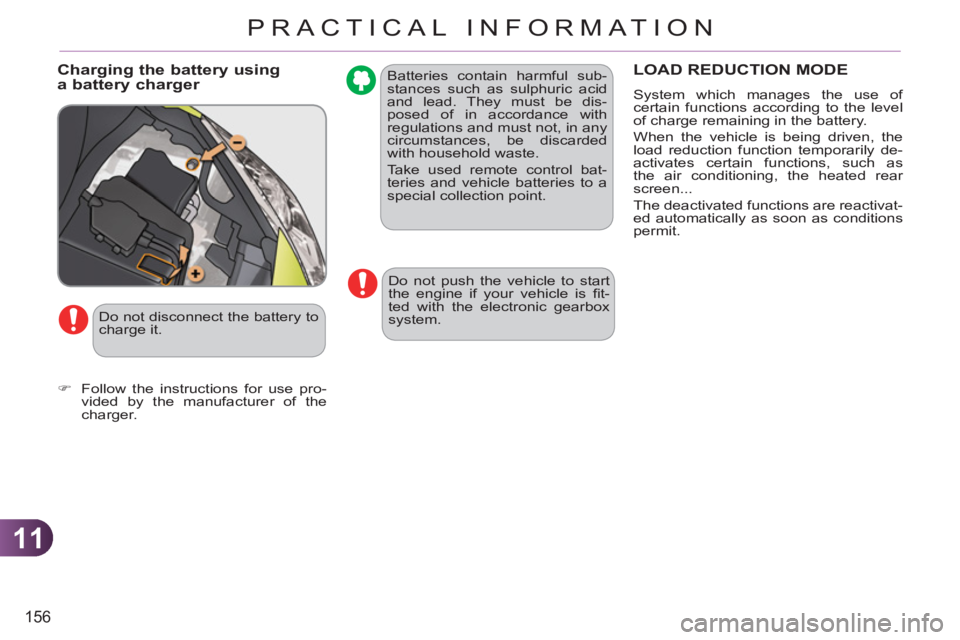
Charging the battery using a battery charger LOAD REDUCTION MODE
System which manages the use of
certain functions according to the level
of charge remaining in the battery.
When the vehicle is being driven, the
load reduction function temporarily de-
activates certain functions, such as
the air conditioning, the heated rear
screen...
The deactivated functions are reactivat-
ed automatically as soon as conditions
permit.
Do not push the vehicle to start
the engine if your vehicle is fi t-
ted with the electronic gearbox
system.
Do not disconnect the battery to
charge it.
)
Follow the instructions for use pro-
vided by the manufacturer of the
charger.
Page 162 of 244
11
160
PRACTICAL INFORMATION
TOWING A TRAILER, ...
Your vehicle is primarily designed for
transporting people and luggage, but it
may also be used for towing a trailer.
Driving advice
The maximum towed load on a long in-
cline depends on the gradient and the
ambient temperature.
In all cases, keep a check on the coolant
temperature.
Side wind
)
Take into account the increased
sensitivity to side wind.
Cooling
Towing a trailer on a slope increases
the temperature of the coolant.
As the fan is electrically controlled, its
cooling capacity is not dependent on
the engine speed.
)
To lower the engine speed, reduce
your speed.
Braking
Towing a trailer increases the braking
distance.
To avoid overheating of the brakes on a
long mountain type of descent, the use
of engine braking is recommended.
Tyres
)
Check the tyre pressures of the towing
vehicle and of the trailer, observing the
recommended pressures.
Lighting
)
Check the electrical lighting and sig-
nalling on the trailer.
The rear parking sensors will
be deactivated automatically if
a genuine CITROËN towbar is
used.
)
If the warning lamp and the
STOP
warning lamp come
on, stop the vehicle and
switch off the engine as
soon as possible.
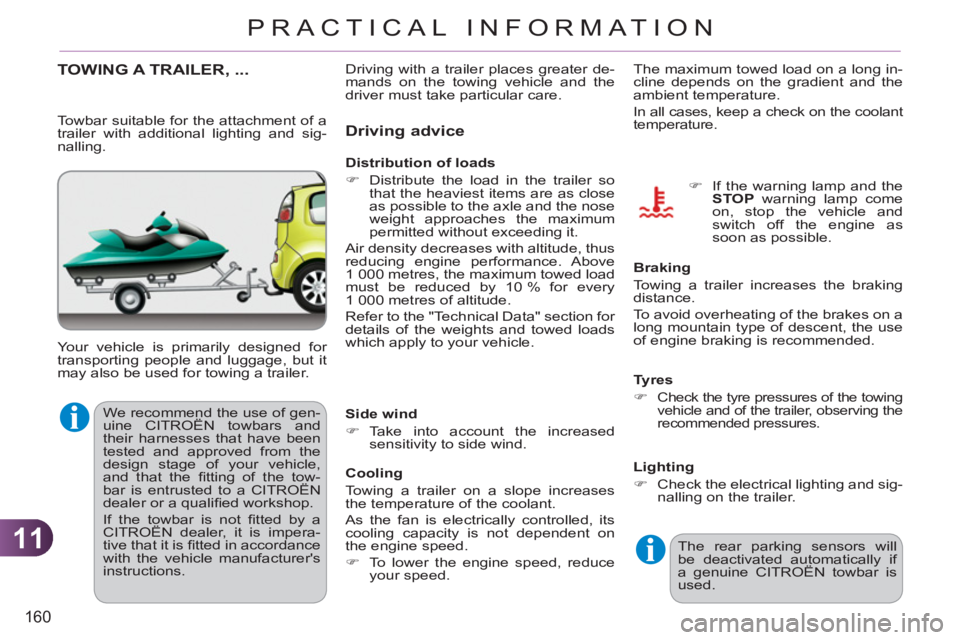
Towbar suitable for the attachment of a
trailer with additional lighting and sig-
nalling.
Distribution of loads
)
Distribute the load in the trailer so
that the heaviest items are as close
as possible to the axle and the nose
weight approaches the maximum
permitted without exceeding it.
Air density decreases with altitude, thus
reducing engine performance. Above
1 000 metres, the maximum towed load
must be reduced by 10 % for every
1 000 metres of altitude.
Refer to the "Technical Data" section for
details of the weights and towed loads
which apply to your vehicle. Driving with a trailer places greater de-
mands on the towing vehicle and the
driver must take particular care.
We recommend the use of gen-
uine CITROËN towbars and
their harnesses that have been
tested and approved from the
design stage of your vehicle,
and that the fi tting of the tow-
bar is entrusted to a CITROËN
dealer or a qualifi ed workshop.
If the towbar is not fi tted by a
CITROËN dealer, it is impera-
tive that it is fi tted in accordance
with the vehicle manufacturer's
instructions.
Page 190 of 244
188
04
5
6
3 2 1
4
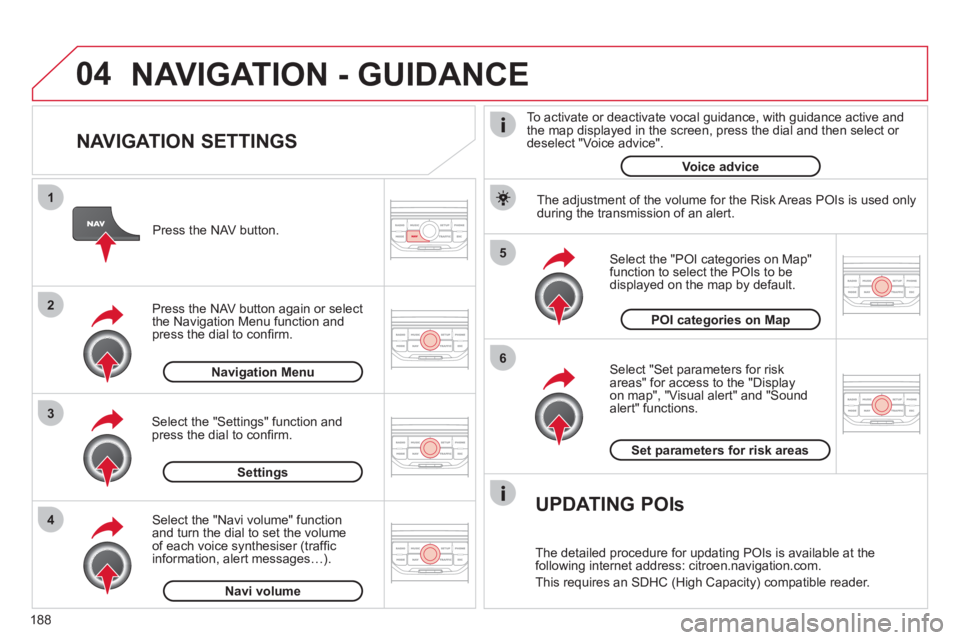
NAVIGATION SETTINGS
Select "Set parameters for risk
areas" for access to the "Display
on map", "Visual alert" and "Soundalert" functions.
Select the "POI categories on Map"function to select the POIs to be
displayed on the map by default. Pr
ess the NAV button.
Press the NAV button a
gain or select
the Navigation Menu function and
press the dial to confi rm.
Select the "Settings" function andpress the dial to confi rm.
POI categories on Map
Settin
gsSet parameters for risk area
s
Navigation Menu
NAVIGATION - GUIDANCE
Select the "Navi volume" function and turn the dial to set the volume
of each voice synthesiser (traffi c
information, alert messagesÖ).
Navi volum
e
The adjustment of the volume for the Risk Areas POIs is used only
during the transmission of an alert.
UPDATING POIs
The detailed procedure for updating POIs is available at the
following internet address: citroen.navigation.com.
This requires an SDHC
(High Capacity) compatible reader.
To activate or deactivate vocal
guidance, with guidance active and
the map displayed in the screen, press the dial and then select or deselect "Voice advice".
Voice advice
Page 206 of 244
204
QUESTIONANSWERSOLUTION
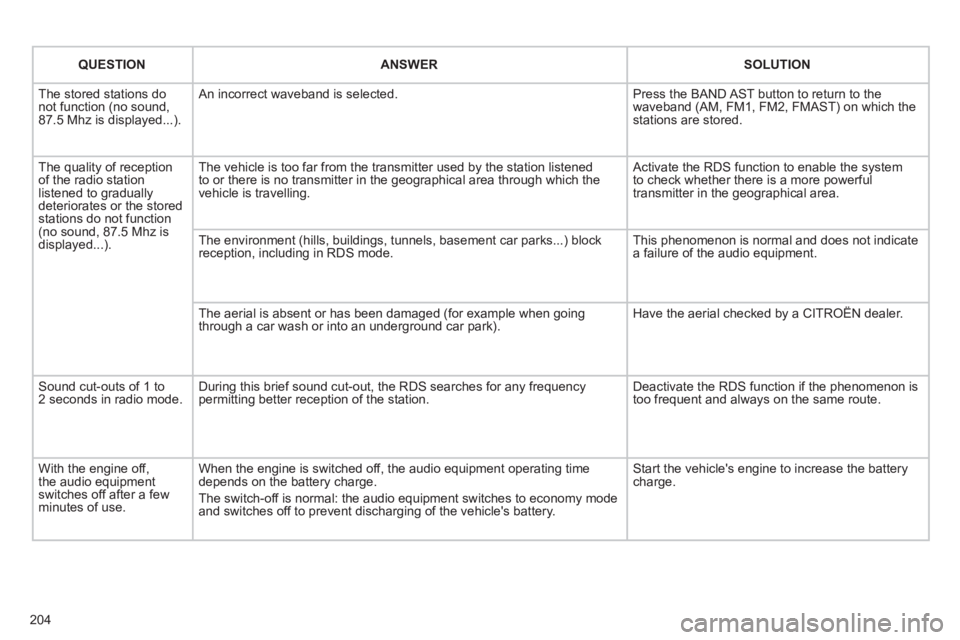
The stored stations donot function (no sound, 87.5 Mhz is displayed...).
An incorrect waveband is selected.
Press the BAND AST button to return to the waveband (AM, FM1, FM2, FMAST) on which thestations are stored.
The quality of receptionof the radio station listened to graduallydeteriorates or the stored stations do not function(no sound, 87.5 Mhz is displayed...).
The vehicle is too far from the transmitter used by the station listenedto or there is no transmitter in the geographical area through which the vehicle is travelling.
Activate the RDS function to enable the system to check whether there is a more powerful transmitter in the geographical area.
The environment (hills, buildings, tunnels, basement car parks...) block reception, including in RDS mode.
This phenomenon is normal and does not indicate a failure of the audio equipment.
The aerial is absent or has been damaged (for example when goingthrough a car wash or into an underground car park).
Have the aerial checked by a CITROËN dealer.
Sound cut-outs of 1 to2 seconds in radio mode.During this brief sound cut-out, the RDS searches for any frequency permitting better reception of the station.
Deactivate the RDS function if the phenomenon is too frequent and always on the same route.
With the engine off, the audio equipment switches off after a few minutes of use.
When the engine is switched off, the audio equipment operating timedepends on the battery charge.
The switch-off is normal: the audio equipment switches to economy mode and switches off to prevent discharging of the vehicle's battery.
Start the vehicle's engine to increase the batterycharge.
Page 208 of 244
206
QUESTIONANSWER SOLUTION
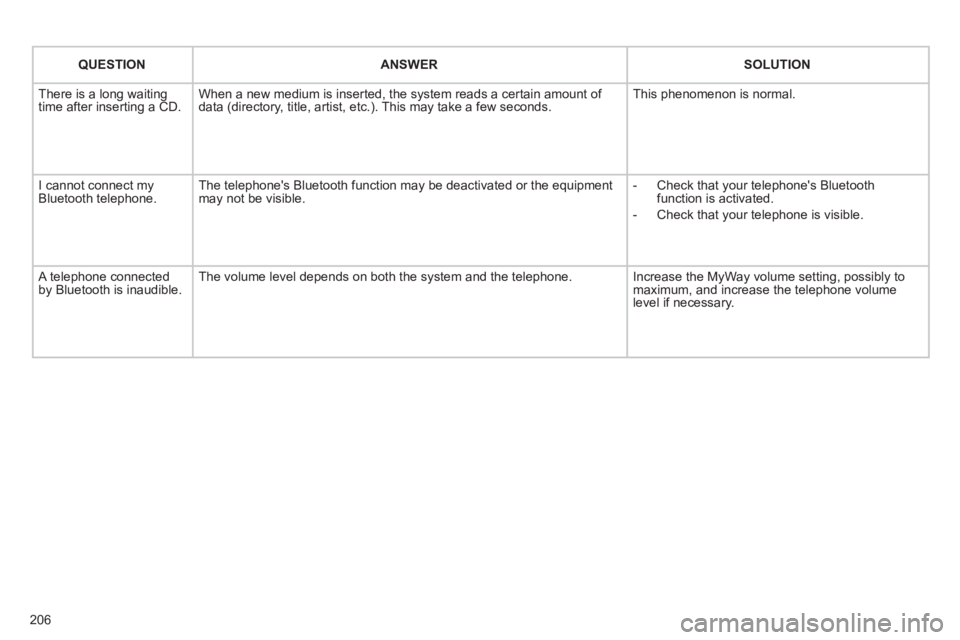
There is a long waiting
time after inserting a CD. When a new medium is inserted, the system reads a certain amount of
data (directory, title, artist, etc.). This may take a few seconds. This phenomenon is normal.
I cannot connect myBluetooth telephone.The telephone's Bluetooth function may be deactivated or the equipment
may not be visible.
- Check that your telephone's Bluetoothfunction is activated.
-
Check that your telephone is visible.
A telephone connected by Bluetooth is inaudible.The volume level depends on both the system and the telephone. Increase the MyWay volume setting, possibly to maximum, and increase the telephone volume level if necessary.