USB Citroen C3 RHD 2015 2.G User Guide
[x] Cancel search | Manufacturer: CITROEN, Model Year: 2015, Model line: C3 RHD, Model: Citroen C3 RHD 2015 2.GPages: 324, PDF Size: 9.86 MB
Page 288 of 324
286
Media
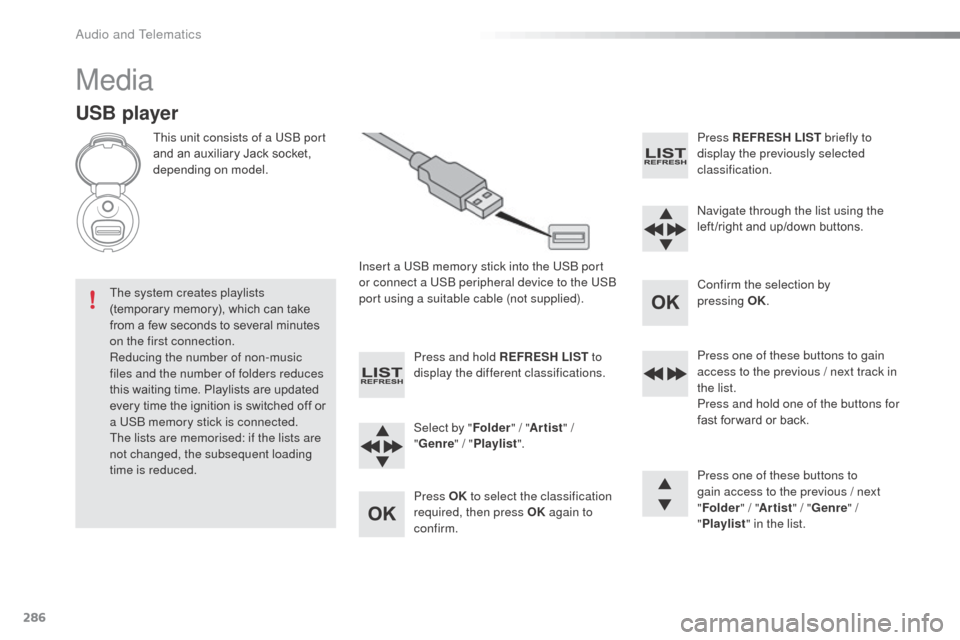
USB player
This unit consists of a USb port
and an auxiliary Jack socket,
depending on model.
Insert a US
b
memory stick into the US
b
port
or connect a US
b
peripheral device to the US
b
port using a suitable cable (not supplied).
The system creates playlists
(temporary memory), which can take
from a few seconds to several minutes
on the first connection.
Reducing the number of non-music
files and the number of folders reduces
this waiting time. Playlists are updated
every time the ignition is switched off or
a US
b
memory stick is connected.
The lists are memorised: if the lists are
not changed, the subsequent loading
time is reduced. Press and hold REFRESH LIST
to
display the different classifications.
Select by " Folder" / "Artist " /
" Genre " / "Playlist ".
Press OK to select the classification
required, then press OK again to
confirm. Press REFRESH LIST
briefly to
display the previously selected
classification.
na
vigate through the list using the
left /right and up/down buttons.
Confirm the selection by
pressing
OK.
Press one of these buttons to gain
access to the previous / next track in
the list.
Press and hold one of the buttons for
fast for ward or back.
Press one of these buttons to
gain access to the previous / next
" Folder " / "Artist " / "Genre " /
" Playlist " in the list.
audio and Telematics
Page 289 of 324
287
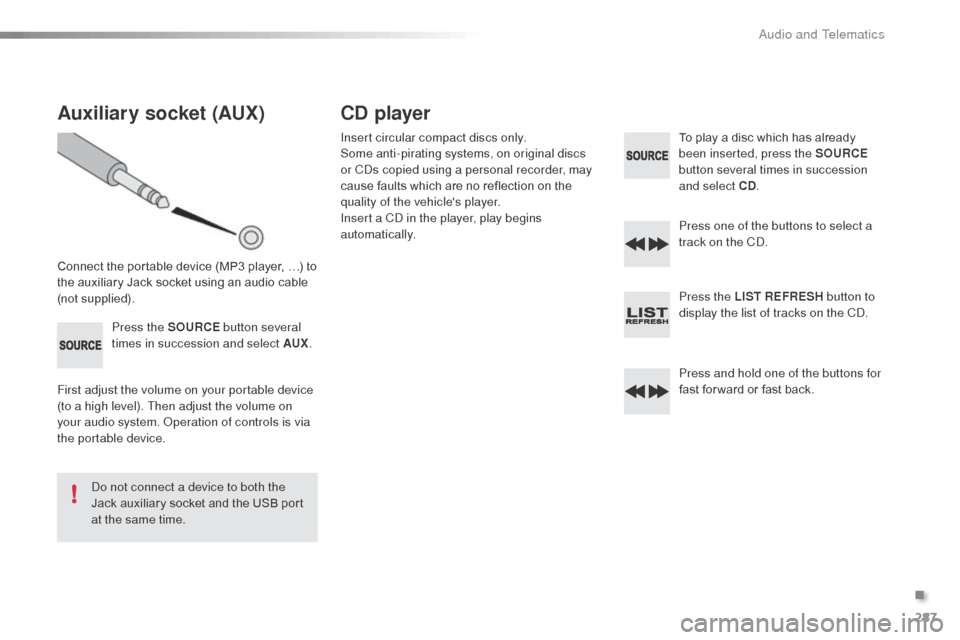
Auxiliary socket (AUX)
Connect the portable device (MP3 player, …) to
the auxiliary Jack socket using an audio cable
(not supplied).Press the SOURCE button several
times in succession and select AUX .
First adjust the volume on your portable device
(to a high level). Then adjust the volume on
your audio system.
o
p
eration of controls is via
the portable device.
do n
ot connect a device to both the
Jack auxiliary socket and the USB port
at the same time.
CD player
Insert circular compact discs only.
Some anti-pirating systems, on original discs
or C
ds c
opied using a personal recorder, may
cause faults which are no reflection on the
quality of the vehicle's player.
Insert a C
d
in the player, play begins
automatically. To play a disc which has already
been inserted, press the SOURCE
button several times in succession
and select CD .
Press one of the buttons to select a
track on the C
d.
P
ress the LIST REFRESH button to
display the list of tracks on the C
d.
P
ress and hold one of the buttons for
fast for ward or fast back.
.
Audio and Telematics
Page 291 of 324
289
Use only USB memory sticks formatted FAT32
(File al location Table).
It is recommended that you use
genuine
a
pple® USb cables for correct
operation.
*
I
n certain cases, play of the audio files must
be initiated from the keypad.
** If the telephone supports the function.
Bluetooth® audio streaming
Streaming allows music files on the telephone
to be played via the audio system.
Connect the telephone: see the " Telephone"
section.
Select in the " Bluetooth: Telephone - Audio "
menu the telephone to be connected.
The audio system connects to a newly paired
telephone automatically.
Control of tracks to be played is via the buttons
on the audio system control panel and the
steering mounted controls**. The contextual
information can be displayed in the screen.
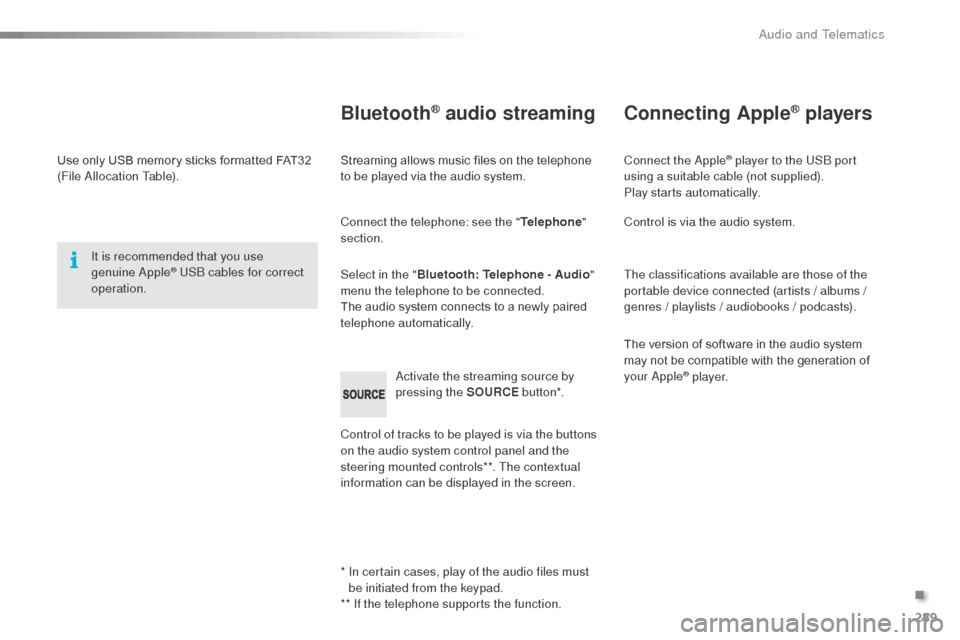
ac
tivate the streaming source by
pressing the SOURCE but to n*.
Connecting Apple® players
Connect the apple® player to the USb port
using a suitable cable (not supplied).
Play starts automatically.
Control is via the audio system.
The classifications available are those of the
portable device connected (artists / albums /
genres / playlists / audiobooks / podcasts).
The version of software in the audio system
may not be compatible with the generation of
your
a
pple® p l aye r.
.
audio and Telematics
Page 295 of 324
293
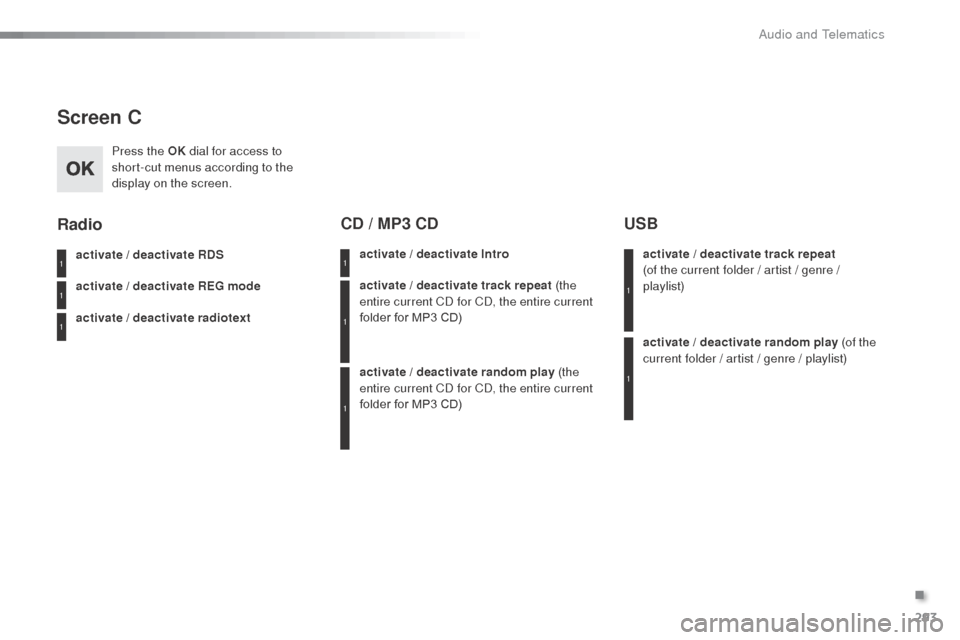
Screen C
Press the OK dial for access to
short-cut menus according to the
display on the screen.
activate / deactivate RDS
activate / deactivate REG mode
activate / deactivate radiotext
Radio
activate / deactivate Intro
CD / MP3 CD
activate / deactivate track repeat (the
entire current Cd for Cd, t he entire current
folder for MP3 CD)
activate / deactivate random play (the
entire current C
d
for C
d, t
he entire current
folder for MP3 CD) activate / deactivate track repeat
(of
the current folder / artist / genre /
playlist)
USB
activate / deactivate random play (of the
current folder / artist / genre / playlist)
1
1
1
1
1
1
1
1
.
Audio and Telematics
Page 322 of 324
.
Audio and Telematics
7
As a safety measure and because it
requires sustained attention by the
driver, using a smartphone when
driving is prohibited.
All operations must be done with the
vehicle stationary
.
The synchronisation of a
smartphone allows applications on a
smartphone that are adapted to the
MirrorLink
TM technology to be displayed
in the vehicle's screen.
As the principles and standards are
constantly evolving, it is recommended
that you update the operating system of
your smartphone.
For the list of eligible smar tphones,
connect to the brand's internet website
in your country.
Please note:
- if your smartphone is supported, to
make it "MirrorLink
TM " compatible,
some phone manufacturers
nevertheless invite you to first
download a dedicated application.
- iPhone
®
is not supported yet; an
Apple ® application, "CarPlay ®
", is
being developed.
When connecting a smartphone to
the system, it is recommended that
Bluetooth
® be started on the smartphone
Start the application on the
smartphone (optional, depending
on the smartphone and operating
system).
Access to the different audio sources remains
accessible in the margin of the MirrorLink
TM
display, using touch buttons in the upper bar.
Access to the menus for the system is possible
at any time using the dedicated buttons
If the smartphone is locked,
communication with the system is only
by USB cable.
During the procedure, several screen
pages relating to certain functions
are displayed.
Accept to start and end the
connection.
Connect a USB cable. The
smartphone charges when
connected by a USB cable.
Press " MirrorLink
TM
" to start
the application in the system.
Once connection is established, an
" Applications
" page is displayed with the
list of applications already downloaded to
your smartphone and adapted to MirrorLink
TM
technology.
If only one application has been downloaded to
the smartphone, it starts automatically.
MirrorLink TM
smartphone
connection
Press the end of the lighting control stalk to
start voice recognition of your smartphone via
the system.
Voice recognition requires a compatible
smartphone connected to the vehicle by
Bluetooth.
Voice recognition
As a safety measure, applications
can only be viewed with the vehicle
stationary; display is interrupted once
the vehicle is moving.
From the system, press " Connected
services
" to display the primary
page.