238
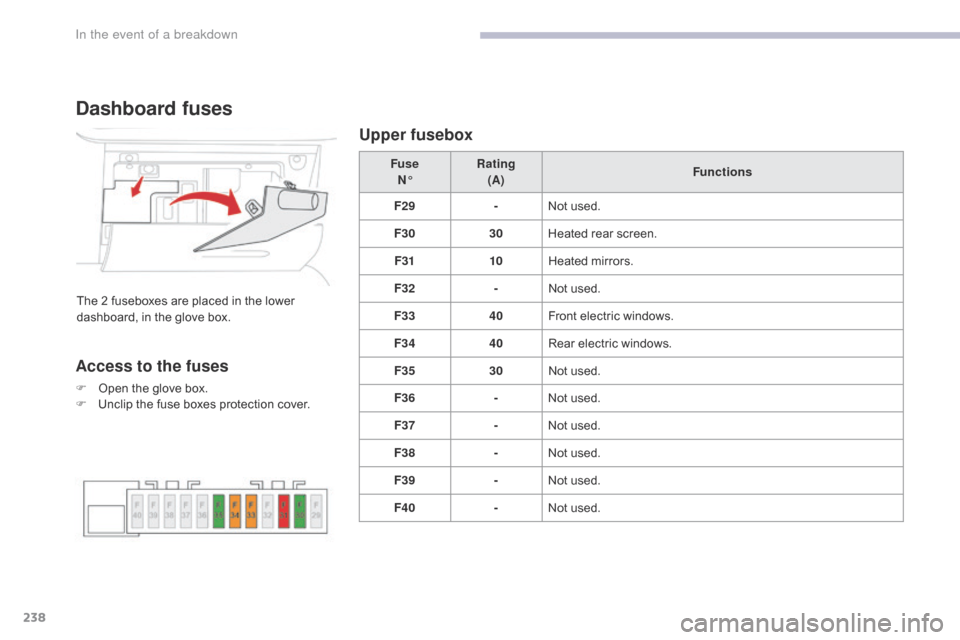
Dashboard fuses
The 2 fuseboxes are placed in the lower
dashboard, in the glove box.Fuse
N° Rating
(A) Functions
F29 -Not used.
F30 30Heated rear screen.
F31 10Heated mirrors.
F32 -Not used.
F33 40Front electric windows.
F34 40Rear electric windows.
F35 30Not used.
F36 -Not used.
F37 -Not used.
F38 -Not used.
F39 -Not used.
F40 -Not used.
Access to the fuses
F Open the glove box.
F
U nclip the fuse boxes protection cover.
Upper fusebox
In the event of a breakdown
253
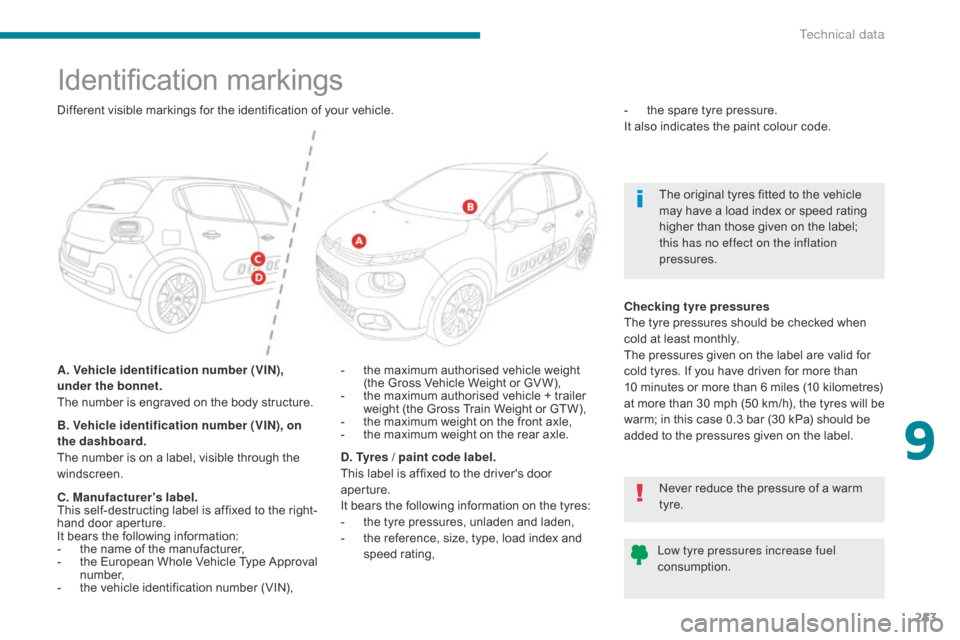
Identification markings
A. Vehicle identification number (VIN),
under the bonnet.
The number is engraved on the body structure.-
t he maximum authorised vehicle weight
(the Gross Vehicle Weight or GV W),
-
t
he maximum authorised vehicle + trailer
weight (the Gross Train Weight or GTW),
-
t
he maximum weight on the front axle,
-
t
he maximum weight on the rear axle.-
t
he spare tyre pressure.
It also indicates the paint colour code.
B. Vehicle identification number (VIN), on
the dashboard.
The number is on a label, visible through the
windscreen. Checking tyre pressures
The tyre pressures should be checked when
cold at least monthly.
The pressures given on the label are valid for
cold tyres. If you have driven for more than
10
minutes or more than 6 miles (10 kilometres)
at more than 30 mph (50 km/h), the tyres will be
warm; in this case 0.3 bar (30 kPa) should be
added to the pressures given on the label.
Different visible markings for the identification of your vehicle.
Low tyre pressures increase fuel
consumption.Never reduce the pressure of a warm
tyre. The original tyres fitted to the vehicle
may have a load index or speed rating
higher than those given on the label;
this has no effect on the inflation
pressures.
C. Manufacturer's label.
This self-destructing label is affixed to the right-
hand door aperture.
It bears the following information:
-
t
he name of the manufacturer,
-
t
he European Whole Vehicle Type Approval
number,
-
t
he vehicle identification number (VIN), D. Tyres / paint code label.
This label is affixed to the driver's door
aperture.
It bears the following information on the tyres:
-
t
he tyre pressures, unladen and laden,
-
t
he reference, size, type, load index and
speed rating,
9
Technical data
83
.
1
17
18
1
1
20
19
21
22
Audio and Telematics
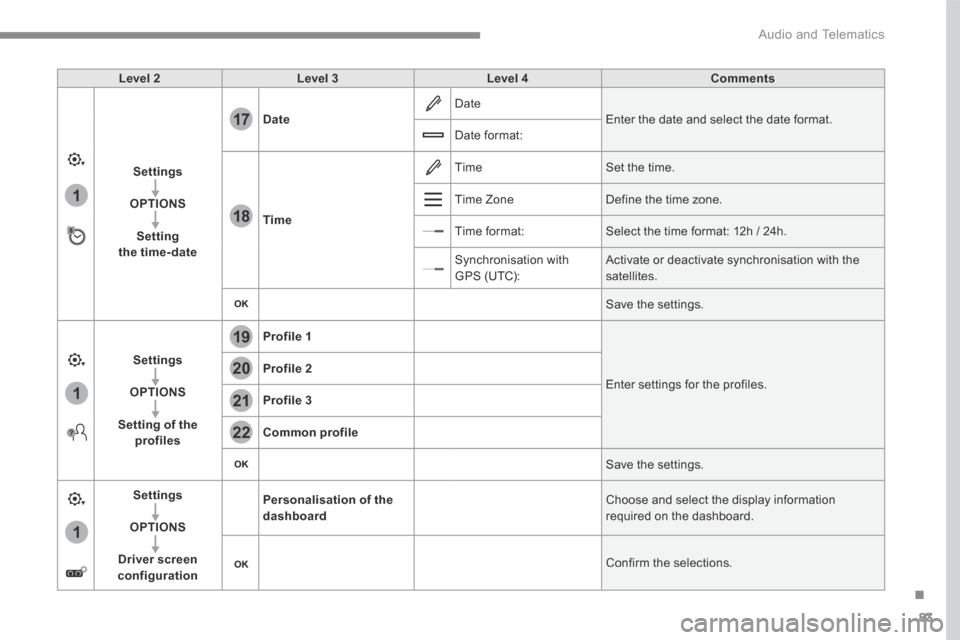
Level 2Level 3Level 4Comments
Settings
OPTIONS
Setting the time-date
Date Date Enter the date and select the date format. Date format:
Time
Time Set the time.
Time Zone Define the time zone.
Time format: Select the time format: 12h / 24h.
Synchronisation with GPS (UTC): Activate or deactivate synchronisation with the satellites.
Save the settings.
Settings
OPTIONS
Setting of the profiles
Profile 1
Enter settings for the profiles. Profile 2
Profile 3
Common profile
Save the settings.
Settings
OPTIONS
Driver screen configuration
Personalisation of the dashboard Choose and select the display information required on the dashboard.
Confirm the selections.