buttons Citroen C4 2008 1.G User Guide
[x] Cancel search | Manufacturer: CITROEN, Model Year: 2008, Model line: C4, Model: Citroen C4 2008 1.GPages: 257, PDF Size: 8.06 MB
Page 185 of 257
173
XIII
A U D I O
CD CHANGER SOURCE
CD Changer
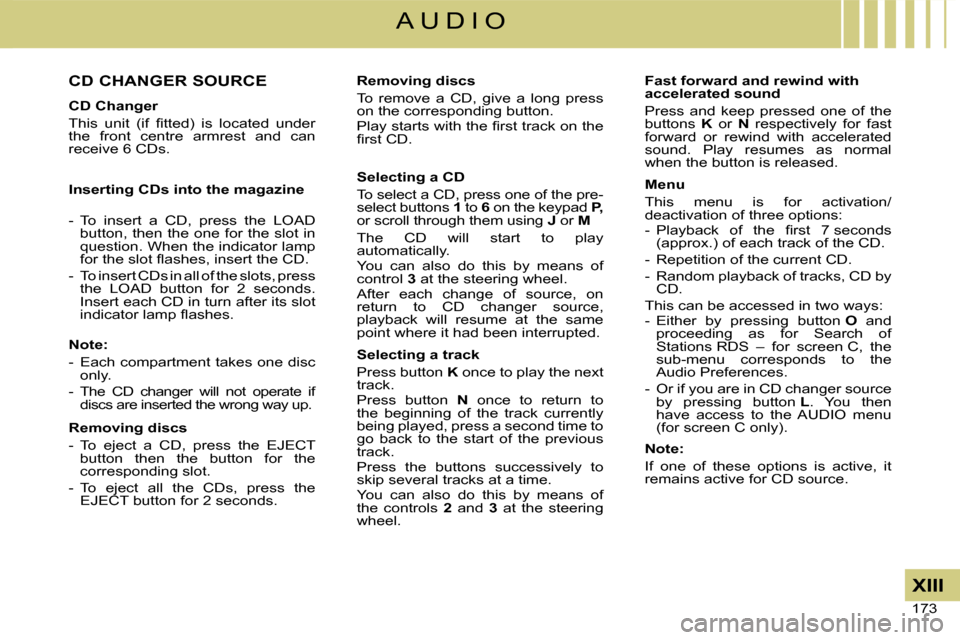
This unit (if fi tted) is located under the front centre armrest and can receive 6 CDs.
Inserting CDs into the magazine
- To insert a CD, press the LOAD button, then the one for the slot in question. When the indicator lamp for the slot fl ashes, insert the CD.
- To insert CDs in all of the slots, press the LOAD button for 2 seconds. Insert each CD in turn after its slot indicator lamp fl ashes.
Note:
- Each compartment takes one disc only.
- The CD changer will not operate if discs are inserted the wrong way up.
Removing discs
- To eject a CD, press the EJECT button then the button for the corresponding slot.
- To eject all the CDs, press the EJECT button for 2 seconds.
Removing discs
To remove a CD, give a long press on the corresponding button.Play starts with the fi rst track on the fi rst CD.
Selecting a CD
To select a CD, press one of the pre-select buttons 1 to 6 on the keypad P, or scroll through them using J or M
The CD will start to play automatically.You can also do this by means of control 3 at the steering wheel.After each change of source, on return to CD changer source, playback will resume at the same point where it had been interrupted.
Selecting a track
Press button K once to play the next track.Press button N once to return to the beginning of the track currently being played, press a second time to go back to the start of the previous track.Press the buttons successively to skip several tracks at a time.You can also do this by means of the controls 2 and 3 at the steering wheel.
Fast forward and rewind with accelerated sound
Press and keep pressed one of the buttons K or N respectively for fast forward or rewind with accelerated sound. Play resumes as normal when the button is released.
Menu
This menu is for activation/deactivation of three options:- Playback of the fi rst 7 seconds (approx.) of each track of the CD.
- Repetition of the current CD.
- Random playback of tracks, CD by CD.
This can be accessed in two ways:- Either by pressing button O and proceeding as for Search of Stations RDS – for screen C, the sub-menu corresponds to the Audio Preferences.
- Or if you are in CD changer source by pressing button L. You then have access to the AUDIO menu (for screen C only).
Note:
If one of these options is active, it remains active for CD source.
Page 187 of 257

175
XIII
A U D I O
Main Menu
Press on the Menu control Oto access the Main Menu, then select the "Telephone" icon via buttons J, M or 8 and then validate the selection via button L or 7.You have access:- To the Directory.
- To Confi guration.
- To Communication Management.
You access your choices using J, Mor 8 then you validate them with a press on L or 7.This main menu can also be accessed by pressing button E then button L.
Directory
This menu lets you open:- The telephone Directory of the telephone that is connected.
- The Calls List.
This menu can also be accessed with a press on control 11.
Telephone directory
The starting of a telephone call can be done independently of the telephone or of the audio system, thanks to the directory.The directory is displayed. Select the number via J, M or 8, then validate with a press on L or 7.
Remarks:
- The directory displayed updates itself automatically.
- If the person to be called does not fi gure in the directory, the call can only be made starting from the telephone.
- If you have information recorded in the Vcard format, you must select the person you wish to call, then validate. A list of 4 numbers maximum can be displayed with the following labels: "Home", "Offi ce", "Mobile" and "Car".
Calls list
After selecting this component and then validating, the calls list is displayed with a maximum of: 10 calls made (arrow pointing upward), 10 calls received (arrow pointing downward) and 10 calls not connected.It is possible to make a call starting from this list: Select the number via J, M or 8, then validate with a press on L or 7.
Confi guration
This menu allows you to:- Deleting a twinning.
Using J, M or 8, select this choice then validate via L or 7. Select in the list the telephone that you no longer wish to have twinned. Validate.
- Consulting the list of twinnings.
The list of telephones twinned is displayed.
- Connecting a mobile telephone that is twinned.
Select the telephone that you wish to connect. This access allows you to make a connection manually.
Call management
This menu is accessible during your calls, permitting you to:- Swap a call if there is another call incoming.
- End a call.
- Be in Secret mode.
Remark:
If you are in telephone conversation, you have access to this "Confi guration" menu by means of a press on L or 7.
Page 204 of 257

13
11
2
3
05
SELECTING A STATIONWhen the current radio station is
displayed on the screen, press the
dial.
The radio source short-cuts menu appears and provid es access to
the following short-cuts:
Select the function required and press
the dial to conirm to gain access to
the corresponding settings.
TRAFFIC INFO (TA)
The RDS, if displayed, allows you to continue liste ning to the same
station by means of the frequency following. Howeve r, in certain
conditions, this RDS station cannot be followed thr oughout the entire
country as radio stations do not cover 100 % of the territory. This
explains the loss of reception of the station durin g a journey.
The external environment (hill, building, tunnel, u
nderground car park...) may interfere with
the reception, including in RDS following mode. Thi s phenomenon is a normal result of the
way in which radio waves are transmitted and does n ot in any way indicate a failure of the
audio equipment.
RDS - REGIONAL MODE - TRAFFIC INFO
Press the RADIO button to display
the list of stations received locally
sorted in alphabetical order.
Select the station required by turning
the dial and press to conirm.
While listening to the radio, press one of the
buttons to select the previous or next station on
the list.
Press one of the buttons on the numeric keypad for more than
2 seconds to store the current station.
Press the button on the numeric keypad to recall th e stored radio
station.
RDS
RADIOTEXT
REGIONAL PROG. (REG)
WAVEBAND
RADIO
A long press of one of the buttons starts the
automatic search for a station with a lower or
higher frequency.
Page 234 of 257

16
1
2
3
41
2
3
4
05AUDIO/VIDEO
RADIO
SELECTING A STATION
Press the SOURCE button several
times in succession and select the
RADIO.
Press the BAND button to select a
waveband: FM1, FM2, FMast, AM.
Briely press one of the buttons to
carry out an automatic search of the
radio stations.
Press one of the buttons to carry out a
manual search of the radio stations.
Press the LIST button to display the
list of stations received locally
(60 maximum).
To update this list, press for more than
two seconds. The external environment (hills, buildings, tunnels
, basement car parks, ...) may block reception,
including in RDS mode. This is a normal effect of t he way in which radio waves are transmitted and doe s
not indicate any failure of the audio equipment.
RDS
Select ACTIVATE FREQUENCY
FOLLOWING (RDS) then press OK.
RDS appears on the display.
Select the FM WAVEBAND
PREFERENCES function then
press OK.
Select AUDIO FUNCTIONS then
press OK.
Press the MENU button.
The RDS, if displayed, enables you to continue list ening to the
same station by means of frequency following. Howev er, in certain
conditions, this RDS station is not followed throug hout the country
as radio stations do not cover 100 % of the territo ry. This explains
the loss of reception of the station during a journ ey.
FM WAVEBAND PREFERENCES
ACTIVATE FREQUENCY FOLLOWING (RDS)
Page 235 of 257

17
1
2
05AUDIO/VIDEO
INFORMATION AND ADVICE
The MP3 format, an abbreviation of MPEG 1.2 & 2.5 A udio Layer 3,
is an audio compression standard which permits the recording of
several tens of music iles on a single disc.
In order to be able to play a recorded CDR/DVDR or CDRW/DVDRW,
when recording it is preferable to select standards ISO 9660 level 1.2 or
Joliet.
If the disc is recorded in another format, it may n ot be played
correctly.
It is recommended that the same recording standard is always used
for an individual disc, with as low a speed as poss ible (4x maximum)
for optimum sound quality.
In the particular case of a multi-session CD, the J oliet standard is
recommended.
The audio equipment will only play audio iles with the extension
".mp3" with a sampling rate of 22.05 KHz, 44.1 KHz or 48 KHz.
No other type of ile (.wma, .mp4, m3u...) can be pl ayed.
It is advisable to restrict ile names to 20 charact ers without using
special characters (e.g.: " " ? ; ù) to avoid any playing or displaying
problems. Insert circular compact discs only. Some anti-pirat
ing
systems, on original discs or CDs/DVDs copied using
a personal recorder, may generate malfunctions
regardless of the quality of the original player.
Insert an audio CD or an MP3 compilation in the pla yer,
play begins automatically.
If the player already contains a disc,
press the SOURCE button several
times in succession and select
CD/DVD to listen to it.
Press one of the buttons to select a
track on the CD/DVD.
Press the LIST button to display the
list of tracks on the CD/DVD or of the
directories of the MP3 compilation.
The playing and displaying of an MP3 compilation ma y depend
on the recording programme and/or the parameter set tings used.
We recommend use of the ISO 9660 recording standard .
MP3 CD/DVD
PLAYING A CD/DVD
OR AN MP3 COMPILATION
CD/DVD
Page 237 of 257

19
2
1
3
4
5
2
3
1
USB
Select USB and press the dial to
conirm.
COPY USB TO JUKEBOX
COMPLETE DISC
Select COPY USB TO JUKEBOX
and press the dial to conirm.
Select COMPLETE DISC to copy the
entire USB stick and press the dial to
conirm.
Select AUDIO FUNCTIONS and press
the dial to conirm.
Insert a USB stick in the space provided
and press the MENU button.
JUKEBOX FUNCTION
COPYING AN MP3 USB STICK ONTO THE HARD DISC
If another source is being played,
press the SOURCE button several
times in succession and select USB
to play it.
Press one of the buttons to select a
track on the USB stick.
Press the LIST button to display the list
of folders on the MP3 USB stick.
To eject the USB stick, press the MENU button, sele ct AUDIO
FUNCTIONS, USB, then select EJECT USB.
The playing and displaying of an MP3 compilation ma y depend on
the parameters programme used.
JUKEBOX FUNCTION
PLAYING AN MP3 USB STICK
Insert a USB stick in the space provided.
Page 240 of 257
22
1
2
13
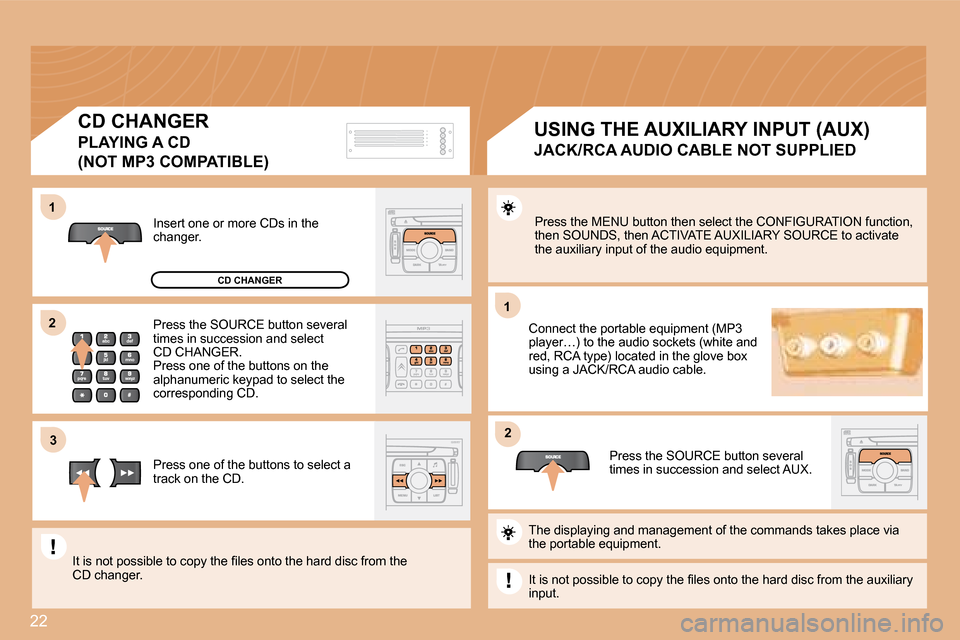
2Press the MENU button then select the CONFIGURATION
function,
then SOUNDS, then ACTIVATE AUXILIARY SOURCE to acti vate
the auxiliary input of the audio equipment.
Connect the portable equipment (MP3
player…) to the audio sockets (white and
red, RCA type) located in the glove box
using a JACK/RCA audio cable.
Press the SOURCE button several
times in succession and select AUX.
Insert one or more CDs in the
changer.
Press the SOURCE button several
times in succession and select
CD CHANGER.
Press one of the buttons on the
alphanumeric keypad to select the
corresponding CD.
Press one of the buttons to select a
track on the CD.
The displaying and management of the commands takes place via
the portable equipment.
It is not possible to copy the iles onto the hard d isc from the auxiliary
input.
It is not possible to copy the iles onto the hard d
isc from the
CD changer. USING THE AUXILIARY INPUT (AUX)
JACK/RCA AUDIO CABLE NOT SUPPLIED
CD CHANGER
PLAYING A CD
(NOT MP3 COMPATIBLE)
CD CHANGER