change time Citroen C4 2014.5 2.G Owner's Manual
[x] Cancel search | Manufacturer: CITROEN, Model Year: 2014.5, Model line: C4, Model: Citroen C4 2014.5 2.GPages: 494, PDF Size: 21.47 MB
Page 12 of 494
10
Eco-driving is a range of everyday practices that allow the motorist to optimise their fuel consumption and CO2 emissions.
Optimise the use of your
gearbox
With a manual gearbox, move off gently and change up without waiting. During acceleration change up early.
With
an automatic or electronic gearbox, give preference to automatic
m
ode and avoid pressing the accelerator pedal heavily or suddenly.
Drive smoothly
Maintain a safe distance between vehicles, use engine braking rather than the brake pedal, and press the accelerator progressively. These
p
ractices contribute towards a reduction in fuel consumption and
C
o
2 emissions and also helps reduce the background traffic noise.
I
f
your vehicle has cruise control, make use of the system at speeds
a
bove 25 mph (40 km/h) when the traffic is flowing well.
Control the use of your electrical
equipment
Before moving off, if the passenger compartment is too warm, ventilate it by opening the windows and air vents before using the air conditioning.
Above
30 mph (50 km/h), close the windows and leave the air vents
ope
n.
Remember
to make use of equipment that can help keep the
t
emperature in the passenger compartment down (sunroof and window
b
linds...).
Switch
off the air conditioning, unless it has automatic regulation, as
s
oon as the desired temperature is attained.
Switch
off the demisting and defrosting controls, if not automatic.
Switch
off the heated seat as soon as possible.
Switch
off the headlamps and front foglamps when the level of light
d
oes not require their use.
Avoid
running the engine before moving off, particularly in winter; your
v
ehicle will warm up much faster while driving.
As
a passenger, if you avoid connecting your multimedia devices
(
film, music, video game...), you will contribute towards limiting the
c
onsumption of electrical energy, and so of fuel.
Disconnect
your portable devices before leaving the vehicle.
Eco-driving
The gear efficiency indicator invites you engage the most suitable gear: as soon as the indication is displayed in the instrument panel, follow it
s
traight away.
For
vehicles fitted with an electronic or automatic gearbox, this
i
ndicator appears only in manual mode.
Eco-driving
Page 36 of 494
34
Setting the time and the time
format in the instrument
panel with the clock
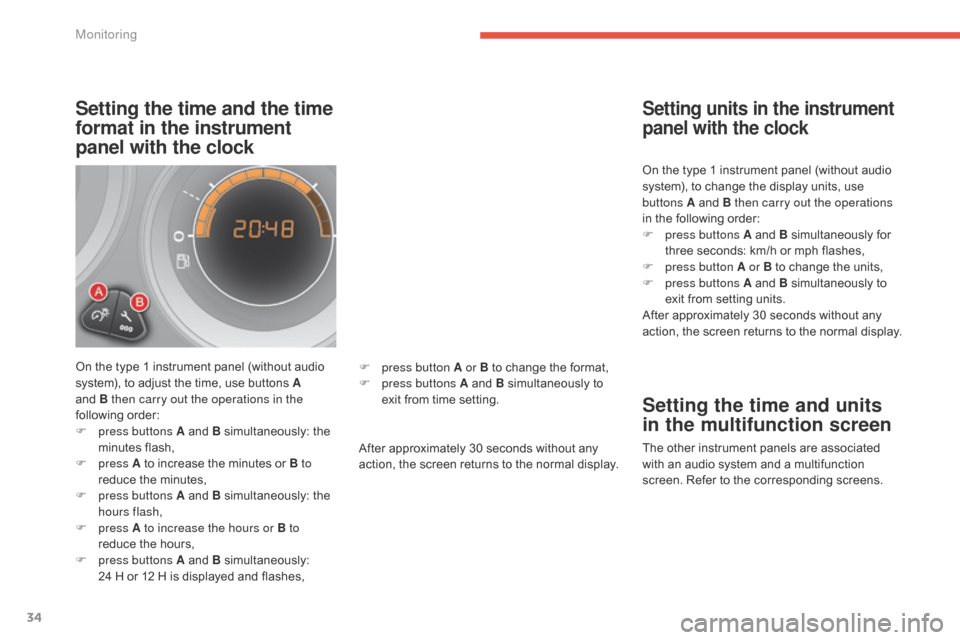
On the type 1 instrument panel (without audio system), to adjust the time, use buttons A
and B then carry out the operations in the
following
or
der:
F
p
ress buttons A and B
s
imultaneously:
t
he
m
inutes
f
lash,
F
press A
to increase the minutes or B to
reduce
the minutes,
F
p
ress buttons A and B
s
imultaneously:
t
he
h
ours flash,
F
press A to increase the hours or B to
reduce
the hours,
F
p
ress buttons A and B
s
imultaneously:
2
4 H or 12 H is displayed and flashes,After
approximately 30 seconds without any
a
ction, the screen returns to the normal display.On
the type 1 instrument panel (without audio
s
ystem), to change the display units, use
b
uttons A and B then carry out the operations
in the following order:
F
p
ress buttons A and B
s
imultaneously
fo
r
t
hree seconds: km/h or mph flashes,
F
p
ress button A or B to change the units,
F
p
ress buttons A and B simultaneously to
e
xit from setting units.
After approximately 30 seconds without any
a
ction, the screen returns to the normal display.
Setting units in the instrument
panel with the clock
Setting the time and units
in the multifunction screen
The other instrument panels are associated w
ith an audio system and a multifunction
s
creen. Refer to the corresponding screens.
F
p
ress button A or B
to
change
the
format,
F
p
ress buttons A
and
B
simultaneously
to
e
xit
from
time
setting.
Monitoring
Page 37 of 494
35
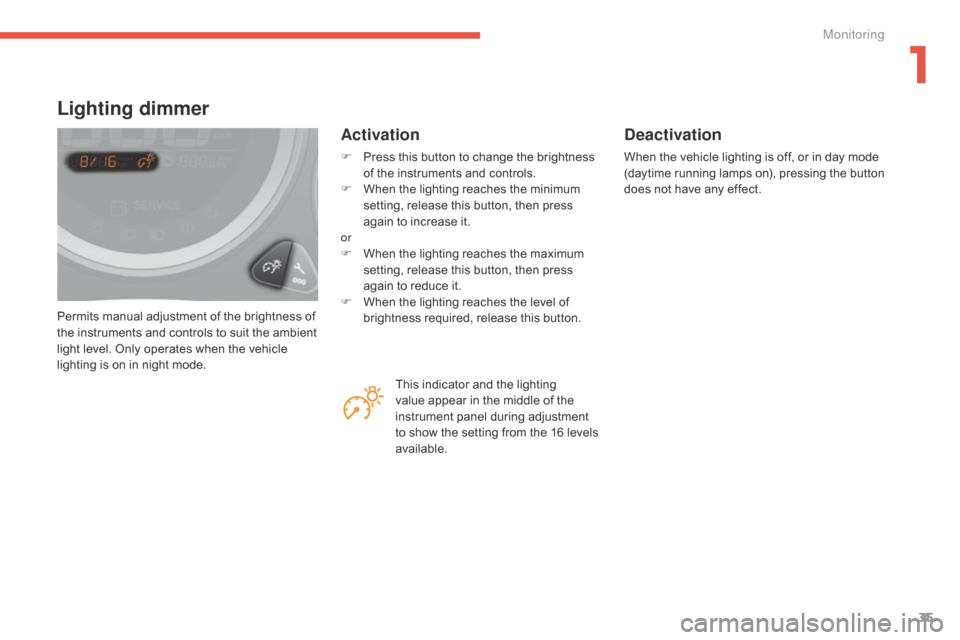
Permits manual adjustment of the brightness of the instruments and controls to suit the ambient
l
ight level. Only operates when the vehicle
l
ighting is on in night mode.
Lighting dimmer
Activation
F Press this button to change the brightness o
f the instruments and controls.
F
W
hen the lighting reaches the minimum
s
etting, release this button, then press
a
gain to increase it.
or
F
W
hen the lighting reaches the maximum
s
etting, release this button, then press
a
gain to reduce it.
F
W
hen the lighting reaches the level of
b
rightness required, release this button.
Deactivation
When the vehicle lighting is off, or in day mode (daytime running lamps on), pressing the button d
oes not have any effect.
This
indicator
and
the
lighting
v
alue
appear
in
the
middle
of
the
i
nstrument
panel
during
adjustment
t
o
show
the
setting
from
the
16
levels
a
vailable.
1
Monitoring
Page 39 of 494
37
Monochrome screen A
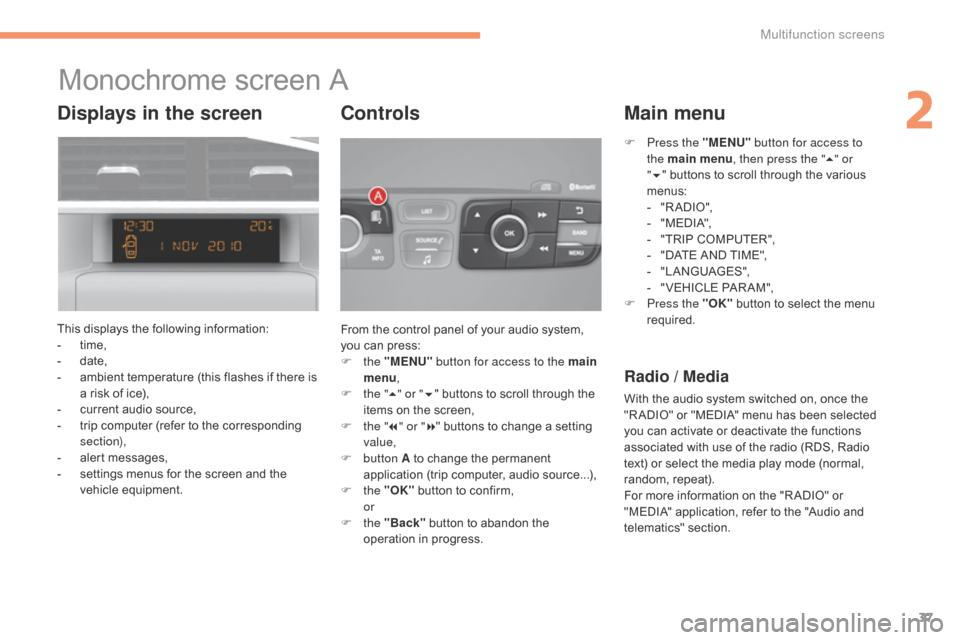
This displays the following information:
- t ime,
-
d
ate,
-
a
mbient temperature (this flashes if there is
a
risk of ice),
-
c
urrent audio source,
-
t
rip computer (refer to the corresponding
s
ection),
-
a
lert messages,
-
s
ettings menus for the screen and the
v
ehicle
e
quipment. From
the control panel of your audio system,
y
ou can press:
F
the "MENU" button for access to the main
menu ,
F
t
he "5" or " 6"
buttons to scroll through the
i
tems on the screen,
F
t
he "7" or " 8"
buttons to change a setting
va
lue,
F
button A
to change the permanent
a
pplication (trip computer, audio source...),
F
the "OK"
button to confirm,
or
F
the "Back"
button to abandon the
o
peration in progress.
Controls
F Press the "MENU" button for access to
the main menu , then press the " 5" or
" 6 "
buttons to scroll through the various
m
enus:
-
"
R A DIO ",
-
"
M EDI A",
-
"
TRIP COMPUTER",
-
"
DATE AND TIME",
-
"
LANGUAGES",
-
"
VEHICLE PAR AM",
F
P
ress the "OK"
button to select the menu
r
equired.
Main menu
Radio / Media
With the audio system switched on, once the "R ADIO" or "MEDIA" menu has been selected
y
ou can activate or deactivate the functions
a
ssociated with use of the radio (RDS, Radio
t
ext) or select the media play mode (normal,
r
andom,
r
epeat).
For
more information on the "R ADIO" or
"
MEDIA" application, refer to the "Audio and
t
elematics"
se
ction.
Displays in the screen
2
Multifunction screens
Page 40 of 494
38
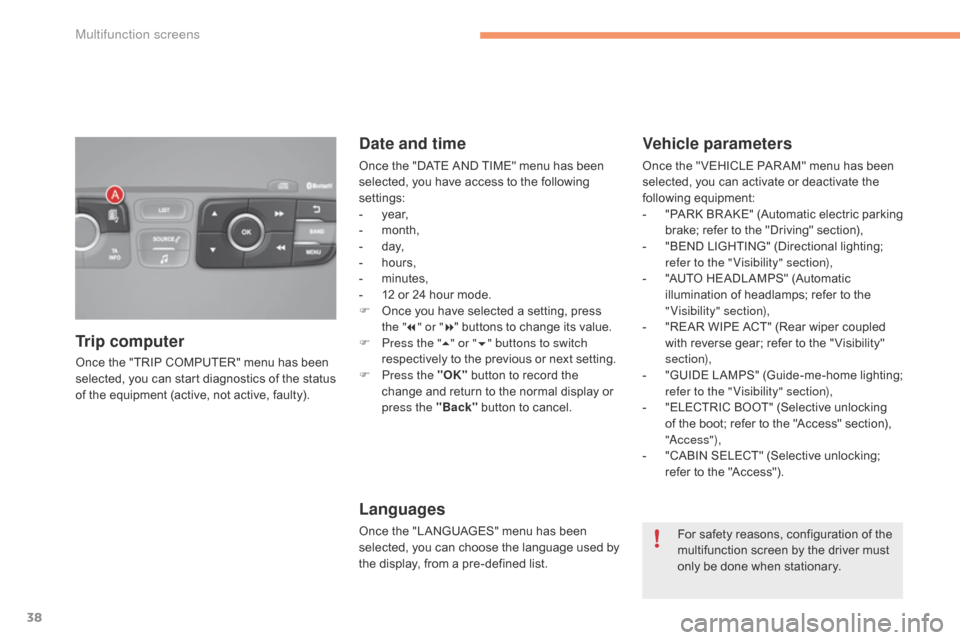
Once the "TRIP COMPUTER" menu has been selected, you can start diagnostics of the status
o
f the equipment (active, not active, faulty).
Trip computer Date and time
Once the "DATE AND TIME" menu has been s
elected, you have access to the following
se
ttings:
-
ye
ar,
-
m
onth,
-
d
ay,
-
h
ours,
-
m
inutes,
-
1
2 or 24 hour mode.
F
O
nce you have selected a setting, press
t
he "7" or " 8"
buttons to change its value.
F
P
ress the " 5" or " 6" buttons to switch
respectively
to the previous or next setting.
F
P
ress the "OK"
button to record the
c
hange and return to the normal display or
p
ress the "Back"
button to cancel.
Languages
Once the "LANGUAGES" menu has been selected, you can choose the language used by
t
he display, from a pre-defined list.
Vehicle parameters
Once the " VEHICLE PAR AM" menu has been selected, you can activate or deactivate the
fo
llowing
e
quipment:
-
"
PARK
B
R AKE"
(
Automatic
e
lectric
p
arking
b
rake; refer to the "Driving" section),
-
"
BEND LIGHTING" (Directional lighting;
r
efer to the " Visibility" section),
-
"
AUTO HEADLAMPS" (Automatic
i
llumination of headlamps; refer to the
"
Visibility" section),
-
"
REAR WIPE ACT" (Rear wiper coupled
w
ith reverse gear; refer to the " Visibility"
s
ection),
-
"
GUIDE
L
AMPS"
(
Guide-me-home
l
ighting;
r
efer to the " Visibility" section),
-
"
ELECTRIC BOOT" (Selective unlocking
o
f the boot; refer to the "Access" section),
"
a
c
c ess"),
-
"
CABIN SELECT" (Selective unlocking;
r
efer to the "Access").
For
safety reasons, configuration of the
m
ultifunction screen by the driver must
o
nly be done when stationary.
Multifunction screens
Page 41 of 494
39
Monochrome screen C
This displays the following information:
- t ime,
-
d
ate,
-
a
mbient temperature (this flashes if there is
a
risk of ice),
-
p
arking sensor information,
-
c
urrent audio source,
-
t
elephone or Bluetooth system information,
-
t
rip computer (refer to the corresponding
s
ection),
-
a
lert messages,
-
s
ettings menus for the screen and the
v
ehicle
e
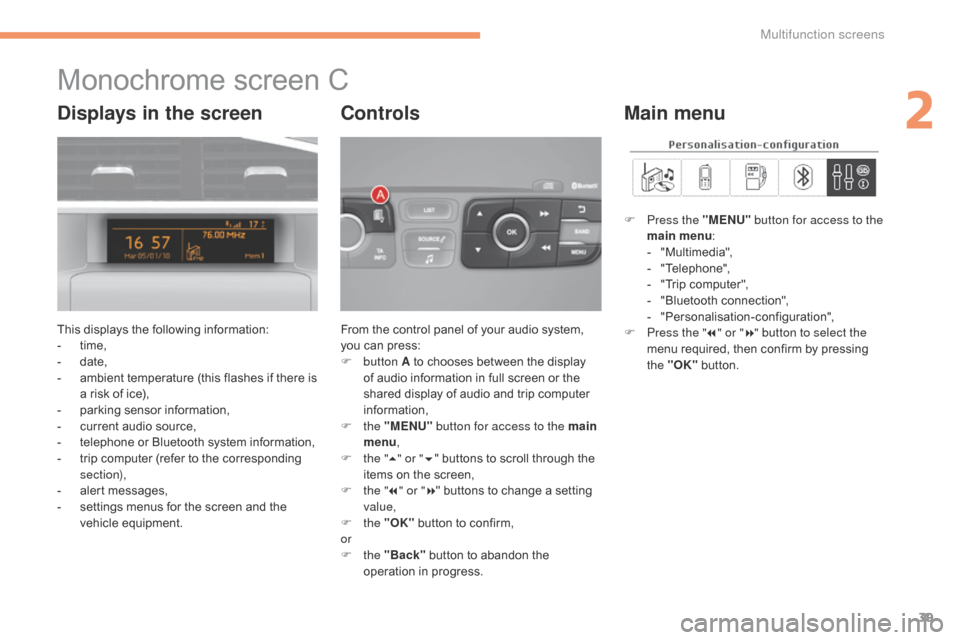
quipment. From
the control panel of your audio system, y
ou can press:
F
button A
to chooses between the display
o
f audio information in full screen or the
s
hared display of audio and trip computer
i
nformation,
F
the "MENU" button for access to the main
menu ,
F
t
he "5" or " 6"
buttons to scroll through the
i
tems on the screen,
F
t
he "7" or " 8"
buttons to change a setting
va
lue,
F
the "OK"
button to confirm,
or
F
the "Back"
button to abandon the
o
peration in progress.
Controls
F Press the "MENU" button for access to the
main menu :
-
"
Multimedia",
-
"
Telephone",
-
"
Trip computer",
-
"
Bluetooth connection",
-
"
Personalisation-configuration",
F
P
ress the " 7" or " 8" button to select the
menu
required, then confirm by pressing
t
he "OK"
button.
Main menuDisplays in the screen
2
Multifunction screens
Page 54 of 494
52
A few definitions…
Range
(miles or km)
W
hen
the
range falls below 20 miles
(30
km),
dashes are displayed. After filling with at
l
east
5
litres
of fuel, the range is recalculated and
i
s
displayed
when it exceeds 60 miles (100 km).
Current fuel consumption
(mpg or l/100 km or km/l)
Average fuel
consumption
(mpg or l/100 km or km/l)
Average speed
(mph or km/h)
Distance travelled
(miles or km)
Stop & Start time counter
(minutes / seconds or hours / minutes)
If
dashes
are
displayed
continuously
w
hile
driving
in
place
of
the
digits,
c
ontact
a
CITROËN
dealer
or
a
qualified
w
orkshop. The
fuel
consumption
of
your
vehicle
w
ill
be
higher
than
the
official
figures
o
btained
by
CITROËN
during
the
first
3
000
miles
(5
000
km)
of
the
vehicle's
l
ife.
This
function
is
only
displayed
from
2
0 mph
(30
km/h).
This
value
may
vary
following
a
change
i
n
the
style
of
driving
or
the
relief,
r
esulting
in
a
significant
change
in
the
c
urrent
fuel
consumption.
This
indicates
the
distance
which
can
still
be
t
ravelled
with
the
fuel
remaining
in
the
tank
in
r
elation
to
the
average
fuel
consumption
over
t
he
last
few
miles
(kilometres)
travelled.
This
is
the
average
fuel
consumption
during
the
l
ast
few
seconds.
T
his
is
the
average
fuel
consumption
since
the
l
ast
trip
computer
zero
reset.
If
your
vehicle is fitted with Stop & Start, a time
c
ounter
calculates the time spent in STOP
m
ode
during a journey.
It
resets
to zero every time the ignition is
s
witched
on.
This
indicates the distance travelled since the
l
ast
trip
computer zero reset.
This
is
the average speed calculated since the
l
ast
trip
computer zero reset (ignition on).
Multifunction screens
Page 180 of 494
178
Automated mode
For optimum acceleration, for example when overtaking another vehicle, press the
a
ccelerator pedal firmly past the point of
r
esistance.
The
gearbox operates in auto-active mode,
w
ithout any action on the part of the driver.
It continuously selects the most suitable gear
fo
r:
-
o
ptimisation of fuel consumption,
-
t
he style of driving,
-
t
he profile of the road.
-
t
he vehicle load.
AUTO
and the gear engaged
a
ppear in the instrument panel
sc
reen.
ne
ver select neutral N while the vehicle
is
moving.
ne
ver select neutral N
w
hen
d
riving. You
can change mode at any time by
m
oving the gear lever from A to M or
the
other way round.
F
Sel
ect position A
.
Temporary control of gear
changing
You can temporarily take over control of g
ear changing using the "+" and "-" steering
m
ounted paddles: if the engine speed allows,
t
he request to change gear is acted on.
This function allows you to anticipate certain
situations
such as overtaking a vehicle or the
a
pproach to a corner.
After
a few moments without any action on
t
he control paddles, the gearbox resumes
a
utomatic control of the gears.
Manual mode
The gears engaged appear in succession in the instrument panel
sc
reen.
The
gear
change requests are only acted on if
t
he
engine
speed permits.
It is not necessary to release the accelerator
during
gear
changes.
When
braking or slowing down, the gearbox
c
hanges
down automatically to allow the
v
ehicle
to
accelerate in the correct gear.
On
sharp
acceleration, the gearbox will not
c
hange
up
unless the driver acts on the gear
l
ever
or
the
steering mounted paddles.
F
Sel
ect position M
.
Driving
Page 185 of 494
183
Manual operation
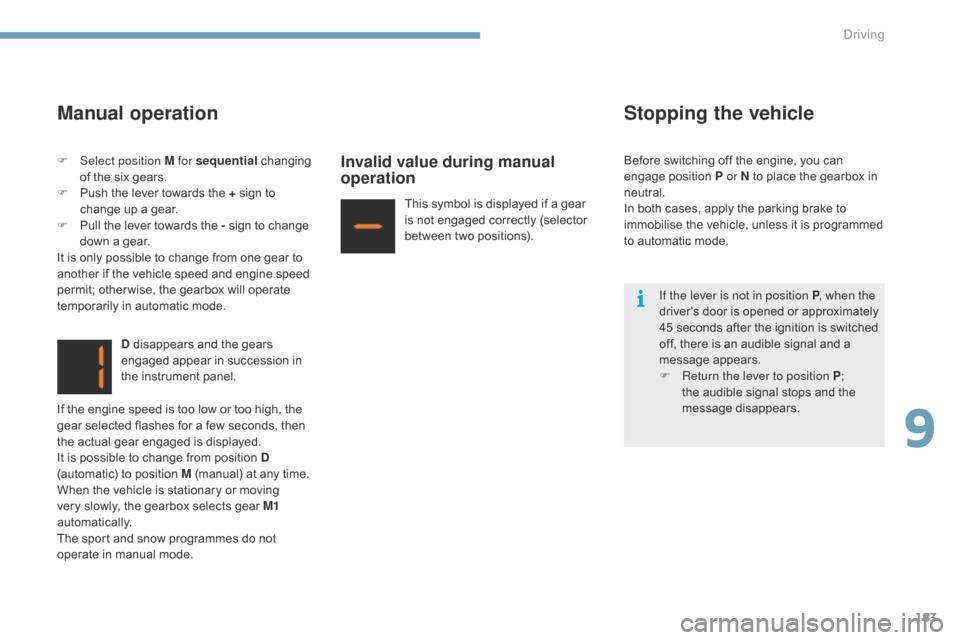
D disappears and the gears engaged appear in succession in
t
he instrument panel.
Invalid value during manual
operation
This symbol is displayed if a gear is not engaged correctly (selector
b
etween two positions).
Stopping the vehicle
If the lever is not in position P , when the
driver's d oor i s o pened o r a pproximately
4
5 seconds after the ignition is switched
o
ff, there is an audible signal and a
m
essage
ap
pears.
F
R
eturn the lever to position P ;
t
he audible signal stops and the
m
essage
d
isappears.
F
Sel
ect position M for sequential
c
hanging
o
f
the
six
gears.
F
P
ush
the
lever
towards
the
+
sign
to
c
hange
up
a
gear.
F
P
ull
the
lever
towards
the
-
sign
to
change
d
own
a
gear.
It
is
only
possible
to
change
from
one
gear
to
a
nother
if
the
vehicle
speed
and
engine
speed
p
ermit;
other wise,
the
gearbox
will
operate
t
emporarily
in
automatic
mode.
If
the
engine
speed
is
too
low
or
too
high,
the
g
ear
selected
flashes
for
a
few
seconds,
then
t
he
actual
gear
engaged
is
displayed.
It
is
possible
to
change
from
position
D
(automatic)
to
position
M
(manual)
at
any
time.
When
the
vehicle
is
stationary
or
moving
v
ery
slowly,
the
gearbox
selects
gear
M1
automatically.
The
sport
and
snow
programmes
do
not
o
perate
in
manual
mode. Before
switching off the engine, you can
e
ngage position P or N to place the gearbox in
neu
tral.
In
both cases, apply the parking brake to
i
mmobilise the vehicle, unless it is programmed
t
o
automatic mode.
9
Driving
Page 213 of 494
211
Checking levels
The check is carried out either when the ignition is switched on using the
o
il level indicator in the instrument
p
anel for vehicles so equipped, or
u
sing the dipstick.
Engine oil level
Checking using
the dipstick
Check all of these levels regularly, in line with the manufacturer's service schedule. Top them up if necessary, unless other wise indicated.
I f a level drops significantly, have the corresponding system checked by a CITROËN dealer or a qualified workshop.
It
is normal to top up the oil level between
t
wo services (or oil changes). CITROËN
r
ecommends that you check the level, and top
u
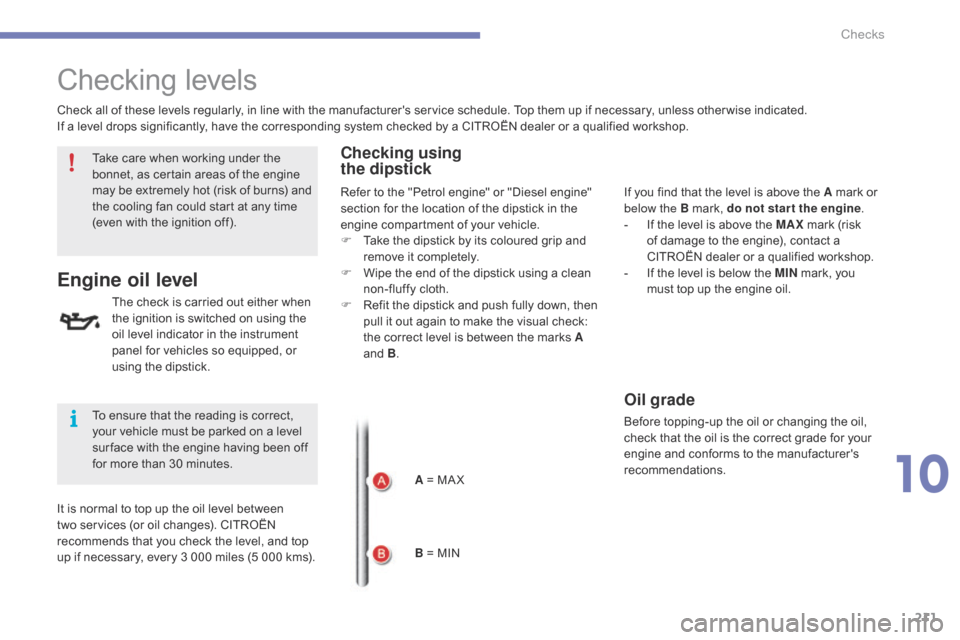
p if necessary, every 3 000 miles (5 000 kms).A
= MA X
B
= MINIf
you find that the level is above the A mark or
belo
w the B mark, do not star t the engine.
-
I
f the level is above the MAX
mark (risk
o
f damage to the engine), contact a
C
ITROËN dealer or a qualified workshop.
-
I
f the level is below the MIN
mark, you
m
ust top up the engine oil.
Oil grade
Before topping-up the oil or changing the oil, check that the oil is the correct grade for your
e
ngine and conforms to the manufacturer's
r
ecommendations.
Take
care
when
working
under
the
b
onnet,
as
certain
areas
of
the
engine
m
ay
be
extremely
hot
(risk
of
burns)
and
t
he
cooling
fan
could
start
at
any
time
(
even
with
the
ignition
off).
To
ensure
that
the
reading
is
correct,
y
our
vehicle
must
be
parked
on
a
level
s
ur face
with
the
engine
having
been
off
f
or
more
than
30
minutes. Refer
to
the
"Petrol
engine"
or
"Diesel
engine"
s
ection
for
the
location
of
the
dipstick
in
the
e
ngine
compartment
of
your
vehicle.
F
T
ake
the
dipstick
by
its
coloured
grip
and
r
emove
it
completely.
F
W
ipe
the
end
of
the
dipstick
using
a
clean
n
on-fluffy
cloth.
F
R
efit
the
dipstick
and
push
fully
down,
then
p
ull
it
out
again
to
make
the
visual
check:
t
he
correct
level
is
between
the
marks
A
and
B
.
10
Checks