door lock Citroen C4 2014.5 2.G Owner's Manual
[x] Cancel search | Manufacturer: CITROEN, Model Year: 2014.5, Model line: C4, Model: Citroen C4 2014.5 2.GPages: 494, PDF Size: 21.47 MB
Page 6 of 494
4
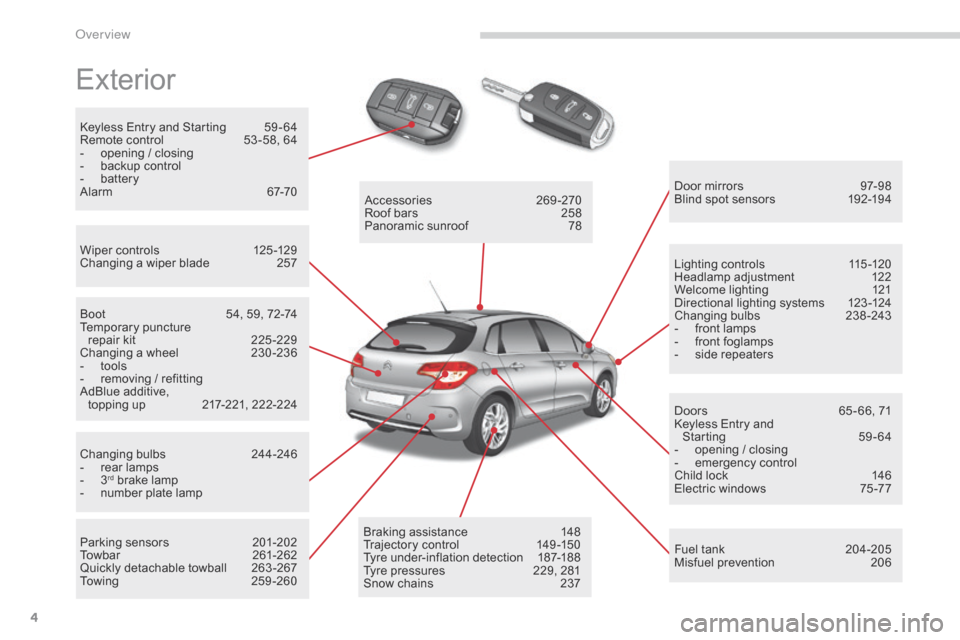
Exterior
Keyless Entry and Starting 59 - 64
Remote control 5 3 -58, 64
-
o
pening / closing
-
b
ackup control
-
b
attery
Alarm
6
7-70
Wiper
controls
1
25 -129
Changing
a wiper blade
2
57 Door
mirrors
9
7-98
Blind
spot sensors
1
92-194
Boot
5
4, 59, 72-74
Temporary
pu
ncture
r
epair kit
2
25 -229
Changing
a wheel
2
30 -236
-
t
ools
-
r
emoving / refitting
AdBlue
additive,
topping
up
2
17-221, 222-224
Changing
bu
lbs
2
44-246
-
r
ear lamps
-
3rd brake lamp
-
n
umber plate lamp
Parking
sensors
2
01-202
Towbar
26
1-262
Quickly
detachable towball
2
63 -267
To w i n g
2
5 9 - 2 6 0Accessories
2
69-270
Roof bars
2
58
Panoramic sunroof
7
8
Braking assistance
1
48
Trajectory
c
ontrol
1
49-150
Tyre
under-inflation detection
1
87-188
Tyre
pressures
2
29, 281
Snow
chains
2
37Lighting
controls
1
15 -120
Headlamp
adj
ustment
1
22
Welcome lighting
1
21
Directional lighting systems
1
23 -124
Changing
bu
lbs
2
38-243
-
f
ront lamps
-
f
ront foglamps
-
s
ide repeaters
Doors
6
5 - 66, 71
Keyless Entry and
Starting
5
9-64
-
o
pening / closing
-
em
ergency
c
ontrol
Child lock 1 46
Electric windows 7 5 -77
Fuel
tank
2
04-205
Misfuel
prevention
2
06
over view
Page 8 of 494
6
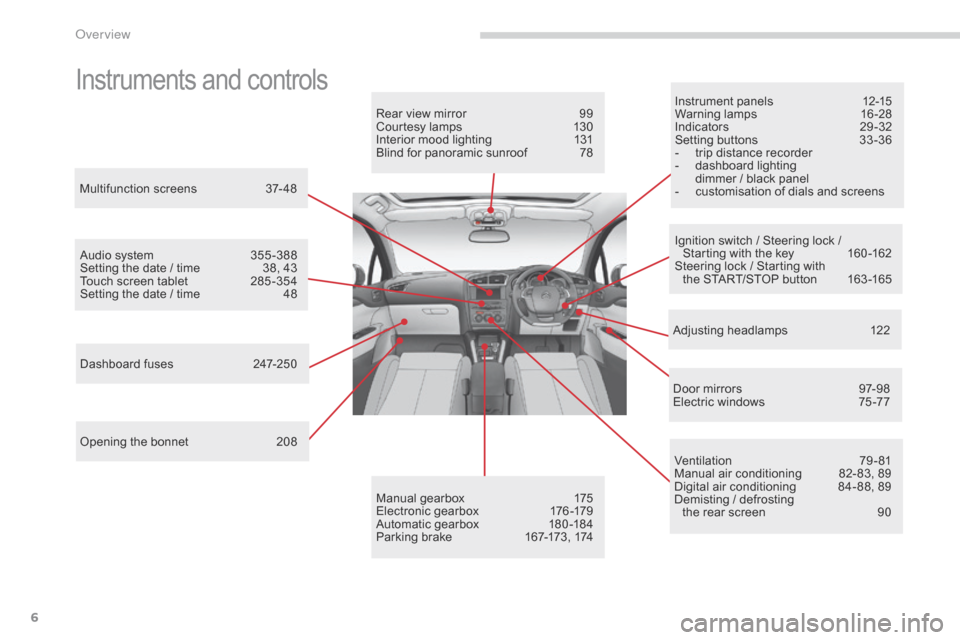
Instruments and controlsInstrument panels 12-15
Warning lam ps 1 6-28
Indicators
2
9-32
Setting
buttons
3
3 -36
-
t
rip distance recorder
-
d
ashboard lighting
d
immer / black panel
-
c
ustomisation of dials and screens
Adjusting
h
eadlamps
1
22
Door
mirrors
9
7-98
Electric
windows
7
5 -77
Dashboard
fuses
2
47-250
Opening
the
bonnet
2
08
Audio
system
3
55 -388
Setting
the
date
/
time
3
8,
43
Touch
screen
tablet
2
85 -354
Setting
the
date
/
time
4
8
Manual
g
earbox
1
75
Electronic
gearbox
1
76 -179
Automatic
gearbox
1
80 -184
Parking
brake
1
67-173,
174
Rear
view
mirror
9
9
Courtesy
lamps
1
30
Interior
mood
lighting
1
31
Blind
for
panoramic
sunroof
7
8
Multifunction
screens
3
7- 48
Ventilation
7
9-81
Manual
air conditioning
8
2- 83, 89
Digital
air conditioning
8
4- 88, 89
Demisting
/ defrosting
the
rear screen
9
0
Ignition
switch / Steering lock /
S
tarting with the key
1
60 -162
Steering
lock / Starting with
the
START/STOP button
1
63 -165
over view
Page 35 of 494
33
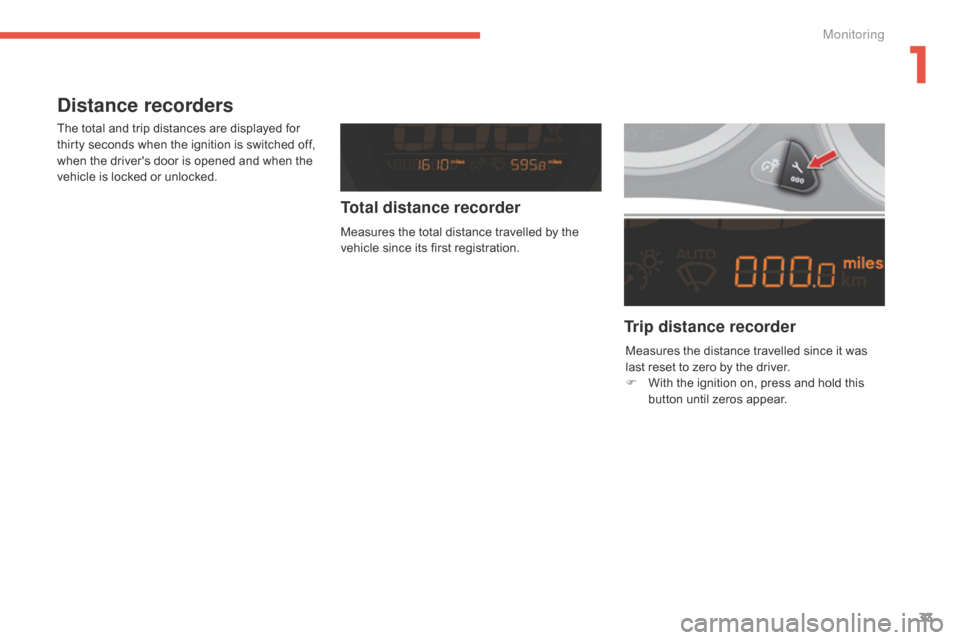
Distance recorders
The total and trip distances are displayed for thirty seconds when the ignition is switched off,
w
hen the driver's door is opened and when the
v
ehicle is locked or unlocked.
Trip distance recorder
Total distance recorder
Measures the total distance travelled by the v
ehicle since its first registration.
Measures
the distance travelled since it was
l
ast reset to zero by the driver.
F
W
ith the ignition on, press and hold this
b
utton until zeros appear.
1
Monitoring
Page 48 of 494
46
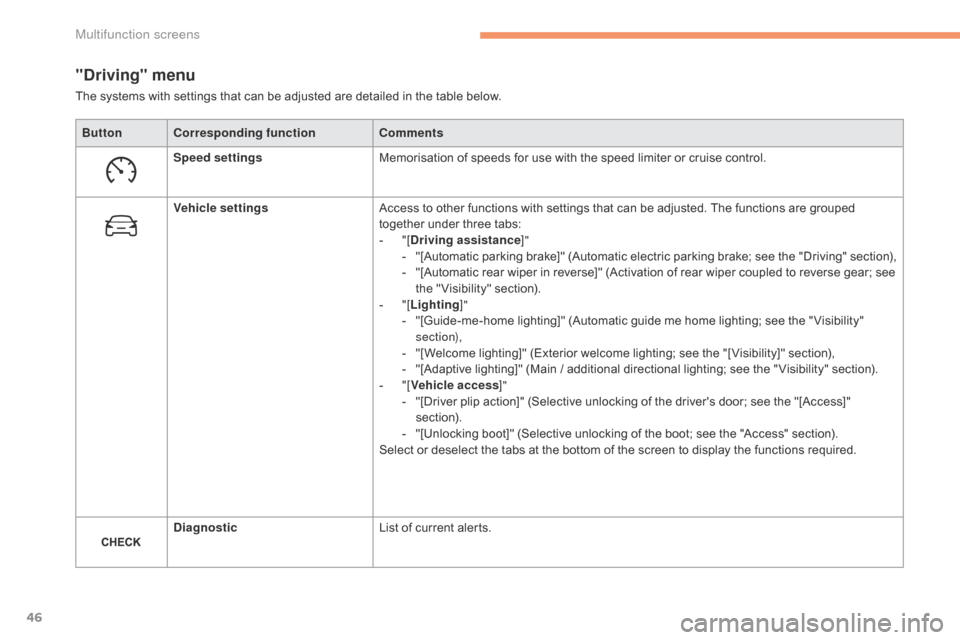
"Driving" menu
ButtonCorresponding function Comments
Speed settings Memorisation
of speeds for use with the speed limiter or cruise control.
Vehicle settings Access
to other functions with settings that can be adjusted. The functions are grouped
t
ogether under three tabs:
-
"
[Driving assistance ]"
-
"
[Automatic
p
arking
b
rake]"
(
Automatic
e
lectric
p
arking
b
rake;
s
ee
t
he
"
Driving"
s
ection),
-
"
[Automatic rear wiper in reverse]" (Activation of rear wiper coupled to reverse gear; see
t
he " Visibility" section).
-
"
[Lighting ]"
-
"
[Guide-me-home lighting]" (Automatic guide me home lighting; see the " Visibility"
s
ection),
-
"
[Welcome lighting]" (Exterior welcome lighting; see the "[ Visibility]" section),
-
"
[Adaptive lighting]" (Main / additional directional lighting; see the " Visibility" section).
-
"
[Vehicle access ]"
-
"
[Driver plip action]" (Selective unlocking of the driver's door; see the "[Access]"
s
ection).
-
"
[Unlocking boot]" (Selective unlocking of the boot; see the "Access" section).
Select
or deselect the tabs at the bottom of the screen to display the functions required.
Diagnostic List
of current alerts.
The
systems with settings that can be adjusted are detailed in the table below.
Multifunction screens
Page 55 of 494
53
Remote control key
System which permits central unlocking or locking of the vehicle using the door lock or from a distance. It is also used to locate and start the vehicle, as well as providing protection against theft.
Unlocking the vehicle
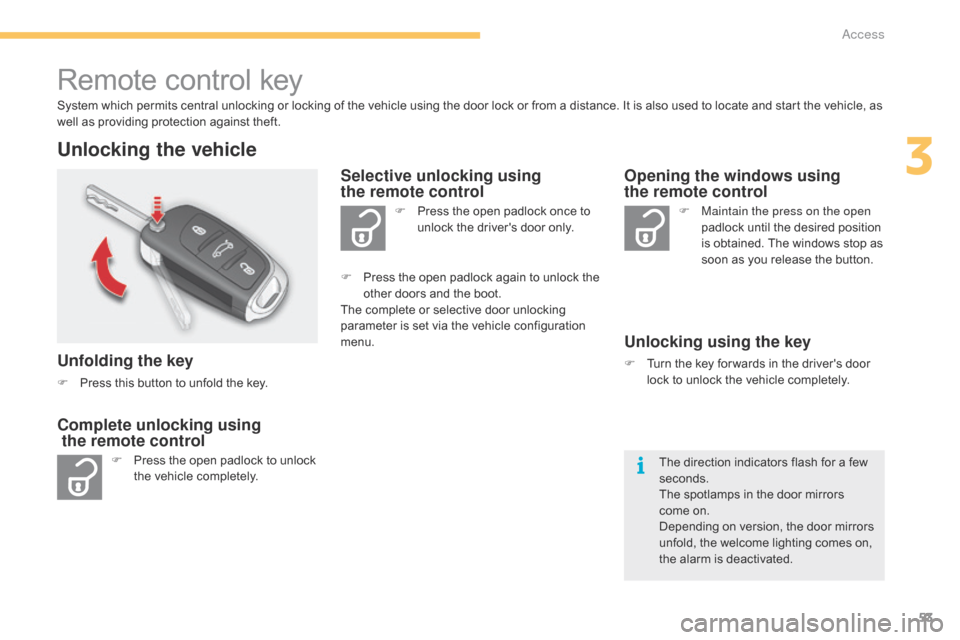
Unfolding the key
F Press this button to unfold the key.
F
P
ress the open padlock to unlock
t
he vehicle completely. F
P
ress the open padlock once to
u
nlock the driver's door only.
Selective unlocking using
the remote control
F Maintain the press on the open
padlock until the desired position
i
s obtained. The windows stop as
s
oon as you release the button.
Opening the windows using
the remote control
Unlocking using the key
F Turn the key for wards in the driver's door l
ock to unlock the vehicle completely.
Complete unlocking using
the remote control
F Press the open padlock again to unlock the o
ther doors and the boot.
The
complete or selective door unlocking
p
arameter is set via the vehicle configuration
m
enu.
The
direction indicators flash for a few
se
conds.
The
spotlamps in the door mirrors
come
on.
Depending
on version, the door mirrors
u
nfold, the welcome lighting comes on,
t
he alarm is deactivated.
3
Access
Page 56 of 494
54
Selective unlocking of the boot
F Press the central button on the remote control to unlock the
b
oot. The doors remain locked.
If
selective unlocking of the boot is deactivated,
p
ressing
this button also unlocks the doors.
Don't
forget to lock the boot again by
p
ressing the closed padlock button.
Locking the vehicle
F Press the closed padlock to lock t
he vehicle.
Normal locking using the remote
control
Normal locking using the key
F Turn the key towards the rear in the driver's d
oor lock to lock the vehicle.
The
direction indicators flash for a
f
ew seconds.
Depending
on version, the door mirrors fold,
t
he alarm is activated. If
one of the doors or the boot is still
o
pen, the central locking does not take
p
lace.
However, the alarm (if present) will
b
e completely activated after about 4
5 seconds.
If the vehicle is unlocked inadvertently
a
nd with no action on the doors or
b
oot, the vehicle will lock itself again
a
utomatically after about 30 seconds.
If
the alarm had previously been
a
ctivated, it will not be reactivated
au
tomatically.
The
folding and unfolding of the door
m
irrors using the remote control can be
d
eactivated by a CITROËN dealer or a
q
ualified
w
orkshop.
The
complete
or
selective
boot
u
nlocking
parameter
is
set
via
the
v
ehicle
configuration
menu.
Selective
unlocking
of
the
boot
is
a
ctivated
by
default.
Access
Page 57 of 494
55
Closing the windows using the
remote control
F Press and hold down the closed p
adlock until the desired position
i
s obtained. The windows stop
w
hen you release the button.
When
closing the windows using the
r
emote control you must ensure that
n
othing prevents them from closing
c
o r r e c t l y.
If
you want to leave the windows
p
artly open, you must deactivate the
v
olumetric
alar
m
m
onitoring.
Deadlocking using the remote
control
F Press the closed padlock to lock t
he vehicle completely.
F
P
ress
the closed padlock again within five
s
econds to deadlock the vehicle.
Deadlocking using the key
F Turn the key to the rear in the driver's door l
ock to lock the vehicle completely.
F
T
urn the key to the rear again within five
s
econds to deadlock the vehicle.
Deadlocking
is confirmed by fixed lighting
o
f the direction indicators for approximately
t
wo seconds.
According
to version, the door mirrors fold at
t
he same time.
In
low light, deadlocking also brings on the
g
uide-me-home lighting (see " Visibility").Deadlocking
renders the exterior and
i
nterior door controls inoperative.
It also deactivates the central locking
c
ontrol button.
Therefore, never leave anyone inside
t
he vehicle when it is deadlocked.
3
Access
Page 59 of 494
57
Back-up control
Locking the driver's
door
F Insert the key in the door lock, then turn it t
o the rear.
You
can also apply the procedure described for
t
he
p
assenger
do
ors.
Unlocking the driver's
door
F Insert the key in the door lock, then turn it t
o the front.
Unlocking the front and rear
passenger doors
F Pull the interior door opening control.
Locking the front and rear
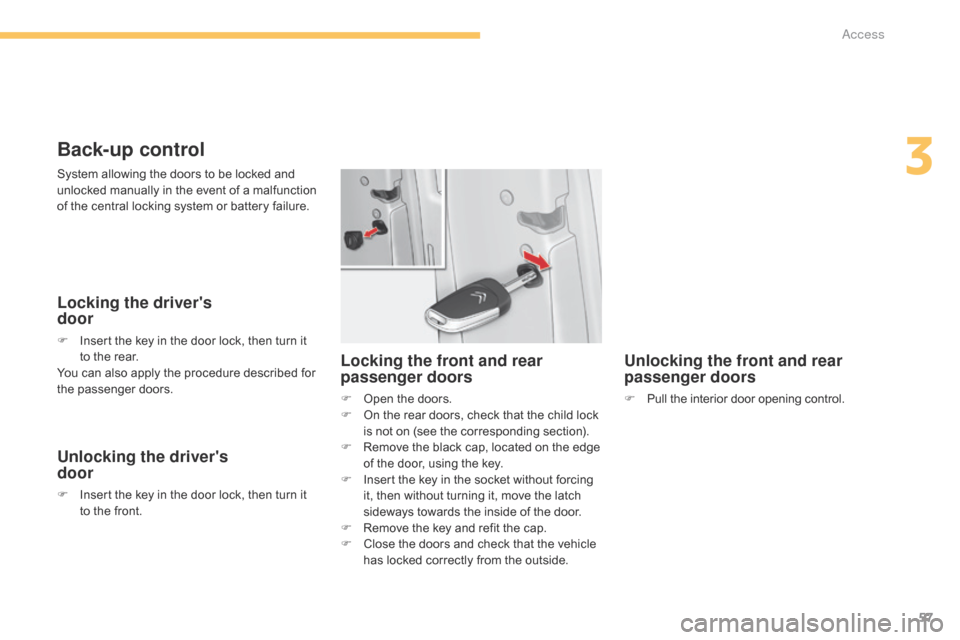
passenger doors
F Open the doors.
F O n the rear doors, check that the child lock
i
s not on (see the corresponding section).
F
R
emove the black cap, located on the edge
o
f the door, using the key.
F
I
nsert the key in the socket without forcing
i
t, then without turning it, move the latch
s
ideways towards the inside of the door.
F
R
emove the key and refit the cap.
F
C
lose the doors and check that the vehicle
h
as locked correctly from the outside.
System
allowing
the
doors
to
be
locked
and
u
nlocked
manually
in
the
event
of
a
malfunction
o
f
the
central
locking
system
or
battery
failure.
3
Access
Page 61 of 494
59
"Keyless Entry and Starting" system
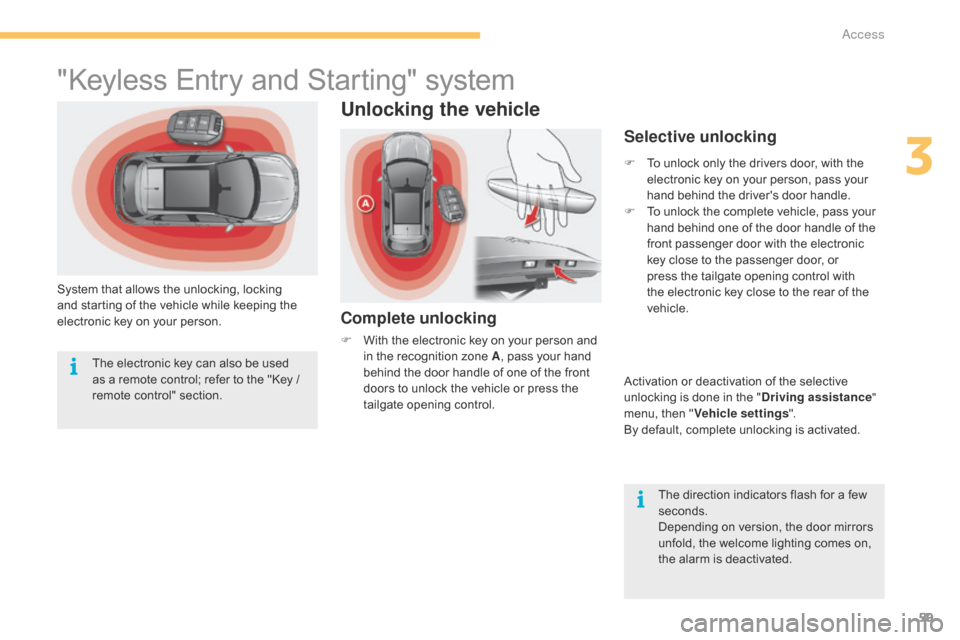
System that allows the unlocking, locking and starting of the vehicle while keeping the
e
lectronic key on your person.
Unlocking the vehicle
Complete unlocking
F With the electronic key on your person and i
n the recognition zone A,
pass your hand
b
ehind the door handle of one of the front
d
oors to unlock the vehicle or press the
t
ailgate opening control.
Selective unlocking
F To unlock only the drivers door, with the e
lectronic key on your person, pass your
h
and behind the driver's door handle.
F
T
o unlock the complete vehicle, pass your
h
and behind one of the door handle of the
f
ront passenger door with the electronic
k
ey close to the passenger door, or
p
ress the tailgate opening control with
t
he electronic key close to the rear of the
v
ehicle.
Activation
or deactivation of the selective
u
nlocking is done in the "Driving assistance "
menu,
then "Vehicle settings ".
By
default, complete unlocking is activated.
The
direction indicators flash for a few
se
conds.
Depending
on version, the door mirrors
u
nfold, the welcome lighting comes on,
t
he alarm is deactivated.
The
electronic
key
can
also
be
used
a
s
a
remote
control;
refer
to
the
"Key
/
r
emote
c
ontrol"
s
ection.
3
Access
Page 62 of 494
60
Locking the vehicle
Normal locking
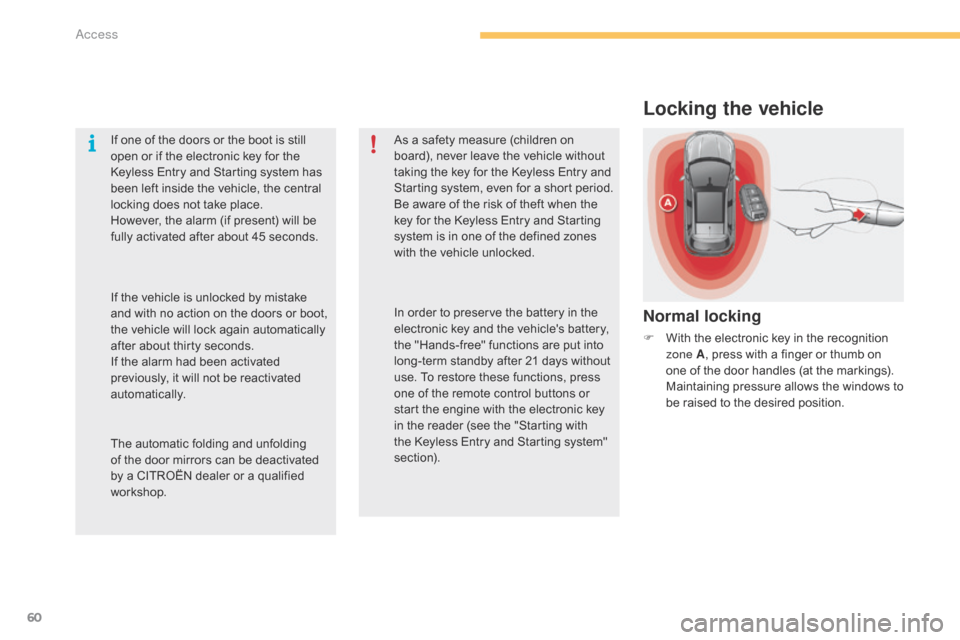
F With the electronic key in the recognition z
one A ,
press with a finger or thumb on
o
ne of the door handles (at the markings).
M
aintaining pressure allows the windows to
b
e raised to the desired position.
If
one
of
the
doors
or
the
boot
is
still
o
pen
or
if
the
electronic
key
for
the
K
eyless
Entry
and
Starting
system
has
b
een
left
inside
the
vehicle,
the
central
l
ocking
does
not
take
place.
However,
the
alarm
(if
present)
will
be
f
ully
activated
after
about
45
seconds.
As
a
safety
measure
(children
on
b
oard),
never
leave
the
vehicle
without
t
aking
the
key
for
the
Keyless
Entry
and
S
tarting
system,
even
for
a
short
period.
Be
aware
of
the
risk
of
theft
when
the
k
ey
for
the
Keyless
Entry
and
Starting
s
ystem
is
in
one
of
the
defined
zones
w
ith
the
vehicle
unlocked.
The
automatic
folding
and
unfolding
o
f
the
door
mirrors
can
be
deactivated
b
y
a
CITROËN
dealer
or
a
qualified
w
orkshop. In
order
to
preserve
the
battery
in
the
e
lectronic
key
and
the
vehicle's
battery,
t
he
"Hands-free"
functions
are
put
into
l
ong-term
standby
after
21
days
without
u
se.
To
restore
these
functions,
press
o
ne
of
the
remote
control
buttons
or
s
tart
the
engine
with
the
electronic
key
i
n
the
reader
(see
the
"Starting
with
t
he
Keyless
Entry
and
Starting
system"
s
ection).
If
the
vehicle
is
unlocked
by
mistake
a
nd
with
no
action
on
the
doors
or
boot,
t
he
vehicle
will
lock
again
automatically
a
fter
about
thirty
seconds.
If
the
alarm
had
been
activated
p
reviously,
it
will
not
be
reactivated
au
tomatically.
Access