window Citroen C4 2015 2.G Owner's Manual
[x] Cancel search | Manufacturer: CITROEN, Model Year: 2015, Model line: C4, Model: Citroen C4 2015 2.GPages: 494, PDF Size: 20.49 MB
Page 4 of 494
C4-2_en_Chap00a_sommaire_ed01-2015
C4-2_en_Chap00a_sommaire_ed01-2015
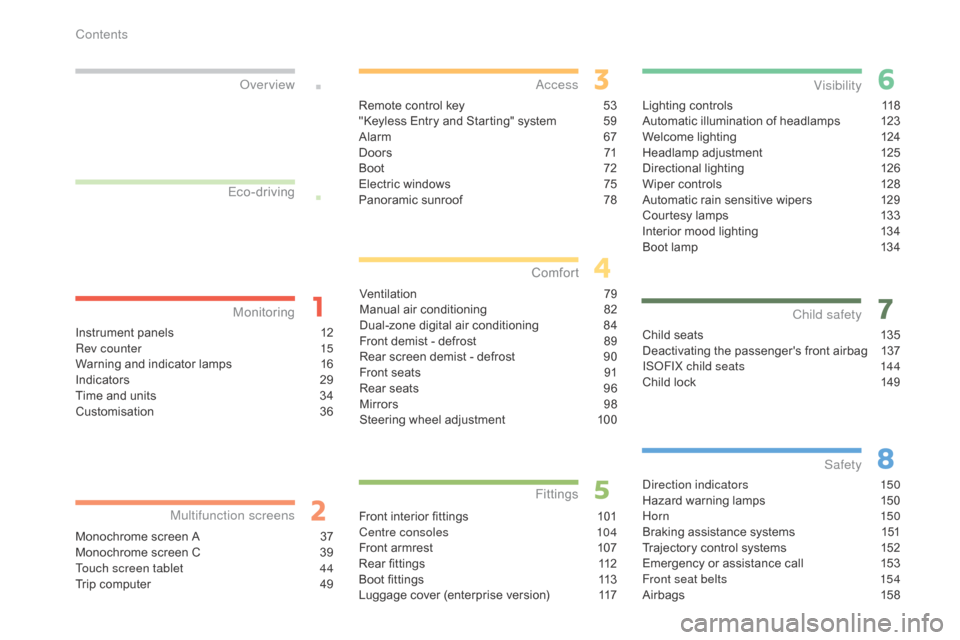
Lighting controls 118
Automatic illumination of headlamps 1 23
Welcome
lighting
1
24
Headlamp
adj
ustment
1
25
Directional
l
ighting
1
26
Wiper
controls
1
28
Automatic
rain sensitive wipers
1
29
Courtesy
lamps
1
33
Interior
mood lighting
1
34
Boot
lamp
1
34
Visibility
Child seats 1 35
Deactivating the passenger's front airbag 1 37
IS
oF
IX child seats
1
44
Child
lock
1
49
Child safety
direction indicators 150
Hazard warning lamps 1 50
Hor n
150
Braking
assistance systems
1
51
Trajectory
control systems
1
52
Emergency
or assistance call
1
53
Front seat belts
1
54
Airbags
1
58
Safety
Instrument panels 1 2
Rev counter 1 5
Warning
and indicator lamps
1
6
Indicators
2
9
Time
and units
3
4
Customisation
3
6
Monitoring
ove
r view
Monochrome screen A 3
7
Monochrome screen C 3 9
Touch screen tablet
4
4
Trip
computer
4
9
Multifunction screens
Remote control key 53
"Keyless Entry and Starting" system 5 9
Alarm
6
7
D o o r s
71
Boo
t
7
2
Electric
windows
7
5
Panoramic
sunroof
7
8
access
Ventilation 7 9
Manual a ir c onditioning 8 2
Dual-zone
d
igital
a
ir
c
onditioning
8
4
Front
demist - defrost
8
9
Rear
screen demist - defrost
9
0
Front
seats
9
1
Rear
seats
9
6
Mirrors
9
8
Steering
wheel adjustment
1
00
Comfort
Front interior fittings 1 01
Centre consoles 1 04
Front
armrest
1
07
Rear
fittings
1
12
Boot
fittings
1
13
Luggage
cover (enterprise version)
1
17
Fittings
Eco-driving
Contents
Page 6 of 494
4
C4-2_en_Chap00b_vue-ensemble_ed01-2015
C4-2_en_Chap00b_vue-ensemble_ed01-2015
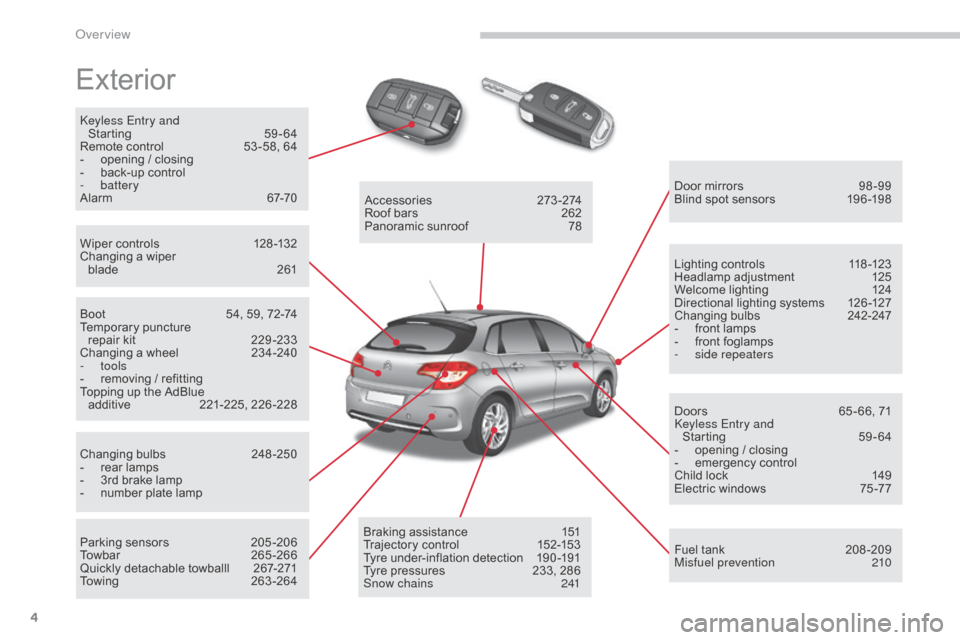
Exterior
keyless Entry and Starting 5 9-64
Remote
control
5
3 -58, 64
-
o
pening / closing
-
b
ack-up control
-
battery
Alarm
6
7-70
Wiper
controls
1
28 -132
Changing
a wiper
blade
2
61 Door
mirrors
9
8 -99
Blind
spot sensors
1
96 -198
Boot
5
4, 59, 72-74
Temporary
pu
ncture
r
epair kit
2
29 -233
Changing
a wheel
2
34-240
-
tools
-
r
emoving / refitting
Topping
up the AdBlue
a
dditive
2
21-225,
2
26-228
Changing
bu
lbs
2
48-250
-
r
ear lamps
-
3
rd brake lamp
-
n
umber plate lamp
Parking
sensors
2
05 -206
Towbar
26
5-266
Quickly
detachable towballl
2
67-271
Towing
26
3-264Accessories
2
73-274
Roof
bars
2
62
Panoramic
sunroof
7
8
Braking
assistance
1
51
Trajectory
control
1
52-153
Tyre
under-inflation detection
1
90 -191
Tyre
pressures
2
33, 286
Snow chains
2
41Lighting
controls
1
18 -123
Headlamp
adj
ustment
1
25
Welcome
lighting
1
24
Directional
lighting systems
1
26 -127
Changing
bu
lbs
2
42-247
-
f
ront lamps
-
f
ront foglamps
-
si
de repeaters
Doors
6
5 - 66, 71
ke
yless Entry and
Starting
5
9-64
-
o
pening / closing
-
em
ergency
c
ontrol
Child
lock
1
49
Electric
windows
7
5 -77
Fuel
tank
2
08 -209
Misfuel prevention
2
10
over view
Page 8 of 494
6
C4-2_en_Chap00b_vue-ensemble_ed01-2015
C4-2_en_Chap00b_vue-ensemble_ed01-2015
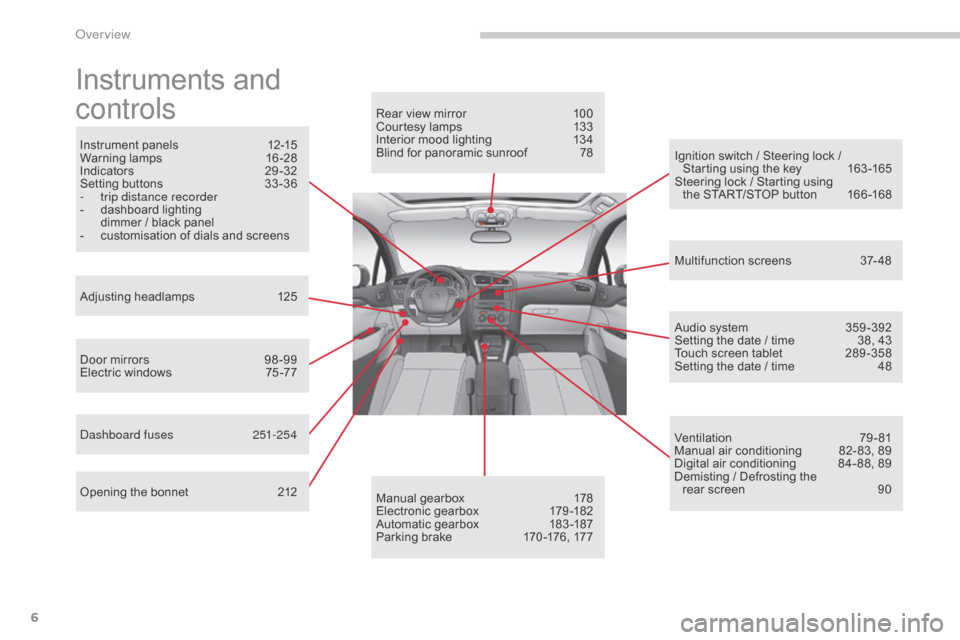
Instruments and
c
ontrols
Instrument panels 1 2-15
Warning lam ps 1 6-28
Indicators
2
9-32
Setting
buttons
3
3 -36
-
t
rip distance recorder
-
d
ashboard lighting
d
immer / black panel
-
c
ustomisation of dials and screens
Adjusting
h
eadlamps
1
25
Door
mirrors
9
8 -99
Electric
windows
7
5 -77
da
shboard fuses
2
51-254
Opening
the bonnet
2
12 Audio
system
3
59 -392
Setting
the date / time
3
8, 43
Touch
screen tablet
2
89 -358
Setting
the date / time
4
8
Manual
g
earbox
1
78
Electronic
gearbox
1
79 -182
Automatic
gearbox
1
83 -187
Parking
brake
1
70 -176, 177
Rear
view mirror
1
00
Courtesy lamps
1
33
Interior mood lighting 1 34
Blind for panoramic sunroof 7 8
Multifunction
screens
3
7- 48
Ventilation
7
9-81
Manual
air conditioning
8
2- 83, 89
Digital
air conditioning
8
4- 88, 89
Demisting
/ Defrosting the
rear
screen
9
0
Ignition
switch / Steering lock /
S
tarting using the key
1
63 -165
Steering
lock / Starting using
the
START/STOP button
1
66 -168
over view
Page 12 of 494
10
C4-2_en_Chap00c_eco-conduite_ed01-2015
C4-2_en_Chap00c_eco-conduite_ed01-2015
Eco-driving is a range of everyday practices that allow the motorist to optimise their fuel consumption and CO2 emissions.
Optimise the use of your gearbox
With a manual gearbox, move off gently and change up without waiting. During acceleration change up early.
With
an automatic or electronic gearbox, give preference to automatic
m
ode and avoid pressing the accelerator pedal heavily or suddenly.
Drive smoothly
Maintain a safe distance between vehicles, use engine braking rather than the brake pedal, and press the accelerator progressively. These
p
ractices contribute towards a reduction in fuel consumption and CO
2
emissions
and
also
helps
reduce
the
background
traffic
noise.
If
your
vehicle
has
cruise
control,
make
use
of
the
system
at
speeds
a
bove
25
mph
(40
km/h)
when
the
traffic
is
flowing
well.
Control the use of your electrical
equipment
Before moving off, if the passenger compartment is too warm, ventilate it b y opening the windows and air vents before using the air conditioning.
Above
30 mph (50 km/h), close the windows and leave the air vents
ope
n.
Remember
to make use of equipment that can help keep the
t
emperature in the passenger compartment down (sunroof and window
b
linds...).
Switch
off the air conditioning, unless it has automatic regulation, as
s
oon as the desired temperature is attained.
Switch
off the demisting and defrosting controls, if not automatic.
Switch
off the heated seat as soon as possible.
Switch
off the headlamps and front foglamps when the level of light
d
oes not require their use.
Avoid
running the engine before moving off, particularly in winter; your
v
ehicle will warm up much faster while driving.
As
a passenger, if you avoid connecting your multimedia devices
(
film, music, video game...), you will contribute towards limiting the
c
onsumption of electrical energy, and so of fuel.
Disconnect
your portable devices before leaving the vehicle.
Eco-driving
The gear shift indicator invites you engage the most suitable gear: as soon as the indication is displayed in the instrument panel, follow it
s
traight away.
For
vehicles fitted with an electronic or automatic gearbox, this
i
ndicator appears only in manual mode.
Eco-driving
Page 53 of 494
51
C4-2_en_Chap02_ecran-multifonction_ed01-2015
C4-2_en_Chap02_ecran-multifonction_ed01-2015
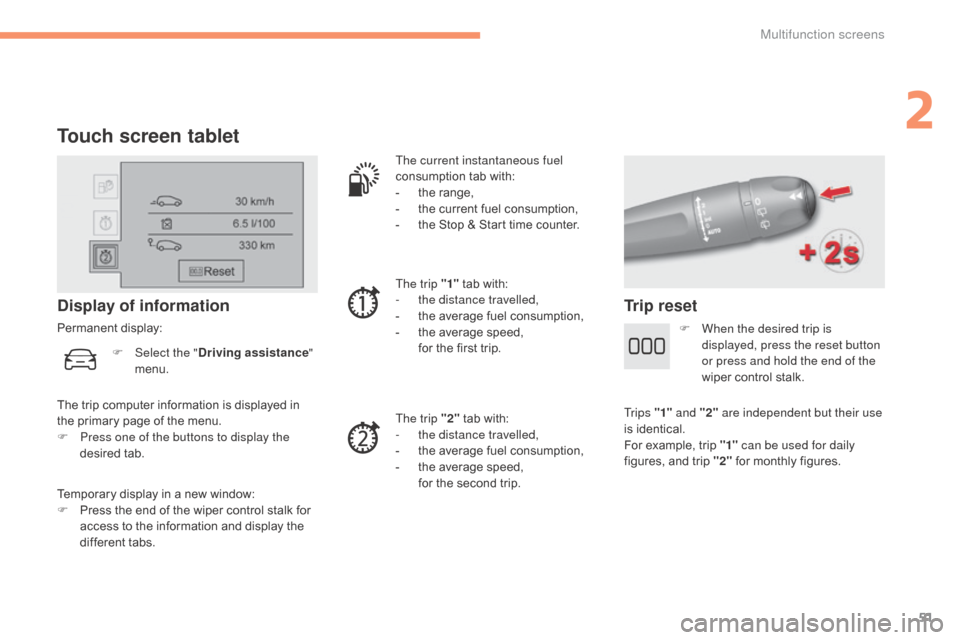
Touch screen tablet
Temporary display in a new window:
F P ress the end of the wiper control stalk for
a
ccess to the information and display the
d
ifferent tabs.
Display of information
Permanent display: The current instantaneous fuel
consumption
tab with:
-
t
he range,
-
t
he current fuel consumption,
-
t
he Stop & Start time counter.
The trip "1"
tab with:
-
t
he distance travelled,
- t he average fuel consumption,
- t he average speed,
f
or the first trip.
The trip "2"
tab with:
-
t
he distance travelled,
-
t
he average fuel consumption,
-
t
he average speed,
f
or the second trip.
Trip reset
The trip computer information is displayed in the primary page of the menu.
F
P
ress one of the buttons to display the
desired
t
ab.
F
Sel
ect the "
Driving assistance "
menu. F
W
hen the desired trip is
displayed, press the reset button
or press and hold the end of the
wiper control stalk.
Tr i p s "1" and "2" are independent but their use
is
identical.
For
example, trip "1" can be used for daily
figures,
and trip "2"
for monthly figures.
2
Multifunction screens
Page 55 of 494
53
C4-2_en_Chap03_ouvertures_ed01-2015
C4-2_en_Chap03_ouvertures_ed01-2015
Remote control key
System which permits central unlocking or locking of the vehicle using the door lock or from a distance. It is also used to locate and start the vehicle, as well as providing protection against theft.
Unlocking the vehicle
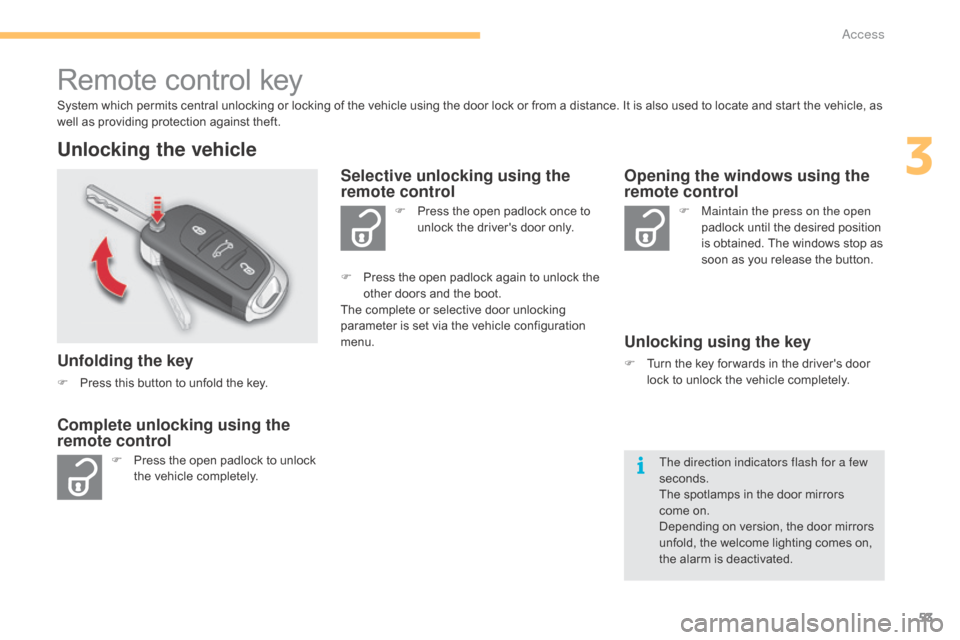
Unfolding the key
F Press this button to unfold the key.
F
P
ress the open padlock to unlock
t
he vehicle completely. F
P
ress the open padlock once to
u
nlock the driver's door only.
Selective unlocking using the
remote control
F Maintain the press on the open
padlock until the desired position
i
s obtained. The windows stop as
s
oon as you release the button.
Opening the windows using the
remote control
Unlocking using the key
F Turn the key for wards in the driver's door l
ock to unlock the vehicle completely.
Complete unlocking using the
remote control
F Press the open padlock again to unlock the o
ther doors and the boot.
The
complete or selective door unlocking
p
arameter is set via the vehicle configuration
m
enu.
The direction indicators flash for a few
seconds.
The
spotlamps in the door mirrors
come
on.
Depending
on version, the door mirrors
u
nfold, the welcome lighting comes on,
t
he alarm is deactivated.
3
Access
Page 57 of 494
55
C4-2_en_Chap03_ouvertures_ed01-2015
C4-2_en_Chap03_ouvertures_ed01-2015
Locking the vehicle
F Press the closed padlock to lock t
he vehicle.
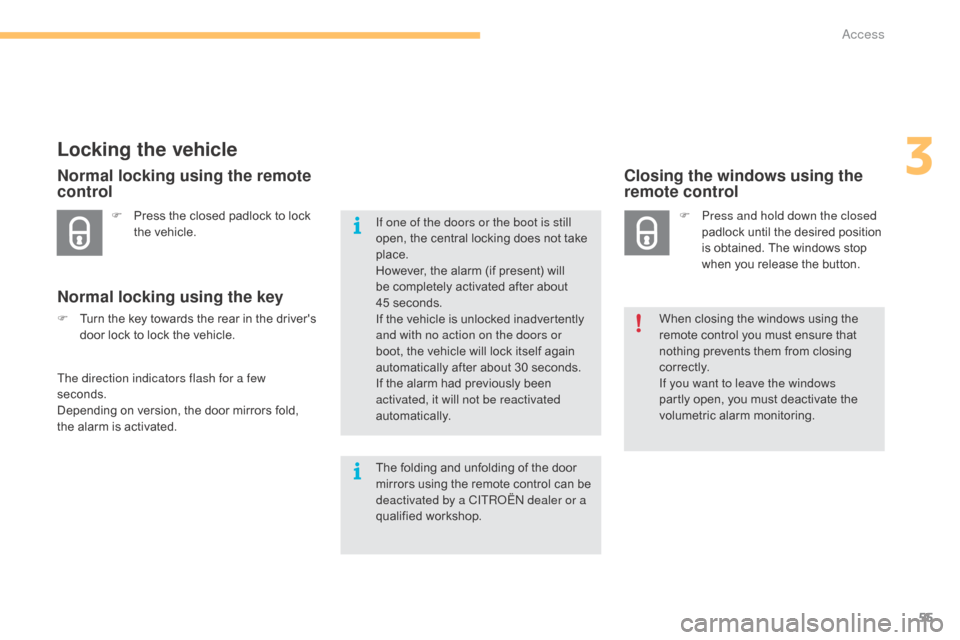
Normal locking using the remote
control
Normal locking using the key
F Turn the key towards the rear in the driver's d
oor lock to lock the vehicle.
The direction indicators flash for a few
seconds.
Depending
on version, the door mirrors fold,
t
he alarm is activated.
Closing the windows using the
remote control
F Press and hold down the closed padlock until the desired position
i
s obtained. The windows stop
w
hen you release the button.
When
closing the windows using the
r
emote control you must ensure that
n
othing prevents them from closing
c
o r r e c t l y.
If you want to leave the windows
partly
open, you must deactivate the
v
olumetric
alar
m
m
onitoring.
If one of the doors or the boot is still
open,
the
central
locking
does
not
take
p
lace.
However,
the
alarm
(if
present)
will
b
e
completely
activated
after
about
4
5 seconds.
If
the
vehicle
is
unlocked
inadvertently
a
nd with no action on the doors or
boot,
the
vehicle
will
lock
itself
again
a
utomatically
after
about
30
seconds.
If
the
alarm
had
previously
been
a
ctivated, it will not be reactivated
automatically.
The
folding
and
unfolding
of
the
door
m
irrors
using
the
remote
control
can
be
d
eactivated by a CITR
oËn
dealer or a
qualified
w
orkshop.
3
Access
Page 62 of 494
60
C4-2_en_Chap03_ouvertures_ed01-2015
C4-2_en_Chap03_ouvertures_ed01-2015
Locking the vehicle
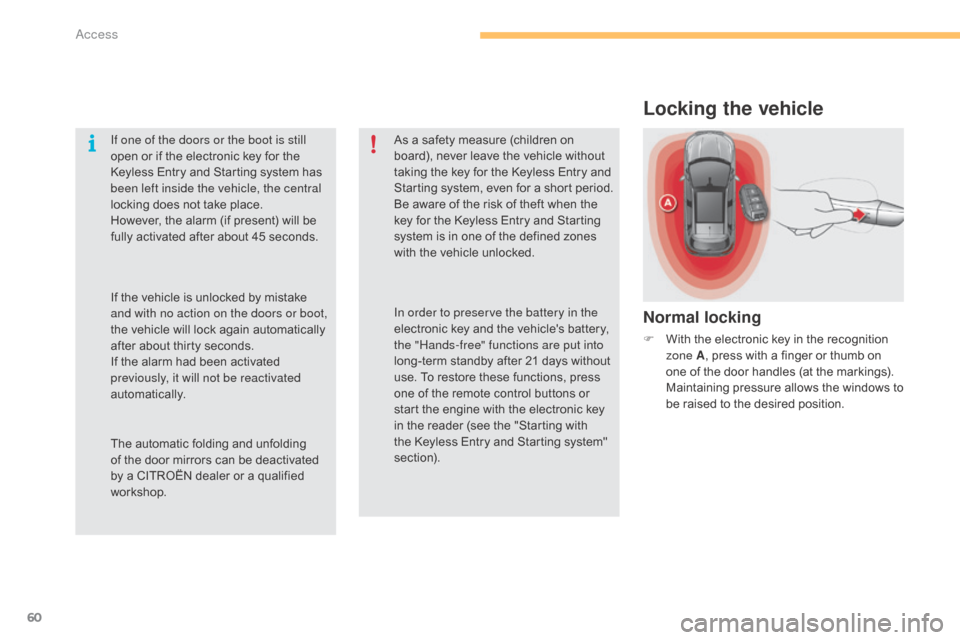
Normal locking
F With the electronic key in the recognition z
one A ,
press with a finger or thumb on
o
ne of the door handles (at the markings).
M
aintaining pressure allows the windows to
b
e raised to the desired position.
If one of the doors or the boot is still
open
or
if
the
electronic
key
for
the
K
eyless
Entry
and
Starting
system
has
b
een left inside the vehicle, the central
locking
does
not
take
place.
However,
the
alarm
(if
present)
will
be
f
ully
activated
after
about
45
seconds.
As
a
safety
measure
(children
on
b
oard),
never
leave
the
vehicle
without
t
aking
the
key
for
the
Keyless
Entry
and
S
tarting
system,
even
for
a
short
period.
Be
aware
of
the
risk
of
theft
when
the
k
ey
for
the
Keyless
Entry
and
Starting
s
ystem
is
in
one
of
the
defined
zones
w
ith
the
vehicle
unlocked.
The
automatic
folding
and
unfolding
o
f
the
door
mirrors
can
be
deactivated
b
y
a
CITROËN
dealer
or
a
qualified
w
orkshop. In order to preserve the battery in the
electronic
key
and
the
vehicle's
battery,
t
he "Hands-free" functions are put into
long-term
standby
after
21
days
without
u
se.
To
restore
these
functions,
press
o
ne
of
the
remote
control
buttons
or
s
tart
the
engine
with
the
electronic
key
i
n
the
reader
(see
the
"Starting
with
t
he
Keyless
Entry
and
Starting
system"
s
ection).
If
the
vehicle
is
unlocked
by
mistake
a
nd with no action on the doors or boot,
the
vehicle
will
lock
again
automatically
a
fter
about
thirty
seconds.
If
the
alarm
had
been
activated
p
reviously, it will not be reactivated
automatically.
Access
Page 63 of 494
61
C4-2_en_Chap03_ouvertures_ed01-2015
C4-2_en_Chap03_ouvertures_ed01-2015
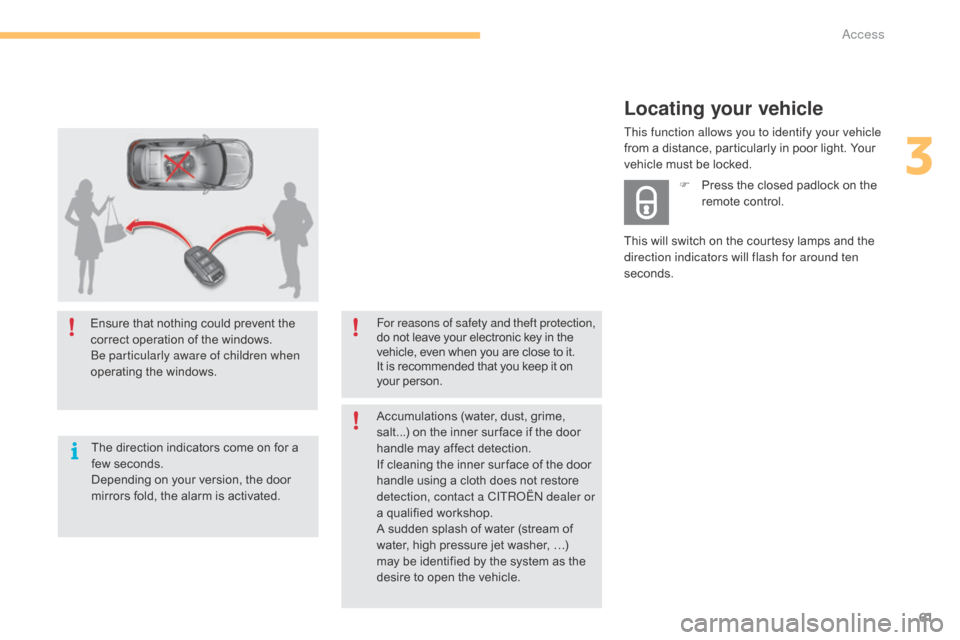
Ensure that nothing could prevent the correct operation of the windows.
be p
articularly aware of children when
operating
t
he
w
indows.
The
direction indicators come on for a
f
ew seconds.
Depending
on your version, the door
m
irrors fold, the alarm is activated. For reasons of safety and theft protection,
do
not leave your electronic key in the v
ehicle, even when you are close to it.
It
is recommended that you keep it on
y
our person.
Accumulations
(water, dust, grime,
s
alt...) on the inner sur face if the door
h
andle may affect detection.
If
cleaning the inner sur face of the door
h
andle using a cloth does not restore
d
etection, contact a CITR
oËn
dealer or
a
qualified workshop.
A
sudden splash of water (stream of
w
ater, high pressure jet washer, …)
m
ay be identified by the system as the
d
esire to open the vehicle.
Locating your vehicle
This will switch on the courtesy lamps and the direction indicators will flash for around ten
seconds. F
P
ress the closed padlock on the
r
emote control.
This function allows you to identify your vehicle
from a distance, particularly in poor light. Your
v
ehicle must be locked.
3
access
Page 71 of 494
69
C4-2_en_Chap03_ouvertures_ed01-2015
C4-2_en_Chap03_ouvertures_ed01-2015
Locking the vehicle
with exterior perimeter
monitoring only
Deactivate the interior volumetric and anti-tilt monitoring to avoid unwanted triggering of the
a
larm in certain cases such as:
-
l
eaving a pet in the vehicle,
-
l
eaving a window partially open,
-
w
ashing your vehicle,
-
c
hanging a wheel,
-
h
aving your vehicle towed,
-
t
ransport by sea.
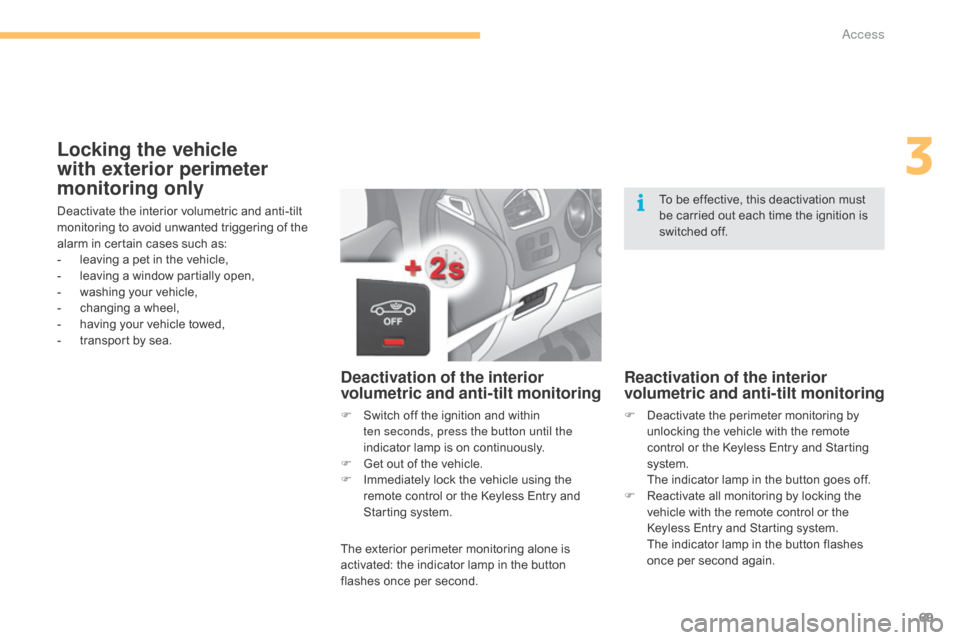
Deactivation of the interior
volumetric and anti-tilt monitoring
F Switch off the ignition and within t
en seconds, press the button until the
indicator
lamp is on continuously.
F
G
et out of the vehicle.
F
I
mmediately lock the vehicle using the
r
emote control or the Keyless Entry and
S
tarting system.
The
exterior perimeter monitoring alone is
a
ctivated: the indicator lamp in the button
f
lashes once per second.
Reactivation of the interior
volumetric and anti-tilt monitoring
F Deactivate the perimeter monitoring by u
nlocking the vehicle with the remote
c
ontrol or the Keyless Entry and Starting
s
ystem.
T
he indicator lamp in the button goes off.
F
R
eactivate all monitoring by locking the
v
ehicle with the remote control or the
K
eyless Entry and Starting system.
T
he indicator lamp in the button flashes
o
nce per second again.
To
be effective, this deactivation must
b
e carried out each time the ignition is
s
witched off.
3
Access