remote control Citroen C4 2016 2.G Owner's Manual
[x] Cancel search | Manufacturer: CITROEN, Model Year: 2016, Model line: C4, Model: Citroen C4 2016 2.GPages: 396, PDF Size: 10.22 MB
Page 4 of 396
C4-2_en_Chap00a_sommaire_ed02-2015
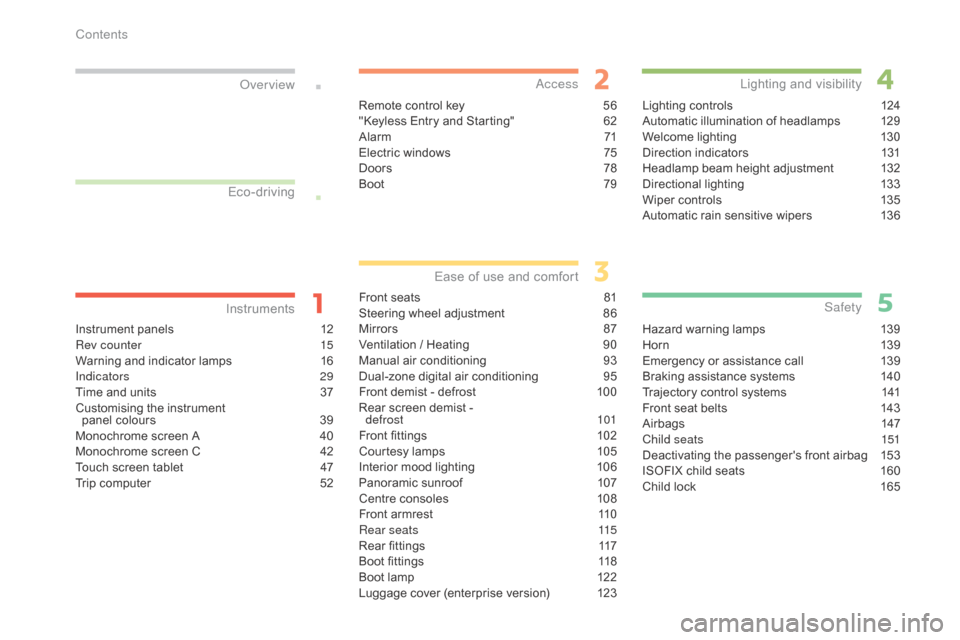
Instrument panels 12
Rev counter 1 5
Warning
and indicator lamps
1
6
Indicators
29
Time
and units
3
7
Customising
the instrument
panel
colours
3
9
Monochrome
screen A
4
0
Monochrome
screen C
4
2
Touch
screen tablet
4
7
Trip
computer
5
2
InstrumentsOver view
Remote control key 5
6
"Keyless Entry and Starting" 6 2
Alarm
7
1
Electric
windows
7
5
Doors
7
8
Boot
7
9
Access
Front seats 81
Steering wheel adjustment 8 6
Mirrors
87
V
entilation / Heating
9
0
Manual
a
ir
c
onditioning
9
3
Dual-zone
d
igital
a
ir
c
onditioning
9
5
Front
demist - defrost
1
00
Rear
screen demist -
d
efrost
10
1
Front
fittings
1
02
Courtesy
lamps
1
05
Interior
mood lighting
1
06
Panoramic
sunroof
1
07
Centre
consoles
1
08
Front
armrest
1
10
Rear seats
1
15
Rear
fittings
1
17
Boot
fittings
1
18
Boot
lamp
1
22
Luggage
cover (enterprise version)
1
23
Ease of use a nd c omfort
Lighting controls 1 24
Automatic illumination of headlamps 1 29
Welcome
lighting
1
30
Direction
indicators
1
31
Headlamp
beam height adjustment
1
32
Directional
l
ighting
1
33
Wiper
controls
1
35
Automatic
rain sensitive wipers
1
36
Lighting and v isibility
Hazard warning lamps 1 39
H or n 13 9
Emergency
or assistance call
1
39
Braking
assistance systems
1
40
Trajectory
control systems
1
41
Front
seat belts
1
43
Airbags
1
47
Child seats
1
51
Deactivating
the passenger's front airbag
1
53
ISOFIX
child seats
1
60
Child
lock
1
65
Safety
Eco-driving
Contents
Page 6 of 396
4
C4-2_en_Chap00b_vue-ensemble_ed02-2015
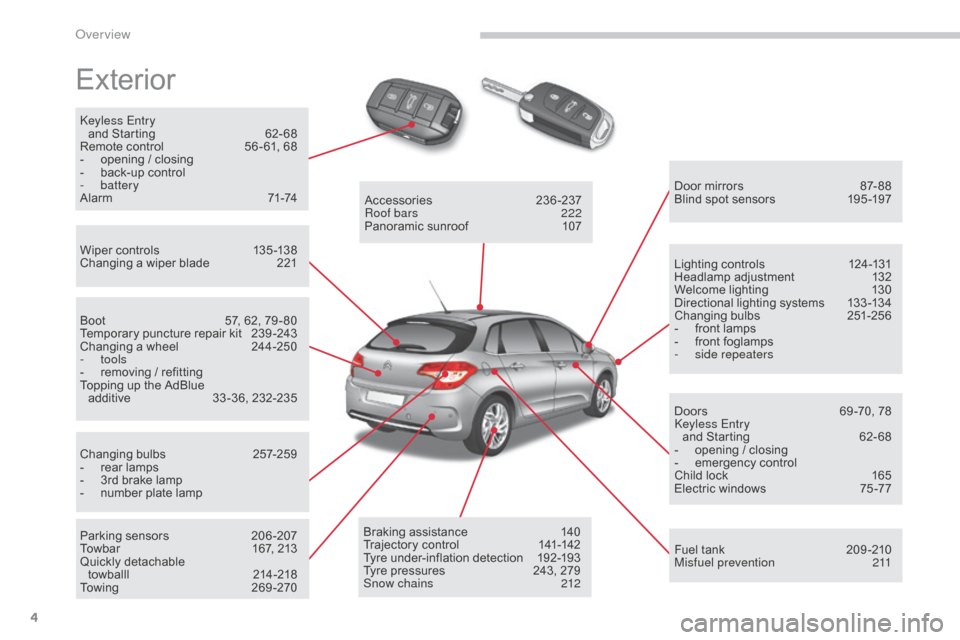
Exterior
Keyless Entry and Starting 6 2- 68
Remote
control
5
6 - 61, 68
-
o
pening / closing
-
b
ack-up control
-
battery
Alarm
7
1-74
Wiper
controls
1
35 -138
Changing
a wiper blade
2
21 Door
mirrors
87
- 88
Blind
spot sensors
1
95 -197
Boot
5
7, 62, 79 - 80
Temporary
puncture repair kit
2
39 -243
Changing
a wheel
2
44-250
-
tools
-
r
emoving / refitting
Topping
up the AdBlue
a
dditive
3
3 -36, 232-235
Changing
bu
lbs
2
57-259
-
r
ear lamps
-
3
rd brake lamp
-
n
umber plate lamp
Parking
sensors
2
06 -207
Towbar
1
67, 213
Quickly
detachable
towballl
2
14-218
To w i n g
2
6 9 - 2 7 0Accessories
23
6-237
Roof bars
2
22
Panoramic
sunroof
1
07
Braking
assistance
1
40
Trajectory
control
1
41-142
Tyre
under-inflation detection
1
92-193
Tyre
pressures
2
43, 279
Snow chains
2
12Lighting
controls
1
24-131
Headlamp
adj
ustment
1
32
Welcome
lighting
1
30
Directional
lighting systems
1
33 -134
Changing
bu
lbs
2
51-256
-
f
ront lamps
-
f
ront foglamps
-
si
de repeaters
Doors
6
9 -70, 78
Keyless Entry and
Starting
6
2- 68
-
o
pening / closing
-
em
ergency
c
ontrol
Child
lock
1
65
Electric
windows
7
5 -77
Fuel
tank
2
09 -210
Misfuel prevention
2
11
Over view
Page 21 of 396
19
C4-2_en_Chap01_instruments-de-bord_ed02-2015
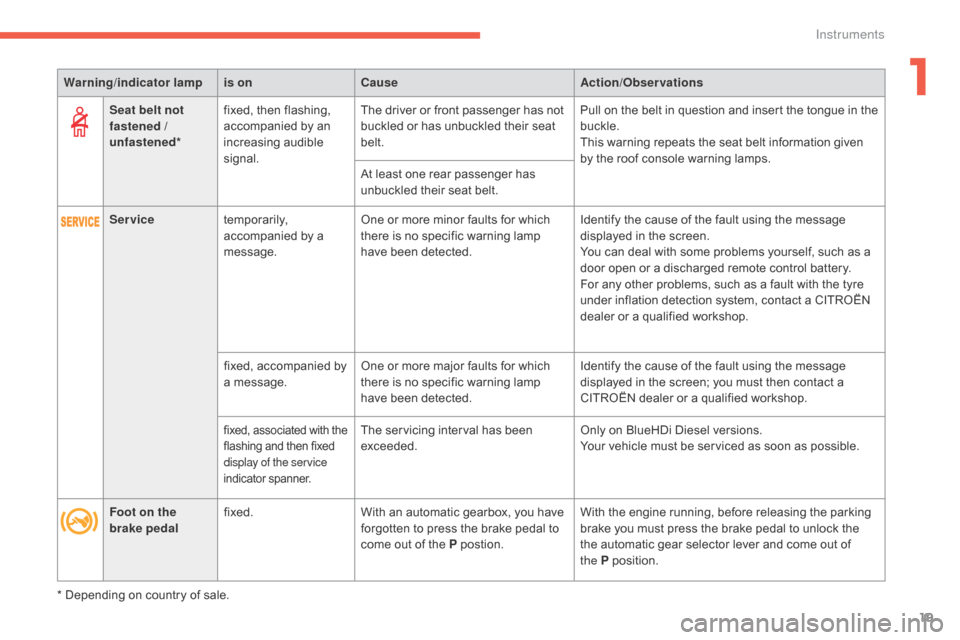
Seat belt not
fastened /
unfastened*fixed,
then flashing, a
ccompanied by an
inc
reasing
a
udible
s
ignal. The
driver or front passenger has not b
uckled or has unbuckled their seat
bel
t.Pull
on the belt in question and insert the tongue in the buc
kle.
This
warning repeats the seat belt information given
b
y the roof console warning lamps.
At
least one rear passenger has
u
nbuckled their seat belt.
* Depending
on country of sale.
Warning
/indicator lampis on Cause Action/Observations
Foot on the
brake pedal fixed.
With
an automatic gearbox, you have
f
orgotten to press the brake pedal to
c
ome out of the P
p
ostion.With
the engine running, before releasing the parking
b
rake you must press the brake pedal to unlock the
t
he automatic gear selector lever and come out of
t
he P
p
osition.
Service
temporarily,
a
ccompanied by a
m
essage. One
or more minor faults for which
t
here is no specific warning lamp
h
ave been detected.Identify
the cause of the fault using the message
d
isplayed in the screen.
You
can deal with some problems yourself, such as a
d
oor open or a discharged remote control battery.
For
any other problems, such as a fault with the tyre
u
nder inflation detection system, contact a CITROËN
d
ealer or a qualified workshop.
fixed,
accompanied by
a
message. One
or more major faults for which
t
here is no specific warning lamp
h
ave been detected.Identify
the cause of the fault using the message
d
isplayed in the screen; you must then contact a
C
ITROËN dealer or a qualified workshop.
fixed, associated with the flashing and then fixed d
isplay of the service
indicator
span
ner.The servicing interval has been exceeded. Only
on BlueHDi Diesel versions.
Your vehicle must be serviced as soon as possible.
1
Instruments
Page 58 of 396
56
C4-2_en_Chap02_ouvertures_ed02-2015
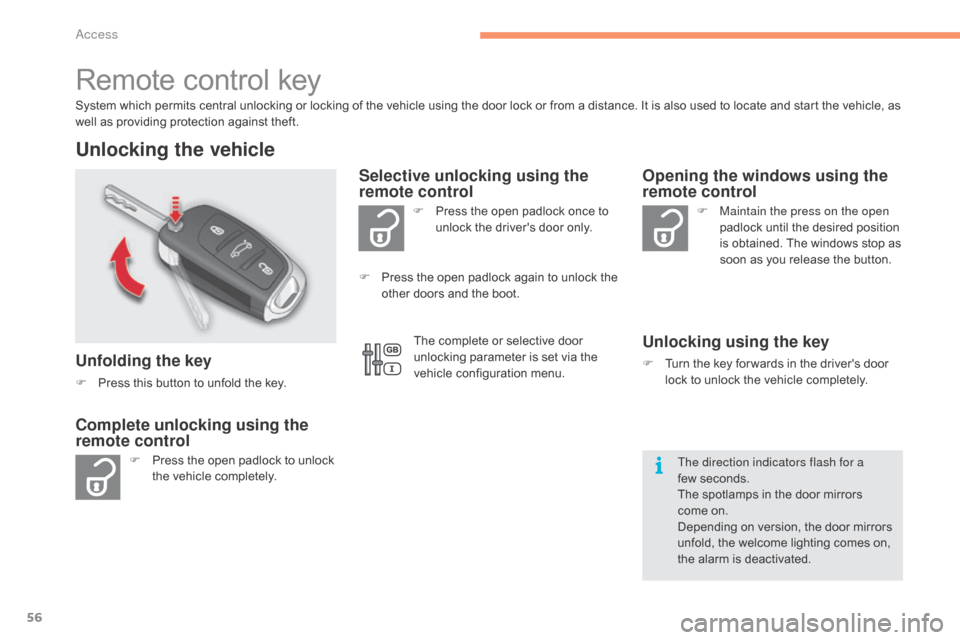
Remote control key
System which permits central unlocking or locking of the vehicle using the door lock or from a distance. It is also used to locate and start the vehicle, as well as providing protection against theft.
Unlocking the vehicle
Unfolding the key
F Press this button to unfold the key.
F
P
ress the open padlock to unlock
t
he vehicle completely. F
P
ress the open padlock once to
u
nlock the driver's door only.
Selective unlocking using the
remote control
F Maintain the press on the open
padlock until the desired position
i
s obtained. The windows stop as
s
oon as you release the button.
Opening the windows using the
remote control
Unlocking using the key
F Turn the key for wards in the driver's door l
ock to unlock the vehicle completely.
Complete unlocking using the
remote control
F Press the open padlock again to unlock the o
ther doors and the boot.
The direction indicators flash for a
few seconds.
The
spotlamps in the door mirrors
come
on.
Depending
on version, the door mirrors
u
nfold, the welcome lighting comes on,
t
he alarm is deactivated.
The
complete or selective door
u
nlocking parameter is set via the
v
ehicle configuration menu.
Access
Page 59 of 396
57
C4-2_en_Chap02_ouvertures_ed02-2015
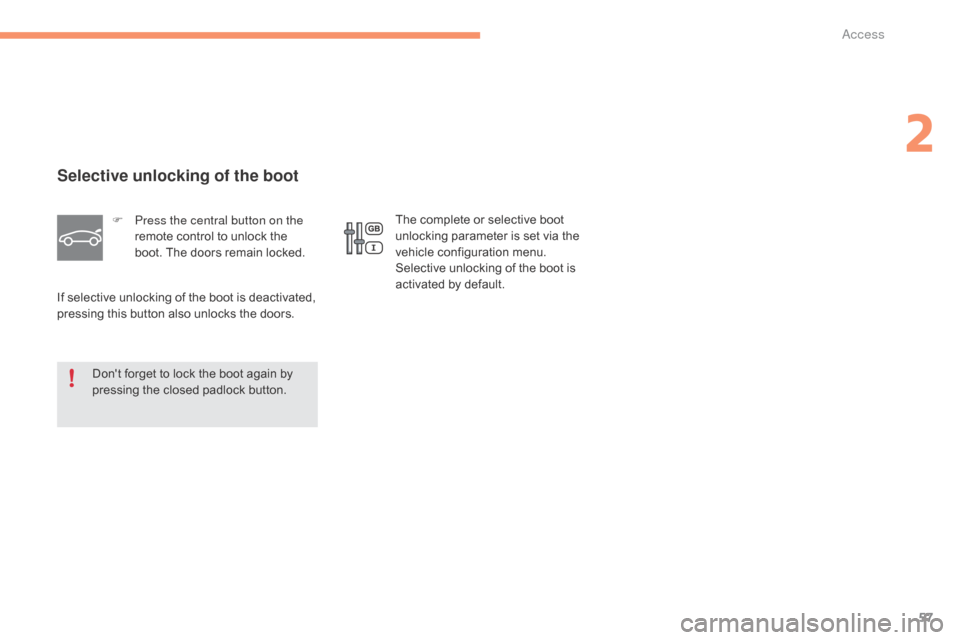
Selective unlocking of the boot
F Press the central button on the remote control to unlock the
b
oot. The doors remain locked.
If
selective unlocking of the boot is deactivated,
p
ressing
this button also unlocks the doors.
Don't
forget to lock the boot again by
p
ressing the closed padlock button. The
complete or selective boot u
nlocking parameter is set via the
v
ehicle configuration menu.
Selective
unlocking of the boot is
a
ctivated by default.
2
Access
Page 60 of 396
58
C4-2_en_Chap02_ouvertures_ed02-2015
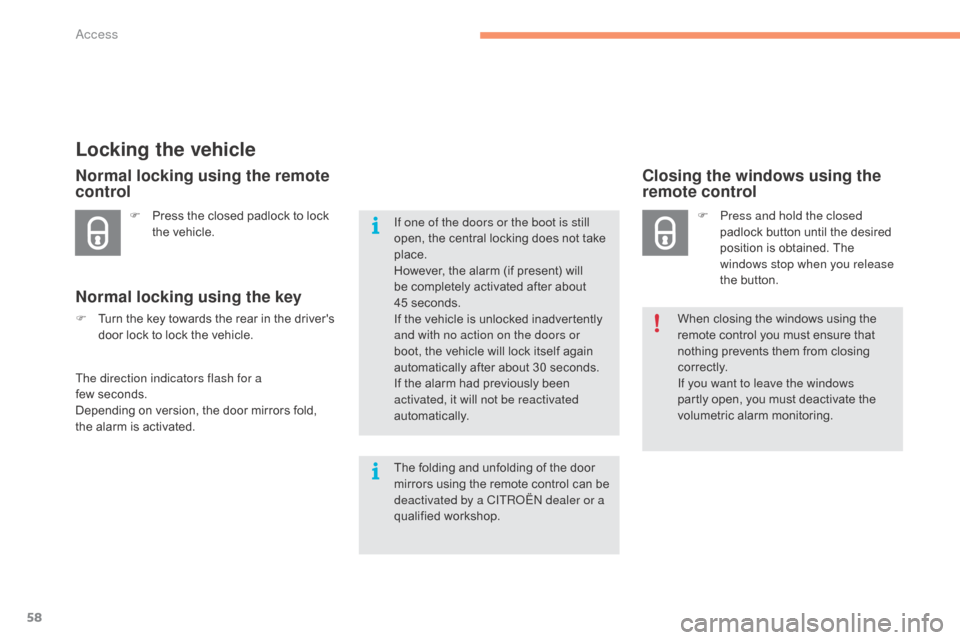
Locking the vehicle
F Press the closed padlock to lock t
he vehicle.
Normal locking using the remote
control
Normal locking using the key
F Turn the key towards the rear in the driver's d
oor lock to lock the vehicle.
The direction indicators flash for a
few seconds.
Depending
on version, the door mirrors fold,
t
he alarm is activated.
Closing the windows using the
remote control
F Press and hold the closed padlock button until the desired
p
osition is obtained. The
w
indows stop when you release
the
button.
When
closing the windows using the
r
emote control you must ensure that
n
othing prevents them from closing
c
o r r e c t l y.
If you want to leave the windows
partly
open, you must deactivate the
v
olumetric
alar
m
m
onitoring.
If one of the doors or the boot is still
open,
the
central
locking
does
not
take
p
lace.
However,
the
alarm
(if
present)
will
b
e
completely
activated
after
about
4
5 seconds.
If
the
vehicle
is
unlocked
inadvertently
a
nd with no action on the doors or
boot,
the
vehicle
will
lock
itself
again
a
utomatically
after
about
30
seconds.
If
the
alarm
had
previously
been
a
ctivated, it will not be reactivated
automatically.
The
folding
and
unfolding
of
the
door
m
irrors
using
the
remote
control
can
be
d
eactivated by a CITROËN dealer or a
qualified
w
orkshop.
Access
Page 61 of 396

59
C4-2_en_Chap02_ouvertures_ed02-2015
Locating your vehicle
Folding the key
F Press this button before folding the key.F
P
ress the closed padlock on the
r
emote control.
This will switch on the courtesy lamps and
t
he direction indicators will flash for around
ten seconds.
If you do not press the button, there is a
risk of damaging the remote control.This function allows you to identify your vehicle
from
a distance, particularly in poor light. Your
v
ehicle must be locked.
2
Access
Page 63 of 396
61
C4-2_en_Chap02_ouvertures_ed02-2015
Fault with the remote
control
Reinitialisation
F Switch off the ignition and remove the ig
nition k ey.
F
P
ress the closed padlock immediately for a
f
ew seconds.
F
T
urn the key to position 2 (Ignition on).
F
S
witch off the ignition and remove the key
f
rom the ignition switch.
The
remote control is fully operational again.Battery
ref.: CR2032 / 3 volts.
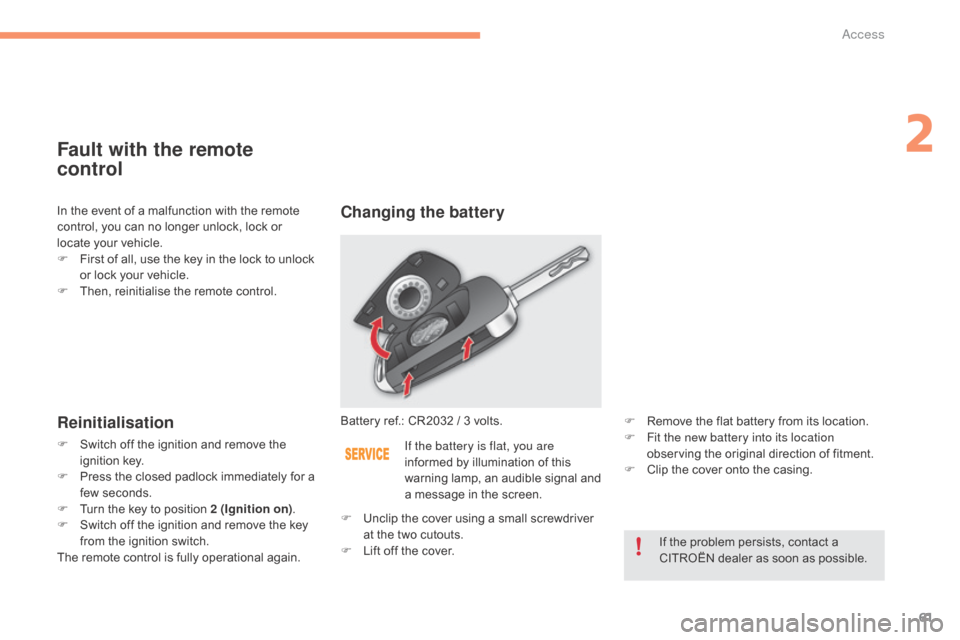
Changing the battery
If the battery is flat, you are
informed
by illumination of this
w
arning lamp, an audible signal and
a
message in the screen. F
R
emove the flat battery from its location.
F F it the new battery into its location
observing the original direction of fitment.
F
C
lip the cover onto the casing.
If
the problem persists, contact a
C
ITROËN dealer as soon as possible.
F
U
nclip
the cover using a small screwdriver
a
t
the
two cutouts.
F
L
ift
off
the cover.
In
the
event
of
a
malfunction
with
the
remote
c
ontrol,
you
can
no
longer
unlock,
lock
or
l
ocate
your
vehicle.
F
F
irst
of
all,
use
the
key
in
the
lock
to
unlock
o
r
lock
your
vehicle.
F
T
hen,
reinitialise
the
remote
control.
2
Access
Page 64 of 396
62
C4-2_en_Chap02_ouvertures_ed02-2015
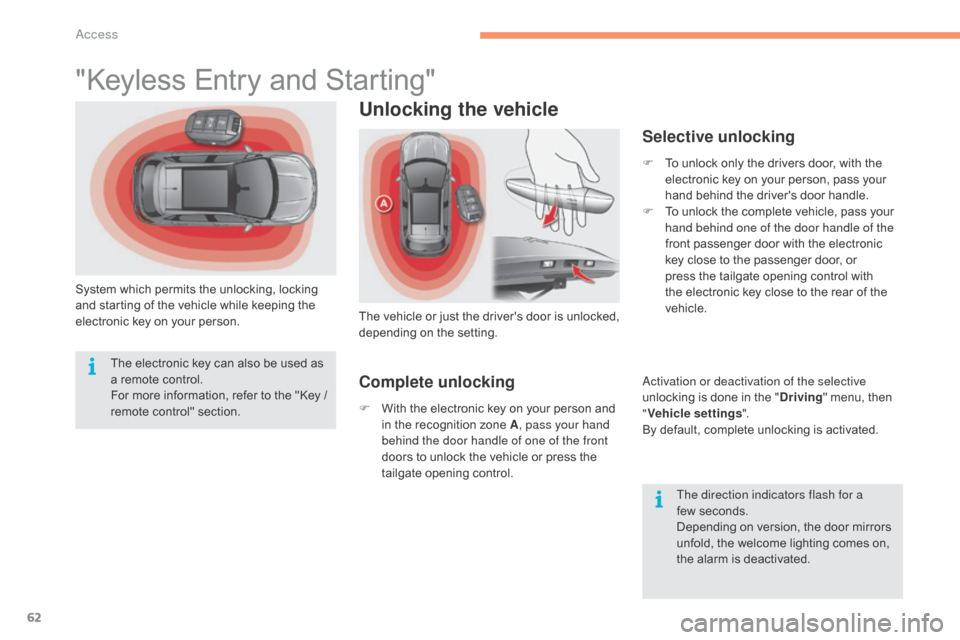
"Keyless Entry and Starting"
System which permits the unlocking, locking and starting of the vehicle while keeping the
e
lectronic key on your person.
Unlocking the vehicle
The vehicle o r j ust t he d river's d oor i s u nlocked, d
epending o n t he se tting.
Selective unlocking
F To unlock only the drivers door, with the e
lectronic key on your person, pass your
h
and behind the driver's door handle.
F
T
o unlock the complete vehicle, pass your
h
and behind one of the door handle of the
front
passenger door with the electronic
k
ey close to the passenger door, or
p
ress the tailgate opening control with
t
he electronic key close to the rear of the
v
ehicle.
Activation or deactivation of the selective
unlocking
is done in the "Driving "
menu, then
"V
ehicle settings ".
By
default, complete unlocking is activated.
The direction indicators flash for a
few seconds.
Depending
on version, the door mirrors
u
nfold, the welcome lighting comes on,
t
he alarm is deactivated.
The
electronic
key
can
also
be
used
as
a
remote
control.
For
more
information,
refer
to
the
"Key
/
r
emote
c
ontrol"
s
ection.
Complete unlocking
F With the electronic key on your person and i
n the recognition zone A, pass your hand
behind the door handle of one of the front
doors
to unlock the vehicle or press the
t
ailgate opening control.
Access
Page 65 of 396
63
C4-2_en_Chap02_ouvertures_ed02-2015
Locking the vehicle
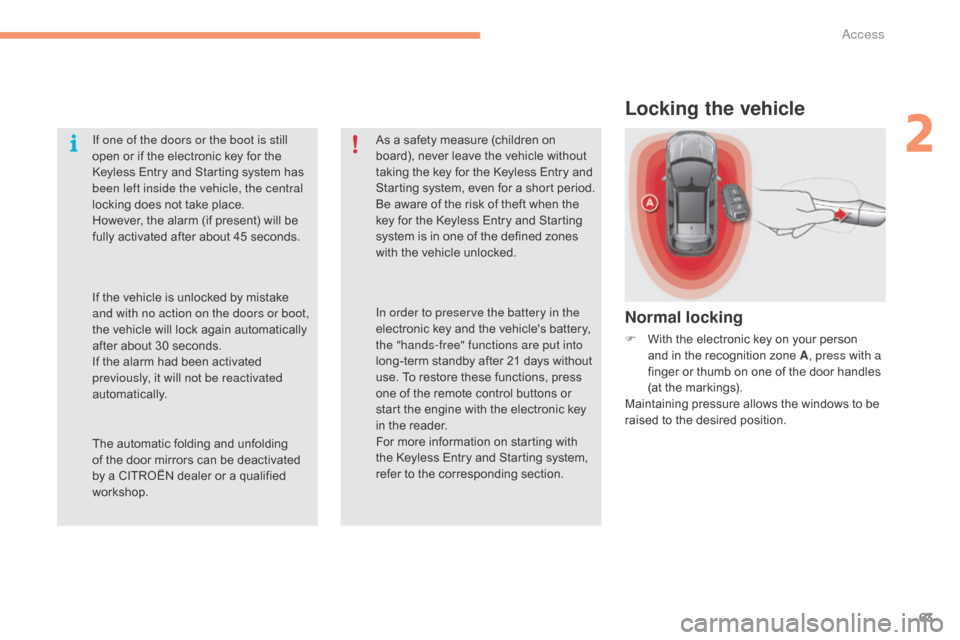
Normal locking
F With the electronic key on your person a
nd in the recognition zone A, press with a
finger
or thumb on one of the door handles
(
at the markings).
Maintaining
pressure allows the windows to be
r
aised to the desired position.
If one of the doors or the boot is still
open
or
if
the
electronic
key
for
the
K
eyless
Entry
and
Starting
system
has
b
een left inside the vehicle, the central
locking
does
not
take
place.
However,
the
alarm
(if
present)
will
be
f
ully
activated
after
about
45
seconds.
As
a
safety
measure
(children
on
b
oard),
never
leave
the
vehicle
without
t
aking
the
key
for
the
Keyless
Entry
and
S
tarting
system,
even
for
a
short
period.
Be
aware
of
the
risk
of
theft
when
the
k
ey
for
the
Keyless
Entry
and
Starting
s
ystem
is
in
one
of
the
defined
zones
w
ith
the
vehicle
unlocked.
The
automatic
folding
and
unfolding
o
f
the
door
mirrors
can
be
deactivated
b
y
a
CITROËN
dealer
or
a
qualified
w
orkshop. In order to preserve the battery in the
electronic
key
and
the
vehicle's
battery,
t
he "hands-free" functions are put into
long-term
standby
after
21
days
without
u
se.
To
restore
these
functions,
press
o
ne
of
the
remote
control
buttons
or
s
tart
the
engine
with
the
electronic
key
i
n
the
reader.
For
more
information
on
starting
with
t
he
Keyless
Entry
and
Starting
system,
r
efer
to
the
corresponding
section.
If
the
vehicle
is
unlocked
by
mistake
a
nd with no action on the doors or boot,
the
vehicle
will
lock
again
automatically
a
fter
about
30
seconds.
If
the
alarm
had
been
activated
p
reviously, it will not be reactivated
automatically.
2
Access