buttons CITROEN C4 2018 User Guide
[x] Cancel search | Manufacturer: CITROEN, Model Year: 2018, Model line: C4, Model: CITROEN C4 2018Pages: 317, PDF Size: 9.31 MB
Page 141 of 317

139
C4-cactus_en_Chap06_conduite_ed01-2016
Switching on
With the cruise control switched on (ON), you
can then modify the speed setting in one of the
f
ollowing
w
ays:
-
b
y pressing button 5:
F
t
he six memorised speeds are displayed
i
n the the touch screen tablet,
F
p
ressing the the button for the speed
s
etting you have chosen.
T
he value is then displayed in the
instrument
pan
el.
T
he selection screen closes after a
few moments.
T
he modification is then accepted.
F
T
urn wheel 1 to the "CRUISE"
position:
the
c
ruise
control
mode
is
selected
but
is
not
s
witched
on
(Pause).
F
P
ress button 2 or 3 :
your
vehicle's
current
s
peed
becomes
the
cruise
speed.
The
cruise
control
is
activated
(ON).
Modification of the speed
setting
The cruise control is switched on
manually: it requires a minimum vehicle
s
peed of 25 mph (40 km/h).
The
memorised speeds can be
p
rogrammed in the "Driving
assistance "
menu.
For
more information on memorising
s
peeds, refer to the corresponding
s
ection.
Or
by:
-
u
sing buttons 2 or 3:
F
b
y successive short presses, to modify
t
he speed by + or - 1 mph (km/h),
F
b
y a long press, to modify the speed in
s
teps of + or - 5 mph (km/h).
6
Driving
Page 142 of 317

140
C4-cactus_en_Chap06_conduite_ed01-2016
Flashing of the dashes indicates a fault with the cruise control.
Have
it checked by a CITROËN dealer or a
q
ualified
w
orkshop.
Operating fault Switching off
F Turn wheel 1 to the "0" p osition. T
he display of information related to the
c
ruise control disappears. When the cruise control is switched on,
be
careful if you maintain the pressure o
n one of the programmed speed
c
hanging buttons: this may result in a
v
ery rapid change in the speed of your
v
ehicle.
Do not use the cruise control on
slippery
roads or in heavy traffic.
On a steep descent, the cruise control
will not be able to prevent the vehicle
from
exceeding the programmed speed.
On
steep climbs or when towing, the
p
rogrammed speed may not be reached
o
r maintained.
The
use of mats not approved by
C
ITROËN may inter fere with the
o
peration of the cruise control.
To
avoid any risk of jamming of the
ped
als:
-
e
nsure that the mat is secured
c
o r r e c t l y,
-
n
ever fit one mat on top of another.
It
is
possible
to
exceed
the
programmed
speed
t
emporarily
by
pressing
the
accelerator
pedal.
To
return
to
the
programmed
speed,
simply
r
elease the accelerator pedal until the
programmed
cruise
speed
is
reached
again.
Exceeding the programmed
speed
Once switched on, you can pause the cruise
control at any time by pressing button 4: the
s
creen confirms the pause.
Pause
If the programmed speed is exceeded, the displayed speed flashes.
Once the speed of the vehicle returns
to
the programmed speed setting, the
d
isplay becomes steady again.
The cruise control is paused
m
anually
o
r by pressing the brake or clutch pedal
o
r if the ESC system is invoked for
s
afety reasons.
Driving
Page 232 of 317
230
C4-cactus_en_Chap10b_SMEGplus_ed01-2016
First steps
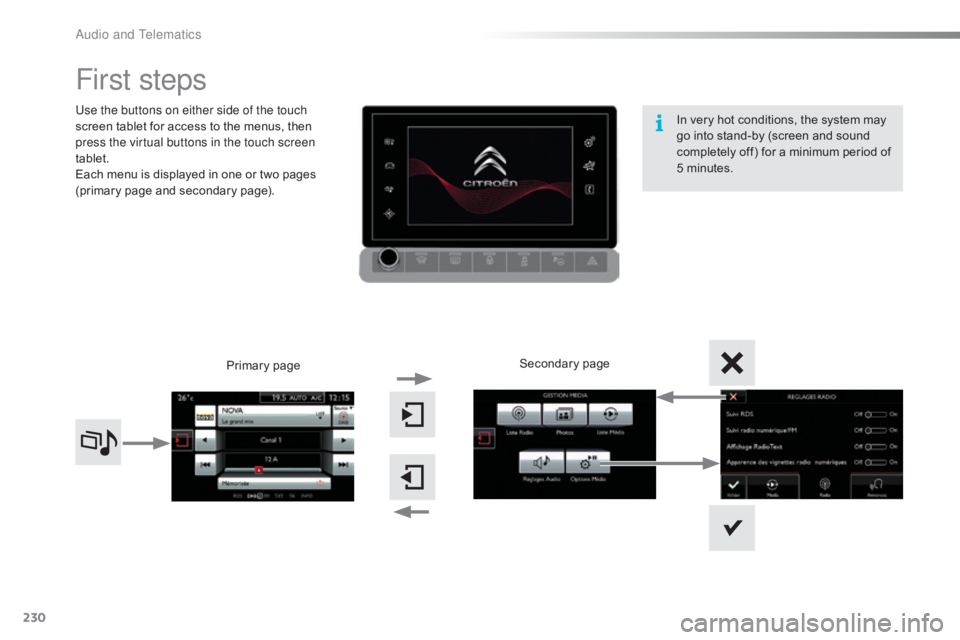
Use the buttons on either side of the touch
screen tablet for access to the menus, then
p
ress the virtual buttons in the touch screen
tablet.
Each
menu is displayed in one or two pages
(
primary page and secondary page).
Secondary
p
age
Primary
pag
e In
very hot conditions, the system may
g
o into stand-by (screen and sound
c
ompletely off) for a minimum period of
5 m
inutes.
Audio and Telematics
Page 233 of 317
231
C4-cactus_en_Chap10b_SMEGplus_ed01-2016
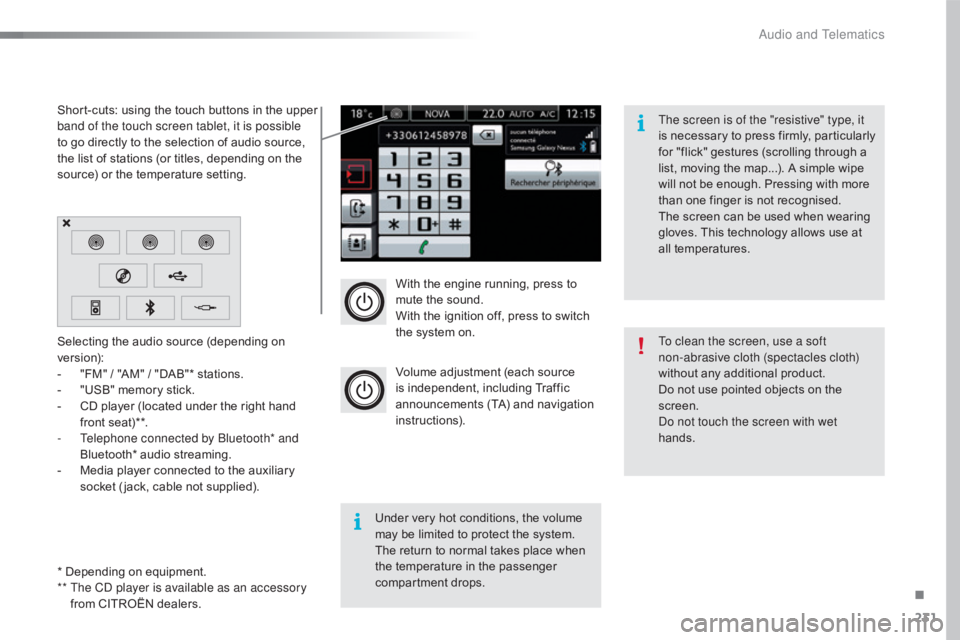
With the engine running, press to mute the sound.
With
the ignition off, press to switch
t
he system on.
Volume
adjustment (each source
i
s
i
ndependent,
i
ncluding
T
raffic
a
nnouncements (TA) and navigation
i
nstructions).
Selecting
the
audio
source
(depending
on
ve
rsion):
-
"
FM"
/
"AM"
/
"DAB"*
stations.
-
"
USB"
memory
stick.
-
C
D
player
(located
under
the
right
hand
f
ront
seat)**.
-
T
elephone connected by Bluetooth* and
Bluetooth*
audio
streaming.
-
M
edia
player
connected
to
the
auxiliary
s
ocket
( jack,
cable
not
supplied).
* Depending
on
equipment.
**
T
he CD player is available as an accessory
from
CITROËN
dealers.
Short-cuts:
using
the
touch
buttons
in
the
upper
b
and of the touch screen tablet, it is possible
to
go
directly
to
the
selection
of
audio
source,
t
he
list
of
stations
(or
titles,
depending
on
the
s
ource)
or
the
temperature
setting.
The screen is of the "resistive" type, it
is
n
ecessary
t
o
p
ress
f
irmly,
p
articularly
f
or "flick" gestures (scrolling through a
l
ist, moving the map...). A simple wipe
w
ill not be enough. Pressing with more
t
han one finger is not recognised.
The screen can be used when wearing
g
loves. This technology allows use at
a
ll
t
emperatures.
Under very hot conditions, the volume
m
ay be limited to protect the system.
T
he return to normal takes place when
t
he
temperature in the passenger
c
ompartment drops. To clean the screen, use a soft
non-abrasive cloth (spectacles cloth)
without
any additional product.
Do
not use pointed objects on the
sc
reen.
Do not touch the screen with wet
hands.
.
Audio and Telematics
Page 246 of 317
244
C4-cactus_en_Chap10b_SMEGplus_ed01-2016
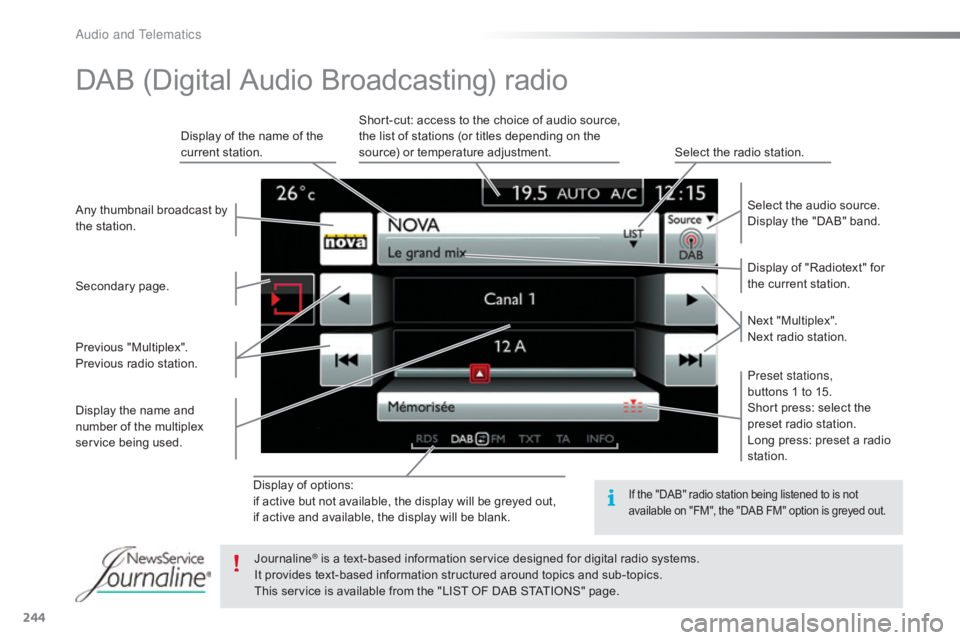
Display of options:
i f active but not available, the display will be greyed out,
if
active and available, the display will be blank. Display
of "Radiotext" for
t
he current station.
Select the audio source.
Display the "DAB" band.
Display
of
the name of the
c
urrent
station.
Short-cut: access to the choice of audio source,
t
he list of stations (or titles depending on the
s
ource) or temperature adjustment.
Select the radio station.
Any
thumbnail
broadcast
by
t
he
station.
Preset stations,
buttons 1 to 15.
Short press: select the
p
reset radio station.
Long press: preset a radio
s
tation.
Next
"
Multiplex".
Next radio station.
Secondary
p
age.
Display
the
name
and
n
umber
of
the
multiplex
ser
vice
b
eing
u
sed.
Previous
"
Multiplex".
Previous
radio
station.
DAB (Digital Audio Broadcasting) radio
If the "DAB" radio station being listened to is not a
vailable on "FM", the "DAB FM" option is greyed out.
Journaline® is a text-based information service designed for digital radio systems.
I
t
provides
text-based information structured around topics and sub-topics.
This
service is available from the "LIST OF DAB STATIONS" page.
Audio and Telematics
Page 250 of 317
248
C4-cactus_en_Chap10b_SMEGplus_ed01-2016
Bluetooth® audio streaming
Streaming allows audio files on your telephone to be played through the vehicle's spx`eakers.
Connect
the telephone: see the "Telephone "
section, then " Bluetooth".
Choose the " Audio" or "All"
pro
file.
If
play does not start automatically, it may be
n
ecessary to start the audio playback from the
t
elephone.
Control
is from the peripheral device or by
u
sing the audio system buttons.
Once
connected in streaming mode,
t
he telephone is considered to be a
media
source.
It
is recommended that you activate
"R
epeat"
on the Bluetooth peripheral.
Connecting Apple® players
Connect the Apple® player to the USB port
using
a
suitable
cable (not supplied).
Play
starts
automatically.
Control
is
via
the
audio system. The classifications available are those
of the portable device connected
(artists
/ albums / genres / playlists /
a
udiobooks / podcasts).
The default classification used is by
artist. To modify the classification used,
r
eturn to the first level of the menu
t
hen select the desired classification
(playlists for example) and confirm t
o go down through the menu to the
de
sired
t
rack.
The
version of software in the audio system
m
ay not be compatible with the generation of
y
our Apple
® player.
Audio and Telematics
Page 311 of 317
4
Safety
Localised Assistance Call
If you purchased your vehicle outside the Brand's dealer network, we invite you to have a dealer check the configuration of these services and, if desired, modified to suit your wishes. In a multi-lingual country, configuration is possible in the official national language of your choice.
For technical reasons and in particular to improve the quality of "Telematic services" services to customers, the manufacturer reserves the right to carry out updates to the vehicle's on-board telematic system.
A fault with the system does not prevent the vehicle being driven.
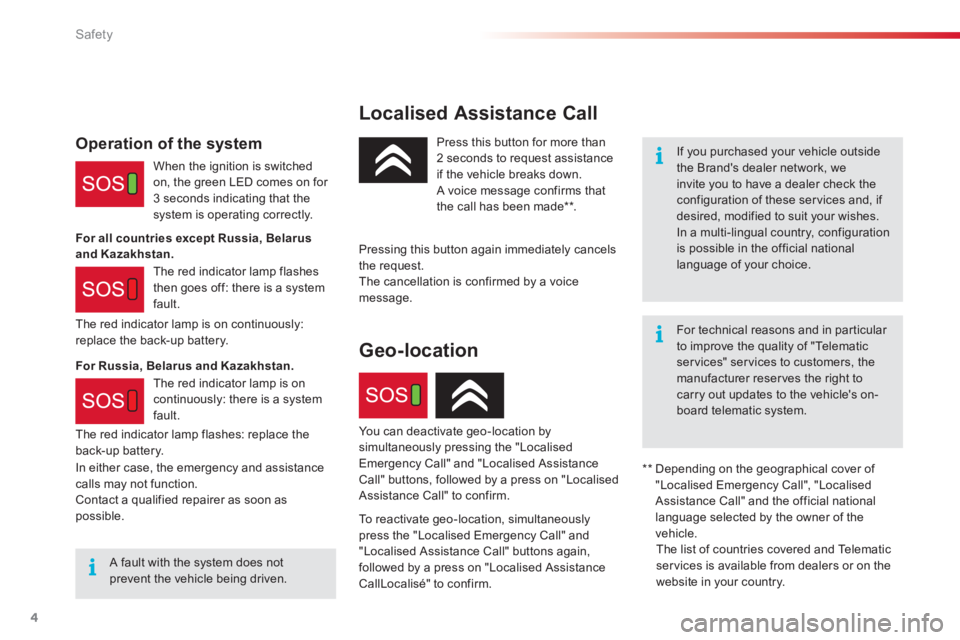
Press this button for more than 2 seconds to request assistance if the vehicle breaks down. A voice message confirms that the call has been made ** .
Pressing this button again immediately cancels the request. The cancellation is confirmed by a voice message.
The red indicator lamp is on continuously: replace the back-up battery.
Operation of the system
When the ignition is switched on, the green LED comes on for 3 seconds indicating that the system is operating correctly.
The red indicator lamp flashes then goes off: there is a system fault.
** Depending on the geographical cover of "Localised Emergency Call", "Localised Assistance Call" and the official national language selected by the owner of the vehicle. The list of countries covered and Telematic services is available from dealers or on the website in your country.
For all countries except Russia, Belarus and Kazakhstan.
For Russia, Belarus and Kazakhstan.
In either case, the emergency and assistance calls may not function. Contact a qualified repairer as soon as possible.
Geo-location
You can deactivate geo-location by simultaneously pressing the "Localised Emergency Call" and "Localised Assistance Call" buttons, followed by a press on "Localised Assistance Call" to confirm.
To reactivate geo-location, simultaneously press the "Localised Emergency Call" and "Localised Assistance Call" buttons again, followed by a press on "Localised Assistance CallLocalisé" to confirm.
The red indicator lamp is on continuously: there is a system fault.
The red indicator lamp flashes: replace the back-up battery.