ad blue CITROEN C4 2018 Owner's Manual
[x] Cancel search | Manufacturer: CITROEN, Model Year: 2018, Model line: C4, Model: CITROEN C4 2018Pages: 317, PDF Size: 9.31 MB
Page 183 of 317
181
C4-cactus_en_Chap07_info-pratiques_ed01-2016
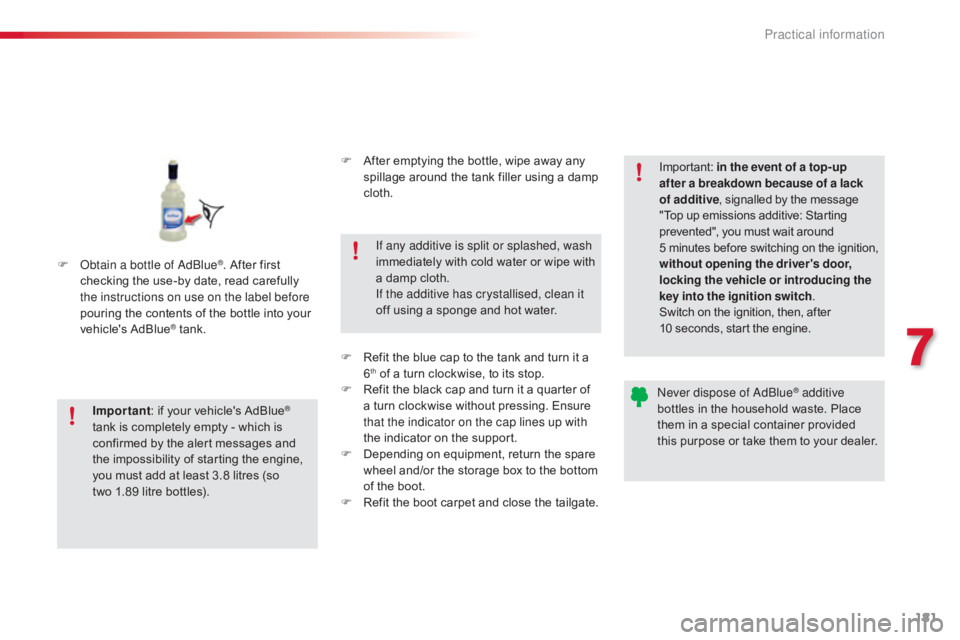
F Obtain a bottle of AdBlue®. After first c
hecking
the
use-by
date,
read carefully
t
he instructions on use on the label before
pouring
the
contents
of
the bottle into your
v
ehicle's
Ad
Blue
® tank.
I
mportant :
if
your vehicle's AdBlue
®
tank
is
completely
empty
-
which
is
c
onfirmed
by
the
alert
messages
and
t
he
impossibility
of
starting
the
engine,
y
ou
must
add
at
least
3.8
litres
(so
t
wo 1.89
litre
bottles). If any additive is split or splashed, wash
immediately
w
ith
c
old
w
ater
o
r
w
ipe
w
ith
a
damp cloth.
If the additive has crystallised, clean it
off using a sponge and hot water.Important:
i
n the event of a top-up
after a breakdown because of a lack
of additive , signalled by the message
"
Top up emissions additive: Starting
p
revented", you must wait around
5
minutes
before
switching
on
the
ignition,
w
ithout opening the driver's door,
locking the vehicle or introducing the
key into the ignition switch .
Switch on the ignition, then, after
1
0 seconds, start the engine.
Never dispose of AdBlue
® additive
bottles
in
the
household
waste. Place
t
hem
in
a
special
container provided
t
his
p
urpose
o
r
t
ake
t
hem
t
o
y
our
d
ealer.
F
A
fter
emptying
the
bottle,
wipe
away
any
s
pillage
around
the
tank
filler
using
a
damp
c
loth.
F
R
efit
the
blue
cap
to
the
tank
and
turn
it
a
6th of a turn clockwise, to its stop.
F
R
efit the black cap and turn it a quarter of
a
turn clockwise without pressing. Ensure
t
hat the indicator on the cap lines up with
the
indicator on the support.
F
D
epending on equipment, return the spare
w
heel and/or the storage box to the bottom
o
f
the boot.
F
R
efit the boot carpet and close the tailgate.
7
Practical information
Page 194 of 317
192
C4-cactus_en_Chap08_En-cas-de-panne_ed01-2016
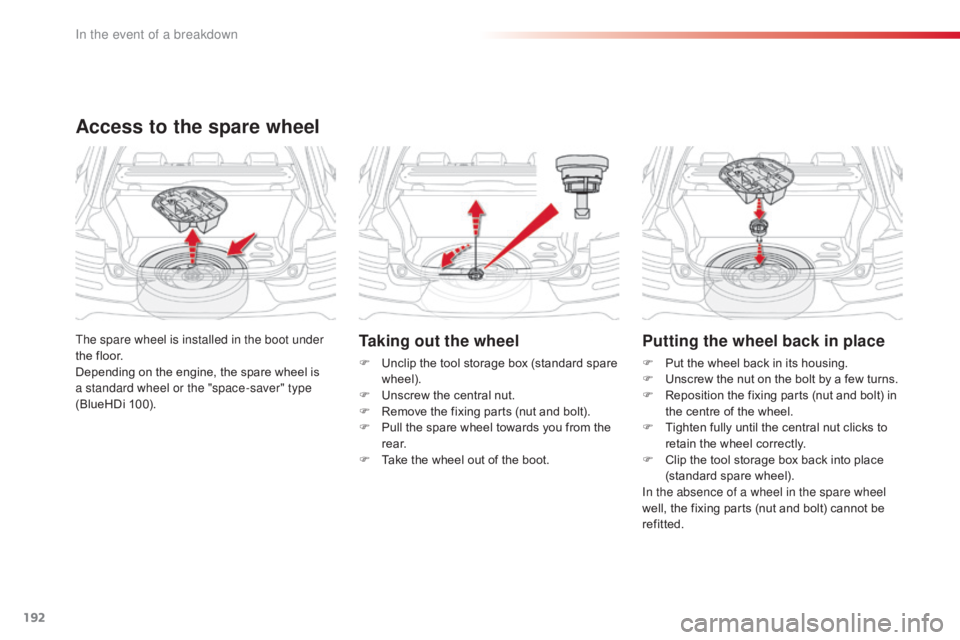
Taking out the wheel
F Unclip the tool storage box (standard spare w
heel).
F
U
nscrew the central nut.
F
R
emove the fixing parts (nut and bolt).
F
P
ull the spare wheel towards you from the
r
e a r.
F
T
ake the wheel out of the boot.
The spare wheel is installed in the boot under
the
floor.
Depending
on
the
engine,
the
spare
wheel
is
a s
tandard wheel or the "space-saver" type
(BlueHDi
100).
Access to the spare wheel
Putting the wheel back in place
F Put the wheel back in its housing.
F U nscrew the nut on the bolt by a few turns.
F
R
eposition the fixing parts (nut and bolt) in
t
he centre of the wheel.
F
T
ighten fully until the central nut clicks to
r
etain the wheel correctly.
F
C
lip the tool storage box back into place
(
standard
spar
e
w
heel).
In the absence of a wheel in the spare wheel
well,
the fixing parts (nut and bolt) cannot be
r
efitted.
In the event of a breakdown
Page 213 of 317
211
C4-cactus_en_Chap08_En-cas-de-panne_ed01-2016
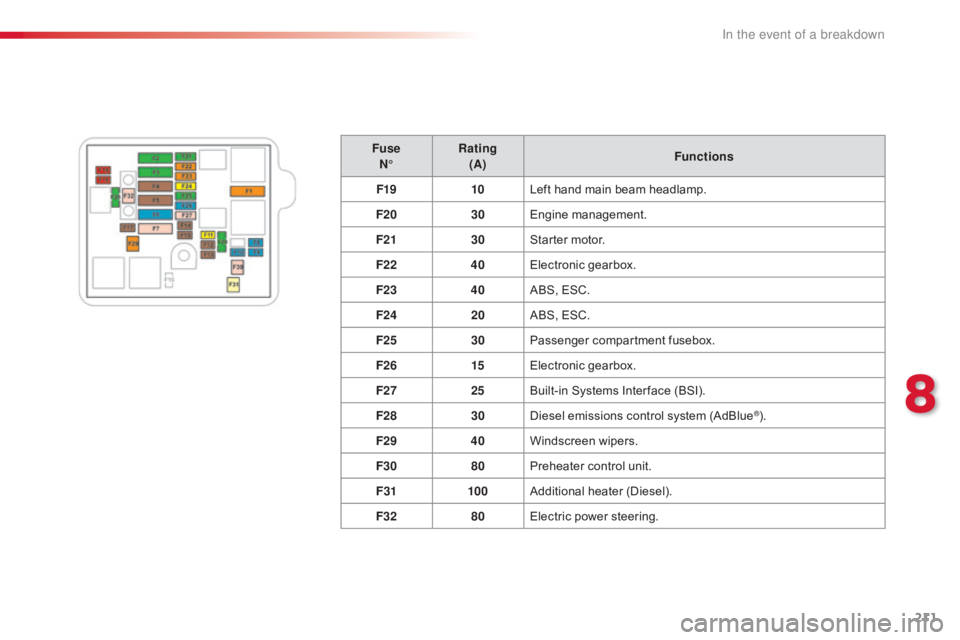
FuseN° Rating
(A) Functions
F19 10Left
hand main beam headlamp.
F20 30Engine
m
anagement.
F21 30Starter
motor.
F22 40Electronic
g
earbox.
F23 40ABS,
ESC.
F24 20ABS,
ESC.
F25 30Passenger
c
ompartment
f
usebox.
F26 15Electronic
g
earbox.
F27 25Built-in
Systems Inter face (BSI).
F28 30Diesel
emissions control system (AdBlue
®).
F29 40Windscreen
w
ipers.
F30 80Preheater
control
unit.
F31 100Additional
hea
ter
(
Diesel).
F32 80Electric
power
steering.
8
In the event of a breakdown
Page 220 of 317
218
C4-cactus_en_Chap08_En-cas-de-panne_ed01-2016
Running out of fuel (Diesel)
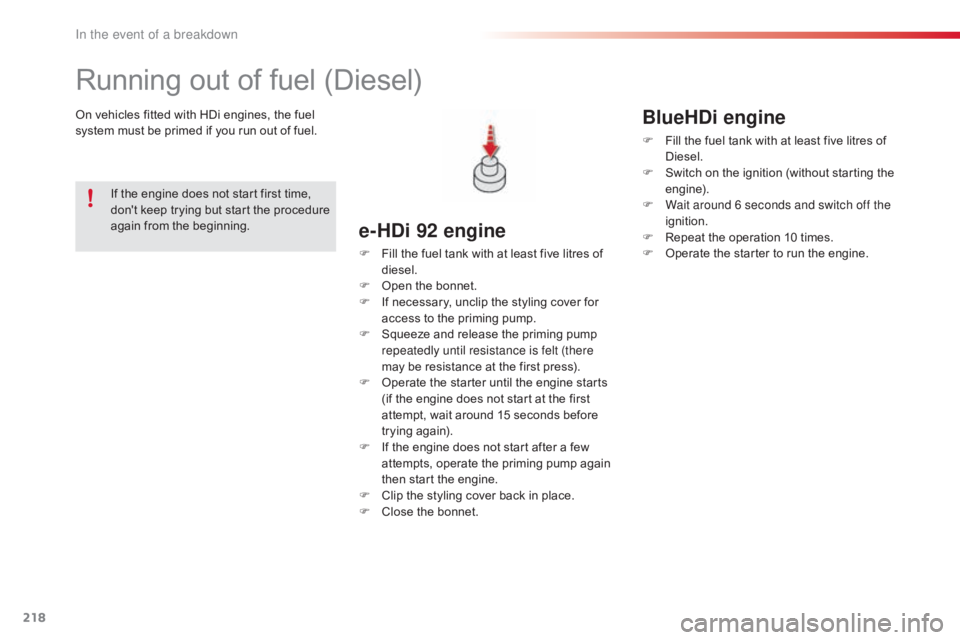
On vehicles fitted with HDi engines, the fuel system must be primed if you run out of fuel.
e-HDi 92 engine
F Fill the fuel tank with at least five litres of d
iesel.
F
O
pen the bonnet.
F
I
f necessary, unclip the styling cover for
a
ccess to the priming pump.
F
S
queeze and release the priming pump
r
epeatedly until resistance is felt (there
may
be resistance at the first press).
F
O
perate the starter until the engine starts
(
if the engine does not start at the first
a
ttempt, wait around 15 seconds before
t
rying
ag
ain).
F
I
f the engine does not start after a few
a
ttempts, operate the priming pump again
t
hen start the engine.
F
C
lip the styling cover back in place.
F
C
lose the bonnet.
If
the
engine
does
not
start
first
time,
d
on't
keep
trying
but
start
the
procedure
a
gain
from
the
beginning.
BlueHDi engine
F Fill
the fuel tank with at least five litres of D
iesel.
F
S
witch on the ignition (without starting the
e
ngine).
F
W
ait around 6 seconds and switch off the
ignition.
F
R
epeat the operation 10 times.
F
O
perate the starter to run the engine.
In the event of a breakdown
Page 223 of 317
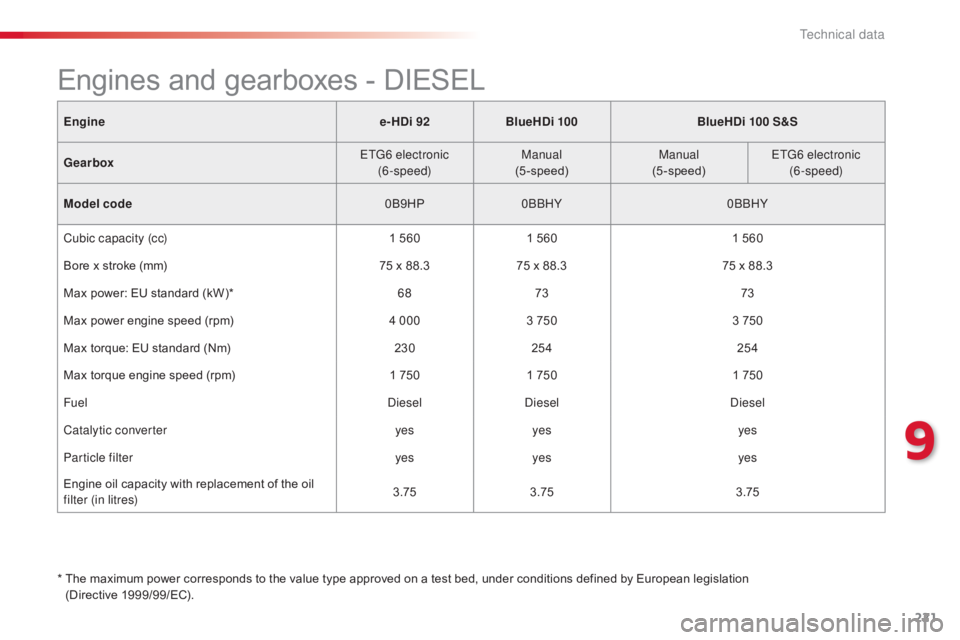
221
C4-cactus_en_Chap09_caracteristiques-techniques_ed01-2016
Enginee-HDi 92BlueHDi 100 BlueHDi 100 S&S
Gearbox ETG6 electronic
(6-speed) Manual
(5-speed) Manual
(5-speed) ETG6 electronic
(6-speed)
Model code 0B9HP0BBHY 0BBHY
Cubic capacity (cc) 1
5601
5601
560
Bore
x stroke (mm) 75
x 88.375
x 88.375
x 88.3
Max
power: EU standard (kW)* 6873 73
Max
power engine speed (rpm) 4 0003
7503
750
Max
torque: EU standard (Nm) 230254 254
Max
torque engine speed (rpm) 1
7501
7501
750
Fuel DieselDiesel Diesel
Catalytic converter yesyes yes
Particle filter yesyes yes
Engine
oil capacity with replacement of the oil
f
ilter (in litres) 3.75
3.75 3.75
*
T
he maximum power corresponds to the value type approved on a test bed, under conditions defined by European legislation
(Directive
1
999/99/EC).
Engines and gearboxes - DIESEL
9
Technical data
Page 224 of 317
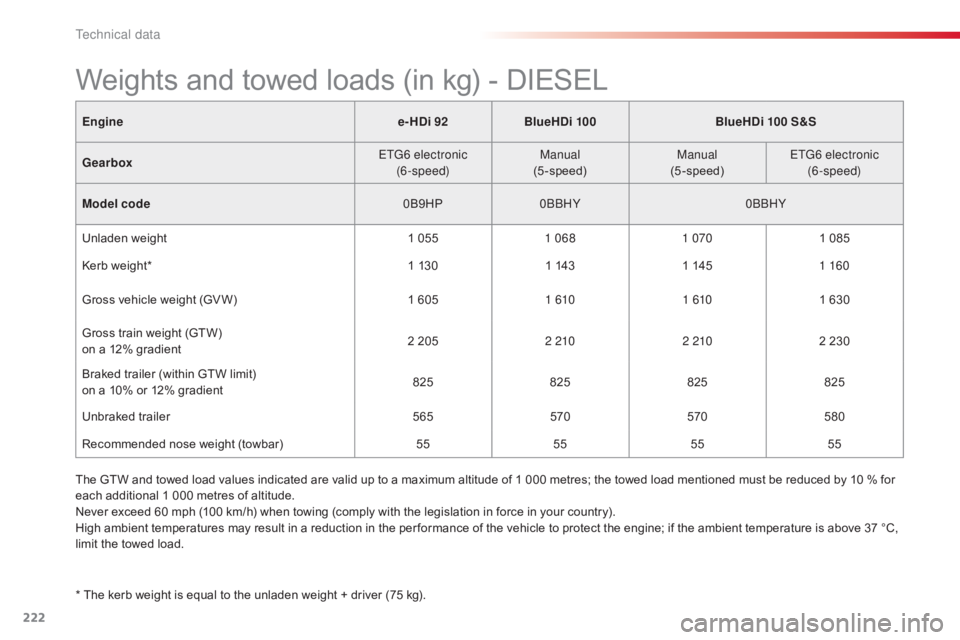
222
C4-cactus_en_Chap09_caracteristiques-techniques_ed01-2016
Enginee-HDi 92BlueHDi 100 BlueHDi 100 S&S
Gearbox ETG6 electronic
(6-speed) Manual
(5-speed) Manual
(5-speed) ETG6 electronic
(6-speed)
Model code 0B9HP0BBHY 0BBHY
Unladen
weight 1
0551 068 1 0701
085
Kerb
weight* 1
1301
1431
1451 160
Gross
vehicle weight (GV W) 1
6051 610 1 6101
630
Gross
train weight (GTW)
o
n a 12% gradient 2
2052 210 2 2102
230
Braked
trailer (within GTW limit)
on
a 10% or 12% gradient 825
825825825
Unbraked
t
railer 565570570580
Recommended
nose weight (towbar) 55555555
Weights and towed loads (in kg) - DIESEL
* The kerb weight is equal to the unladen weight + driver (75 kg).
T he GTW and towed load values indicated are valid up to a maximum altitude of 1 000 metres; the towed load mentioned must be reduced by 10 % for
e
ach additional 1 000 metres of altitude.
Never exceed 60 mph (100 km/h) when towing (comply with the legislation in force in your country).
High ambient temperatures may result in a reduction in the per formance of the vehicle to protect the engine; if the ambient temperature is above 37 °C,
l
imit the towed load.
Technical data
Page 231 of 317
229
C4-cactus_en_Chap10b_SMEGplus_ed01-2016
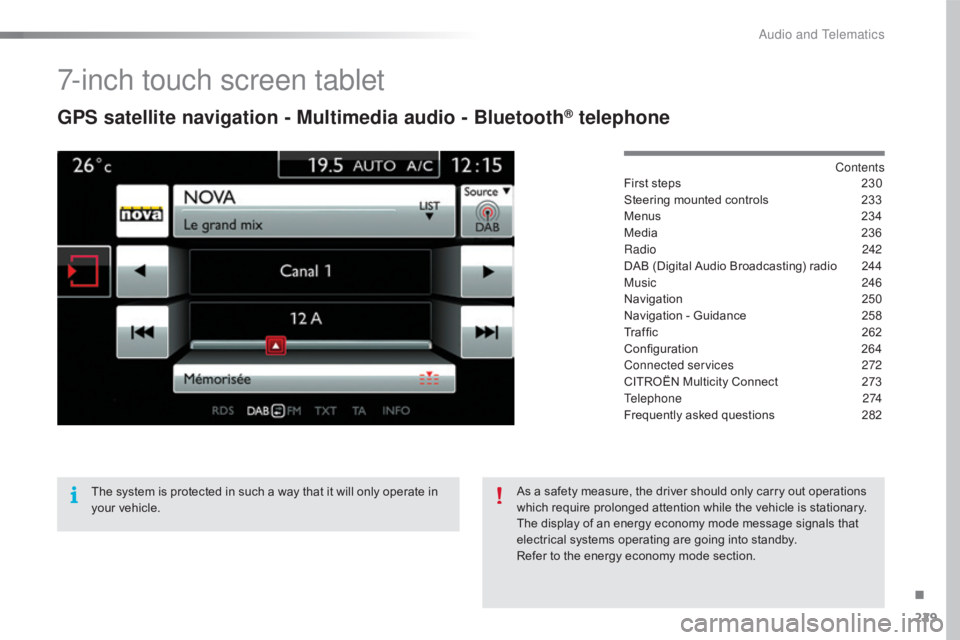
7-inch touch screen tablet
GPS satellite navigation - Multimedia audio - Bluetooth® telephone
Contents
First
steps
2 30
Steering
mounted
controls
2
33
Menus
2
34
Media
23
6
Radio
2
42
DAB
(Digital
Audio
Broadcasting)
radio
2
44
Music
2
46
Navigation
2
50
Navigation
-
Guidance
2
58
Traffic
26
2
Configuration
26
4
Connected services
2
72
CITROËN
Multicity
Connect
2
73
Telephone
274
Frequently
asked
questions
2
82
The
system
is
protected
in
such
a
way
that
it
will
only
operate
in
y
our
vehicle. As
a
safety
measure,
the
driver
should
only
carry
out
operations
w
hich
require
prolonged
attention
while
the
vehicle
is
stationary.
The
display
of
an
energy
economy
mode
message
signals
that
e
lectrical
systems
operating
are
going
into
standby.
Refer
to
the
energy
economy
mode
section.
.
Audio and Telematics
Page 233 of 317
231
C4-cactus_en_Chap10b_SMEGplus_ed01-2016
With the engine running, press to mute the sound.
With
the ignition off, press to switch
t
he system on.
Volume
adjustment (each source
i
s
i
ndependent,
i
ncluding
T
raffic
a
nnouncements (TA) and navigation
i
nstructions).
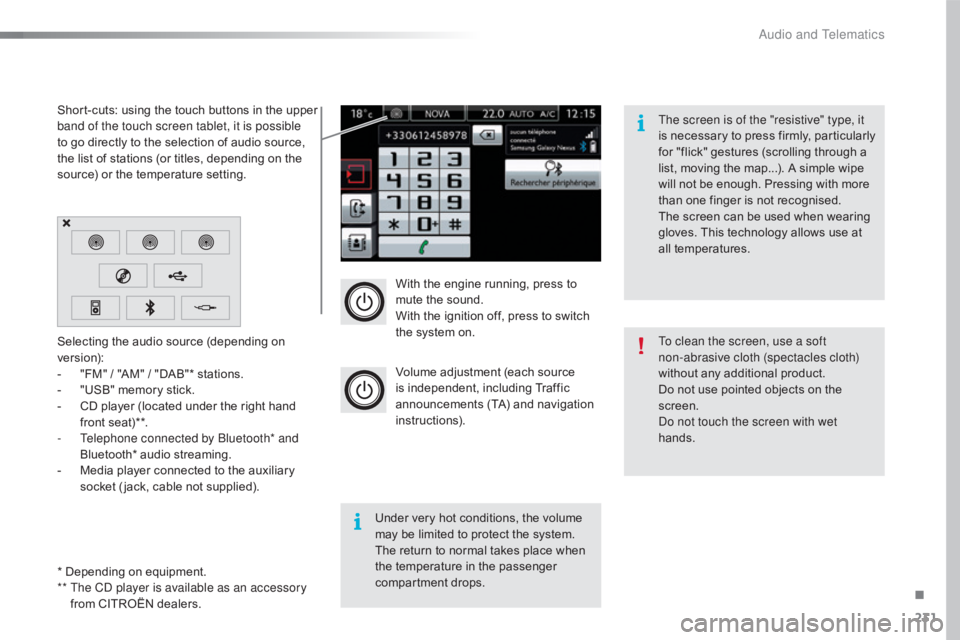
Selecting
the
audio
source
(depending
on
ve
rsion):
-
"
FM"
/
"AM"
/
"DAB"*
stations.
-
"
USB"
memory
stick.
-
C
D
player
(located
under
the
right
hand
f
ront
seat)**.
-
T
elephone connected by Bluetooth* and
Bluetooth*
audio
streaming.
-
M
edia
player
connected
to
the
auxiliary
s
ocket
( jack,
cable
not
supplied).
* Depending
on
equipment.
**
T
he CD player is available as an accessory
from
CITROËN
dealers.
Short-cuts:
using
the
touch
buttons
in
the
upper
b
and of the touch screen tablet, it is possible
to
go
directly
to
the
selection
of
audio
source,
t
he
list
of
stations
(or
titles,
depending
on
the
s
ource)
or
the
temperature
setting.
The screen is of the "resistive" type, it
is
n
ecessary
t
o
p
ress
f
irmly,
p
articularly
f
or "flick" gestures (scrolling through a
l
ist, moving the map...). A simple wipe
w
ill not be enough. Pressing with more
t
han one finger is not recognised.
The screen can be used when wearing
g
loves. This technology allows use at
a
ll
t
emperatures.
Under very hot conditions, the volume
m
ay be limited to protect the system.
T
he return to normal takes place when
t
he
temperature in the passenger
c
ompartment drops. To clean the screen, use a soft
non-abrasive cloth (spectacles cloth)
without
any additional product.
Do
not use pointed objects on the
sc
reen.
Do not touch the screen with wet
hands.
.
Audio and Telematics
Page 237 of 317
235
C4-cactus_en_Chap10b_SMEGplus_ed01-2016
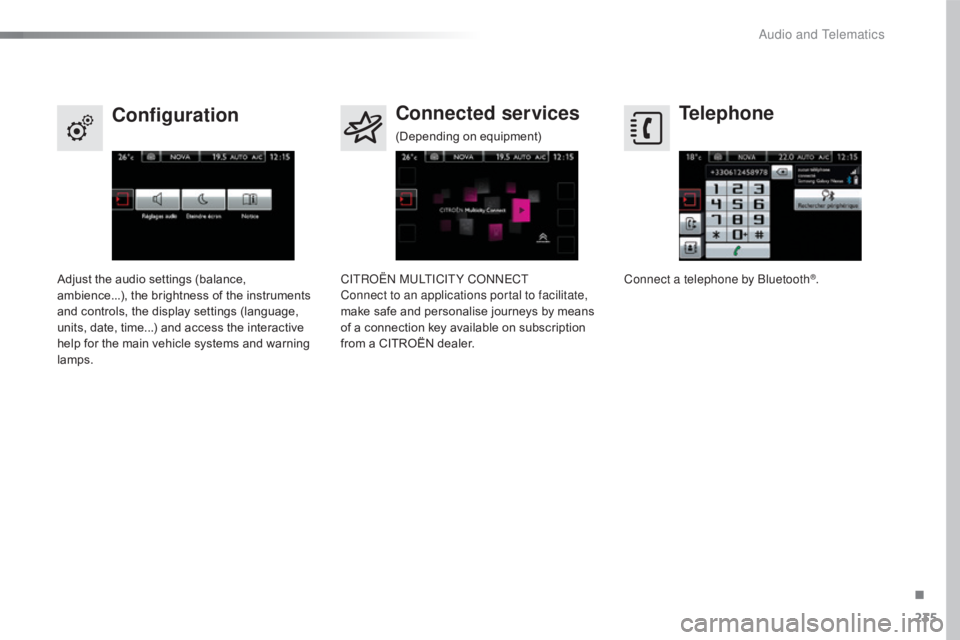
Telephone
Configuration Connected services
Connect a telephone by Bluetooth®.
Adjust
the
audio
settings
(balance,
a
mbience...),
the
brightness
of
the
instruments
a
nd
controls,
the
display
settings
(language,
u
nits,
date,
time...)
and
access
the
interactive
h
elp
for
the
main
vehicle
systems
and
warning
lam
ps. CITROËN MULTICITY CONNECT
Connect to an applications portal to facilitate,
make
safe
and
personalise
journeys
by
means
o
f
a
connection
key
available
on
subscription
f
rom
a
CITROËN
dealer.
(Depending
o
n
e
quipment)
.
Audio and Telematics
Page 239 of 317
237
C4-cactus_en_Chap10b_SMEGplus_ed01-2016
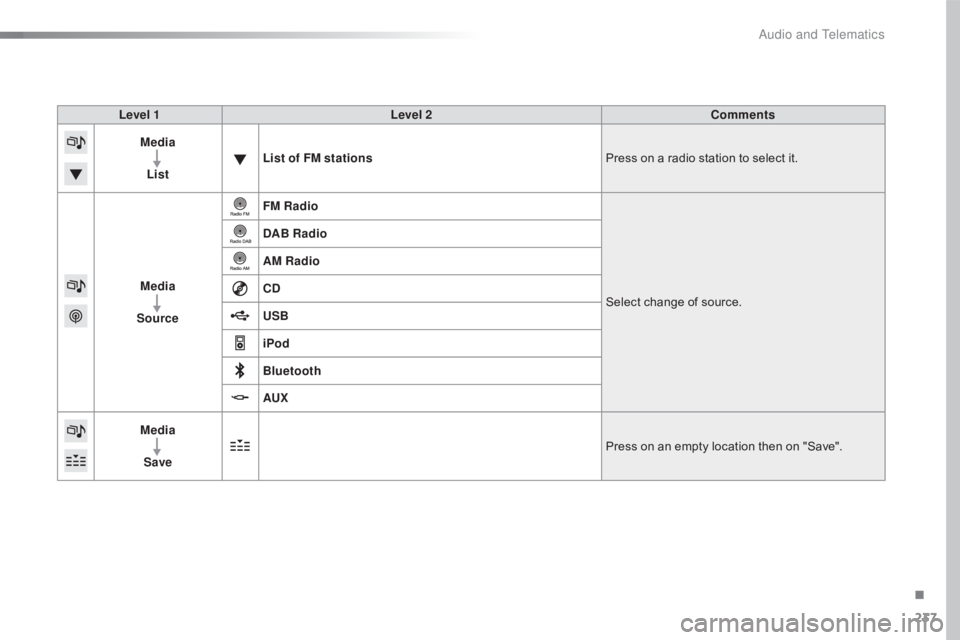
Level 1Level 2 Comments
Media
List List of FM stations
Press
on a radio station to select it.
Media
Source FM Radio
Select
change of source.
DAB Radio
AM Radio
CD
USB
iPod
Bluetooth
AUX
Media
Save Press
on an empty location then on "Save".
.
Audio and Telematics