instrument panel CITROEN C4 AIRCROSS 2011 Owner's Manual
[x] Cancel search | Manufacturer: CITROEN, Model Year: 2011, Model line: C4 AIRCROSS, Model: CITROEN C4 AIRCROSS 2011Pages: 332, PDF Size: 9.07 MB
Page 112 of 332
110
Driving
Anti-theft protection
Electronic engine immobiliser
The keys contain an electronic chip which has a secret code. When the ignition is switched
on, this code must be recognised in order for starting to be possible. This electronic engine immobiliser locks the engine management system a few minutesafter the ignition is switched off and prevents starting of the engine by anyone who does nothave the key.
In the event of a malfunction, you are informed by a message in the instrument panel screen.In this case, your vehicle does not start; contacta CITROËN dealer as soon as possible.
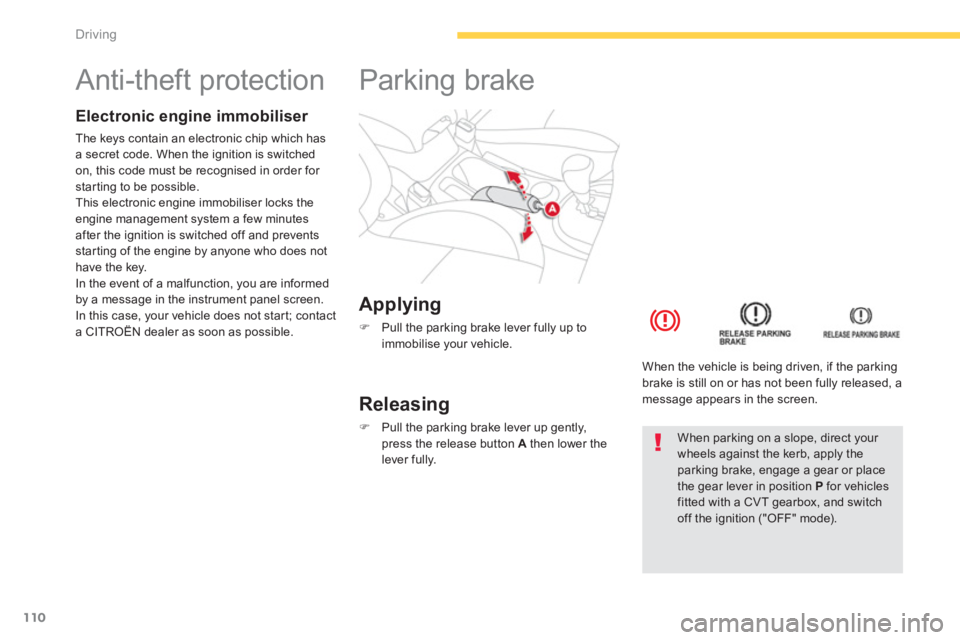
Applying
)
Pull the parking brake lever fully up to
immobilise your vehicle.
Parking brake
Releasing
)
Pull the parking brake lever up gently,
press the release button Athen lower thelever fully.
When the vehicle is bein
g driven, if the parkingbrake is still on or has not been fully released, a message appears in the screen.
When parking on a slope, direct your wheels against the kerb, apply theparking brake, engage a gear or place the gear lever in position Pfor vehiclesfitted with a CVT gearbox, and switch off the ignition ("OFF" mode).
Page 114 of 332
112
Driving
Gear effi ciency indicator * System which reduces fuel consumption by advising the driver to change up on vehicles fitted with a manual gearbox.
Operation
*
According to engine.
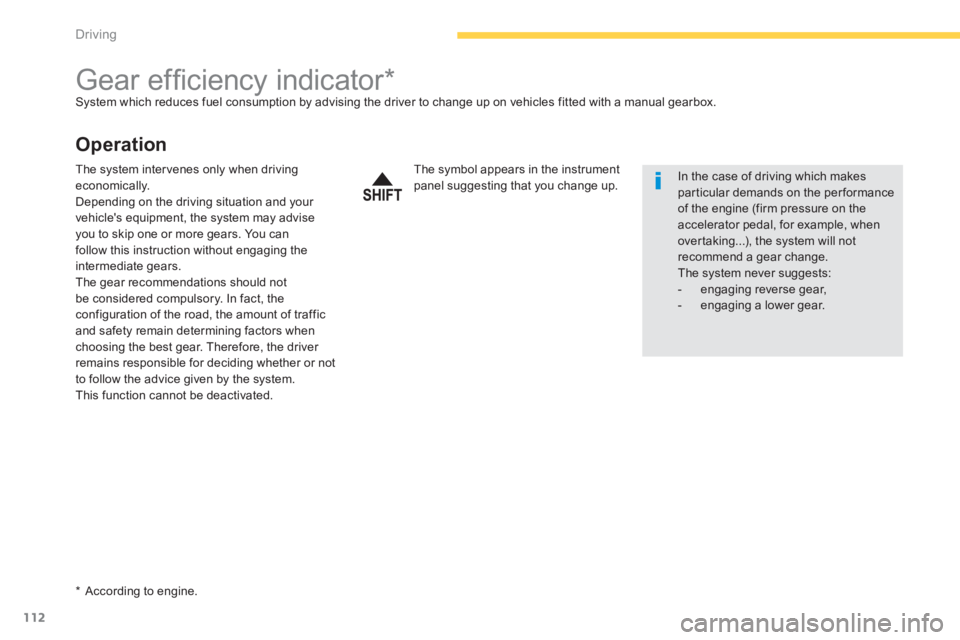
The symbol appears in the instrumentpanel suggesting that you change up. In the case of driving which makes par ticular demands on the performanceof the engine (firm pressure on the
accelerator pedal, for example, when over taking...), the system will notrecommend a gear change.The system never suggests: - engaging reverse gear, - engaging a lower gear.
The system intervenes only when driving economically.Depending on the driving situation and your
vehicle's equipment, the system may advise
you to skip one or more gears. You can
follow this instruction without engaging the
intermediate gears.
The gear recommendations should not
be considered compulsory. In fact, theconfiguration of the road, the amount of trafficand safety remain determining factors whenchoosing the best gear. Therefore, the driver remains responsible for deciding whether or not
to follow the advice given by the system.
This function cannot be deactivated.
Page 116 of 332
114
Driving
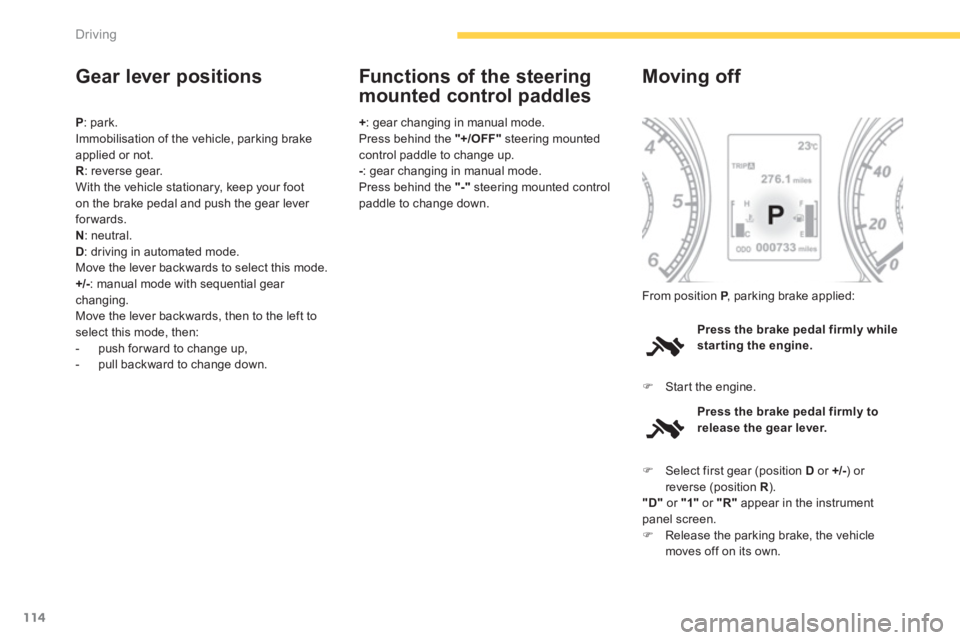
Gear lever positions
P : park.
Immobilisation of the vehicle, parking brake applied or not.R: reverse gear.
With the vehicle stationary, keep your foot
on the brake pedal and push the gear lever forwards.
N: n
eutral.D: driving in automated mode.
Move the lever backwards to select this mode.
+/-: manual mode with sequential gear changing.
Move the lever backwards, then to the left toselect this mode, then:
- push forward to change up,
- pull backward to change down.
+
: gear changing in manual mode.
Press behind the "+/OFF"
steering mounted control paddle to change up.-: gear changing in manual mode.
Press behind the "-" steering mounted control
paddle to change down.
Functions of the steering
mounted control paddles
Press the brake pedal firmly whilestarting the engine.
Moving off
)Star t the engine. From position
P
, parking brake applied:P
Press the brake pedal firmly to
release the gear lever.
)Select first gear (position Dor +/- ) or reverse (position R ). R"D"
or "1"
or "R"
appear in the instrumentpanel screen. )Release the parking brake, the vehiclemoves off on its own.
Page 117 of 332
115
4
Driving
Stopping - Starting on a slope
It is essential to use the parking brake to
hold the vehicle on a slope and not the accelerator pedal. When starting on a slope, accelerate gradually
while releasing the parking brake.
Manual mode
) Select position +/- . )
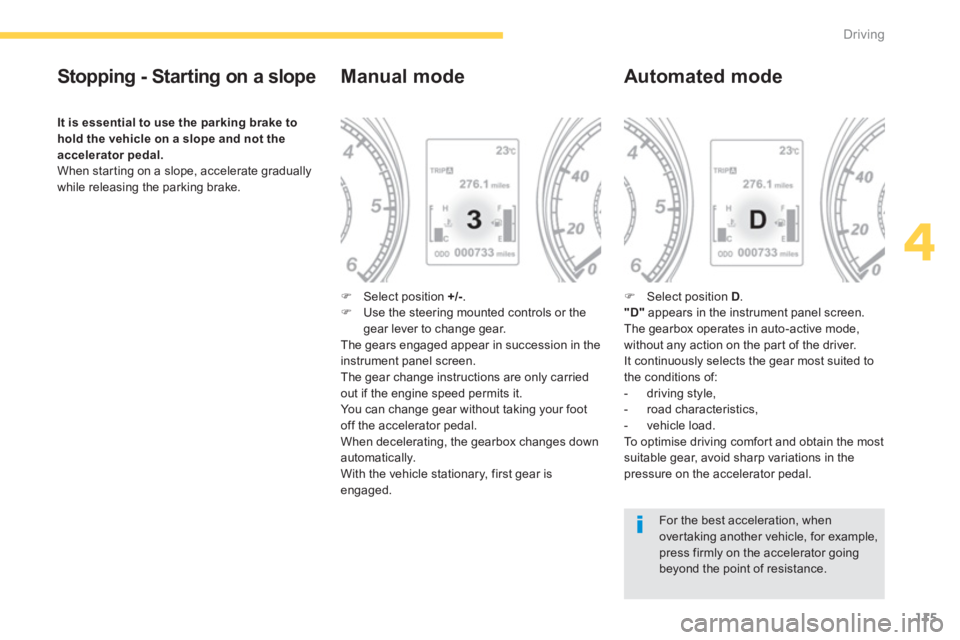
Use the steering mounted controls or thegear lever to change gear.The gears engaged appear in succession in theinstrument panel screen.The gear change instructions are only carried
out if the engine speed permits it.
You can change gear without taking your foot
off the accelerator pedal.
When deceleratin
g, the gearbox changes down automatically.
With the vehicle stationary, first gear is
engaged.
Automated mode
)
Select position D .
"D"
appears in the instrument panel screen.
The gearbox operates in auto-active mode,
without any action on the par t of the driver.
It continuously selects the gear most suited to
the conditions of:
- driving style,
- road characteristics,
- v
ehicle load.
To o p t i m i s e d r i v i ng comfor t and obtain the most suitable gear, avoid sharp variations in the
pressure on the accelerator pedal.
For the best acceleration, whenover taking another vehicle, for example,press firmly on the accelerator going beyond the point of resistance.
Page 118 of 332

116
Driving
Manual gear changing
In the automated mode, you can take over
control temporarily at any time using thesteering mounted controls.
The use of these controls permits manualselection of the gears in situations whichrequire a faster change down than that offered
in automated mode (arrival at a roundabout, exit from a car park with a steep gradient,
over taking...).
The gearbox engages the gear requested if
the engine speed permits it. The gear engaged appears.
To return to the automated mode, do one of thefollowing:
- press the back of the "+/OFF"steering mounted control 3for approximately2 seconds,
- move the gear lever quickly towardsposition +/-
and then return it to position D ,
- stop the vehicle.
Stopping the vehicle
Operating fault
With the ignition on, if the message "Slow
down"
or "Service required"
appears in
the instrument panel screen, this indicates a
gearbox malfunction.
When a message is displayed, carry out thefollowing operations:
- slow down and stop your vehicle in a safe place,
- place the lever in position P
and let the engine run,
- open the bonnet to allow the engine to cool.
If the message disappears for a long period, you can set off again.
If the message remains displayed or appears
frequently, contact a CITROËN dealer or aqualified workshop without delay. Before switchin
g off the engine, you must place
the gear lever in position P.P You must apply the parking brake to immobilise
the vehicle.
Page 120 of 332
118
Driving
Hill start assist
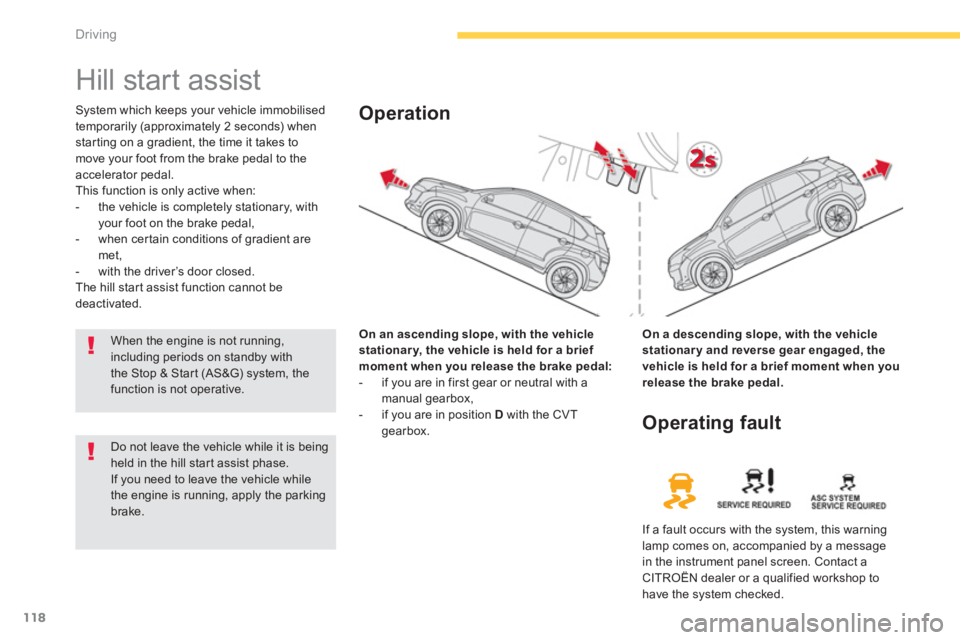
System which keeps your vehicle immobilised
temporarily (approximately 2 seconds) whenstarting on a gradient, the time it takes to
move your foot from the brake pedal to the accelerator pedal.
This function is only active when:
- the vehicle is completely stationary, withyour foot on the brake pedal,
- when cer tain conditions of gradient are met,
- with the driver’s door closed.
The hill start assist function cannot bedeactivated.
On an ascendin
g slope, with the vehiclestationary, the vehicle is held for a brief moment when you release the brake pedal:
- if you are in first gear or neutral with a
manual gearbox,
- if you are in position Dwith the CVT gearbox.
Operation
On a descending slope, with the vehicle
stationary and reverse gear engaged, thevehicle is held for a brief moment when you release the brake pedal.
Do not leave the vehicle while it is beingheld in the hill star t assist phase.
If you need to leave the vehicle whilethe engine is running, apply the parking brake.
Operating fault
If a fault occurs with the system, this warninglamp comes on, accompanied by a message
in the instrument panel screen. Contact a CITROËN dealer or a qualified workshop tohave the system checked.
When the engine is not running,including periods on standby withthe Stop & Start (AS&G) system, thefunction is not operative.
Page 121 of 332
119
4
Driving
Stop & Start (Auto Stop & Go) function
Operation
Going into engine STOP mode
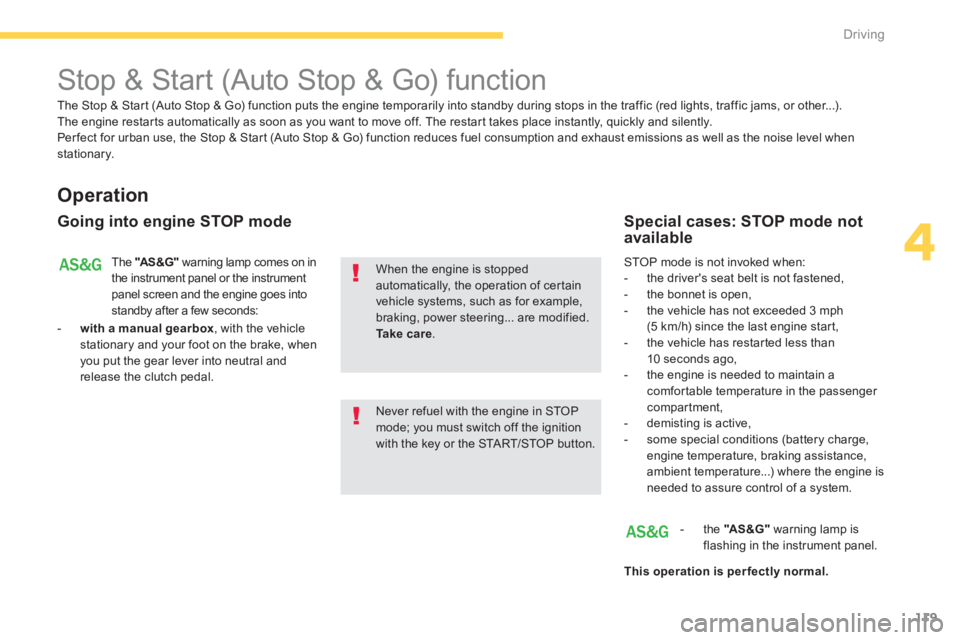
The "AS&G"warning lamp comes on in
the instrument panel or the instrument panel screen and the engine goes intostandby after a few seconds:
- with a manual
gearbox
, with the vehicle stationary and your foot on the brake, whenyou put the gear lever into neutral andrelease the clutch pedal.
Never refuel with the engine in STOPmode; you must switch off the ignition with the key or the START/STOP button.
When the engine is stopped automatically, the operation of certainvehicle systems, such as for example,braking, power steering... are modified. Take care.
Special cases: STOP mode notavailable
STOP mode is not invoked when:
- the driver's seat belt is not fastened,
- the bonnet is open,
- the vehicle has not exceeded 3 mph (5 km/h) since the last engine start,
- the vehicle has restarted less than10 seconds ago,
- the engine is needed to maintain acomfor table temperature in the passenger compartment,
- demisting is active,
- some special conditions (battery charge, engine temperature, braking assistance,
ambient temperature...) where the engine isneeded to assure control of a system.
- th
e "AS&G"warning lamp is
flashing in the instrument panel.
This operation is perfectl
y normal.
The Stop & Star t (Auto Stop & Go) function puts the engine temporarily into standby during stops in the traffic (red lights, traffic jams, or other...).The engine restar ts automatically as soon as you want to move off. The restart takes place instantly, quickly and silently.
Per fect for urban use, the Stop & Star t (Auto Stop & Go) function reduces fuel consumption and exhaust emissions as well as the noise level whenstationary.
Page 122 of 332
120
Driving
The "AS&G"
warning lamp goes off
and the engine starts automatically:
- with a manual gearbox
, when you fullydepress the clutch pedal.
For safet
y reasons or to ensure smooth
operation, STA R T m o d e i s i n v o ke d
automatically when:
Special cases: START invoked
automaticall
y
- the speed of the vehicle exceeds 2 mph(3 km/h),
- some special conditions (battery charge,engine temperature, braking assistance,
ambient temperature...) where the engine is
needed to assure control of a system.
If the system has been deactivated inSTOP mode, the engine will not star t.
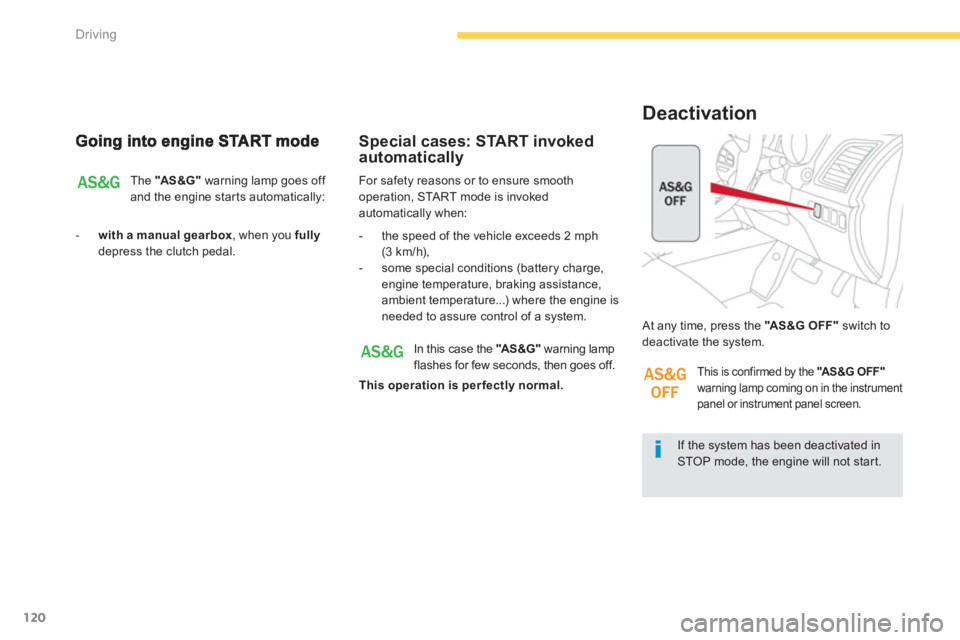
At any time, press the "AS &G O FF "
switch todeactivate the system.
Deactivation
In this case the "AS&G"
warning lampflashes for few seconds, then goes off.
This operation is per fectly normal.
This is confirmed by the "AS&G OFF"warning lamp coming on in the instrument panel or instrument panel screen.
Page 123 of 332
121
4
Driving
The system is reactivated automatically at every new star t using the key or the STA R T/STOP button.
Reactivation
Press the "AS&G OFF"switch again.
The s
ystem is active again; this is confirmed by
the "AS &G O FF "
warning lamp going off in the
instrument panel or instrument panel screen.
Operating fault
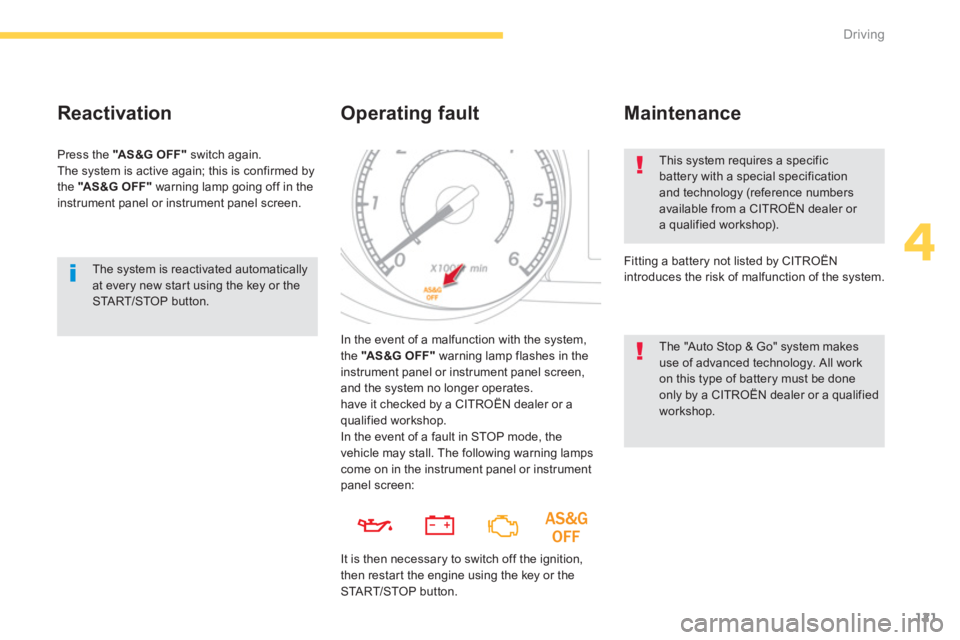
In the event of a malfunction with the system,
the "AS&G OFF"warning lamp flashes in theinstrument panel or instrument panel screen,and the system no longer operates.
have it checked by a CITROËN dealer or a qualified workshop.
This system requires a specific battery with a special specification and technology (reference numbersavailable from a CITROËN dealer or a qualified workshop).
Fitting a battery not listed by CITROËN
introduces the risk o
f malfunction of the system.
Maintenance
The "Auto Stop & Go" system makes use of advanced technology. All work on this type of battery must be doneonly by a CITROËN dealer or a qualified workshop.
In the event o
f a fault in STOP mode, the
vehicle may stall. The following warning lampscome on in the instrument panel or instrumentpanel screen:
It is then necessar
y to switch off the ignition,
then restart the engine using the key or theSTA R T/STOP button.
Page 124 of 332
122
Driving
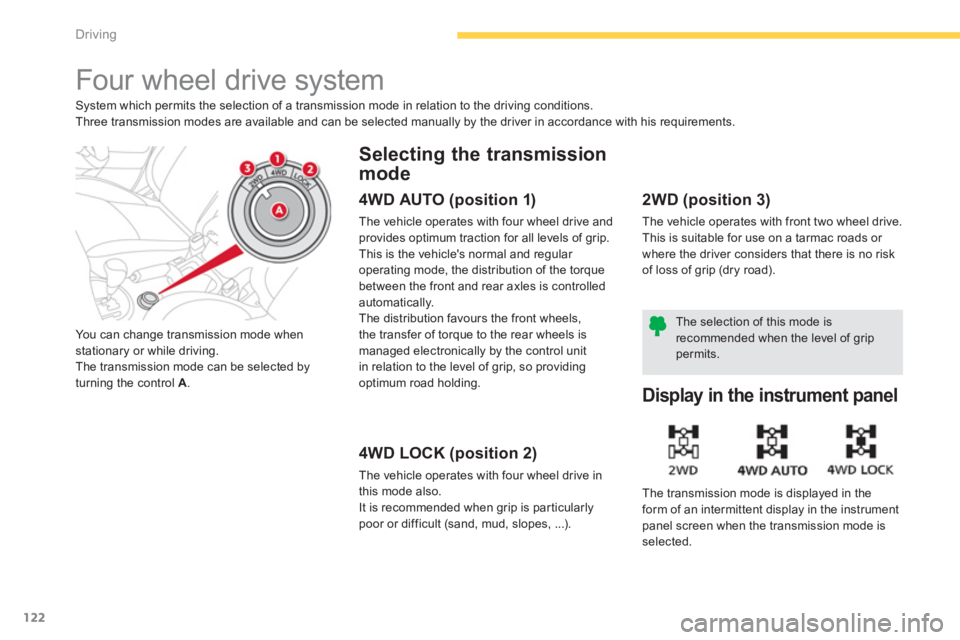
Four wheel drive system
System which permits the selection of a transmission mode in relation to the driving conditions.
Three transmission modes are available and can be selected manually by the driver in accordance with his requirements.
You can chan
ge transmission mode when stationary or while driving.
The transmission mode can be selected byturning the control A .
Selecting the transmission
mode
4WD AUTO (position 1)
The vehicle operates with four wheel drive and
provides optimum traction for all levels of grip.
This is the vehicle's normal and regular
operating mode, the distribution of the torque between the front and rear axles is controlled
automatically.
The distribution favours the front wheels,
the transfer of torque to the rear wheels is
mana
ged electronically by the control unit
in relation to the level of grip, so providing
optimum road holding.
4WD LOCK (position 2)
The vehicle operates with four wheel drive in
this mode also.
It is recommended when grip is par ticularly
poor or di
fficult (sand, mud, slopes, ...).
2WD (position 3)
The vehicle operates with front two wheel drive.
This is suitable for use on a tarmac roads or
where the driver considers that there is no riskof loss of grip (dry road).
Display in the instrument panel
The transmission mode is displayed in the
form of an intermittent display in the instrumentpanel screen when the transmission mode is
selected.
The selection of this mode isrecommended when the level of grippermits.