brake Citroen C4 AIRCROSS 2012 1.G User Guide
[x] Cancel search | Manufacturer: CITROEN, Model Year: 2012, Model line: C4 AIRCROSS, Model: Citroen C4 AIRCROSS 2012 1.GPages: 332, PDF Size: 9.07 MB
Page 108 of 332
106
Driving
Starting - stopping the engine with the key
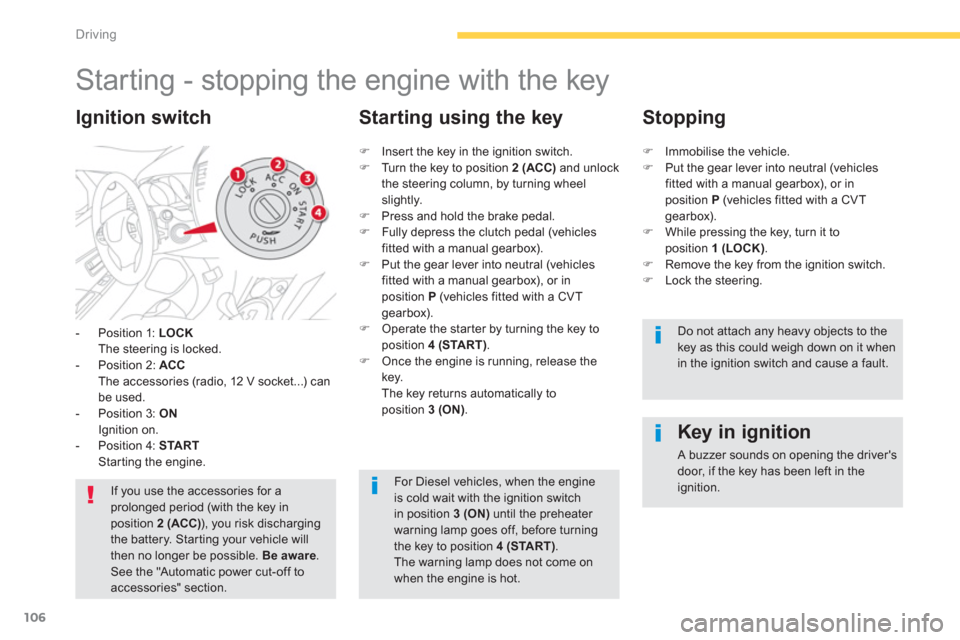
- Position 1: LOCKThe steering is locked.
- Position 2: ACCThe accessories (radio, 12 V socket...) can be used.
- Position 3: ONIgnition on.
- Position 4: STARTStarting the engine.
Ignition switch
If you use the accessories for aprolonged period (with the key in position 2 (ACC)), you risk dischargingthe battery. Star ting your vehicle will then no longer be possible. Be aware. See the "Automatic power cut-off toaccessories" section.
Key in ignition
A buzzer sounds on opening the driver'sdoor, if the key has been left in the ignition.
)
Inser t the key in the ignition switch.)
Turn the key to position 2 (ACC)
and unlock
the steering column, by turning wheelslightly.) Press and hold the brake pedal.)
Fully depress the clutch pedal (vehicles fitted with a manual gearbox). )
Put the gear lever into neutral (vehicles fitted with a manual gearbox), or in position P(vehicles fitted with a CVT
gearbox). ) Operate the star ter by turning the key to
position 4 (START).) Once the engine is running, release thekey.
The key returns automatically to
position 3 (ON).
Starting using the key
Stopping
)Immobilise the vehicle. )Put the gear lever into neutral (vehiclesfitted with a manual gearbox), or inposition P
(vehicles fitted with a CVT gearbox).)While pressing the key, turn it toposition 1 (LOCK).)Remove the key from the ignition switch.)Lock the steering.
Do not attach any heavy objects to the key as this could weigh down on it whenin the ignition switch and cause a fault.
For Diesel vehicles, when the engineis cold wait with the ignition switchin position 3 (ON)
until the preheater warning lamp goes off, before turning
the key to position 4 (START)
. The warning lamp does not come on when the engine is hot.
Page 109 of 332
107
4
Driving
Starting - stopping the engine with the Keyless Entry and
Starting system
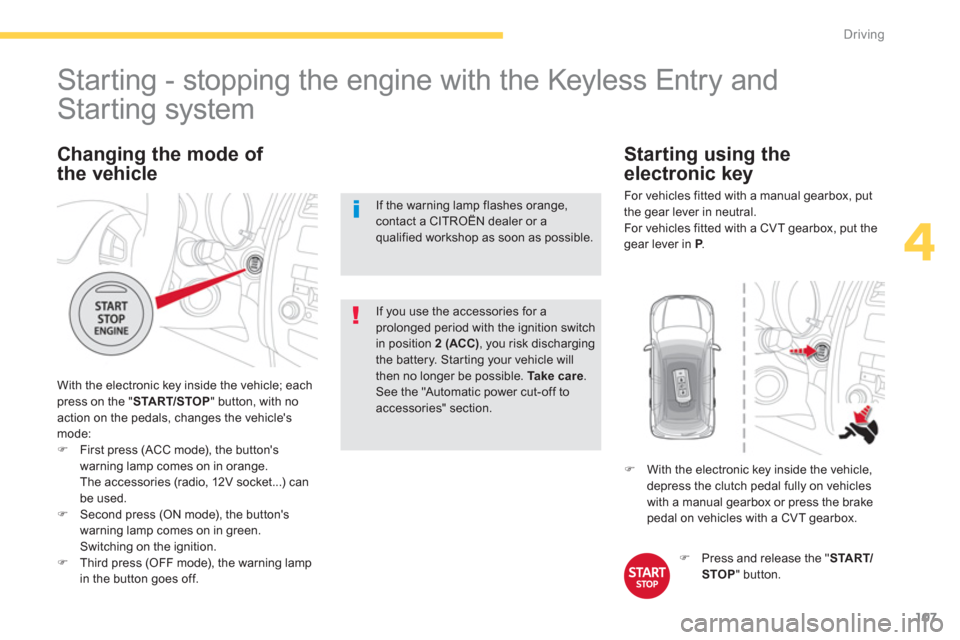
With the electronic key inside the vehicle; each press on the " START/STOP " button, with no
action on the pedals, changes the vehicle's mode:)First press (ACC mode), the button's
warning lamp comes on in orange.
The accessories (radio, 12V socket...) can be used.)Second press (ON mode), the button's
warning lamp comes on in green.
Switching on the ignition.)Third press (OFF mode), the warning lamp
in the button goes off.
If you use the accessories for aprolonged period with the ignition switch in position 2 (ACC), you risk dischargingthe battery. Star ting your vehicle will then no longer be possible. Take care.See the "Automatic power cut-off to accessories" section.
Changing the mode of
the vehicle
If the warning lamp flashes orange,contact a CITROËN dealer or a
qualified workshop as soon as possible.
)Press and release the " START/STOP" button.
)
With the electronic key inside the vehicle,
depress the clutch pedal fully on vehicles
with a manual gearbox or press the brake pedal on vehicles with a CVT gearbox.
Starting using the
electronic key
For vehicles fitted with a manual gearbox , put
the gear lever in neutral.
For vehicles fitted with a CVT gearbox , put thegear lever in P.P
Page 111 of 332
109
4
Driving
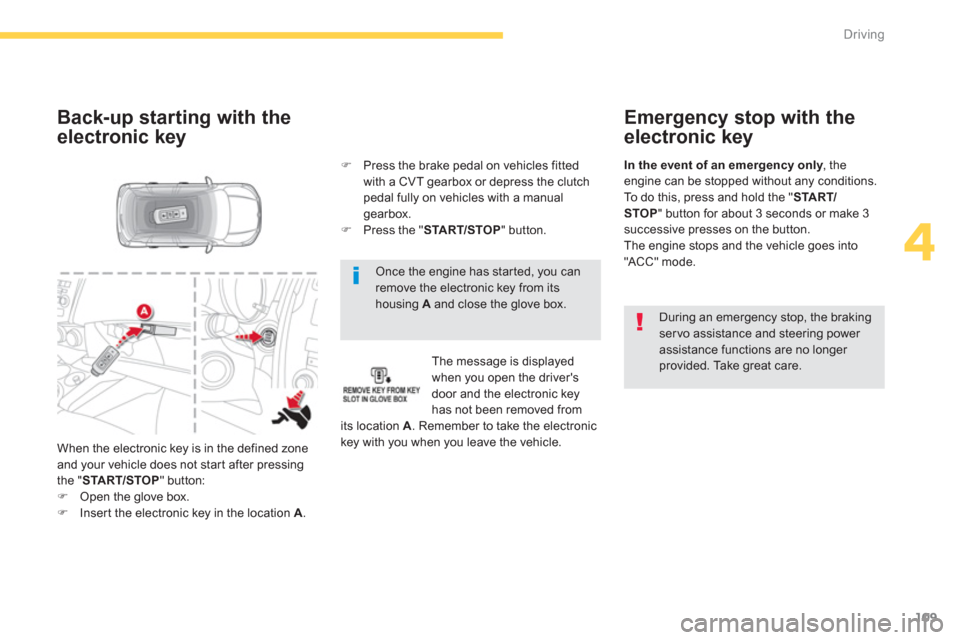
Once the engine has started, you can remove the electronic key from itshousing A
and close the glove box.
Back-up starting with the
electronic key
The message is displayed
when you open the driver's
door and the electronic keyhas not been removed fromits location A. Remember to take the electronic key with you when you leave the vehicle.
) Press the brake pedal on vehicles fitted
with a CVT gearbox or depress the clutch
pedal fully on vehicles with a manual gearbox.
) Press the "STA R T/STOP
" button.
When the electronic ke
y is in the defined zone
and your vehicle does not star t after pressingthe "START/STOP" button: )Open the glove box. )Inser t the electronic key in the location A.
Emergency stop with the
electronic key
During an emergency stop, the braking servo assistance and steering power assistance functions are no longer provided. Take great care.
In the event of an emergency only, theyengine can be stopped without any conditions.
To do this, press and hold the "STA R T/STOP " button for about 3 seconds or make 3
successive presses on the button.
The engine stops and the vehicle goes into
"ACC" mode.
Page 112 of 332
110
Driving
Anti-theft protection
Electronic engine immobiliser
The keys contain an electronic chip which has a secret code. When the ignition is switched
on, this code must be recognised in order for starting to be possible. This electronic engine immobiliser locks the engine management system a few minutesafter the ignition is switched off and prevents starting of the engine by anyone who does nothave the key.
In the event of a malfunction, you are informed by a message in the instrument panel screen.In this case, your vehicle does not start; contacta CITROËN dealer as soon as possible.
Applying
)
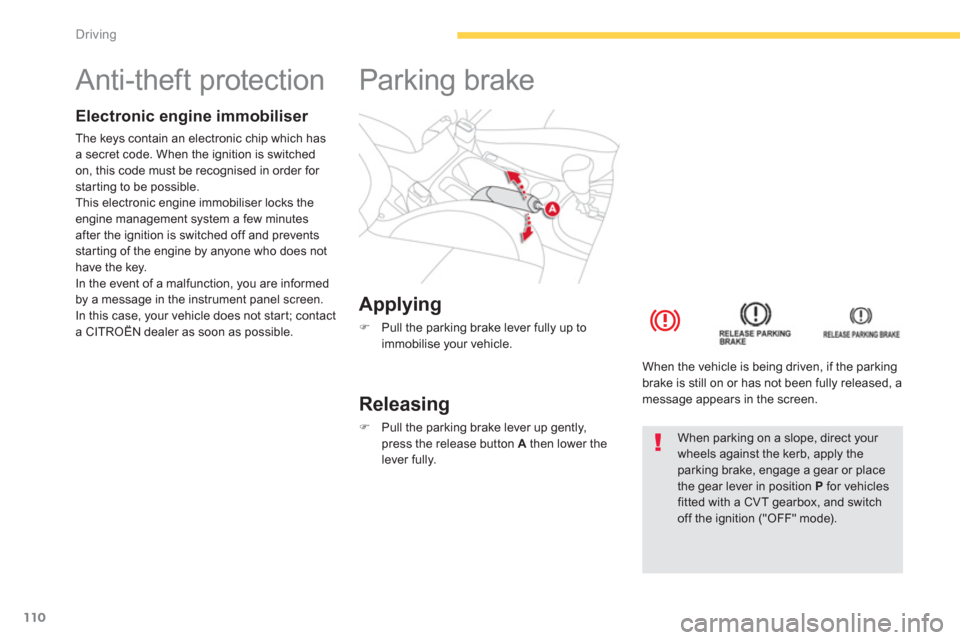
Pull the parking brake lever fully up to
immobilise your vehicle.
Parking brake
Releasing
)
Pull the parking brake lever up gently,
press the release button Athen lower thelever fully.
When the vehicle is bein
g driven, if the parkingbrake is still on or has not been fully released, a message appears in the screen.
When parking on a slope, direct your wheels against the kerb, apply theparking brake, engage a gear or place the gear lever in position Pfor vehiclesfitted with a CVT gearbox, and switch off the ignition ("OFF" mode).
Page 116 of 332
114
Driving
Gear lever positions
P : park.
Immobilisation of the vehicle, parking brake applied or not.R: reverse gear.
With the vehicle stationary, keep your foot
on the brake pedal and push the gear lever forwards.
N: n
eutral.D: driving in automated mode.
Move the lever backwards to select this mode.
+/-: manual mode with sequential gear changing.
Move the lever backwards, then to the left toselect this mode, then:
- push forward to change up,
- pull backward to change down.
+
: gear changing in manual mode.
Press behind the "+/OFF"
steering mounted control paddle to change up.-: gear changing in manual mode.
Press behind the "-" steering mounted control
paddle to change down.
Functions of the steering
mounted control paddles
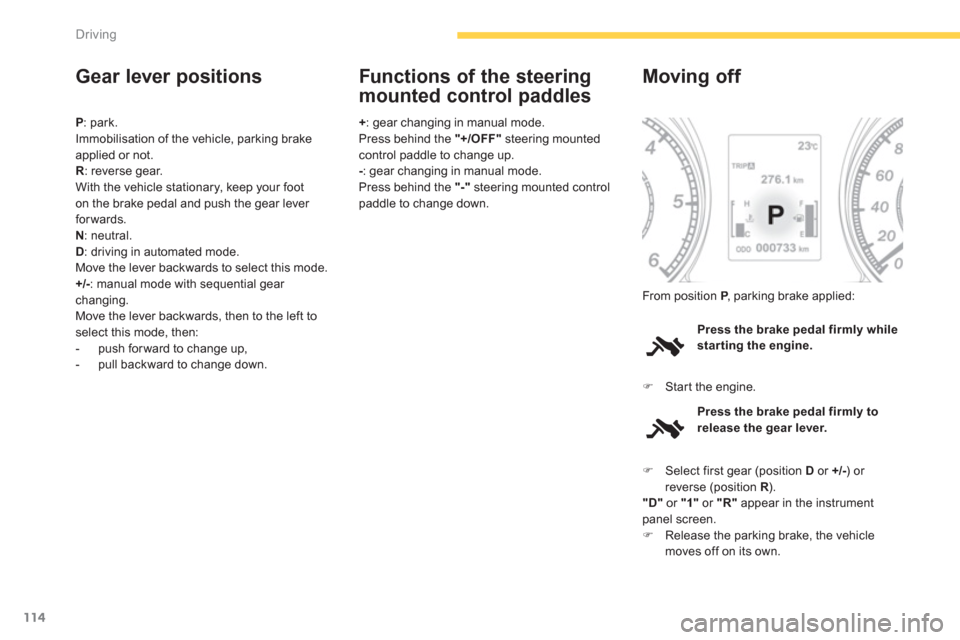
Press the brake pedal firmly whilestarting the engine.
Moving off
)Star t the engine. From position
P
, parking brake applied:P
Press the brake pedal firmly to
release the gear lever.
)Select first gear (position Dor +/- ) or reverse (position R ). R"D"
or "1"
or "R"
appear in the instrumentpanel screen. )Release the parking brake, the vehiclemoves off on its own.
Page 117 of 332
115
4
Driving
Stopping - Starting on a slope
It is essential to use the parking brake to
hold the vehicle on a slope and not the accelerator pedal. When starting on a slope, accelerate gradually
while releasing the parking brake.
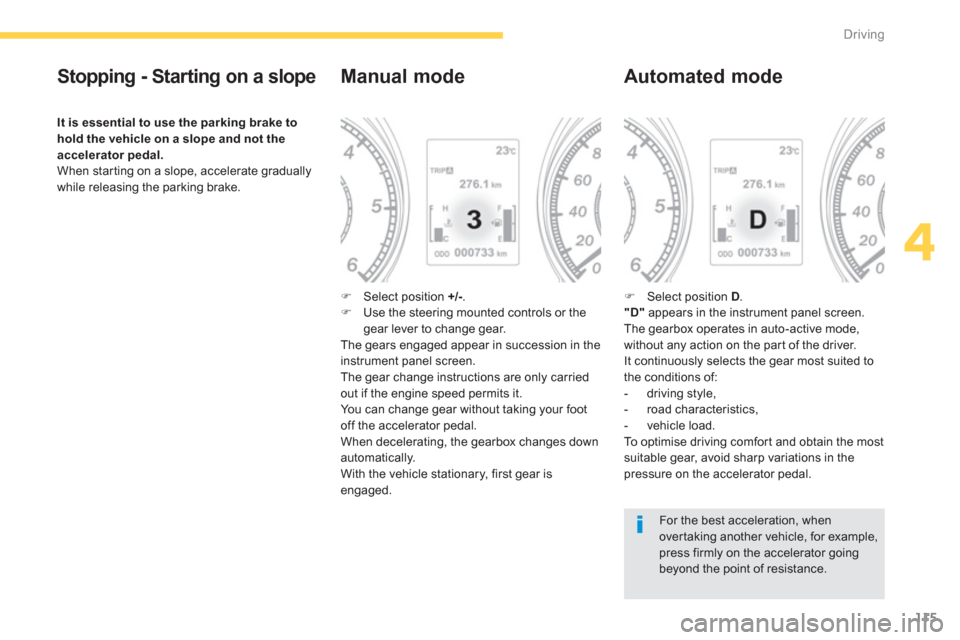
Manual mode
) Select position +/- . )
Use the steering mounted controls or thegear lever to change gear.The gears engaged appear in succession in theinstrument panel screen.The gear change instructions are only carried
out if the engine speed permits it.
You can change gear without taking your foot
off the accelerator pedal.
When deceleratin
g, the gearbox changes down automatically.
With the vehicle stationary, first gear is
engaged.
Automated mode
)
Select position D .
"D"
appears in the instrument panel screen.
The gearbox operates in auto-active mode,
without any action on the par t of the driver.
It continuously selects the gear most suited to
the conditions of:
- driving style,
- road characteristics,
- v
ehicle load.
To o p t i m i s e d r i v i ng comfor t and obtain the most suitable gear, avoid sharp variations in the
pressure on the accelerator pedal.
For the best acceleration, whenover taking another vehicle, for example,press firmly on the accelerator going beyond the point of resistance.
Page 118 of 332
116
Driving
Manual gear changing
In the automated mode, you can take over
control temporarily at any time using thesteering mounted controls.
The use of these controls permits manualselection of the gears in situations whichrequire a faster change down than that offered
in automated mode (arrival at a roundabout, exit from a car park with a steep gradient,
over taking...).
The gearbox engages the gear requested if
the engine speed permits it. The gear engaged appears.
To return to the automated mode, do one of thefollowing:
- press the back of the "+/OFF"steering mounted control 3for approximately2 seconds,
- move the gear lever quickly towardsposition +/-
and then return it to position D ,
- stop the vehicle.
Stopping the vehicle
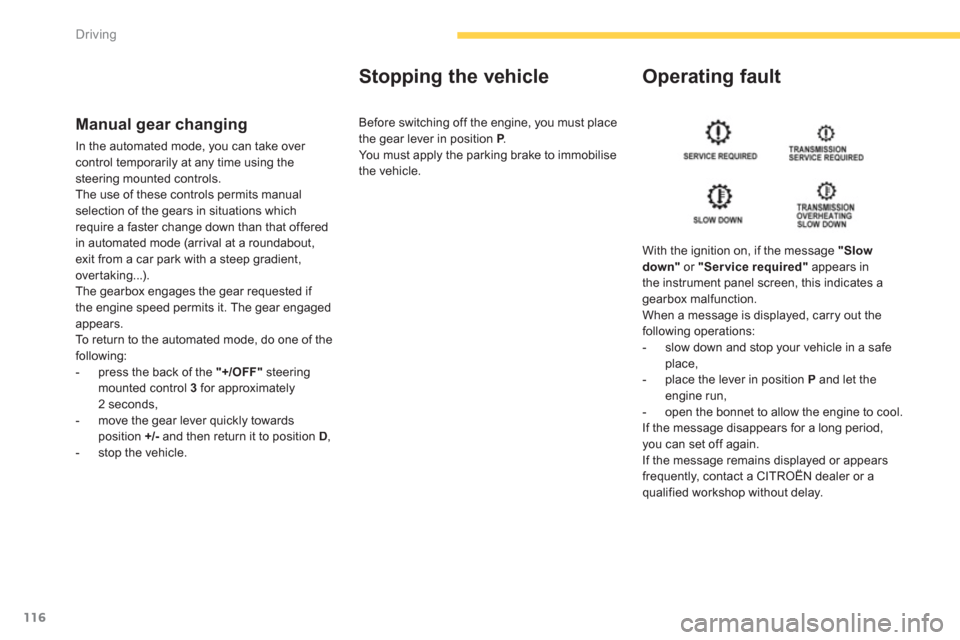
Operating fault
With the ignition on, if the message "Slow
down"
or "Service required"
appears in
the instrument panel screen, this indicates a
gearbox malfunction.
When a message is displayed, carry out thefollowing operations:
- slow down and stop your vehicle in a safe place,
- place the lever in position P
and let the engine run,
- open the bonnet to allow the engine to cool.
If the message disappears for a long period, you can set off again.
If the message remains displayed or appears
frequently, contact a CITROËN dealer or aqualified workshop without delay. Before switchin
g off the engine, you must place
the gear lever in position P.P You must apply the parking brake to immobilise
the vehicle.
Page 119 of 332
117
4
Driving
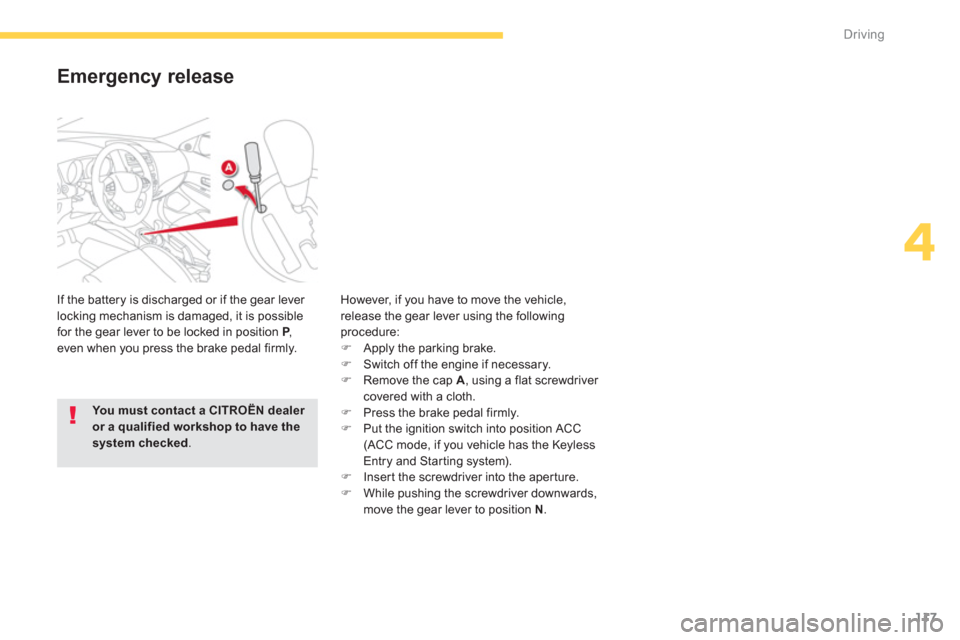
Emergency release
If the battery is discharged or if the gear lever
locking mechanism is damaged, it is possible
for the gear lever to be locked in position P,Peven when you press the brake pedal firmly. However, i
f you have to move the vehicle, release the gear lever using the followingprocedure: ) Apply the parking brake. )
Switch off the engine if necessary. )
Remove the cap A, using a flat screwdriver covered with a cloth. )
Press the brake pedal firmly. )
Put the ignition switch into position ACC(ACC mode, if you vehicle has the Keyless
Entry and Star ting system).) Inser t the screwdriver into the aper ture. )
While pushing the screwdriver downwards,
move the gear lever to position N.
You must contact a CITROËN dealer or a qualified workshop to have thesystem checked .
Page 120 of 332
118
Driving
Hill start assist
System which keeps your vehicle immobilised
temporarily (approximately 2 seconds) whenstarting on a gradient, the time it takes to
move your foot from the brake pedal to the accelerator pedal.
This function is only active when:
- the vehicle is completely stationary, withyour foot on the brake pedal,
- when cer tain conditions of gradient are met,
- with the driver’s door closed.
The hill start assist function cannot bedeactivated.
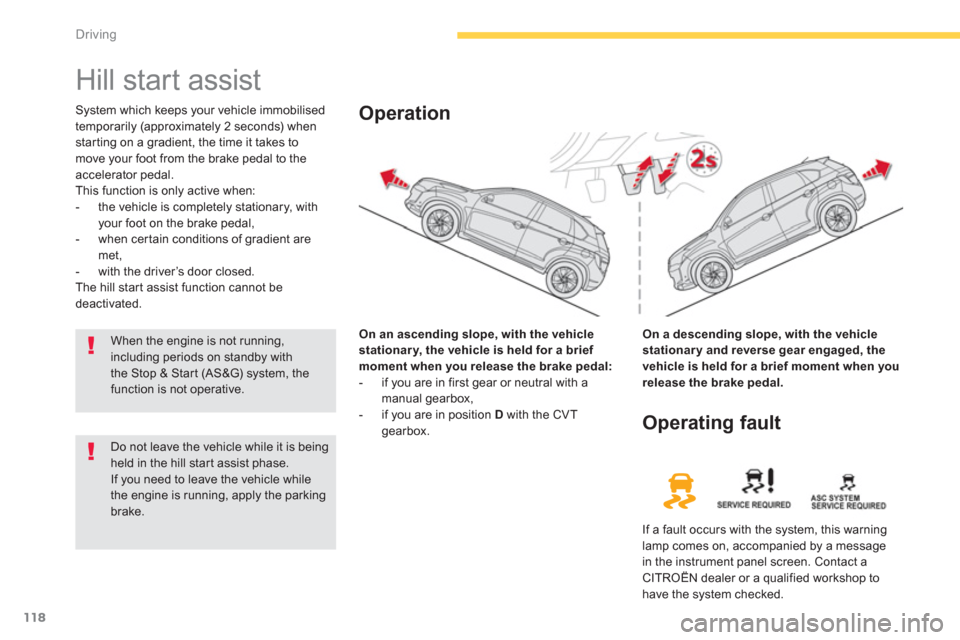
On an ascendin
g slope, with the vehiclestationary, the vehicle is held for a brief moment when you release the brake pedal:
- if you are in first gear or neutral with a
manual gearbox,
- if you are in position Dwith the CVT gearbox.
Operation
On a descending slope, with the vehicle
stationary and reverse gear engaged, thevehicle is held for a brief moment when you release the brake pedal.
Do not leave the vehicle while it is beingheld in the hill star t assist phase.
If you need to leave the vehicle whilethe engine is running, apply the parking brake.
Operating fault
If a fault occurs with the system, this warninglamp comes on, accompanied by a message
in the instrument panel screen. Contact a CITROËN dealer or a qualified workshop tohave the system checked.
When the engine is not running,including periods on standby withthe Stop & Start (AS&G) system, thefunction is not operative.
Page 121 of 332
119
4
Driving
Stop & Start (Auto Stop & Go) function
Operation
Going into engine STOP mode
The "AS&G"warning lamp comes on in
the instrument panel or the instrument panel screen and the engine goes intostandby after a few seconds:
- with a manual
gearbox
, with the vehicle stationary and your foot on the brake, whenyou put the gear lever into neutral andrelease the clutch pedal.
Never refuel with the engine in STOPmode; you must switch off the ignition with the key or the START/STOP button.
When the engine is stopped automatically, the operation of certainvehicle systems, such as for example,braking, power steering... are modified. Take care.
Special cases: STOP mode notavailable
STOP mode is not invoked when:
- the driver's seat belt is not fastened,
- the bonnet is open,
- the vehicle has not exceeded 3 mph (5 km/h) since the last engine start,
- the vehicle has restarted less than10 seconds ago,
- the engine is needed to maintain acomfor table temperature in the passenger compartment,
- demisting is active,
- some special conditions (battery charge, engine temperature, braking assistance,
ambient temperature...) where the engine isneeded to assure control of a system.
- th
e "AS&G"warning lamp is
flashing in the instrument panel.
This operation is perfectl
y normal.
The Stop & Star t (Auto Stop & Go) function puts the engine temporarily into standby during stops in the traffic (red lights, traffic jams, or other...). Theengine restarts automatically as soon as you want to move off. The restart takes place instantly, quickly and silently.
Per fect for urban use, the Stop & Star t (Auto Stop & Go) function reduces fuel consumption and exhaust emissions as well as the noise level whenstationary.