service CITROEN C4 AIRCROSS DAG 2021 Handbook (in English)
[x] Cancel search | Manufacturer: CITROEN, Model Year: 2021, Model line: C4 AIRCROSS DAG, Model: CITROEN C4 AIRCROSS DAG 2021Pages: 244, PDF Size: 6.29 MB
Page 190 of 244
188
CITROËN Connect Radio
Frequently asked
questions
The following information groups together the answers to the most frequently asked questions
concerning the system.
Radio
The reception quality of the tuned radio
station gradually deteriorates or the station
presets are not working (no sound, 87.5 MHz
is displayed, etc.).
The vehicle is too far from the selected station’s
transmitter, or no transmitter is present in the
geographical area.
► Activate the "RDS" function in the upper bar to enable the system to check whether there is
a more powerful transmitter in the geographical
area.
The environment (hills, buildings, tunnels,
basement car parks, etc.) is blocking reception,
including in RDS mode.
This is a perfectly normal phenomenon, and is
not indicative of an audio system malfunction.
The aerial is missing or has been damaged
(for example while entering a car wash or
underground car park).
► Have the aerial checked by a dealer .I cannot find some radio stations in the list of
received stations.
The name of the radio station changes.
The station is no longer received or its name has
changed in the list.
► Press the round arrow on the "List" tab on the "Radio" page.
Some radio stations send other information
in place of their name (the title of the song for
example).
The system interprets these details as the station
name.
► Press the round arrow on the "List" tab on the "Radio" page.
Media
Playback of my USB memory stick starts only
after a very long wait (around 2 to 3 minutes).
Some files supplied with the memory stick may
greatly slow down access to reading the memory
stick (multiplication by 10 of the cataloguing
time).
► Delete the files supplied with the memory stick and limit the number of sub-folders in the
file structure on the memory stick.
Some characters in information about the
currently playing media are not displayed
correctly.
The audio system is unable to process certain
types of character.
► Use standard characters to name tracks and folders.
Playback of streaming files does not start.
The connected device does not automatically
launch playback.
► Start playback from the device.Track names and playing times are not
displayed on the audio streaming screen. The Bluetooth profile does not allow the transfer
of this information.
Telephone
I cannot connect my Bluetooth telephone.
The telephone's Bluetooth function may be
switched off or the telephone may not be visible.
► Check that the telephone has Bluetooth switched on.► Check in the telephone settings that it is "visible to all".
The Bluetooth telephone is not compatible with
the system.
► Check the compatibility of the telephone on the Brand's website (services).
Android Auto and CarPlay do not work.
Android Auto and CarPlay may not activate if the
USB cables are of poor quality.
► Use genuine USB cables to ensure compatibility.
The volume of the telephone connected in
Bluetooth mode is inaudible.
The volume depends on both the system and the
telephone.
► Increase the volume of the audio system, to maximum if required, and increase the volume of
the telephone if necessary.
Ambient noise affects the quality of the
telephone call.
► Reduce ambient noise (close windows, reduce ventilation, slow down, etc.).
The contacts are not listed in alphabetical
order.
Some telephones offer display options. Depending on the settings chosen, contacts can
be transferred in a specific order.
►
Modify the telephone directory display settings.
Settings
When the treble and bass settings are
changed, the ambience is deselected.
When the ambience is changed, the treble
and bass settings are reset.
Selecting an ambience imposes the treble and
bass settings, and vice versa.
► Modify the treble and bass or ambience settings to obtain the desired musical ambience.
When the balance settings are changed, the
distribution is deselected.
When the distribution setting is changed, the
balance settings are deselected.
Selecting a distribution setting imposes the
balance settings, and vice versa.
► Modify the balance setting or the distribution setting to obtain the desired sound quality.
There is a difference in sound quality
between audio sources.
To allow for optimal listening quality, the sound
settings can be tailored to different audio
sources, which can generate audible differences
when changing source.
► Check that the sound settings are appropriate to the sources listened to. Adjust the sound
functions to the middle position.
Page 192 of 244
190
CITROËN Connect Nav
CITROËN Connect Nav
GPS navigation -
Applications - Multimedia
audio system - Bluetooth
®
telephone
The functions and settings described
vary according to the vehicle version and
configuration.
For safety reasons and because they
require sustained attention by the driver,
the following operations must be carried out
with the vehicle stationary and the ignition
on:
– Pairing the smartphone with the system in Bluetooth mode.– Using the smartphone.– Connection to the CarPlay®, MirrorLinkTM
or Android Auto applications (certain
applications interrupt their display while the
vehicle is moving).
– Changing the system settings and configuration.
The system is protected so that it only operates in the vehicle.
The message Energy Economy Mode is
displayed when the system is about to enter
the corresponding mode.
System and map updates can be
downloaded from the Brand’s website.
The update procedure is also available on the
website.
The system’s Open Source Software (OSS) source codes are available at the
following addresses:
https://www.groupe-psa.com/fr/oss/
https://www.groupe-psa.com/en/oss/
First steps
With the engine running, a press mutes the sound.
With the ignition off, a press turns the system on.
Adjustment of the volume.
Use the buttons either side of or below the touch
screen for access to the menus, then press the
virtual buttons in the touch screen.
Depending on the model, use the "Source" or
"Menu" buttons on the left of the touch screen
for access to the menus, then press the virtual
buttons in the touch screen.
You can display the menus at any time by
pressing the screen briefly with three fingers.
All of the touch areas of the screen are white.
Press the cross to go back a level.
Press "OK" to confirm.
The touch screen is of the "capacitive" type.
To clean the screen, use a soft, non-abrasive
cloth (e.g. spectacles cloth) with no additional
product.
Do not use sharp objects on the screen.
Do not touch the screen with wet hands.
Certain information is displayed permanently in
the upper band of the touch screen:
– Reminder of the air conditioning information (depending on version), and direct access to the
corresponding menu.
– Go directly to the selection of the audio
source, to the list of radio stations (or list of titles
depending on the source).
– Go to the message notifications, emails, map updates and, depending on the services, the
navigation notifications.
– Go to the settings for the touch screen and the digital instrument panel.
Page 194 of 244
192
CITROËN Connect Nav
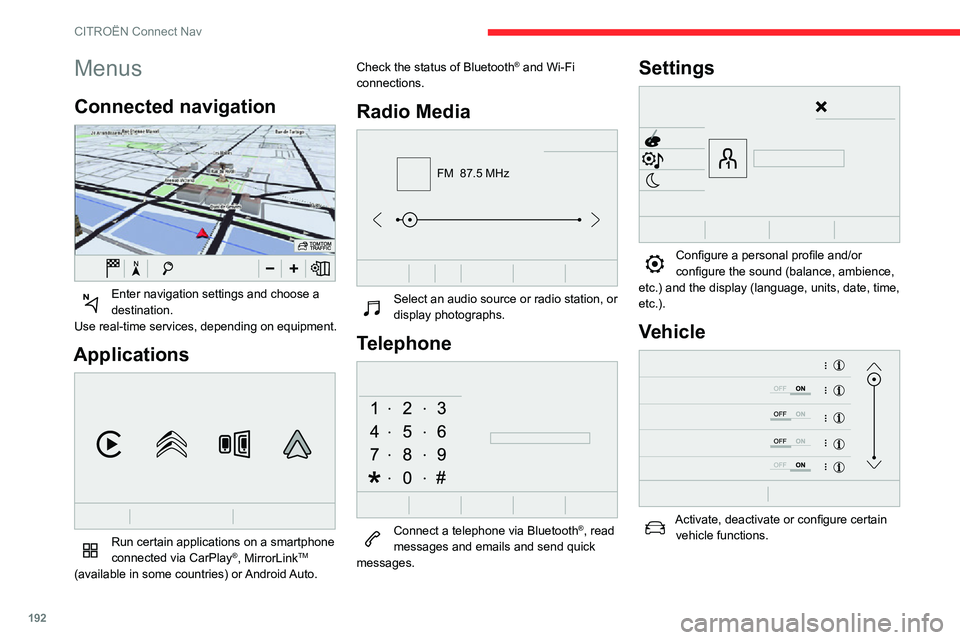
Menus
Connected navigation
Enter navigation settings and choose a destination.
Use real-time services, depending on equipment.
Applications
Run certain applications on a smartphone
connected via CarPlay®, MirrorLinkTM
(available in some countries) or Android Auto. Check the status of Bluetooth
® and Wi-Fi
connections.
Radio Media
FM 87.5 MHz
Select an audio source or radio station, or display photographs.
Telephone
Connect a telephone via Bluetooth®, read
messages and emails and send quick
messages.
Settings
Configure a personal profile and/or configure the sound (balance, ambience,
etc.) and the display (language, units, date, time,
etc.).
Vehicle
Activate, deactivate or configure certain vehicle functions.
Air conditioning
21,518,5
Manage various temperature and air flow settings.
Voice commands
Steering-mounted controls
Voice commands:
Voice commands can be issued from any
screen page after briefly pressing the "Voice
commands" button, located on the steering
wheel or at the end of the lighting control stalk
(depending on equipment), as long as there is no
telephone call in progress.
To ensure that voice commands are always recognised by the system, please
observe the following recommendations:
– speak in a normal tone without breaking up words or raising your voice.– always wait for the "beep" (audible signal) before speaking.
Page 199 of 244
197
CITROËN Connect Nav
12Press this button to save the displayed address.
Pressing and holding on a point opens a
list of nearby POIs.
To GPS coordinates
Press Navigation to display the main
page.
Explore the map by sliding your finger across the
screen.
Press this button to display the world map.
Using the grid, select the desired country or
region by zooming in.
Press this button to enter the GPS coordinates.A marker is displayed in the middle of the screen, with the "Latitude" and
"Longitude " coordinates.
Press this button to start guided navigation.
Or
Press this button to save the displayed address.
OR
Press this button to enter the "Latitude"
value using the virtual keypad.
And
Press this button to enter the "Longitude "
value using the virtual keypad.
TMC (Traffic Message
Channel)
TMC (Traffic Message Channel) messages are linked to a European
standard on the broadcasting of traffic
information via the RDS system on FM radio,
transmitting traffic information in real time.
The TMC information is then displayed on a
GPS Navigation system map and taken into
account straight away during navigation, so
as to avoid accidents, traffic jams and closed
roads.
The display of danger zones depends on the legislation in force and subscription
to the service.
Connected navigation
Depending on version
Depending on the equipment level of the vehicle
Network connection provided by the
vehicle
OR
Network connection provided by the
user
Connected navigation
connection
As a safety measure and because it requires sustained attention by the driver,
using a smartphone when driving is
prohibited.
All operations must be done with the vehicle
stationary.
For access to connected navigation, you
can use the connection provided by the
vehicle via the "Emergency or assistance call"
services or use your smartphone as a
modem.
Activate and enter settings for sharing the
smartphone connection.
Network connection provided by the
vehicle
The system is automatically connected to the modem included for the "Emergency
or assistance calls" services and does not
require a connection provided by the user via
their smartphone.
Page 200 of 244
198
CITROËN Connect Nav
Network connection provided by the
user
USB connectionConnect a USB cable.The smartphone charges when connected
by a USB cable.
Bluetooth connection
Activate the Bluetooth function on the telephone and ensure that it is visible to
all (see the "Applications" section).
Wi-Fi connection
Select a Wi-Fi network found by the system and connect to it (see the
"Applications" section).
Restrictions of use:– With CarPlay®, connection sharing is
only with a Wi-Fi connection.
– With MirrorLinkTM, connection sharing is
only with a USB connection.
The quality of services depends on the quality
of the network connection.
With the arrival of "TOMTOM TRAFFIC", the services are available.
The services offered with connected navigation are as follows.
A Connected Services pack:
– Weather,– Filling stations,– Car park,– Traffic,– POI local search.
A Danger zone pack (option).
The processes and standards are constantly changing; for the
communication process between the
smartphone and the system to work correctly,
we recommend that you update the
operating system of the smartphone as
well as the date and time of the
smartphone and the system.
Settings specific to
connected navigation
In the "Settings" menu, you can create a
profile for an individual or for a group of
people with shared interests, and configure a
wide range of settings (radio presets, audio
settings, navigation history, favourite contacts,
etc.). Settings are applied automatically.
Press Navigation to display the main
page.
Press the "MENU" button to access the
secondary page.
Select "Settings".
Select "Map".
Activate or deactivate:– "Allow declaration of danger zones ".– “Guidance to final destination on foot "– “Authorize sending information"
These settings must be configured for each
profile.
Select "Alerts".
Activate or deactivate “Warn of danger
zones”.
Select this button.
Activate: Give an audible warning
For access to connected navigation, you
must tick the option: "Authorize sending
information "
Danger zone alerts may or may not be
displayed, depending on the applicable
legislation and subscription to the
corresponding service.
Declaration of "Danger
zones"
To send information on the declaration
of danger zones, you must tick the option: "Allow declaration of danger zones "
Press Navigation to display the main
page.
Press the "Declare a new danger zone"
button located in the upper bar on the
touch screen
Select the "Type” option to select the type
of "Danger area".
Select the ""Speed" option and enter it
using the virtual keypad.
Press "OK" to save and send the
information.
"Danger zones" pack
updates
Press Settings to display the primary
page.
Press the "OPTIONS " button to go to the
secondary page.
Select "System administration".
Select the "System info" tab.
Select "View" to display the versions of
the different modules installed in the
system.
Select "Update(s) due".
You can download the system and map updates from the Brand’s website.
The update procedure can also be found on
the website.
Displaying weather
information
Press Navigation to display the main
page.
Press this button to display the list of services.
Page 201 of 244
199
CITROËN Connect Nav
12Select the ""Speed" option and enter it
using the virtual keypad.
Press "OK" to save and send the
information.
"Danger zones" pack
updates
Press Settings to display the primary
page.
Press the "OPTIONS " button to go to the
secondary page.
Select "System administration".
Select the "System info" tab.
Select "View" to display the versions of
the different modules installed in the
system.
Select "Update(s) due".
You can download the system and map updates from the Brand’s website.
The update procedure can also be found on
the website.
Displaying weather
information
Press Navigation to display the main
page.
Press this button to display the list of services.
Select "View map".
Select "Weather".
Press this button to display basic information.Press this button to display detailed weather information.
The temperature displayed at 6 a.m. will be the maximum temperature for the day.
The temperature displayed at 6 p.m. will be
the minimum temperature for the night.
Applications
Internet Browser
Press Applications to display the main
page.
Press "Connectivity" to access the "Internet
Browser” function.
Press "Internet Browser" to display the browser
home page.
Select your country of residence.
Press "OK" to save and start the browser.
Connection to the internet is via one of
the network connections provided by the
vehicle or the user.
Connectivity
Press Applications to display the main
page.
Press "Connectivity" to access the CarPlay
®,
MirrorLinkTM or Android Auto functions.
Applications
Press Applications to display the main
page.
Press "Applications " to display the applications
home page.
CarPlay® smartphone
connection
As a safety measure and because it
requires sustained attention by the driver,
using a smartphone when driving is
prohibited.
All operations must be done with the vehicle
stationary.
Smartphone synchronisation allows
users to display smartphone applications
compatible with the CarPlay
® technology on the vehicle’s screen, provided that the
smartphone's CarPlay® function has
previously been activated.
As processes and standards are constantly
changing, we recommend updating your
smartphone's operating system.
Page 204 of 244
202
CITROËN Connect Nav
Connection sharing
The system offers to connect the telephone with
3 profiles:
– "Telephone" (hands-free kit, telephone only),– "Streaming" (streaming: wireless playing of
the audio files on the telephone),
– "Mobile internet data ".
The "Mobile internet data " profile must
be activated for connected navigation
(where the vehicle does not have "Emergency
and assistance call" services), having first
activated sharing of this connection on your
smartphone.
Select one or more profiles.
Press "OK" to confirm.
Wi-Fi connection
Network connection via the smartphone's Wi-Fi.Press Connect-App to display the main
page.
Press the "OPTIONS " button to access the
secondary page.
Select "Wi-Fi network connection ".
Select the "Secured", "Not secured" or
"Stored” tab.
Select a network.
Using the virtual keypad , enter the Wi-Fi
network "Key" and "Password".
Press "OK" to establish the connection.
The Wi-Fi connection and Wi-Fi
connection sharing are exclusive.
Wi-Fi connection sharing
Creation of a local Wi-Fi network by the system.Press Connect-App to display the main
page.
Press the "OPTIONS " button to access the
secondary page.
Select "Share Wi-Fi connection ".
Select the "Activation" tab to activate or
deactivate Wi-Fi connection sharing.
And/or
Select the "Settings" tab to change the system’s
network name and password.
Press "OK" to confirm.
To protect against unauthorised access and to make your systems as secure as
possible, we recommend using a complex
password or security code.
Managing connections
Press Connect-App to display the main
page. Press the "OPTIONS
" button to access the
secondary page.
Select "Manage connection ".
With this function, you can view the access to
connected services, check the availability of
connected services and change the connection
mode.
Radio
Selecting a station
Press Radio Media to display the main
page.
Press on "Frequency".
Press one of the buttons to perform an
automatic search for radio stations.
Or
Move the slider to manually search for
frequencies up or down.
Or
Press Radio Media to display the main
page.
Press the "OPTIONS " button to go to the
secondary page.
Select "Radio stations" on the secondary
page.
Press on "Frequency".
Enter the values using the virtual keypad.
First enter the units then click on the
decimals field to enter the figures after the
decimal point.
Press "OK" to confirm.
Radio reception may be affected by the
use of electrical equipment not approved
by the Brand, such as a USB charger
connected to the 12 V socket.
The exterior environment (hills, buildings,
tunnels, basement car parks, etc.) may
block reception, including in RDS mode.
This phenomenon is perfectly normal in the
context of radio wave transmission, and
in no way indicative of an audio system
malfunction.
Presetting a station
Select a radio station or frequency.
(refer to the corresponding section)
Press "Presets ".
Make a long press on one of the buttons to preset the station.
Activating/Deactivating RDS
Press Radio Media to display the main
page.
Press the "OPTIONS " button to access the
secondary page.
Select "Radio settings".
Select "General".
Activate/deactivate "Station follow ".
Page 208 of 244
206
CITROËN Connect Nav
from the system), ensure that the code is the
same in the system and in the telephone.
Procedure from the system
Press Telephone to display the main
page.
Press "Bluetooth search".
Or
Select "Search".
The list of telephones detected is
displayed.
If the pairing procedure fails, we
recommend deactivating and then
reactivating the Bluetooth function on your
telephone.
Select the name of the chosen telephone in the list.
Connection sharing
The system offers to connect the telephone with
3 profiles:
– "Telephone" (hands-free kit, telephone only),– "Streaming" (streaming: wireless playing of
the audio files on the telephone),
– "Mobile internet data ".
Activation of the profile; "Mobile internet
data" is obligatory for connected
navigation having first activated sharing of
this connection on your smartphone.
Select one or more profiles.
Press "OK" to confirm.
Depending on the type of telephone, you
may be asked to accept or not the
transfer of your contacts and messages.
Automatic reconnection
On return to the vehicle, if the last
telephone connected is present again, it
is automatically recognised and within about
30 seconds of switching on the ignition, the
pairing is established without any action on
your part (with Bluetooth activated).
To modify the connection profile:Press Telephone to display the main
page.
Press the "OPTIONS " button to go to the
secondary page.
Select "Bluetooth connection " to display
the list of paired devices.
Press the "Details" button.
Select one or more profiles.
Press "OK" to confirm.
The ability of the system to connect just one profile depends on the telephone.
By default, all three profiles are able to
connect.
The services available depend on the network, the SIM card and the
compatibility of the Bluetooth devices used.
Refer to your telephone’s user guide and your
service provider to check which services you
are able to access.
The system supports the following profiles: HFP, OPP, PBAP, A2DP, AVRCP,
MAP and PAN.
Visit the Brand's website for more information
(compatibility, additional help, etc.).
Managing paired telephones
This function lets you connect or disconnect a device or delete a pairing.
Press Telephone to display the main
page.
Press the "OPTIONS " button to go to the
secondary page.
Select "Bluetooth connection " to display
the list of paired devices.
Press on the name of the telephone selected in the list to disconnect it.
Press again to connect it.
Deleting a telephone
Select the basket at top right of the
screen to display a basket alongside the
telephone chosen.
Press the basket alongside the telephone
chosen to delete it.
Receiving a call
An incoming call is announced by a ring and a
superimposed display in the screen.
Make a short press on the steering mounted PHONE button to accept an
incoming call.
And
Make a long press
on the steering mounted PHONE button
to reject the call.
Or
Select "End call ".
Making a call
Using the telephone is not recommended
while driving.
Park the vehicle.
Make the call using the steering mounted
controls.
Page 210 of 244
208
CITROËN Connect Nav
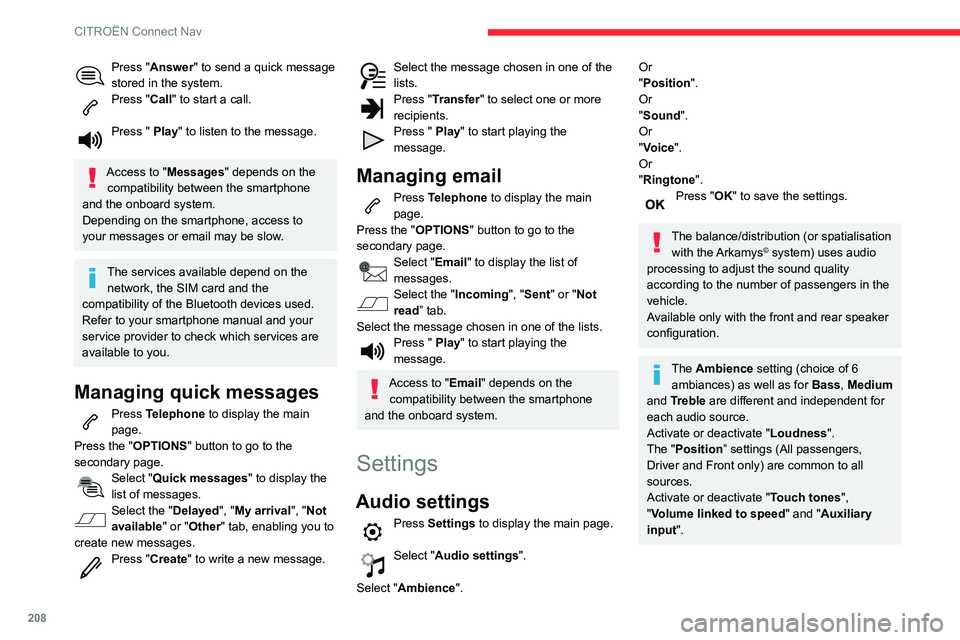
Press "Answer" to send a quick message
stored in the system.
Press "Call" to start a call.
Press " Play" to listen to the message.
Access to "Messages " depends on the
compatibility between the smartphone
and the onboard system.
Depending on the smartphone, access to
your messages or email may be slow.
The services available depend on the network, the SIM card and the
compatibility of the Bluetooth devices used.
Refer to your smartphone manual and your
service provider to check which services are
available to you.
Managing quick messages
Press Telephone to display the main
page.
Press the "OPTIONS " button to go to the
secondary page.
Select "Quick messages " to display the
list of messages.
Select the "Delayed", "My arrival", "Not
available" or "Other" tab, enabling you to
create new messages.
Press "Create " to write a new message.
Select the message chosen in one of the lists.Press "Transfer " to select one or more
recipients.
Press " Play" to start playing the
message.
Managing email
Press Telephone to display the main
page.
Press the "OPTIONS " button to go to the
secondary page.
Select "Email" to display the list of
messages.
Select the "Incoming ", "Sent" or "Not
read” tab.
Select the message chosen in one of the lists.
Press " Play" to start playing the
message.
Access to "Email" depends on the compatibility between the smartphone
and the onboard system.
Settings
Audio settings
Press Settings to display the main page.
Select "Audio settings".
Select "Ambience".
Or
"Position ".
Or
"Sound ".
Or
"Voice".
Or
"Ringtone ".
Press "OK" to save the settings.
The balance/distribution (or spatialisation
with the Arkamys© system) uses audio
processing to adjust the sound quality
according to the number of passengers in the
vehicle.
Available only with the front and rear speaker
configuration.
The Ambience setting (choice of 6 ambiances) as well as for Bass, Medium
and Treble are different and independent for
each audio source.
Activate or deactivate "Loudness".
The "Position ” settings (All passengers,
Driver and Front only) are common to all
sources.
Activate or deactivate "Touch tones ",
"Volume linked to speed " and "Auxiliary
input ".
Onboard audio: Arkamys Sound Staging©
optimises the sound balance/distribution
inside the passenger compartment.
Configuring profiles
As a safety measure and because it requires the sustained attention of the
driver, the operations must only be done with
the vehicle stationary.
Press Settings to display the main page.
Press the "OPTIONS " button to access the
secondary page.
Select "Setting of the profiles ".
Select "Profile 1", "Profile 2", "Profile 3” or
"Common profile ".
Press this button to enter a name for the profile using the virtual keypad.Press "OK" to confirm.
Press this button to add a photograph to the profile.Insert a USB memory stick containing the photograph in the USB socket.Select the photograph.Press "OK" to accept the transfer of the
photograph.
Press "OK" again to save the settings.
Page 212 of 244
210
CITROËN Connect Nav
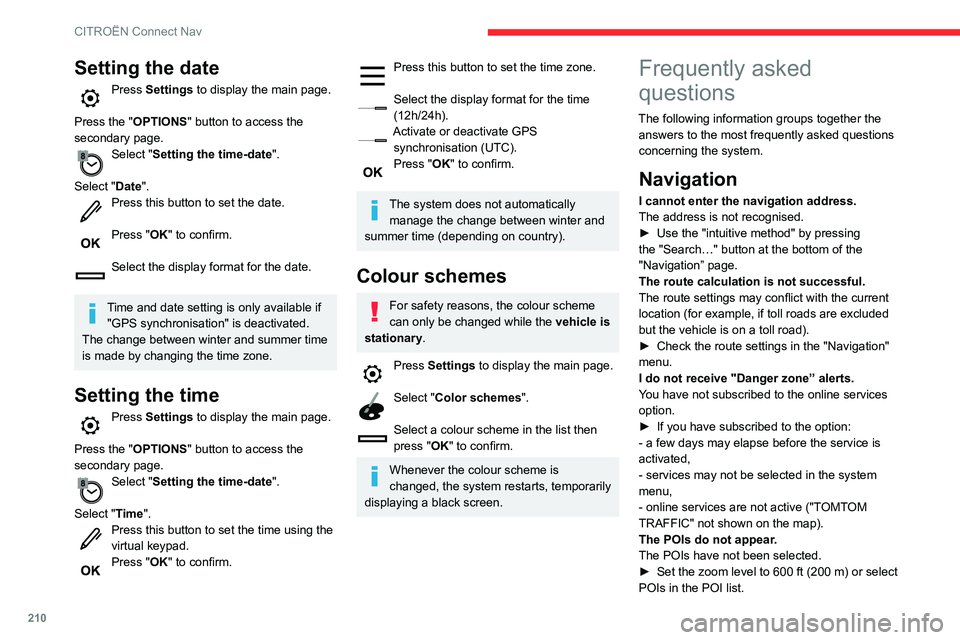
Setting the date
Press Settings to display the main page.
Press the "OPTIONS " button to access the
secondary page.
Select "Setting the time-date".
Select "Date".
Press this button to set the date.
Press "OK" to confirm.
Select the display format for the date.
Time and date setting is only available if "GPS synchronisation" is deactivated.
The change between winter and summer time
is made by changing the time zone.
Setting the time
Press Settings to display the main page.
Press the "OPTIONS " button to access the
secondary page.
Select "Setting the time-date".
Select "Time".
Press this button to set the time using the virtual keypad.Press "OK" to confirm.
Press this button to set the time zone.
Select the display format for the time (12h/24h).Activate or deactivate GPS synchronisation (UTC).Press "OK" to confirm.
The system does not automatically manage the change between winter and
summer time (depending on country).
Colour schemes
For safety reasons, the colour scheme
can only be changed while the vehicle is
stationary.
Press Settings to display the main page.
Select "Color schemes".
Select a colour scheme in the list then
press "OK" to confirm.
Whenever the colour scheme is
changed, the system restarts, temporarily
displaying a black screen.
Frequently asked
questions
The following information groups together the answers to the most frequently asked questions
concerning the system.
Navigation
I cannot enter the navigation address.
The address is not recognised.
► Use the "intuitive method" by pressing the "Search…" button at the bottom of the
"Navigation” page.
The route calculation is not successful.
The route settings may conflict with the current
location (for example, if toll roads are excluded
but the vehicle is on a toll road).
► Check the route settings in the "Navigation" menu.
I do not receive "Danger zone” alerts.
You have not subscribed to the online services
option.
► If you have subscribed to the option:
- a few days may elapse before the service is
activated,
- services may not be selected in the system
menu,
- online services are not active ("TOMTOM
TRAFFIC" not shown on the map).
The POIs do not appear.
The POIs have not been selected.
► Set the zoom level to 600 ft (200 m) or select POIs in the POI list.