parking brake Citroen C4 AIRCROSS RHD 2014.5 1.G Owner's Manual
[x] Cancel search | Manufacturer: CITROEN, Model Year: 2014.5, Model line: C4 AIRCROSS RHD, Model: Citroen C4 AIRCROSS RHD 2014.5 1.GPages: 389, PDF Size: 15.51 MB
Page 4 of 389

Instrument panel 12
Warning and indicator lamps
1
3
Instrument panel screen
1
9
Trip computer
3
2
Distance recorder
3
2
Trip distance recorder
3
2
Service indicator
3
3
Adjusting vehicle settings
3
7
Audio- CD system screen
4
4
Audio- CD system touch screen
4
6
Audio-Telematic system touch screen
4
8
Lighting dimmer
5
1
Monitoring
ove
r view
Remote control key 5
2
"Keyless Entry and Starting" system
5
6
Doors
6
2
Boot
6
3
Alarm
6
5
Electric windows
6
8
Panoramic sunroof
7
0
access
Front seats 71
Rear seats
7
5
Mirrors
7
7
Steering wheel adjustment
7
9
Ventilation
8
0
Manual heating / air conditioning
8
2
Automatic air conditioning
8
4
Rear screen demist - defrost
8
9
Interior fittings
9
0
Boot fittings
9
6
Comfort
Starting - stopping the engine with the key 98
Starting - stopping the engine with
the Keyless Entry and Starting system
9
9
Parking brake
1
02
Manual gearbox
1
03
Gear shift indicator
1
04
CVT gearbox
1
05
Hill start assist
1
10
Stop & Start (Auto Stop & Go) function
1
11
Under-inflation detection
1
14
Four wheel drive system
1
18
Cruise control
1
20
Parking sensors
1
23
Reversing camera
1
26
Driving
Lighting controls 1 27
Daytime running lamps
1
30
Automatic illumination of headlamps
1
30
Manual guide-me-home lighting
1
31
Welcome lighting
1
32
Headlamp adjustment
1
33
Wiper controls
1
34
Automatic rain sensitive wipers
1
36
Courtesy lamps
1
38
Boot lamp
1
40
Panoramic roof lighting
1
40
Visibility
Eco-driving
Contents
Page 6 of 389
4
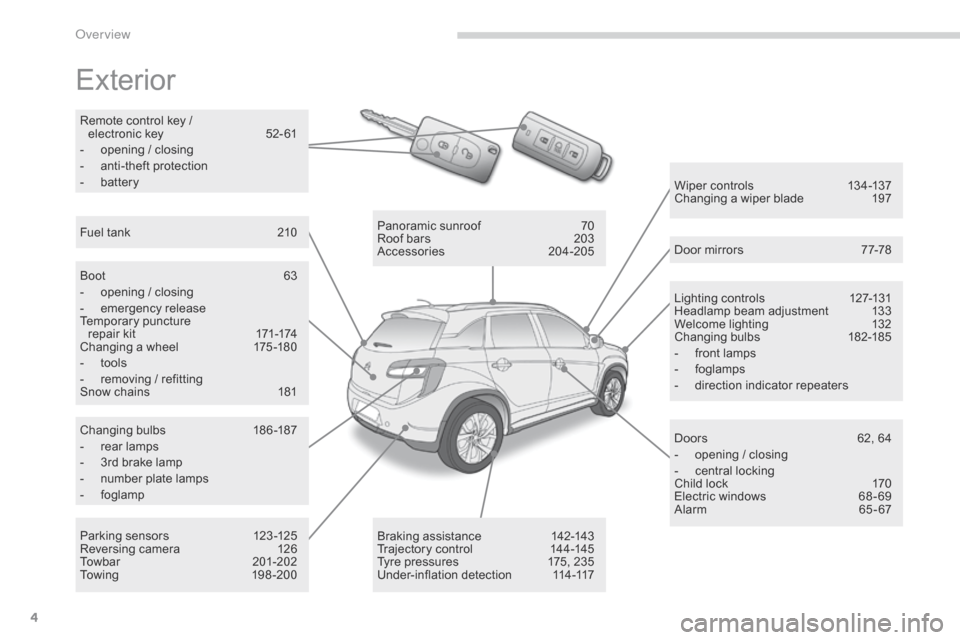
Exterior
Lighting controls 127-131
Headlamp beam adjustment 1 33
Welcome lighting
1
32
Changing bulbs
1
82-185
-
f
ront lamps
-
fo
glamps
-
d
irection indicator repeaters
Wiper controls
1
34-137
Changing a wiper blade
1
97
Door mirrors
7
7-78
Doors
6
2, 64
-
o
pening / closing
-
c
entral locking
Child lock
1
70
Electric windows
6
8 - 69
Alarm
6
5-67
Panoramic sunroof
7
0
Roof bars
2
03
Accessories
20
4-205
Braking assistance
1
42-143
Trajectory control
1
44-145
Tyre pressures
1
75, 235
Under-inflation detection
1
14-117
Boot
6
3
-
o
pening / closing
- em
ergency release
Temporary puncture
repair kit
1
71-174
Changing a wheel
1
75 -180
-
t
ools
-
r
emoving / refitting
Snow chains
1
81
Changing bulbs
1
86-187
-
r
ear lamps
-
3
rd brake lamp
-
n
umber plate lamps
-
fo
glamp
Parking sensors
1
23 -125
Reversing camera
1
26
Towbar
20
1-202
To w i n g
1
9 8 - 2 0 0
Fuel tank
2
10
Remote control key /
electronic
key
5
2- 61
-
o
pening / closing
-
a
nti-theft protection
-
b
attery
over view
Page 8 of 389
6
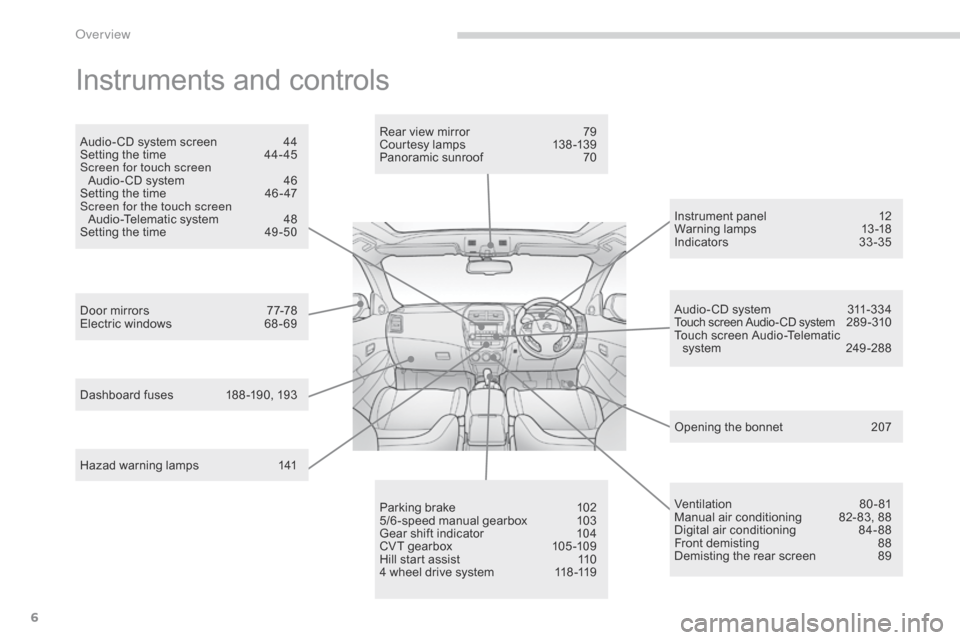
Instruments and controls
Opening the bonnet 207
Door mirrors
7
7-78
Electric windows
6
8 - 69 Rear view mirror
7
9
Courtesy lamps
1
38 -139
Panoramic sunroof
7
0
Dashboard fuses
1
88 -190, 193 Instrument panel
1
2
Warning lamps
1
3-18
Indicators
33
-35
Audio- CD system screen
4
4
Setting the time
4
4- 45
Screen for touch screen Audio- CD system
4
6
Setting the time
4
6 - 47
Screen for the touch screen Audio-Telematic system
4
8
Setting the time
4
9 -50
Parking brake
1
02
5/6 -speed manual gearbox
1
03
Gear shift indicator
1
04
CVT gearbox
1
05 -109
Hill start assist
1
10
4 wheel drive system
1
18 -119 Audio- CD system
3
11-334
Touch screen Audio- CD system 289 - 310
Touch screen Audio-Telematic system
2
49 -288
Ventilation
8
0-81
Manual air conditioning
8
2- 83, 88
Digital air conditioning
8
4-88
Front demisting
8
8
Demisting the rear screen
8
9
Hazad warning lamps
1
41
over view
Page 16 of 389
14
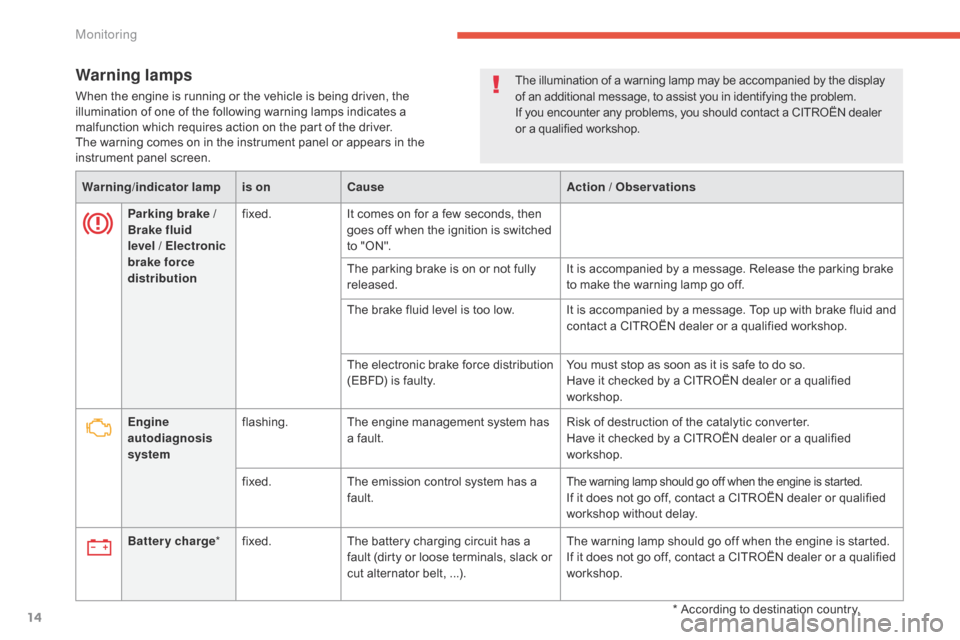
Warning lamps
When the engine is running or the vehicle is being driven, the
illumination of one of the following warning lamps indicates a
malfunction which requires action on the part of the driver.
The warning comes on in the instrument panel or appears in the
instrument panel screen.Warning /indicator lampis on Cause Action / Observations
Parking brake
/
Brake fluid
level
/ Electronic
brake force
distribution fixed.
It comes on for a few seconds, then
goes off when the ignition is switched
to "ON".
The parking brake is on or not fully
released. It is accompanied by a message. Release the parking brake
to make the warning lamp go off.
The brake fluid level is too low. It is accompanied by a message. Top up with brake fluid and contact a CITROËN dealer or a qualified workshop.
The electronic brake force distribution
(EBFD) is faulty. You must stop as soon as it is safe to do so.
Have it checked by a CITROËN dealer or a qualified
workshop.
Engine
autodiagnosis
system flashing.
The engine management system has
a fault. Risk of destruction of the catalytic converter.
Have it checked by a CITROËN dealer or a qualified
workshop.
fixed. The emission control system has a
fault.
The warning lamp should go off when the engine is started.If it does not go off, contact a CITROËN dealer or qualified
workshop without delay.
Battery charge *fixed. The battery charging circuit has a
fault (dirty or loose terminals, slack or
cut alternator belt, ...). The warning lamp should go off when the engine is started.
If it does not go off, contact a CITROËN dealer or a qualified
workshop.
The illumination of a warning lamp may be accompanied by the display
of an additional message, to assist you in identifying the problem.
If you encounter any problems, you should contact a CITROËN dealer
or a qualified workshop.
* According to destination country.
Monitoring
Page 29 of 389

27
Screen 1 Screen 2Cause Solution - ActionObservations
You have moved off with the parking
brake not fully released.Release the parking brake.
The oil pressure is too low or there
is a fault with the engine lubrication
system. Stop the vehicle and contact
a
CITROËN dealer or a qualified
workshop.
Battery charge fault. Stop the vehicle and contact
a
CITROËN dealer or a qualified
workshop.
Airbag or pretensioner fault. Contact a CITROËN dealer or a
qualified workshop to have the
systems checked.
Fault with automatic headlamp
adjustment system. Contact a CITROËN dealer or
a
qualified workshop.Only on vehicles fitted with xenon
headlamps.
Fault with the stability control
system (ASC). Contact a CITROËN dealer or
a
qualified workshop.
Fault with the four wheel drive
transmission system. Contact a CITROËN dealer or
a
qualified workshop.
1
Monitoring
Page 39 of 389
37
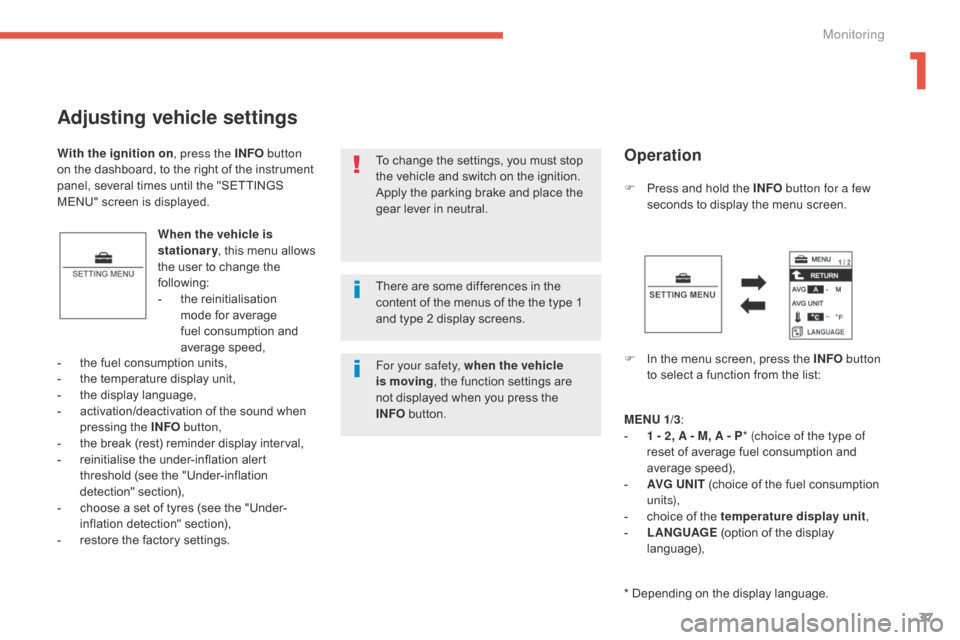
Adjusting vehicle settings
When the vehicle is
stationary, this menu allows
the user to change the
following:
-
t
he reinitialisation
mode for average
fuel consumption and
average speed, F
P
ress and hold the INFO
button for a few
seconds to display the menu screen.
F
I
n the menu screen, press the INFO button
to select a function from the list:
-
t
he fuel consumption units,
-
t
he temperature display unit,
-
t
he display language,
-
a
ctivation/deactivation of the sound when
pressing the INFO button,
-
t
he break (rest) reminder display interval,
-
r
einitialise the under-inflation alert
threshold (see the "Under-inflation
detection" section),
-
c
hoose a set of tyres (see the "Under-
inflation detection" section),
-
r
estore the factory settings. To change the settings, you must stop
the vehicle and switch on the ignition.
Apply the parking brake and place the
gear lever in neutral.
With the ignition on
, press the INFO button
on the dashboard, to the right of the instrument
panel, several times until the "SETTINGS
MENU" screen is displayed.
Operation
MENU 1/3:
- 1 - 2 , A - M, A - P * (choice of the type of
reset of average fuel consumption and
average speed),
-
AV
G UN IT (choice of the fuel consumption
un i t s),
-
c
hoice of the temperature display unit ,
-
L
ANGUAGE (option of the display
language),
* Depending on the display language.
There are some differences in the
content of the menus of the the type 1
and type 2 display screens.
For your safety, when the vehicle
is moving
, the function settings are
not displayed when you press the
INFO
button.
1
Monitoring
Page 104 of 389
102
Anti-theft protection
Electronic engine immobiliser
The keys contain an electronic chip which has
a secret code. When the ignition is switched
on, this code must be recognised in order for
starting to be possible.
This electronic engine immobiliser locks the
engine management system a few minutes
after the ignition is switched off and prevents
starting of the engine by anyone who does not
have the key.
In the event of a malfunction, you are informed
by a message in the instrument panel screen.
In this case, your vehicle does not start; contact
a CITROËN dealer as soon as possible.
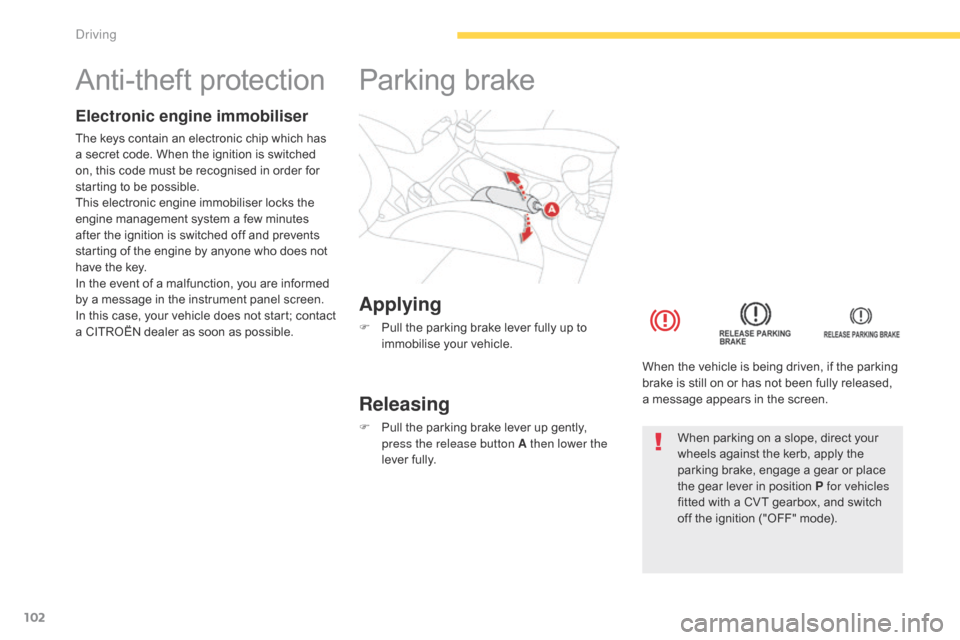
Applying
F Pull the parking brake lever fully up to immobilise your vehicle.
Parking brake
Releasing
F Pull the parking brake lever up gently, press the release button A then lower the
lever fully. When the vehicle is being driven, if the parking
brake is still on or has not been fully released,
a
message appears in the screen.When parking on a slope, direct your
wheels against the kerb, apply the
parking brake, engage a gear or place
the gear lever in position P for vehicles
fitted with a CVT gearbox, and switch
off the ignition ("OFF" mode).
Driving
Page 108 of 389
106
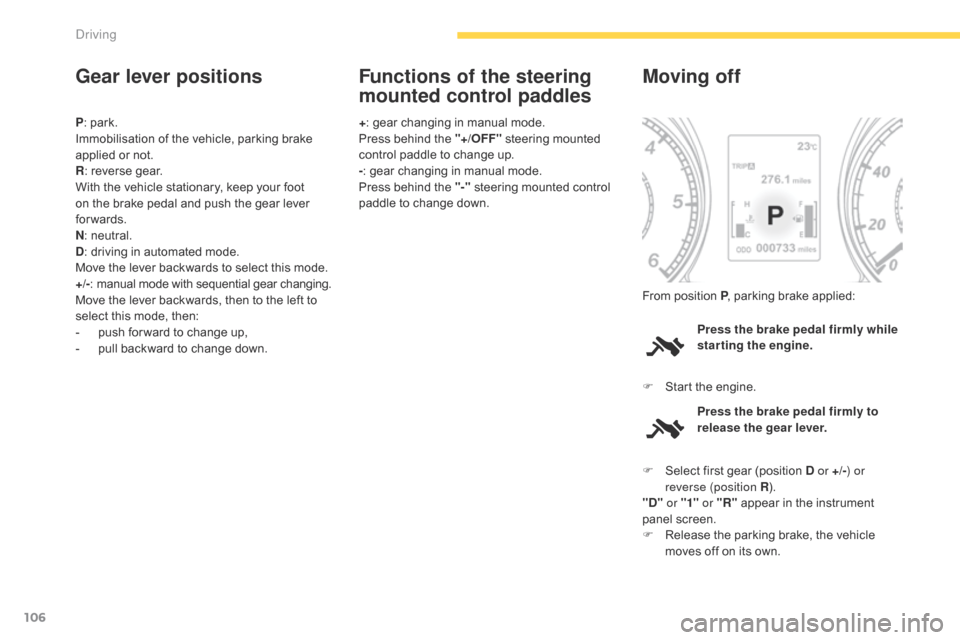
Gear lever positions
P: park.
Immobilisation of the vehicle, parking brake
applied or not.
R : reverse gear.
With the vehicle stationary, keep your foot
on the brake pedal and push the gear lever
forwards.
N : neutral.
D : driving in automated mode.
Move the lever backwards to select this mode.
+/- :
m
anual mode with sequential gear changing.
Move the lever backwards, then to the left to
select this mode, then:
-
p
ush for ward to change up,
-
p
ull backward to change down. +
: gear changing in manual mode.
Press behind the "+/OFF" steering mounted
control paddle to change up.
- : gear changing in manual mode.
Press behind the "-" steering mounted control
paddle to change down.
Functions of the steering
mounted control paddles
Press the brake pedal firmly while
starting the engine.
Moving off
F Start the engine. From position P , parking brake applied:
Press the brake pedal firmly to
release the gear lever.
F
S
elect first gear (position D or +/- ) or
reverse (position R ).
"D" or "1" or "R" appear in the instrument
panel screen.
F
R
elease the parking brake, the vehicle
moves off on its own.
Driving
Page 109 of 389
107
Stopping - Starting on a slope
It is essential to use the parking brake to
hold the vehicle on a slope and not the
accelerator pedal.
When starting on a slope, accelerate gradually
while releasing the parking brake.
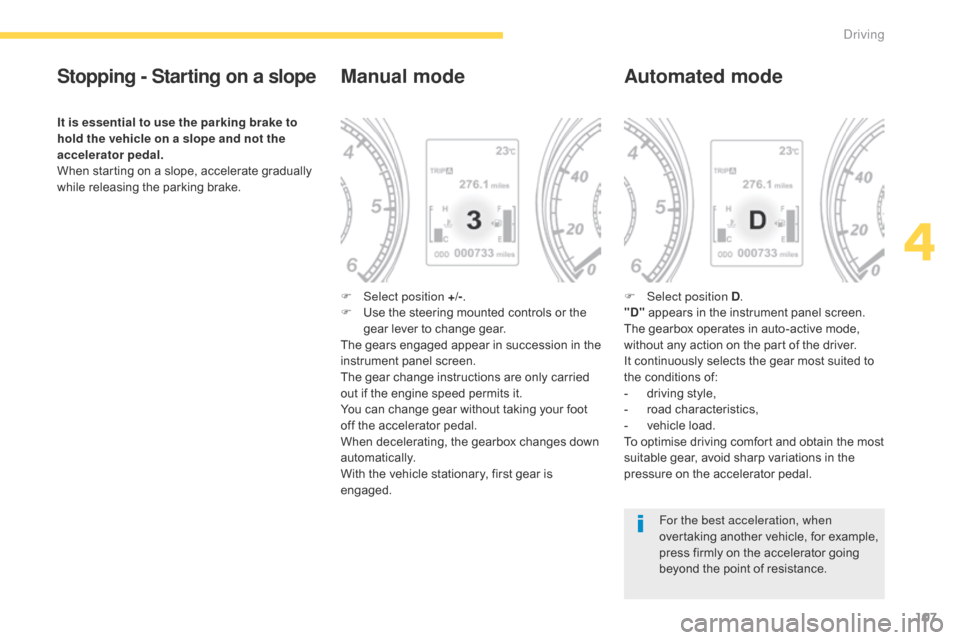
Manual mode
F Select position +/-.
F U se the steering mounted controls or the
gear lever to change gear.
The gears engaged appear in succession in the
instrument panel screen.
The gear change instructions are only carried
out if the engine speed permits it.
You can change gear without taking your foot
off the accelerator pedal.
When decelerating, the gearbox changes down
automatically.
With the vehicle stationary, first gear is
engaged.
Automated mode
F Select position D .
"D" appears in the instrument panel screen.
The gearbox operates in auto-active mode,
without any action on the part of the driver.
It continuously selects the gear most suited to
the conditions of:
-
d
riving style,
-
r
oad characteristics,
-
v
ehicle load.
To optimise driving comfort and obtain the most
suitable gear, avoid sharp variations in the
pressure on the accelerator pedal.
For the best acceleration, when
overtaking another vehicle, for example,
press firmly on the accelerator going
beyond the point of resistance.
4
Driving
Page 110 of 389
108
Manual gear changing
In the automated mode, you can take over
control temporarily at any time using the
steering mounted controls.
The use of these controls permits manual
selection of the gears in situations which
require a faster change down than that offered
in automated mode (arrival at a roundabout,
exit from a car park with a steep gradient,
over taking...).
The gearbox engages the gear requested if
the engine speed permits it. The gear engaged
appears.
To return to the automated mode, do one of the
following:
-
p
ress the back of the "+/OFF" steering
mounted control 3 for approximately
2
seconds,
-
m
ove the gear lever quickly towards
position +/- and then return it to position D ,
-
s
top the vehicle.
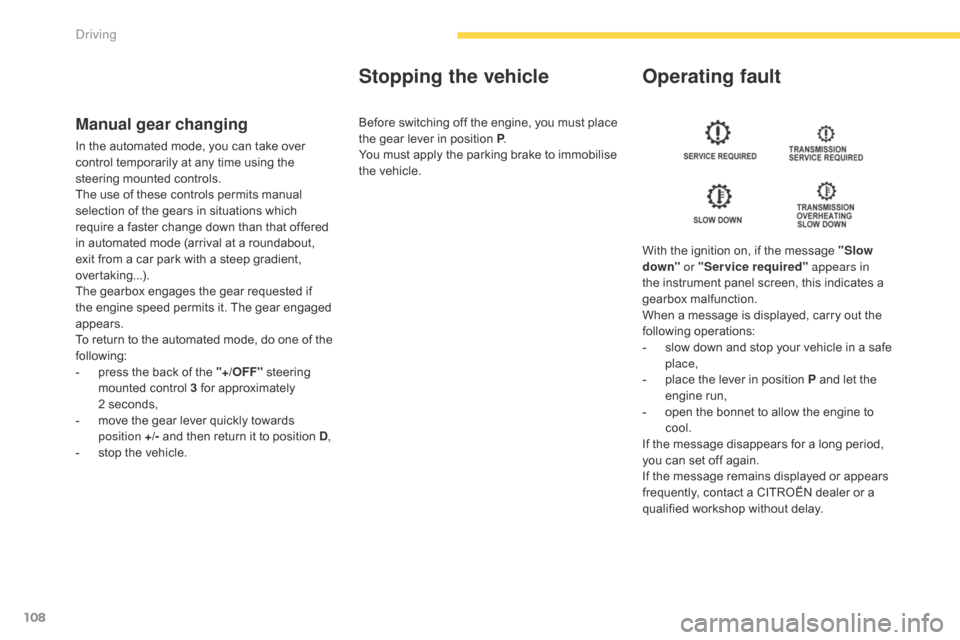
Stopping the vehicle Operating fault
With the ignition on, if the message "Slow
down" or "Service required" appears in
the instrument panel screen, this indicates a
gearbox malfunction.
When a message is displayed, carry out the
following operations:
-
s
low down and stop your vehicle in a safe
place,
-
p
lace the lever in position P and let the
engine run,
-
o
pen the bonnet to allow the engine to
cool.
If the message disappears for a long period,
you can set off again.
If the message remains displayed or appears
frequently, contact a CITROËN dealer or a
qualified workshop without delay.
Before switching off the engine, you must place
the gear lever in position P
.
You must apply the parking brake to immobilise
the vehicle.
Driving