wheel CITROEN C4 CACTUS 2017 Owner's Manual
[x] Cancel search | Manufacturer: CITROEN, Model Year: 2017, Model line: C4 CACTUS, Model: CITROEN C4 CACTUS 2017Pages: 256, PDF Size: 7.62 MB
Page 102 of 256

100
Parking brake
Applying
When parking on a slope, turn the wheels
against the kerb, apply the parking brake,
engage a gear and switch off the ignition.
Releasing
When the vehicle is being driven,
if this warning lamp and the
STOP warning lamp come on,
accompanied by an audible signal
and a message on the screen, this
indicates that the parking brake
is still on or has not been fully
released.
F
P
ull the parking brake lever up to immobilise
your vehicle.
F
P
ull the parking brake lever up gently, press
the release button then lower the lever fully.
5-speed manual gearbox
Engaging reverse gear
Only engage reverse gear when the vehicle
is stationary with the engine at idle.
As a safety precaution and to facilitate
starting the engine:
-
a
lways select neutral,
-
p
ress the clutch pedal.
F
F
ully depress the clutch pedal.
F
M
ove the gear lever fully to the right, then
pull it back.
6-speed manual gearbox
Engaging 5th or 6th gear
F Move the lever fully to the right to engage 5th
or 6th g e a r.
Failure to follow this advice could cause
permanent damage to the gearbox
(inadvertent engagement of 3
rd or 4th
gear).
Engaging reverse gear
F Raise the ring under the knob and move the gear lever to the left, then for wards.
Only engage reverse gear when the vehicle
is stationary with the engine at idle.
Driving
Page 106 of 256
104
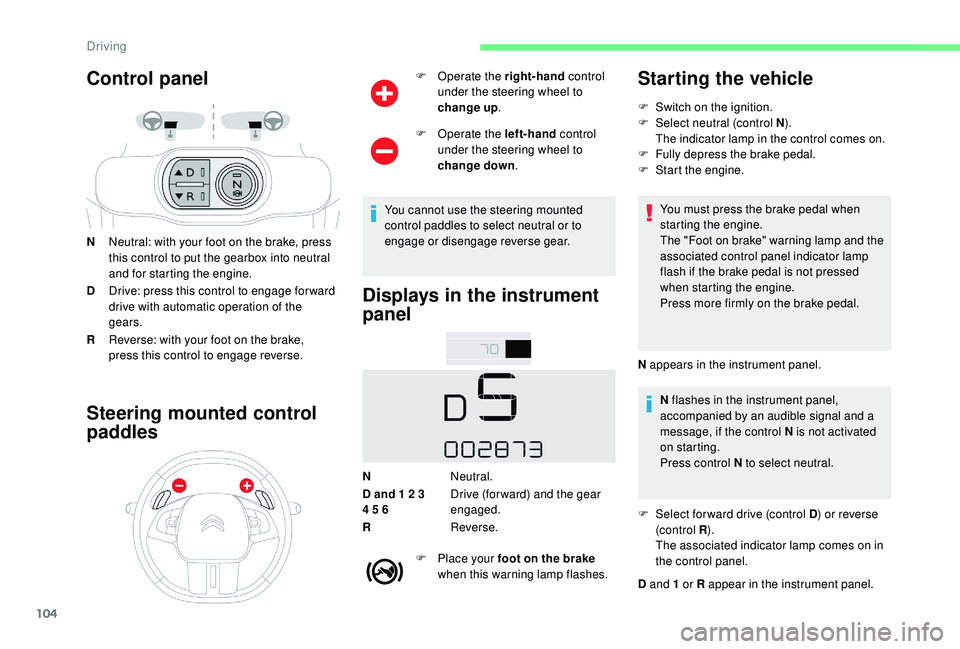
Control panel
NNeutral: with your foot on the brake, press
this control to put the gearbox into neutral
and for starting the engine.
D Drive: press this control to engage for ward
drive with automatic operation of the
gears.
R Reverse: with your foot on the brake,
press this control to engage reverse.
Steering mounted control
paddles
F Operate the right-hand control
under the steering wheel to
change up .
F
O
perate the left-hand control
under the steering wheel to
change down .
You cannot use the steering mounted
control paddles to select neutral or to
engage or disengage reverse gear.
Displays in the instrument
panel
N Neutral.
D and 1 2 3
4 5 6 Drive (for ward) and the gear
engaged.
R Reverse.
F
P
lace your foot on the brake
when this warning lamp flashes.
Starting the vehicle
F Switch on the ignition.
F Sel ect neutral (control N ).
The indicator lamp in the control comes on.
F
F
ully depress the brake pedal.
F
S
tart the engine.
You must press the brake pedal when
starting the engine.
The "Foot on brake" warning lamp and the
associated control panel indicator lamp
flash if the brake pedal is not pressed
when starting the engine.
Press more firmly on the brake pedal.
N appears in the instrument panel. N flashes in the instrument panel,
accompanied by an audible signal and a
message, if the control N is not activated
on starting.
Press control N to select neutral.
F
S
elect for ward drive (control D ) or reverse
(c ontrol R ).
The associated indicator lamp comes on in
the control panel.
D and 1 or R appear in the instrument panel.
Driving
Page 113 of 256

111
Display in the instrument panel
1.Speed limit indication.
Display of the speed
The system is active but is not detecting speed
limit information. On detection of speed limit information, the
system displays the value.
The driver can adjust the vehicle's speed
according to the information given by the
system.
Activation/Deactivation
The system is activated or deactivated via the
vehicle configuration menu.
F
I
n the Driving/Vehicle menu
of the touch screen, select the
" Vehicle settings " tab then
" Safety " and activate/deactivate
" Recommended speed
display ". The legislation on speed limits is specific to
each country.
The system does not take account of reduced
speed limits in the following cases:
-
p
oor weather (rain, snow),
-
a
tmospheric pollution,
-
t
railer, caravan,
-
d
riving with a space-saver type spare wheel
or snow chains fitted,
-
p
uncture repair using the temporary repair
kit,
-
y
oung drivers, etc.
The following situations may inter fere with the
operation of the system or prevent it working:
-
p
oor visibility (inadequate street lighting,
falling snow, rain, fog),
-
w
indscreen area located in front of the
camera dirty, misted, frost-covered, snow-
covered, damaged or covered by a sticker,
-
f
ault with the camera,
- o bsolete or incorrect mapping,
- h idden road signs (other vehicles,
vegetation, snow),
-
s
peed limit signs that do not conform to the
standard, are damaged or distorted.
Operating limits
6
Driving
Page 115 of 256
113
F Press the "MEM" button 2 again to confirm
and save the new speed setting.
Speed limiter
The system prevents the vehicle
from exceeding the speed setting
programmed by the driver.
The speed limiter is switched on
manually.
The minimum programmed speed is
19
mph (30 km/h).
The programmed speed remains in the
system memory when the ignition is
switched off.
The speed limiter is a driving aid only.
It does not exempt the driver from the
need to obser ve speed limits or to remain
vigilant at all times.
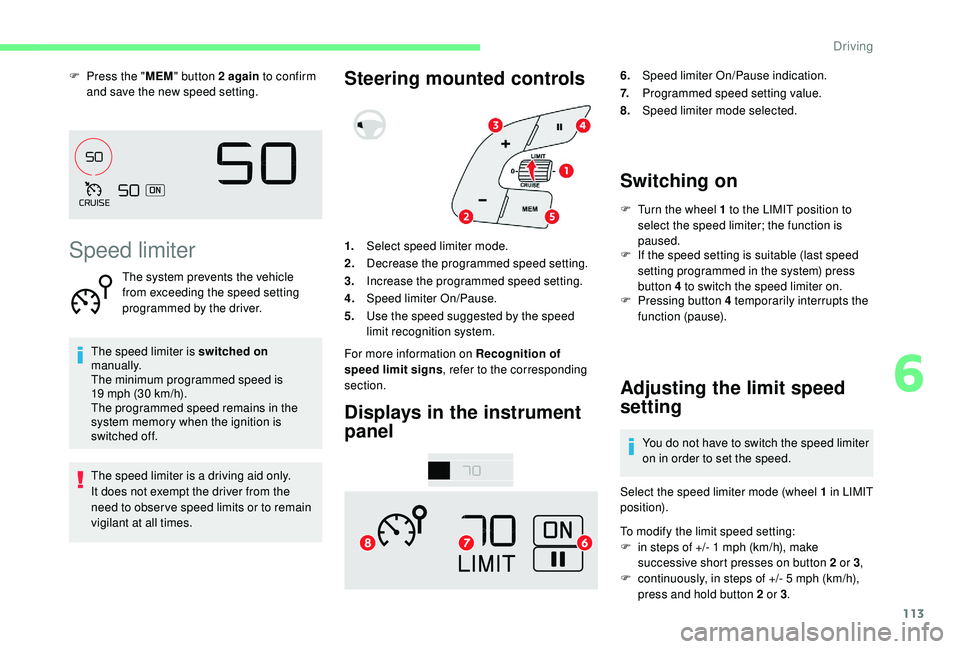
Steering mounted controls
Displays in the instrument
panel6. Speed limiter On/Pause indication.
7. Programmed speed setting value.
8. Speed limiter mode selected.
Switching on
F Turn the wheel 1 to the LIMIT position to
select the speed limiter; the function is
paused.
1. Select speed limiter mode.
2. Decrease the programmed speed setting.
3. Increase the programmed speed setting.
4. Speed limiter On/Pause.
5. Use the speed suggested by the speed
limit recognition system.
For more information on Recognition of
speed limit signs , refer to the corresponding
section. F
I
f the speed setting is suitable (last speed
setting programmed in the system) press
button 4 to switch the speed limiter on.
F
P
ressing button 4 temporarily interrupts the
function (pause).
Adjusting the limit speed
setting
You do not have to switch the speed limiter
on in order to set the speed.
Select the speed limiter mode (wheel 1 in LIMIT
position).
To modify the limit speed setting:
F
i
n steps of +/- 1 mph (km/h), make
successive short presses on button 2 or 3 ,
F
c
ontinuously, in steps of +/- 5 mph (km/h),
press and hold button 2 or 3 .
6
Driving
Page 116 of 256
114
To modify the speed limiter setting using
the speed suggested by the speed limit sign
recognition system:
F
t
he speed suggested is displayed in the
instrument panel,
F
m
ake a first press on button 5 ; a message
is displayed to confirm the memorisation
request,
F
p
ress button 5 again to save the suggested
speed.
The speed displays immediately in the
instrument panel as the new speed setting.
Temporarily exceeding the
speed setting
F Press firmly on the accelerator pedal,
going beyond the point of resistance, to
exceed the programmed speed limit.
The speed limiter is deactivated temporarily
and the displayed programmed speed flashes.
On a steep descent or in the event of
sharp acceleration, the speed limiter will
not be able to prevent the vehicle from
exceeding the programmed speed.
When the limit speed is exceeded but this is not
due to action by the driver, there is an audible
signal to supplement the visual alert (setting
flashes). Once the vehicle slows down to the
programmed setting, the speed limiter is active
again: the speed setting display is fixed once
more.
Switching off
F Turn the wheel 1 to the position 0: the
display of information about the speed
limiter disappears.
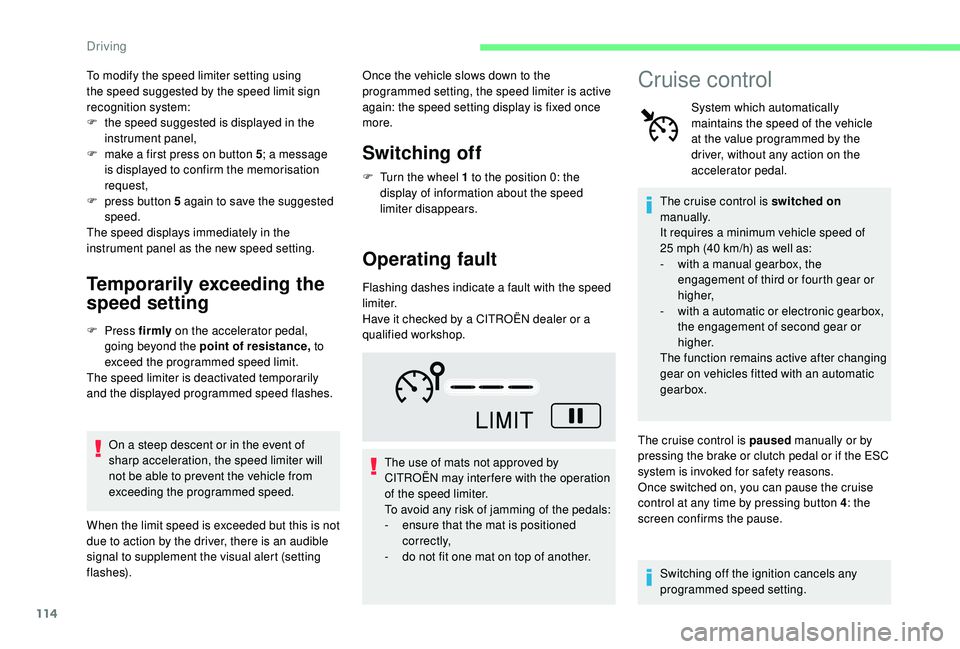
Operating fault
Flashing dashes indicate a fault with the speed
limiter.
Have it checked by a CITROËN dealer or a
qualified workshop.
The use of mats not approved by
CITROËN may inter fere with the operation
of the speed limiter.
To avoid any risk of jamming of the pedals:
-
e
nsure that the mat is positioned
c o r r e c t l y,
-
d
o not fit one mat on top of another.
Cruise control
System which automatically
maintains the speed of the vehicle
at the value programmed by the
driver, without any action on the
accelerator pedal.
The cruise control is switched on
manually.
It requires a minimum vehicle speed of
25 mph (40 km/h) as well as:
-
w
ith a manual gearbox, the
engagement of third or fourth gear or
higher,
-
w
ith a automatic or electronic gearbox,
the engagement of second gear or
higher.
The function remains active after changing
gear on vehicles fitted with an automatic
gearbox.
The cruise control is paused manually or by
pressing the brake or clutch pedal or if the ESC
system is invoked for safety reasons.
Once switched on, you can pause the cruise
control at any time by pressing button 4 : the
screen confirms the pause.
Switching off the ignition cancels any
programmed speed setting.
Driving
Page 117 of 256
115
The cruise control system is a driving aid
that cannot, in any circumstances, replace
the need to obser ve speed limits, nor the
need for vigilance on the part of the driver.
As a safety measure, you are advised to
keep your feet near the pedals at all times.
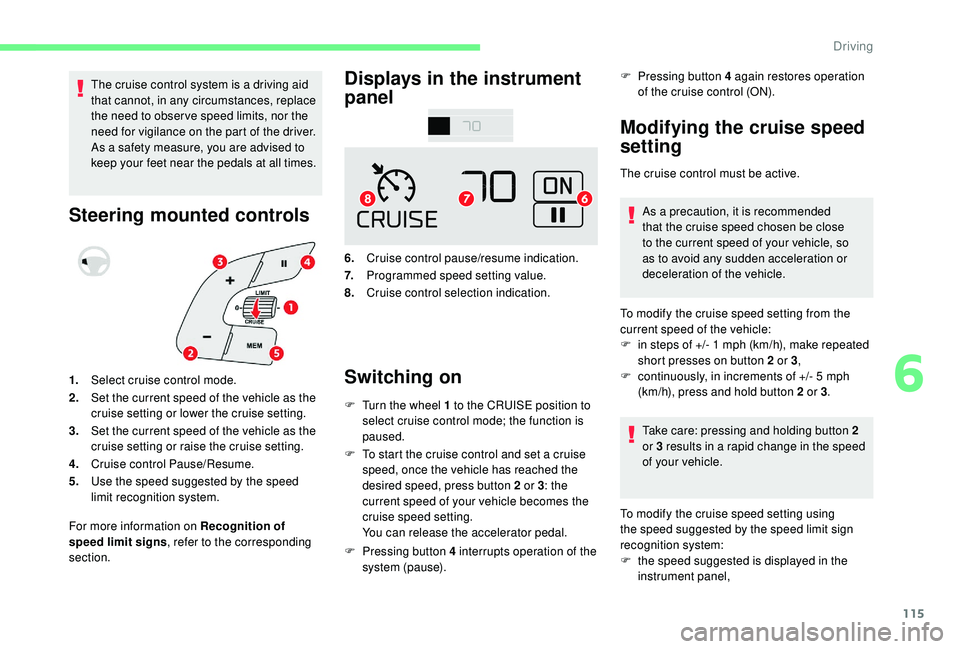
Steering mounted controlsDisplays in the instrument
panel
6.
Cruise control pause/resume indication.
7. Programmed speed setting value.
8. Cruise control selection indication.
Switching on
F Turn the wheel 1 to the CRUISE position to
select cruise control mode; the function is
paused.
F
T
o start the cruise control and set a cruise
speed, once the vehicle has reached the
desired speed, press button 2 or 3 : the
current speed of your vehicle becomes the
cruise speed setting.
You can release the accelerator pedal.
F
P
ressing button 4 interrupts operation of the
system (pause). F
P
ressing button 4 again restores operation
of the cruise control (ON).
Modifying the cruise speed
setting
The cruise control must be active.
As a precaution, it is recommended
that the cruise speed chosen be close
to the current speed of your vehicle, so
as to avoid any sudden acceleration or
deceleration of the vehicle.
1. Select cruise control mode.
2. Set the current speed of the vehicle as the
cruise setting or lower the cruise setting.
3. Set the current speed of the vehicle as the
cruise setting or raise the cruise setting.
4. Cruise control Pause/Resume.
5. Use the speed suggested by the speed
limit recognition system.
For more information on Recognition of
speed limit signs , refer to the corresponding
section. To modify the cruise speed setting from the
current speed of the vehicle:
F
i
n steps of +/- 1 mph (km/h), make repeated
short presses on button 2 or 3 ,
F
c
ontinuously, in increments of +/- 5 mph
(km/h), press and hold button 2 or 3 .
Take care: pressing and holding button 2
or 3
results in a rapid change in the speed
of your vehicle.
To modify the cruise speed setting using
the speed suggested by the speed limit sign
recognition system:
F
t
he speed suggested is displayed in the
instrument panel,
6
Driving
Page 118 of 256
116
F make a first press on button 5; a message
is displayed to confirm the memorisation
request,
F
p
ress button 5 again to save the suggested
speed.
The speed displays immediately in the
instrument panel as the new speed setting.
Temporarily exceeding the
speed setting
If needed (for overtaking, etc.), it is possible to
exceed the programmed speed by pressing the
accelerator pedal.
The cruise control is temporarily overridden
and the programmed speed setting flashes.
To return to the speed setting, release the
accelerator pedal.
Once the vehicle has returned to the
programmed speed, the cruise control takes
over again: the display of the programmed
speed setting becomes steady again.
When descending a steep hill, the cruise
control system cannot prevent the vehicle
from exceeding the programmed speed.
You may have to brake to control the speed of
your vehicle. In this case, the cruise control is
automatically paused. To activate the system again, with the speed
of the vehicle above 25 mph (40 km/h), press
button 4
.
F
T
urn wheel 1 to position 0: the cruise control
information disappears from the screen.
Switching off
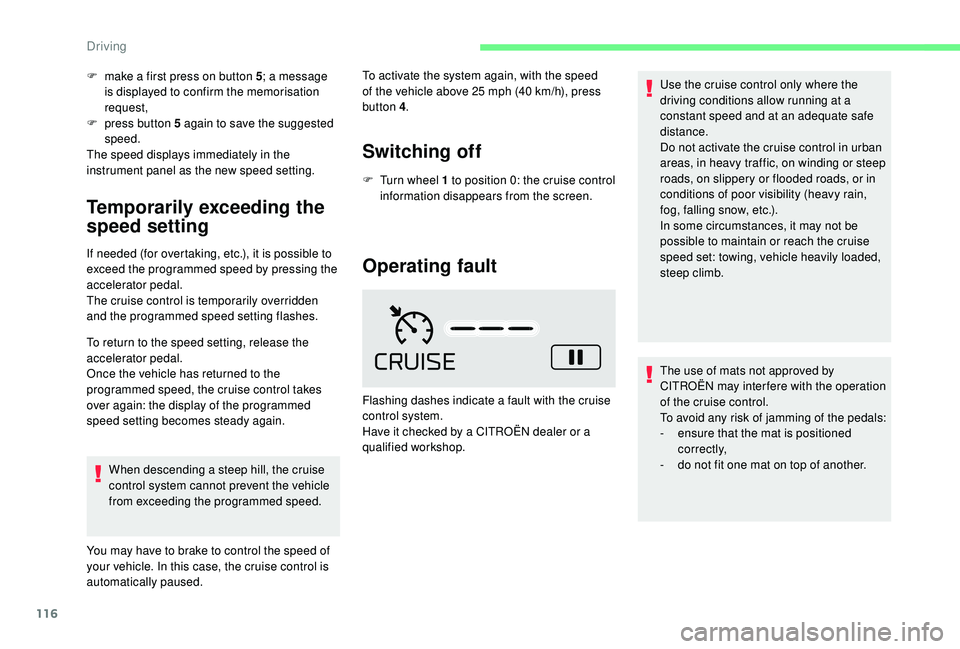
Operating fault
Flashing dashes indicate a fault with the cruise
control system.
Have it checked by a CITROËN dealer or a
qualified workshop. Use the cruise control only where the
driving conditions allow running at a
constant speed and at an adequate safe
distance.
Do not activate the cruise control in urban
areas, in heavy traffic, on winding or steep
roads, on slippery or flooded roads, or in
conditions of poor visibility (heavy rain,
fog, falling snow, etc.).
In some circumstances, it may not be
possible to maintain or reach the cruise
speed set: towing, vehicle heavily loaded,
steep climb.
The use of mats not approved by
CITROËN may inter fere with the operation
of the cruise control.
To avoid any risk of jamming of the pedals:
-
e
nsure that the mat is positioned
c o r r e c t l y,
-
d
o not fit one mat on top of another.
Driving
Page 119 of 256
117
Collision Risk Alert and
Active Safety Brake
Activation and operating
conditions
The system is activated from 3 mph (5 km/h).
It takes account of:
-
r
egistered vehicles running in the same
direction or stationary,
-
p
edestrians in the traffic lane (bicycles,
motorcycles, animals and objects on the
road are not necessarily detected).
This system is designed to assist the
driver and improve road safety.
It is the driver's responsibility to
continuously monitor the state of the
traffic, observing the driving regulations.
This system does not avoid the need for
vigilance on the part of the driver.
As soon as the system detects a potential
obstacle, it prepares the braking circuit in
case automatic braking is needed. This
may cause a slight noise and a slight
sensation of deceleration.
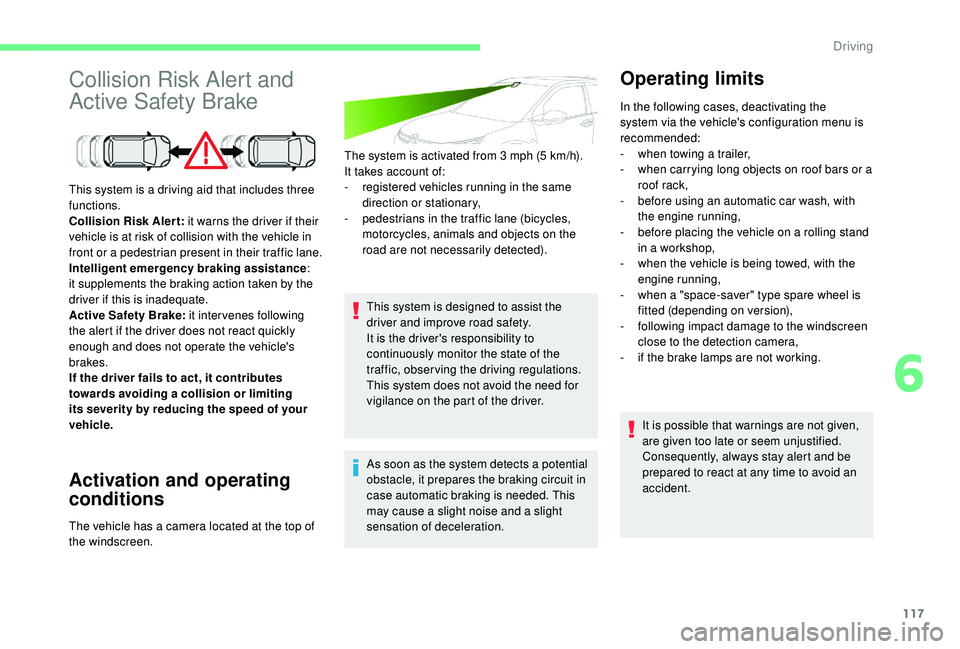
This system is a driving aid that includes three
functions.
Collision Risk Alert:
it warns the driver if their
vehicle is at risk of collision with the vehicle in
front or a pedestrian present in their traffic lane.
Intelligent emergency braking assistance :
it supplements the braking action taken by the
driver if this is inadequate.
Active Safety Brake: it intervenes following
the alert if the driver does not react quickly
enough and does not operate the vehicle's
brakes.
If the driver fails to act, it contributes
towards avoiding a collision or limiting
its severity by reducing the speed of your
vehicle.
The vehicle has a camera located at the top of
the windscreen. In the following cases, deactivating the
system via the vehicle's configuration menu is
recommended:
-
w hen towing a trailer,
- w hen carrying long objects on roof bars or a
roof rack,
-
b
efore using an automatic car wash, with
the engine running,
-
b
efore placing the vehicle on a rolling stand
in a workshop,
-
w
hen the vehicle is being towed, with the
engine running,
-
w
hen a "space-saver" type spare wheel is
fitted (depending on version),
-
fo
llowing impact damage to the windscreen
close to the detection camera,
-
i
f the brake lamps are not working.It is possible that warnings are not given,
are given too late or seem unjustified.
Consequently, always stay alert and be
prepared to react at any time to avoid an
accident.
Operating limits
6
Driving
Page 121 of 256

119
If the camera has confirmed
the presence of a vehicle or a
pedestrian, this warning lamp
flashes once the function is acting
on the vehicle's brakes.
Important: if operation of the
automatic emergency braking is
triggered, you should take back
control of your vehicle and brake
with the pedal to add to or finish the
automatic braking action.
The driver can take back control of the vehicle
at any time by sharply turning the steering
wheel and/or pressing the accelerator pedal.
The point at which braking is triggered
may be adjusted depending on the driving
actions of the driver, such as movement
of the steering wheel or actions on the
accelerator pedal.
Operation of the function may be felt by
slight vibration in the brake pedal.
If the vehicle comes to a complete stop,
the automatic braking is maintained for 1
to 2 seconds. With a manual gearbox, in the event of
automatic emergency braking until the
vehicle comes to a complete stop, the
engine may stall.
With an automatic or electronic gearbox,
in the event of automatic emergency
braking until the vehicle comes to a
complete stop, keep the brake pedal
pressed down to prevent the vehicle from
starting off again.
Specific conditions for operation
The vehicle's speed must be between 3 mph
and 53 mph (5 km/h and 85 km/h) when a
moving vehicle is detected.
The vehicle's speed must not exceed 50 mph
(80 km/h) when a stopped vehicle is detected.
The vehicle's speed must not exceed 37 mph
(60 km/h) when a pedestrian is detected.
The ESC system must not be faulty.
The ASR system must not be deactivated.
All passenger seat belts must be fastened.
Sporty driving or driving on winding roads may
impede the function.
After an impact, the function automatically
stops operating. Consult a CITROËN
dealer or a qualified workshop to have the
system checked.
Deactivation/Activation
By default, the system is automatically
activated at every engine start-up. Deactivation of the system is
signalled by the illumination of this
indicator lamp, accompanied by the
display of a message.
F
I
n the Driving/Vehicle menu
of the touch screen, select the
" Vehicle settings " tab then
" Safety " and activate/deactivate
" Collision risk and auto
braking ".
The camera may be disrupted or not work
in the following situations:
-
p
oor visibility (inadequate street
lighting, falling snow, heavy rain, dense
f o g , e t c .),
-
d
azzle (headlamps of an oncoming
vehicle, low sun, reflections on a damp
road, leaving a tunnel, alternating
shade and light, etc.),
-
c
amera obstructed (mud, frost, snow,
condensation, etc.).
On versions with camera alone, this
message indicates to you that the camera
is obstructed: " Driving aids camera:
visibility limited, see user guide ".
In these situations, detection performance
may be reduced.
Using the camera, this function acts on the
vehicle's braking system.
6
Driving
Page 122 of 256
120
Malfunction
Clean the windscreen regularly,
particularly the area in front of the camera.
The internal sur face of the windscreen can
also become misted around the camera.
In humid and cold weather, demist the
windscreen regularly.
Do not allow snow to accumulate on the
bonnet or roof of the vehicle as this could
conceal the detection camera.
The system is automatically deactivated
after the use of the "space-saver" type
spare wheel is detected, or if a fault with
the side brake lamps is detected.Fatigue detection system
Take a break as soon as you feel tired or at
least every two hours.
The function has the "Driving time warning"
combined with the "Driver inattention alert".The system cannot in any circumstances
replace the need for vigilance on the part
of the driver.
Do not take the wheel if you are tired.
Activation/Deactivation
The system is activated or deactivated via the
vehicle configuration menu. F
I
n the Driving/Vehicle menu
of the touch screen, select the
" Vehicle settings " tab then
" Safety " and activate/deactivate
" Fatigue detection ".
Driving time warning
The system triggers an alert once it
detects that the driver has not taken
a break after two hours of driving at
a speed above 40 mph (65 km/h). This alert is issued via the display of a
message encouraging you to take a break,
accompanied by an audible signal.
If the driver does not follow this advice, the
alert is repeated hourly until the vehicle is
stopped.
In the event of a fault with the
system, you are alerted by the
illumination of this warning lamp,
accompanied by the display of a
message and an audible signal.
Contact a CITROËN dealer or a qualified
workshop to have the system checked. The system resets itself if one of the following
conditions is met:
-
e
ngine running, the vehicle has been
stationary for more than fifteen minutes,
-
t
he ignition has been switched off for a few
minutes,
-
t
he driver's seat belt is unfastened and their
door is open.
As soon as the vehicle's speed drops
below 40 mph (65 km/h), the system goes
into standby.
Driving time monitoring resumes when the
vehicle travels at above 40 mph (65 km/h).
Driving