roof CITROEN C4 CACTUS 2023 User Guide
[x] Cancel search | Manufacturer: CITROEN, Model Year: 2023, Model line: C4 CACTUS, Model: CITROEN C4 CACTUS 2023Pages: 196, PDF Size: 6.12 MB
Page 101 of 196
99
Practical information
7Recommendations
► Distribute the load uniformly , taking
care to avoid overloading one of the sides.
►
Arrange the heaviest part of the load as
close as possible to the roof.
►
Lash the load down securely and fit a
warning flag if it overhangs the vehicle.
►
Drive gently: the vehicle will be more
susceptible to the effects of side winds
(stability may be affected).
►
Remove the roof bars once they are no
longer needed.
Maximum load, distributed over the roof
bars, for a loading height not exceeding
40 cm: 80 kg.
As this value may change, please verify the
maximum load quoted on the note supplied
with the roof bars.
If the height exceeds 40 cm, adapt the
speed of the vehicle to the profile of the road
to avoid damaging the roof bars and the
mountings on the vehicle.
Be sure to refer to national legislation in order
to comply with the regulations for transporting
objects which are longer than the vehicle.
Bonnet
Stop & Start
Before doing anything under the bonnet,
you must switch off the ignition to avoid any
risk of injury resulting from an automatic
change to START mode.
The location of the interior bonnet release lever prevents opening the
bonnet when the left-hand front door is
closed.
When the engine is hot, handle the
exterior safety catch and the bonnet stay
with care (risk of burns), using the protected
area.
When the bonnet is open, take care not to
damage the safety catch.
Do not open the bonnet under very windy
conditions.
Cooling of the engine when stopped
The engine cooling fan may start after
the engine has been switched off.
Take care with objects or clothing that
could be caught in the blades of the fan!
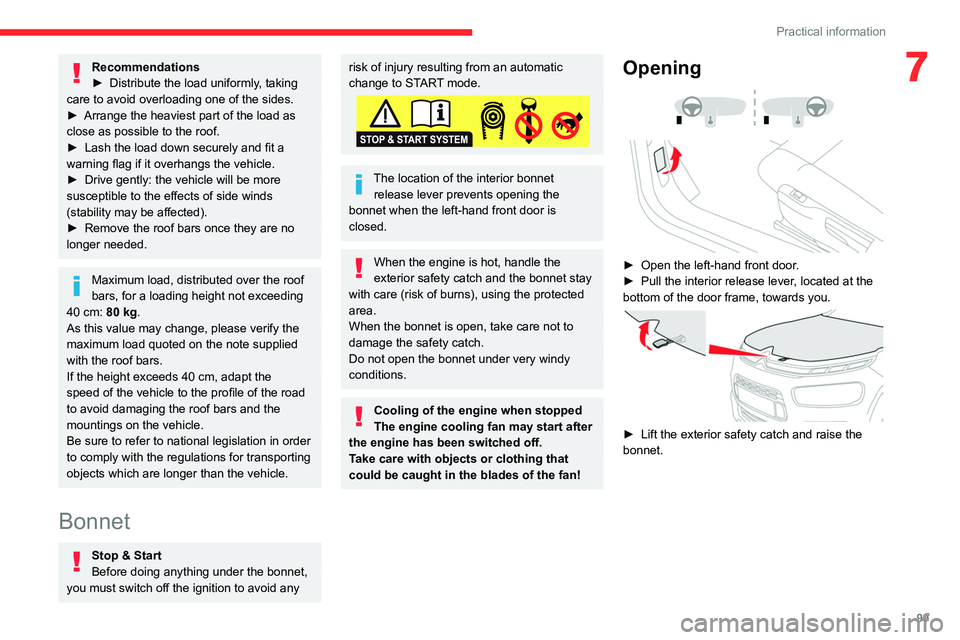
Opening
► Open the left-hand front door .
► Pull the interior release lever , located at the
bottom of the door frame, towards you.
► Lift the exterior safety catch and raise the
bonnet.
Page 125 of 196
123
In the event of a breakdown
8In some circumstances, it may be necessary to
charge the battery:
–
using the vehicle mainly for short journeys;
–
if the vehicle is to be taken off the road for
several weeks.
Contact a CITROËN dealer or a qualified
workshop.
To charge the vehicle's battery yourself, use only a charger compatible with
lead-acid batteries with a nominal voltage of
12
V.
Follow the instructions provided by the
manufacturer of the charger.
Never reverse polarities.
It is not necessary to disconnect the
battery.
►
Switch off the ignition.
►
Switch off all electrical consumers (audio
system, lighting, wipers, etc.).
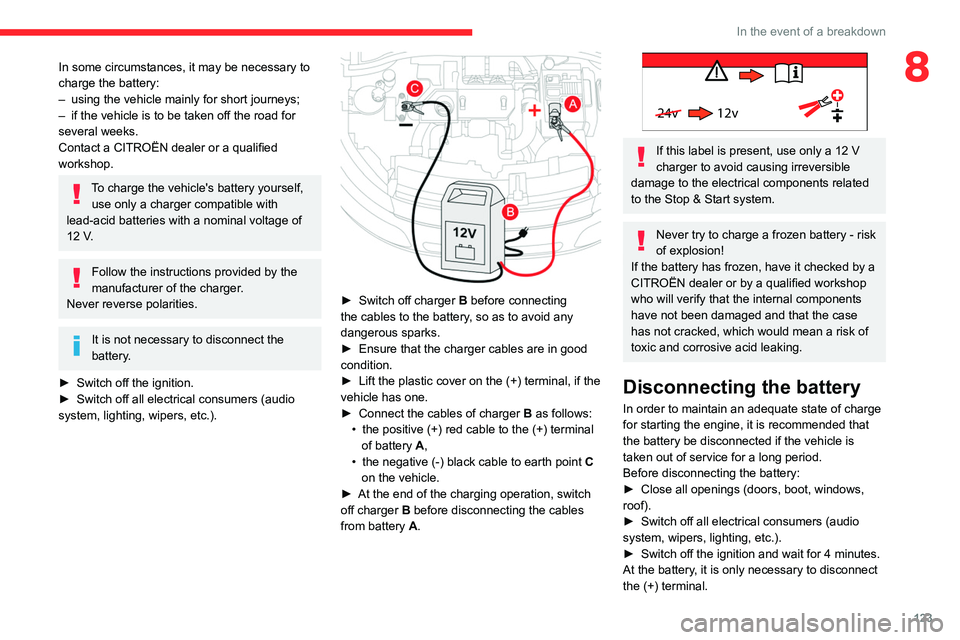
► Switch off charger B before connecting
the cables to the battery, so as to avoid any
dangerous sparks.
►
Ensure that the charger cables are in good
condition.
►
Lift the plastic cover on the (+) terminal, if the
vehicle has one.
►
Connect the cables of charger B
as follows:
•
the positive (+) red cable to the (+) terminal
of battery
A,
•
the negative (-) black cable to earth point C
on the vehicle.
►
At the end of the charging operation, switch
off charger B
before disconnecting the cables
from battery A.
24v 12v
If this label is present, use only a 12 V
charger to avoid causing irreversible
damage to the electrical components related
to the Stop & Start system.
Never try to charge a frozen battery - risk
of explosion!
If the battery has frozen, have it checked by a
CITROËN dealer or by a qualified workshop
who will verify that the internal components
have not been damaged and that the case
has not cracked, which would mean a risk of
toxic and corrosive acid leaking.
Disconnecting the battery
In order to maintain an adequate state of charge
for starting the engine, it is recommended that
the battery be disconnected if the vehicle is
taken out of service for a long period.
Before disconnecting the battery:
►
Close all openings (doors, boot, windows,
roof).
►
Switch off all electrical consumers (audio
system, wipers, lighting, etc.).
►
Switch off the ignition and wait for 4
minutes.
At the battery, it is only necessary to disconnect
the (+) terminal.
Page 151 of 196
149
CITROËN Connect Nav
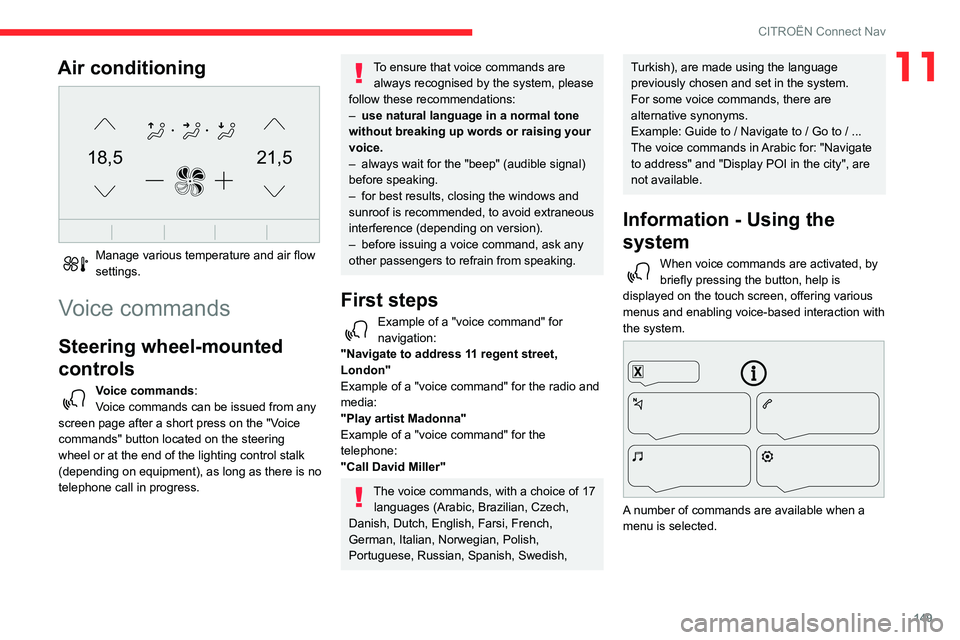
11Air conditioning
21,518,5
Manage various temperature and air flow
settings.
Voice commands
Steering wheel-mounted
controls
Voice commands:
Voice commands can be issued from any
screen page after a short press on the "Voice
commands" button located on the steering
wheel or at the end of the lighting control stalk
(depending on equipment), as long as there is no
telephone call in progress.
To ensure that voice commands are always recognised by the system, please
follow these recommendations:
–
use natural language in a normal tone
without breaking up words or raising your
voice.
–
always wait for the "beep" (audible signal)
before speaking.
–
for best results, closing the windows and
sunroof is recommended, to avoid extraneous
interference (depending on version).
–
before issuing a voice command, ask any
other passengers to refrain from speaking.
First steps
Example of a "voice command" for
navigation:
"Navigate to address 11 regent street,
London"
Example of a "voice command" for the radio and
media:
"Play artist Madonna"
Example of a "voice command" for the
telephone:
"Call David Miller"
The voice commands, with a choice of 17 languages (Arabic, Brazilian, Czech,
Danish, Dutch, English, Farsi, French,
German, Italian, Norwegian, Polish,
Portuguese, Russian, Spanish, Swedish,
Turkish), are made using the language
previously chosen and set in the system.
For some voice commands, there are
alternative synonyms.
Example: Guide to / Navigate to / Go to / ...
The voice commands in Arabic for: "Navigate
to address" and "Display POI in the city", are
not available.
Information - Using the
system
When voice commands are activated, by
briefly pressing the button, help is
displayed on the touch screen, offering various
menus and enabling voice-based interaction with
the system.
A number of commands are available when a
menu is selected.
Page 174 of 196
172
Alphabetical index
Collision Risk Alert 85–86
Configuration, vehicle
13–14
Connection,
Bluetooth
140–141, 158–159, 163–164
Connection, MirrorLink
139–140, 157
Connection, Wi-Fi network
159
Container, AdBlue®
105
Control, electric windows
25
Control, emergency boot release
24
Control, emergency door
21–22
Control, heated seats
28
Control stalk, lighting
42–43
Control stalk, wipers
45–46, 48
Courtesy lamp
36, 118
Courtesy lamps
36
Cover, load space
41
Cruise control
81, 83–85
Cruise control by speed limit recognition
81
Cruise control, dynamic with Stop function
81
Cup holder
37
D
DAB (Digital Audio Broadcasting) -
Digital radio
137, 161
Date (setting)
143, 167
Daytime running lamps
44
Daytime running lamps, LED
11 6
Deactivating the passenger airbag
56, 59–60
Deadlocking
18, 20
Defrosting
35–36
Defrosting, front 35
Demisting
35
Demisting, front
35
Dimensions
130
Dipstick
11–12, 101
Direction indicators
43, 116–117
Doors
23
Driver’s attention warning
88
Driving
67
Driving aids camera (warnings)
79
Driving aids (recommendations)
78
Driving economically
6
Dynamic stability control (DSC)
52
E
EBFD 52
Eco-driving (advice)
6
Economy mode
97–98
Electric windows
25
Electronic brake force distribution (EBFD)
52
Emergency braking assistance (EBA)
52
Emergency call
50
Emergency switching off
71
Emergency warning lamps
49, 108
Emissions control system, SCR
13, 104
Energy economy mode
97–98
Engine compartment
100
Engine, Diesel
94, 100, 108, 129
Engine, petrol
100, 128
Engines
127–129
Environment 6, 22
ESC (electronic stability control)
52
F
Fatigue detection 88
Filling the AdBlue® tank
102, 105
Filling the fuel tank
94–95
Filter, air
103
Filter, oil
103
Filter, particle
102–103
Filter, passenger compartment
32, 102
Fitting a wheel
113–114
Fitting roof bars
98–99
Fittings, boot
40–41
Fittings, interior
37–38
Flap, fuel filler
94–95
Flashing indicators
43, 116–117
Fluid, brake
101
Fluid, engine coolant
101
Foglamp, rear
42, 117
Foglamps, front
42, 45, 116–117
Foglamps, rear
42
Frequency (radio)
160
Fuel
6, 94
Fuel consumption
6
Fuel tank
94–95
Fusebox, dashboard
119
Fusebox, engine compartment
119, 121
Fuses
119–121
Page 176 of 196
174
Alphabetical index
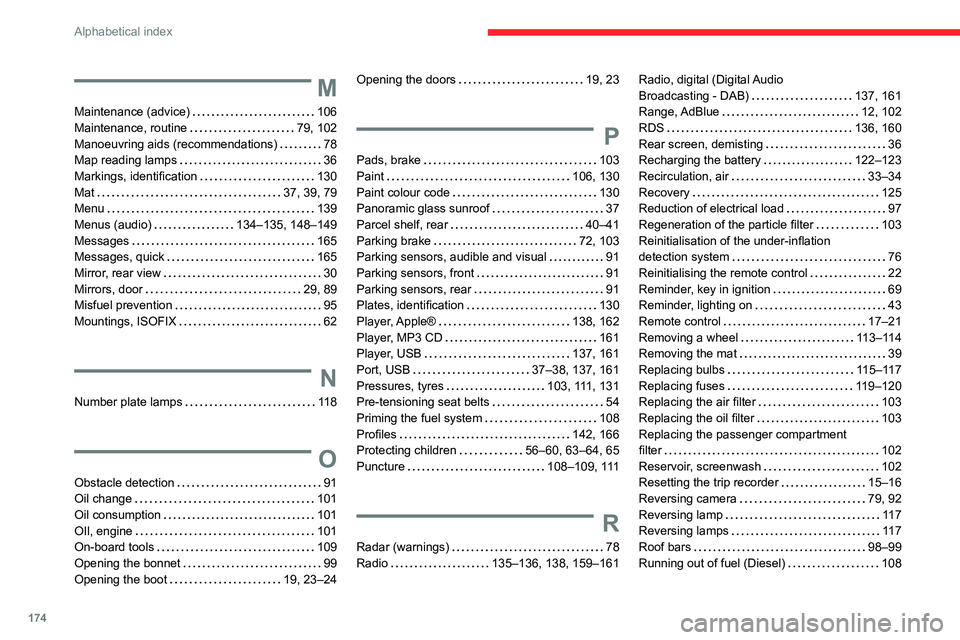
M
Maintenance (advice) 106
Maintenance, routine
79, 102
Manoeuvring aids (recommendations)
78
Map reading lamps
36
Markings, identification
130
Mat
37, 39, 79
Menu
139
Menus (audio)
134–135, 148–149
Messages
165
Messages, quick
165
Mirror, rear view
30
Mirrors, door
29, 89
Misfuel prevention
95
Mountings, ISOFIX
62
N
Number plate lamps 11 8
O
Obstacle detection 91
Oil change
101
Oil consumption
101
OIl, engine
101
On-board tools
109
Opening the bonnet
99
Opening the boot
19, 23–24
Opening the doors 19, 23
P
Pads, brake 103
Paint
106, 130
Paint colour code
130
Panoramic glass sunroof
37
Parcel shelf, rear
40–41
Parking brake
72, 103
Parking sensors, audible and visual
91
Parking sensors, front
91
Parking sensors, rear
91
Plates, identification
130
Player, Apple®
138, 162
Player, MP3 CD
161
Player, USB
137, 161
Port, USB
37–38, 137, 161
Pressures, tyres
103, 111, 131
Pre-tensioning seat belts
54
Priming the fuel system
108
Profiles
142, 166
Protecting children
56–60, 63–64, 65
Puncture
108–109, 111
R
Radar (warnings) 78
Radio
135–136, 138, 159–161
Radio, digital (Digital Audio
Broadcasting - DAB)
137, 161
Range, AdBlue
12, 102
RDS
136, 160
Rear screen, demisting
36
Recharging the battery
122–123
Recirculation, air
33–34
Recovery
125
Reduction of electrical load
97
Regeneration of the particle filter
103
Reinitialisation of the under-inflation
detection system
76
Reinitialising the remote control
22
Reminder, key in ignition
69
Reminder, lighting on
43
Remote control
17–21
Removing a wheel
113–114
Removing the mat
39
Replacing bulbs
115–117
Replacing fuses
119–120
Replacing the air filter
103
Replacing the oil filter
103
Replacing the passenger compartment
filter
102
Reservoir, screenwash
102
Resetting the trip recorder
15–16
Reversing camera
79, 92
Reversing lamp
11 7
Reversing lamps
11 7
Roof bars
98–99
Running out of fuel (Diesel)
108