park assist Citroen C4 CACTUS RHD 2014.5 1.G Owner's Manual
[x] Cancel search | Manufacturer: CITROEN, Model Year: 2014.5, Model line: C4 CACTUS RHD, Model: Citroen C4 CACTUS RHD 2014.5 1.GPages: 326, PDF Size: 8.49 MB
Page 4 of 326
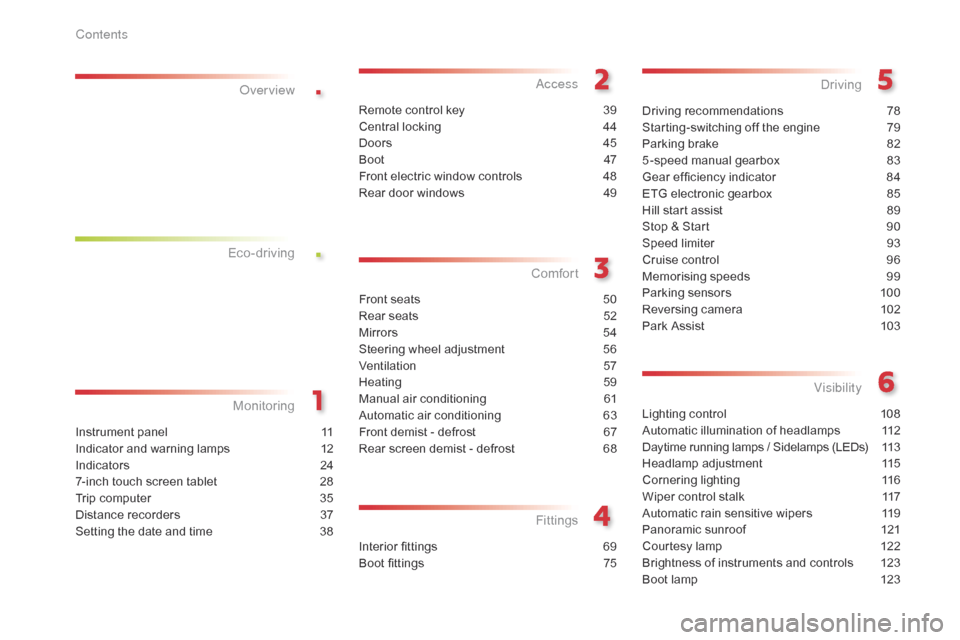
.
.
Lighting control 108
Automatic illumination of headlamps
1
12
Daytime
running lamps / Sidelamps (LEDs)
1
13
Headlamp
adj
ustment
1
15
Cornering
lighting
1
16
Wiper
control stalk
1
17
Automatic
rain sensitive wipers
1
19
Panoramic
sunroof
1
21
Courtesy
lamp
1
22
Brightness
of instruments and controls
1
23
Boot
lamp
1
23
Visibility
Instrument panel 1 1
Indicator and warning lamps
1
2
Indicators
2
4
7-inch
touch screen tablet
2
8
Trip
computer
3
5
Distance
recorders
3
7
Setting
the date and time
3
8
Monitoring
ove
r view
Remote control key 3
9
Central locking
4
4
Doors
4
5
Boot
4
7
Front
electric window controls
4
8
Rear
door windows
4
9
access
Front seats 50
Rear seats
5
2
Mirrors
5
4
Steering
wheel adjustment
5
6
Ventilation
5
7
Heating
5
9
Manual
a
ir
c
onditioning
6
1
Automatic
air conditioning
6
3
Front
demist - defrost
6
7
Rear
screen demist - defrost
6
8
Comfort
Interior fittings 69
Boot fittings
7
5
Fittings
Driving recommendations 78
Starting-switching off the engine
7
9
Parking
brake
8
2
5 -speed
manual gearbox
8
3
Gear
ef ficiency indicator
8
4
ETG
electronic gearbox
8
5
Hill
start assist
8
9
Stop
& Start
9
0
Speed
limiter
9
3
Cruise
control
9
6
Memorising
speeds
9
9
Parking
sensors
1
00
Reversing
camera
1
02
Park
Assist
1
03
Driving
Eco-driving
Contents
Page 6 of 326
4
Remote control key 39 - 43
- l ocking / unlocking the vehicle
-
l
ocating the vehicle
-
a
nti-theft protection
-
b
attery
Exterior
Door mirrors 5 4
Lighting control stalk
1
08 -114
Guide-me-home lighting
1
14
Daytime running lamps
1
13
Headlamp beam adjustment
1
15
Cornering lighting
1
16
Changing
bu
lbs
1
83-187
-
f
ront lamps
-
fo
glamps
-
d
irection indicator repeaters
Doors
4
5 - 46
-
o
pening / closing
-
em
ergency
c
ontrol
Central
locking
4
4
Deadlocking
4
1Glass
panoramic sunroof
1
21
Roof bars
2
08 -209
Accessories
2
12-213
Wiper control stalk
1
17-120
Changing a wiper blade
1
20, 203
Boot
4
7
-
o
pening / closing
-
em
ergency
r
elease
Park Assist
1
03 -107
Reversing camera
1
02
Parking sensors
1
00 -101
Towbar
20
6-207
Towing
20
4-205
Changing
bu
lbs
1
88-189
- r ear lamps
- 3rd brake lamp
-
n
umber plate lamps
Fuel
tank, misfuel prevention
(
Diesel)
15
6 -159
Running
out of fuel (Diesel)
1
60
Electronic
s
tability
pro
gramme
1
29
ESC:
ABS,
EBFD,
ASR,
DSC
1
29 -131
Under-inflation
d
etection
1
26-128
Tyre
pressures
2
30
Temporary
puncture
repair
kit
1
69 -175
Changing
a
wheel
1
76 -181
-
t
ools
-
r
emoving
/
refitting
Snow
chains
1
82
aI
R
b
UM
P
® protectors 2 11
over view
Page 8 of 326
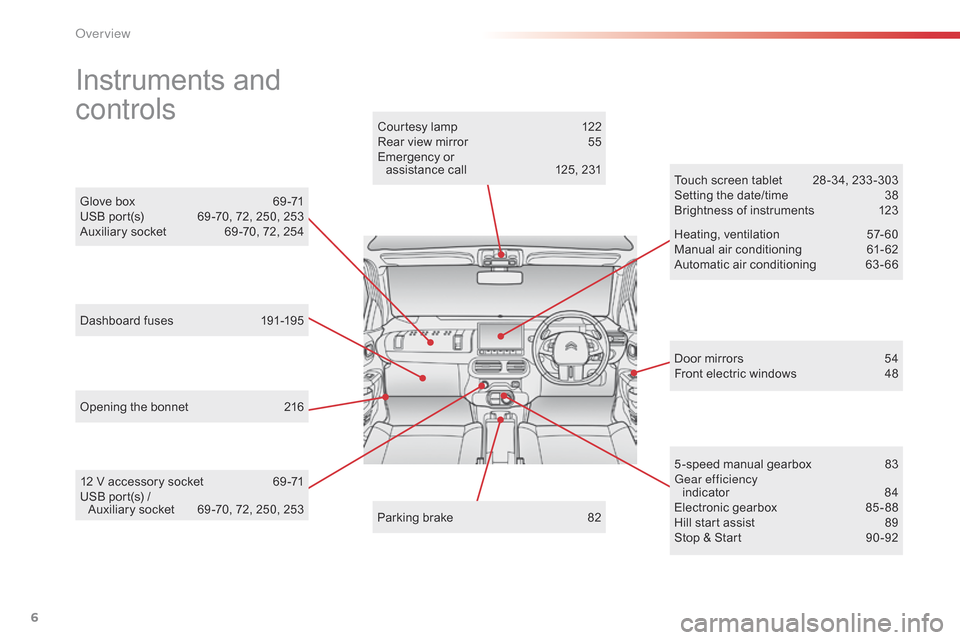
6
Instruments and
c
ontrols
Door mirrors 5 4
Front electric windows 4 8
Opening
the
bonnet
2
16 Touch
screen tablet
2
8 -34, 233 -303
Setting the date/time
3
8
Brightness of instruments
1
23
Heating,
v
entilation
5
7-60
Manual
a
ir
c
onditioning
6
1-62
Automatic air conditioning
6
3 - 66
5 -speed manual gearbox
8
3
Gear efficiency indicator
8
4
Electronic
gearbox
8
5 - 88
Hill
start assist
8
9
Stop
& Start
9
0 -92
Glove
box
6
9 -71
USB
port(s)
6
9 -70,
72,
250,
253
Auxiliary
socket
6
9 -70,
72,
254
Courtesy
lamp
1
22
Rear
view
mirror
5
5
Emergency
or
assistance
call
1
25,
231
Parking
brake
8
2
12
V
accessory
socket
6
9 -71
USB
port(s)
/
A
uxiliary
socket
6
9 -70,
72,
250,
253
Dashboard
fuses
1
91-195
over view
Page 9 of 326
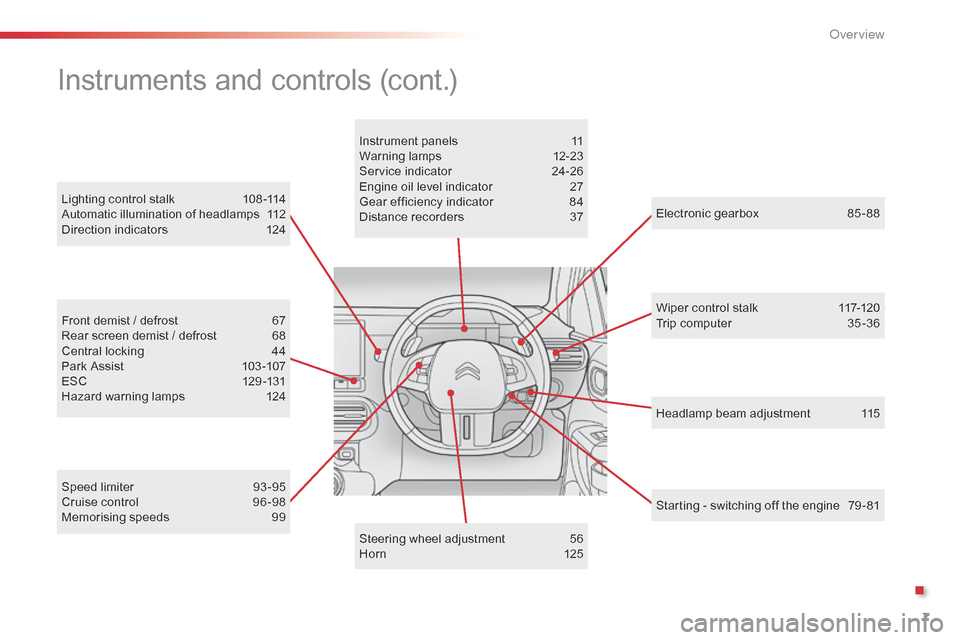
7
Headlamp beam adjustment 115
Lighting
control
stalk
1
08 -114
Automatic
illumination
of
headlamps
1
12
Direction
indicators
1
24
Electronic gearbox
8
5 - 88
Wiper control stalk
1
17-120
Trip computer
3
5 -36
Speed
limiter
9
3 -95
Cruise
control
9
6 -98
Memorising
speeds
9
9
Front
demist
/
defrost
6
7
Rear
screen
demist
/
defrost
6
8
Central
locking
4
4
Park
Assist
1
03 -107
ESC
1
29 -131
Hazard
warning
lamps
1
24 Instrument
panels
1
1
Warning
lam
ps
1
2-23
Service
indicator
2
4-26
Engine
oil
level
indicator
2
7
Gear
efficiency
indicator
8
4
Distance
recorders
3
7
Steering
wheel
adjustment
5
6
H or n
12
5
Instruments and controls (cont.)
Starting - switching off the engine 7 9 - 81
.
O
Page 33 of 326

31
The functions with settings that can be adjusted are detailed in the following table.
Bu tton Corresponding function Comments Activated Deactivated
Park Assist Activation
/ Deactivation of the function.
Stop & Star t Activation
/ Deactivation of the function.
Parking sensors Activation
/ Deactivation of the function.
Speed settings Memorisation
of speeds for use with the speed
l
imiter or cruise control.
Under-inflation initialisation Reinitialisation
of the under-inflation detection
s
ystem.
1
Monitoring
Page 83 of 326
81
Key left in the "Ignition on"
position
If the key has been left in the ignition switch at position 2 (Ignition on) ,
the
ignition will be switched off
a
utomatically after one hour.
To
switch the ignition back on, turn the
k
ey to position 1 (Stop),
then back to
p
osition 2 (Ignition on) .
Never
switch
off
the
ignition
before
the
v
ehicle
is
at
a
complete
stop.
With
the
engine
off,
the
braking
and
s
teering
assistance
systems
are
also
c
ut
off:
risk
of
loss
of
control
of
the
v
ehicle.
When
you
leave
the
vehicle,
keep
the
k
ey
with
you
and
lock
the
vehicle.
To
facilitate
unlocking
of
the
steering
c
olumn,
it
is
recommended
that
the
wheels
b
e
returned
to
the
straight
ahead
position
b
efore
switching
off
the
engine.
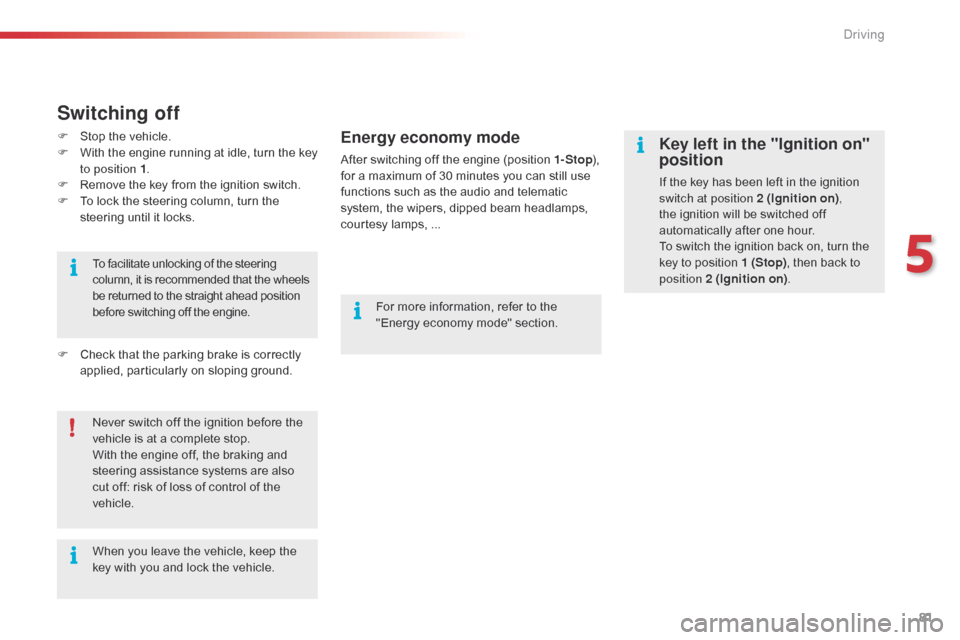
Switching off
F Stop the vehicle.
F W ith the engine running at idle, turn the key
t
o position 1 .
F
R
emove the key from the ignition switch.
F
T
o lock the steering column, turn the
s
teering until it locks.
F
C
heck that the parking brake is correctly
a
pplied, particularly on sloping ground.For
more information, refer to the
"
Energy economy mode" section.Energy economy mode
After switching off the engine (position 1- Stop), f
or a maximum of 30 minutes you can still use
f
unctions such as the audio and telematic
s
ystem, the wipers, dipped beam headlamps,
c
ourtesy lamps, ...
5
Driving
Page 91 of 326
89
Hill start assist
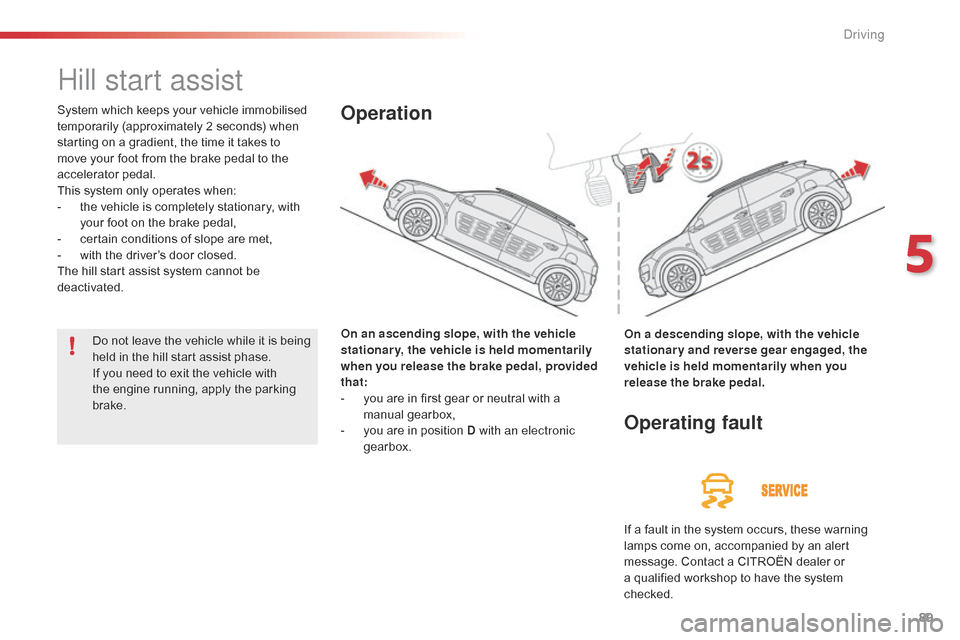
System which keeps your vehicle immobilised temporarily (approximately 2 seconds) when
s
tarting on a gradient, the time it takes to
m
ove your foot from the brake pedal to the
a
ccelerator
ped
al.
This
system only operates when:
-
t
he vehicle is completely stationary, with
y
our foot on the brake pedal,
-
c
ertain conditions of slope are met,
-
w
ith the driver’s door closed.
The
hill start assist system cannot be
d
eactivated. On an ascending slope, with the vehicle
stationary, the vehicle is held momentarily
when you release the brake pedal, provided
that:
-
y
ou are in first gear or neutral with a
m
anual
g
earbox,
-
y
ou are in position D with an electronic
gearbox.Operation
On a descending slope, with the vehicle
stationary and reverse gear engaged, the
vehicle is held momentarily when you
release the brake pedal.
Operating fault
If a fault in the system occurs, these warning l amps come on, accompanied by an alert
m
essage. Contact a CITROËN dealer or
a
qualified workshop to have the system
c
hecked.
Do
not
leave
the
vehicle
while
it
is
being
h
eld
in
the
hill
start
assist
phase.
If
you
need
to
exit
the
vehicle
with
t
he
engine
running,
apply
the
parking
b
rake.
5
driving
Page 92 of 326
90
Stop & Start
Operation
Going into engine STOP mode
The "ECO" warning lamp comes on i
n the instrument panel and the engine g
oes into standby automatically:
-
w
ith a manual gearbox , when stationary,
in
neutral, and you release the clutch
ped
al.
-
w
ith an electronic gearbox , when
stationary
or at speeds below 5 mph
(
8 km/h) (depending on version), in neutral
(
control on N)
or when you press the brake
ped
al. Never
refuel with the engine in STOP
m
ode; you must switch off the ignition
w
ith the button.
For
your comfort, during parking
m
anoeuvres, STOP mode is not
a
vailable for a few seconds after
c
oming out of reverse gear.
STOP
mode does not affect the the
v
ehicle's systems, such as for example,
b
raking, power steering...
Special cases: STOP mode not
available
STOP mode is not invoked principally when:
- t he vehicle is on a steep slope (rising or
f
alling),
-
t
he driver's door is open,
-
t
he driver's seat belt is not fastened,
-
t
he vehicle has not exceeded 6 mph
(
10 km/h) since the last engine start by the
d
river,
-
t
he engine is needed to maintain a
c
omfortable temperature in the passenger
c
ompartment,
-
d
emisting is active,
-
s
ome special conditions (battery charge,
e
ngine temperature, braking assistance,
a
mbient temperature...) where the engine is
n
eeded to assure control of a system.
In this case, the "ECO"
warning
l
amp flashes for a few seconds then
g
oes off.
This operation is perfectly normal.
The
Stop
&
Start system
puts
the
engine
temporarily
into
standby
-
STOP
mode
-
during
stops
in
the
traffic (red lights, traffic jams,
or
other...).
The engine
restarts
automatically
-
START
mode
-
as
soon
as
you
want
to
move
off.
The
restart takes place instantly, quickly
and
silently.
Per fect
for
urban
use,
the
Stop
&
Start
system
reduces
fuel
consumption
and
exhaust
emissions
as
well
as the noise level when
stationary.
Stop & Start time counter
A cumulative time counter for periods i n STOP mode during a journey.
It
is
displayed in the trip computer (accessible
v
ia the " Driving assistance "
menu of the
t
ouch
screen tablet).
It resets to zero every time the ignition is switched on.
driving
Page 102 of 326

100
This system indicates the proximity of an obstacle (person, vehicle, tree, gate, etc.)
w
hich comes within the field of detection of
s
ensors located in the bumper.
Certain
types of obstacle (stake, roadworks
c
one, etc.) detected initially will no longer be
d
etected at the end of the manoeuvre due to
t
he presence of blind spots.
Parking sensors
This function cannot, in any
circumstances, take the place of the
v
igilance of the driver. The
system is switched on by engaging reverse
g
ear. This is accompanied by an audible signal.
The system is switched off when you come out
o
f reverse gear.
Audible assistance
The proximity information is given by an i
ntermittent audible signal, the frequency of which i
ncreases as the vehicle approaches the obstacle.
The
sound emitted by the speaker (right or left)
i
ndicates the side on which the obstacle is located.
When
the distance between the vehicle and
t
he obstacle becomes less than approximately
t
hirty centimetres, the audible signal becomes
c
ontinuous.
Rear parking sensors
Visual assistance
This supplements the audible signal by d isplaying bars in the screen or the instrument
p
anel which move progressively nearer to
t
he vehicle. When the obstacle is near, the
"
Danger" symbol is displayed.
driving
Page 103 of 326

101
Front parking
sensors
The sound emitted by the speaker (front or rear) indicates whether the obstacle
i
s in front or behind.
The
system will be deactivated
a
utomatically if a trailer is being
t
owed or a bicycle carrier is fitted on
a
towbar (vehicle fitted with a towbar
i
nstalled in line with the manufacturer's
r
ecommendations).In
bad weather or in winter, ensure
t
hat the sensors are not covered with
m
ud, ice or snow. When reverse gear is
e
ngaged, an audible signal (long beep)
i
ndicates that the sensors may be dirty.
Certain
sound sources (motorcycle,
l
orry, pneumatic drill, etc.) may trigger
t
he audible signals of the parking
s
ensor system.
In
addition to the rear parking sensors, the
f
ront
parking sensors are triggered when an
o
bstacle is detected in front and the speed of
t
he
vehicle is still below 6 mph (10 km/h).
The
front parking sensors are interrupted if
t
he
vehicle stops for more than three seconds
i
n
for ward gear, if no further obstacles are
d
etected or when the speed of the vehicle
e
xceeds 6 mph (10 km/h).
Deactivation / Activation of the
front and rear parking sensors
Operating fault
In the event of a malfunction of t
he system, when reverse gear is
e
ngaged the symbol for the button
c
hanges to alert mode and the
w
arning lamp flashes for a few
m
oments then stays on continuously.
A
message appears, accompanied by an
a
udible
signal (short beep).
Contact
a CITROËN dealer or a qualified
w
orkshop.
F
P
ress on " Parking sensors ".
T
he
indicator
lamp
in
the
button
c
omes
on.
F
Sel
ect the " Driving assistance "
menu.
High pressure jet wash
When
washing your vehicle, do not direct the
l
ance
within 30 cm of the sensors.
Pressing
this
button
again
reactivates
the
s
ystem.
The
indicator
lamp
goes
off.
The
parking
sensors
can
be
deactivated
in
the
t
ouch
screen
tablet. The
parking sensors are deactivated
w
hile the Park Assist system is
m
easuring a space.
See the "Park Assist" section.
5
Driving