instrument panel CITROEN C4 DAG 2013 User Guide
[x] Cancel search | Manufacturer: CITROEN, Model Year: 2013, Model line: C4 DAG, Model: CITROEN C4 DAG 2013Pages: 340, PDF Size: 28.95 MB
Page 31 of 340
1
MONITORING
29
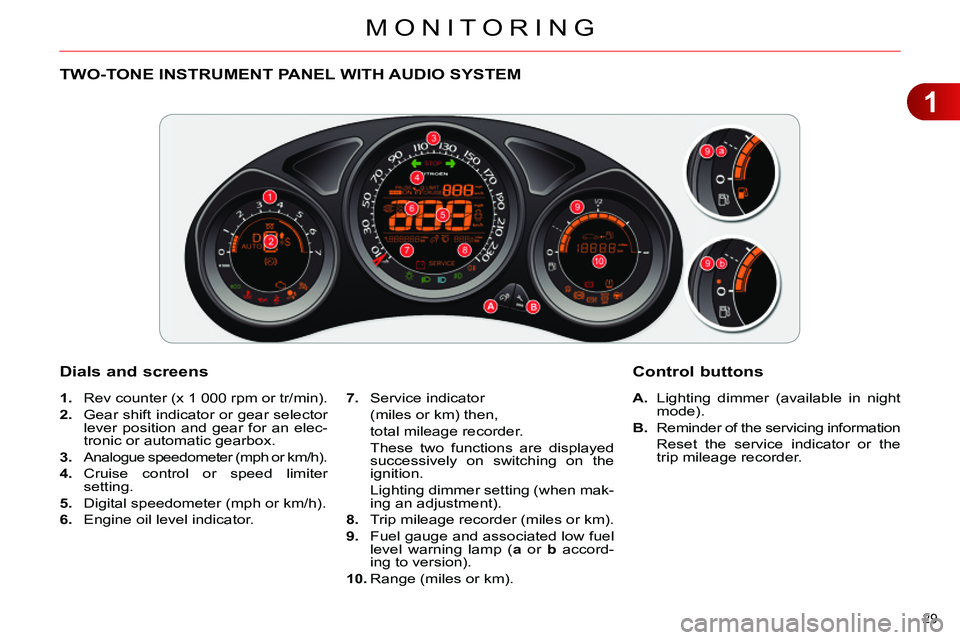
TWO-TONE INSTRUMENT PANEL WITH AUDIO SYSTEM
Dials and screens
A.
Lighting dimmer (available in night
mode).
B.
Reminder of the servicing information
Reset the service indicator or the
trip mileage recorder.
7.
Service indicator
(miles or km) then,
total mileage recorder.
These two functions are displayed
successively on switching on the
ignition.
Lighting dimmer setting (when mak-
ing an adjustment).
8.
Trip mileage recorder (miles or km).
9.
Fuel gauge and associated low fuel
level warning lamp ( a
or b
accord-
ing to version).
10.
Range (miles or km).
Control buttons
1.
Rev counter (x 1 000 rpm or tr/min).
2.
Gear shift indicator or gear selector
lever position and gear for an elec-
tronic or automatic gearbox.
3.
Analogue speedometer (mph or km/h).
4.
Cruise control or speed limiter
setting.
5.
Digital speedometer (mph or km/h).
6.
Engine oil level indicator.
Page 32 of 340
1
MONITORING
30
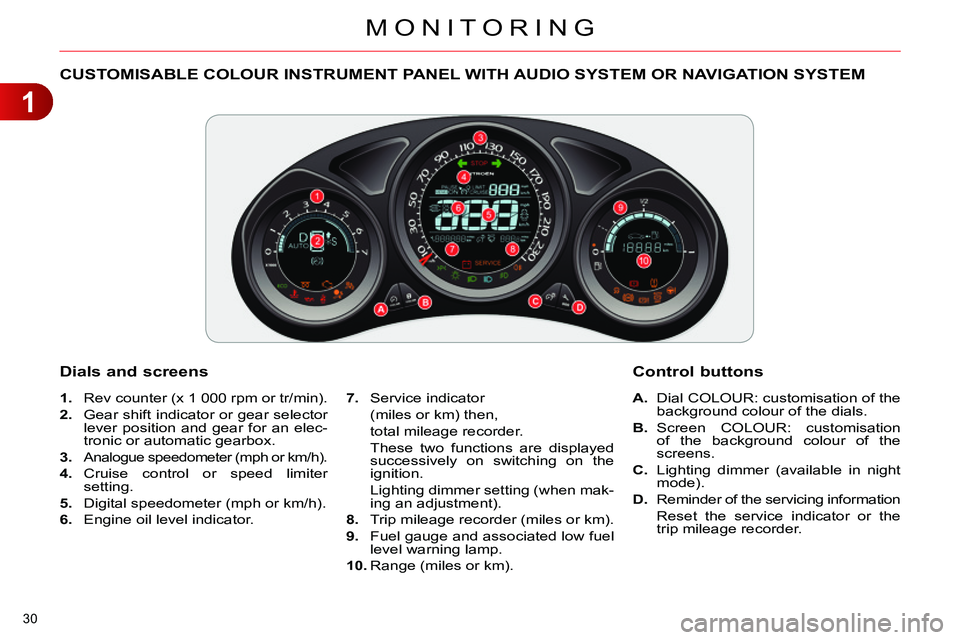
CUSTOMISABLE COLOUR INSTRUMENT PANEL WITH AUDIO SYSTEM OR NAVIGATION SYSTEM
1.
Rev counter (x 1 000 rpm or tr/min).
2.
Gear shift indicator or gear selector
lever position and gear for an elec-
tronic or automatic gearbox.
3.
Analogue speedometer (mph or km/h).
4.
Cruise control or speed limiter
setting.
5.
Digital speedometer (mph or km/h).
6.
Engine oil level indicator.
A.
Dial COLOUR: customisation of the
background colour of the dials.
B.
Screen COLOUR: customisation
of the background colour of the
screens.
C.
Lighting dimmer (available in night
mode).
D.
Reminder of the servicing information
Reset the service indicator or the
trip mileage recorder.
Dials and screens
7.
Service indicator
(miles or km) then,
total mileage recorder.
These two functions are displayed
successively on switching on the
ignition.
Lighting dimmer setting (when mak-
ing an adjustment).
8.
Trip mileage recorder (miles or km).
9.
Fuel gauge and associated low fuel
level warning lamp.
10.
Range (miles or km).
Control buttons
Page 34 of 340
1
MONITORING
32
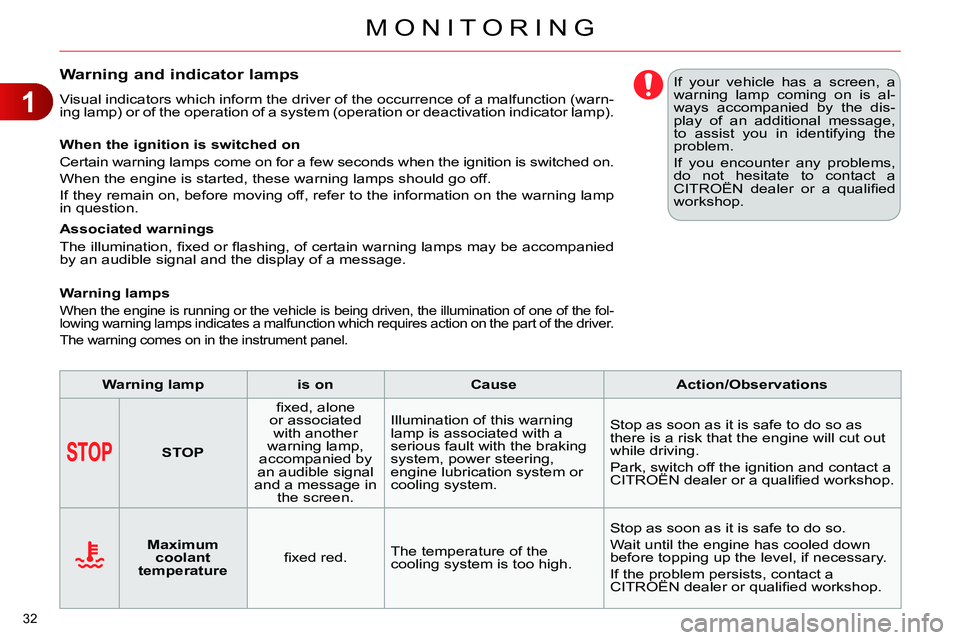
Warning and indicator lamps
Visual indicators which inform the driver of the occurrence of a malfunction (warn-
ing lamp) or of the operation of a system (operation or deactivation indicator lamp).
When the ignition is switched on
Certain warning lamps come on for a few seconds when the ignition is switched on.
When the engine is started, these warning lamps should go off.
If they remain on, before moving off, refer to the information on the warning lamp
in question.
Associated warnings
The illumination, fi xed or fl ashing, of certain warning lamps may be accompanied
by an audible signal and the display of a message.
Warning lamps
When the engine is running or the vehicle is being driven, the illumination of one of the fol-
lowing warning lamps indicates a malfunction which requires action on the part of the driver.
The warning comes on in the instrument panel.
If your vehicle has a screen, a
warning lamp coming on is al-
ways accompanied by the dis-
play of an additional message,
to assist you in identifying the
problem.
If you encounter any problems,
do not hesitate to contact a
CITROËN dealer or a qualifi ed
workshop.
Warning lamp
is on
Cause
Action/Observations
STOP
fi xed, alone
or associated
with another
warning lamp,
accompanied by
an audible signal
and a message in
the screen. Illumination of this warning
lamp is associated with a
serious fault with the braking
system, power steering,
engine lubrication system or
cooling system. Stop as soon as it is safe to do so as
there is a risk that the engine will cut out
while driving.
Park, switch off the ignition and contact a
CITROËN dealer or a qualifi ed workshop.
Maximum
coolant
temperature
fi xed red. The temperature of the
cooling system is too high. Stop as soon as it is safe to do so.
Wait until the engine has cooled down
before topping up the level, if necessary.
If the problem persists, contact a
CITROËN dealer or qualifi ed workshop.
Page 39 of 340
1
MONITORING
37
Warning lamp
is on
Cause
Action/Observations
Foot on the
clutch **
fi xed. In the STOP mode of Stop &
Start, changing to START
mode is refused because the
clutch pedal is not fully down. You must declutch fully to allow the
change to engine START mode.
**
Only on the two-tone instrument panel without audio system.
Dynamic
stability control
(ESP/ASR)
fl ashing. The ESP/ASR regulation is
active. The system optimises traction and
improves the directional stability of the
vehicle.
fi xed, associated
with illumination of
the indicator lamp
in the " ESP OFF
"
button, accompanied
by an audible signal
and a message.
The ESP/ASR or hill start
assist system has a fault. Have it checked by a CITROËN dealer or
a qualifi ed workshop.
Power steering
fi xed. The power steering has a
fault. Drive carefully at reduced speed.
Have it checked by a CITROËN dealer or
a qualifi ed workshop.
Under-infl ation
fi xed. The pressure in one or more
wheels is too low. Check the pressure of the tyres as soon
as possible.
This check should preferably be carried
out when the tyres are cold.
+
fl ashing
then fi xed,
accompanied
by the Service
warning lamp. The tyre pressure monitoring
system has a fault or no
sensor is detected on one of
the wheels. Under-infl ation detection is not assured.
Have the system checked by a CITROËN
dealer or a qualifi ed workshop.
Directional
headlamps
fl ashing. The directional headlamps
system has a fault. Have it checked by a CITROËN dealer or
a qualifi ed workshop.
Page 44 of 340
1
MONITORING
42
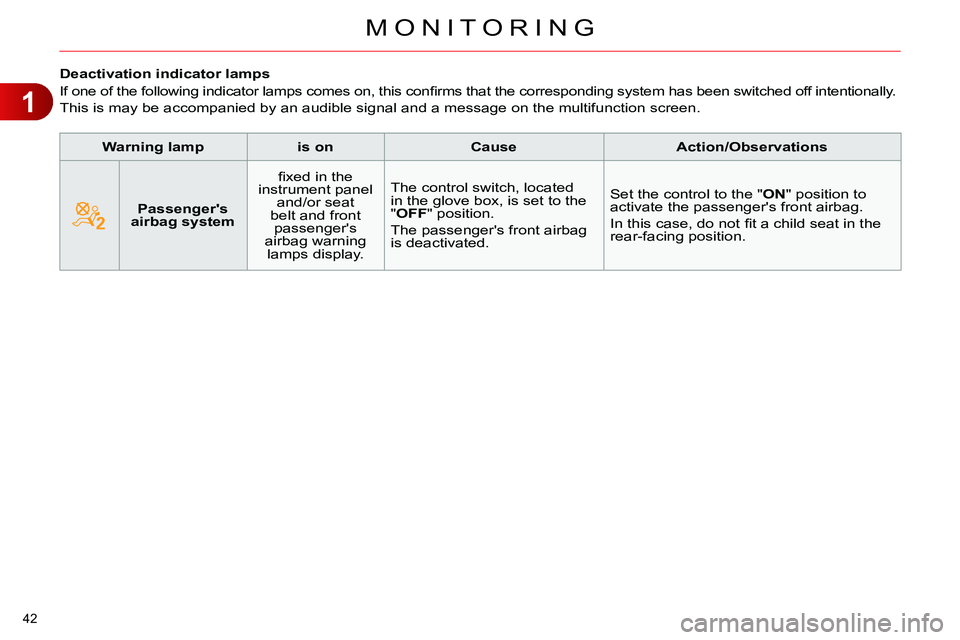
Deactivation indicator lamps
If one of the following indicator lamps comes on, this confi rms that the corresponding system has been switched off intentionally.
This is may be accompanied by an audible signal and a message on the multifunction screen.
Warning lamp
is on
Cause
Action/Observations
Passenger's
airbag system
fi xed in the
instrument panel
and/or seat
belt and front
passenger's
airbag warning
lamps display. The control switch, located
in the glove box, is set to the
"OFF" position.
The passenger's front airbag
is deactivated. Set the control to the "ON" position to
activate the passenger's front airbag.
In this case, do not fi t a child seat in the
rear-facing position.
Page 45 of 340
1
MONITORING
43
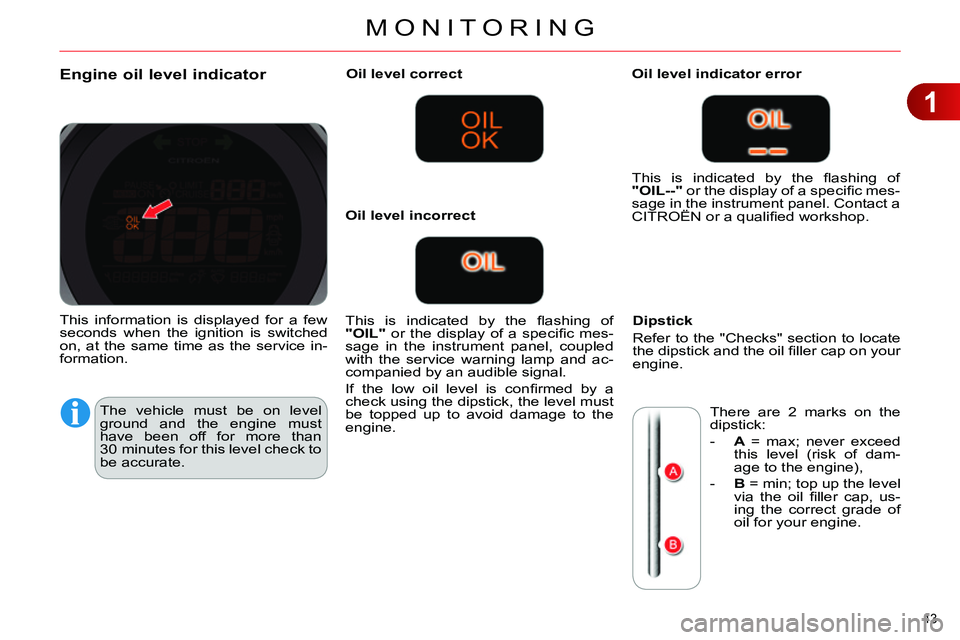
Engine oil level indicator
The vehicle must be on level
ground and the engine must
have been off for more than
30 minutes for this level check to
be accurate.
Oil level correct
This is indicated by the fl ashing of
"OIL"
or the display of a specifi c mes-
sage in the instrument panel, coupled
with the service warning lamp and ac-
companied by an audible signal.
If the low oil level is confi rmed by a
check using the dipstick, the level must
be topped up to avoid damage to the
engine.
Oil level indicator error
Dipstick
Refer to the "Checks" section to locate
the dipstick and the oil fi ller cap on your
engine.
Oil level incorrect This is indicated by the fl ashing of
"OIL--"
or the display of a specifi c mes-
sage in the instrument panel. Contact a
CITROËN or a qualifi ed workshop.
There are 2 marks on the
dipstick:
- A
= max; never exceed
this level (risk of dam-
age to the engine),
- B
= min; top up the level
via the oil fi ller cap, us-
ing the correct grade of
oil for your engine.
This information is displayed for a few
seconds when the ignition is switched
on, at the same time as the service in-
formation.
Page 46 of 340
1
MONITORING
44
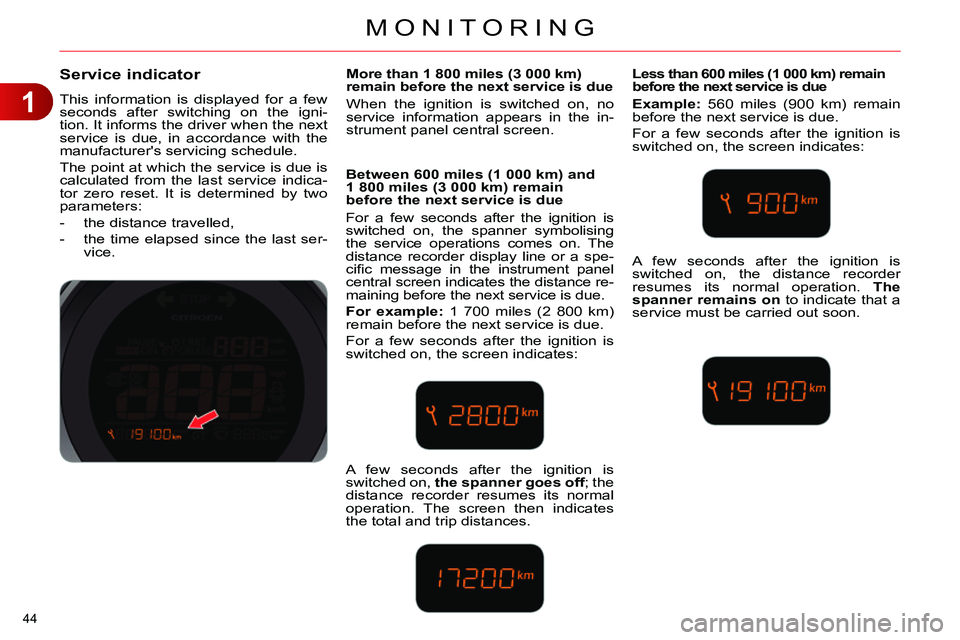
Service indicator
This information is displayed for a few
seconds after switching on the igni-
tion. It informs the driver when the next
service is due, in accordance with the
manufacturer's servicing schedule.
The point at which the service is due is
calculated from the last service indica-
tor zero reset. It is determined by two
parameters:
- the distance travelled,
- the time elapsed since the last ser-
vice.
More than 1 800 miles (3 000 km)
remain before the next service is due
When the ignition is switched on, no
service information appears in the in-
strument panel central screen.
Between 600 miles (1 000 km) and
1 800 miles (3 000 km) remain
before the next service is due
For a few seconds after the ignition is
switched on, the spanner symbolising
the service operations comes on. The
distance recorder display line or a spe-
cifi c message in the instrument panel
central screen indicates the distance re-
maining before the next service is due.
For example:
1 700 miles (2 800 km)
remain before the next service is due.
For a few seconds after the ignition is
switched on, the screen indicates:
Less than 600 miles (1 000 km) remain
before the next service is due
Example:
560 miles (900 km) remain
before the next service is due.
For a few seconds after the ignition is
switched on, the screen indicates:
A few seconds after the ignition is
switched on, the spanner goes off
; the
distance recorder resumes its normal
operation. The screen then indicates
the total and trip distances. A few seconds after the ignition is
switched on, the distance recorder
resumes its normal operation. The
spanner remains on
to indicate that a
service must be carried out soon.
Page 48 of 340
1
MONITORING
46
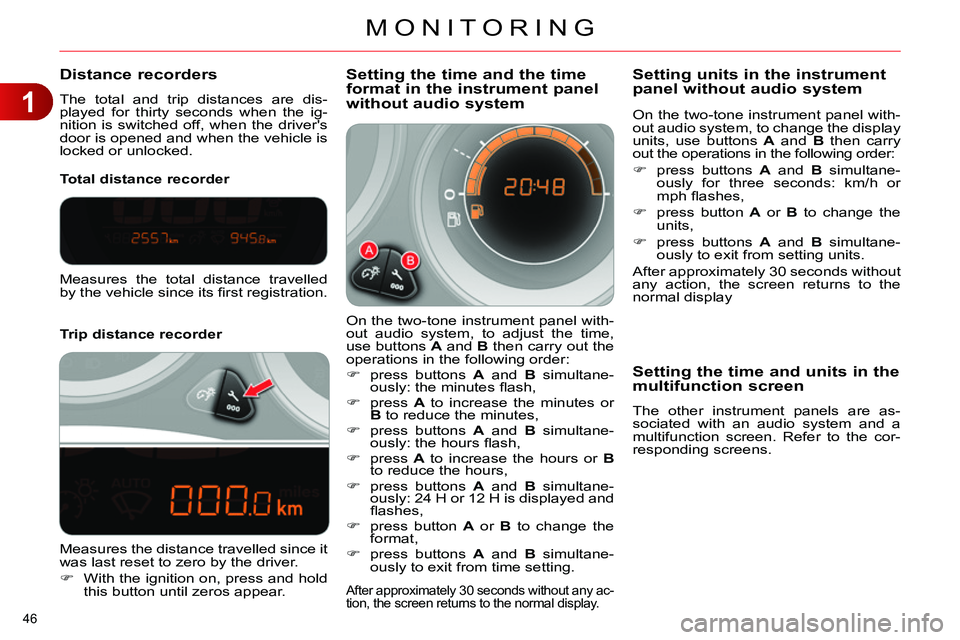
Distance recorders
The total and trip distances are dis-
played for thirty seconds when the ig-
nition is switched off, when the driver's
door is opened and when the vehicle is
locked or unlocked.
Trip distance recorder
Total distance recorder
Setting the time and the time
format in the instrument panel
without audio system
On the two-tone instrument panel with-
out audio system, to adjust the time,
use buttons A
and B
then carry out the
operations in the following order:
press buttons A
and B
simultane-
ously: the minutes fl ash,
press A
to increase the minutes or
B
to reduce the minutes,
press buttons A
and B
simultane-
ously: the hours fl ash,
press A
to increase the hours or B
to reduce the hours,
press buttons A
and B
simultane-
ously: 24 H or 12 H is displayed and
fl ashes,
press button A
or B
to change the
format,
press buttons A
and B
simultane-
ously to exit from time setting.
After approximately 30 seconds without any ac-
tion, the screen returns to the normal display.
Measures the total distance travelled
by the vehicle since its fi rst registration.
Measures the distance travelled since it
was last reset to zero by the driver.
With the ignition on, press and hold
this button until zeros appear.
On the two-tone instrument panel with-
out audio system, to change the display
units, use buttons A
and B
then carry
out the operations in the following order:
press buttons A
and B
simultane-
ously for three seconds: km/h or
mph fl ashes,
press button A
or B
to change the
units,
press buttons A
and B
simultane-
ously to exit from setting units.
After approximately 30 seconds without
any action, the screen returns to the
normal display
Setting units in the instrument
panel without audio system
Setting the time and units in the
multifunction screen
The other instrument panels are as-
sociated with an audio system and a
multifunction screen. Refer to the cor-
responding screens.
Page 49 of 340
1
MONITORING
47
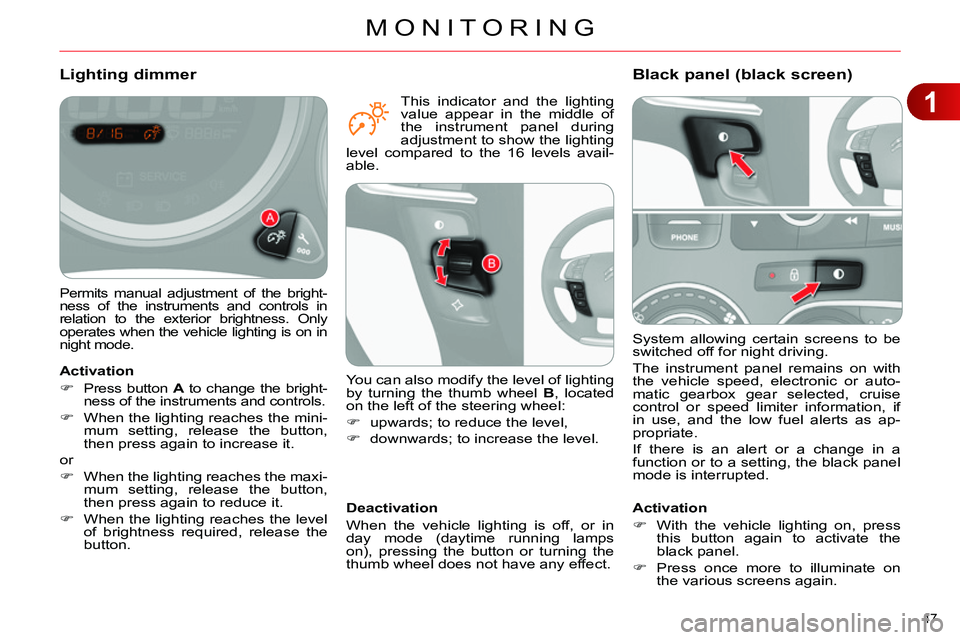
System allowing certain screens to be
switched off for night driving.
The instrument panel remains on with
the vehicle speed, electronic or auto-
matic gearbox gear selected, cruise
control or speed limiter information, if
in use, and the low fuel alerts as ap-
propriate.
If there is an alert or a change in a
function or to a setting, the black panel
mode is interrupted.
Black panel (black screen)
Activation
With the vehicle lighting on, press
this button again to activate the
black panel.
Press once more to illuminate on
the various screens again.
Permits manual adjustment of the bright-
ness of the instruments and controls in
relation to the exterior brightness. Only
operates when the vehicle lighting is on in
night mode.
Lighting dimmer
Activation
Press button A
to change the bright-
ness of the instruments and controls.
When the lighting reaches the mini-
mum setting, release the button,
then press again to increase it.
or
When the lighting reaches the maxi-
mum setting, release the button,
then press again to reduce it.
When the lighting reaches the level
of brightness required, release the
button.
Deactivation
When the vehicle lighting is off, or in
day mode (daytime running lamps
on), pressing the button or turning the
thumb wheel does not have any effect.
You can also modify the level of lighting
by turning the thumb wheel B
, located
on the left of the steering wheel:
upwards; to reduce the level,
downwards; to increase the level.
This indicator and the lighting
value appear in the middle of
the instrument panel during
adjustment to show the lighting
level compared to the 16 levels avail-
able.
Page 50 of 340
1
MONITORING
48
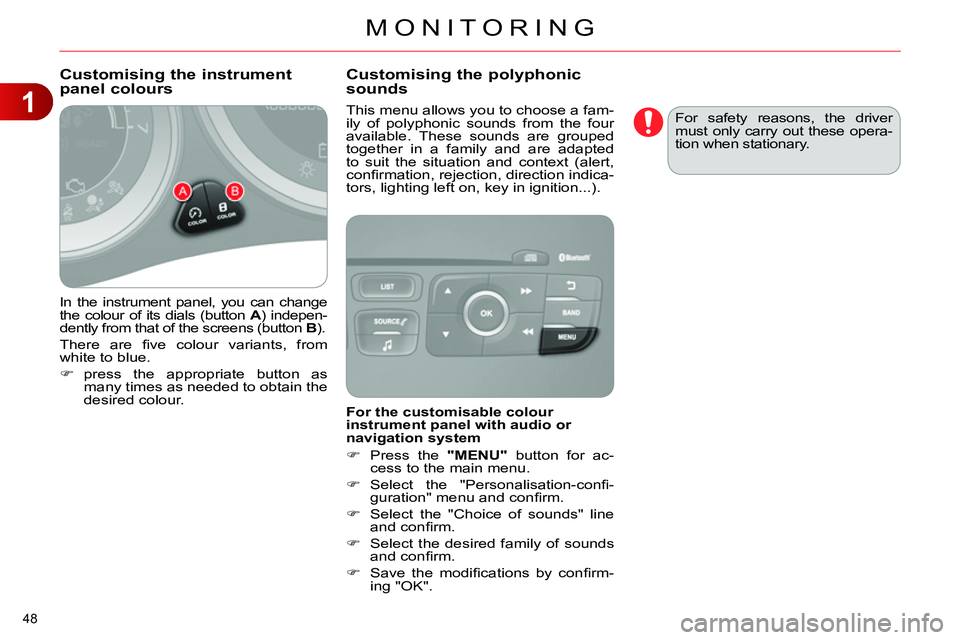
In the instrument panel, you can change
the colour of its dials (button A
) indepen-
dently from that of the screens (button B
).
There are fi ve colour variants, from
white to blue.
press the appropriate button as
many times as needed to obtain the
desired colour.
This menu allows you to choose a fam-
ily of polyphonic sounds from the four
available. These sounds are grouped
together in a family and are adapted
to suit the situation and context (alert,
confi rmation, rejection, direction indica-
tors, lighting left on, key in ignition...).
Customising the instrument
panel colours
Customising the polyphonic
sounds
For the customisable colour
instrument panel with audio or
navigation system
Press the "MENU"
button for ac-
cess to the main menu.
Select the "Personalisation-confi -
guration" menu and confi rm.
Select the "Choice of sounds" line
and confi rm.
Select the desired family of sounds
and confi rm.
Save the modifi cations by confi rm-
ing "OK". For safety reasons, the driver
must only carry out these opera-
tion when stationary.