lock CITROEN C4 DAG 2013 User Guide
[x] Cancel search | Manufacturer: CITROEN, Model Year: 2013, Model line: C4 DAG, Model: CITROEN C4 DAG 2013Pages: 340, PDF Size: 28.95 MB
Page 52 of 340
2
MULTIFUNCTION SCREENS
50
Once the "TRIP COMPUTER" menu
has been selected, you can start diag-
nostics of the status of the equipment
(active, not active, faulty).
Trip computer
Date and time
Once the "DATE AND TIME" menu has
been selected, you have access to the
following settings:
- year,
- month,
- day,
- hours,
- minutes,
- 12 or 24 hour mode.
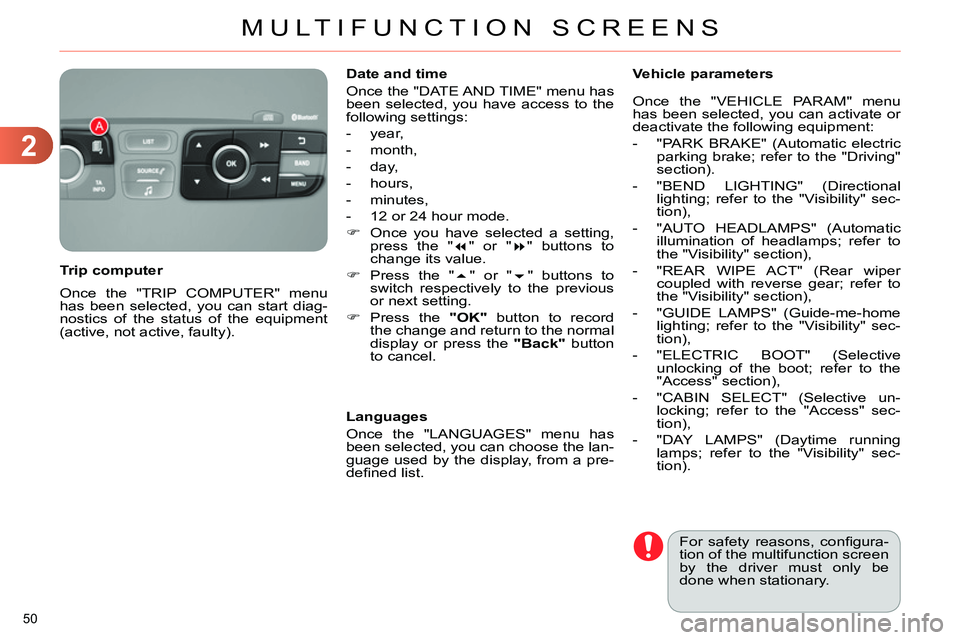
Once you have selected a setting,
press the "
" or "
" buttons to
change its value.
Press the "
" or "
" buttons to
switch respectively to the previous
or next setting.
Press the "OK"
button to record
the change and return to the normal
display or press the "Back"
button
to cancel.
Languages
Once the "LANGUAGES" menu has
been selected, you can choose the lan-
guage used by the display, from a pre-
defi ned list.
For safety reasons, confi gura-
tion of the multifunction screen
by the driver must only be
done when stationary.
Vehicle parameters
Once the "VEHICLE PARAM" menu
has been selected, you can activate or
deactivate the following equipment:
- "PARK BRAKE" (Automatic electric
parking brake; refer to the "Driving"
section).
- "BEND LIGHTING" (Directional
lighting; refer to the "Visibility" sec-
tion),
- "AUTO HEADLAMPS" (Automatic
illumination of headlamps; refer to
the "Visibility" section),
- "REAR WIPE ACT" (Rear wiper
coupled with reverse gear; refer to
the "Visibility" section),
- "GUIDE LAMPS" (Guide-me-home
lighting; refer to the "Visibility" sec-
tion),
- "ELECTRIC BOOT" (Selective
unlocking of the boot; refer to the
"Access" section),
- "CABIN SELECT" (Selective un-
locking; refer to the "Access" sec-
tion),
- "DAY LAMPS" (Daytime running
lamps; refer to the "Visibility" sec-
tion).
Page 54 of 340
2
MULTIFUNCTION SCREENS
52
Defi ne the vehicle parameters
This menu allows you to activate or de-
activate the following equipment, clas-
sifi ed in different categories:
- "Access to the vehicle" (see the
"Access" section):
●
"Plip action" (Selective unlocking
of the driver's door),
●
"Unlocking boot only" (Selective
unlocking of the boot).
"Telephone" menu
With the audio system switched on, this
menu allows you to make a call or view
the various telephone directories.
For more information on the "Telephone"
application, refer to the "Audio and
Telematics" section. This menu allows you to view informa-
tion on the status of the vehicle.
Warning log
This summarises the status and warn-
ing messages for systems (active, not
active or faulty), displaying them in suc-
cession in the multifunction screen.
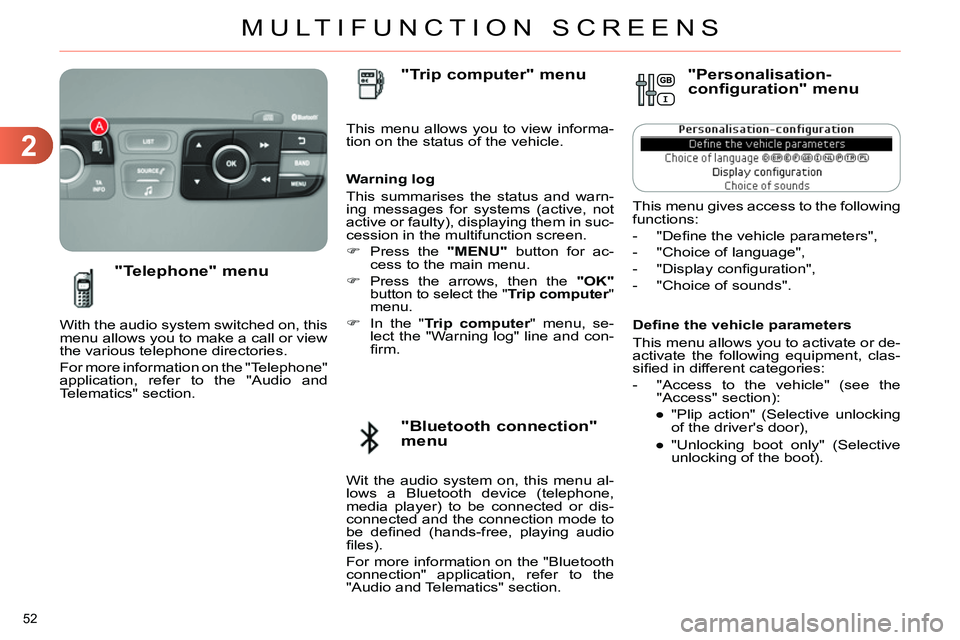
Press the "MENU"
button for ac-
cess to the main menu.
Press the arrows, then the "OK"
button to select the " Trip computer
"
menu.
In the " Trip computer
" menu, se-
lect the "Warning log" line and con-
fi rm.
"Bluetooth connection"
menu
"Trip computer" menu
Wit the audio system on, this menu al-
lows a Bluetooth device (telephone,
media player) to be connected or dis-
connected and the connection mode to
be defi ned (hands-free, playing audio
fi les).
For more information on the "Bluetooth
connection" application, refer to the
"Audio and Telematics" section.
"Personalisation-
configuration" menu
This menu gives access to the following
functions:
- "Defi ne the vehicle parameters",
- "Choice of language",
- "Display confi guration",
- "Choice of sounds".
Page 58 of 340
2
MULTIFUNCTION SCREENS
56
Choice of sounds
This menu allows you to choose a
family of polyphonic sounds from four
available. These sounds are grouped
together in a family and are adapted
to suit the situation and context (alert,
confi rmation, rejection, direction indica-
tors, lighting left on, key in ignition...).
Display confi guration
This menu is used to select the col-
our scheme for the screen, adjust the
brightness, set the date and time and
to choose the units for distance (km
or miles), fuel consumption (l/100 km,
mpg or km/l) and temperature (°Celsius
or °Fahrenheit).
Adjusting the voice synthesiser
This menu is used to adjust the volume
setting for navigation instructions and
to choose the type of voice (male or fe-
male).
Adjusting the date and time
- Press on SETUP
.
- Select "Display confi guration" and
confi rm.
- Select "Set date and time and con-
fi rm.
Select "Minute adjustment via GPS" so
that the minutes are adjusted automati-
cally by satellite reception.
- Select the setting to modify. Confi rm
by pressing on OK
, then modify the
setting and confi rm again to save
the modifi cation.
- Adjust the settings one by one.
- Select " OK
" in the screen then con-
fi rm to save the setting.
Choice of language
This menu is used to choose the lan-
guage used by the screen from a de-
fi ned list.
Vehicle parameters
This menu is used to activate or deac-
tivate certain driving and comfort sys-
tems, classifi ed by category:
- "Driver aid":
●
"Electric brake * " (Automatic electric
parking brake; see "Driving" sec-
tion),
●
"Rear wiper" (Rear wiper coupled
to reverse gear; see "Visibility"
section),
●
"Speed limits" (Memorising speed
settings for the cruise control and
speed limiter; see "Driving" sec-
tion).
Alert log
This lists the active alerts by displaying
in turn the different messages associ-
ated with them.
- "Vehicle access" (see "Access" sec-
tion):
●
"Driver doors selectivity" (Se-
lective unlocking of the driver's
door),
●
"Rear doors selectivity" (Selective
unlocking of the boot using the
centre button on the remote con-
trol; see "Access section).
- "Driving lights" (see "Visibility" sec-
tion):
●
"Day lights * " (Daytime running
lamps),
●
"Directional headlights" (Main /
additional directional lighting).
- "Comfort lighting" (see "Visibility"
section):
●
"Welcome lights" (Interior welcome
lighting),
●
"Running lights" (Automatic timed
operation of headlamps).
*
Depending on country.
Page 70 of 340
3
COMFORT
68
Switching the system off
Avoid prolonged operation in in-
terior air recirculation mode or
driving for long periods with the
system off (risk of misting and
deterioration of air quality).
On stopping the engine
- While the control screens remain
on: the function is available.
- Pressing the REST
button activates
the ventilation for a few minutes.
Activation of the function is con-
fi rmed by the display of two dashes
in the control screens and four air
fl ow level indicator lamps.
Locking the vehicle has no effect on
this function.
- The control screens go off at the
end of this period.
Pressing again before the end of
the period interrupts off the ventila-
tion defi nitively: the control screens
go off and the function is no longer
available.
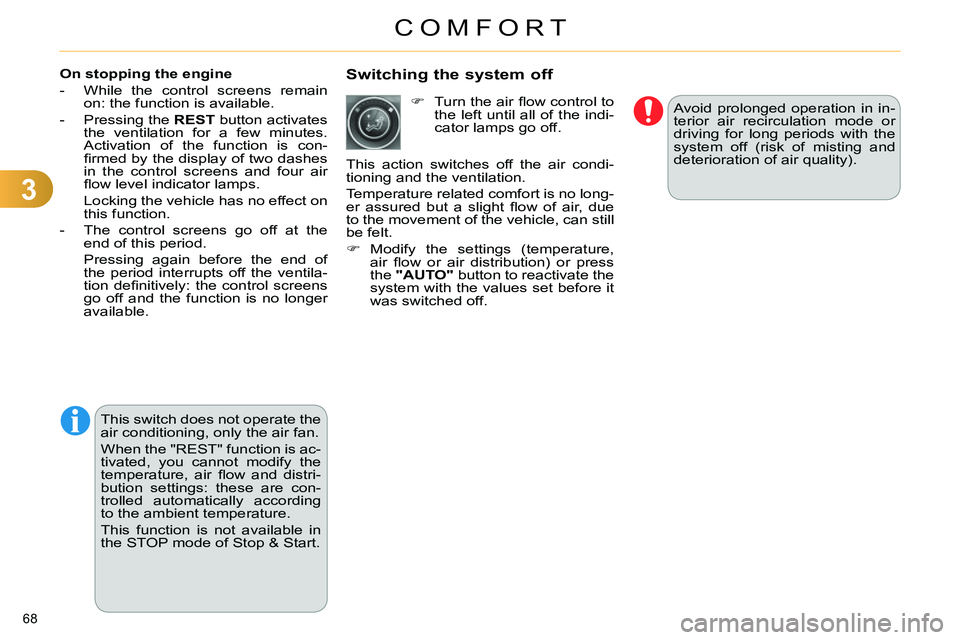
Turn the air fl ow control to
the left until all of the indi-
cator lamps go off.
This action switches off the air condi-
tioning and the ventilation.
Temperature related comfort is no long-
er assured but a slight fl ow of air, due
to the movement of the vehicle, can still
be felt.
Modify the settings (temperature,
air fl ow or air distribution) or press
the "AUTO"
button to reactivate the
system with the values set before it
was switched off.
This switch does not operate the
air conditioning, only the air fan.
When the "REST" function is ac-
tivated, you cannot modify the
temperature, air fl ow and distri-
bution settings: these are con-
trolled automatically according
to the ambient temperature.
This function is not available in
the STOP mode of Stop & Start.
Page 78 of 340
3
COMFORT
76
MIRRORS
Door mirrors
Each fi tted with an adjustable mirror
glass permitting the lateral rearward vi-
sion necessary for overtaking or park-
ing. They can also be folded for parking
in confi ned spaces.
Demisting - Defrosting
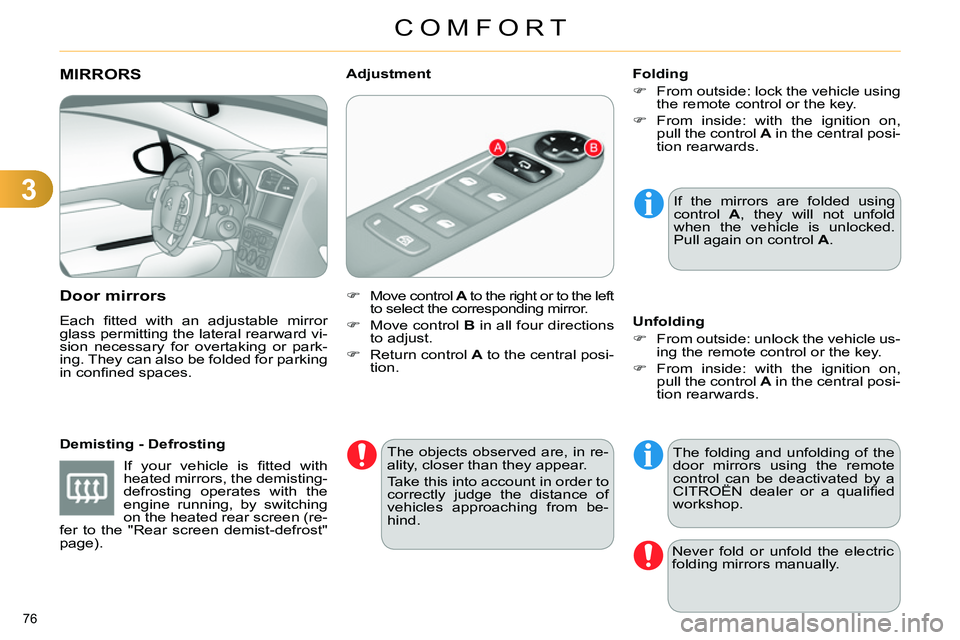
Move control A
to the right or to the left
to select the corresponding mirror.
Move control B
in all four directions
to adjust.
Return control A
to the central posi-
tion.
Adjustment
If the mirrors are folded using
control A
, they will not unfold
when the vehicle is unlocked.
Pull again on control A
.
The objects observed are, in re-
ality, closer than they appear.
Take this into account in order to
correctly judge the distance of
vehicles approaching from be-
hind.
Folding
From outside: lock the vehicle using
the remote control or the key.
From inside: with the ignition on,
pull the control A
in the central posi-
tion rearwards.
The folding and unfolding of the
door mirrors using the remote
control can be deactivated by a
CITROËN dealer or a qualifi ed
workshop.
Unfolding
From outside: unlock the vehicle us-
ing the remote control or the key.
From inside: with the ignition on,
pull the control A
in the central posi-
tion rearwards.
Never fold or unfold the electric
folding mirrors manually.
If your vehicle is fi tted with
heated mirrors, the demisting-
defrosting operates with the
engine running, by switching
on the heated rear screen (re-
fer to the "Rear screen demist-defrost"
page).
Page 80 of 340
3
COMFORT
78
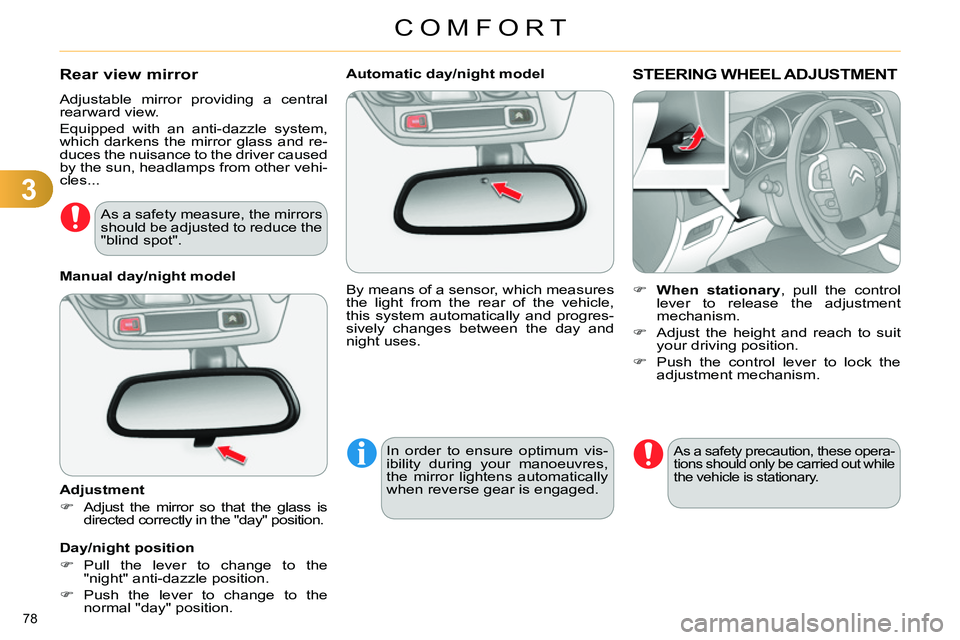
Automatic day/night model
By means of a sensor, which measures
the light from the rear of the vehicle,
this system automatically and progres-
sively changes between the day and
night uses.
In order to ensure optimum vis-
ibility during your manoeuvres,
the mirror lightens automatically
when reverse gear is engaged.
STEERING WHEEL ADJUSTMENT
When stationary
, pull the control
lever to release the adjustment
mechanism.
Adjust the height and reach to suit
your driving position.
Push the control lever to lock the
adjustment mechanism.
As a safety precaution, these opera-
tions should only be carried out while
the vehicle is stationary.
Rear view mirror
Adjustable mirror providing a central
rearward view.
Equipped with an anti-dazzle system,
which darkens the mirror glass and re-
duces the nuisance to the driver caused
by the sun, headlamps from other vehi-
cles...
Manual day/night model
Adjustment
Adjust the mirror so that the glass is
directed correctly in the "day" position.
Day/night position
Pull the lever to change to the
"night" anti-dazzle position.
Push the lever to change to the
normal "day" position.
As a safety measure, the mirrors
should be adjusted to reduce the
"blind spot".
Page 81 of 340
4
ACCESS
79
REMOTE CONTROL KEY
System which permits central unlocking
or locking of the vehicle using the door
lock or from a distance. It is also used
to locate and start the vehicle, as well
as providing protection against theft.
Press the open padlock
once to unlock the driver's
door only.
Selective unlocking using the
remote control
Turn the key towards the front in
the driver's door lock to unlock the
vehicle completely.
Complete unlocking using the
remote control
Press the open padlock
to unlock the vehicle com-
pletely.
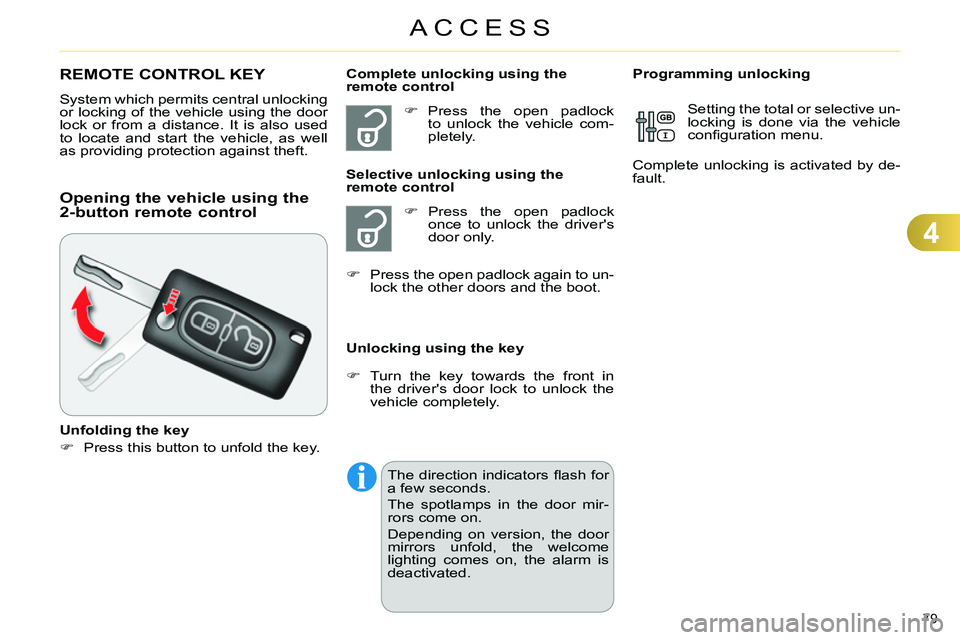
Opening the vehicle using the
2-button remote control
Unfolding the key
Press this button to unfold the key.
Unlocking using the key
Programming unlocking
Setting the total or selective un-
locking is done via the vehicle
confi guration menu.
Complete unlocking is activated by de-
fault.
Press the open padlock again to un-
lock the other doors and the boot.
The direction indicators fl ash for
a few seconds.
The spotlamps in the door mir-
rors come on.
Depending on version, the door
mirrors unfold, the welcome
lighting comes on, the alarm is
deactivated.
Page 82 of 340
4
ACCESS
80
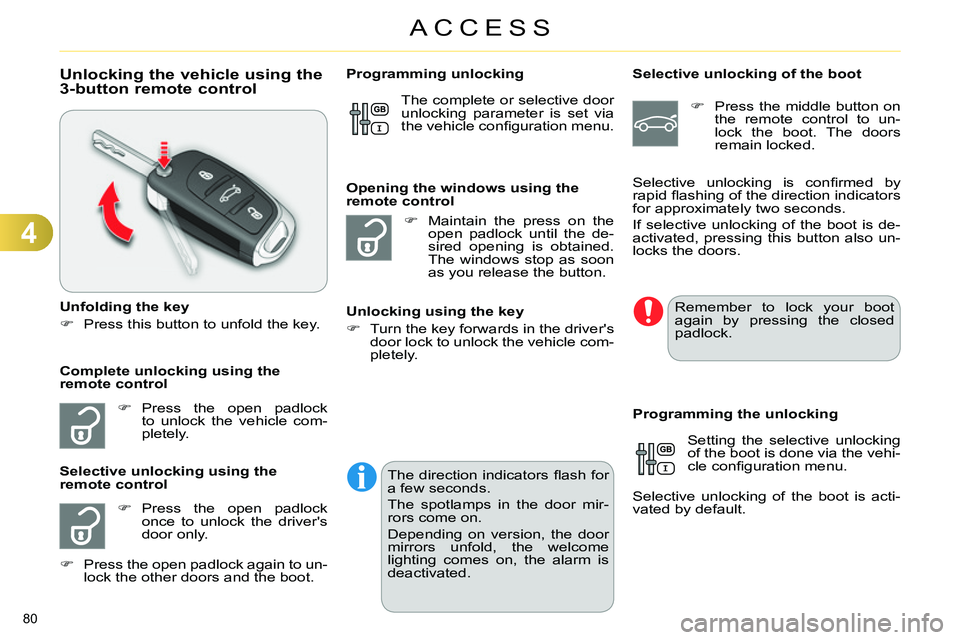
Unlocking the vehicle using the
3-button remote control
Unfolding the key
Press this button to unfold the key.
Press the open padlock
to unlock the vehicle com-
pletely.
Press the open padlock
once to unlock the driver's
door only.
Selective unlocking using the
remote control
Maintain the press on the
open padlock until the de-
sired opening is obtained.
The windows stop as soon
as you release the button.
Opening the windows using the
remote control
Unlocking using the key
Turn the key forwards in the driver's
door lock to unlock the vehicle com-
pletely.
Programming unlocking
Selective unlocking of the boot
Press the middle button on
the remote control to un-
lock the boot. The doors
remain locked.
Setting the selective unlocking
of the boot is done via the vehi-
cle confi guration menu.
Selective unlocking of the boot is acti-
vated by default.
Programming the unlocking
Complete unlocking using the
remote control Selective unlocking is confi rmed by
rapid fl ashing of the direction indicators
for approximately two seconds.
If selective unlocking of the boot is de-
activated, pressing this button also un-
locks the doors. The complete or selective door
unlocking parameter is set via
the vehicle confi guration menu.
Remember to lock your boot
again by pressing the closed
padlock.
Press the open padlock again to un-
lock the other doors and the boot.
The direction indicators fl ash for
a few seconds.
The spotlamps in the door mir-
rors come on.
Depending on version, the door
mirrors unfold, the welcome
lighting comes on, the alarm is
deactivated.
Page 83 of 340
4
ACCESS
81
Locking the vehicle
Press the closed padlock to
lock the vehicle.
Normal locking using the remote
control
Normal locking using the key
Turn the key towards the rear in the
driver's door lock to lock the vehicle.
Locating your vehicle
This function allows you to identify your
vehicle from a distance, particularly in
poor light. Your vehicle must be locked.
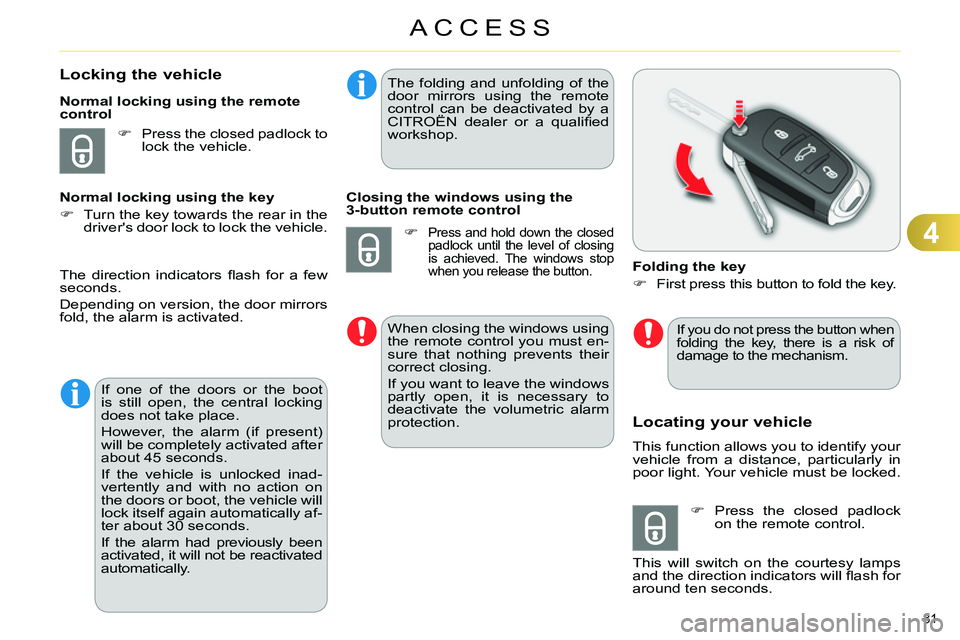
Folding the key
First press this button to fold the key.
Press the closed padlock
on the remote control.
This will switch on the courtesy lamps
and the direction indicators will fl ash for
around ten seconds.
The direction indicators fl ash for a few
seconds.
Depending on version, the door mirrors
fold, the alarm is activated.
If one of the doors or the boot
is still open, the central locking
does not take place.
However, the alarm (if present)
will be completely activated after
about 45 seconds.
If the vehicle is unlocked inad-
vertently and with no action on
the doors or boot, the vehicle will
lock itself again automatically af-
ter about 30 seconds.
If the alarm had previously been
activated, it will not be reactivated
automatically.
The folding and unfolding of the
door mirrors using the remote
control can be deactivated by a
CITROËN dealer or a qualifi ed
workshop.
Closing the windows using the
3-button remote control
Press and hold down the closed
padlock until the level of closing
is achieved. The windows stop
when you release the button.
When closing the windows using
the remote control you must en-
sure that nothing prevents their
correct closing.
If you want to leave the windows
partly open, it is necessary to
deactivate the volumetric alarm
protection.
If you do not press the button when
folding the key, there is a risk of
damage to the mechanism.
Page 84 of 340
4
ACCESS
82
Anti-theft protection
Electronic engine immobiliser
The key contains an electronic chip
which has a special code. When the
ignition is switched on, this code must
be recognised in order for starting to be
possible.
This electronic engine immobiliser locks
the engine management system a few
minutes after the ignition is switched off
and prevents starting of the engine by
anyone who does not have the key.
In the event of a fault, you
are informed by illumina-
tion of this warning lamp,
an audible signal and a message in the
screen.
In this case, your vehicle will not start;
contact a CITROËN dealer as soon as
possible.
Starting the vehicle
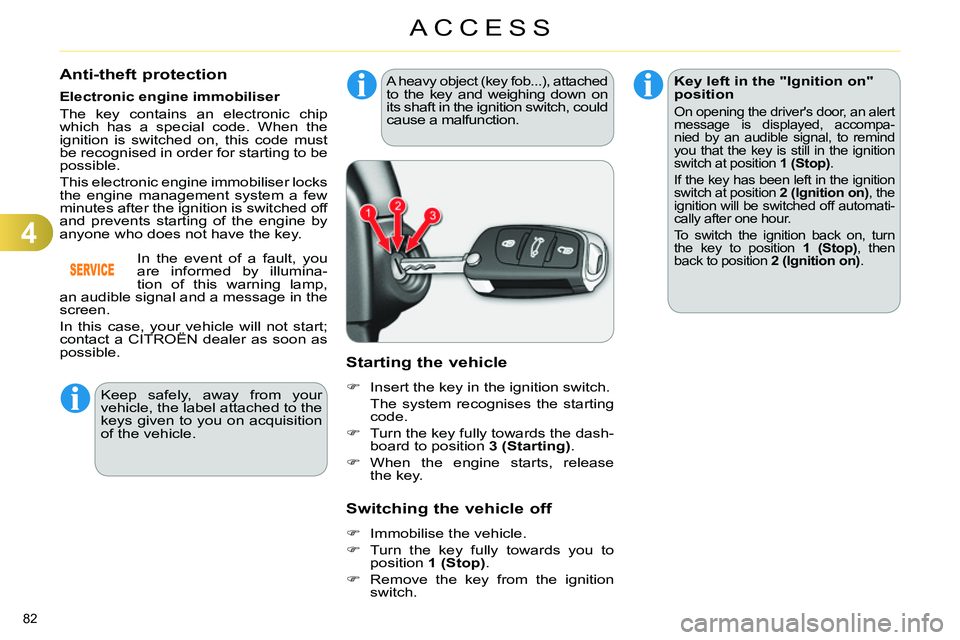
Insert the key in the ignition switch.
The system recognises the starting
code.
Turn the key fully towards the dash-
board to position 3 (Starting)
.
When the engine starts, release
the key.
A heavy object (key fob...), attached to the key and weighing down on
its shaft in the ignition switch, could
cause a malfunction.
Switching the vehicle off
Immobilise the vehicle.
Turn the key fully towards you to
position 1 (Stop)
.
Remove the key from the ignition
switch.
Key left in the "Ignition on"
position
On opening the driver's door, an alert
message is displayed, accompa-
nied by an audible signal, to remind
you that the key is still in the ignition
switch at position 1 (Stop)
.
If the key has been left in the ignition
switch at position 2 (Ignition on)
, the
ignition will be switched off automati-
cally after one hour.
To switch the ignition back on, turn
the key to position 1 (Stop)
, then
back to position 2 (Ignition on)
.
Keep safely, away from your
vehicle, the label attached to the
keys given to you on acquisition
of the vehicle.