audio Citroen C4 PICASSO 2008 1.G User Guide
[x] Cancel search | Manufacturer: CITROEN, Model Year: 2008, Model line: C4 PICASSO, Model: Citroen C4 PICASSO 2008 1.GPages: 266, PDF Size: 7.14 MB
Page 164 of 266
161
C D S O U R C E
MP3 CD player
Your Audio CD system may be MP3 compatible.
As you insert a CD recorded in MP3 format, playback starts of the fi rst song of the fi rst CD-cover.
You can select a particular track by using buttons N or K and CD-covers using buttons J or M.
To select a track
To display the list of CD-covers, press on button G.
Use buttons J or M to select the CD-cover you wish to listen to.
To open a CD-cover, press L.
Use buttons N or K to select the track you wish to listen to.
Validate by pressing button L or control 7 at the steering wheel.
Menu
This menu is for activation/deacti-vation of three options :
- Playback of the fi rst 7 seconds (approx.) of each track of the CD.
- Repetition of the current CD-cover.
- Random playback of CD-cover tracks by CD-cover.
This can be accessed in two ways :
- Either by pressing button O and proceeding as for Search of Sta-tions RDS – for screen C, the sub-menu corresponds to the Audio Preferences.
- Or, provided you are in CD source, by pressing onbutton L. You can then access the Audio menu (for screen C only).
Page 165 of 266
IV
C D C H A N G E R S O U R C E
Selecting a CD
To select a CD, either press one of the pre-selection buttons 1 to 5 on the keypad P, or scroll using but-tons J or M.
The CD will start to play automati-cally.
You can also do this by means of control 3 at the steering wheel.
After each change of source, on return to CD changer source, play-back will resume at the same point where it had been interrupted.
Selecting a track
Press button K once to play the next track.
Press button N once to return to the beginning of the track current-ly being played, press a second time to go back to the start of the previous track.
Press the buttons successively to skip several tracks at a time.
You can also do this by means of the controls 2 and 3 at the steer-ing wheel.
Fast forward and rewind with accelerated sound
Press and keep pressed one of the buttons K or N respectively for fast forward or rewind with accelerated sound. Play resumes as normal when the button is released.
Menu
This menu is for activation/deacti-vation of three options :
- Playback of the fi rst 7 seconds (approx.) of each track of the CD.
- Repetition of the current CD.
- Random playback of tracks, CD by CD.
This can be accessed in two ways :
- Either by pressing button O and proceeding as for Search of Sta-tions RDS – for screen C, the sub-menu corresponds to the Audio Preferences.
- Or if you are in CD changer source by pressing button L. You then have access to the AUDIO menu (for screen C only).
Note:
If one of these options is active, it remains active for CD source.
CD Changer
This equipment S (if present) is lo-cated in the passenger’s storage compartment on the dashboard. It can accommodate 5 discs.
Inserting CDs into the magazine
Insert the CDs printed surface to the left.
Note :
- Each compartment takes one disc only.
- The CD changer will not operate if discs are inserted the wrong way up.
Removing discs
To remove a CD, give a long press on the corresponding button.
Note :
- The CD changer (if there is one) is not MP3 compatible.
Selecting CD changer source
Press on button D until you reach CD changer.
After the magazine engages, play-back of the fi rst track of the fi rst CD will begin.
Page 166 of 266
163
- The telephone detects the Blue-tooth system on your vehicle. “CITROËNtooth systemh syst” displays on your telephone.
You should then select “CITROËN” on your telephone controls. Next you must choose whether or not to accept this twinning then select, on screen C using J, M or 8, one of the 4 memories. Validate with a press on button L or 7.
Note :
You can select a memory already attributed, although the telephone twinned to this location will no longer be attributed.
- Next the telephone asks you to en-ter an identifi cation code : 1234.
- Validate.
Notes:
This entry may be demanded ear-lier in the twinning sequence.
The telephone is now twinned to your Bluetooth system. For imme-diate access to the Bluetooth func-tions, it may be necessary to make a connection (see following page, Confi guration : Connecting a twinned mobile telephone).Once the twinning is fi nished, you will be able to connect your tele-phone via the “Main menu”.
Connecting a twinned telephone
Each time you enter the vehicle, after switching on the audio sys-tem, your telephone is detected
automatically. If more than one telephone is present, the last telephone to have been connect-ed is the fi rst to be recognised.
Note :
Disconnections may occur. You may have to make a new connec-tion (see following page, Confi gu-ration : Connecting a twinned mobile telephone).
Observations :
- In the event of a problem, it is recommended to switch your telephone off and then on again.
- If you switch off your telephone within the fi eld of reception of the Bluetooth system on your vehi-cle, the next connection will not be automatic. To restore auto-matic connection, you will have to connect your telephone manually (see following page, Confi gura-tion : Connecting a twinned mobile telephone).
- If you are already in telephone communication when the audio system is turned on, the latter detects the telephone.
- To avoid interference, you are advised not to place your mobile telephone close to your radio.
To accept an incoming call
Use button L or control 7 at the steering wheel.
Your audio system may be Blue-tooth compatible. It allows you to connect a mobile telephone for “hands free” use and even to use its directory.It permits you to twin up to four telephones, to be able then to con-nect whichever one you choose.The Bluetooth functions available and the content of the display are dependent on the type of mobile telephone, its settings and the type of contract you have. For this rea-son it is advisable to make enqui-ries with your telephone provider.Prior to any operation :Your display should be lit up (key in position M).Your telephone’s Bluetooth sys-tem must be activated.
Twinning a telephoneTwinning a telephone consists of having it recognised by the Bluetooth system on your vehicle. This then permits an instantaneous connec-tion.Twinning can only be performed with ignition switched on, dis-play illuminated, engine stopped. No other telephone should be connected.The twinning must be performed with the telephone and its Blue-tooth system activated.
Notes : Refer to the user instructions to fa-miliarise yourself with the features of twinning.
B L U E T O O T H®
Page 167 of 266
IV
Main Menu
Press on the Menu control O to access the Main Menu, then se-lect the “Telephone” icon via but-tons J, M or 8 and then validate the selection via button L or 7.
You have access :
- To the Directory.
- To Confi guration.
- To Communication Management.
You access your choices using J, M or 8 then you validate them with a press on L or 7.
This main menu can also be ac-cessed by pressing button E then button L.
Directory
This menu lets you open :
The telephone Directory of the telephone that is connected.
The Calls List.
This menu can also be accessed with a press on control 11.
Telephone directory
The starting of a telephone call can be done independently of the telephone or of the audio system, thanks to the directory.
The directory is displayed. Select the number via J, M or 8, then vali-date with a press on L or 7.
Observations :
The directory displayed updates itself automatically.
If the person to be called does not fi gure in the directory, the call can only be made starting from the telephone.
If you have information recorded in the Vcard format, you must se-lect the person you wish to call, then validate. A list of 4 numbers maximum can be displayed with the following labels : “Home”, “Of-fi ce”, “Mobile” and “Car”.
Calls list
After selecting this component and then validating, the calls list is displayed with a maximum of : 10 calls made (arrow pointing up-ward), 10 calls received (arrow pointing downward) and 10 calls not connected.
It is possible to make a call starting from this list : Select the number via J, M or 8, then validate with a press on L or 7.
Confi guration
This menu allows you to :
- Delete a twinning.
Using J, M or 8, select this choice then validate via L or 7. Select in the list the telephone that you no longer wish to have twinned. Validate.
- Consult the list of twinnings.
The list of telephones twinned is displayed.
- Connect a mobile telephone that is twinned.
Select the telephone that you wish to connect. This access al-lows you to make a connection manually.
Call management
This menu is accessible during your calls, permitting you to :
- Swap a call if there is another call incoming.
- End a call.
- Be in Secret mode.
Note :
If you are in telephone conver-sation, you have access to this “Confi guration” menu by means of a press on L or 7.
B L U E T O O T H®
Page 168 of 266
165
B L U E T O O T H®
Voice recognition
A short press on button 12 starts voice recognition for the telephone.
Voice recognition allows you to make a call to a number for which you have recorded a label on the mobile telephone that is twinned and connected.
Note :
It is possible to stop the call as long as the dialling has not com-menced, by means of a short press on button 12.
Notes :
- While you are on a call, the audio source currently being listened to is paused.
- Some ring tones on your mobile telephone may not be recognised by the Bluetooth system on your vehicle. A different ring tone will be chosen by the system.
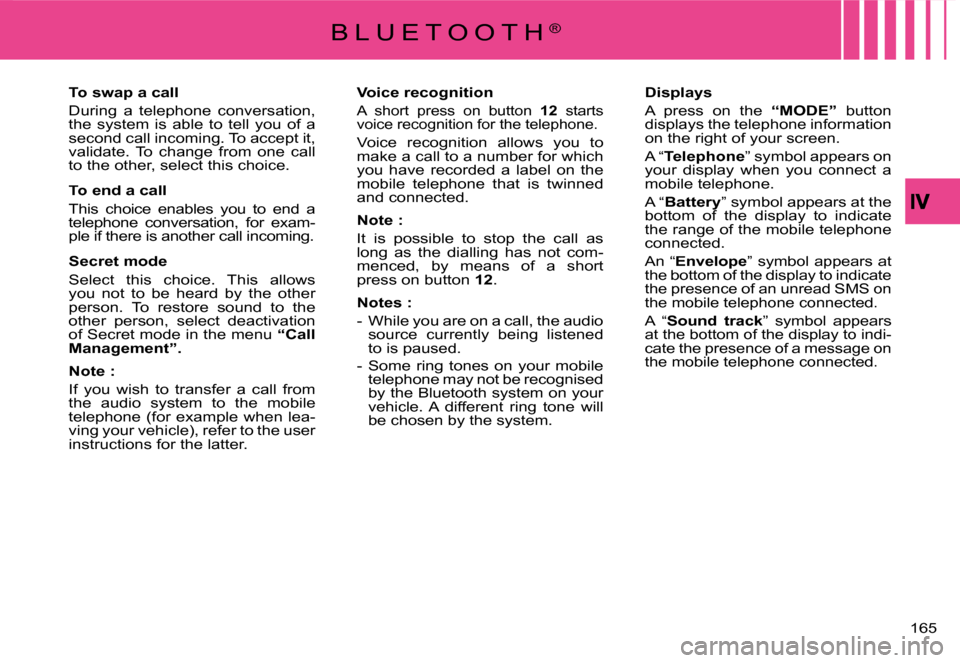
Displays
A press on the “MODE” button displays the telephone information on the right of your screen.
A “Telephone” symbol appears on your display when you connect a mobile telephone.
A “Battery” symbol appears at the bottom of the display to indicate the range of the mobile telephone connected.
An “Envelope” symbol appears at the bottom of the display to indicate the presence of an unread SMS on the mobile telephone connected.
A “Sound track” symbol appears at the bottom of the display to indi-cate the presence of a message on the mobile telephone connected.
To swap a call
During a telephone conversation, the system is able to tell you of a second call incoming. To accept it, validate. To change from one call to the other, select this choice.
To end a call
This choice enables you to end a telephone conversation, for exam-ple if there is another call incoming.
Secret mode
Select this choice. This allows you not to be heard by the other person. To restore sound to the other person, select deactivation of Secret mode in the menu “Call Management”.
Note :
If you wish to transfer a call from the audio system to the mobile telephone (for example when lea-ving your vehicle), refer to the user instructions for the latter.
Page 201 of 266
198
VI
A C C E S S O R I E S
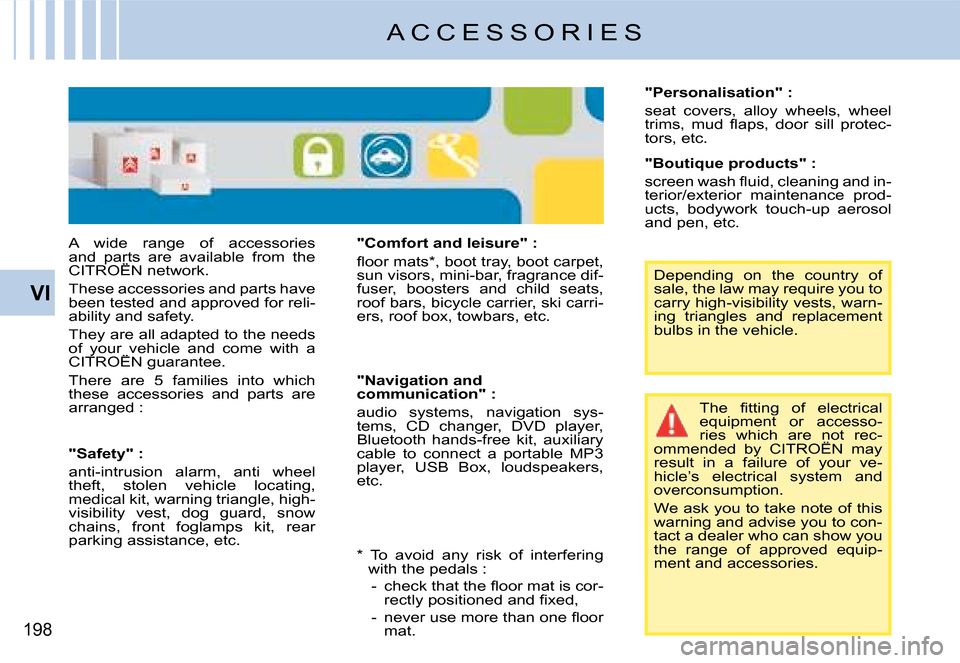
A wide range of accessories and parts are available from the CITROËN network.and parts are available and parts
These accessories and parts have been tested and approved for reli-ability and safety.
They are all adapted to the needs of your vehicle and come with a CITROËN guarantee.of your vehicle and come your vehicle
There are 5 families into which these accessories and parts are arranged :
"Comfort and leisure" :
fl oor mats*, boot tray, boot carpet, sun visors, mini-bar, fragrance dif-fuser, boosters and child seats, roof bars, bicycle carrier, ski carri-ers, roof box, towbars, etc.
The fi tting of electrical equipment or accesso-ries which are not rec-ommended by CITROËN may result in a failure of your ve-hicle’s electrical system and overconsumption.
We ask you to take note of this warning and advise you to con-tact a dealer who can show you the range of approved equip-ment and accessories.
"Safety" :
anti-intrusion alarm, anti wheel theft, stolen vehicle locating, medical kit, warning triangle, high-visibility vest, dog guard, snow chains, front foglamps kit, rear parking assistance, etc.
"Navigation and communication" :
audio systems, navigation sys-tems, CD changer, DVD player, Bluetooth hands-free kit, auxiliary cable to connect a portable MP3 player, USB Box, loudspeakers, etc.
Depending on the country of sale, the law may require you to carry high-visibility vests, warn-ing triangles and replacement bulbs in the vehicle.
"Personalisation" :
seat covers, alloy wheels, wheel trims, mud fl aps, door sill protec-tors, etc.
"Boutique products" :
screen wash fl uid, cleaning and in-terior/exterior maintenance prod-ucts, bodywork touch-up aerosol and pen, etc.
* To avoid any risk of interfering with the pedals :
- check that the fl oor mat is cor-rectly positioned and fi xed,
- never use more than one fl oor mat.
Page 212 of 266
11
1
CONTENTS
What is NaviDrive ? .................................................. .................1
Description of the controls .........................................................2
Voice commands ........................................................................6
Main Menu................................................... ...............................8
Navigation - Guidance ...............................................................9
Map .................................................. ........................................18
Traffi c information ...................................................................22
Audio system (Radio, CD player, CD changer, MP3) ..............25
Telephone................................................... ..............................42
Telematic services ..................................................................48
Confi guration ...........................................................................50
Vehicle diagnosis .................................................. ...................52
Video .......................................................................................53
Frequently-asked questions ....................................................54
Index NaviDrive .................................................. .....................56
W H A T I S N A V I D R I V E ?
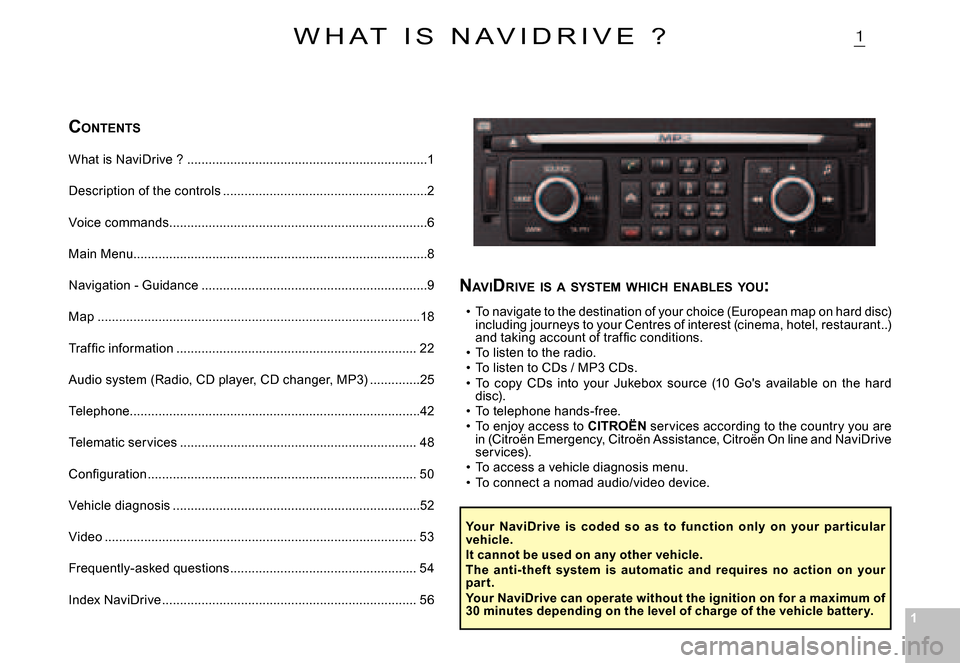
NAVI DRIVE IS A SYSTEM WHICH ENABLES YOU :
To navigate to the destination of your choice (Euro pean map on hard disc) including journeys to your Centres of interest (cinema , hotel, restaurant..) and taking account of traffi c conditions.To listen to the radio.To listen to CDs / MP3 CDs.To copy CDs into your Jukebox source (10 Go's avail able on the hard disc).To telephone hands-free.To enjoy access to CITROËN services according to the country you are in (Citroën Emergency, Citroën Assistance, Citroën On line and NaviDrive services).To access a vehicle diagnosis menu.To connect a nomad audio/video device.
Page 218 of 266
77
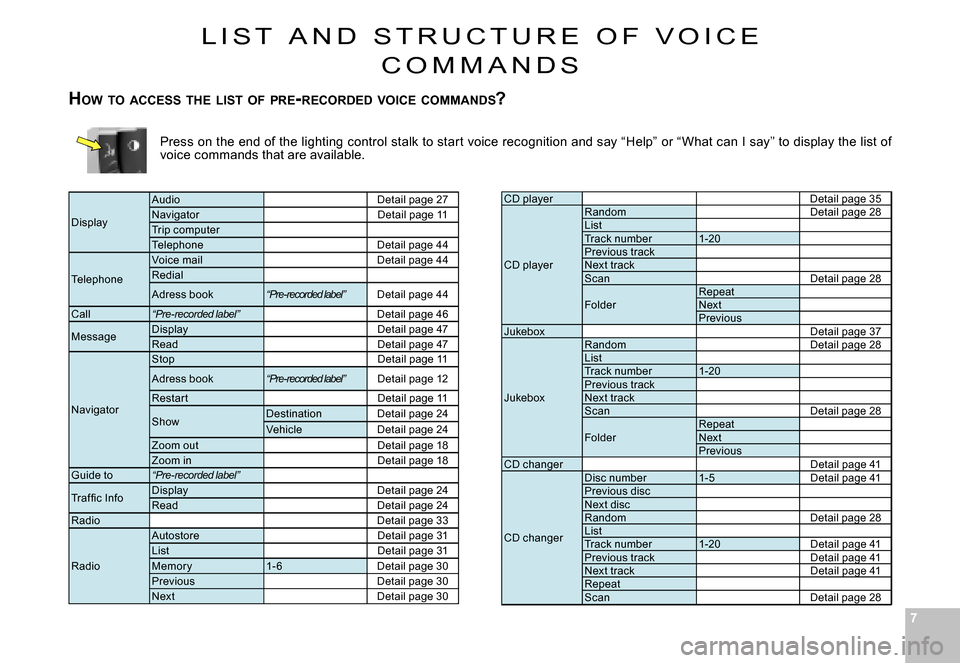
Press on the end of the lighting control stalk to start voice recognition and say “Help” or “What can I say ” to display the list of voice commands that are available.
CD playerDetail page 35
CD player
RandomDetail page 28ListTrack number1-20Previous trackNext trackScanDetail page 28Detail page 28
FolderRepeatNextPreviousJukeboxDetail page 37Detail page 37
Jukebox
RandomDetail page 28Detail page 28ListTrack number1-20Previous trackNext trackScanDetail page 28Detail page 28
FolderRepeatNextPreviousCD changerDetail page 41
CD changer
Disc number1-5Detail page 41Detail page 41Previous discNext discRandomDetail page 28Detail page 28ListTrack number1-20Detail page 41Detail page 41Previous trackDetail page 41Detail page 41Next trackDetail page 41Detail page 41RepeatScanDetail page 28
Display
AudioDetail page 27NavigatorDetail page 11Trip computerTelephoneDetail page 44
Telephone
Voice mailDetail page 44Redial
Adress book“Pre-recorded label”Detail page 44
Call“Pre-recorded label”Detail page 46
MessageDisplayDetail page 47ReadDetail page 47
Navigator
StopDetail page 11
Adress book“Pre-recorded label”Detail page 12
Restar tDetail page 11
ShowDestinationDetail page 24VehicleDetail page 24Zoom outDetail page 18Zoom inDetail page 18Guide to“Pre-recorded label”
Traf fi c InfoDisplayDetail page 24ReadDetail page 24RadioDetail page 33
Radio
AutostoreDetail page 31ListDetail page 31Memor y1- 6Detail page 30PreviousDetail page 30NextDetail page 30
L I S T A N D S T R U C T U R E O F V O I C E
C O M M A N D S
HOW TO ACCESS THE LIST OF PRE -RECORDED VOICE COMMANDS ?
Page 219 of 266
88
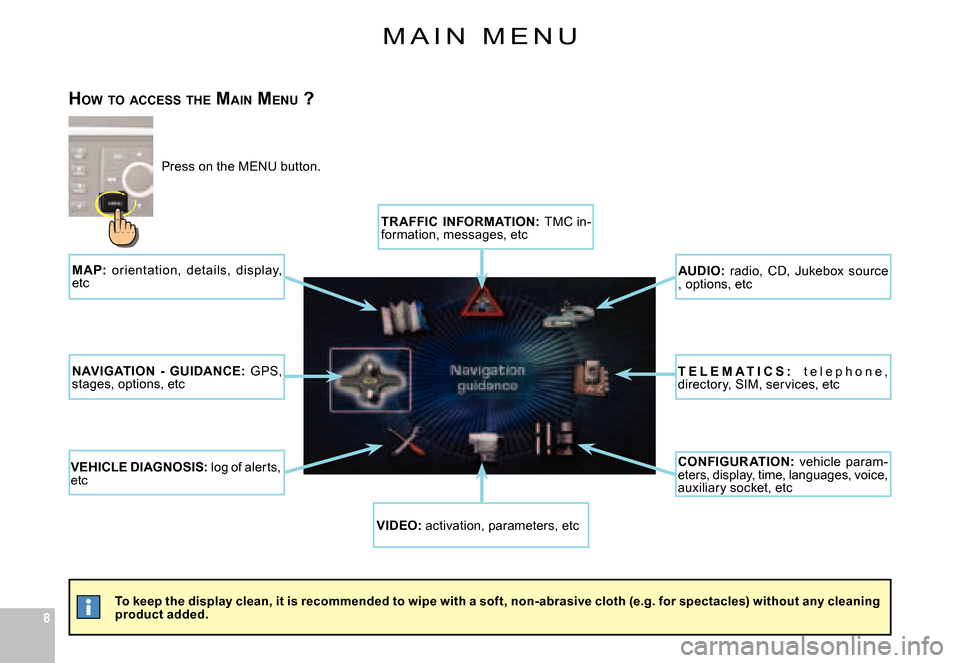
M A I N M E N U
To keep the display clean, it is recommended to wipe with a soft, non-abrasive cloth (e.g. for spectacles) without any cleaning product added.
HOW TO ACCESS THE MAIN MENU ?
Press on the MENU button.
TR AFFIC INFORMATION: TMC in-formation, messages, etc
AUDIO: radio, CD, Jukebox source , options, etc
T E L E M A T I C S : t e l e p h o n e , directory, SIM, services, etc
CONFIGUR ATION: vehicle param-eters, display, time, languages, voice, auxiliary socket, etc
VIDEO: activation, parameters, etc
VEHICLE DIAGNOSIS: log of alerts, etc
NAVIGATION - GUIDANCE: GPS, stages, options, etc
M AP: or ientation, details, display, etc
Page 236 of 266
252525
IV
ABC
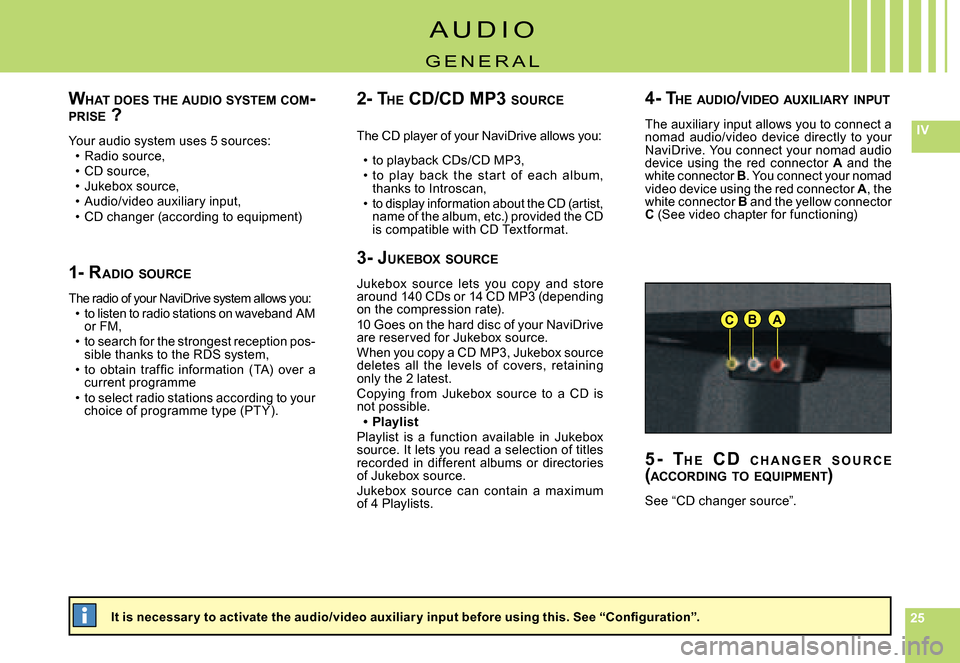
WHAT DOES THE AUDIO SYSTEM COM -PRISE ?
Your audio system uses 5 sources:Radio source,CD source,Jukebox source,Audio/video auxiliary input,CD changer (according to equipment)