fuel CITROEN C4 PICASSO 2011 User Guide
[x] Cancel search | Manufacturer: CITROEN, Model Year: 2011, Model line: C4 PICASSO, Model: CITROEN C4 PICASSO 2011Pages: 352, PDF Size: 10.66 MB
Page 42 of 352
Downloaded from www.Manualslib.com manuals search engine I
40
MONITORING
Warning lamp
is on
Cause
Action/Observations
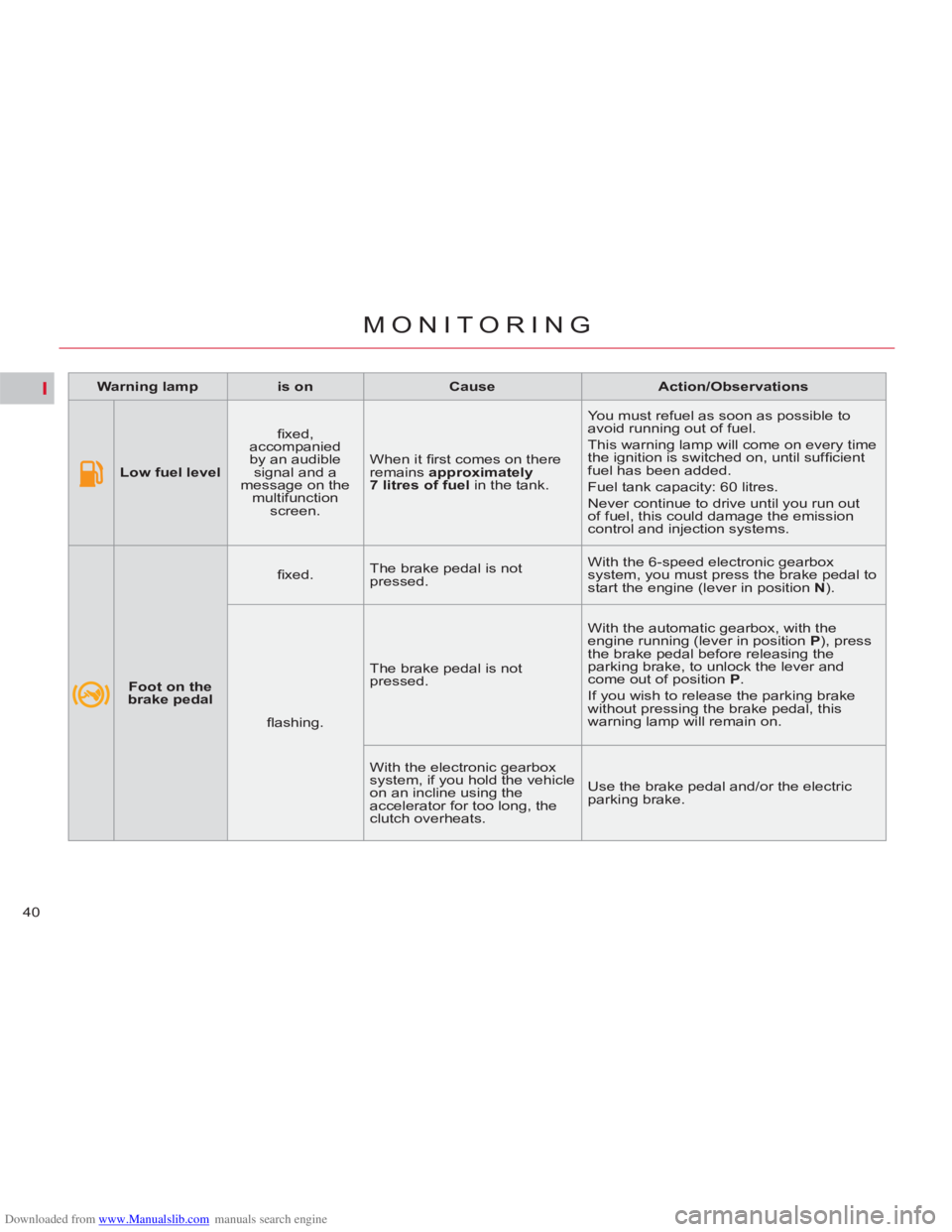
Low fuel level
fi xed,
accompanied
by an audible
signal and a
message on the
multifunction
screen. When it fi rst comes on there
remains approximately
7 litres of
fuel
in the tank. You must refuel as soon as possible to
avoid running out of fuel.
This warning lamp will come on every time
the ignition is switched on, until suffi cient
fuel has been added.
Fuel tank capacity: 60 litres.
Never continue to drive until you run out
of fuel, this could damage the emission
control and injection systems.
Foot on the
brake pedal
fi xed. The brake pedal is not
pressed. With the 6-speed electronic gearbox
system, you must press the brake pedal to
start the engine (lever in position N
).
fl ashing. The brake pedal is not
pressed. With the automatic gearbox, with the
engine running (lever in position P
), press
the brake pedal before releasing the
parking brake, to unlock the lever and
come out of position P
.
If you wish to release the parking brake
without pressing the brake pedal, this
warning lamp will remain on.
With the electronic gearbox
system, if you hold the vehicle
on an incline using the
accelerator for too long, the
clutch overheats. Use the brake pedal and/or the electric
parking brake.
Page 48 of 352
Downloaded from www.Manualslib.com manuals search engine II
46
MULTIFUNCTION SCREENS
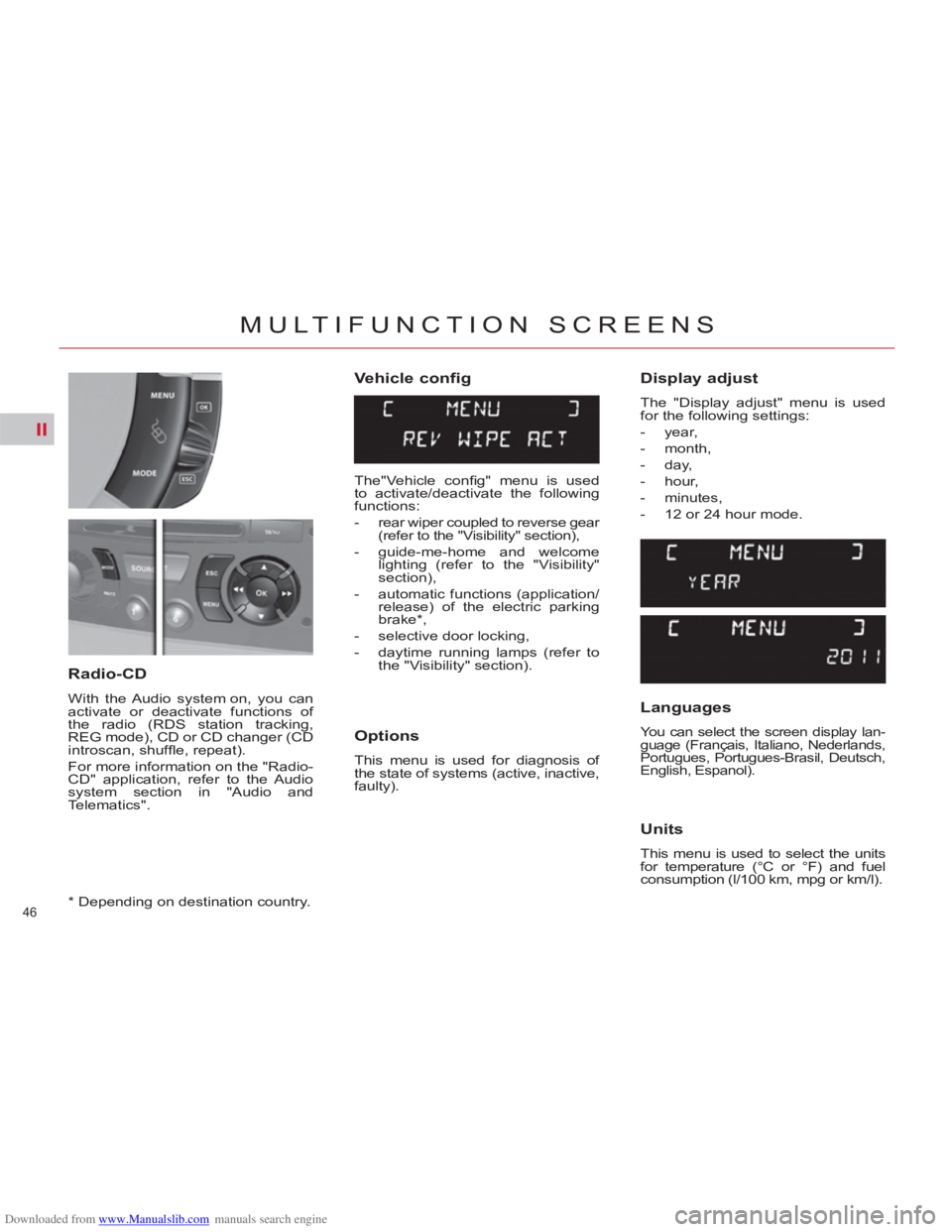
Vehicle config
Options
This menu is used for diagnosis of
the state of systems (active, inactive,
faulty).
Radio-CD
With the Audio system on, you can
activate or deactivate functions of
the radio (RDS station tracking,
REG mode), CD or CD changer (CD
introscan, shuffl e, repeat).
For more information on the "Radio-
CD" application, refer to the Audio
system section in "Audio and
Telematics".
Display adjust
The "Display adjust" menu is used
for the following settings:
- year,
- month,
- day,
- hour,
- minutes,
- 12 or 24 hour mode.
Languages
You can select the screen display lan-
guage (Français, Italiano, Nederlands,
Portugues, Portugues-Brasil, Deutsch,
English, Espanol).
Units
This menu is used to select the units
for temperature (°C or °F) and fuel
consumption (l/100 km, mpg or km/l).
*
Depending on destination country.
The"Vehicle confi g" menu is used
to activate/deactivate the following
functions:
- rear wiper coupled to reverse gear
(refer to the "Visibility" section),
- guide-me-home and welcome
lighting (refer to the "Visibility"
section),
- automatic functions (application/
release) of the electric parking
brake * ,
- selective door locking,
- daytime running lamps (refer to
the "Visibility" section).
Page 55 of 352

Downloaded from www.Manualslib.com manuals search engine II
53
MULTIFUNCTION SCREENS
Main Menu
Traffi c Information
Navigation/Guidance
Map
Audio Functions
Telematics
Confi guration,
to confi gure the screen (date,
time...) and defi ne vehicle
parameters
Video
Vehicle Diagnostics
- "Alert log",
- "Status of functions".
Press button A
to display the "Main
Menu":
TRIP COMPUTER
System which provides current infor-
mation concerning the trip travelled
(range, fuel consumption...).
Monochrome screen A
Information displays
)
Press the control for more than
two seconds to reset to zero the
distance travelled, the average
fuel consumption and the aver-
age speed.
Zero reset
The trip computer provides the following
information:
- range,
- current fuel consumption,
- distance travelled,
- average fuel consumption,
- average speed.
)
The next press then returns you
to the normal display.
)
Press the button, located at the
end of the wiper stalk
, to display
the various items of trip computer
data in succession.
Page 56 of 352

Downloaded from www.Manualslib.com manuals search engine II
54
MULTIFUNCTION SCREENS
TRIP COMPUTER
System which provides current infor-
mation concerning the route travelled
(range, fuel consumption, …) in the
multifunction screen.
Monochrome screen C
MyWay or NaviDrive colour
screen
Display of information
Trip zero reset
)
Press the button, located at the
end of the wiper stalk
, to display
the various trip computer infor-
mation groups in succession:
- the current information
group with:
●
range,
●
current fuel consump-
tion,
●
distance remaining to
be travelled/Stop &
Start time counter,
- the trip "1"
group with:
●
distance travelled,
●
average fuel con-
sumption,
●
average speed,
for the fi rst trip.
- the trip "2"
group with:
●
the distance travelled,
●
the average fuel con-
sumption,
●
the average speed,
for the second trip.
)
When the trip required is dis-
played, press the control for
more than two seconds.
Trips "1"
and "2"
are independent
but their use is identical.
For example, trip "1"
can be used for
daily fi gures and trip "2"
for monthly
fi gures.
Page 57 of 352

Downloaded from www.Manualslib.com manuals search engine II
55
MULTIFUNCTION SCREENS
A few definitions…
Range
(miles or km)
This value may vary following a
change in the style of driving or
the relief, resulting in a signifi cant
change in the current fuel con-
sumption.
When the range falls below 20 miles
(30 km), dashes are displayed. After
fi lling with at least 5 litres of fuel,
the range is recalculated and is dis-
played when it exceeds 60 miles
(100 km).
If dashes are displayed continu-
ously while driving in place of the
digits, contact a CITROËN dealer
or a qualifi ed workshop. This indicates the distance which
can still be travelled with the fuel re-
maining in the tank in relation to the
average fuel consumption over the
last few miles (kilometres) travelled.
Current fuel consumption
(mpg or l/100 km or km/l)
Average fuel
consumption
(mpg or l/100 km or km/l)
This is the average fuel
consumption since the last trip com-
puter zero reset.
Average speed
(mph or km/h)
This is the average speed calculated
since the last trip computer zero reset
(ignition on).
Distance travelled
(miles or km)
This indicates the distance travelled
since the last trip computer zero reset.
Distance remaining to
destination
(miles or km)
This is the distance remaining to be
travelled to the fi nal destination. It
is either calculated instantly by the
navigation system, if guidance is ac-
tivated, or entered by the user.
If the distance is not entered, dashes
are displayed in place of the digits.
This function is only displayed from
20 mph (30 km/h). This is the average fuel consump-
tion during the last few seconds.
If your vehicle is fi tted with Stop &
Start, a time counter calculates the
time spent in STOP mode during a
journey.
It resets to zero every time the igni-
tion is switched on with the key.
Stop & Start time counter
(minutes/seconds or hours/
minutes)
Page 59 of 352

Downloaded from www.Manualslib.com manuals search engine III
57
COMFORT
Air conditioning
To ensure that your system operates
correctly, it is recommended that you
have it checked regularly.
Water arising from condensation
in the air conditioning drains away
through a hole provided for this pur-
pose. A pool of water may thus form
under the vehicle when stationary.
To preserve the sealing of the air
conditioning compressor, operate
the air conditioning at least once a
month.
Regardless of the season, the air
conditioning is useful, since it re-
moves humidity and condensation.
To be effective, the air conditioning
should only be used with the win-
dows closed.
If after a lengthy stop in bright sunlight
the interior temperature is excessive,
air the passenger compartment by
opening the windows for a few mo-
ments, then close them again.
The air conditioning operates by
using power from the engine. This
results in a slight increase in fuel
consumption.
Dust filter/Odour filter (active
carbon)
There is a fi lter for excluding odours
and dust.
This fi lter has to be changed in ac-
cordance with the vehicle's servicing
schedule (see the servicing booklet).
Air circulation
Air vents on the fl oor underneath the
front seats provide enhanced heat-
ing for the rear seat positions; take
care not to obstruct them.
Air vents
The air vents to the face have grilles
and thumb wheels to adjust the air
fl ow and direction (up-down, right-
left).
The automatic regulation of the air
conditioning in the passenger com-
partment uses a number of sensors
(sunshine sensor, ambient tempera-
ture sensor...) that relieve you of the
need to make frequent adjustments to
the displayed temperature.
Take care not to obstruct the sun-
shine sensor, located on the dash-
board behind the instrument panel.
Sensors
Page 94 of 352

Downloaded from www.Manualslib.com manuals search engine IV
92
ACCESS
FUEL TANK
Capacity of the tank: approxi-
mately 60 litres.
Low fuel level
When the low fuel level is
reached, this warning lamp
on the instrument panel
comes on, accompanied by
an audible warning and a message
on the multifunction screen.
When it fi rst comes on, about 7 litres
of fuel remain in the tank.
Until suffi cient fuel has been
added, this warning lamp appears
every time the ignition is switched
on, accompanied by an audible
warning and a message. Depending
on version, this audible warning
and message are repeated with
increasing frequency as the fuel
level drops towards " 0
".
Refuel as soon as possible to avoid
running out. A label on the inside of the fuel fi ller
fl ap reminds you of the type of fuel
to use, depending on your engine
type.
Additions of fuel must be of at least
5 litres to be registered by the fuel
gauge.
Refuelling
If you are fi lling your tank to
the top, do not persist after the
3rd cut-off; this could cause
malfunctions.
With Stop & Start, never refuel with
the system in STOP mode; you
must switch off the ignition with the
key. Opening the fi ller cap may result in
an inrush of air. This is entirely nor-
mal and results from the sealing of
the fuel system.
)
Press control switch A
, situated
on the switch panel on the left of
the dashboard, until the fuel fl ap
opens.
This control switch remains ac-
tive for a few minutes after
switching of the ignition. If nec-
essary, switch the ignition on
again to reactivate it.
)
Take care to select the pump
that delivers the correct type of
fuel for your vehicle.
)
Introduce the nozzle so as to push
in the metal non-return fl ap B.
)
Make sure that the nozzle is
pushed in as far as possible
before starting to refuel (risk of
blowback).
)
Maintain this position throughout
the refuelling operation.
)
Push the fuel fl ap to close it.
Page 95 of 352
Downloaded from www.Manualslib.com manuals search engine IV
93
ACCESS
The petrol or Diesel engine of your ve-
hicle is fi tted with a catalytic converter, a
device which helps to reduce the level of
harmful emissions in the exhaust gases.
For petrol engines, you must use
unleaded fuel.
The fi ller neck is narrower, allowing only
unleaded petrol nozzles to be intro-
duced.
If you have put in the wrong fuel
for your vehicle, you must have
the fuel tank drained and fi lled
with the correct fuel before start-
ing the engine.
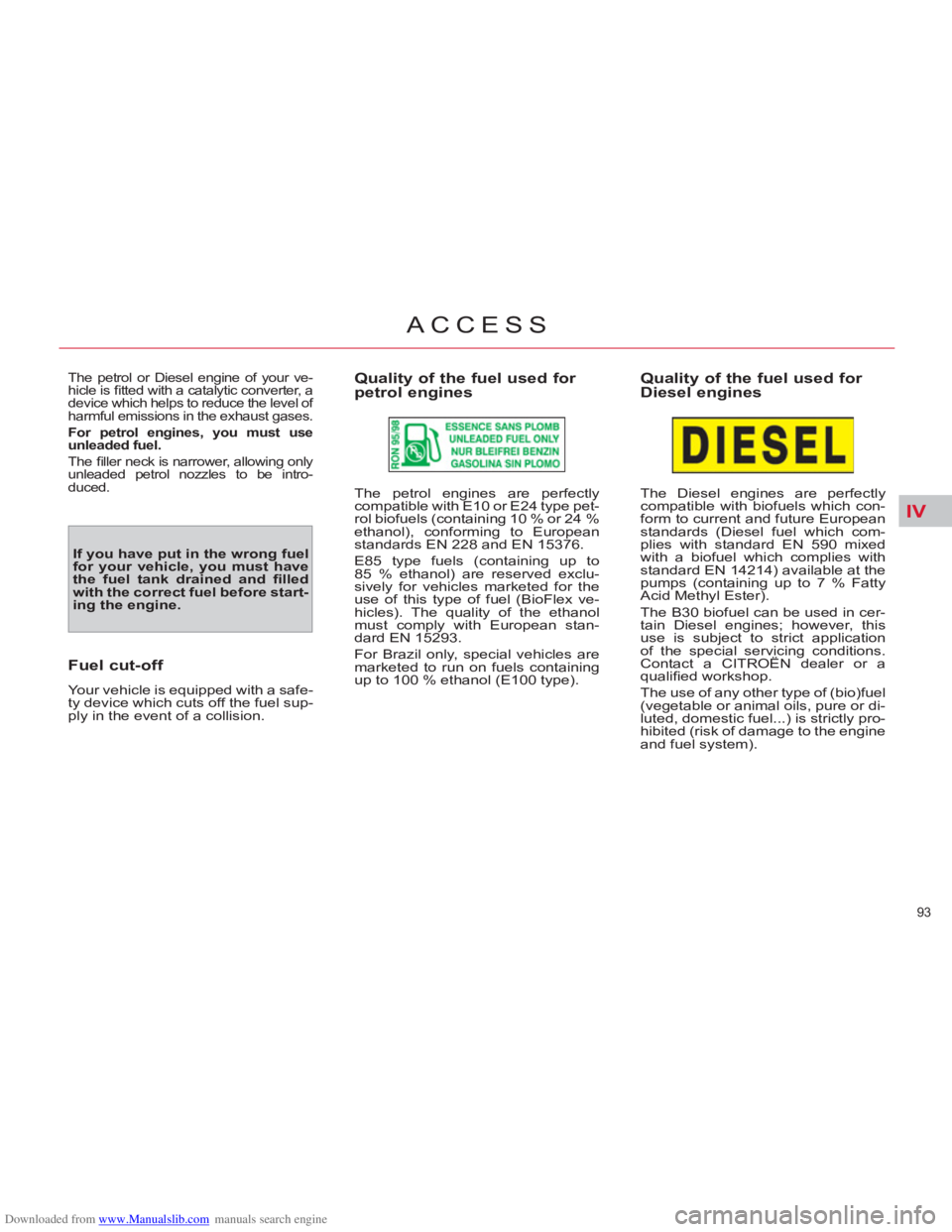
Quality of the fuel used for
petrol engines
Quality of the fuel used for
Diesel engines
Fuel cut-off
Your vehicle is equipped with a safe-
ty device which cuts off the fuel sup-
ply in the event of a collision.
The petrol engines are perfectly
compatible with E10 or E24 type pet-
rol biofuels (containing 10 % or 24 %
ethanol), conforming to European
standards EN 228 and EN 15376.
E85 type fuels (containing up to
85 % ethanol) are reserved exclu-
sively for vehicles marketed for the
use of this type of fuel (BioFlex ve-
hicles). The quality of the ethanol
must comply with European stan-
dard EN 15293.
For Brazil only, special vehicles are
marketed to run on fuels containing
up to 100 % ethanol (E100 type).
The Diesel engines are perfectly
compatible with biofuels which con-
form to current and future European
standards (Diesel fuel which com-
plies with standard EN 590 mixed
with a biofuel which complies with
standard EN 14214) available at the
pumps (containing up to 7 % Fatty
Acid Methyl Ester).
The B30 biofuel can be used in cer-
tain Diesel engines; however, this
use is subject to strict application
of the special servicing conditions.
Contact a CITROËN dealer or a
qualifi ed workshop.
The use of any other type of (bio)fuel
(vegetable or animal oils, pure or di-
luted, domestic fuel...) is strictly pro-
hibited (risk of damage to the engine
and fuel system).
Page 150 of 352

Downloaded from www.Manualslib.com manuals search engine IX
148
DRIVING
GEAR SHIFT INDICATOR *
System which reduces fuel con-
sumption by advising the driver to
change up on vehicles fi tted with a
manual gearbox.
Operation
The system intervenes only when
driving economically.
Depending on the driving situation
and your vehicle's equipment, the
system may advise you to skip one
or more gears. You can follow this
instruction without engaging the in-
termediate gears.
The gear recommended should not
be considered compulsory. In fact,
the confi guration of the road, the
amount of traffi c and safety remain
determining factors when choosing
the best gear. Therefore, the driver
remains responsible for deciding
whether or not to follow the advice
given by the system.
This function cannot be deactivated.
* According to engine.
Example:
- You are in third gear.
- You press the accelerator pedal
moderately.
- The system may suggest that
you engage a higher gear, if ap-
propriate.
The information appears in the form
of an arrow in the instrument panel
screen.
Depending on your vehicle's equip-
ment, this arrow may be accompa-
nied by the recommended gear.
In the case of driving which
makes particular demands
on the performance of the
engine (fi rm pressure on
the accelerator pedal, for example,
when overtaking...), the system will
not recommend a gear change.
The system never suggests:
- engaging fi rst gear,
- engaging reverse gear,
- engaging a lower gear.
Page 152 of 352

Downloaded from www.Manualslib.com manuals search engine IX
150
DRIVING
Automatic mode
)
Move the gear lever to A
.
Manual mode
)
Pull the " +
" paddle to change up
a gear.
)
Pull the " -
" paddle to change
down a gear.
When the engine is running,
before accelerating to move
the vehicle, make sure that
the position engaged on the
selector grille or in the instrument
panel is either: R
, A
or M
Do not leave the vehicle with the
engine running in R
, A
or M
.
Operation in automatic mode
)
Move the gear lever to
position A
. The warn-
ing lamp A
comes on in
the instrument panel to
confi rm the selection.
Reverse gear
To engage reverse, the vehicle must
be immobilised with your foot on the
brake pedal.
)
Move the gear lever to R
.
At low speeds, if reverse is selected,
the N
indicator fl ashes and the gear-
box goes into neutral automatically.
To engage reverse, put the gear le-
ver in position N
, then in position R
.
Neutral
)
Move the gear lever to N
.
If the vehicle is moving, do not select
this position even momentarily.
)
Move the gear lever to M
.
The gearbox then functions in auto-
matic mode, without any action on
your part.
It constantly selects the gear that is
best suited to the following condi-
tions:
- driving style,
- road profi le,
- optimum fuel consumption.