service Citroen C4 PICASSO 2015 2.G Owner's Guide
[x] Cancel search | Manufacturer: CITROEN, Model Year: 2015, Model line: C4 PICASSO, Model: Citroen C4 PICASSO 2015 2.GPages: 420, PDF Size: 10.72 MB
Page 320 of 420
318
Freezing of the AdBlue® additive
The
AdBlue
® additive freezes at t
emperatures below around -11°C.
The
SCR
system includes a heater
f
or
the
AdBlue
® tank, allowing you to c
ontinue
driving in very cold conditions.
Topping-up the AdBlue® additive
Filling the AdBlue® tank is an operation i
ncluded
in
every
routine service on your
v
ehicle
by
a
CITROËN dealer or a qualified
w
orkshop.
Nevertheless,
given the capacity of the tank,
i
t
may
be
necessary to top-up the additive
b
etween
services,
more particularly if an alert
(
warning
lamps
and a message) signals the
r
equirement.
You
can
got
to
a
CITROËN dealer or a qualified
w
orkshop.
If
you
envisage
topping-up yourself, please
r
ead
the
following
warnings carefully.Precautions in use
Use only AdBlue® additive that meets the I
SO 22241
standard.
The
AdBlue® additive is an urea-based s
olution.
This liquid is non-flammable,
c
olourless
and odourless (kept in a cool area).
In
the
event
of contact with the skin, wash
t
he
affected
area with soap and water. In the
e
vent
of
contact with the eyes, wash (irrigate)
t
he
eyes
with large amounts of water or with
a
n
eye
wash
solution for at least 15 minutes.
I
f
a
burning
sensation or irritation persists, get
m
edical
attention.
If
swallowed, immediately wash out the mouth
w
ith
clean
water and then drink plenty of water.
In
certain
conditions (high ambient
t
emperature,
for example), the risk of release
o
f
ammonia
cannot be excluded: do not inhale
t
he
product.
Ammonia vapour has en irritant
e
ffect
on
mucous membranes (eyes, nose and
t
hroat). The
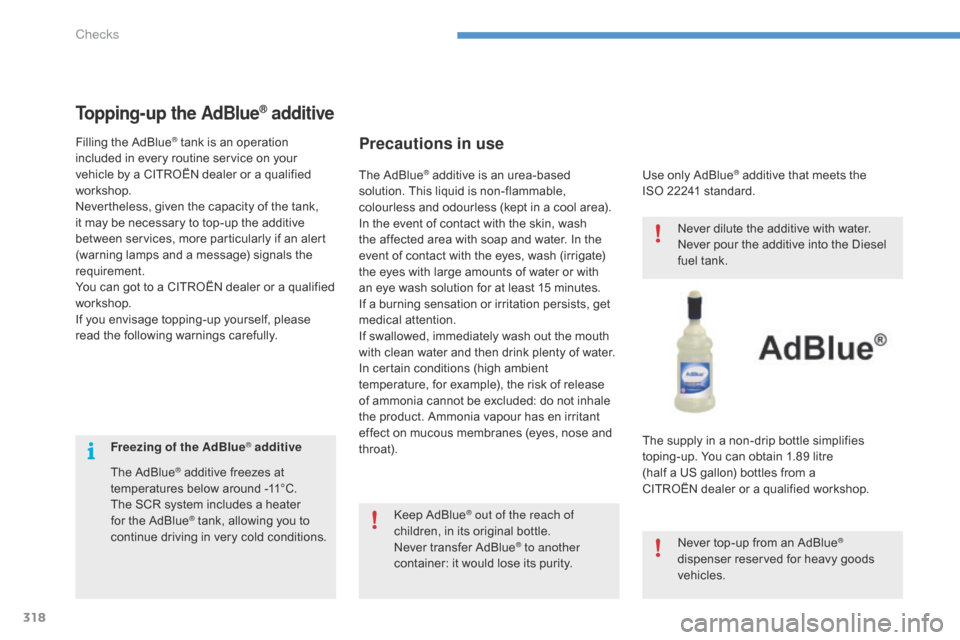
supply in a non-drip bottle simplifies
t
oping-up. You can obtain 1.89 litre
(half
a US gallon) bottles from a
C
ITROËN dealer or a qualified workshop.
Never
dilute the additive with water.
Never
pour the additive into the Diesel
f
uel tank.
Never
top-up from an AdBlue
®
dispenser
reserved
for
heavy
goods
v
ehicles.
Keep
AdBlue
® out of the reach of
children,
in
its
original bottle.
Never
transfer AdBlue
® to another
container:
it
would
lose
its purity.
Checks
Page 336 of 420
334
Emergency or assistance call
If an impact is detected by the airbag control unit, and independently of
t
he deployment of any airbags, an
e
mergency call is made automatically.
Localised Emergency Call
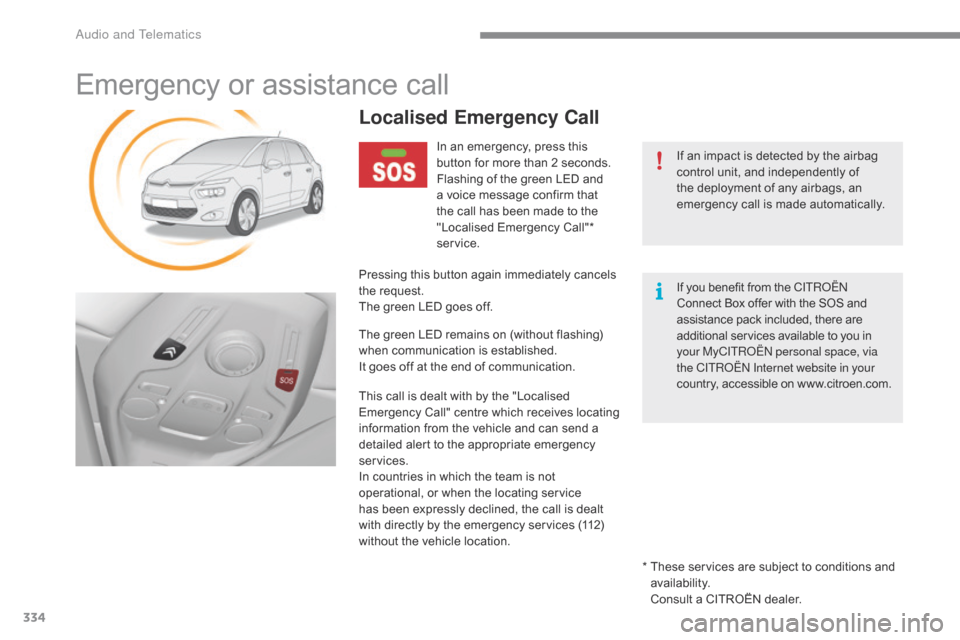
In an emergency, press this button for more than 2 seconds.
Flashing
of the green LED and
a
voice message confirm that
t
he call has been made to the
"
Localised Emergency Call"*
ser
vice.
Pressing
this
button again immediately cancels
t
he
request.
The
green
LED goes off.
The
green
LED remains on (without flashing)
w
hen
communication is established.
It
goes
off
at
the end of communication.
This
call
is
dealt with by the "Localised
E
mergency
C
all"
c
entre
w
hich
r
eceives
l
ocating
i
nformation
from the vehicle and can send a
d
etailed
alert
to the appropriate emergency
ser
vices.
In
countries
in
which the team is not
o
perational,
or when the locating service
h
as
been
expressly declined, the call is dealt
w
ith
directly
by the emergency services (112)
w
ithout
the
vehicle location. *
T
hese services are subject to conditions and
a
vailability.
Consult
a CITROËN dealer.
If
you benefit from the C ITR
oËn
C
onnect Box offer with the SOS and
a
ssistance pack included, there are
a
dditional services available to you in
y
our MyCITR
oËn
personal space, via
the CITR
oËn
Internet website in your
country,
accessible on www.citroen.com.
Audio and Telematics
Page 337 of 420
335
Localised Assistance Call
If you purchased your vehicle outside the CITROËN dealer network, we
i
nvite you to have a dealer check the
c
onfiguration of these services and, if
d
esired, modified to suit your wishes.
In
a multi-lingual country, configuration
i
s possible in the official national
language
of your choice.
For technical reasons, particularly
to
improve the quality of Telematic
s
ervices to customers, the
m
anufacturer reserves the right to
c
arry out updates to the vehicle's
on-board
telematic system.
A
fault
with
the
system
does
not
p
revent
the
vehicle
being
driven. Press
this
button
for
more
than
2 s
econds
to
request
assistance
i
f
the
vehicle
breaks
down.
A
voice
message
confirms
that
t
he
call
has
been
made*.
Pressing
this
button
again
immediately
cancels
t
he
request.
The
cancellation
is
confirmed
by
a
voice
m
essage.
The
orange
LED
is
on
continuously:
the
backup
b
attery
must
be
replaced.
In
either
case,
the
emergency
and
assistance
c
alls
service
may
not
function.
Contact
a
qualified
repairer
as
soon
as
p
ossible.
Operation of the system
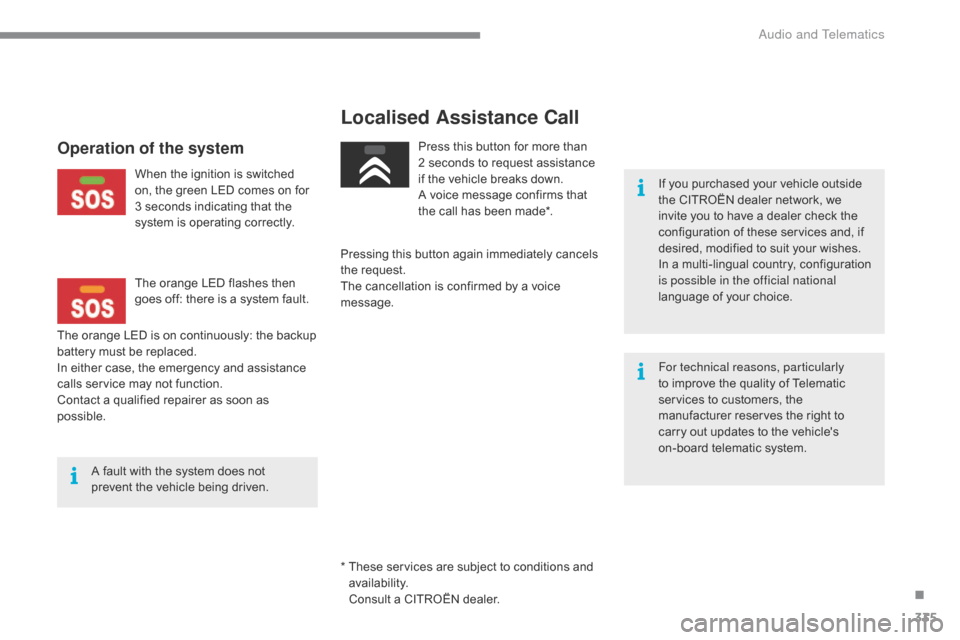
When the ignition is switched o n, the green LED comes on for
3
seconds indicating that the
s
ystem is operating correctly.
The
orange LED flashes then
g
oes off: there is a system fault.
*
T
hese services are subject to conditions and
a
vailability.
Consult
a CITROËN dealer.
.
Audio and Telematics
Page 339 of 420
337
7-inch touch screen tablet
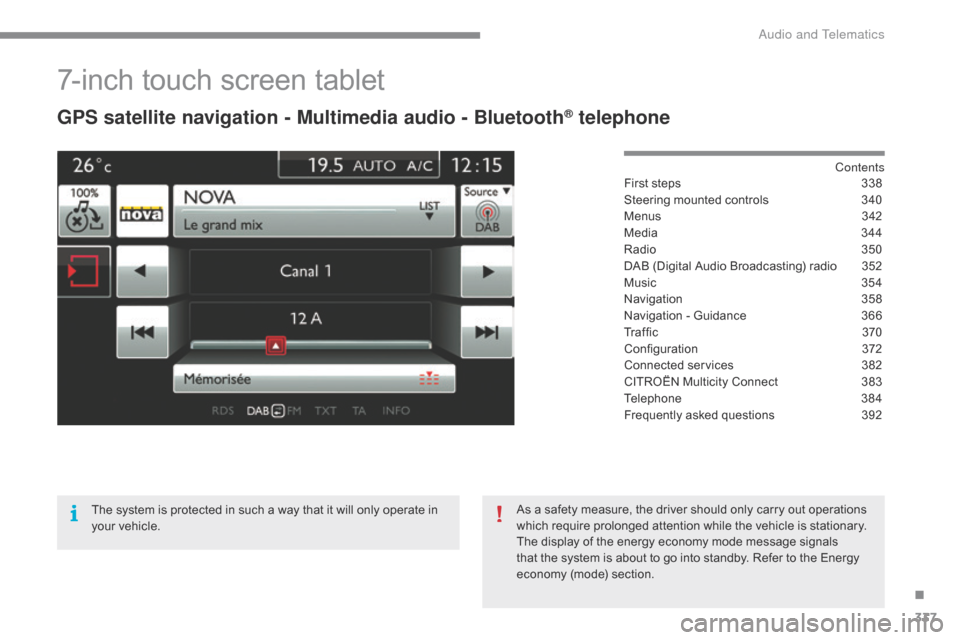
GPS satellite navigation - Multimedia audio - Bluetooth® telephone
Contents
First
steps
3 38
Steering
mounted
controls
3
40
Menus
3
42
Media
3
44
Radio
3
50
DAB
(Digital
Audio
Broadcasting)
radio
3
52
Music
3
54
Navigation
3
58
Navigation
-
Guidance
3
66
Tr a f fi c
3
7 0
Configuration
3
72
Connected
services
3
82
CITROËN
Multicity
Connect
3
83
Telephone
3
84
Frequently
asked
questions
3
92
The
system
is
protected
in
such
a
way
that
it
will
only
operate
in
y
our
vehicle. As
a
safety
measure,
the
driver
should
only
carry
out
operations
w
hich
require
prolonged
attention
while
the
vehicle
is
stationary.
The
display
of
the
energy
economy
mode
message
signals
t
hat
the
system
is
about
to
go
into
standby.
Refer
to
the
Energy
ec
onomy
(
mode)
s
ection.
.
Audio and Telematics
Page 345 of 420

343
Telephone
Configuration Connected services
Connect a telephone by bl
uetooth®.
Adjust
settings
for
audio
(balance,
a
mbience, ...),
colour
scheme,
brightness
of
the
i
nstruments
and
controls,
display
(language,
u
nits,
date,
time,
...)
and
access
to
interactive
h
elp
for
the
vehicle's
main
systems
and
w
arning
lam
ps. CITRoËn M
ULTICITY Co
nnE
CT
Connect to an applications portal to facilitate,
make
safe
and
personalise
journeys
by
means
o
f
a
connection
key
available
on
subscription
f
rom
a
CITROËN
dealer.
(Depending
o
n
e
quipment)
.
Audio and Telematics
Page 354 of 420

352
Display of options:
i f active but not available, the display will be greyed out,
if
active and available, the display will be blank. Display
of "Radiotext" for
t
he current station.
Manage
the
Jukebox.
Display
current
action.
Select the audio source.
Display the "DAB" band.
Display
of
the name of the
c
urrent
station.
Short-cut: access to the choice of audio source,
t
he list of stations (or titles depending on the
s
ource) or temperature adjustment.
Select the radio station.
Any
thumbnail
broadcast
by
t
he
station.
Preset stations, buttons 1
t
o 15.
Short press: select the
p
reset radio station.
Long press: preset a radio
s
tation.
Next
"
Multiplex".
Next radio station.
Secondary
p
age.
Display
the
name
and
n
umber
of
the
multiplex
ser
vice
b
eing
u
sed.
Previous
"
Multiplex".
Previous
radio
station.
DAB (Digital Audio Broadcasting) radio
If the "DAB" radio station being listened to is not a
vailable on "FM", the "DAB FM" option is greyed out.
Journaline® is a text-based information service designed for digital radio systems.
I
t
provides
text-based information structured around topics and sub-topics.
This
service is available from the "LIST OF DAB STATIONS" page.
audio and Telematics
Page 384 of 420
382
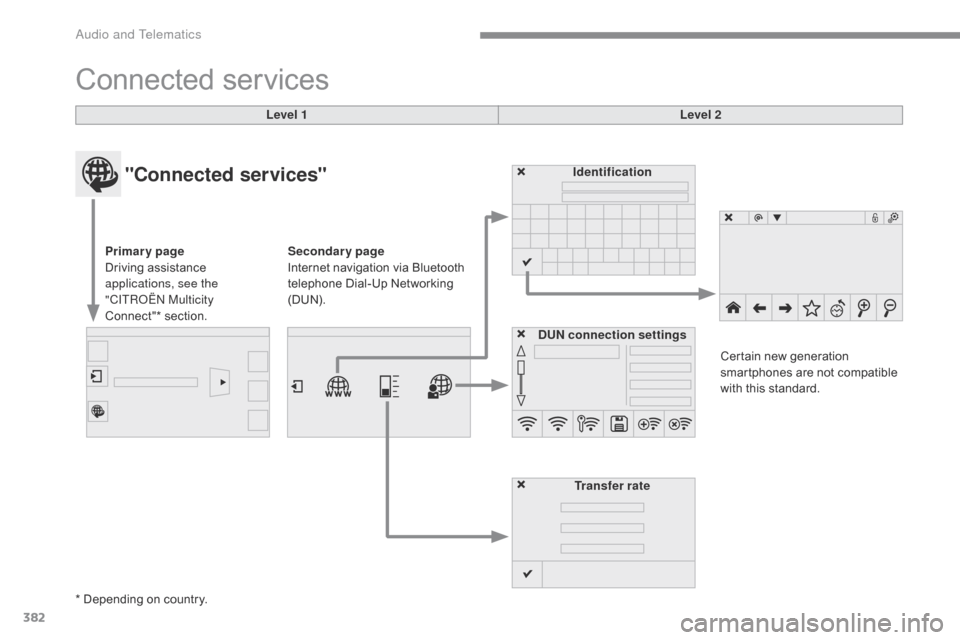
Connected services
Level 1 Level 2
"Connected services"
Primary page
Driving assistance
a
pplications, see the
"CITR
oËn M
ulticity
Connect"*
s
ection. Identification
DUN connection settings Transfer rate Certain
new generation
s
martphones are not compatible
w
ith this standard.
Secondary page
Internet navigation via Bluetooth
t
elephone Dial-Up Networking
(
DUN).
*
Depending on country.
Audio and Telematics
Page 385 of 420

383
CITRoËn Multicity Connect
These applications use vehicle data such as t
he current speed, mileage, remaining fuel
r
ange
o
r
e
ven
G
PS
p
osition
t
o
p
rovide
p
ertinent
i
nformation.
As
a safety measure, some functions can only
b
e used when stationary. The
"MyCITROËN" application is a link between
t
he user, the manufacturer and its dealer network.
It allows the customer to know everything about
t
heir vehicle: servicing plan, accessory range,
s
ervice contracts taken out, ...
It
also
makes
possible
the
sending
of
the
vehicle's
m
ileage to the "MyCITROËN" site, or to identify
a
dealer.
Press the "Connected services"
m
enu to display the applications.
Plug
the
"CITROËN
MULTICIT Y
C
ONNECT"
connection
key
into
o
ne
of
the
USB
ports.
*
Depending
on
country.
"CITR
oËn M
ulticity Connect"*
is
a
service
providing
driving
aid
a
pplications
in
real
time;
it
gives
access
t
o
useful
information
such
as
the
state
o
f
the
traffic,
danger
zones,
fuel
prices,
t
he
availability
of
parking
places,
tourist
s
ites,
weather
conditions,
correct
a
ddresses…
It
includes
access
to
the
mobile
n
etwork
associated
with
the
use
of
t
hese
applications.
"CITROËN
Multicity
C
onnect"*
is
a
service
available
under
s
ubscription
contract
from
CITROËN
d
ealers,
depending
on
country
and
the
t
ype
of
touch
screen,
both
before
and
a
fter
delivery
of
a
new
vehicle.
.
audio and Telematics
Page 391 of 420

389
The services available depend on the network, the SIM card and the
c
ompatibility of the Bluetooth telephone
u
sed. Check the telephone manual and
w
ith your network provider for details of
t
he services available to you.
The
ability of the system to connect
w
ith only one profile depends on the
t
elephone. The three profiles may all
c
onnect by default.
Visit
www.citroen.co.uk for more information
(
compatibility, additional help, ...).
The
recognised telephone
a
ppears in the list.
Depending
on your telephone, you may be
a
sked
to accept automatic connection every
t
ime
the ignition is switched on.
on r
eturn to the vehicle, if the last telephone
connected
is present again, it is reconnected
a
utomatically and within around 30 seconds
a
fter switching on the ignition the pairing is
d
one without any action on your part, with
(
Bluetooth
a
ctivated).
To
modify the automatic connection mode,
s
elect the telephone in the list then select the
desired
p
rofile.
Depending
on the type of telephone, t
he system will ask you to accept or not
t
he transfer of your contacts.
If not, select " Update".
Connecting a Bluetooth®
peripheral device
Automatic reconnection
On switching on the ignition, the telephone c
onnected when the ignition was last switched
o
ff is automatically reconnected, if this
c
onnection mode had been activated during the
pa
iring
p
rocedure.
The
connection is confirmed by the display of a
m
essage and the name of the telephone.
Manual connection
Press on Telephone to display the p
rimary pag e.
Press
on the secondary page.
Select " Bluetooth "
to display the list
o
f paired peripherals.
Select
the peripheral to connect.
Press on " Search".
The
connection is confirmed by the display of a
m
essage
and the name of the telephone.
.
audio and Telematics
Page 401 of 420

399
Telephone
QUESTIONANSWER SOLUTION
I
cannot connect my
B
luetooth
t
elephone. The
telephone's Bluetooth function may be switched off or the
t
elephone may not be visible. -
C
heck that your telephone's Bluetooth
f
unction is switched on.
-
C
heck in the telephone settings that it is
"
visible to all".
The
Bluetooth telephone is not compatible with the system.You
can check the compatibility of your
t
elephone at www.citroen.co.uk (services).
The
volume of the
t
elephone
c
onnected
i
n
Bluetooth mode is
ina
udible. The
volume depends both on the system and on the telephone. Increase the volume of the audio system, to
m
aximum if required, and increase the volume of
t
he telephone if necessary.
The
ambient noise level has an influence on the quality of
t
elephone
c
ommunication. Reduce
the ambient noise level (close the
w
indows, reduce the booster fan speed, slow
d
own,
...
).
Some
contacts are
d
uplicated in the list. The
options for synchronizing contacts are synchronizing the
c
ontacts on the SIM card, the contacts on the telephone, or both.
W
hen both synchronizations are selected, some contacts may be
dup
licated. Select
"Display SIM card contacts" or "Display
t
elephone
c
ontacts".
Contacts are not shown in
alphabetical
o
rder. Some
telephones offer display options. Depending on the settings
c
hosen, contacts can be transferred in a specific order.Modify
the display setting in the telephone
d
i r e c to r y.
The
system does not
r
eceive
SMS
text
messages. The
Bluetooth mode does not permit sending SMS text messages
t
o the system.
.
Audio and Telematics