instrument panel Citroen C4 PICASSO RHD 2014.5 1.G User Guide
[x] Cancel search | Manufacturer: CITROEN, Model Year: 2014.5, Model line: C4 PICASSO RHD, Model: Citroen C4 PICASSO RHD 2014.5 1.GPages: 428, PDF Size: 10.03 MB
Page 39 of 428

37
Under-inflationfixed, accompanied by a
n audible signal and
a
message. The
pressure in one or more tyres is t
oo low.Check
the tyre pressures as soon as possible.
This check should preferably be carried out when the
t
yres are cold.
You
must reinitialise the system after the adjustment
o
f one or more tyre pressures and after changing one
o
r more wheels.
For
more information, refer to the "Under-inflation
d
etection"
s
ection.
+ flashing
then fixed,
a
ccompanied by the
S
ervice warning lamp.The
system has fault: the tyre
p
ressures are no longer monitored.Check
the tyre pressures as soon as possible.
Have
the system checked by a CITROËN dealer or a
q
ualified
w
orkshop.
Warning / indicator lamp
StateCause Action / Observations
Foot on the
brake pedal *fixed.
The
brake pedal is not pressed. With an electronic gearbox, press the brake pedal to
s
tart the engine (lever in position N).
If
you wish to release the parking brake without
p
ressing the brake pedal, this warning lamp will
r
emain on.
With
an automatic gearbox, press the brake pedal to
m
ove the gear selector out of position P.
flashing. With
an electronic gearbox, if you
h
old the vehicle on an incline using
t
he accelerator for too long, the
c
lutch overheats.Use
the brake pedal and/or the parking brake.
Foot on the
clutch * fixed.
In
the STOP mode of Stop & Start,
c
hanging to START mode is refused
b
ecause the clutch pedal is not fully
d
own.You
must declutch fully to allow the change to engine
S
TART mode.
*
Only
with the type 1 instrument panel.
1
Monitoring
Page 45 of 428
43
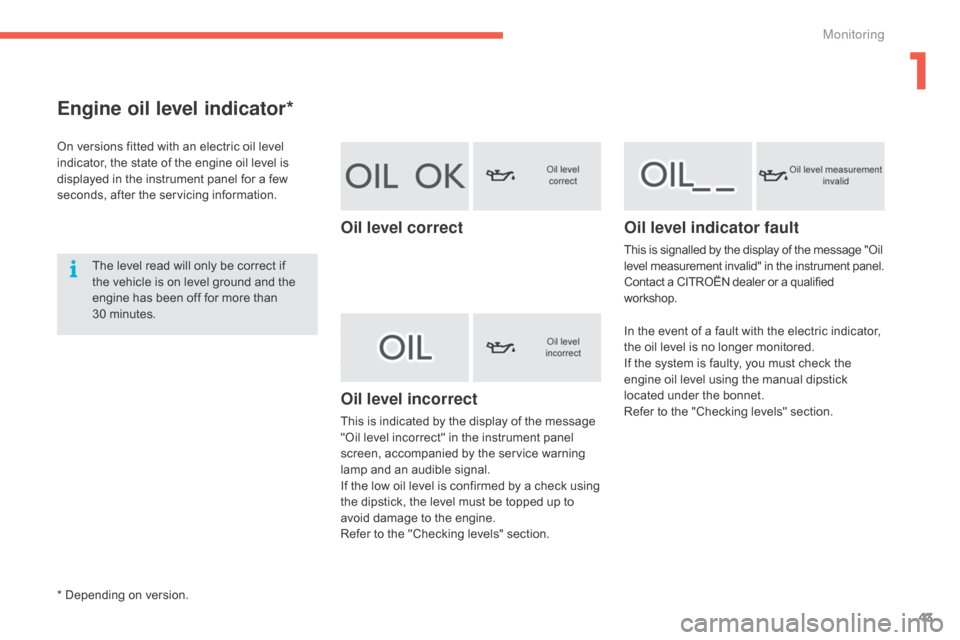
Engine oil level indicator*
On versions fitted with an electric oil level indicator, the state of the engine oil level is
d
isplayed in the instrument panel for a few
s
econds, after the servicing information.
The
level read will only be correct if
t
he vehicle is on level ground and the
e
ngine has been off for more than
3
0 minutes.
Oil level correct
Oil level incorrect
This is indicated by the display of the message "Oil level incorrect" in the instrument panel
s
creen, accompanied by the service warning
l
amp and an audible signal.
If
the low oil level is confirmed by a check using
t
he dipstick, the level must be topped up to
a
void damage to the engine.
Refer
to the "Checking levels" section.
Oil level indicator fault
This is signalled by the display of the message "Oil level measurement invalid" in the instrument panel.
Contact
a CITROËN dealer or a qualified
w
orkshop.
In
the event of a fault with the electric indicator,
t
he oil level is no longer monitored.
If
the system is faulty, you must check the
e
ngine oil level using the manual dipstick
l
ocated under the bonnet.
Refer
to the "Checking levels" section.
* Depending on version.
1
Monitoring
Page 47 of 428

45
Lighting dimmer control
Allows the manual adjustment of the brightness of the instrument panel and touch screen tablet to suit the ambient light level.
Operates
only when the vehicle lighting is on, with the exception of the daytime running lamps.
Tw o b u t t o n s
With the headlamps on, press button A to
i ncrease the brightness of the instruments and
c
ontrols and the interior mood lighting or
button B
to reduce it.
As
soon as the lighting reaches the required
l
evel of brightness, release the button.
Touch screen tablet
F Press on the "Configuration" menu.
F A djust the brightness by pressing on
t
he "+ " or " -"
buttons.
1
Monitoring
Page 48 of 428

46
System allowing certain displays in the instrument panel to be switched off for night
d
riving.
The
instrument panel remains on with the
v
ehicle speed, the gear selected in an
e
lectronic or automatic gearbox, cruise control
o
r speed limiter information, if in use, and the
l
ow fuel alerts as appropriate.
If
there is an alert or a change in a function
o
r to a setting, the black panel mode is
i
nterrupted. Using the steering mounted control:
F
W
ith the vehicle lighting on, press this
b
utton again to activate the black panel.
F
P
ress this button again to deactivate it.
Black screen (touch screen tablet)Black screen (black panel)
F Press on the "Configuration" menu.
F P ress the " Turn off screen "
button. The
s
creen in the touch screen tablet goes off.
P
ress the screen again (anywhere on its
s
ur face) to switch it on again.
Monitoring
Page 50 of 428

48
Trip computer
T ype 1 instrument panel
System that gives you information on the journey in progress (range, fuel consumption…).
Information display in the touch screen tablet
Permanent display:
F Sel ect the " Driving assistance "
menu.
The
trip computer information is displayed in
t
he primary page of the menu.
F
P
ress one of the buttons to display the
de
sired
t
ab. The current instantaneous fuel
consumption
tab with:
-
t
he range,
-
t
he current fuel consumption,
-
t
he Stop & Start time counter.
The trip "1"
tab with:
-
t
he distance travelled.
-
t
he average fuel consumption,
- t he average speed,
f or the first trip.
The trip "2"
tab with:
-
t
he distance travelled.
-
t
he average fuel consumption,
-
t
he average speed,
f
or the second trip.
Trip reset
F When the desired trip is displayed, press t
he reset button or on the end of the wiper
c
ontrol stalk.
Tr i p s "1"
and "2"
are independent but their use
i
s identical.
For
example, trip "1"
can be used for daily
f
igures, and trip "2"
for monthly figures.
The
information
is
accessible
in
the
"
Driving assistance "
menu.
Temporary
display
in
a
new
window:
F
P
ress
the
end
of
the
wiper
control
stalk
for
a
ccess
to
the
information
and
display
the
d
ifferent
tabs.
Monitoring
Page 51 of 428

49
Trip computer
T ype 2 instrument panel
Information display in the instrument panel
F Press the button on the end of the wiper
control stalk to display the various tabs in
s
uccession. -
T
he current information tab with:
●
t
he range,
●
t
he current fuel consumption,
●
t
he Stop & Start time counter.
-
T
rip "1"
w
ith:
●
t
he average speed.
●
t
he average fuel consumption,
● t he distance travelled, f
or the first trip.
-
T
rip "2"
w
ith:
●
t
he average speed,
●
t
he average fuel consumption,
●
t
he distance travelled,
f
or the second trip.
Trip reset
F When the trip required is displayed, press t
he control for more than two seconds
o
r use the left hand thumb wheel of the
s
teering mounted controls.
Tr i p s "1"
and "2"
are independent but their use
i
s identical.
For
example, trip "1"
can be used for daily
f
igures, and trip "2"
for monthly figures.
For
all
other
display
modes,
pressing
the
end
o
f
the
wiper
stalk
displays
this
information
in
a
n
ew
window.
The
display
of
trip
computer
information
is
p
ermanent
when
you
select
the
"DIALS"
d
isplay
mode.
1
Monitoring
Page 62 of 428
60
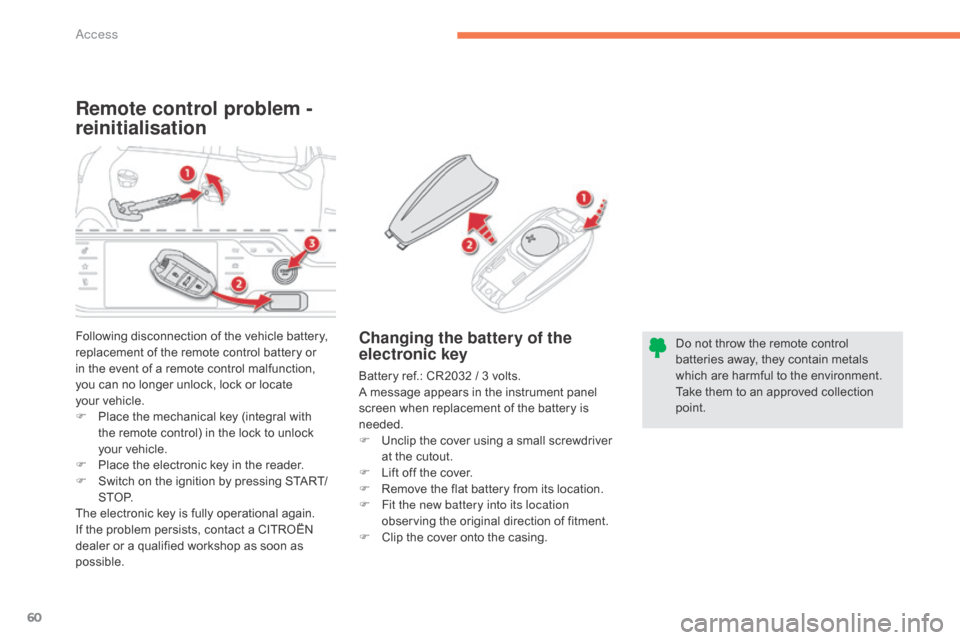
Remote control problem -
reinitialisation
Changing the battery of the
electronic key
Battery ref.: CR2032 / 3 volts.
A message appears in the instrument panel
s
creen when replacement of the battery is
ne
eded.
F
U
nclip the cover using a small screwdriver
a
t the cutout.
F
L
ift off the cover.
F
R
emove the flat battery from its location.
F
F
it the new battery into its location
observing
the original direction of fitment.
F
C
lip the cover onto the casing.
Following
disconnection
of
the
vehicle
battery,
r
eplacement
of
the
remote
control
battery
or
i
n
the
event
of
a
remote
control
malfunction,
y
ou
can
no
longer
unlock,
lock
or
locate
y
our vehicle.
F
P
lace
the
mechanical
key
(integral
with
t
he
remote
control)
in
the
lock
to
unlock
y
our vehicle.
F
P
lace
the
electronic
key
in
the
reader.
F
S
witch
on
the
ignition
by
pressing
START/
S T O P.
The
electronic
key
is
fully
operational
again.
If
the
problem
persists,
contact
a
CITROËN
d
ealer
or
a
qualified
workshop
as
soon
as
p
ossible. Do
not throw the remote control
b
atteries away, they contain metals w
hich are harmful to the environment.
Take them to an approved collection
po
int.
Access
Page 64 of 428
62
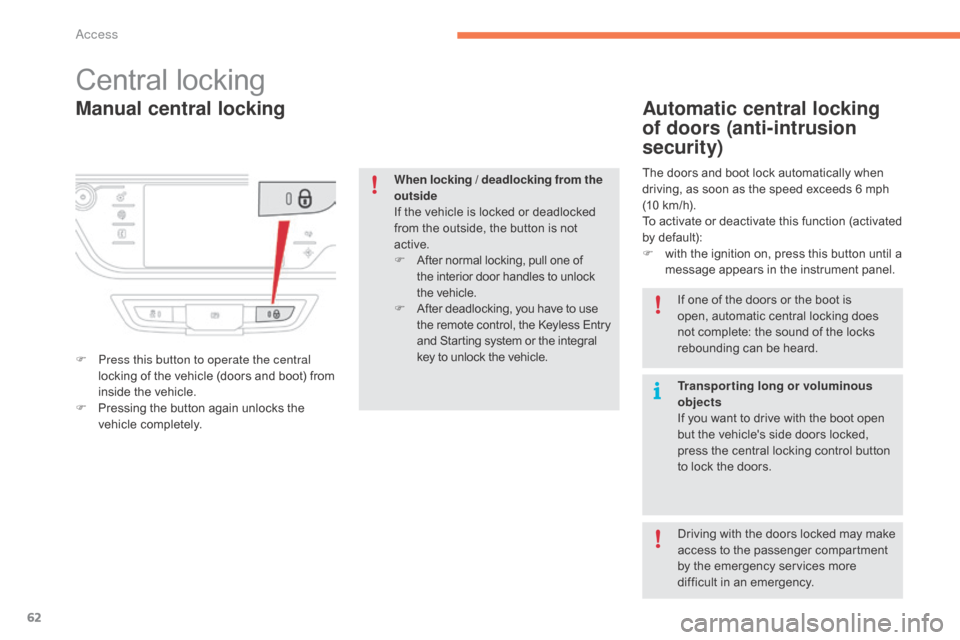
Manual central locking
Central locking
F Press this button to operate the central locking of the vehicle (doors and boot) from
i
nside the vehicle.
F
P
ressing the button again unlocks the
v
ehicle
c
ompletely.
Automatic central locking
of doors (anti-intrusion
security)
The doors and boot lock automatically when driving, as soon as the speed exceeds 6 mph
(
10 km/h).
To
activate or deactivate this function (activated
b
y default):
F
w
ith the ignition on, press this button until a
m
essage appears in the instrument panel.
When locking / deadlocking from the
outside
If
the
vehicle
is
locked
or
deadlocked
f
rom
the
outside,
the
button
is
not
a
ctive.
F
A
fter
normal
locking,
pull
one
of
t
he
interior
door
handles
to
unlock
t
he vehicle.
F
A
fter
deadlocking,
you
have
to
use
t
he
remote
control,
the
Keyless
Entry
a
nd
Starting
system
or
the
integral
k
ey
to
unlock
the
vehicle. If
one of the doors or the boot is
o
pen, automatic central locking does
n
ot complete: the sound of the locks
r
ebounding can be heard.
Transporting long or voluminous
objects
If
you want to drive with the boot open
b
ut the vehicle's side doors locked,
p
ress the central locking control button
t
o lock the doors.
Driving
with the doors locked may make
a
ccess to the passenger compartment
b
y the emergency services more
d
ifficult in an emergency.
Access
Page 65 of 428
63
doors
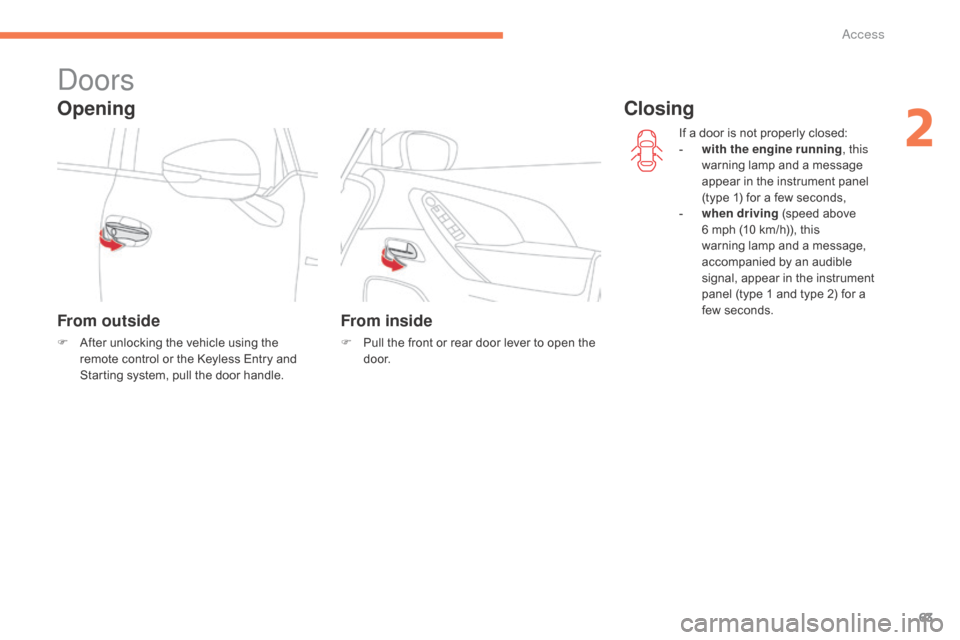
Opening
From outside
F After unlocking the vehicle using the r
emote control or the Keyless Entry and
S
tarting system, pull the door handle.
From inside
F Pull the front or rear door lever to open the d
o o r. If
a door is not properly closed:
-
w
ith the engine running
, this
warning lamp and a message
a
ppear in the instrument panel
(
type 1) for a few seconds,
-
wh
en driving
(speed above
6
mph (10 km/h)), this
w
arning lamp and a message,
a
ccompanied by an audible
s
ignal, appear in the instrument
p
anel (type 1 and type 2) for a
f
ew seconds.
Closing
2
access
Page 67 of 428
65
boot
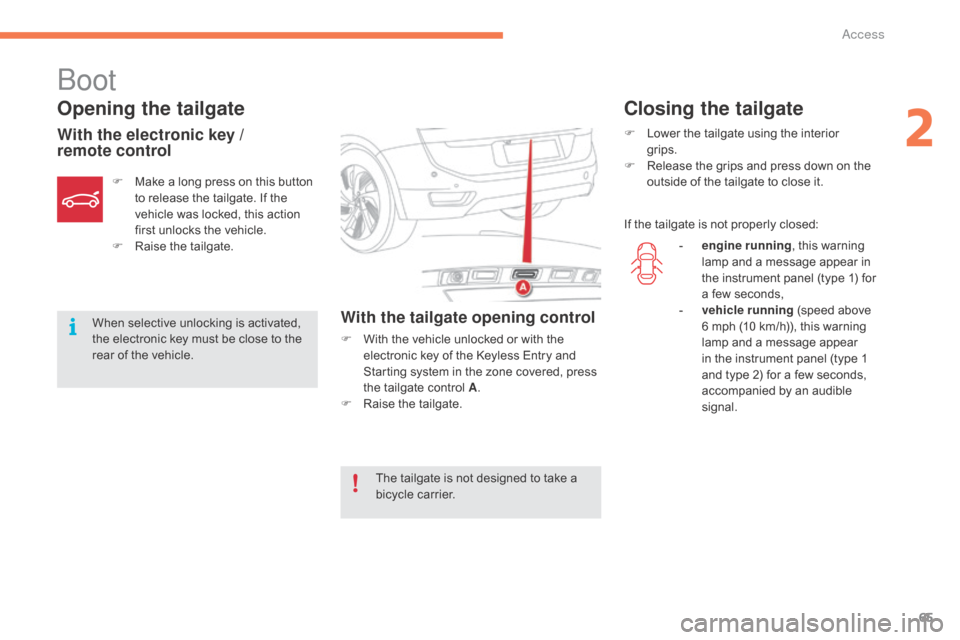
Opening the tailgate
With the electronic key /
remote controlWith the tailgate opening control
F With the vehicle unlocked or with the e
lectronic key of the Keyless Entry and
S
tarting system in the zone covered, press
t
he tailgate control A.
F
Ra
ise
t
he
t
ailgate.
F
M
ake
a
long
press
on
this
button
t
o
release
the
tailgate.
If
the
v
ehicle
was
locked,
this
action
f
irst
unlocks
the
vehicle.
F
Ra
ise
t
he
t
ailgate.
When
selective
unlocking
is
activated,
t
he
electronic
key
must
be
close
to
the
r
ear
of
the
vehicle.
Closing the tailgate
F Lower the tailgate using the interior
grips.
F
R
elease the grips and press down on the
o
utside of the tailgate to close it.
If
the tailgate is not properly closed:
The
tailgate
is
not
designed
to
take
a
b
icycle
carrier. -
e
ngine running,
this warning
l
amp and a message appear in
t
he instrument panel (type 1) for
a
few seconds,
-
v
ehicle running
(speed above
6
mph (10 km/h)), this warning
l
amp and a message appear
i
n the instrument panel (type 1
a
nd type 2) for a few seconds,
a
ccompanied by an audible
s
ignal.
2
access