change time Citroen C4 PICASSO RHD 2014.5 1.G Owner's Manual
[x] Cancel search | Manufacturer: CITROEN, Model Year: 2014.5, Model line: C4 PICASSO RHD, Model: Citroen C4 PICASSO RHD 2014.5 1.GPages: 428, PDF Size: 10.03 MB
Page 11 of 428

9
Optimise the use of your gearbox
With a manual gearbox, move off gently and change up without waiting. During acceleration change up early.
With
an automatic or electronic gearbox, give preference to automatic
m
ode and avoid pressing the accelerator pedal heavily or suddenly.
Control the use of your electrical
equipment
Before moving off, if the passenger compartment is too warm, ventilate it by opening the windows and air vents before using the air conditioning.
Above
30 mph (50 km/h), close the windows and leave the air vents
ope
n.
Remember
to make use of equipment that can help keep the
t
emperature in the passenger compartment down (sunroof and window
b
linds...).
Switch
off the air conditioning, unless it has automatic regulation, as
s
oon as the desired temperature is attained.
Switch
off the demisting and defrosting controls, if not automatic.
Switch
off the heated seat as soon as possible.
Switch
off the headlamps and front foglamps when the level of light
d
oes not require their use.
Avoid
running the engine before moving off, particularly in winter; your
v
ehicle will warm up much faster while driving.
As
a passenger, if you avoid connecting your multimedia devices
(
film, music, video game...), you will contribute towards limiting the
c
onsumption of electrical energy, and so of fuel.
Disconnect
your portable devices before leaving the vehicle.
Eco-driving
Eco-driving is a range of everyday practices that allow the motorist to optimise their fuel consumption and CO2 emissions.
Drive smoothly
Maintain a safe distance between vehicles, use engine braking rather than the brake pedal, and press the accelerator progressively. These
p
ractices contribute towards a reduction in fuel consumption and
C
o
2 emissions and also helps reduce the background traffic noise.
I
f
your vehicle has cruise control, make use of the system at speeds
a
bove 25 mph (40 km/h) when the traffic is flowing well.
The
gear shift indicator invites you engage the most suitable gear: as
s
oon as the indication is displayed in the instrument panel, follow it
s
traight away.
For
vehicles fitted with an electronic or automatic gearbox, this
i
ndicator appears only in manual mode.
.
Eco-driving
Page 52 of 428
50
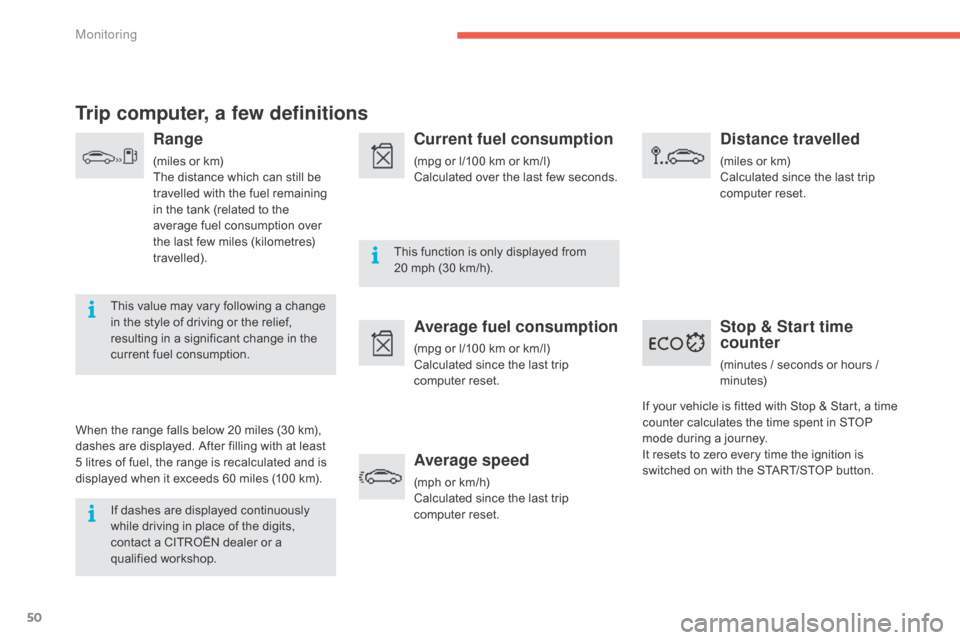
Trip computer, a few definitions
Range
(miles or km)
T he distance which can still be
t
ravelled with the fuel remaining
i
n the tank (related to the
a
verage fuel consumption over
t
he last few miles (kilometres)
t
ravelled).
This
value may vary following a change
i
n
the
style of driving or the relief,
r
esulting in a significant change in the
c
urrent
fuel consumption.
When
the
range falls below 20 miles (30 km),
d
ashes
are
displayed. After filling with at least
5
litres
of
fuel,
the range is recalculated and is
d
isplayed
when it exceeds 60 miles (100 km).
If
dashes are displayed continuously
w
hile
driving in place of the digits,
c
ontact
a CITROËN dealer or a
q
ualified
w
orkshop. This
function is only displayed from
2
0 mph (30 km/h).
Current fuel consumption
(mpg or l/100 km or km/l)
C alculated over the last few seconds.
Average fuel consumption
(mpg or l/100 km or km/l)
C alculated since the last trip
c
omputer
re
set.
Average speed
(mph or km/h)
C alculated since the last trip
c
omputer
re
set.
Distance travelled
(miles or km)
C alculated since the last trip
c
omputer
re
set.
Stop & Start time
counter
(minutes / seconds or hours / minutes)
If
your
vehicle
is fitted with Stop & Start, a time
c
ounter
calculates the time spent in STOP
m
ode
during
a journey.
I
t
resets
to
zero every time the ignition is
s
witched
on
with the START/STOP button.
Monitoring
Page 109 of 428

107
The recharge for the air freshener consists of a cartridge B and its sealed container C.
F
R
emove the protective film D.
F
P
lace the head of the cartridge B on the
button A
of the air freshener.
F
R
otate it a quarter turn to lock it on the
b
utton and remove the container.
F
I
nsert the air freshener into its housing.
You
can change cartridges at any time, keeping
t
he used cartridges in their original containers.
Replacing a cartridge
The air freshener button A is independent of the c
artridge. Cartridges are supplied without the air f
reshener button A .
The button of the air freshener A can only be
fitted
to the centre of the dashboard with a
c
artridge attached.
Therefore
always keep the air freshener button A
and
one cartridge.
Replacement
cartridges are available, depending
o
n country, either on the Internet site or from a
C
ITROËN dealer or a qualified workshop.
Locations
a
re
p
rovided
i
n
t
he
g
love
b
ox
f
or
s
toring
c
artridges and containers.
Air freshener button
For safety, use only cartridges that are provided for this purpose.
Retain
the containers for storing used
c
artridges.
Do
not recharge or dismantle the
c
artridges.
Keep
them out of reach of children and
an
imals.
Avoid
all contact with the skin and with
t
he eyes.
In
the event of ingestion, consult a
d
octor and show them the product
pa
ckaging
o
r
lab
el.
Do
not install or remove a cartridge
w
hile you are driving.
3
Comfort
Page 145 of 428

143
never select neutral N w hen d riving.
Automated mode
F Select position A.
AUTO or A
and the gear engaged is
d
isplayed in the instrument panel.
The
gearbox operates in auto-active mode,
w
ithout any action on the part of the driver. It
c
ontinuously selects the most suitable gear for:
-
o
ptimisation of fuel consumption,
-
t
he style of driving,
-
t
he profile of the road.
-
t
he vehicle load.
For
optimum acceleration, for example
w
hen overtaking another vehicle, press
t
he accelerator pedal firmly past the
p
oint of resistance.
Temporary control of gear
changing
F Select position M .
The gears engaged are displayed in
s
uccession in the instrument panel.
The
gear change requests are only acted on if
t
he engine speed permits.
It is not necessary to release the accelerator
during
gear changes.
When
braking or slowing down, the gearbox
c
hanges down automatically to allow the
v
ehicle to accelerate in the correct gear.
On
sharp acceleration, the gearbox will not
c
hange up unless the driver acts on the
s
teering mounted paddles.
Manual mode
You can change mode at any time by moving the selector lever from A to M or the other way
round.
ne
ver select neutral N while the vehicle is
moving.
You
can
temporarily
take
over
control
of
g
ear
changing
using
the
"+"
and
"-"
steering
m
ounted
paddles.
If
the
engine
speed
allows,
t
he
instruction
to
change
gear
is
acted
on.
This function allows you to anticipate certain
situations
such
as
overtaking
a
vehicle
or
the
a
pproach
to
a
corner.
After
a
few
moments
without
any
action
on
t
he
control
paddles,
the
gearbox
resumes
a
utomatic
control
of
the
gears.
4
driving
Page 147 of 428

145
Automatic gearbox
This gearbox offers two driving modes.
- a utomated mode for automatic
m
anagement of the gears by the gearbox,
w
ithout any action on the part of the driver,
-
m
anual
mode for sequential gear changing
b
y the driver using the steering mounted
p
addles.
P.
Pa
rk.
-
I
mmobilisation of the vehicle, parking brake
a
pplied or released.
-
S
tarting the engine.
R.
R
everse.
-
R
eversing, vehicle stationary and engine at
i
dle.
N.
N
eutral.
-
I
mmobilisation of the vehicle, parking brake
a
pplied.
-
S
tarting the engine.
D.
A
utomatic
ope
ration.
M.
M
anual operation with sequential changing
o
f the six gears.Gear selector lever
To select position P, move the gear s
elector to the highest position
(
towards R),
then push it for wards and
t
hen to the left.
Only
engage it when the vehicle is at a
c
omplete stop. In this position, the front
w
heels are locked. Ensure that the gear
s
elector is correctly positioned.
To
move the gear selector, switch on
t
he ignition or start the engine.
If
the battery is not sufficiently charged,
i
t is not possible to move the gear
s
elector.
To
come out of position P
, move the
g
ear selector to the right to the desired
p
osition, while keeping your foot on the
b
rake
ped
al.
It
is
possible
to
change
from
one
mode
t
o
the
other
at
any
time.
With
the
automated
mode,
you
can
t
emporarily
take
control
of
the
gear
c
hanges
at
any
time.
4
Driving
Page 155 of 428
153
The system is reactivated automatically every time the engine is started by
t
he driver.
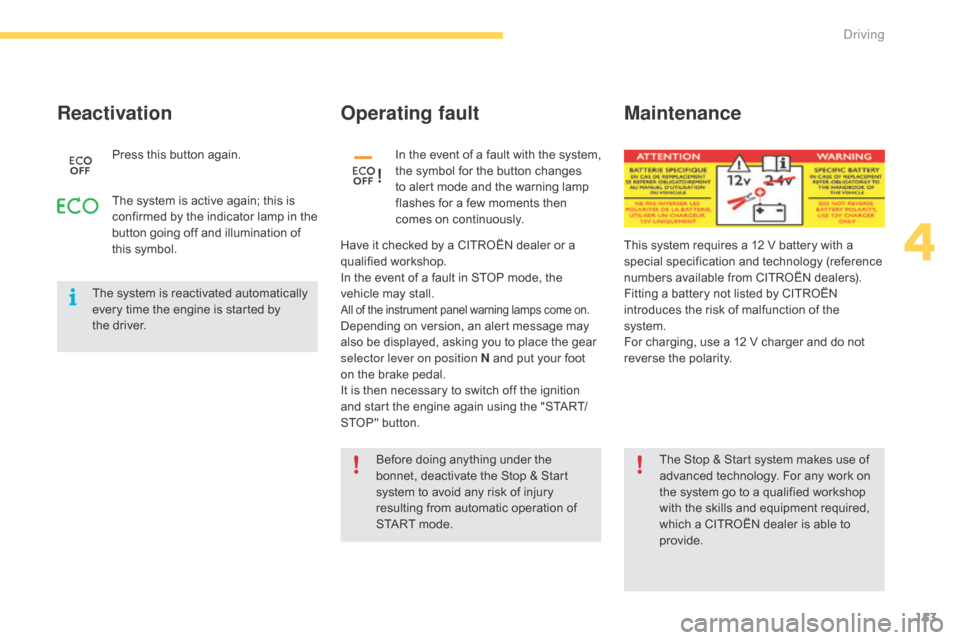
Reactivation
Press this button again.
Operating fault
Have it checked by a CITROËN dealer or a q ualified w orkshop.
In
the event of a fault in STOP mode, the
v
ehicle may stall.
All of the instrument panel warning lamps come on.Depending on version, an alert message may also be displayed, asking you to place the gear
s
elector lever on position N and put your foot
o
n the brake pedal.
It
is then necessary to switch off the ignition
a
nd start the engine again using the "START/
STOP"
button.In
t
he
e
vent
o
f
a
f
ault
w
ith
t
he
s
ystem,
t
he symbol for the button changes
t
o alert mode and the warning lamp
f
lashes for a few moments then
c
omes on continuously.
The
system
is
active
again;
this
is
c
onfirmed
by
the
indicator
lamp
in
the
b
utton
going
off
and
illumination
of
t
his
symbol.
The Stop & Start system makes use of
a
dvanced technology. For any work on
t
he system go to a qualified workshop
w
ith the skills and equipment required,
w
hich a CITROËN dealer is able to
pro
vide.
Before
doing anything under the
b
onnet, deactivate the Stop & Start
s
ystem to avoid any risk of injury
r
esulting from automatic operation of
S
TART mode.
Maintenance
This system requires a 12 V battery with a special specification and technology (reference
n
umbers available from CITROËN dealers).
Fitting
a battery not listed by CITROËN
i
ntroduces the risk of malfunction of the
s
ystem.
For
charging, use a 12 V charger and do not
r
everse the polarity.
4
Driving
Page 167 of 428

165
active cruise control
This systems allows, in addition to maintaining your vehicle's speed at a value that you
h
ave defined, the inter-vehicle time you have
s
elected between your vehicle and the one
a
head to be maintained.Principles of operation
Using a radar with a range of about 100 metres, located at the front of the vehicle, this system
d
etects a vehicle running in front of your
v
ehicle.
It
automatically adapts the speed of the vehicle
t
o that of the vehicle in front.
If
the vehicle in front is running more slowly,
t
he system progressively reduces the speed of
y
our vehicle using just engine braking (as if the
d
river had pressed the "-"
button).
If
your vehicle is too close to or approaching
t
oo quickly the vehicle in front, the cruise
c
ontrol is automatically deactivated. The
d
river is then alerted by an audible signal,
a
ccompanied by a message.
If
the vehicle in front accelerates or changes
l
ane, the active cruise control progressively
a
ccelerates your vehicle to return to the
programmed
s
peed.
If
the driver operates a direction indicator to
t
he left (left hand drive) or the right (right hand
d
rive), to overtake a slower vehicle, the active
c
ruise control allows your vehicle to temporarily
a
pproach the vehicle in front to assist the
overtaking
ma
noeuvre,
t
hough
n
ever
e
xceeding
t
he programmed speed. The active cruise control operates by
day
and at night, in fog or in moderate
r
ainfall.
The system does not act on the braking system, but works only with engine braking.
The
regulation range is limited: there will
n
o longer be any adjustment of speed if the
d
ifference between the programmed speed
s
etting and the speed of the vehicle in front
b
ecomes too high (18 mph (30 km/h)).
The selection of this system deactivates the inter-vehicle time function.
If
the difference between the
p
rogrammed speed setting and the
s
peed of the vehicle in front is too
g
reat, the speed cannot be adjusted:
t
he cruise control is automatically
d
eactivated.Choice of the type of cruise control
If you want to use the standard cruise control, it is possible to deactivate the active cruise
control in the " Driving assistance "
menu of
t
he the touch screen tablet.
On
pressing the button, the green
i
ndicator lamp goes off.
The
standard cruise control is available.
Refer to the previous section for the
details
of the operation of the standard
c
ruise control.
This
is confirmed by the display of
t
his symbol in the control.
You can return to the active cruise
control
at any time by pressing this
bu
tton
ag
ain.
4
driving
Page 176 of 428
174
The change from one level of alert to the next takes place if the driving
c
onditions do not change (speed
u
nchanged, no change of lane...)
Severe
weather conditions (very heavy
r
ain, accumulation of snow in front
o
f the radar) may inter fere with the
o
peration of the system, resulting in
t
he display of the message "System
inactive: Reduced visibility ".
The
s
ystem remains unavailable until the
m
essage
d
isappears.
If
the speed of your vehicle is too high
w
hen approaching another vehicle, the
f
irst level of alert may not be displayed:
t
he level 2 alert may be displayed
d
i r e c t l y.
On
the other hand, the level 1 alert
i
s never displayed with the triggering
t
hreshold 3 (close).
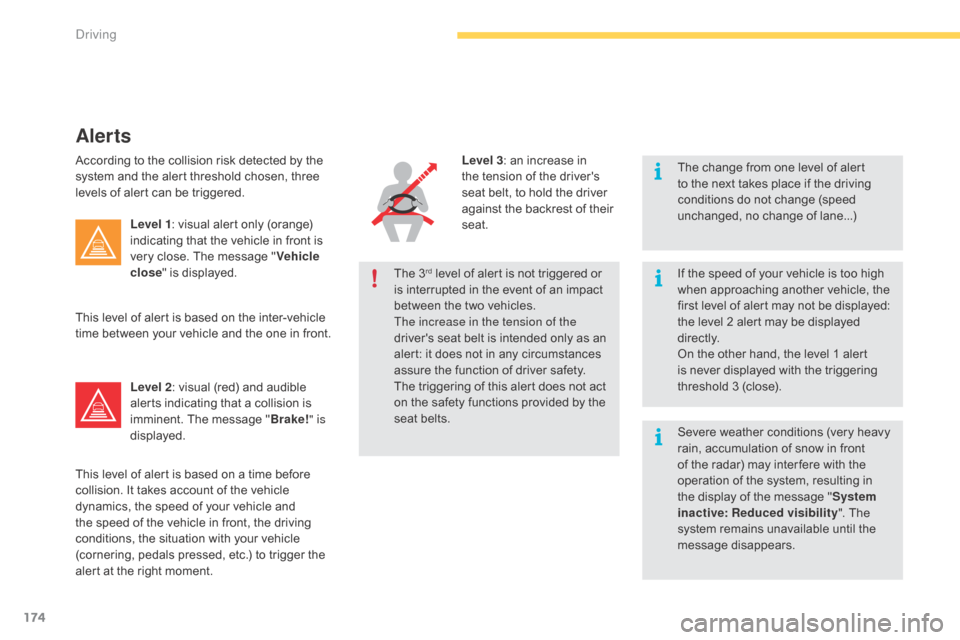
Alerts
According to the collision risk detected by the system and the alert threshold chosen, three
l
evels of alert can be triggered.
Level 1 :
visual alert only (orange)
i
ndicating that the vehicle in front is
v
ery close. The message "Vehicle
close "
is displayed.
Level 2 :
visual (red) and audible
a
lerts indicating that a collision is
i
mminent. The message "Brake! " is
displayed.
This
level of alert is based on the inter-vehicle
t
ime between your vehicle and the one in front.
This
level of alert is based on a time before
c
ollision. It takes account of the vehicle
d
ynamics, the speed of your vehicle and
t
he speed of the vehicle in front, the driving
c
onditions, the situation with your vehicle
(
cornering, pedals pressed, etc.) to trigger the
a
lert at the right moment. Level 3
: an increase in t
he tension of the driver's
s
eat belt, to hold the driver
a
gainst the backrest of their
sea
t.
The
3
rd level of alert is not triggered or i
s
interrupted in the event of an impact
b
etween the two vehicles.
The increase in the tension of the
driver's
seat belt is intended only as an
a
lert:
it
does not in any circumstances
a
ssure
the function of driver safety.
The
triggering of this alert does not act
o
n
the
safety functions provided by the
s
eat
belts.
Driving
Page 187 of 428

185
Park Assist
This system provides active assistance with parking, detecting a parking space then
c
ontrolling the steering to park in the space.
It
controls the steering while the driver
m
anages the accelerator, brakes, gears and
c
lutch (manual gearbox). During phases of
e
ntry into and exit from a parking space, the
s
ystem provides visual and audible information
t
o the driver in order to make the manoeuvres
s
afe. It may be necessary to move for wards
a
nd backwards more than once. During
a manoeuvre the steering wheel
t
urns quickly: do not hold the steering
w
heel, do not place your hand between
t
he spokes of the steering wheel and
t
ake care with loose and bulky clothing,
s
carves, handbags... There is a risk of
in
jury.
When
Park Assist is activated, it
p
revents a change to STOP mode of
S
top & Start. In STOP mode, activation
o
f Park Assist restarts the engine.
The
Park Assist system cannot in any
c
ircumstances replace the need for
v
igilance on the part of the driver.
The
driver must remain in control
o
f their vehicle ensuring that the
s
pace remains clear throughout the
m
anoeuvre.
In
some circumstances, the sensors
m
ay not detect small obstacles located
i
n their blind spots.
The
driver can take control at any time by
g
ripping the steering wheel. The
Park Assist system provides assistance for t
he following manoeuvres:
-
e
ntry into a parallel parking space
-
e
xit from a parallel parking space
-
b
ay parkingThe
Park Assist system takes control
o
f the power steering for a maximum
o
f 4 manoeuvre cycles. The function
i
s deactivated after these 4 cycles.
I
f you think that your vehicle is not
p
ositioned correctly, you should then
t
ake control of the steering to carry out
t
he manoeuvre.
The
Park Assist system cannot work
w
ith the engine off.
4
D
Page 202 of 428
200
The system may suffer inter ference or not work correctly:
-
u
nder conditions of poor visibility
(
for example, snowfall, heavy rain
o
r thick fog, ...),
-
i
f the windscreen is dirty, misted or
o
bscured (by a sticker, ...) in front of
t
he camera,
-
i
f the vehicle is facing highly
re
flective
si
gns.
The
system is not able to detect:
-
r
oad users that do not have their
o
wn lighting, such as pedestrians,
-
r
oad users whose lighting is
o
bscured, such as vehicles running
b
ehind a safety barrier (on a
m
otor way, for example),
-
r
oad users at the top or bottom of
a
steep slope, on twisty roads, on
c
rossroads.
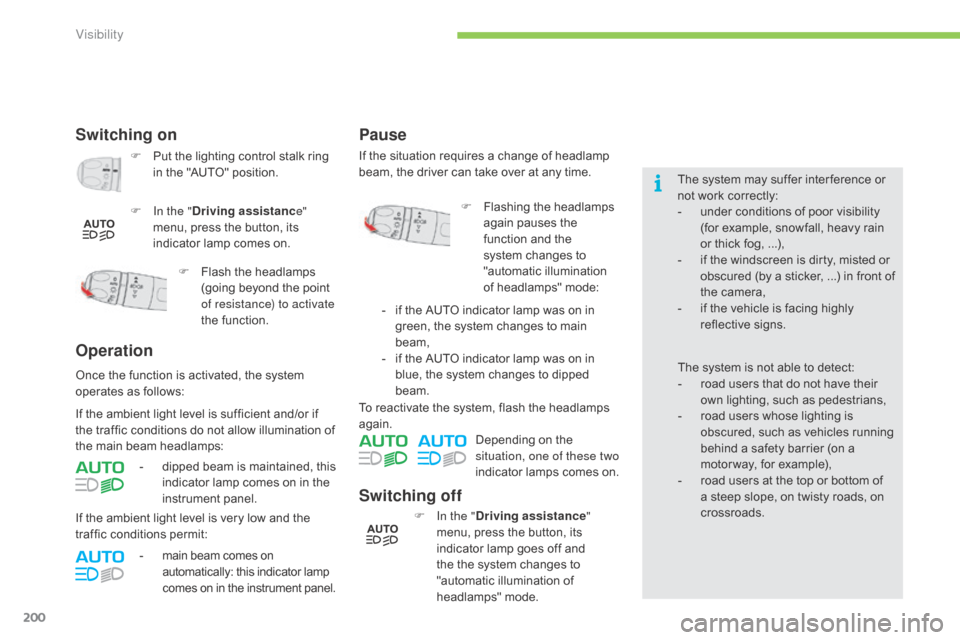
Switching off
F In the " Driving assistance "
menu, press the button, its
i
ndicator lamp goes off and
t
he the system changes to
"
automatic illumination of
h
eadlamps"
m
ode.
To
reactivate the system, flash the headlamps
ag
ain.
Depending on the
s
ituation, one of these two
indicator lamps comes on.
Switching on
F Put
the lighting control stalk ring i
n the "AUTO" position.
F
I
n the " Driving assistanc e"
menu,
press the button, its
i
ndicator lamp comes on.
Operation
- dipped beam is maintained, this i
ndicator lamp comes on in the
in
strument
pan
el.
F
F
lash the headlamps
(
going beyond the point
o
f resistance) to activate
the function.
Once
the
function is activated, the system
o
perates
as follows:
If
the
ambient light level is very low and the
t
raffic
conditions permit:
-
m
ain beam comes on
a
utomatically: this indicator lamp
c
omes
o
n
i
n the
i
nstrument panel.
If
the
ambient light level is sufficient and/or if
t
he
traffic
conditions do not allow illumination of
t
he
main
beam headlamps:
Pause
If the situation requires a change of headlamp b
eam, the driver can take over at any time.
F
F
lashing the headlamps
a
gain pauses the
f
unction and the
s
ystem changes to
"
automatic illumination
o
f headlamps" mode:
-
i
f the AUTO indicator lamp was on in
g
reen, the system changes to main
b
eam,
-
i
f the AUTO indicator lamp was on in
b
lue, the system changes to dipped
b
eam.
Visibility