wheel CITROEN C5 2018 Owner's Manual
[x] Cancel search | Manufacturer: CITROEN, Model Year: 2018, Model line: C5, Model: CITROEN C5 2018Pages: 348, PDF Size: 10.72 MB
Page 95 of 348
93
C5_en_Chap04_conduite_ed01-2016
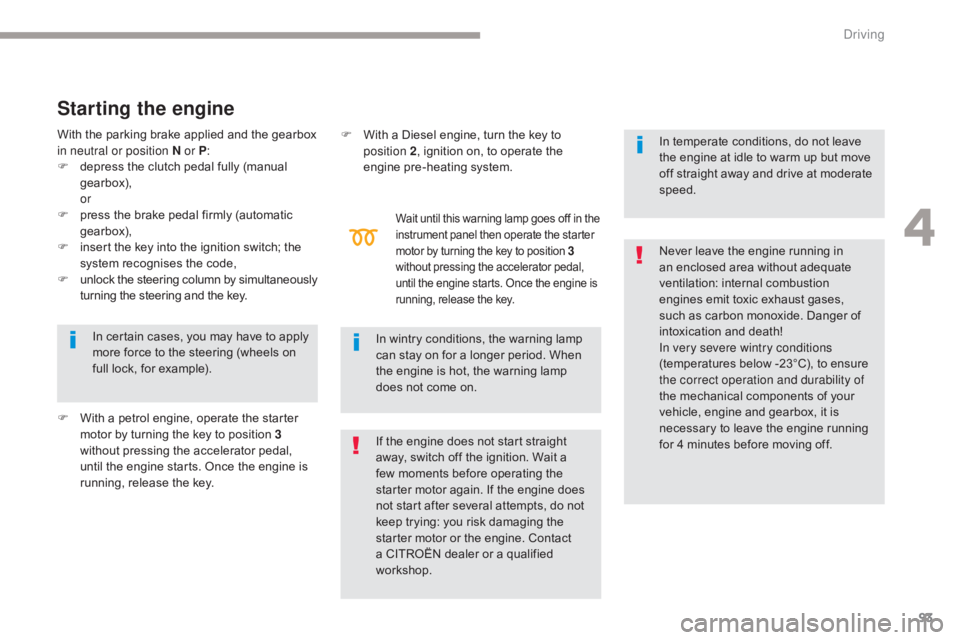
Starting the engine
Wait until this warning lamp goes off in the
instrument panel then operate the starter
motor by turning the key to position 3
without pressing the accelerator pedal,
until the engine starts. Once the engine is
running, release the key.
With the parking brake applied and the gearbox
in neutral or position N or P:
F
d
epress the clutch pedal fully (manual
gearbox),
or
F
p
ress the brake pedal firmly (automatic
gearbox),
F
i
nsert the key into the ignition switch; the
system recognises the code,
F
u
nlock the steering column by simultaneously
turning the steering and the key.
F
W
ith a petrol engine, operate the starter
motor by turning the key to position 3
without pressing the accelerator pedal,
until the engine starts. Once the engine is
running, release the key. Never leave the engine running in
an enclosed area without adequate
ventilation: internal combustion
engines emit toxic exhaust gases,
such as carbon monoxide. Danger of
intoxication and death!
In very severe wintry conditions
(temperatures below -23°C), to ensure
the correct operation and durability of
the mechanical components of your
vehicle, engine and gearbox, it is
necessary to leave the engine running
for 4 minutes before moving off.
In wintry conditions, the warning lamp
can stay on for a longer period. When
the engine is hot, the warning lamp
does not come on.
In certain cases, you may have to apply
more force to the steering (wheels on
full lock, for example). F
W ith a Diesel engine, turn the key to
position 2 , ignition on, to operate the
engine pre-heating system.
If the engine does not start straight
away, switch off the ignition. Wait a
few moments before operating the
starter motor again. If the engine does
not start after several attempts, do not
keep trying: you risk damaging the
starter motor or the engine. Contact
a CITROËN dealer or a qualified
workshop. In temperate conditions, do not leave
the engine at idle to warm up but move
off straight away and drive at moderate
speed.
4
Driving
Page 96 of 348
94
C5_en_Chap04_conduite_ed01-2016
Do not flick the accelerator at the
moment of switching off the ignition.
This could cause serious damage to the
turbocharger(s).
Vehicles equipped with a
turbocharger
Never stop the engine without having allowed it
to run for a few seconds at idle, this being the
time required for the turbocharger to return to a
normal speed.Energy economy mode
After switching off the engine (position 1- Stop),
for a maximum of 30 minutes you can still use
functions such as the audio and telematic
system, the wipers, dipped beam headlamps,
courtesy lamps, ...
Switching off the engine
F Stop the vehicle.
F W ith the engine running at idle, turn the key
to position 1 .
F
R
emove the key from the ignition switch.
F
T
o lock the steering column, turn the
steering until it locks.
When you leave the vehicle, keep the
key with you and lock the vehicle. To facilitate unlocking of the steering
column, it is recommended that the
wheels be returned to the straight ahead
position before switching off the engine.
Never switch off the ignition before the
vehicle is at a complete stop. With the
engine off, the braking and steering
assistance systems are also cut off: risk
of loss of control of the vehicle. For more information on Energy
economy mode
, refer to the
corresponding section.
F
C
heck that the parking brake is correctly
applied, particularly on sloping ground.
Key left in the "Ignition on"
position
If the key has been left in the ignition switch
at position 2 (Ignition on) , the ignition will be
switched off automatically after one hour.
To switch the ignition back on, turn the
key to position 1 (Stop) , then back to
position 2 (Ignition on) .
Driving
Page 97 of 348
95
C5_en_Chap04_conduite_ed01-2016
Manual parking brake
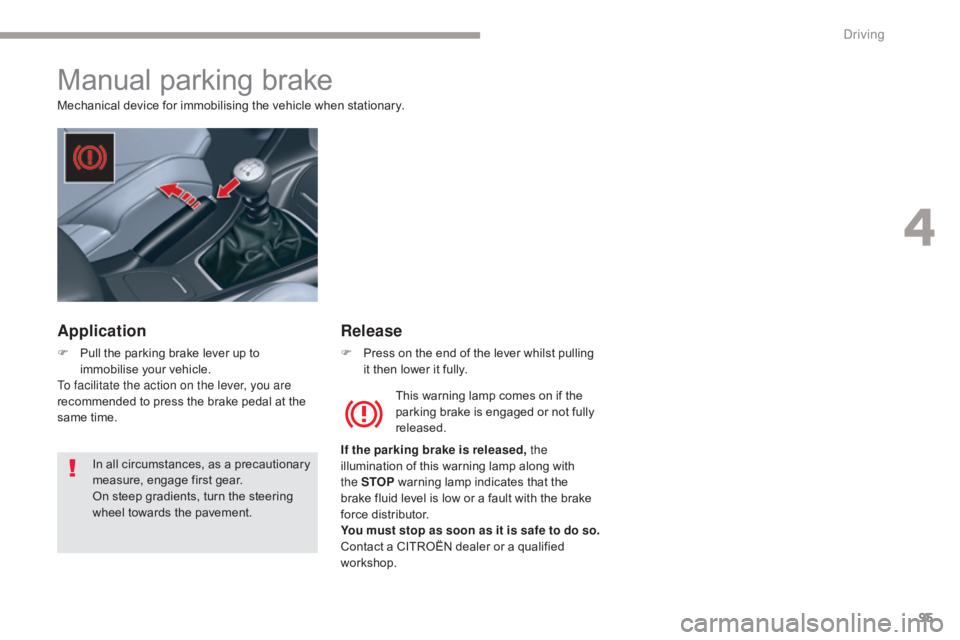
Mechanical device for immobilising the vehicle when stationary.This warning lamp comes on if the
parking brake is engaged or not fully
released.
If the parking brake is released, the
illumination of this warning lamp along with
the
STOP warning lamp indicates that the
brake fluid level is low or a fault with the brake
force distributor.
You must stop as soon as it is safe to do so.
Contact a CITROËN dealer or a qualified
workshop.
Application
F Pull the parking brake lever up to immobilise your vehicle.
To facilitate the action on the lever, you are
recommended to press the brake pedal at the
same time.
Release
F Press on the end of the lever whilst pulling it then lower it fully.
In all circumstances, as a precautionary
measure, engage first gear.
On steep gradients, turn the steering
wheel towards the pavement.
4
Driving
Page 101 of 348
99
C5_en_Chap04_conduite_ed01-2016
Maximum application
If necessary, you can make a maximum
application of the parking brake. It is obtained
by means of a long pull on control lever A,
until you see the message " Max application
of the parking brake" and an audible signal
is heard.
Maximum application is essential:
-
i
n the case of a vehicle towing a caravan
or a trailer, if the automatic functions are
activated but you are applying the parking
brake manually,
-
w
hen the effective gradient you are parked
on is variable (e.g. on a ferry, in a lorry,
during towing).
Particular situations
In certain situations (starting the engine...), the
parking brake can automatically alter its level of
application. This is normal operation.
To advance your vehicle a few centimetres
without starting the engine, but with the ignition
on, press on the brake pedal and release the
parking brake by pushing then releasing
control lever A .
The full release of the parking brake is
confirmed by the warning lamp P in the control
lever and the warning lamp in the instrument
panel going off and the display of a message
" Parking brake released" in the instrument
panel screen.
To ensure correct operation of the parking
brake and therefore your safety, the number of
successive application / release operations is
limited to eight.
If this number is exceeded, you are warned by
the message " Parking brake faulty " and a
warning lamp flashes. In the event of a battery failure, it will
not be possible to operate the electric
parking brake.
As a safety measure if the parking
brake is not applied, immobilise the
vehicle by engaging a gear or by
placing a chock against one of the
wheels.
Contact a CITROËN dealer or a
qualified workshop.
Please note...
-
i
n the case of towing, a loaded vehicle or
parking on a gradient, turn the front wheels
towards the pavement and engage a gear
when you park,
-
a
fter a maximum application, the release
time will be longer.
4
Driving
Page 108 of 348
106
C5_en_Chap04_conduite_ed01-2016
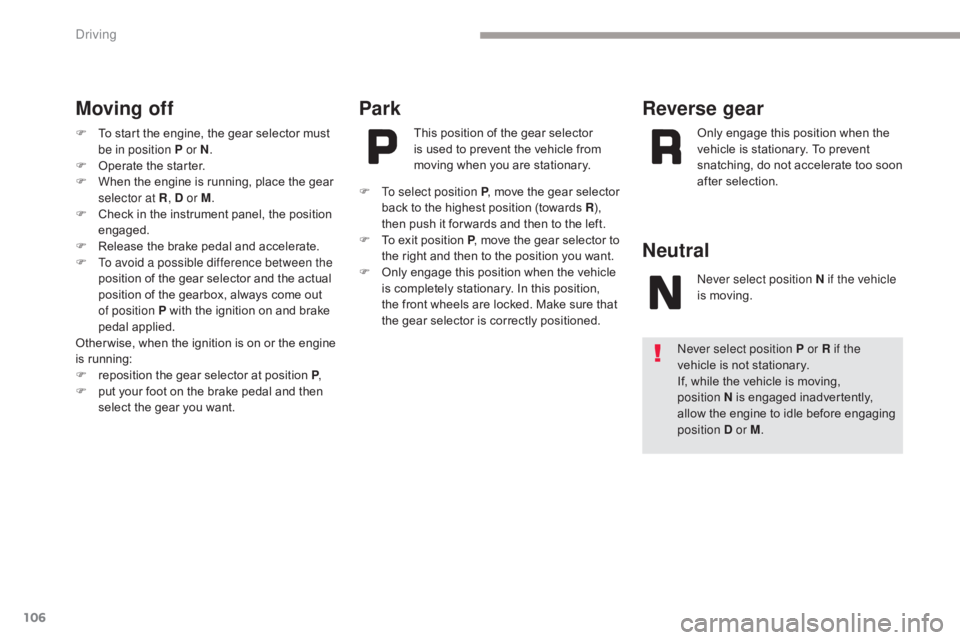
Moving off
F To start the engine, the gear selector must be in position P or N .
F
O
perate the starter.
F
W
hen the engine is running, place the gear
selector at R , D or M.
F
C
heck in the instrument panel, the position
engaged.
F
R
elease the brake pedal and accelerate.
F
T
o avoid a possible difference between the
position of the gear selector and the actual
position of the gearbox, always come out
of position P with the ignition on and brake
pedal applied.
Otherwise, when the ignition is on or the engine
is running:
F
r
eposition the gear selector at position P ,
F
p
ut your foot on the brake pedal and then
select the gear you want.
Park
This position of the gear selector
is used to prevent the vehicle from
moving when you are stationary.
Reverse gear
Only engage this position when the
vehicle is stationary. To prevent
snatching, do not accelerate too soon
after selection.
Neutral
Never select position N if the vehicle
is moving.
F
T
o select position P
, move the gear selector
back to the highest position (towards R ),
then push it for wards and then to the left.
F
T
o exit position
P, move the gear selector to
the right and then to the position you want.
F
O
nly engage this position when the vehicle
is completely stationary. In this position,
the front wheels are locked. Make sure that
the gear selector is correctly positioned.
Never select position P or R if the
vehicle is not stationary.
If, while the vehicle is moving,
position
N is engaged inadvertently,
allow the engine to idle before engaging
position D or M .
Driving
Page 116 of 348
114
C5_en_Chap04_conduite_ed01-2016
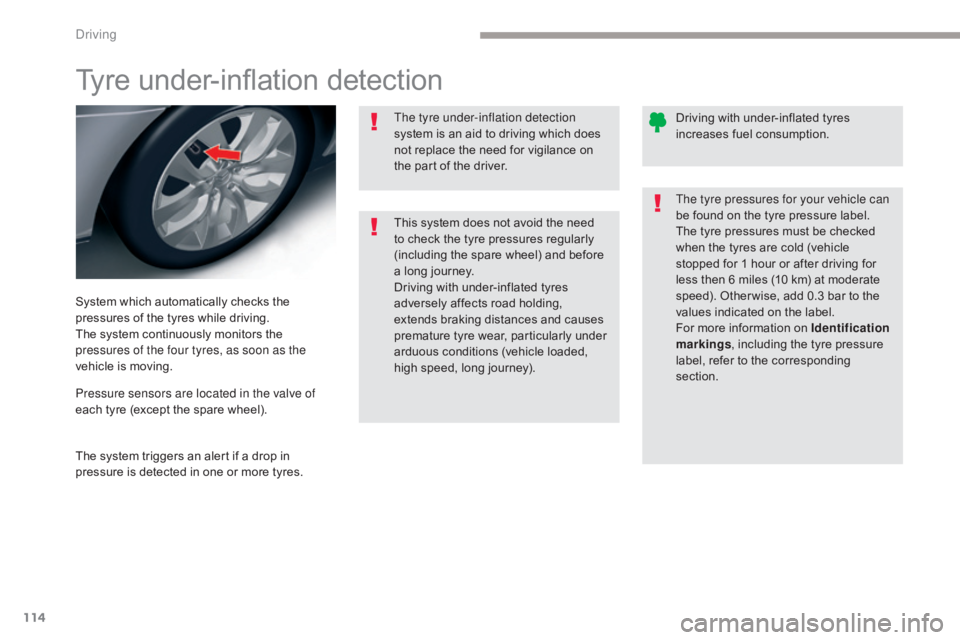
Tyre under-inflation detection
System which automatically checks the
pressures of the tyres while driving.
The system continuously monitors the
pressures of the four tyres, as soon as the
vehicle is moving.The tyre under-inflation detection
system is an aid to driving which does
not replace the need for vigilance on
the part of the driver.
This system does not avoid the need
to check the tyre pressures regularly
(including the spare wheel) and before
a long journey.
Driving with under-inflated tyres
adversely affects road holding,
extends braking distances and causes
premature tyre wear, particularly under
arduous conditions (vehicle loaded,
high speed, long journey).
The tyre pressures for your vehicle can
be found on the tyre pressure label.
The tyre pressures must be checked
when the tyres are cold (vehicle
stopped for 1 hour or after driving for
less then 6 miles (10 km) at moderate
speed). Other wise, add 0.3 bar to the
values indicated on the label.
For more information on Identification
markings
, including the tyre pressure
label, refer to the corresponding
section. Driving with under-inflated tyres
increases fuel consumption.
Pressure sensors are located in the valve of
each tyre (except the spare wheel).
The system triggers an alert if a drop in
pressure is detected in one or more tyres.
Driving
Page 117 of 348
115
C5_en_Chap04_conduite_ed01-2016
The loss of pressure detected does not
always lead to visible deformation of
the tyre.
Do not rely on just a visual check.The alert is maintained until the tyre or
tyres concerned is reinflated, repaired
or replaced.
The spare wheel (space-saver type or a
steel rim) does not have a sensor.
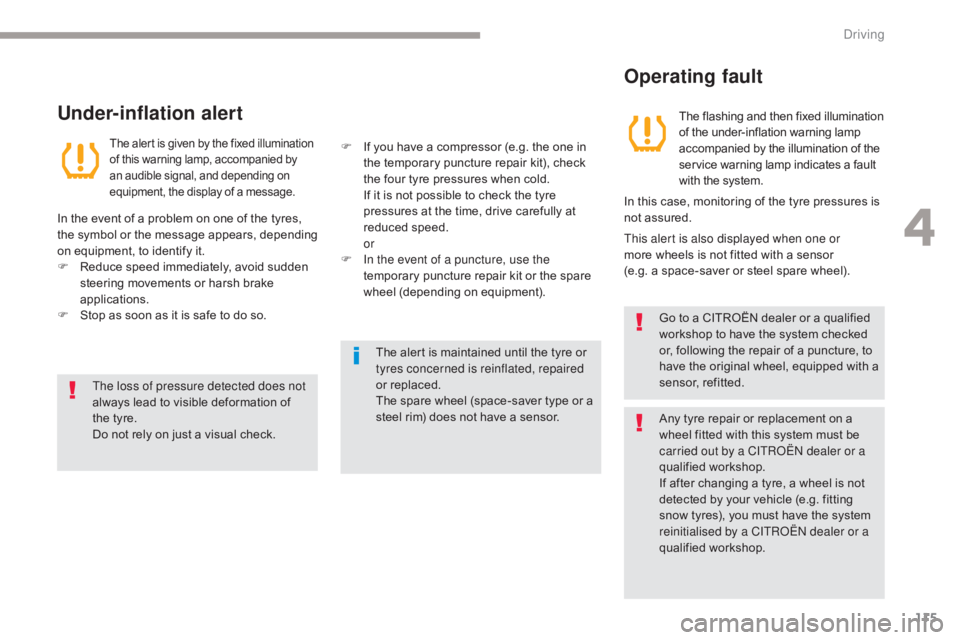
Under-inflation alert
The alert is given by the fixed illumination
of this warning lamp, accompanied by
an audible signal, and depending on
equipment, the display of a message.
In the event of a problem on one of the tyres,
the symbol or the message appears, depending
on equipment, to identify it.
F
R
educe speed immediately, avoid sudden
steering movements or harsh brake
applications.
F
S
top as soon as it is safe to do so. F
I
f you have a compressor (e.g. the one in
the temporary puncture repair kit), check
the four tyre pressures when cold.
I
f it is not possible to check the tyre
pressures at the time, drive carefully at
reduced speed.
or
F
I
n the event of a puncture, use the
temporary puncture repair kit or the spare
wheel (depending on equipment).
Operating fault
The flashing and then fixed illumination
of the under-inflation warning lamp
accompanied by the illumination of the
service warning lamp indicates a fault
with the system.
This alert is also displayed when one or
more
wheels is not fitted with a sensor
(e.g. a space-saver or steel spare wheel).
Go to a CITROËN dealer or a qualified
workshop
to have the system checked
or, following the repair of a puncture, to
have the original wheel, equipped with a
sensor, refitted.
Any tyre repair or replacement on a
wheel fitted with this system must be
carried out by a CITROËN dealer or a
qualified workshop.
If after changing a tyre, a wheel is not
detected by your vehicle (e.g. fitting
snow tyres), you must have the system
reinitialised by a CITROËN dealer or a
qualified workshop.
In this case, monitoring of the tyre pressures is
not assured.
4
Driving
Page 118 of 348
116
C5_en_Chap04_conduite_ed01-2016
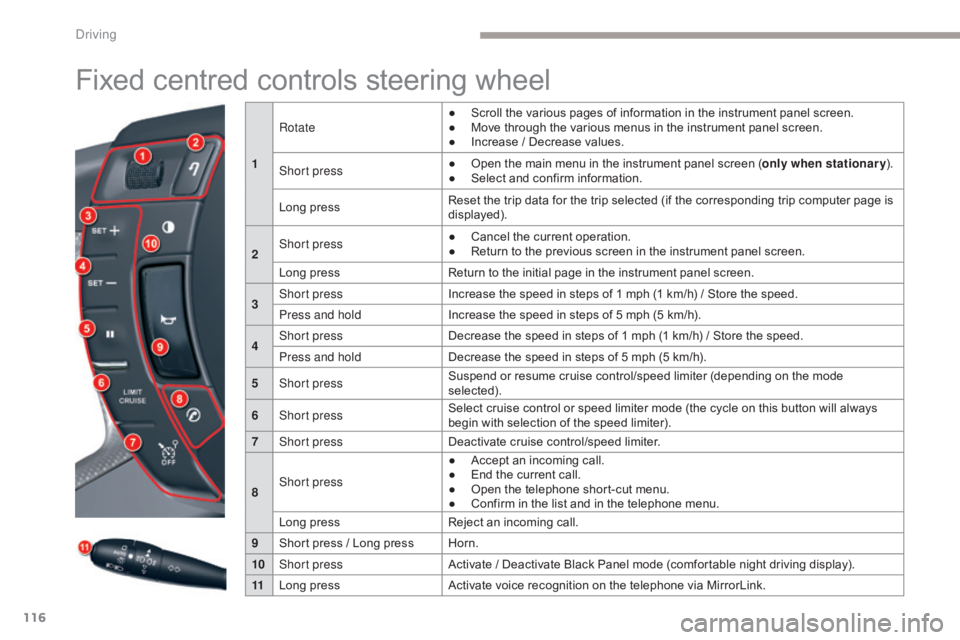
Fixed centred controls steering wheel
1Rotate
●
S
croll the various pages of information in the instrument panel screen.
●
M
ove through the various menus in the instrument panel screen.
●
I
ncrease / Decrease values.
Short press ●
O pen the main menu in the instrument panel screen (
only when stationary).
● S elect and confirm information.
Long press Reset the trip data for the trip selected (if the corresponding trip computer page is
displayed).
2 Short press
●
C
ancel the current operation.
●
R
eturn to the previous screen in the instrument panel screen.
Long press Return to the initial page in the instrument panel screen.
3 Short press
Increase the speed in steps of 1 mph (1 km/h) / Store the speed.
Press and hold Increase the speed in steps of 5 mph (5 km/h).
4 Short press
Decrease the speed in steps of 1 mph (1 km/h) / Store the speed.
Press and hold Decrease the speed in steps of 5 mph (5 km/h).
5 Short press Suspend or resume cruise control/speed limiter (depending on the mode
selected).
6 Short press Select cruise control or speed limiter mode (the cycle on this button will always
begin with selection of the speed limiter).
7 Short press Deactivate cruise control/speed limiter.
8 Short press ●
A
ccept an incoming call.
●
E
nd the current call.
●
O
pen the telephone short-cut menu.
●
C
onfirm in the list and in the telephone menu.
Long press Reject an incoming call.
9 Short press / Long press Horn.
10 Short press Activate / Deactivate Black Panel mode (comfortable night driving display).
11 Long press Activate voice recognition on the telephone via MirrorLink.
Driving
Page 120 of 348
118
C5_en_Chap04_conduite_ed01-2016
Speed limiter
Steering mounted controls
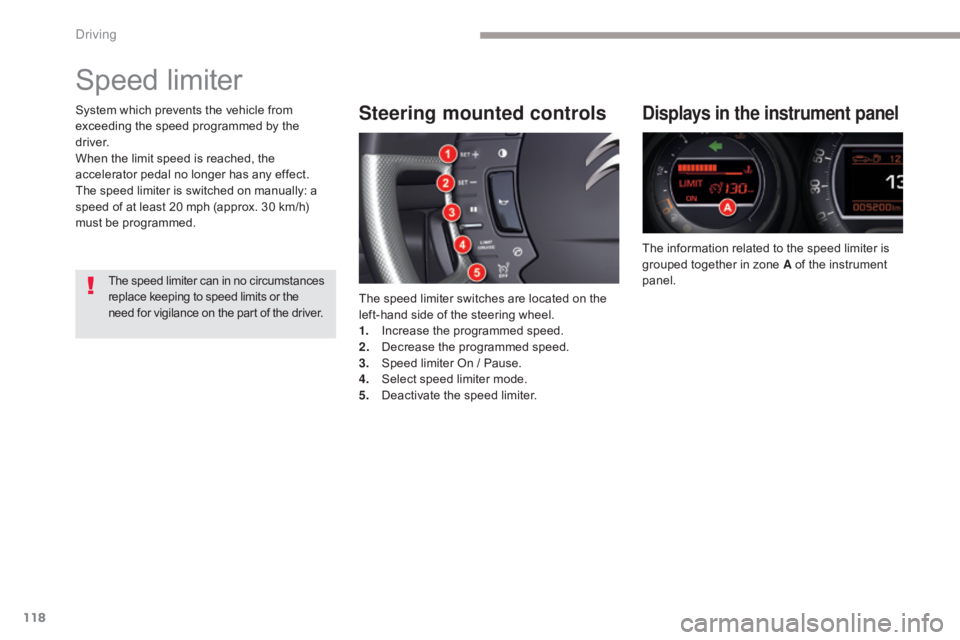
The speed limiter switches are located on the
left-hand side of the steering wheel.
1.
I
ncrease the programmed speed.
2.
D
ecrease the programmed speed.
3.
S
peed limiter On / Pause.
4.
S
elect speed limiter mode.
5.
D
eactivate the speed limiter.
Displays in the instrument panel
The information related to the speed limiter is
grouped together in zone A of the instrument
panel.
System which prevents the vehicle from
exceeding the speed programmed by the
driver.
When the limit speed is reached, the
accelerator pedal no longer has any effect.
The speed limiter is switched on manually: a
speed of at least 20 mph (approx. 30 km/h)
must be programmed.
The speed limiter can in no circumstances
replace keeping to speed limits or the
need for vigilance on the part of the driver.
Driving
Page 123 of 348
121
C5_en_Chap04_conduite_ed01-2016
Cruise control
Displays in the instrument panel
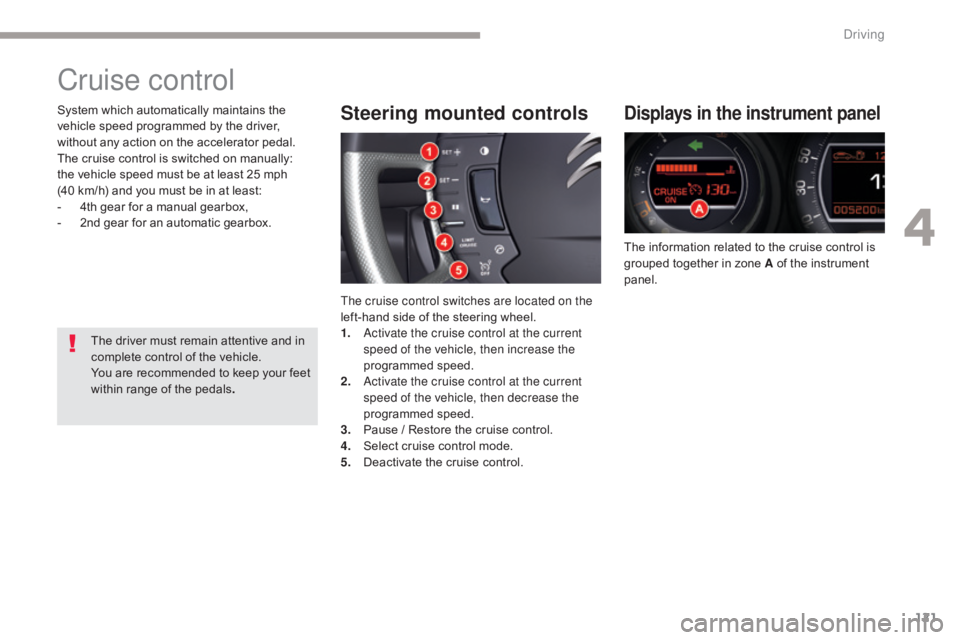
The information related to the cruise control is
grouped together in zone A of the instrument
panel.
Steering mounted controls
The cruise control switches are located on the
left-hand side of the steering wheel.
1.
A
ctivate the cruise control at the current
speed of the vehicle, then increase the
programmed speed.
2.
A
ctivate the cruise control at the current
speed of the vehicle, then decrease the
programmed speed.
3.
P
ause / Restore the cruise control.
4.
S
elect cruise control mode.
5.
D
eactivate the cruise control.
System which automatically maintains the
vehicle speed programmed by the driver,
without any action on the accelerator pedal.
The cruise control is switched on manually:
the vehicle speed must be at least 25 mph
(40
km/h) and you must be in at least:
-
4
th gear for a manual gearbox,
-
2
nd gear for an automatic gearbox.
The driver must remain attentive and in
complete control of the vehicle.
You are recommended to keep your feet
within range of the pedals .
4
Driving