CITROEN C5 2018 Workshop Manual
C5 2018
CITROEN
CITROEN
https://www.carmanualsonline.info/img/9/56597/w960_56597-0.png
CITROEN C5 2018 Workshop Manual
Page 285 of 348
283
C5_en_Chap10b_SMEGplus_ed01-2016
It is advisable to restrict file names to
20 characters, without using special characters
(e.g. " " ? ; ù) to avoid any playing and
displaying problems.
Use only USB memory sticks formatted FAT32
(file allocation table). The system supports USB mass
storage portable players, BlackBerry
®
devices or Apple® players via USB
ports. The adaptor cable is not
supplied.
Control of the peripheral device is with
the audio system controls.
Other peripheral devices, not
recognised by the system on
connection, must be connected to the
auxiliary socket using a Jack cable (not
supplied).
It is recommended that the USB cable
for the portable device is used. To protect the system, do not use a
USB hub.
Bluetooth® audio streaming
Streaming allows audio files on your telephone
to be played through the vehicle's speakers.
Connect the telephone: see the " Telephone"
section, then " Bluetooth".
Choose the " Audio" or "All" profile.
If play does not start automatically, it may be
necessary to start the audio playback from the
telephone.
Control is from the peripheral device or by
using the audio system buttons.
Once connected in streaming mode,
the telephone is considered to be a
media source.
It is recommended that you activate
"Repeat " on the Bluetooth
® peripheral.
Connecting Apple® players
Connect the Apple® player to the USB port
using a suitable cable (not supplied).
Play starts automatically.
Control is via the audio system.
The classifications available are those
of the portable device connected
(artists / albums / genres / playlists /
audiobooks / podcasts).
The default classification used is by
artist. To modify the classification used,
return to the first level of the menu
then select the desired classification
(playlists for example) and confirm
to go down through the menu to the
desired track.
The version of software in the audio system
may not be compatible with the generation of
your Apple
® player.
.
Audio and Telematics
Page 286 of 348
284
C5_en_Chap10b_SMEGplus_ed01-2016
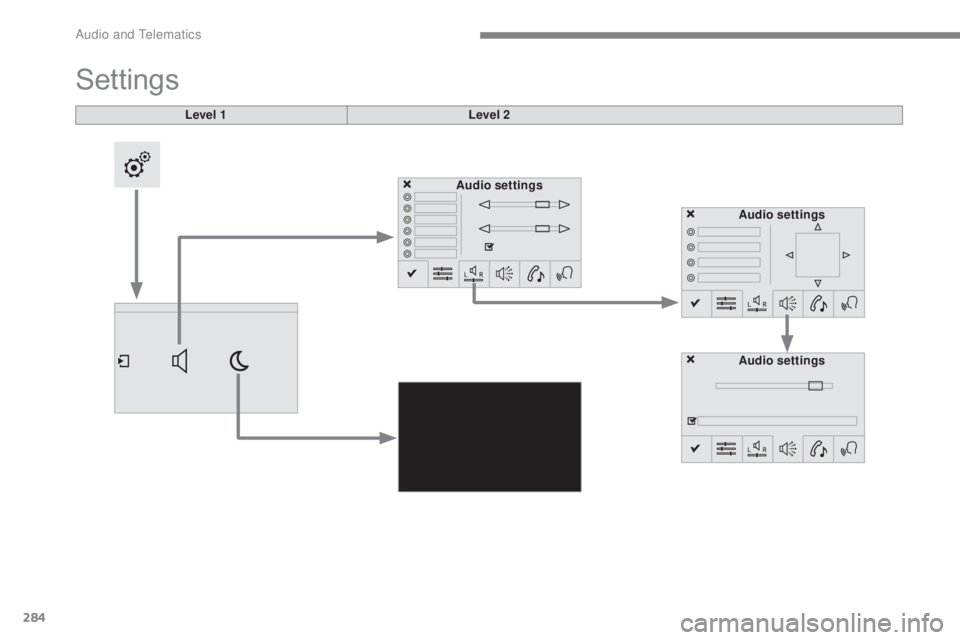
Level 1
Settings
Level 2Audio settings Audio settings
Audio settings
Audio and Telematics
Page 287 of 348
285
C5_en_Chap10b_SMEGplus_ed01-2016
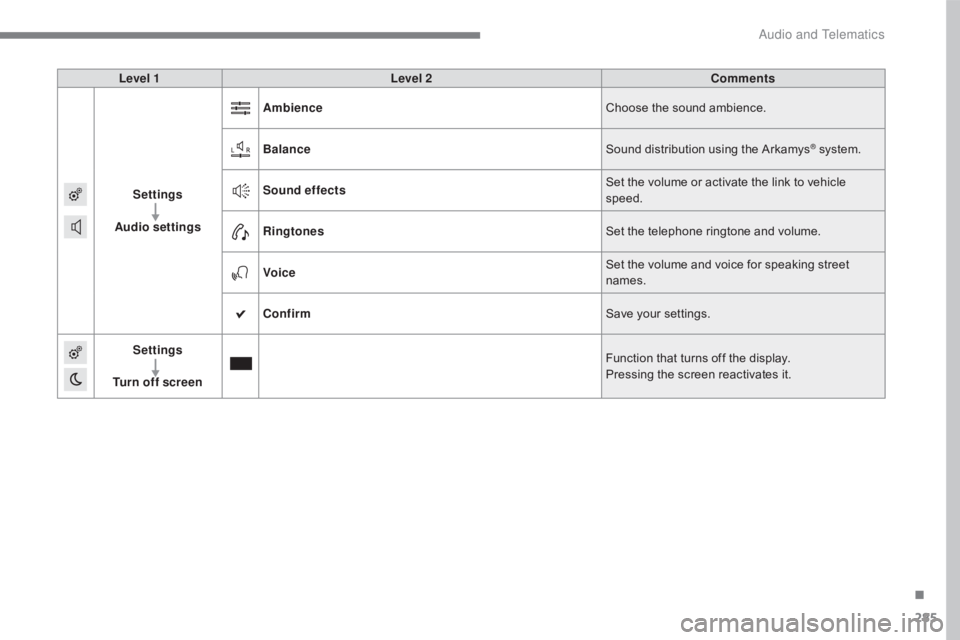
Level 1Level 2 Comments
Settings
Audio settings Ambience
Choose the sound ambience.
Balance Sound distribution using the Arkamys
® system.
Sound effects Set the volume or activate the link to vehicle
speed.
Ringtones Set the telephone ringtone and volume.
Voice Set the volume and voice for speaking street
names.
Confirm Save your settings.
Settings
Turn off screen Function that turns off the display.
Pressing the screen reactivates it.
.
Audio and Telematics
Page 288 of 348
286
C5_en_Chap10b_SMEGplus_ed01-2016
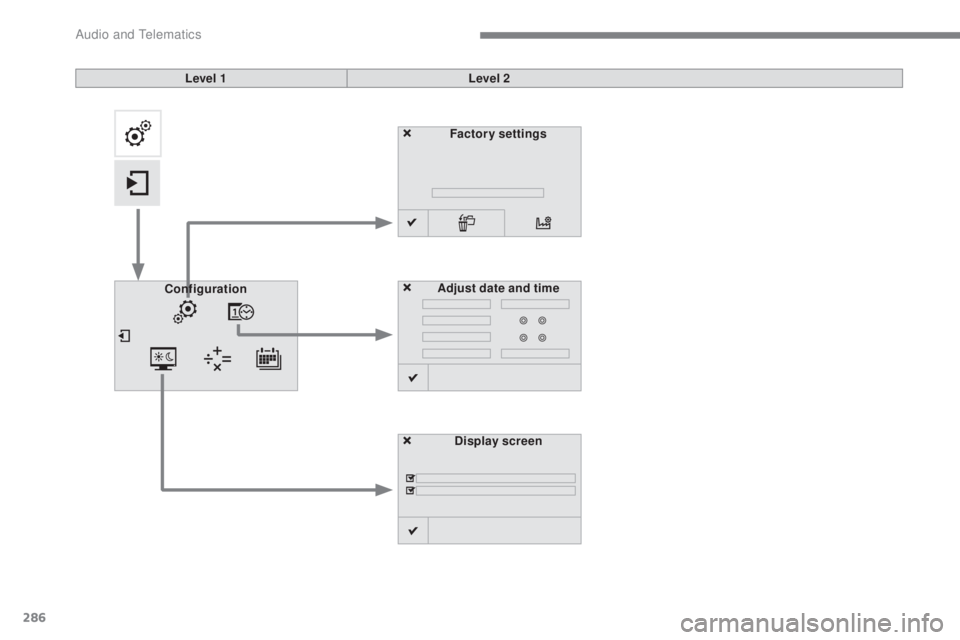
Factory settingsDisplay screen
Configuration
Adjust date and time
Level 1
Level 2
Audio and Telematics
Page 289 of 348
287
C5_en_Chap10b_SMEGplus_ed01-2016
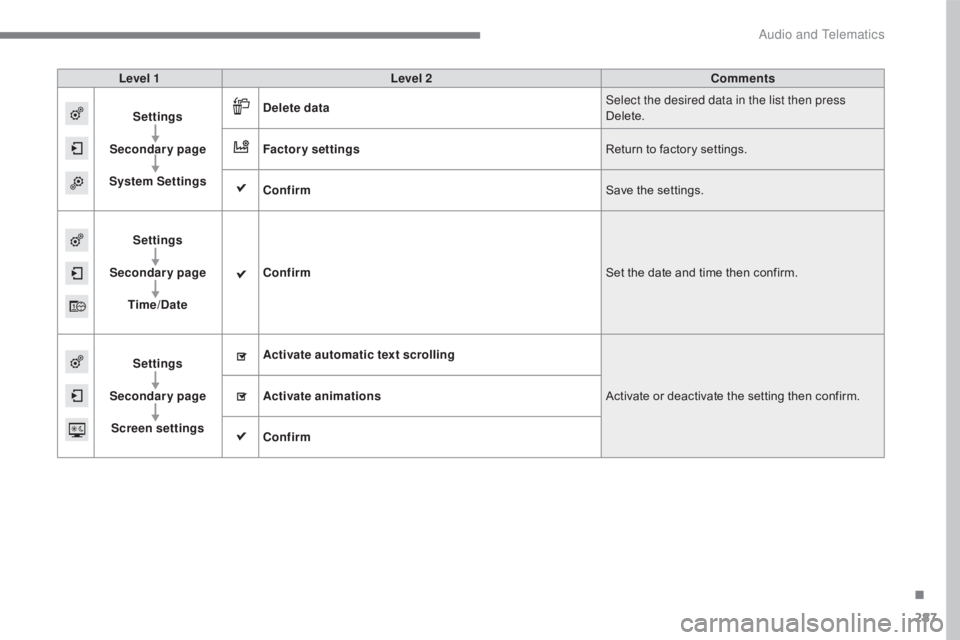
Level 1Level 2 Comments
Settings
Secondary page
System Settings Delete data
Select the desired data in the list then press
Delete.
Factory settings Return to factory settings.
Confirm Save the settings.
Settings
Secondary page Time/Date Confirm
Set the date and time then confirm.
Settings
Secondary page Screen settings Activate automatic text scrolling
Activate or deactivate the setting then confirm.
Activate animations
Confirm
.
Audio and Telematics
Page 290 of 348
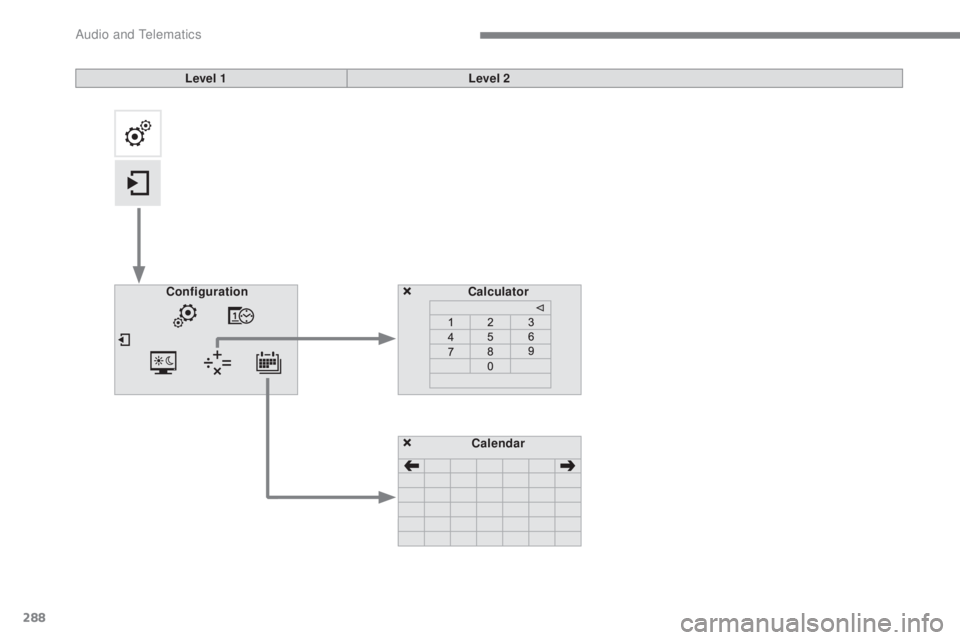
288
C5_en_Chap10b_SMEGplus_ed01-2016
Calculator
Configuration
Calendar
Level 1
Level 2
Audio and Telematics
Page 291 of 348
289
C5_en_Chap10b_SMEGplus_ed01-2016
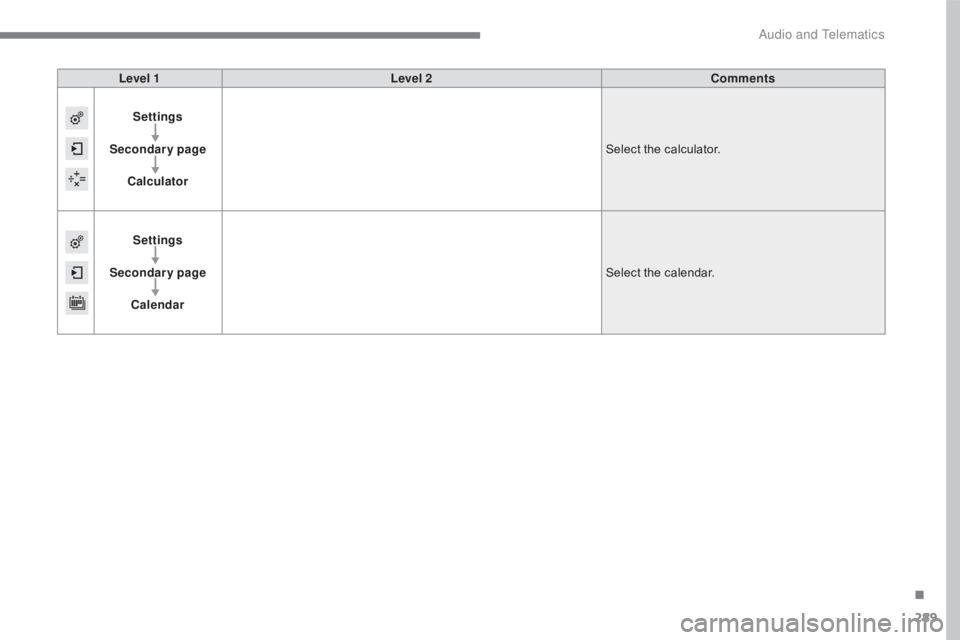
Level 1Level 2 Comments
Settings
Secondary page Calculator Select the calculator.
Settings
Secondary page Calendar Select the calendar.
.
Audio and Telematics
Page 292 of 348
290
C5_en_Chap10b_SMEGplus_ed01-2016
Audio settings
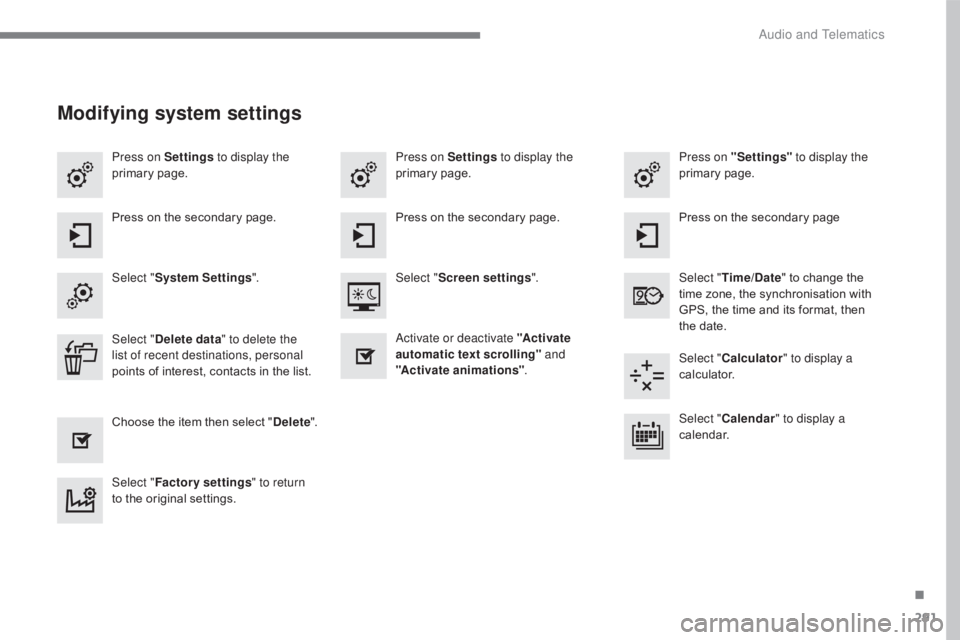
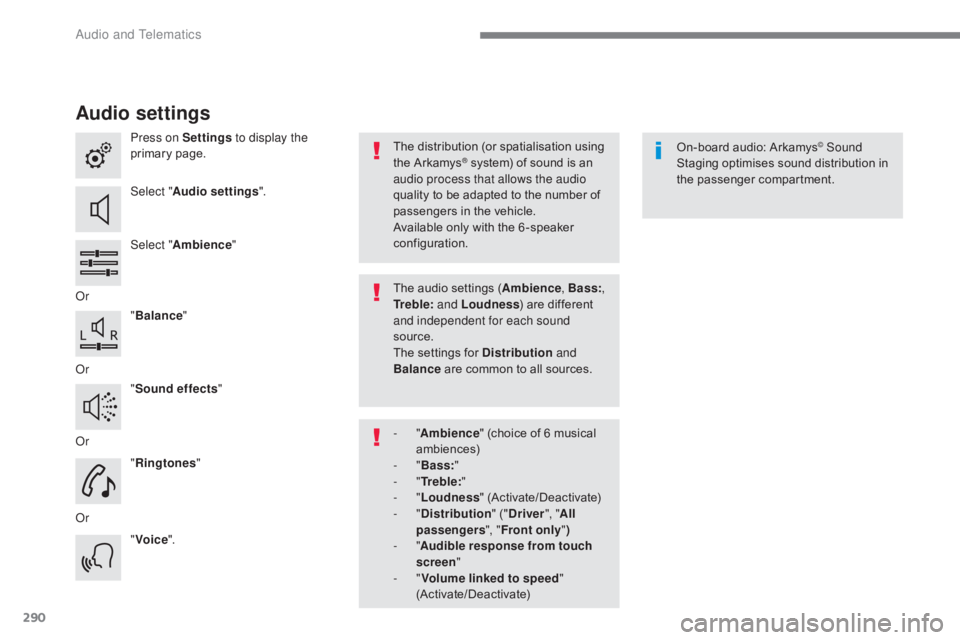
Press on Settings to display the
primary page.
Select " Audio settings ".
Select " Ambience "
Or "Balance "
Or "Sound effects "
Or "Ringtones "
Or "Voice ". On-board audio: Arkamys© Sound
Staging optimises sound distribution in
the passenger compartment.
The distribution (or spatialisation using
the Arkamys® system) of sound is an
audio process that allows the audio
quality to be adapted to the number of
passengers in the vehicle.
Available only with the 6 -speaker
configuration.
The audio settings (Ambience , Bass:,
Tr e b l e: and Loudness ) are different
and independent for each sound
source.
The settings for Distribution and
Balance are common to all sources.
-
" Ambience " (choice of 6 musical
ambiences)
-
" Bass: "
-
" Tr e b l e: "
-
" Loudness " (Activate/Deactivate)
-
" Distribution " ("Driver ", "All
passengers ", "Front only ")
-
" Audible response from touch
screen "
-
" Volume linked to speed "
(Activate/Deactivate)
Audio and Telematics
Page 293 of 348
291
C5_en_Chap10b_SMEGplus_ed01-2016
Press on Settings to display the
primary page. Press on "Settings"
to display the
primary page.
Press on Settings
to display the
primary page.
Press on the secondary page. Press on the secondary page
Press on the secondary page.
Select " System Settings ". Select "Time/Date " to change the
time zone, the synchronisation with
GPS, the time and its format, then
the date.
Select "
Screen settings ".
Activate or deactivate "Activate
automatic text scrolling" and
" Activate animations" .
Select "
Delete data " to delete the
list of recent destinations, personal
points of interest, contacts in the list. Select "
Calculator " to display a
calculator.
Choose the item then select " Delete". Select "
Calendar " to display a
calendar.
Select " Factory settings " to return
to the original settings.
Modifying system settings
.
Audio and Telematics
Page 294 of 348
292
C5_en_Chap10b_SMEGplus_ed01-2016
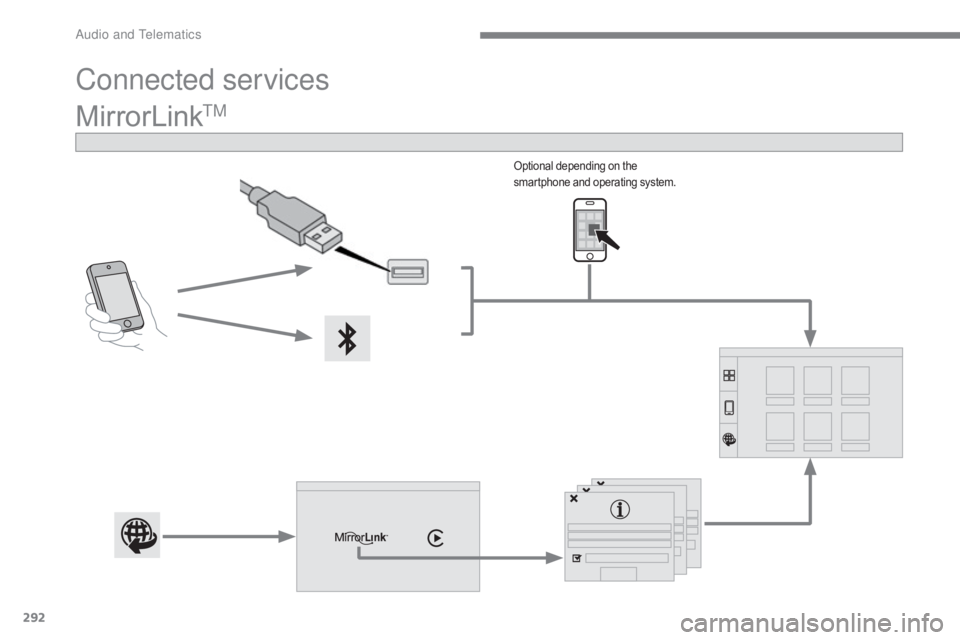
MirrorLinkTM
Connected services
Optional depending on the
smartphone and operating system.
Audio and Telematics