service CITROEN C5 2019 User Guide
[x] Cancel search | Manufacturer: CITROEN, Model Year: 2019, Model line: C5, Model: CITROEN C5 2019Pages: 348, PDF Size: 10.72 MB
Page 35 of 348
33
C5 _en_Chap01_instruments-bord_ed01-2016
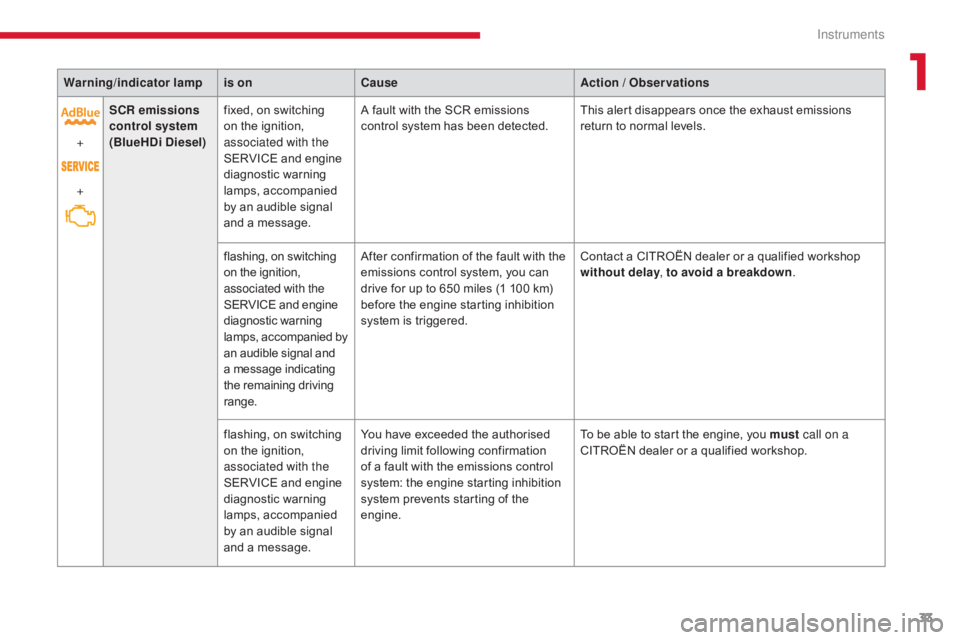
Warning/indicator lampis on Cause Action / Observations
+
+ SCR emissions
control system
(BlueHDi Diesel) fixed, on switching
on the ignition,
associated with the
SERVICE and engine
diagnostic warning
lamps, accompanied
by an audible signal
and a message. A fault with the SCR emissions
control system has been detected.
This alert disappears once the exhaust emissions
return to normal levels.
flashing, on switching
on the ignition,
associated with the
SERVICE and engine
diagnostic warning
lamps, accompanied by
an audible signal and
a message indicating
the remaining driving
range. After confirmation of the fault with the
emissions control system, you can
drive for up to 650 miles (1 100 km)
before the engine starting inhibition
system is triggered.
Contact a CITROËN dealer or a qualified workshop
without delay
, to avoid a breakdown .
flashing, on switching
on the ignition,
associated with the
SERVICE and engine
diagnostic warning
lamps, accompanied
by an audible signal
and a message. You have exceeded the authorised
driving limit following confirmation
of a fault with the emissions control
system: the engine starting inhibition
system prevents starting of the
engine.
To be able to start the engine, you must
call on a
CITROËN dealer or a qualified workshop.
1
Instruments
Page 40 of 348
38
C5 _en_Chap01_instruments-bord_ed01-2016
Main Menu"Audio functions"
menu
With the Audio system switched on, once
this menu is selected, you can activate or
deactivate functions associated with using the
radio (RDS, REG, RadioText), CD (introscan,
random play, CD repeat) or MP3 player (USB
port / auxiliary Jack socket). For more information on the Audio
system (and in particular the "Audio
functions" application), refer to the
corresponding section.
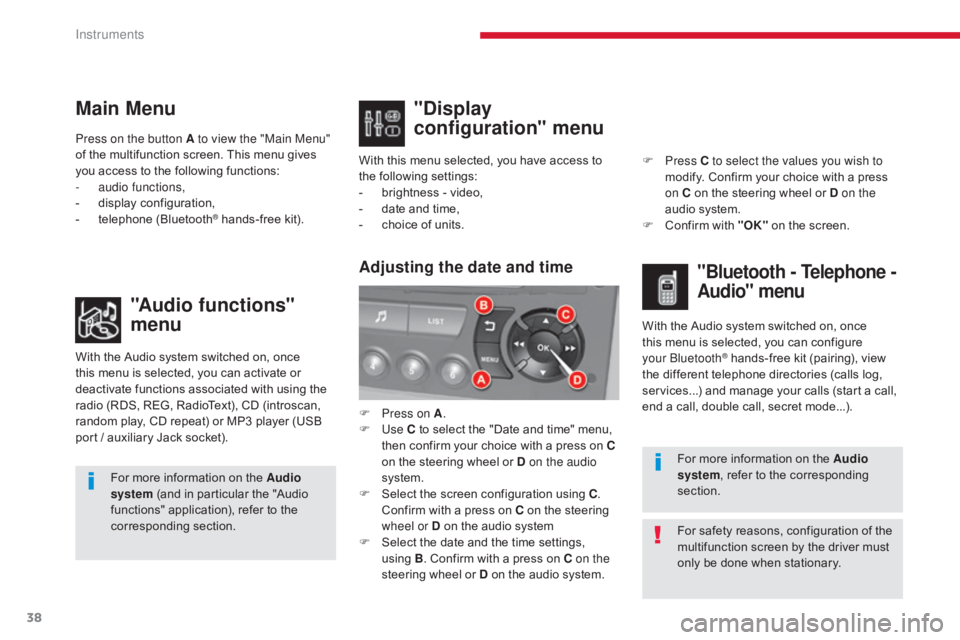
Press on the button A to view the "Main Menu"
of the multifunction screen. This menu gives
you access to the following functions:
-
a
udio functions,
-
d
isplay configuration,
-
t
elephone (Bluetooth
® hands-free kit).
With this menu selected, you have access to
the following settings:
-
b
rightness - video,
- d ate and time,
- c hoice of units.
"Display
configuration" menu
With the Audio system switched on, once
this menu is selected, you can configure
your Bluetooth
® hands-free kit (pairing), view
the different telephone directories (calls log,
services...) and manage your calls (start a call,
end a call, double call, secret mode...).
Adjusting the date and time"Bluetooth - Telephone -
Audio" menu
For safety reasons, configuration of the
multifunction screen by the driver must
only be done when stationary. For more information on the Audio
system, refer to the corresponding
section.
F
P
ress on A
.
F
Use
C to select the "Date and time" menu,
then confirm your choice with a press on
C
on the steering wheel or D on the audio
system.
F
S
elect the screen configuration using C
.
Confirm with a press on C on the steering
wheel or D on the audio system
F
S
elect the date and the time settings,
using B. Confirm with a press on C on the
steering wheel or D on the audio system. F
Press
C to select the values you wish to
modify. Confirm your choice with a press
on C on the steering wheel or D on the
audio system.
F
C
onfirm with "OK"
on the screen.
Instruments
Page 41 of 348
39
C5 _en_Chap01_instruments-bord_ed01-2016
Touch screen tablet
This system gives access to:
- m enus for adjusting settings for vehicle
functions and systems,
-
a
udio and display settings menus,
-
a
udio system and telephone controls and
the display of associated information,
-
t
he display of the exterior temperature (a
blue snowflake appears if there is a risk
of
ice),
-
t
he display of the trip computer.
And, depending on equipment, it also allows:
-
t
he display of visual parking sensors
information,
-
a
ccess to the controls for the navigation
system and Internet services, and the
display of associated information.
For safety reasons, the driver must
only carry out operations that
require close attention with the
vehicle stationary.
Some functions are not accessible
when driving. After a few moments with no action on
the secondary page, the primary page
is displayed automatically.General operation
Recommendations
It is necessary to press firmly, particularly for
"flick" gestures (scrolling through lists, moving
the map...). A light wipe is not enough.
The screen does not recognise pressing with
more than one finger.
This technology allows use at all temperatures
and when wearing gloves.
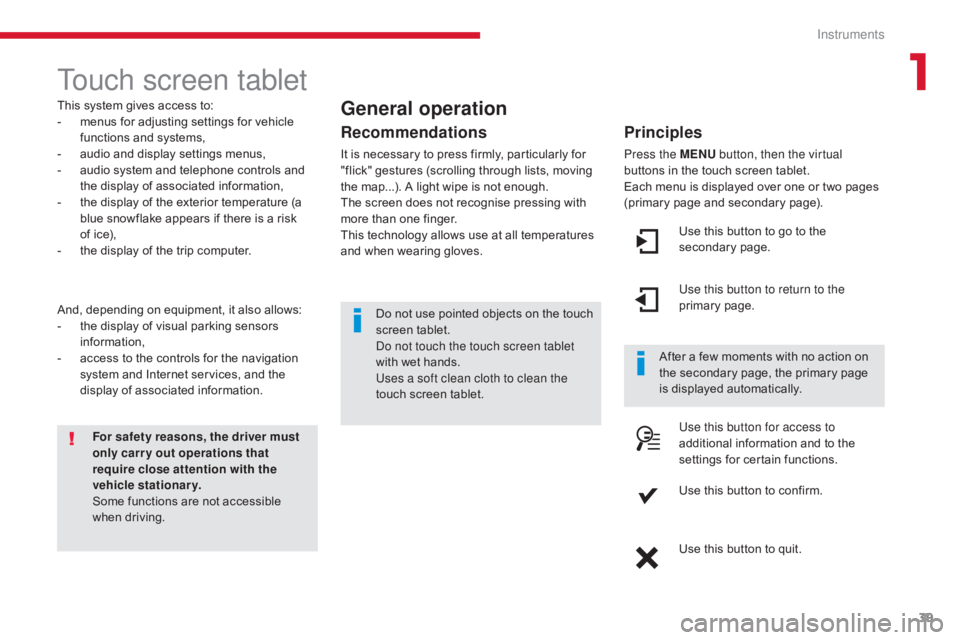
Principles
Press the MENU
button, then the virtual
buttons in the touch screen tablet.
Each menu is displayed over one or two pages
(primary page and secondary page).
Use this button to go to the
secondary page.
Use this button to return to the
primary page.
Use this button for access to
additional information and to the
settings for certain functions.
Use this button to confirm.
Use this button to quit.
Do not use pointed objects on the touch
screen tablet.
Do not touch the touch screen tablet
with wet hands.
Uses a soft clean cloth to clean the
touch screen tablet.
1
Instruments
Page 42 of 348
40
C5 _en_Chap01_instruments-bord_ed01-2016
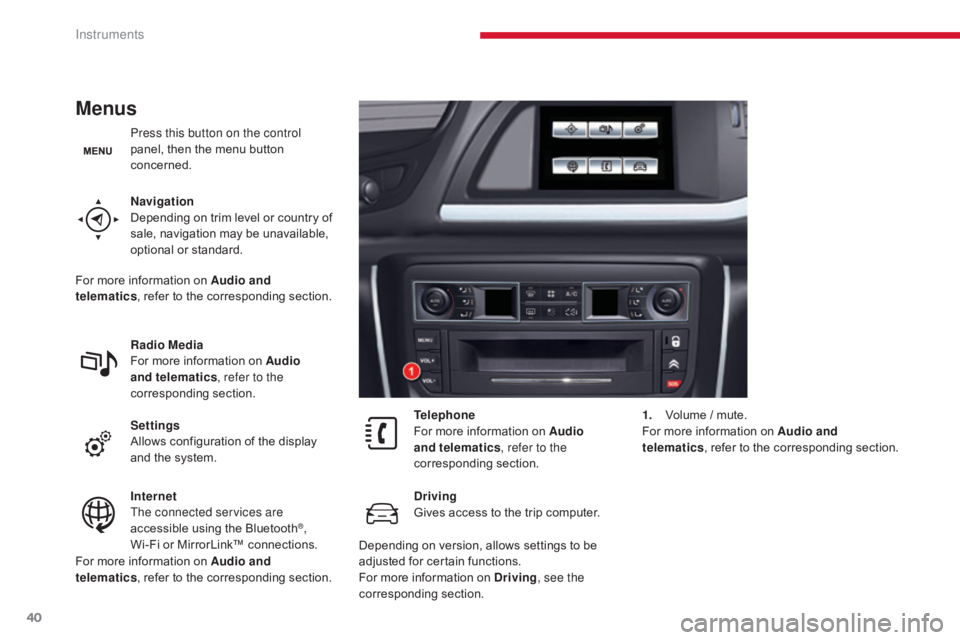
Menus
Press this button on the control
panel, then the menu button
concerned.
Navigation
Depending on trim level or country of
sale, navigation may be unavailable,
optional or standard.
Radio Media
For more information on Audio
and telematics, refer to the
corresponding section.
Settings
Allows configuration of the display
and the system.
Internet
The connected services are
accessible using the Bluetooth
®,
Wi-Fi or MirrorLink™ connections. Telephone
For more information on Audio
and telematics
, refer to the
corresponding section.
Driving
Gives access to the trip computer. 1.
V
olume / mute.
For more information on Audio and
telematics , refer to the corresponding section.
For more information on Audio and
telematics , refer to the corresponding section.
For more information on Audio and
telematics
, refer to the corresponding section.
Depending on version, allows settings to be
adjusted for certain functions.
For more information on Driving, see the
corresponding section.
Instruments
Page 50 of 348
48
C5_en_Chap02_ouverture_ed01-2016
Lost keys
Go to a CITROËN dealer with the vehicle's registration document, your personal
identification documents and if possible the key code label.
The CITROËN dealer will be able to look up the key code and the transponder code
required to order a new key.
Remote control
The high frequency remote control is a sensitive system; do not operate it while it is in your
pocket as there is a possibility that it may unlock the vehicle, without you being aware of it.
Do not repeatedly press the buttons of your remote control out of range and out of sight of
your vehicle. You run the risk of stopping it from working and the remote control would have
to be reinitialised.
No remote control can operate when the key is in the ignition switch, even when the ignition
is switched off, except for reinitialisation.
Locking the vehicle
Driving with the doors locked may make access to the passenger compartment by the
emergency services more difficult in an emergency.
As a safety precaution, never leave children alone in the vehicle, except for a very short
period.
In all cases, it is essential to remove the key from the ignition switch when leaving the vehicle.
Anti-theft protection
Do not make any modifications to the electronic engine immobiliser system; this could
cause malfunctions.
When purchasing a second-hand vehicle
Have the pairing of all of the keys in your possession checked by a CITROËN dealer, to
ensure that only your keys can be used to open and start the vehicle.Do not throw the remote control
batteries away, they contain metals
which are harmful to the environment.
Take them to an approved collection
point.
Access
Page 51 of 348
49
C5_en_Chap02_ouverture_ed01-2016
Alarm*
- exterior perimeter
The system checks for opening of the vehicle.
The alarm is triggered if anyone tries to open a
door, the boot, the bonnet...
- interior volumetric
The system checks for any variation in the
volume in the passenger compartment.
The alarm is triggered if anyone breaks a
window, enters the passenger compartment or
moves inside the vehicle.
- tilt
The system checks for any change in the
attitude of the vehicle.
The alarm is triggered if the vehicle is lifted,
moved or knocked.
Locking the vehicle with full
alarm system
Activation
* Depending on the country of sale.
Self-protection function
The system checks for the putting out of
service of its components.
The alarm is triggered if the battery, the
central control or the siren wiring are
put out of service or damaged.
For all work on the alarm system,
contact a CITROËN dealer or a
qualified workshop.
System which protects and provides a deterrent
against theft and break-ins. It provides the
following types of monitoring:
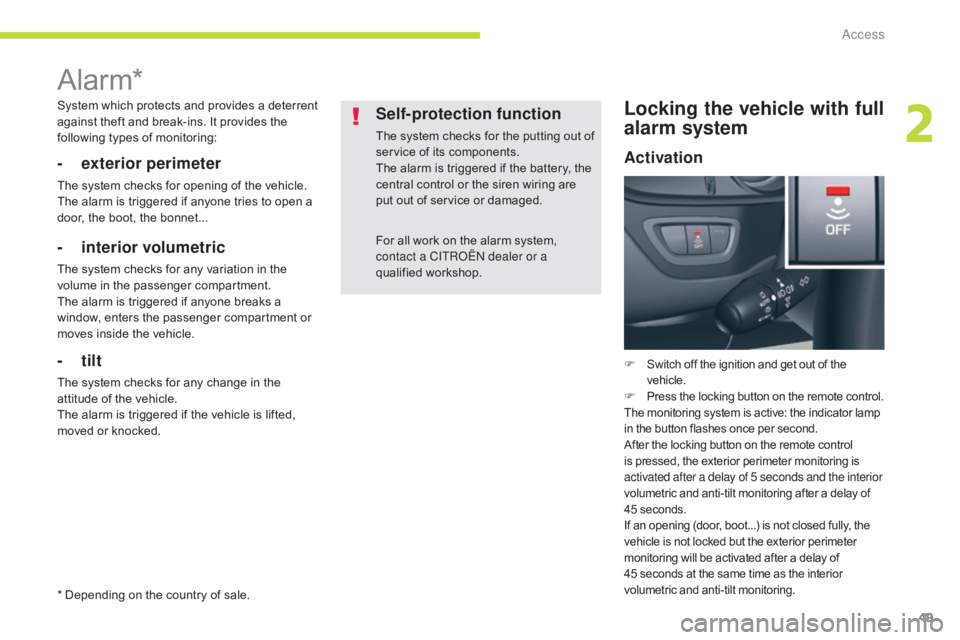
F
Switch off the ignition and get out of the
vehicle.
F Press the locking button on the remote control.
The monitoring system is active: the indicator lamp
in the button flashes once per second.
After the locking button on the remote control
is pressed, the exterior perimeter monitoring is
activated after a delay of 5 seconds and the interior
volumetric and anti-tilt monitoring after a delay of
45 seconds.
If an opening (door, boot...) is not closed fully, the
vehicle is not locked but the exterior perimeter
monitoring will be activated after a delay of
45
seconds at the same time as the interior
volumetric and anti-tilt monitoring.
2
Access
Page 103 of 348
101
C5_en_Chap04_conduite_ed01-2016
SITUATIONCONSEQUENCES
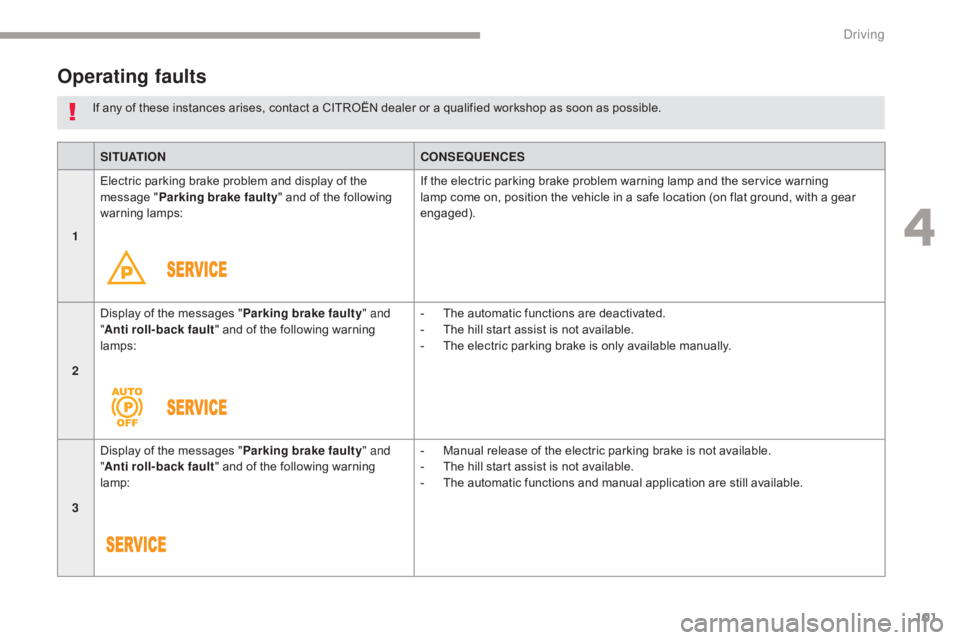
1 Electric parking brake problem and display of the
message "
Parking brake faulty " and of the following
warning lamps: If the electric parking brake problem warning lamp and the service warning
lamp come on, position the vehicle in a safe location (on flat ground, with a gear
engaged).
2 Display of the messages "
Parking brake faulty" and
" Anti roll-back fault" and of the following warning
lamps: -
T
he automatic functions are deactivated.
-
T
he hill start assist is not available.
-
T
he electric parking brake is only available manually.
3 Display of the messages "
Parking brake faulty" and
" Anti roll-back fault" and of the following warning
lamp: -
M
anual release of the electric parking brake is not available.
-
T
he hill start assist is not available.
-
T
he automatic functions and manual application are still available.
If any of these instances arises, contact a CITROËN dealer or a qualified workshop as soon as possible.
Operating faults
4
Driving
Page 117 of 348
115
C5_en_Chap04_conduite_ed01-2016
The loss of pressure detected does not
always lead to visible deformation of
the tyre.
Do not rely on just a visual check.The alert is maintained until the tyre or
tyres concerned is reinflated, repaired
or replaced.
The spare wheel (space-saver type or a
steel rim) does not have a sensor.
Under-inflation alert
The alert is given by the fixed illumination
of this warning lamp, accompanied by
an audible signal, and depending on
equipment, the display of a message.
In the event of a problem on one of the tyres,
the symbol or the message appears, depending
on equipment, to identify it.
F
R
educe speed immediately, avoid sudden
steering movements or harsh brake
applications.
F
S
top as soon as it is safe to do so. F
I
f you have a compressor (e.g. the one in
the temporary puncture repair kit), check
the four tyre pressures when cold.
I
f it is not possible to check the tyre
pressures at the time, drive carefully at
reduced speed.
or
F
I
n the event of a puncture, use the
temporary puncture repair kit or the spare
wheel (depending on equipment).
Operating fault
The flashing and then fixed illumination
of the under-inflation warning lamp
accompanied by the illumination of the
service warning lamp indicates a fault
with the system.
This alert is also displayed when one or
more
wheels is not fitted with a sensor
(e.g. a space-saver or steel spare wheel).
Go to a CITROËN dealer or a qualified
workshop
to have the system checked
or, following the repair of a puncture, to
have the original wheel, equipped with a
sensor, refitted.
Any tyre repair or replacement on a
wheel fitted with this system must be
carried out by a CITROËN dealer or a
qualified workshop.
If after changing a tyre, a wheel is not
detected by your vehicle (e.g. fitting
snow tyres), you must have the system
reinitialised by a CITROËN dealer or a
qualified workshop.
In this case, monitoring of the tyre pressures is
not assured.
4
Driving
Page 122 of 348
120
C5_en_Chap04_conduite_ed01-2016
The accelerator pedal has a stiff point at the
end of its travel. To exceed the maximum speed
setting at any time, you can press the pedal
all the way down. While the speed is being
exceeded, the speed displayed in zone A will
flash. Simply release the accelerator pedal to
return below the maximum speed and restore
the limiter function.
Return to normal
driving Operating fault
If there is a fault, a message is displayed
accompanied by an audible signal and
illumination of the SERVICE
warning lamp.
Have it checked by a CITROËN dealer or a
qualified workshop.
Exceeding the programmed
speed
In the event of a steep descent or
under excessive acceleration, the
speed limiter (which does not act
on the brakes) may not be able to
prevent the vehicle from exceeding the
programmed speed.
Use of a floor mat other than that
recommended by CITROËN may affect
the normal operation of the accelerator
pedal and hamper the operation of the
speed limiter.
Floor mats approved by CITROËN
are fitted with a 3rd fixing located in
the pedal area to avoid any risk of
inter ference with the pedals.
The speed will also flash if the speed limiter is
not able to prevent the vehicle from exceeding
the programmed speed setting (e.g. on a steep
descent or under excessive acceleration).
To reactivate the speed limiter, release the
accelerator to slow to a speed lower than the
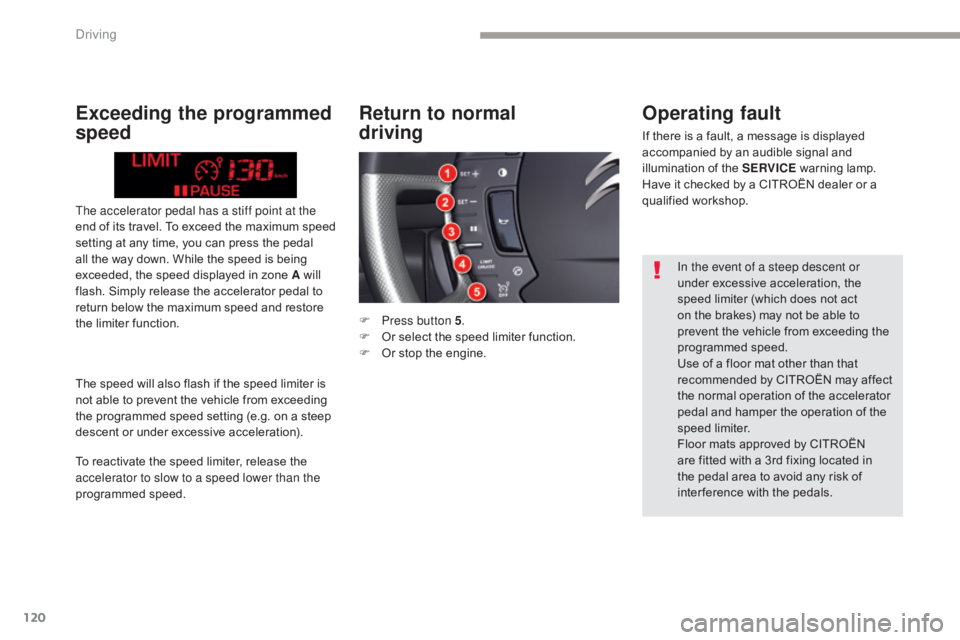
programmed speed. F
P
ress button 5 .
F
O
r select the speed limiter function.
F
O
r stop the engine.
Driving
Page 125 of 348
123
C5_en_Chap04_conduite_ed01-2016
Reactivation
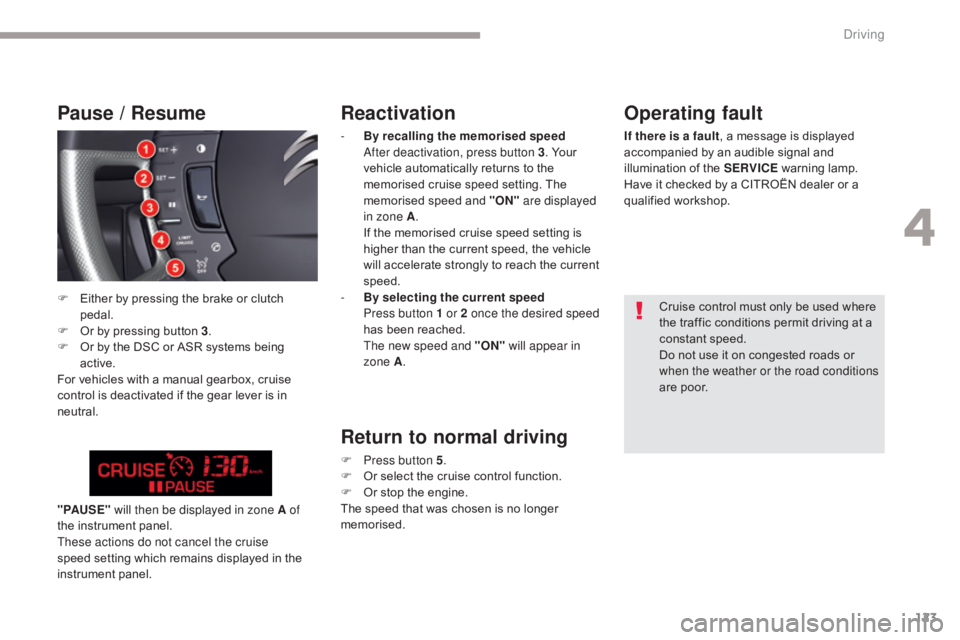
- By recalling the memorised speed After deactivation, press button 3. Your
vehicle automatically returns to the
memorised cruise speed setting. The
memorised speed and "ON" are displayed
in zone A .
I
f the memorised cruise speed setting is
higher than the current speed, the vehicle
will accelerate strongly to reach the current
speed.
-
B
y selecting the current speed
P
ress button 1 or 2 once the desired speed
has been reached.
T
he new speed and "ON" will appear in
zone A .
Return to normal driving
F Press button 5 .
F O r select the cruise control function.
F
O
r stop the engine.
The speed that was chosen is no longer
memorised.
" PAUS E "
will then be displayed in zone A of
the instrument panel.
These actions do not cancel the cruise
speed setting which remains displayed in the
instrument panel.
Operating fault
If there is a fault , a message is displayed
accompanied by an audible signal and
illumination of the SERVICE warning lamp.
Have it checked by a CITROËN dealer or a
qualified workshop.
Cruise control must only be used where
the traffic conditions permit driving at a
constant speed.
Do not use it on congested roads or
when the weather or the road conditions
are poor.
Pause / Resume
F Either by pressing the brake or clutch pedal.
F
O
r by pressing button 3 .
F
O
r by the DSC or ASR systems being
active.
For vehicles with a manual gearbox, cruise
control is deactivated if the gear lever is in
neutral.
4
Driving