change wheel CITROEN C5 2021 User Guide
[x] Cancel search | Manufacturer: CITROEN, Model Year: 2021, Model line: C5, Model: CITROEN C5 2021Pages: 228, PDF Size: 6.78 MB
Page 113 of 228
111
Driving
6When the function is activated, it is possible
to change the speed setting using the speed
suggested by the Road signs recognition
function displayed on the instrument panel:
–
When passing the sign:
►
Press
4-OK to save the suggested speed.
This value is then immediately shown as the new
speed setting on the instrument panel.
–
After passing the sign:
►
Press
4-OK. The message "OK?" is
displayed to confirm the request to save.
►
Press
4-OK again to save the suggested
speed. The new speed setting value is displayed
on the instrument panel.
Off
► Press 1: the cruise control information display
disappears.
Malfunction
In the event of a malfunction, dashes are
displayed flashing and then fixed (orange)
instead of the speed setting.
Have it checked by a CITROËN dealer or a
qualified workshop.
Highway Driver Assist
Only available on versions with automatic
gearbox.
This system automatically adjusts the speed
and corrects the trajectory of the vehicle, using
the Adaptive Cruise Control with Stop&Go in
conjunction with the Lane Positioning Assist.
These two functions must be activated and in
operation.
This system is especially suitable for driving on
motorways and main roads.
For more information on Adaptive cruise
control and Lane Positioning Assist, refer to
the corresponding sections.
The system assists the driver by acting on the steering, acceleration and braking
within the physical limits
and capacities of the
vehicle. Certain road infrastructure elements
or vehicles in the surroundings may not be
properly seen or may be poorly interpreted by
the camera and radar, resulting in an
unexpected change in direction, a lack of
steering correction and/or inappropriate
management of acceleration or braking.
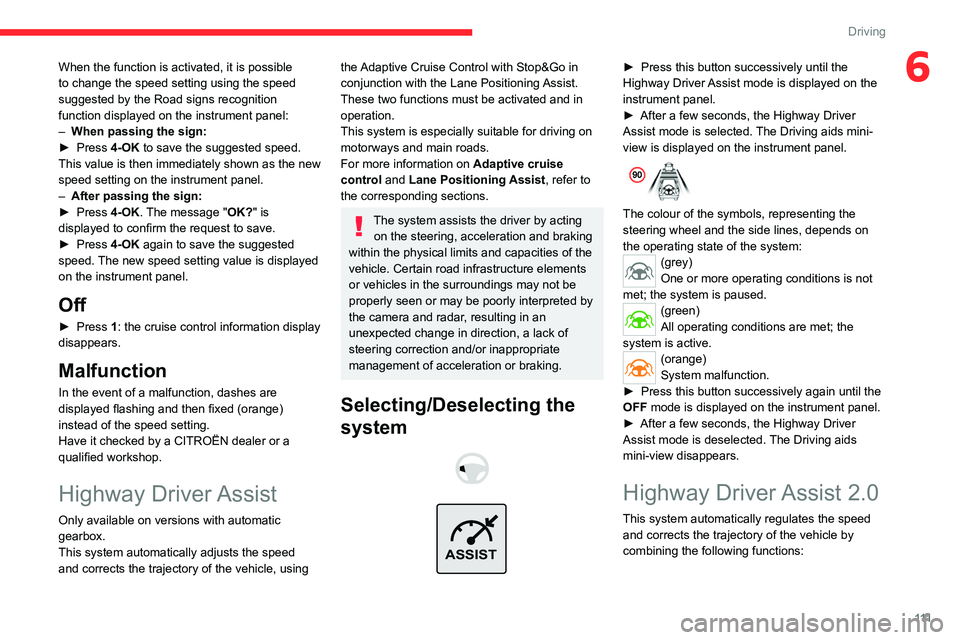
Selecting/Deselecting the
system
ASSIST
► Press this button successively until the
Highway Driver Assist mode is displayed on the
instrument panel.
►
After a few seconds, the Highway Driver
Assist mode is selected.
The Driving aids mini-
view is displayed on the instrument panel.
The colour of the symbols, representing the
steering wheel and the side lines, depends on
the operating state of the system:
(grey)
One or more operating conditions is not
met; the system is paused.
(green)
All operating conditions are met; the
system is active.
(orange)
System malfunction.
►
Press this button successively again until the
OFF mode is displayed on the instrument panel.
►
After a few seconds, the Highway Driver
Assist mode is deselected.
The Driving aids
mini-view disappears.
Highway Driver Assist 2.0
This system automatically regulates the speed and corrects the trajectory of the vehicle by
combining the following functions:
Page 119 of 228
11 7
Driving
6This position is not necessarily the centre of the
lane.
You can feel the steering wheel moving.
At any time, the driver can change the position of
the vehicle by intervening on the steering wheel
and maintaining the position until the system has
taken it into account. If the chosen position is too
off-centre, an automatic re-centering manoeuvre
can occur. The system adjusts to the newly
defined position.
Pausing/Suspending the
system
The driver must act promptly if they believe that the traffic conditions or the
state of the road surface require their
intervention, by moving the steering wheel to
temporarily suspend system operation. Any
intervention on the brake pedal that causes
the Adaptive cruise control to pause will also
cause the system to pause.
If the system detects that the driver is not
holding the wheel firmly enough, it
triggers a series of gradual alerts and then
deactivates itself if there is no response from
the driver.
If the function is suspended due to the
prolonged release of the force holding
the steering wheel, the system must be
reactivated by pressing the ASSIST button
again.
Automatic pause
Pausing the system is accompanied by a specific
audible signal. –
T
riggering of the ESC.
–
Insufficient lane detection. In this case, the
Active lane departure warning system function
can take over
, and the system will reactivate
itself once the operating conditions are met
again.
Suspension by the driver
– Travelling outside the lane limits.
– T oo tight a grip on the steering wheel or
dynamic action on the steering wheel.
–
Action on the brake pedal (resulting in a pause
until cruise control is reactivated) or accelerator
pedal (suspension for as long as the pedal is
depressed).
–
Pausing of
Adaptive cruise control.
–
Deactivation of the
ASR.
Driving situations and related alerts
The tables below describe the displays associated with the main driving situations. The actual order of display of these alerts may be different.
Steering wheel-mounted
controls Symbols
Comments
ASSIST or I I>
(grey) / (grey) Cruise control paused.
Highway Driver Assist switched off.
Page 122 of 228
120
Driving
Operating conditions
– Eligible roads: roads with separate
carriageways with prohibited access for
pedestrians and cyclists.
–
Highway Driver
Assist 2.0 activated.
–
V
ehicle speed between 43 and 112 mph (70
and 180 km/h).
Operation
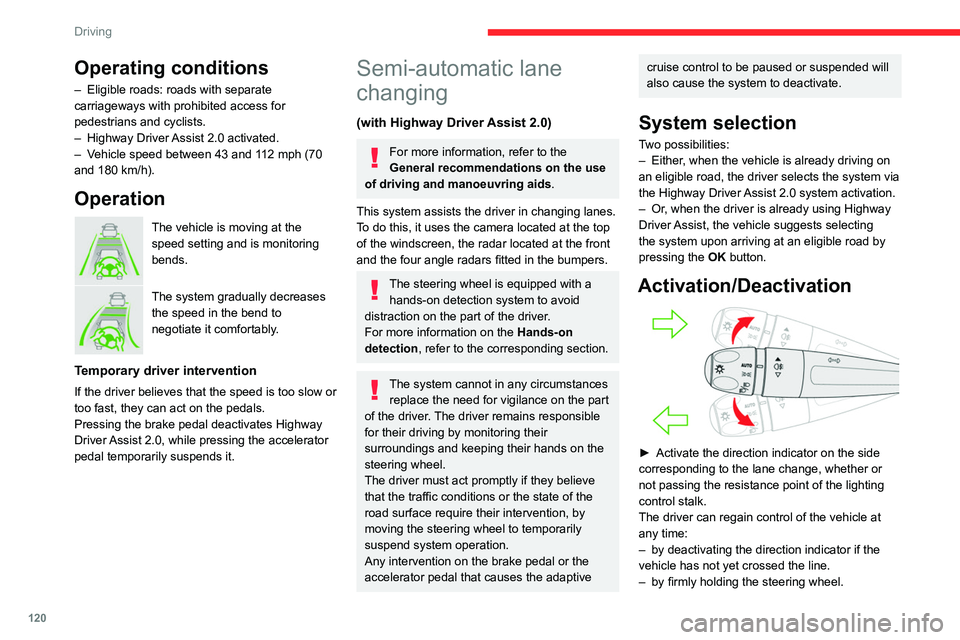
The vehicle is moving at the
speed setting and is monitoring
bends.
The system gradually decreases
the speed in the bend to
negotiate it comfortably.
Temporary driver intervention
If the driver believes that the speed is too slow or
too fast, they can act on the pedals.
Pressing the brake pedal deactivates Highway
Driver Assist 2.0, while pressing the accelerator
pedal temporarily suspends it.
Semi-automatic lane
changing
(with Highway Driver Assist 2.0)
For more information, refer to the
General recommendations on the use
of driving and manoeuvring aids .
This system assists the driver in changing lanes.
To do this, it uses the camera located at the top
of the windscreen, the radar located at the front
and the four angle radars fitted in the bumpers.
The steering wheel is equipped with a hands-on detection system to avoid
distraction on the part of the driver.
For more information on the Hands-on
detection, refer to the corresponding section.
The system cannot in any circumstances replace the need for vigilance on the part
of the driver. The driver remains responsible
for their driving by monitoring their
surroundings and keeping their hands on the
steering wheel.
The driver must act promptly if they believe
that the traffic conditions or the state of the
road surface require their intervention, by
moving the steering wheel to temporarily
suspend system operation.
Any intervention on the brake pedal or the
accelerator pedal that causes the adaptive
cruise control to be paused or suspended will
also cause the system to deactivate.
System selection
Two possibilities:
– Either , when the vehicle is already driving on
an eligible road, the driver selects the system via
the Highway Driver Assist 2.0 system activation.
–
Or
, when the driver is already using Highway
Driver Assist, the vehicle suggests selecting
the system upon arriving at an eligible road by
pressing the OK button.
Activation/Deactivation
► Activate the direction indicator on the side
corresponding to the lane change, whether or
not passing the resistance point of the lighting
control stalk.
The driver can regain control of the vehicle at
any time:
–
by deactivating the direction indicator if the
vehicle has not yet crossed the line.
–
by firmly holding the steering wheel.
Page 123 of 228
121
Driving
6– by acting on the pedals.
For more information on the Direction
indicators
, refer to the corresponding section.
Operating conditions
– Eligible roads: roads with separate
carriageways with prohibited access for
pedestrians and cyclists.
–
The line separating the lanes must be clear
enough to be identified by the system.
–
The position and speed of other vehicles must
enable the system to safely change lanes.
–
Highway Driver
Assist 2.0 activated.
–
Lane positioning assist activated.
–
V
ehicle speed between 43 and 112 mph (70
and 180 km/h).
Authorised lane change request
When operating the direction indicator, if the
necessary conditions are met, the message
"OK?" is displayed on the instrument panel,
accompanied by an audible signal.
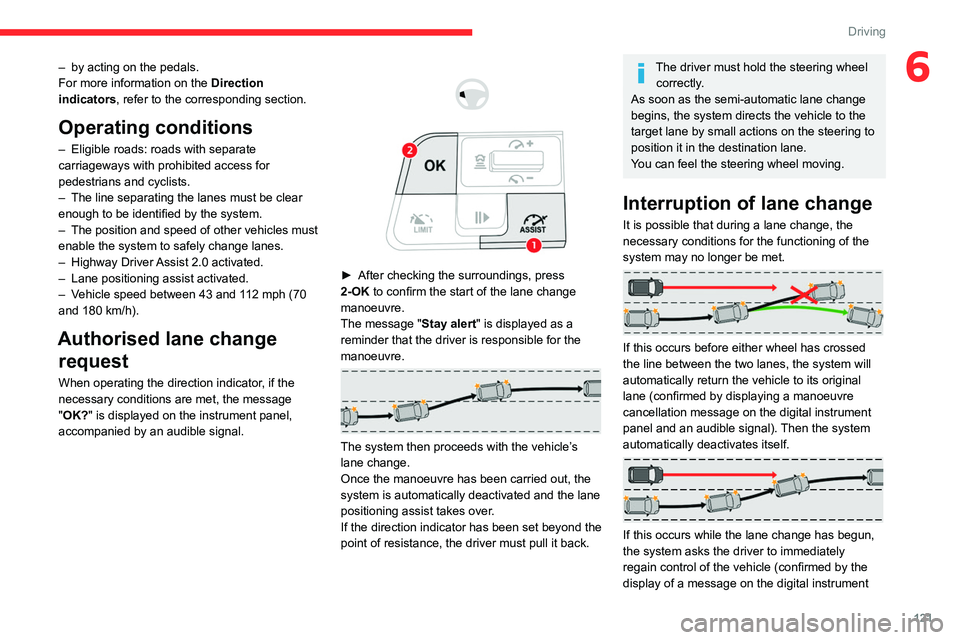
► After checking the surroundings, press
2-OK to confirm the start of the lane change
manoeuvre.
The message "Stay alert"
is displayed as a
reminder that the driver is responsible for the
manoeuvre.
The system then proceeds with the vehicle’s
lane change.
Once the manoeuvre has been carried out, the
system is automatically deactivated and the lane
positioning assist takes over.
If the direction indicator has been set beyond the
point of resistance, the driver must pull it back.
The driver must hold the steering wheel correctly.
As soon as the semi-automatic lane change
begins, the system directs the vehicle to the
target lane by small actions on the steering to
position it in the destination lane.
You can feel the steering wheel moving.
Interruption of lane change
It is possible that during a lane change, the
necessary conditions for the functioning of the
system may no longer be met.
If this occurs before either wheel has crossed
the line between the two lanes, the system will
automatically return the vehicle to its original
lane (confirmed by displaying a manoeuvre
cancellation message on the digital instrument
panel and an audible signal). Then the system
automatically deactivates itself.
If this occurs while the lane change has begun,
the system asks the driver to immediately
regain control of the vehicle (confirmed by the
display of a message on the digital instrument
Page 125 of 228
123
Driving
6DisplayComments
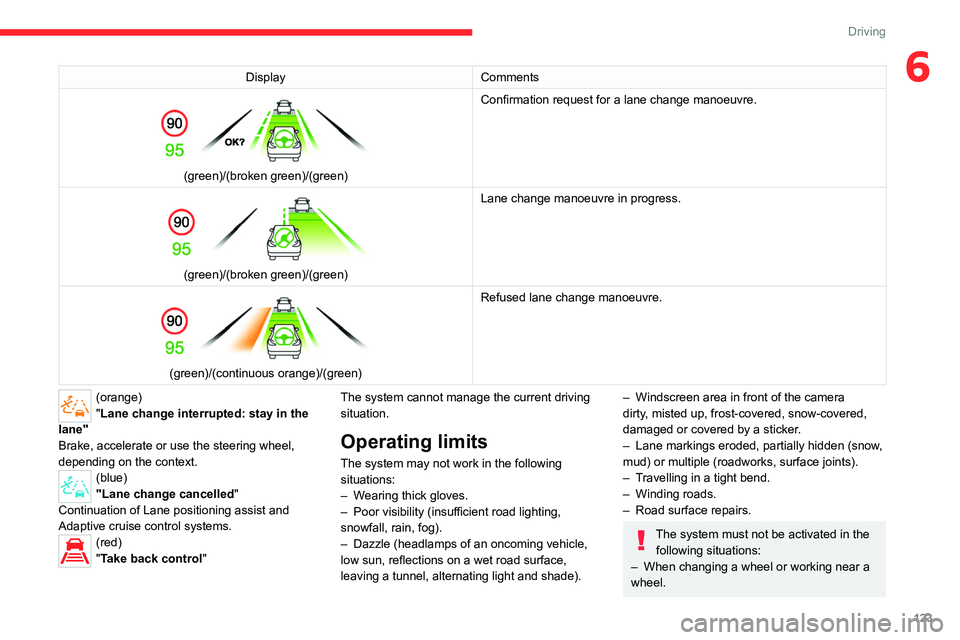
(green)/(broken green)/(green) Confirmation request for a lane change manoeuvre.
(green)/(broken green)/(green)Lane change manoeuvre in progress.
(green)/(continuous orange)/(green) Refused lane change manoeuvre.
(orange)
"Lane change interrupted: stay in the
lane"
Brake, accelerate or use the steering wheel,
depending on the context.
(blue)
"Lane change cancelled"
Continuation of Lane positioning assist and
Adaptive cruise control systems.
(red)
"Take back control" The system cannot manage the current driving
situation.
Operating limits
The system may not work in the following
situations:
–
W
earing thick gloves.
–
Poor visibility (insufficient road lighting,
snowfall, rain, fog).
–
Dazzle (headlamps of an oncoming vehicle,
low sun, reflections on a wet road surface,
leaving a tunnel, alternating light and shade).
– Windscreen area in front of the camera
dirty , misted up, frost-covered, snow-covered,
damaged or covered by a sticker.
–
Lane markings eroded, partially hidden (snow
,
mud) or multiple (roadworks, surface joints).
–
T
ravelling in a tight bend.
–
Winding roads.
–
Road surface repairs.
The system must not be activated in the following situations:
–
When changing a wheel or working near a
wheel.
Page 128 of 228
126
Driving
by the driver, different levels of alert may be
triggered and displayed on the instrument panel.
The system takes into account the vehicle
dynamics, the difference speed of the own
vehicle and the object identified for the collision
risk, and the operation of the vehicle (actions on
the pedals, steering wheel, etc.) to trigger the
alert at the most relevant moment.
(orange)
Level 1: visual alert only, warning that the
preceding vehicle is very close.
The message
"Vehicle close" is displayed.
(red)
Level 2: visual and audible alert, warning
that a collision is imminent.
The message "Brake! " is displayed.
Level 3: a micro-braking may be given,
confirming the risk of collision (optional).
While approaching a vehicle too quickly,
the level 2 alert may be displayed
directly.
Important: the level 1 alert depends on the
trigger threshold selected. It reacts only on
moving vehicles. It is disabled automatically
at lower speed.
It is possible that collision warnings are
not given, are given too late or seem
unjustified.
The driver must always stay in control of the
vehicle and be prepared to react at any time
to avoid an accident.
If you select “Far” in the ADAS touch
screen application, then the system
warns sooner. This increases the safety but
increases also the amount of alerts, if the
legal safety distance is not kept. To reduce
the alert occurrence, you can change the
setting to “Medium” or “Near”.
Intelligent emergency
braking assistance (iEBA)
This function increases vehicle deceleration
if the driver doesn't brake enough to avoid a
collision.
This assistance is only provided if the driver
presses the brake pedal.
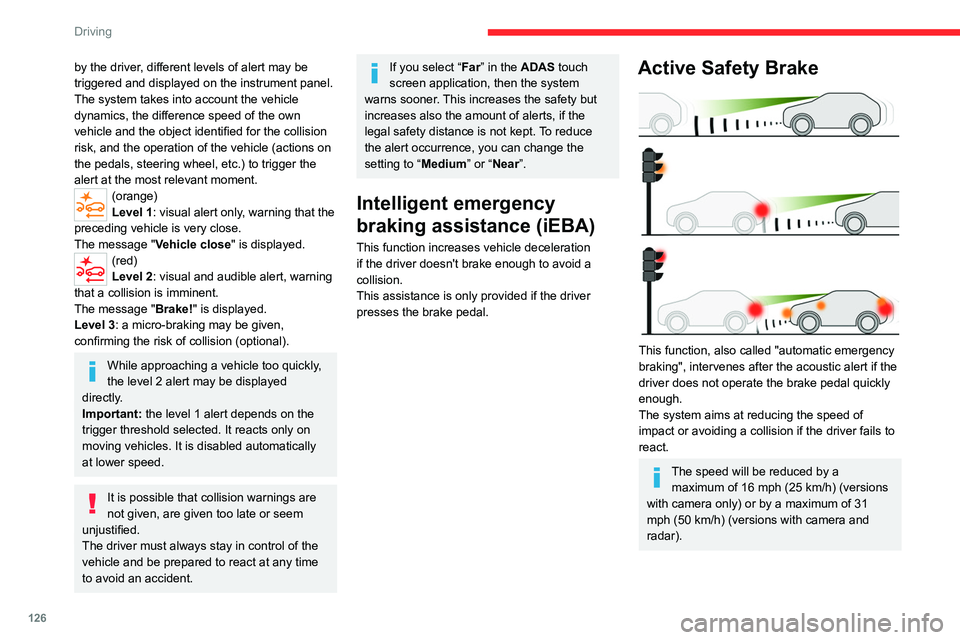
Active Safety Brake
This function, also called "automatic emergency
braking", intervenes after the acoustic alert if the
driver does not operate the brake pedal quickly
enough.
The system aims at reducing the speed of
impact or avoiding a collision if the driver fails to
react.
The speed will be reduced by a maximum of 16 mph (25 km/h) (versions
with camera only) or by a maximum of 31
mph (50 km/h) (versions with camera and
radar).
Page 130 of 228

128
Driving
if the front camera or the front radar is covered
by dirt, snow, ice or anything preventing the
sensing.
In the event of a malfunction, this warning
lamp lights up on the instrument panel,
accompanied by the display of a message and
an audible signal.
Have it checked by a CITROËN dealer or a
qualified workshop.
If these warning lamps come on
after the engine has been switched
off and then restarted, contact a CITROËN
dealer or a qualified workshop to have the
system checked.
These warning lamps light up on the instrument panel and/or in the
warning lamp display for seat belts and front
passenger airbag to indicate that the driver's
and/or front passenger's seat belt is not fastened
(depending on version). The automatic braking
system is deactivated until the seat belts are
fastened.
Distraction detection
For more information, refer to the
General recommendations on the use
of driving and manoeuvring aids .
The function comprises the "Coffee Break Alert"
system combined with the "Driver Attention
Warning" system.
These systems are in no way designed to keep the driver awake or to prevent
the driver from falling asleep at the wheel.
It is the driver’s responsibility to stop if feeling
tired.
Take a break if you are feeling tired or at least
every 2 hours.
Activation/Deactivation
By default, the function is automatically activated
at every engine start.
It is configured in the ADAS touch screen
application.
Coffee Break Alert
The system triggers an alert when it detects that the driver has not taken a
break after two hours of driving at a speed above
43 mph (70
km/h).
This alert is issued via the display of a message
encouraging the driver to take a break,
accompanied by an audible signal.
If the driver does not follow this advice, the alert
is repeated hourly until the vehicle is stopped.
The system resets itself if one of the following
conditions is met:
–
With the engine running, the vehicle has been
stationary for more than 15 minutes.
–
The ignition has been switched off for a few
minutes.
–
The driver's seat belt is unfastened and their
door is opened.
As soon as the speed of the vehicle drops below 43 mph (70 km/h), the
system goes into standby.
Driving time starts being counted again once
the speed reaches above 43
mph (70 km/h).
Driver Attention Warning
The system assesses the driver's level of alertness, fatigue and distraction by
identifying trajectory changes in relation to the
lane markings.
To do this, the system uses a camera, placed on
the upper part of the windscreen.
This system is particularly suited to fast roads
(speed higher than 43 mph (70
km/h)).
At a first alert level, the driver is warned by
the message "Caution!“, accompanied by an
audible signal.
After three first-level alerts, the system triggers
a further alert with the message " Driving
Page 131 of 228
129
Driving
6risk: Take a break", accompanied by a more
pronounced audible signal.
Active lane departure warning system
For more information, refer to the
General recommendations on the use
of driving and manoeuvring aids .
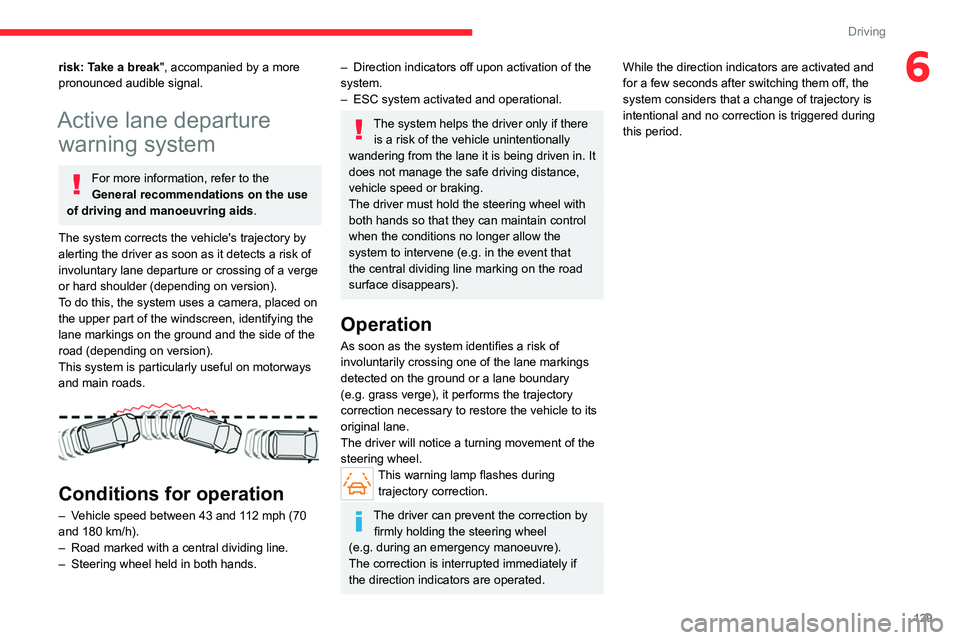
The system corrects the vehicle's trajectory by
alerting the driver as soon as it detects a risk of
involuntary
lane departure or crossing of a verge
or hard shoulder (depending on version).
To do this, the system uses a camera, placed on
the upper part of the windscreen, identifying the
lane markings on the ground and the side of the
road (depending on version).
This system is particularly useful on motorways
and main roads.
Conditions for operation
– Vehicle speed between 43 and 112 mph (70
and 180 km/h).
–
Road marked with a central dividing line.
–
Steering wheel held in both hands.
– Direction indicators off upon activation of the
system.
–
ESC system activated and operational.
The system helps the driver only if there is a risk of the vehicle unintentionally
wandering from the lane it is being driven in. It
does not manage the safe driving distance,
vehicle speed or braking.
The driver must hold the steering wheel with
both hands so that they can maintain control
when the conditions no longer allow the
system to intervene (e.g. in the event that
the central dividing line marking on the road
surface disappears).
Operation
As soon as the system identifies a risk of
involuntarily crossing one of the lane markings
detected on the ground or a lane boundary
(e.g.
grass verge), it performs the trajectory
correction necessary to restore the vehicle to its
original lane.
The driver will notice a turning movement of the
steering wheel.
This warning lamp flashes during trajectory correction.
The driver can prevent the correction by firmly holding the steering wheel
(e.g.
during an emergency manoeuvre).
The correction is interrupted immediately if
the direction indicators are operated. While the direction indicators are activated and
for a few seconds after switching them off, the
system considers that a change of trajectory is
intentional and no correction is triggered during
this period.
Page 137 of 228

135
Driving
6The system is deactivated:
– when changing out of reverse gear .
–
by pressing the cross in the top left-hand
corner of the touch screen.
Automatic zoom view
The rear camera records the surroundings
during the manoeuvre to create a rear view from
above the vehicle in its close surroundings,
making it possible to manoeuvre the vehicle
around the surrounding obstacles.
Using the sensors located on the rear bumper,
the automatic zoom view is displayed when
approaching an obstacle at the red line (less
than 30 cm) during the manoeuvre.
This view is only available automatically.
Obstacles may appear further away than
they actually are.
It is important to monitor the sides of the
vehicle during the manoeuvre, using the
mirrors.
Parking sensors also provide additional
information about the area around the vehicle.
Standard view
The area behind the vehicle is displayed on the
screen.
The blue lines 1 represent the width of your
vehicle, with the mirrors unfolded; their direction
changes according to the position of the steering
wheel.
The red line 2 represents a distance of 30
cm
from the rear bumper; the two blue lines 3 and 4
represent 1
m and 2 m, respectively.
This view is available automatically or by
selection in the side menu.
Panoramic view
The panoramic view allows you to leave, in
reverse, a parking space by anticipating the
arrival of vehicles, pedestrians or cyclists.
This view is not recommended for carrying out a
complete manoeuvre.
This view is only available by selection in the
side menu.
360 vision
For more information, refer to the
General recommendations on the use
of driving and manoeuvring aids .
This system allows you to view your vehicle's
close surroundings
on the touch screen using
cameras, located at the front and rear of the
vehicle, as well as under the door mirrors.
The screen is divided into 4 parts with two side
menus, a contextual view and a view from above
the vehicle in its close surroundings.
The parking sensors supplement the information
in the view from above the vehicle.
Depending on the view angle chosen in the
left-hand side menu, the system provides
specific visual assistance in particular driving
conditions such as entering a blind intersection
or manoeuvring in areas with reduced visibility.
Page 139 of 228

137
Driving
6Standard view
Depending on the context, the area behind or in
front of your vehicle is displayed on the screen.
The blue lines (at the rear)/orange lines (at the
front) 1 represent the width of your vehicle, with
the mirrors unfolded; their direction changes
according to the position of the steering wheel.
The red line 2 represents a distance of 30 cm
from the rear or front bumper; the two blue lines
(at the rear)/orange lines (at the front)
3
and
4
represent 1 m and 2 m respectively.
This view is available automatically or by
selection in the left-hand side menu.
Panoramic view
The rear or front panoramic view allows you to
leave a parking space by anticipating the arrival
of vehicles, pedestrians or cyclists.
This view is not recommended for carrying out a
complete manoeuvre.
This view is only available by selection in the left-
hand side menu.
Side views
The left-hand/right-hand side view allows you to
view the surroundings of each side of the vehicle
(e.g.
pavement, low wall, other vehicle parked
next to it).
► Select the relevant view in the view from
above the vehicle.
The selected area turns yellow and the side view
appears in the middle of the screen.
This view is not recommended for carrying out a
complete manoeuvre.
Rear traffic alert
For more information, refer to the
General recommendations on the use
of driving and manoeuvring aids .
When engaging reverse gear with the engine
running, or when reversing at up to 6
mph
(10
km/h), this system warns of approaching
obstacles (e.g.
pedestrian, cyclist, vehicle, truck,
motorcycle) in the rear blind spots of the vehicle,
using the radars installed in the bumper.
The system detects obstacles moving at more
than 2
mph (3 km/h) at a maximum distance of
40
m.
The system operates in addition to the Parking
sensors, Top Rear Vision or 360 vision functions
(depending on version).
For more information about the Parking
sensors, Top Rear Vision or 360 vision
functions, refer to the corresponding sections.
The driver must monitor their surroundings before and during the
whole manoeuvre. Drive slowly and carefully
in reverse gear in case of reduced or no
visibility.