charging CITROEN C5 2023 Owner's Guide
[x] Cancel search | Manufacturer: CITROEN, Model Year: 2023, Model line: C5, Model: CITROEN C5 2023Pages: 228, PDF Size: 6.78 MB
Page 179 of 228

177
In the event of a breakdown
8In some circumstances, it may be necessary to
charge the front battery:
–
When using the vehicle mainly for short
journeys.
–
If the vehicle is to be taken off the road for
several weeks.
Contact a CITROËN dealer or a qualified
workshop.
To charge the vehicle's front battery yourself, use only a charger compatible
with lead-acid batteries with a nominal voltage
of 12
V.
Follow the instructions provided by the
manufacturer of the charger.
Never reverse polarities.
It is not necessary to disconnect the
battery.
►
Switch the ignition off.
►
Switch off all electrical consumers (audio
system, lighting, wipers, etc.).
► Switch off charger B before connecting
the cables to the battery, so as to avoid any
dangerous sparks.
►
Ensure that the charger cables are in good
condition.
►
Lift the plastic cover on the (+) terminal, if the
vehicle has one.
►
Connect the cables of charger B
as follows:
•
the positive (+) red cable to the (+) terminal
of battery
A,
•
the negative (-) black cable to earth point C
on the vehicle.
►
At the end of the charging operation, switch
off charger B
before disconnecting the cables
from battery A.
Disconnecting/reconnecting the
accessory batteries
Procedure for disconnecting/reconnecting the
accessory batteries in the event of long-term
immobilisation of the vehicle.
Before disconnecting the accessory batteries:
►
Open the driver's door
.
►
Close all other doors.
► Switch off all electrical consumers (audio
system, wipers, lamps, etc.).
►
Switch
off the ignition and wait for the READY
indicator lamp to go out.
►
Observe a waiting time of 4 minutes.
Never reverse the order of the accessory
battery disconnection and reconnection
steps - risk of irreversible damage!
Disconnection
Central battery:
► Disconnect the (-)
terminal using the black
quick-release connector.
Front battery:
Page 190 of 228

188
MYCITROËN DRIVE PLUS - MYCITROËN PLAY PLUS
vehicle" to allow the establishment of the
radio network connection.
Irrespective of a valid connected service
subscription, remote product security or
product safety related device management
and software and firmware updates will
be performed when the processing is
necessary for the compliance with a legal
obligation to which the Manufacturer is
subject (e.g. applicable product liability law,
e-call regulation) or when the processing
is necessary in order to protect the vital
interests of the respective vehicle users and
passengers.
The establishment of a secure radio network
connection and the related remote updates
are not affected by privacy settings and will
be performed in principal after an initiation
by the vehicle user following a respective
notification.
The system is able to notify receipt of an update
as soon as it is connected to an exterior
Wi-Fi
network or a cellular network.
Large updates are downloaded only via the Wi-Fi
network.
The availability of an update is notified on the
screen at the end of the journey with an option
of immediate installation or postponement of
installation.
The installation time is variable and can take
several minutes with a maximum of about 30 minutes. A notification will give an estimate of the
duration and a description of the update.
Update information is available through the
“Settings” application.
Press the "Settings" application.
In the list, select the "Updates” tab.
This button allows you to change the authorisation for automatic downloading
of updates via an external Wi-Fi network.
For safety reasons and because it
requires sustained attention by the driver,
the installation must be carried out with the
ignition on without starting the engine.
The installation cannot be carried out in the
following cases:
–
engine running.
–
emergency call in progress.
–
insufficient battery level.
–
when charging for electric vehicles.
If an update has failed or has expired, contact a
dealer or a qualified workshop.
The use of this service is not charged by the Contractor.
On the other hand, the use of the WI-FI and/
or cellular networks of your smartphone can
generate additional fees if your data plan is
exceeded.
These possible costs are reflected in the bill
of your telephone operator.
Personalisation
Press and hold the screen from one of the
system's home pages.
Or
Press the “Settings” application.
In the list, select the "Customisation" tab.
Press the "Displays" field.
A page divided into 2 parts is displayed.
Press the "HOME" button at any time to leave
this page.
Personalising the screen
Press the pencil in the "Customise
Touchscreen" part.
A representation of the organisation of the
different home page ( HOME) Widgets is
displayed.
A Widget is a reduced window of an application or a service.
Adding a Widget
To add a Widget, press "Add Widget" on the left of the screen.
Or
Press one of these buttons on the screen.
Select the desired Widget.
Press the back arrow to return to the
previous page.
Page 194 of 228
192
MYCITROËN DRIVE PLUS - MYCITROËN PLAY PLUS
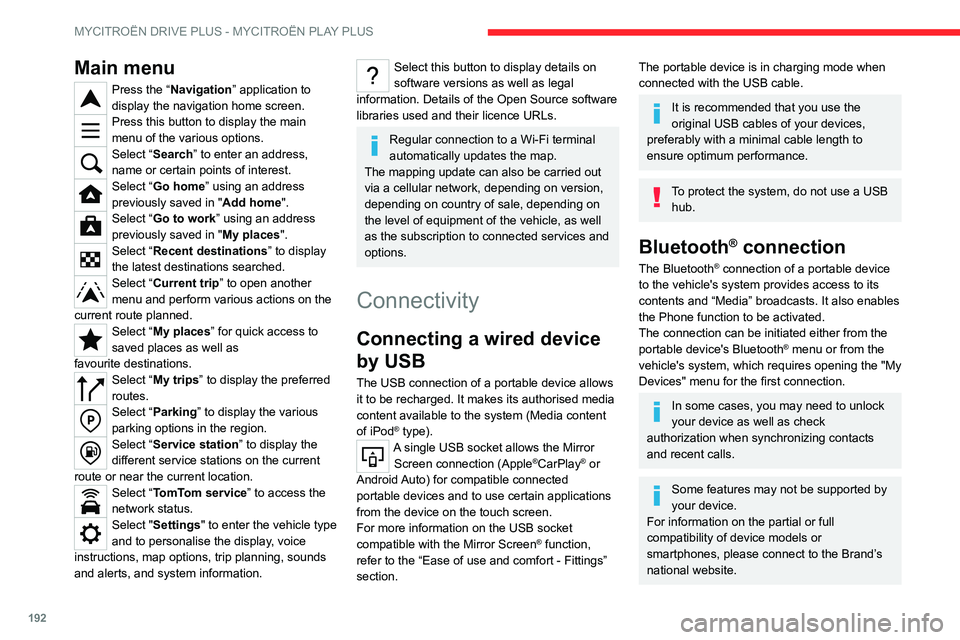
Main menu
Press the “Navigation” application to
display the navigation home screen.
Press this button to display the main
menu of the various options.
Select “Search” to enter an address,
name or certain points of interest.
Select “Go home” using an address
previously saved in "Add home".
Select “Go to work” using an address
previously saved in " My places
".
Select “Recent destinations” to display
the latest destinations searched.
Select “Current trip” to open another
menu and perform various actions on the
current route planned.
Select “My places” for quick access to
saved places as well as
favourite
destinations.
Select “My trips” to display the preferred
routes.
Select “Parking” to display the various
parking options in the region.
Select “Service station” to display the
different service stations on the current
route or near the current location.
Select “TomTom service ” to access the
network status.
Select "Settings" to enter the vehicle type
and to personalise the display, voice
instructions, map options, trip planning, sounds
and alerts, and system information.
Select this button to display details on
software versions as well as legal
information. Details of the Open Source software
libraries used and their licence URLs.
Regular connection to a Wi-Fi terminal
automatically updates the map.
The mapping update can also be carried out
via a cellular network, depending on version,
depending on country of sale, depending on
the level of equipment of the vehicle, as well
as the subscription to connected services and
options.
Connectivity
Connecting a wired device
by USB
The USB connection of a portable device allows
it to be recharged. It makes its authorised media
content available to the system (Media content
of iPod
® type).A single USB socket allows the Mirror Screen connection (Apple®CarPlay® or
Android Auto) for compatible connected
portable
devices and to use certain applications
from the device
on the touch screen.
For more information on the USB socket
compatible with the Mirror Screen
® function,
refer to the “Ease of use and comfort - Fittings”
section.
The portable device is in charging mode when
connected with the USB cable.
It is recommended that you use the
original USB cables of your devices,
preferably with a minimal cable length to
ensure optimum performance.
To protect the system, do not use a USB hub.
Bluetooth® connection
The Bluetooth® connection of a portable device
to the vehicle's system provides access to its
contents and “Media” broadcasts. It also enables
the Phone function to be activated.
The connection can be initiated either from the
portable device's Bluetooth
® menu or from the
vehicle's system, which requires opening the "My
Devices" menu for the first connection.
In some cases, you may need to unlock
your device as well as check
authorization when synchronizing contacts
and recent calls.
Some features may not be supported by
your device.
For information on the partial or full
compatibility of device models or
smartphones, please connect to the Brand’s
national website.
Page 206 of 228

204
Alphabetical index
360 Vision 135
A
ABS 72
Accelerated charging unit (Wallbox)
143–144
Accessories
69
Active Safety Brake
124–127
Adjusting headlamps
63
Adjusting head restraints
42
Adjusting seat
42–43
Adjusting the height and reach of
the steering wheel
45
Adjusting the lumbar support
43
Adjusting the seat angle
43
Adjusting the time
198
Advice on care and maintenance
142, 162
Advice on driving
8, 88–89
Airbags
77–79, 81
Airbags, curtain
78–79
Airbags, front
77–78, 81
Airbags, lateral
78–79
Air conditioning
49
Air conditioning, automatic
50
Air intake
51–52
Air vents
49
Alarm
35, 37
Amplifier, audio
55
Anti-lock braking system (ABS)
72
Antitheft / Immobiliser
26
Applications
22
Armrest, front
56
Armrest, rear 58
Assistance call
70–71
Assistance, emergency braking
73, 126
Audible warning
69
Audio streaming (Bluetooth)
196
B
Battery, 12 V 156, 160, 173–177
Battery, ancillaries
173
Battery, charging
173–174, 176
Battery, remote control
30–31
Blanking screen (snow shield)
155
Blind
39
Blind spot sensors
131
Bluetooth (hands-free)
193
Bluetooth (telephone)
193–194
Bodywork
162
Bonnet
157
Bonnet, active
79
Boot
32–33, 60
Brake discs
160
Brakes
160
Braking
95
Braking assistance system
72–73
Braking, automatic emergency
124–127
Braking, dynamic emergency
92–93
Bulbs (changing)
171–172
C
Capacity, fuel tank 140
Care of the bodywork
162
Central locking
28–29
Changing a bulb
171–172
Changing a fuse
173
Changing a wheel
165, 169
Changing a wiper blade
67–68
Changing the remote control battery
30
Changing to free-wheeling
161
Charge level indicator (Rechargeable
hybrid)
19
Charger, induction
55
Charger, wireless
55
Charging cable
145
Charging cable (Rechargeable
hybrid)
143–144, 149
Charging connector (Rechargeable
hybrid)
143, 148–150
Charging flap (Rechargeable
hybrid)
143, 148–150
Charging the traction battery
(Rechargeable hybrid)
19, 141, 148–150
CHECK
20
Checking the engine oil level
18
Checking the levels
158–159
Checking tyre pressures
(using the kit)
166, 168
Checks
158–161
Checks, routine
159–160
Child lock
87
Children
76, 82–84
Page 207 of 228
205
Alphabetical index
Children (safety) 87
Child seats
76, 79–82
Child seats, conventional
82, 85–86
Child seats, i-Size
84–86
Child seats, ISOFIX
82–83, 85–86
Cigar lighter
54
Cleaning (advice)
142, 162–163
Closing the boot
28, 32
Closing the doors
28, 31
Collision Risk Alert
124–125
Configuration, vehicle
11, 22
Connection, Bluetooth
193–194
Connectivity
198
Consumption figures
23
Control, emergency boot release
32
Control, emergency door
29–30
Control, heated seats
44
Controls, steering mounted
94–95
Control stalk, lighting
61–62
Control stalk, wipers
65–66
Control unit
143–145, 149
Courtesy lamp, front
57
Courtesy lamps
57
Cover, load space
59
Cruise control
106–107, 109–110
Cruise control, adaptive
106–107, 111–112
Cruise control by speed limit
recognition
106–107
D
Date (setting) 198
Daytime running lamps 62
Deactivating the passenger airbag
77, 81
Deadlocking
26, 28
Deferred charging
23, 150
Deferred charging (Rechargeable
hybrid)
22–23, 143, 148
Defrosting
46, 52
Defrosting, front
52
Demisting
46, 52
Demisting, front
52
Demisting, rear
52
Demisting, rear screen
52
Diagnosis, vehicle
20
Digital instrument panel
10
Dimensions
184
Dipstick
18, 158
Direction indicators
62
Display, head-up
11
Display screen, instrument panel
10
Domestic charging
145
Domestic charging (Rechargeable
hybrid)
149–150
Doors
31
Drive Assist
111
Driver’s attention warning
128
Driving
41–42, 88–89, 103
Driving aids camera (warnings)
102
Driving aid shortcuts
103
Driving aids (recommendations)
101
Driving economically
8
Driving modes
96
Driving positions (storing)
44
Dynamic stability control (DSC)
73E
EBFD 72
Eco-driving (advice)
8
ECO mode
96
Economy mode
156
Electronic brake force distribution (EBFD)
72
Emergency braking assistance (EBA)
73
Emergency call
70–71
Emergency switching off
90–91
Emergency warning lamps
69, 165
Energy economy mode
156
Energy flows
22
Energy recovery
19, 95
Engine
161
Engine compartment
157–158
Engine, petrol
97, 158, 182
Engines
181–182
Environment
8, 31
e-Save function (energy reserve)
23
ESC (electronic stability control)
72
Expanded traffic sign recognition
107
Exterior lighting
64
F
Fatigue detection 128
Favourite driving functions
103
Filling the fuel tank
140
Filter, air
160
Filter, oil
160
Filter, passenger compartment
49, 160
Page 208 of 228

206
Alphabetical index
Fitting a wheel 169–170
Fitting roof bars
154–155
Fittings, boot
59
Fittings, interior
54
Fittings, rear
58
Flap, charging
150
Flap, fuel filler
140
Flashing indicators
62
Flat bed (recovery)
178
Fluid, brake
159
Fluid, engine coolant
159
Foglamps, rear
61, 172
Folding the rear seats
47–48
Folding/unfolding the door mirrors
46
Frequency (radio)
196
Fuel
8, 140
Fuel consumption
8, 19
Fuel tank
140
Fusebox, dashboard
173
Fusebox, engine compartment
173
Fuses
173
G
Gauge, fuel 140
Gearbox, automatic
93–96, 98, 160, 173
Gearbox, manual
98
Gear shift indicator ~ Gear efficiency
indicator
98
Glove box
54
H
Hands-free access 34–35
Hands-free tailgate
34–35
Hazard warning lamps
69, 165
Headlamp adjustment
63
Headlamps, automatic dipping
64–65
Headlamps, automatic illumination
63
Headlamps, halogen
63
Headlamps, main beam
64
Head restraints, front
42
Head restraints, rear
47–48
Head-up display
11
Heating
49
Heating, programmable
23, 53
Hi-Fi system
55
Highway Driver Assist
111
Hill start assist
98
Histogramme, fuel consumption
23
Horn
69
I
Ignition 90, 198
Ignition on
90
Immobiliser, electronic
89
Indicator, coolant temperature
19
Indicator, engine oil level
18
Indicators, direction
62
Inflating tyres
160, 184
Inflating tyres and accessories
(using the kit)
166, 168
Information, vehicle 10
Infrared camera
102
Instrument panel
10, 20–21, 103
Instrument panel (Rechargeable hybrid)
10
ISOFIX mountings
82, 85–86
J
Jack 165–166, 169
Jump starting
174
K
Key 25–26, 29–30
Key, electronic
27–28
Keyless Entry and Starting
25, 27–28, 89–90
Key not recognised
90–91
Key with remote control
25, 89
Kit, hands-free
193
Kit, puncture repair
165–166
Kit, temporary puncture repair
165–168
L
Labels, identification 184
Lamp, boot
60
Lamps, parking
62
Lamps, rear
172
Lams with Full LED technology
65
Lane assist
111, 116–117
Page 210 of 228

208
Alphabetical index
Rear screen, demisting 52
Rear traffic alert
137
Rechargeable hybrid engine
8, 22, 157, 178, 183
Rechargeable hybrid system
6, 8, 22,
90, 97, 141
Recharging the battery
173–174, 176
Recharging the traction battery
145
Recharging the traction battery
(Rechargeable hybrid)
141, 148–150
Recirculation, air
51–52
Recovery
178–180
Recovery of the vehicle
178–179
Reduction of electrical load
156
Regenerative braking (deceleration
by engine braking)
95
Reinitialisation of the under-inflation
detection system
101
Reinitialising the remote control
31
Reminder, lighting on
61–62
Remote control
25–29
Remote functions
150
Remotely operable functions (Rechargeable
hybrid)
23, 53
Removing a wheel
170–171
Removing the mat
57
Replacing bulbs
171–172
Replacing fuses
173
Replacing the air filter
160
Replacing the oil filter
160
Replacing the passenger compartment
filter
160
Reservoir, screenwash
159Reset trip 20–21
Reversing camera
102, 134–135
Reversing lamps
172
Roof bars
154–155
Roof, opening
39
S
Safety, children 77, 79–84
Screens, very cold conditions
155
Screenwash
66
Screenwash, front
66
Seat angle
43
Seat belts
75–76, 82
Seat belts, rear
75
Seat, rear bench
47
Seats, electric
43–44
Seats, front
42–44
Seats, heated
44
Seats, rear
47–48, 80
Selector, gear
93, 95–96
Semi-automatic lane changing
120
Sensors (warnings)
102
Serial number, vehicle
184
Service indicator
17
Servicing
17, 159, 161
Settings, equipment
11, 22
Sidelamps
62
Silent vehicle warning sound (Rechargeable
hybrid)
70
Ski flap
58
Smartphone
23–24, 55
Snow chains 101, 155–156
Snow screen
155
Socket, 12 V accessory
54, 60
Speakers
55
Speed adjustment during cornering
119
Speed limiter
106–108
Speed limit recognition
104–105
Speedometer
103
Sport mode
96–97
Spotlamps, side
64
Stability control (ESC)
72, 74
Starting the engine
90
Starting the vehicle
89–90, 95
Starting using another battery
90, 174
State of charge, battery
22
Station, radio
195–196
Steering wheel
45, 103
Steering wheel, adjustment
45
Stickers, customising ~ Stickers,
expressive
162
Stopping the vehicle
89–90, 95
Stop & Start
21, 50, 52, 99–100,
140, 156, 160, 176
Storage
54, 56, 58
Storage box
60
Storage wells
60
Storing driving positions
44
Stowing rings
59
Sunshine sensor
49
Sun visor
54
Suspension
161
Synchronising the remote control
31